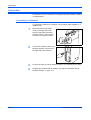
1
Preparation
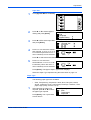
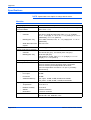
Input Size:
1
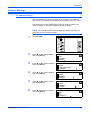
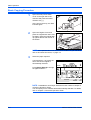
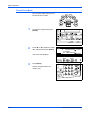
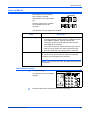
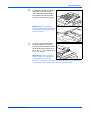
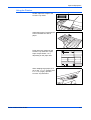
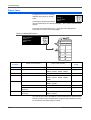
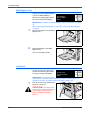
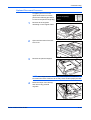
Press [System Menu / Counter].
2
Press S or T to select Bypass
Setting and press [Enter].
3
Press S or T to select Input Size
Bypass Paper Size:
and press [Enter].
* Universal Size
Input Size
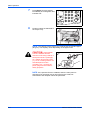
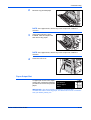
4
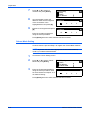
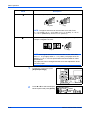
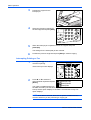
Press < or > to select the vertical
Input Size:
size required, 3 7/8" to 11 5/8" in 1/
8" increments (98 to 297 mm in 1
mm increments) can be selected.
System Menu / Counter:
End
Language
Bypass Setting
3 7 8"
5 7 8"
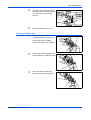
Press T to select the horizontal size.
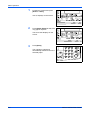
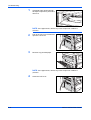
5
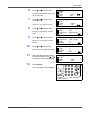
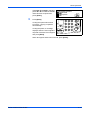
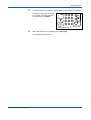
Press < or > to select the
Input Size:
horizontal size, 5 7/8" to 17" in 1/8"
increments (148 to 432 mm in 1
mm increments) can be selected.
3 7 8"
5 7 8"
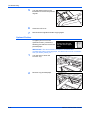
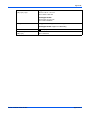
Press [Enter]. The Bypass Paper Type screen displays.
Select the Paper Type required using the instructions on page 2-9.
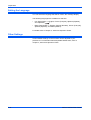
Paper Type
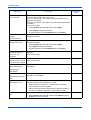
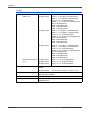
The following paper types are available:
•
1
Plain, Transparency, Preprinted, Labels, Bond, Recycled, Vellum,
Rough, Letterhead, Color, Prepunched, Envelope, Cardstock, Thick
paper, High quality, Custom 1 (to 8)
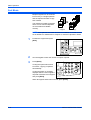
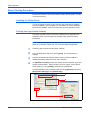
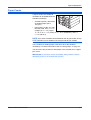
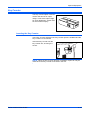
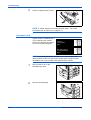
After selecting the paper size
required, press S or T to select
the paper type required.
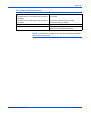
Press [Enter]. The Copier Basic
screen returns.
BASIC OPERATION GUIDE
Bypass Paper type:
* Plain
Transparency
Preprinted
2-9