1
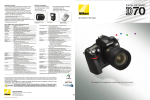
Ready to capture any moment with speed and beauty. The D70s.
Inheriting the award-winning image quality,
high performance and user-friendliness of the
D70, the Nikon D70s introduces refinements
that further help photographers freely capture
precious moments the instant they unfold.
• 3 fps continuous shooting for up to
144 consecutive shots*
• 0.2 sec. power-up and short shutter release
time lag
• 1/8,000 sec. shutter speed & 1/500 sec.
flash sync
• Large 2.0" LCD monitor with intuitive menus
and help display NEW
• Improved 5-area AF system
NEW
• 6.1 effective megapixel Nikon DX Format
CCD image sensor
• 7 Digital Vari-Program modes
• Built-in Speedlight with flash coverage for
18mm lenses NEW
• Optional Remote Cord MC-DC1
NEW
*When using JPEG NORMAL - Large setting, and a SanDisk SDCFH (ultra II),
SDCFX (Extreme/Extreme III) or Lexar Media 80X WA CompactFlash™ card
• Image quality mode: RAW (NEF) • Lens: AF-S DX Zoom-Nikkor 12-24mm f/4G ED-IF • Exposure mode:[A] , 1/1000 second, f/5.6 • White balance: Auto • Sensitivity: ISO-equivalent 200
2
3
Performance capable of capturing all the action in stride
Speed and precision assure readiness when that special moment arises
Improved 5-area AF system
NEW
Near-instant power-up and quick response
(0.2 sec. power-up and short shutter release lag)
Nikon’s advanced 5-area Multi-CAM900 autofocus system continues
to feature a cross-type sensor in the center, broad frame coverage,
as well as the same class-leading low light detection and convenient
AF-assist illuminator that aid shooting in dark situations. New are
re fi n e m e n t s t o d e l i v e r
Turn on the D70s and, with a power-up time of a mere 0.2 seconds,
it’s ready to shoot immediately. Press the shutter button and it
responds without hesitation. Nikon’s 5-area Multi-CAM900 autofocus
with AF-assist illuminator ensures a fast and precise focus under
greater precision with fast,
more consistent subject
even challenging lighting conditions. Pictures taken are processed
and recorded extremely quickly. Preview images appear on the
acquisition and improved
focus tracking when using
Closest Subject Priority
Dynamic AF or Dynamic
LCD monitor almost instantly. And, high-speed continuous shooting
means never falling behind the pace of the action or missing the
heartbeat of the moment.
AF mode with predictive
focus tracking and
Fast shutter speeds
(1/8,000 sec. maximum shutter speed & 1/500 sec. flash sync)
Lock-on™.
Shutter speeds from 30 to 1/8,000 sec. and flash-synchronized
shutter speeds of up to 1/500 sec. provide a photo experience
with greater breadth and creative flexibility to catch more of those
precious moments.
The AF system automatically determines which focus area should be given priority, prevents the camera from focusing on
the background, and improves the focus ‘hit rate’ when tracking the intended subject.
144-picture 3 fps continuous shooting
The D70s can shoot a rapid 3 frames per second for a continuous burst
of 144 pictures* thanks to optimized systems throughout the camera,
including high-speed buffer memory handling, fast image processing,
high-speed memory card access, and large system bus bandwidth.
*When using JPEG NORMAL - Large setting, and a SanDisk SDCFH (ultra II), SDCFX (Extreme/Extreme III) or Lexar Media
80X WA CompactFlash™ card
• Image quality mode: RAW (NEF) • Lens: AF-S Zoom-Nikkor 28-70mm f/2.8D ED-IF • Exposure mode: [A], 1/320 second, f/2.8 • White balance: Auto • Sensitivity: ISO-equivalent 200
4
5
Performance that produces great pictures with pure color fidelity
Vivid color and sharp details with high resolution and wide dynamic range
Three color modes
Nikon’s advanced color
• AF-S DX Zoom-Nikkor 18-70mm
f/3.5-4.5G ED-IF
reproduction system
optimizes the three
available color modes to
best match your subject or
Designed to combine top performance
with outstanding value, this compact
standard zoom lens covers the highly
practical focal length range of 18-70mm,
intended use.
Mode Ia: Renders natural-
which is equivalent to 27-105mm in
35mm [135] format.
looking skin tones out of
the camera. (sRGB)
Mode II: Realizes a wider
color range suited for processing or retouching. (Adobe RGB)
• AF Zoom-Nikkor 70-300mm f/4-5.6G
With a range ready to cover everything
from portraits to sports shooting, this
Mode IIIa: Renders vivid landscape and flora colors out of the
camera. (sRGB)
high-power telephoto zoom lens packs
a 4.3x zoom ratio into a compact and
Nikkor lenses
18mm
• Image quality mode: RAW (NEF) • Lens: AF-S VR Zoom-Nikkor 70-200mm f/2.8G ED-IF • Exposure mode: [A], 1/80 second, f/2.8 • White balance: Cloudy • Sensitivity: ISO-equivalent 200
70mm
Advanced image processing engine
Nikon DX Format CCD image sensor
The D70s’s advanced System LSI processor
produces images with pure, vivid colors and
maximum clarity. Auto white balance, auto tone
and color control are optimized, while real-time
processes diminish digital noise in long exposure
Optimized to deliver a wide dynamic range that produces great
pictures with high resolution and sharp details, the DX Format CCD
sensor’s 6.1 effective megapixels yield 3,008 x 2,000-pixel images
that are suitable for making large prints, or for creative cropping to
bring out detail. Micro-optics incorporated into each of the sensor’s
shots. Processed images are ready to print right
from the camera, minimizing time spent to achieve pleasing results.
pixels precisely align the image from the camera’s lens for maximum
performance, whether using AF
The image processing engine also maximizes system performance
to ensure fast file compression, high-speed data handling in
Nikkor lenses or high-quality,
digital-dedicated DX Nikkor
memory, fast simultaneous recording of JPEG and NEF files, and
near-instant display of images.
lenses. All Nikon digital SLR
cameras employ the DX Format,
establishing a level of high
performance and uniformity.
6
lightweight package that is ideally suited
for traveling. (Equivalent to 105-400mm
in 35mm [135] format.)
The D70s employs the Nikon F lens
mount for seamless compatibility
• AF Micro-Nikkor 60mm f/2.8D
with the comprehensive lineup of
high - quality AF and AF- S Nikkor
lenses long favored by professionals
around the world for their superb
Nikon’s most compact micro lens excels
at both close-up and general photography.
The medium telephoto reach when used
with the D70s (equivalent to 90mm
color, high contrast and razor-sharp
images, as well as for outstanding
autofocus per formance. The
in 35mm [135] format) provides extra
working distance for elusive subjects
or when supplemental illumination
increasing family of DX Nikkor lenses
designed for use with Nikon digital
SLR cameras make the options even
richer, delivering a wider variety of
picture angles, higher performance,
and out-standing center-to-edgeto-corner image quality.
is required.
• Image quality mode: RAW (NEF) • Lens: AF Micro-Nikkor 60mm f/2.8D
• Exposure mode: Digital Vari-Program [Close up], 1/30 second, f 3.8
• White balance: Auto • Sensitivity: ISO-equivalent 200
When used with the D70s or any Nikon Digital SLR, all AF, AF-S
and DX Nikkor lenses have a picture angle comparable to 1.5x
that of 35mm [135] format.
300mm
7
Performance that delivers accurate control over light
Effective control over exposure, metering, and flash operation
Automated Digital Vari-Program and exposure modes
Auto: Makes it easy to produce vivid, smooth snapshots
with balanced saturation, color, and sharpness.
Portrait: Produces beautiful skin tones and highlights the
subject by softening background details.
Selecting one of the seven
Digital Vari-Program selections
automatically optimizes white
balance, sharpening, tone
(contrast), color, saturation and
Landscape: Produces vivid landscape shots with enhanced
outlines, colors, and contrast.
Close Up: Makes the subject stand out clearly in close-up
shots of flowers, insects, and other small objects.
hue settings to best match the
selected scene, making creative
Sports : Uses high shutter speeds to freeze motion for
dynamic sports shots in which the subject stands out clearly.
photography as simple as rotating
the mode dial. Choose from Auto,
Portrait, Landscape, Close Up,
Sports, Night Landscape, or
Night Landscape: Slow shutter speeds produce stunning
shots while minimizing low-light imperfections.
Night Portrait : Provides natural balance between the
subject and background in portraits taken under low light.
Night Portrait for automated
performance that makes the
D70s the right choice, whether
you are still learning how to make
great pictures or an experienced
photographer simply in a hurry to
capture precious moments.
Exposure modes: Auto Multi Program [P], Shutter-Priority
Auto [S], Aperture-Priority Auto [A], or Manual [M] exposure
mode settings
Exposure metering options
Nikon’s 1,005-pixel RGB Exposure/Color Matrix Metering Sensor
evaluates brightness, color, contrast, selected focus area, and
Exposure mode settings provide
greater personal control over
camera operation. [P] Auto Multi Program mode automatically sets
the shutter speed and aperture, and includes Flexible Program for
subject-to-camera distance information, references the results against
an onboard database of 30,000 scenes from actual photography, and
then uses high-speed processing to deliver consistently dependable
automatic exposure. Variable center-weighted metering and a choice
quick selection of alternate exposure-combination settings. [S]
Shutter-Priority Auto offers a choice of shutter speeds from 1/8,000
to 30 seconds. [A] Aperture-Priority Auto allows free selection from
of five spot meters are also available, as is exposure compensation
and auto exposure bracketing.
the complete range of aperture settings. And, [M] Manual gives full
control over shutter speed and aperture.
Built-in Speedlight with i-TTL flash control NEW
(with wider angle coverage)
• Image quality mode: RAW (NEF) • Lens: AF-S DX Zoom-Nikkor 18-70mm f/3.5-4.5G ED-IF • Exposure mode: [A], 8 second, f/11 • White balance: Auto • Sensitivity: ISO-equivalent 200
Image enhancement options
When using Auto Multi Program [P], Shutter-Priority Auto [S],
Aperture-Priority Auto [A], or Manual [M] exposure modes,
easy-to-set image enhancement options optimize sharpening,
tone (contrast), color, saturation and hue to best match the scene
or intended use for the picture. Choices include Normal, Vivid,
Sharp, Soft, Direct print, Landscape or Custom optimization.
The built-in Speedlight automatically pops up
and fires when natural lighting is inadequate,
or to add Balanced Fill-Flash when there is
strong backlighting. With a new optimized design for the D70s, flash
coverage has been increased to support lenses as wide as 18mm.
Creative Lighting System support
Precise white balance control
that controls one group of multiple wireless SB-600 or SB-800
Speedlights. Alternately, attach an SB-800 and control up to 3
The D70s produces natural coloration by matching white balance to
the light source of the shot. Advanced Auto white balance handles
wireless remote groups, each consisting of any number of SB-800 or
SB-600 Speedlight units.
most situations, but the flexible options include a choice of six
specific manual settings with fine-tuning, (Incandescent, Fluorescent,
Direct Sunlight, Flash, Cloudy, and Shade), as well as a preset option
for using a gray or white object as a reference for white balance.
8
• Image quality mode:
RAW(NEF)
• Lens: AF-S Zoom-Nikkor
17-35mm f/2.8D ED-IF
• Exposure mode: Digital VariProgram [Night Landscape],
1.60 second, f/5.6
• White balance: Auto
• Sensitivity: ISO-equivalent
200
B
A major benefit of the D70s’s built-in flash is that it adopts Nikon’s
highly robust and advanced i-TTL flash control, technology that
leads the industry in vastly expanding the possibilities for using
creative lighting in photography. The built-in Speedlight also works
with the Creative Lighting System, serving as a remote commander
A
M
• Image quality mode: RAW (NEF)
• Lens: AF-S DX Zoom-Nikkor 18-70mm f/3.5-4.5G ED-IF
• Exposure mode: [M], 1/250 second, f/4.5
• White balance: Auto
• Sensitivity: ISO-equivalent 200
• SB-800 mode settings
Master: Flash canceled, Remote A: Manual, Remote B: Manual
Wireless multiple flash photography with Nikon’s Creative Lighting System
helps create more natural-looking pictures by using several flash units to
emphasize the subject or eliminate shadows.
On-camera single flash
9
Performance that makes it easier to take great pictures
Improved ergonomics for efficient handling and easy operation
Multi selector and Nikon ergonomics
provide greater operating ease
Remote cord support NEW
The handy four-direction multi selector
on the camera’s back makes it easy to
select a specific focus area when using
Single AF or Dynamic AF modes, or
greater convenience and ease of
use in a wider variety of shooting
situations, including long exposures
and close-ups. The optional Wireless
to navigate menus and control image
playback. The light, compact camera
Remote Control ML-L3 can also be used
with the D70s.
The new Remote Cord (MC-DC1) adds
body fits the hand well and ensures easy
access to controls, which themselves are
designed and logically placed for ease
of use. This includes the Mode dial and
Help button, as well as the Main and Sub
Command Dials that facilitate easy control
• Image quality mode: RAW(NEF)
• Lens: AF-S Zoom-Nikkor
28-70mm f/2.8D ED-IF
• Exposure mode: Shutter Priority,
10 seconds, f/8
• White balance: Incandescent
• Sensitivity: ISO-equivalent 200
over settings and smooth single-handed
operation. The large LCD data control
panel atop the camera body allows quick
confirmation of important settings. One
example of attention to detail is the change in sound frequency
used for D70s system beeps, making them more clearly audible.
Remote camera control support
Viewfinder
Using the supplied USB cable to connect the D70s to a computer
running Nikon Capture 4 software enables remote control from the
The bright optical viewfinder features Vari-Brite Focus Area
display, which makes focus confirmation easier by automatically
Large 2.0” LCD monitor and new menu design NEW
A new menu design combining a carefully selected color scheme,
the right amount of contrast, and larger fonts makes the user-friendly
keywords of the menu displays easier to view and quicker to recognize.
Playback options on the new 2.0-inch LCD monitor include single
frame, 4 or 9-image thumbnail display, zoom with scroll (up to 4.7x),
automatic slide show, histogram indication, and highlight point display.
New higher energy lithium-ion battery
NEW
The new EN-EL3a rechargeable lithium-ion battery
increases energy capacity to deliver enough
Photo taken using the Remote Cord
MC-DC1.
superimposing the selected focus area in black when lighting is
sufficient, but momentarily illuminating it in red when shooting in
dim light or focusing on a dark-colored subject. On-Demand grid
lines superimpose a grid over the viewfinder that can prove helpful
for architectural photography or shooting landscapes
that include horizons. A digital readout along the
bottom displays valuable information on settings and
camera status.
computer over most shooting
settings as well as triggering
of the shutter release. Images
can be downloaded directly to
the computer, eliminating the
need to change memory cards
while shooting.
power to shoot as many as 2,500 images per
charge*, all while maintaining the same form factor
as the EN-EL3 battery. The new Quick Charger
MH-18a is smaller than the charger it replaces,
and is capable of charging both the EN-EL3a and
EN-EL3 batteries. When the need arises, the D70s
can also be run using CR2 batteries. (Requires the
optional CR2 battery holder, MS-D70).
*Achieved under following test conditions: Fully charged EN-EL3a battery; temperature
of 68˚F/20˚C; Zoom-Nikkor AF-S DX 18-70mm f/3.5-4.5G ED-IF lens; continuous
shooting mode; continuous-servo autofocus; image quality set to JPEG BASIC; image
size set to Medium; shutter speed 1/250 sec.; shutter release pressed halfway for three
seconds and focus cycled from infinity to minimum range three times with each shot;
monitor turned on for five seconds after six shots and then turned off; cycle repeated once
exposure meters have turned off.
10
11
Versatility that makes digital photography more rewarding
Flexible settings and powerful software enhance shooting and the results
Variety of custom settings
PictBridge support
A total of 25 custom settings help personalize the operation of the
Printing pictures can be
D70s to match individual shooting styles, or optimize it for use under
the demands of different shooting conditions. The custom settings
menu is displayed on the LCD monitor in easy-to-understand
fashion, and selections are made using the handy multi selector on
as simple as connecting
the D70s to any PictBridge
compatible printer via the
supplied USB cable. The
the camera’s back. Help dialogs that describe each setting can also
be displayed with the press of a button.
D70s improves PictBridge
support by adding
Nikon Capture 4 offers a unique image-editing environment and is the only program
that provides complete functionality to edit NEF (Nikon Electronic Format) files,
enabling photographers to optimize output for every possible need.
The NEF difference
in-camera page setup
support for easier printing
and greater control over
the results.
Simultaneous NEF + JPEG recording
The D70s’s ability to simultaneously save individual NEF (RAW) and
The D70s is compatible
with CompactFlash™ cards
and Microdrive™ media of
up to 4GB capacity.
•D-Lighting:
adjusts shadows and highlights while maintaining
consisting of an image’s RAW data, along with an
instruction set that provides unparalleled image
mid-tones for optimized results that compensate for
underexposure and overexposure.
adjustments made are saved in the file’s instruction
set. The original file’s RAW data is never altered,
regardless how many times the instruction set
•Improved Multi Image window:
opens more quickly, and the new scrollable thumbnail
is changed. Instruction sets can also be saved
separately for all adjustments or only selected
The following CompactFlash™ cards can be used with the D70s:
• SanDisk Corporation
SDCFB 32/128/256/512MB/1GB, SDCFB (Type II) 192/300MB, SDCF2B (Type II) 256MB,
SDCFH (Ultra) 128/256/384/512MB/1GB, SDCFH (Ultra II) 256/512MB/1GB, SDCFX (Extreme)
512GB, SDCFX (Extreme III) 1GB/2GB
• Lexar Media Corporation
12X USB series: 64/128/256/512, 16X USB series: 256/512/1GB,
16X WA USB series: 128/256/512MB,
24X USB series: 256/512MB, 24X WA USB series: 256/512MB, 32X WA USB series: 1GB,
40X WA USB series: 256/512MB/1GB/4GB,
80X WA series: 512/1GB/2GB/4GB
• Renesas Technology (Hitachi)
HB28BxxxC8x series: 16/32MB
• Microdrive™
DSCM -11000 (1GB), 3K4 -2 (2GB), 3K4 - 4 (4GB)
(CF Card, Microdrive™)
Nikon Electronic Format (NEF) is a unique file format
editing capability. With NEF, all corrections and
JPEG files for the same image helps optimize workflow operations
for varying conditions and needs.
Storage media
Software
Nikon Capture 4 (Ver. 4.2)
Operation is not guaranteed with cards produced by other manufacturers.
For more details on the above cards, please contact the relevant manufacturer.
parameters, and then later applied to individual files or
to a large number using automated batch processing.
•Straighten:
image display is also faster. The interface adds new
features, including simultaneous editing of multiple
It’s the best of versatile image editing combined with
precious savings in hard disk space.
rotates a picture to level it on the horizontal or vertical axis
using either a simple defining mouse action, or by directly
files, the ability to undo or redo commands, and file
deletion.
Nikon Capture 4 processes and displays NEF files
entering the amount of rotation to be applied. (±10°)
using a full 16 bits per color channel for smoother
fidelity when making tonal and other color corrections.
•Photo Effects tool:
applies monochrome, sepia or tint effects, and
Changes can be saved to the NEF file, as a new
provides both manual and auto brightness control.
Instruction Set, or as a TIFF or JPEG file.
Version 4.2 continues to refine the power, speed and
•Plug-in filter support:
flexibility of Nikon Capture 4. Building on familiar
allows feature set expansion for even greater
features such as Fisheye-to-rectilinear image
transformation, Image Dust Off and batch processing,
•Improved color noise reduction — better filters out
capability to enhance and transform images. The
three editions of nik Color Efex Pro 2.0 for Nikon
a number of new functions expand the creative
possibilities and improve workflow efficiency.
color noise for smoother transitions while preventing
resolution loss at higher settings.
Capture 4 as well as nik Color Efex Pro 2.0 Express
Edition offer selections of a wide range of filters and
effects packaged to match differing needs.
Software
PictureProject
•Histogram tool:
displays a histogram that more closely
Remote Camera Control
Nikon Capture Control can control most shooting
PictureProject is refined with an
quickly locate any file by name, keyword, or date.
represents the final image, and that
intuitive new user interface that
makes image management, editing and sharing
Plug-in filter support offers feature set expansion,
including compatibility with the wide range of
can be used to confirm specific ranges
settings and trigger the D70s’s shutter release
of pixels in the image window.
remotely from a computer when the camera is
easier and more fun. Simply connect the camera to
filters and effects offered by nik Color Efex Pro 2.0.
a computer to automatically import pictures. Quickly
e-mail or Auto Enhance images, run slideshows,
And, with support for JPEG, TIFF and NEF files,
PictureProject seamlessly bridges workflow with the
•Marker:
connected via the USB interface to a computer with
Nikon Capture 4 installed.
burn CD/DVDs*, and access other commonly used
functions via practical buttons. Use drag-and-drop
powerful feature set of Nikon Capture 4.
to organize pictures into separate collections, and
* DVD burning requires the optional PictureProject DVD Show.
saves the parameters for each image at
each step during processing, making it
easy to apply distinct finishing touches
when preparing the same image for
different applications.
PictureProject System Requirements
Nikon Capture 4 (Ver. 4.2) System Requirements
Windows
OS
Windows
Preinstalled versions of Windows XP Home Edition, Windows XP Professional,
Windows 2000 Professional, Windows Millennium Edition (Me),
Windows 98 Second Edition (SE)
Macintosh
Mac OS 9.0.4, 9.1, 9.2, Mac OS X (version 10.1.5 or later)
CPU/Model
300 MHz Pentium or better recommended
iMac, iMac DV, Power Macintosh G3 (Blue/White), Power Mac G4 or later, iBook,
PowerBook G3 or later
RAM
256MB (768MB or more recommended)
Mac OS X: 256MB (768MB or more recommended) Mac OS 9: memory allocation of 64MB or
more to Nikon Capture 4 Camera Control, 512MB or more to Nikon Capture 4 (Ver. 4.2)
Macintosh
OS
Preinstalled versions of Windows XP Home Edition, Windows XP Professional,
Windows 2000 Professional, Windows Millennium Edition (Me),
Windows 98 Second Edition (SE)
Mac OS X version 10.1.5 or later (Mac OS X version 10.2.8 or
later required for “Burn Disc” function)
CPU/Model
300 MHz Pentium or better recommended
(500 MHz Pentium III or better for muvee option)
Model with built-in USB or FireWire port
HDD
60MB required for installation
RAM
64MB or more (128MB or more with RAW images or muvee option)
HDD
200MB required for installation
Display
800 x 600 pixels or more with 16-bit color (High Color / thousands of colors) or more
Display
800 x 600 pixels or more with 16-bit color (High Color/thousands of colors). 24-bit color (True Color/millions of colors) recommended
Others
• CD-ROM drive required for installation. Write-capable drive required for “Burn Disc” function.
• Internet connection required for some options. E-mail option requires Internet connection and supported e-mail program.
Others
CD-ROM drive required for installation.
Only computers with built-in USB ports supported.
Note 1: Data transfer may not work properly if the connection to a computer is via a USB hub.
12
Note 1: Data transfer may not work properly if the connection to a computer is via a USB hub. Note 2: Installation and usage require user authorization.
13
A wealth of accessories for optimizing performance and adaptability
• Remote Cord MC-DC1
The new Remote Cord MC - DC1 was developed
as a convenient option for landscape and macro
photography, one that make s the came ra more
convenient and even easier to use.
Eyepiece Correction Lenses
(-5 to +3m-1)
(Approx. 3.3 ft. /1.0m in length.)
Nikon
Speedlights
SB-800/600
Studio
Speedlights**
• Speedlight System
with Nikon’s Creative Lighting System.
Speedlight
SB-800
Eyepiece Adapter
Eyepiece
Magnifier
DG-2
Powerful, full-featured with i-TTL flash control for use
Eyepiece Cap
DK-5*
Speedlight
SB-800
Sync Terminal
AS-15
Speedlight
SB-600
SC-28, 29
Rubber Eyecup
DK-20*
Angle Finder
DR-6
Speedlight
SB-600
A comprehensive lineup of high-quality Nikkor lenses.
Nikon Speedlights add functionality and precision that tap the full potential
of the Creative Lighting System for full and easy control over lighting.
Viewfinder accessories for further, support personalized
shooting comfort and convenience.
NEW
The video cable connects the D70s to a television for
playing slideshows or viewing individual images.
A choice of remote control options provides necessary
camera stability when using long exposures.
Video cable*
Accessories
• COOLWALKER MSV-01
Nikon’s original compact digital photo storage device features
view-anywhere convenience and versatile compatibility.
• Wireless Remote Control ML-L3
Transfer, store, manage, preview and edit images freely
with the variety of storage and software options.
Wireless
Remote Control
ML-L3
Remote Cord
MC-DC1
TV Monitor**
Cable-free remote triggering of the shutter makes it easier to
use slow shutter speeds without disturbing the camera.
• Hot Shoe Sync Terminal Adapter AS-15
High-performance power accessories support maximum field performance.
Provides an additional PC sync connector for easy
connection of external studio Speedlights.
A specialized D70s
camera case for
protection and storage.
CompactFlash™ Card**/
Microdrive™**
• Semi-Soft Case CF-D70
Li-ion Battery Pack
EN-EL3a*
CR2 Battery Holder
MS-D70
COOLWALKER MSV-01
Power Accessories
• Rechargeable Li-ion Battery EN-EL3a (supplied)
Personal
Computer**
• Quick Charger MH-18a (supplied)
CompactFlash™ Card**/
Microdrive™**
• Multi Charger MH-19
• AC Adapter EH-5
PC Card Adapter**/
Microdrive™ Adapter**
Semi-Soft Case
CF-D70
AC Adapter EH-5
• CR2 Battery Holder MS-D70
Quick Charger
MH-18a*
COOLWALKER MSV-01
Nikon Capture 4
(Ver. 4.2)
PictureProject*
Multi Charger
MH-19
USB cable UC-E4*
Function Compatibility Chart (IX-Nikkor lenses cannot be used)
Camera setting
Lens / accessory
2
Type G or D AF Nikkor AF-S, AF-I Nikkor
CPU
lenses1
PC-Micro Nikkor 85mm f/2.8D 4
M
√
√
√
√
√5
√
7
√
√8
√
√9
√
√
√9
√
√
_
7
√
Other AF Nikkor (except lenses for F3AF)
√8
AI, AI-S, or Series E, AI modified Nikkor AI modified
Medical Nikkor 120mm f/4
Reflex-Nikkors
Non-CPU
lenses10 PC-Nikkor
AI-type Teleconverter
PB-6 Bellows Focusing Attachment13
Auto extension rings (PK-series 11-A, 12, or 13; PN-11)
1 IX Nikkor lenses cannot be used.
2 Vibration Reduction (VR) supported with VR lenses.
3 Spot metering meters selected focus area.
4 The camera’s exposure metering and flash control
systems do not work properly when shifting and/or
tilting the lens, or when an aperture other than the
maximum aperture is used.
5 Electronic rangefinder cannot be used during shifting or tilting.
6 Compatible with AF-I Nikkor lenses and with all
AF-S lenses except DX 12-24mm f/4G, ED 17-35mm
f/2.8D, DX 17-55mm f/2.8G, DX ED 18-70mm f/3.5-4.5G,
ED 24-85mm f/3.5-4.5G, VR ED
24-120mm f/3.5-5.6G, and ED 28-70mm f/2.8D.
7 Compatible with lenses with maximum effective
aperture of f/5.6 or faster.
Exposure Mode
DVP, P,
S, A
AF-S / AF-I Teleconverter 6
AI-P Nikkor
14
Focus Mode
AF M (with electronic M
rangefinder)
_
_
_
_
_
_
_
_
√
√
_
√5
√
√
√
√7
√
√7
√
√7
√
_
3D Color
_
√
√
√
√
√
√
√
√
_
_
_
_
_
_
_
√
√ 11
√ 12
√ 11
√ 11
√
11
√ 11
√ 11
*Supplied accessories **Non-Nikon products
Metering System
_
_
_
_
_
_
√3
20
19
18
17
44
16
43
42
41
40
1
39
2
√3
√
√3
√
√3
_
_
_
21
√3
3
Front
4
Rear
5
6
_
_
_
_
_
_
_
_
_
_
7
1
8
9
2
14
3
13
4
_
_
_
5
_
_
_
6
8 If AF 80-200mm f/2.8S, AF 35-70mm f/2.8S, newmodel AF 28-85mm f/3.5-4.5S, or AF 28-85mm
f/3.5-4.5S is zoomed in while focusing at minimum
range, image on matte screen in viewfinder may
not be in focus when in-focus indicator is displayed.
Focus manually using image in viewfinder as guide
in such circumstances.
9 With maximum aperture of f/5.6 or faster.
10 Some lenses cannot be used.
11 Can be used in mode M, but camera exposure meter
cannot be used.
12 Can be used in mode M at shutter speeds slower than
1/125 s, but camera exposure meter cannot be used.
13 Attach in vertical orientation (can be used in
horizontal orientation once attached).
38
15
12
11
10
22
10
37
23
24
36
25
35
26
34
12
13
14
15
16
17
9
7
11
18
19
8
20
21
27
28
29
30
31
32
33
LCD illuminator / Format button
Exposure compensation button
Shutter-release button
Power switch
Metering mode button
Sub-command dial
Depth of Field preview button
USB connector (under cover)
Focus-mode selector
Lens release button
DC-in connector (under cover)
Video connector (under cover)
Remote cord connector(under cover)*
Eyelet for camera strap
Infrared receiver
Mode dial
Speedlight lock release / Flash
sync mode / Flash exposure
compensation button
Built-in Speedlight
Accessory shoe
Self-timer / AF-assist illuminator /
Red-eye reduction lamp
Control panel
Focal plane mark
22
23
24
25
26
27
28
29
30
31
32
33
34
35
36
37
38
39
40
41
42
43
44
Playback button
Menu button
Sensitivity (ISO) / Thumbnail button
White balance (WB) / Protect / Help button
Image quality/size (QUAL) /
Playback zoom / Enter button
Reset switch
Tripod socket
LCD Monitor
Delete button
Focus selector lock
Battery chamber cover
Battery chamber cover latch
Memory card access lamp
Memory card slot cover latch
Memory card slot cover
Multi selector
Main command dial
AE/AF lock button
Diopter adjustment control
Viewfinder eyepiece cup
Viewfinder eyepiece
Shooting mode / Format button
Bracketing button
* Do not insert any cable other than MC-DC1 into the remote cord terninal on D70s camera.
15
Nikon Digital SLR Camera D70s Specifications
Type of Camera
Effective Pixels
Image Sensor
Image Size (pixels)
Sensitivity
Storage Media
Storage System
File System
Storage (Number of
frames per 256MB
CF card, image size L)
White Balance
LCD Monitor
Playback Function
Delete Function
Video Output
Interface
Text Input
Compatible Lenses
Picture Angle
Viewfinder
Eyepoint
Focusing Screen
Viewfinder Frame Coverage
Viewfinder Magnification
Viewfinder Information
Single-lens reflex digital camera
6.1 million
RGB CCD, 23.7 x 15.6mm; total pixels: 6.24 million
3,008 x 2,000 [L], 2,240 x 1,488 [M], 1,504 x 1,000 [S]
200 to 1600 (ISO equivalent) in steps of 1/3 EV
CompactFlash™ (CF) Card (Type I and II ) and Microdrive™
Compressed NEF (RAW): 12-bit compression,
JPEG: JPEG baseline-compliant
Exif 2.21, Compliant DCF 2.0 and DPOF
RAW approx. 44, FINE approx. 73
NORMAL approx. 144
BASIC approx. 279, RAW & BASIC approx. 39
Auto (TTL white balance with 1,005-pixel RGB sensor),
six manual modes with fine-tuning, preset white balance,
white balance bracketing possible
2.0-in., 130,000-dot, low-temperature polysilicon TFT LCD with brightness
adjustment
1 frame: Thumbnail (4 or 9 segments); Magnifying playback; Slide show;
Histogram indication; Highlight point display; Auto image rotation
Card format, All frames delete, Selected frames delete
Can be selected from NTSC and PAL
USB: Mass storage and PTP selectable
Up to 36 characters of alphanumeric text input available with LCD monitor
and multi-selector; stored in Exif header
Refer to page 14
Equivalent in 35mm [135] format is approx. 1.5 times lens focal length
Fixed eye-level penta-Dach-mirror type; built-in diopter adjustment (-1.6 to +0.5m -1)
18mm (-1.0m -1)
Type-B BriteView Clear Matte screen Mark V with superimposed focus
brackets and on-demand grid lines
Approx. 95%
Approx. 0.75x with 50mm lens at infinity; -1.0m -1
Focus indications, AE/FV lock indicator, Shutter speed,
Aperture value, Exposure/Exposure compensation indicator,
Exposure mode, Flash output level compensation, Exposure compensation,
Number of remaining exposures, Flash-ready indicator
Autofocus
TTL phase detection by Nikon Multi-CAM900 autofocus
module with AF-assist illuminator (approx. 0.5m to 3.0m)
Detection range: EV -1 to +19
(ISO 100 equivalent, at normal temperature: 68°F/20°C)
Lens Servo
1) Autofocus (AF): single-servo AF (AF-S); continuous servo AF (AF-C);
predictive focus tracking automatically activated according to subject status
2) Manual focus (M)
Focus Area
Can be selected from 5 focus areas
AF Area Mode
1) Single Area AF, 2) Dynamic Area AF, 3) Closest Subject Priority Dynamic Area AF
Focus Lock
Focus can be locked by pressing shutter-release button halfway
(single-servo AF) or by pressing AE-L/AF-L button
Exposure Metering
TTL full-aperture exposure metering system
System
(1) 3D Color Matrix Metering with 1,005-pixel RGB sensor
(2) Center-weighted: Weight of 75% (8mm dia. circle)
given to 6, 8, 10, or 12mm dia. circle in center of
frame, or weighting based on average of entire frame
(3) Spot: Meters 2.3mm dia. circle (about 1% of frame)
centered on active focus area
Exposure Metering
1) EV 0 to 20 (3D Color Matrix or center-weighted metering)
Range
2) EV 2 to 20 (spot metering) (ISO 100 equivalent, f/1.4 lens, 68°F/20°C)
Exposure Mode
Digital Vari-Program (
Auto,
Portrait,
Landscape,
Close up,
Sports,
Night landscape,
Night portrait),
Programmed Auto [P] with flexible program; Shutter-Priority Auto [S];
Aperture Priority Auto [A]; Manual [M]
Exposure Compensation ±5 EV in increments of 1/3 or 1/2 EV
Auto Exposure Lock
Luminosity locked at detected value with AE-L/AF-L button
Auto Exposure Bracketing Two or three frames ±2 EV in 1/3 or 1/2 steps
1) Single frame shooting mode
2) Continous shooting mode: approx. 3 frames per second
3) Self-timer mode
4) Delayed remote mode : 2 sec. delay
5) Quick-response remote mode
Combined mechanical and CCD electronic shutter,
Shutter
30 to 1/8000 sec. in steps of 1/3 or 1/2 EV, bulb
X-contact only; flash synchronization at up to 1/500 sec.
Sync Contact
1) TTL: TTL flash control by 1,005-pixel RGB sensor
Flash Control
Built-in Speedlight: i-TTL Balanced Fill-Flash or standard i-TTL flash
(spot metering or mode dial set to [M])
SB-800 or 600: i-TTL Balanced Fill-Flash or standard i-TTL flash (spot metering)
2) Auto aperture: Available with SB-800 with CPU lens
3) Non-TTL Auto: Available with Speedlights such as SB-800, 80DX, 28DX,
28, 27, and 22s
4) Distance-priority manual available with SB-800
1) Front-curtain Sync (normal sync), 2) Red-eye Reduction,
Flash Sync Mode
3) Red-eye Reduction with Slow Sync, 4) Slow Sync, 5) Rear-curtain Sync
,
,
,
: auto flash with auto pop-up
Built-in Speedlight
[P], [S], [A], [M]: manual pop-up with button release
Guide number (ISO 200/ISO 100, m): approx. 15/11 (manual full 17/12)
-3 to +1 EV in increments of 1/3 or 1/2 EV
Flash Compensation
Standard ISO hot-shoe contact with safety lock provided
Accessory Shoe
Electronically controlled timer with 2 to 20 seconds duration
Self-timer
When CPU lens is attached, lens aperture can be stopped down
Depth of Field Preview
and previewed by pressing the preview button
Via Remote Cord MC-DC1 (optional) or Wireless Remote Control ML-L3
Remote Control
(optional)
One Rechargeable Li-ion Battery EN-EL3a or EN-EL3,
Power Source
Three CR2 Lithium batteries (with optional MS-D70 CR2 battery holder),
AC Adapter EH-5 (optional)
1/4 in. (ISO 1222)
Tripod Socket
Approx. 5.5 x 4.4 x 3.1 in. (140 x 111 x 78mm)
Dimensions (W x H x D)
Approx. 1lb 5 oz (600g) without battery, memory card, body cap, or monitor cover
Weight
Rechargeable Li-ion Battery EN-EL3a, Quick Charger MH-18a, Video
Supplied Accessories*
Cable, USB Cable UC-E4, Strap, Body cap, Eyepiece Cap DK-5, Rubber
Eyecup DK-20, LCD monitor cover BM-5, PictureProject CD-ROM
Rechargeable Li-ion Battery EN-EL3a, Multi Charger MH-19, Quick Charger
Optional Accessories
MH-18a, AC Adapter EH-5, CR2 Battery Holder MS-D70, Speedlight SB-800/600,
Angle Finder DR-6, Nikon Capture 4 (Ver. 4.2) Software, Semi-Soft Case CF-D70,
Remote Control ML-L3, Remote Cord MC-DC1, CompactFlash™ Card
*Supplied accessories may differ in each country or area.
Shooting Modes
Image Quality, Image Size and Number of Available Shots (when using 256MB CF card)
Image Quality
RAW
FINE
NORMAL
BASIC
RAW+BASIC
Image Size
File Size
Number of
Available Shots*1
Approx. 5.0MB
Approx. 44 shots*
L
Approx. 2.9MB
Approx. 73 shots
M
Approx. 1.6MB
Approx. 130 shots
10 shots
S
Approx. 0.8MB
Approx. 279 shots
279 shots
144 shots
L
Approx. 1.5MB
Approx. 144 shots
Approx. 0.8MB
Approx. 253 shots
10 shots
S
Approx. 0.4MB
Approx. 528 shots
528 shots
279 shots
L
Approx. 0.8MB
Approx. 279 shots
M
Approx. 0.4MB
Approx. 481 shots
9 shots
S
Approx. 0.2MB
Approx. 950 shots
950 shots
L
Approx. 5.8MB
Approx. 39 shots*5
4 shots
*1. May change according to shooting conditions. *2. Number of frames when using the SanDisk SDCFH (ultra II)
256MB CF card. *3. The number of continuous shots possible in a single burst may be fewer depending
on the type of CF card used. *4. The displays show “23” as the number of remaining exposures. *5. The
displays show “21” as the number of remaining exposures.
TO ENSURE CORRECT USAGE, READ MANUALS CAREFULLY BEFORE USING
YOUR EQUIPMENT. SOME DOCUMENTATION IS SUPPLIED ON CD-ROM ONLY.
Printed in Japan Code No. 6CE41635 (0502A) Ad
4 shots
14 shots
M
Specifications and equipment are subject to change without any notice or obligation on the part of the
manufacturer. April 2005 c 2005 NIKON INC.
1300 Walt Whitman Road, Melville, N.Y. 11747-3064, U.S.A.
www.nikondigital.com
Number of Consecutive
Shots Available*2 * 3
—
Microsoft® and Windows® are either registered trademarks or trademarks of Microsoft Corporation in the United States and/or other countries. Macintosh® is
a registered trademark or a trademark of Apple Computer Inc. in the United States and/or other countries.
CompactFlashTM is a trademark of SanDisk
Corporation. Products and brand names are trademarks or registered trademarks of their respective companies.
Images on LCDs and monitors shown in
this brochure are simulated.
WARNING
4