1
NETGEAR RangeMax™ 240 Wireless USB 2.0 Adapter WPNT121 User Manual
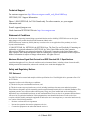
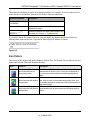
This connection indicator is useful in isolating a problem. For example, if you are connected to a
router, but not to the Internet, then check the router’s Internet connection.
Connection Indicator
Description
Connected to Internet
or IP Address
Wireless Internet connection OK.
Connected to Router
Wireless connection to router OK but no Internet
connection at router.
___.___.___.___ or
169.254..x.x
Wireless connection to a router OK but problem with
the router. See Chapter 4, “Troubleshooting”.
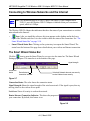
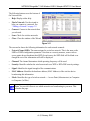
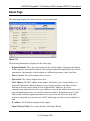
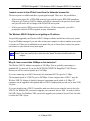
If you right-click in the System Tray icon, you can disable the Internet notification feature by
clearing check mark on this line. If you do so, then only the IP address is shown.
Figure 2-9
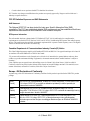
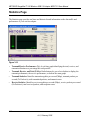
Icon Colors
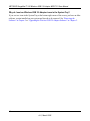
The icon is on the desktop and in the Windows System Tray. The System Tray resides on one end
of the taskbar in the Microsoft Windows desktop.
Color
Condition
Description
Red
The wireless USB adapter
has no connection to any
other wireless node.
The Wireless USB 2.0 Adapter can not link to any other
wireless node or the link is lost. Check your configuration or
try moving to a location where the wireless signal quality is
better.
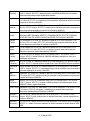
Yellow
The wireless USB adapter
The wireless link is weak. You may need to move to a better
has a connection with another spot, such as closer to the wireless access point. Also, look
wireless node.
for possible interference such as a 2.4 GHz cordless phone or
large metal surface.
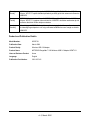
Green
The wireless USB adapter
The wireless USB adapter has established good
has a connection with another communication with an access point and the signal quality is
wireless node.
strong.
2-11
v1.0, March 2006