1
Contents
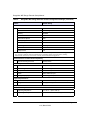
Getting to Know Your WiFi Range Extender ....................................................................... 1
Unpacking Your New WiFi Range Extender ...................................................................... 1
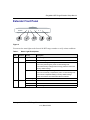
Extender Front Panel ......................................................................................................... 3
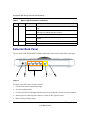
Extender Back Panel ......................................................................................................... 4
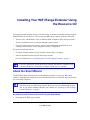
Bottom Label ..................................................................................................................... 5
Installing Your WiFi Range Extender Using the Resource CD........................................... 7
About the Smart Wizard .................................................................................................... 7
Optimizing Performance after Installation .......................................................................... 9
Installing Your WiFi Range Extender Manually ................................................................ 11
Connecting Your WiFi Range Extender .......................................................................... 11
Verifying Your Connection ............................................................................................... 16
Completing Manual Setup ............................................................................................... 16
Accessing Your RangeMax WiFi Range Extender after Installation................................ 17
Logging In ........................................................................................................................ 17
Setting Up Wireless Connectivity and Enabling Wireless Security .................................. 18
Updating Your Firmware .................................................................................................. 20
Setting Up Your Wireless Computers .............................................................................. 22
Help with Troubleshooting .................................................................................................. 25
Basic Troubleshooting ..................................................................................................... 25
Troubleshooting Connectivity Using the Ping Utility ........................................................ 31
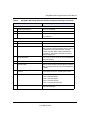
Default Configuration .......................................................................................................... 33
Default Configuration Settings ......................................................................................... 33
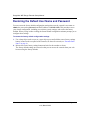
Restoring the Default User Name and Password ............................................................ 36
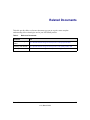
Related Documents.............................................................................................................. 37
Contents
iii