1
NETGEAR RangeMax Wireless PC Card WPN511 User Manual
Note: To optimize throughput, connect to a network with a high-speed router or access
point, and a high-speed Internet connection. For more information about optimizing
wireless performance, and network bandwidth, see “Optimizing Wireless
Performance” on page 3-1 and “Optimizing Your Network Bandwidth” on
page 3-2.
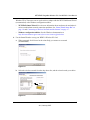
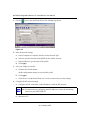
If you right-click the
icon, you can disable the Internet notification feature by clearing the
check mark enabling notification, as shown in Figure 1-8. If you do so, then only the IP address is
shown.
Figure 1-8
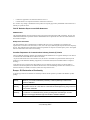
WPN511 LEDs
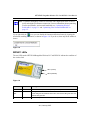
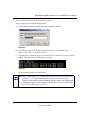
The two LEDs on the NETGEAR RangeMax Wireless PC Card WPN511 indicate the condition of
the wireless link.
LED 1 (Power)
LED 2 (Network)
Figure 1-9
LED 1
LED 2
Meaning
Slow blink
OFF
Power save mode (default from power up or reset)
Alternate
blink
Alternate blink Looking for network association
Power LED goes ON; Network LED is OFF; then Power LED goes OFF and
Network LED goes ON
Slow blink
Slow blink
Associated or joined with network; no activity
1-9
v3.0, January 2007