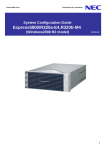
Download NEC EXPRESS5800 R320A-E4 User's Manual
Transcript
SCG300-10-001 NEC Express5800/ft series System Configuration Guide M o de l R 3 2 0 a - E 4 / M 4 ( V M w a r e ) August 2010 IT Network Global Solutions Division Table of Contents 1. System Configuration 2. Local Procurement 2.1. Hardware/software components 2.2. Power cord 3. Hardware List NEC Express5800/R320a-E4/M4 Express5800/R320a System Configuration Guide Quad-Core Core Intel Xeon Processor supported 4U Rackmount form factor VMware vSphere4 supported Specification Overview Model Product Number *1 CPU CPU Clock Speed No. of CPU (Standard/Max) L3 Cache Core (C)/ Thread (T) (1CPU) Chipset *1 Memory Standard Minimum Maximum Storage Memory type Operating frequency (Max) Error detection/correction Drive bay Standard capacity Maximum capacity Hot plug Interface and RAID Optical Disk Drive FDD Expansion slot Supported slot Graphics Installation Type / Video RAM Color ,Resolution [dot] External Interface External dimension (W x D x H) Weight (Min / Max) Power Supply Power consumption (Max config, high load) Operation Condition (Temperature, Humidity) Included Accessories Supported OS Express5800/R320a-E4 Express5800/R320a-M4 N8800-149F Intel® Xeon® Processor E5504 2GHz N8800-150F Intel® Xeon® Processor X5570 2.93GHz Redundancy Redundant 1/2 8MB 4C/8T 4MB 4C/4T ® 5500 + GeminiEngine™(FPGA) Intel 5500 Memory less 4GB (2GBDIMM ×1×2) 96GB (8GBDIMM ×3×4) DDR3 SDRAM DIMM, Registered 1066MHz 800MHz ECC, x4 SDDC 2.5 inch HDD: *2 SAS 2.4TB (8 ×300GB) Supported SAS 3Gb/s: RAID1 (Standard) Redundant Redundant Redundant *3 DVD-RAM drive External drive (option) 2 × PCI Express 2.0 *4 2 × PCI Express 1.0 (x4 lane, x8 socket) + *4 2 × PCI Express 1.0 (x4 lane, x8 socket) *4 (x4 lane, x8 socket) Integrated in Server Management Controller / 32MB 16,777,216-color: 800x600, 1024x768 65,536-color: 1280x1024 1 x Analog RGB (Mini D-Sub15 pin, 1x Rear), 4 x USB2.0 (1x Front, 3x Rear) 2x 1000BASE-T LAN connector *4 (1000BASE-T/100BASE-TX, RJ-45, 2× Rear) 、 1 × Management LAN connector *4 (100BASE-TX/10BASE-T, RJ-45, 1× Rear) 483×736×178mm (Not including protrusion) 46kg/52kg AC100V-240V±10%, 50/60Hz±3Hz, 2 x AC inlets 1400VA/1390W During operation: 10 to 35℃ 35 / 20 to 80% (non condensation), When stored: -10 to 55℃ 55 / 20 to 80% (non condensation) EXPRESSBUILDER (ESMPRO/ServerManager(for Windows)), ( User's Guide, User's Guide (Setup), Key VMware vSphere4 update1 Redundant Redundant Redundant *1 Specifications are for each CPU/IO module. Actual number is double that is specified due to duplication *2 Logical Capacity *3 Writing function is not supported *4 The number of Slots in each CPU/IO module 1st Edition August ’10 Page 1 System Configuration Guide NEC Express5800/R320a-E4/M4 Outward 450 689 736 483 178 Tower conversion kit 220 804 592 327 1st Edition August ’10 Page 2 System Configuration Guide NEC Express5800/R320a-E4/M4 R320a-E4 E4 Quick configuration sheet: CPU/IO module #0 Onboard LAN Intel® Xeon® Processor E5504 Memory slot x 6 1000BASE-T x1 1000BASE-T x1 CPU 2 CPU slot x 2 Memory slot x 6 Management LAN x 1 Low-profile PCI-Express x4×2 (x8 socket) 2.5 inch HDD bay x 8 #2 #1 PSU CPU/IO module #1 Onboard LAN Intel® Xeon® Processor E5504 Memory slot x 6 CPU slot x 2 2.5 inch HDD bay x 8 1000BASE-T x1 1000BASE-T x1 CPU 2 Memory slot x 6 Management LAN x 1 Low-profile PCI-Express x4 x2 (x8 socket) #2 #1 PSU DVD-RAM 1st Edition August ’10 Page 3 System Configuration Guide NEC Express5800/R320a-E4/M4 R320a-M4 Quick configuration sheet: CPU/IO module #0 Onboard LAN Intel® Xeon® Processor X5570 Memory slot x 6 1000BASE-T×1 1000BASE-T×1 CPU 2 CPU slot x 2 Memory slot x 6 Full-height PCI-Express x4 x2 (x8 socket) Management LAN x 1 #4 #3 Low Low-profile PCI-Express x4 x2 (x8 socket) 2.5 inch HDD bay x 8 #2 #1 PSU CPU/IO module #1 Onboard LAN Intel® Xeon® Processor X5570 Memory slot x 6 1000BASE-T×1 1000BASE-T×1 CPU 2 CPU slot x 2 Memory slot x 6 Full-height PCI-Express x4 x2 (x8 socket) 2.5 inch HDD bay x 8 Management LAN x 1 #4 #3 Low-profile PCI-Express x4x2 (x8 socket) #2 #1 PSU DVD-RAM 1st Edition August ’10 Page 4 System Configuration Guide NEC Express5800/R320a-E4/M4 Notes for configuring FT server with VMware The following are needed to configure FT server VMware model. 1. FT server main unit Select main unit and add optional CPU, Memory, HDD, PCI cards, etc. N8800-149F Express5800/R320a-E4 N8800-150F Express5800/R320a-M4 2. VMware license Select VMware license and optional license. VMware vSphere 4 Essentials for 3 hosts VMware vSphere 4 Essentials Plus for 3 hosts VMware vSphere 4 Standard for 1 processor VMware vSphere 4 Advanced for 1 processor VMware vSphere 4 Enterprise for 1 processor VMware vSphere 4 Enterprise Plus for 1 processor 3. NEC Storage If needed, external storage can be connected for SAN boot and data disk. Procure as system requirement. D3-10 D4-30 D8-10/20/30 10/20/30 E1-10 4. UPS Procure as needed. (Local procurement) 5. Guest OS license 6. VMware vSphere Client A dedicated terminal is required for management of VMware vSphere 4 on the FT server. (Local procurement) 7. NEC Storage management server Required when using NEC Storage. 8. Backup server Dedicated server is recommended for backup. 9. NEC ESMPRO Agent Download from ITPF portal site. 1st Edition August ’10 Page 5 System Configuration Guide NEC Express5800/R320a-E4/M4 FT server (main unit) Low-End rack mount N8800-149F NEC Express5800/R320a-E4 (4C/E5504-VM) Memory less, HDD less Intel ® Xeon® Processor E5504 (2.0GHz) x 1, 4MB 3rd cache, QPI speed 4.8GT/s Memory less (Mandatory option, Minimum 4GB, Max 96GB), HDD less (SAS HDD), DVD-RAM drive x1, 1000BASE-T 2ch as standard, PCI slot x2, EXPRESSBUILDER (NEC ESMPRO Manager included) Intel® Xeon® Processor E5504 VMware vSphere4 Update1 supported Mid-Range rack mount N8800-150F NEC Express5800/R320a-M4 (4C/X5570-VM) Memory less, HDD less Intel® Xeon® Processor X5570 (2.93GHz) x1, 8MB 3rd cache, QPI speed 6.4GT/s Memory less (Mandatory option, Minimum 4GB, Max 96GB), HDD less (SAS HDD), DVD-RAM drive x1, 1000BASE-T 2ch as standard, PCI slot x4, EXPRESSBUILDER (NEC ESMPRO Manager included) Intel® Xeon® Processor X5570 1st Edition August ’10 VMware vSphere4 update1 supported Page 6 System Configuration Guide NEC Express5800/R320a-E4/M4 Processors [Note] - A pair of Quad-Core Core Xeon Processor is installed as standard. - CPU kit contains a pair of the processors to install both CPU/IO Module #0 and CPU/IO Module #1. Processor Sockets For R320a-E4 Socket #0: Standard Processor Quad-Core Core Intel Xeon Processor E5504, 2 GHz, 4 MB L3 Cache, QPI 4.8GT/s as standard Socket #1: Additional Processor 2 logical sockets N8801-041 Quad-Core Intel Xeon E5504, one pair CPU Kit(4C/E5504) For R320a-M4 Socket #0: Standard Processor Core Intel Xeon Processor X5570, 2.93 GHz, 8 MB L3 Cache, QPI 6.4GT/s as standard Quad-Core Socket #1: Additional Processor N8801-042 Quad-Core Intel Xeon X5570, one pair CPU Kit(4C/X5570) Memory [Note] - 8GB or more memory is recommended. DIMM Sockets 12 logical sockets Product List DDR3-1066 Registered DIMM: N8802-041 N8802-042 N8802-043 2GB Memory kit 12GB Memory kit 24GB Memory kit 2X 2 GB DIMM (1x 2GB/module) 6X 4 GB DIMM (3x 4GB/module) 6X 8 GB DIMM (3x 8GB/module) Memory configuration pattern DIMM Slot number Standard CPU side 2nd CPU side CPU 1 2 Total MEM 4GB 6GB 8GB 10GB 12GB 12GB 24GB 24GB 36GB 1 2 2 2 2 2 4 4 8 8 2 2 2 2 4 4 8 48GB 8 4GB*1 2 6GB 2 8GB 2 10GB 2 2 12GB 2 16GB 2 2 20GB 2 2 24GB 2 2 24GB 4 36GB 4 2 4 4 48GB 8 48GB 72GB 8 4 96GB 8 8 *1: Memory interleave is 3 2 2 2 2 2 4 4 8 8 8 4 2 2 4 4 8 5 2 2 2 2 4 4 8 8 8 6 12 11 10 9 8 7 2 4 4 8 2 2 2 2 2 2 2 2 4 4 4 8 8 8 valid 2 2 2 2 2 2 2 2 2 2 2 2 2 2 2 2 2 2 2 2 2 2 2 2 4 4 4 4 4 4 2 2 2 2 2 4 4 4 4 4 4 4 4 8 8 8 4 8 4 4 8 4 8 4 8 8 8 8 8 8 8 8 except 2GB DIMM per CPU configuration. 2 2 1st Edition August ’10 2 2 2 2 4 4 4 8 8 8 Page 7 System Configuration Guide NEC Express5800/R320a-E4/M4 Hard disk drives [Note] - Up to 16 hard disk drives can be installed in the system. - Be sure to install by double of hard disk drives in order to have the RAID-1 RAID configuration. Also both of the hard disk drives must have same capacity and rotational speed. 2.5 INCH Disk bays 16 hot-swap drive bays Product List 2.5 inch SAS: 146.5GB 10k rpm SAS HDD 300GB 10k rpm SAS HDD 73.2GB 15k rpm SAS HDD 146.5GB 15k rpm SAS HDD N8850-038 N8850-039 N8850-040 N8850-041 1X 1X 1X 1X 146.5 GB HDD, w/ carrier 300 GB HDD, w/ carrier 73.2 GB HDD, w/ carrier 146.5 GB HDD, w/ carrier Disk bay x 8 Disk bay x 8 CPU/IO module#0 #0 CPU/IO module #1 #2 #4 #0 #6 System Disk #1 #2 #4 #6 #3 #5 #7 System Disk #3 #5 #7 #1 Mirror The 73.2 GB HDD is recommended to install as system drive in order to reduce the time to resynchronize. * The mirroring function copies only changed files to resynchronize when replacing CPU/IO module, etc. in order to save time. However, all data in the HDD need to be copied when replacing HDD to new one. Server Management Onboard RAS chip R320a-E4/M4 E4/M4 have the enhanced remote management function "EXPRESSSCOPE Engine2" as standard. EXPRESSSCOPE Engine 2 (Standard) *There is Management LAN port (100/10BASE-TX) (100/10BASE on each CPU/IO module. 1st Edition August ’10 Page 8 System Configuration Guide NEC Express5800/R320a-E4/M4 LCD Monitor [Note] - A monitor is required for maintenance. D-sub 15 pin Interface Monitor: 15 INCH LCD Local procurement 1 connector Input devices USB Interface 3 connector Keyboard: N8870-002AF 104 keyboard 1.8m cable length N8870-010A Mouse 1.8m cable length Mouse: Extension cable: K410-177(1A) USB cable 1.5m Floppy disk drive [Note] - The floppy drive is mandatory option due to maintenance. - The USB extension cables can be used up to 1.5 m length. - A tray to install the floppy disk drive is necessary to install in the rack mount system. Product List USB Interface 3 connector Floppy disk drive : N8160-81 External FDD K410-177(1A) USB cable 1.5m Extension cable: 2mode (720 KB/ 1.44 MB), 0.9m cable length 1st Edition August ’10 Page 9 System Configuration Guide NEC Express5800/R320a-E4/M4 Optical disk drive [Note] -Writing function is not supported. Optical disk drive is not accessible after installing ft Server Control Software. -Optical If you need to access the Optical disk drive, use the following command for temporary use. storage # /opt/ft/sbin/enable-usb-storage Using Optical disk drive is not recommended. USB Interface 1 internal connector Optical disk drive: Slimline DVD-RAM RAM drive included in the front panel as standard KVM switch [Note] - ft Server must be connected to the master KVM switch when cascade connection. - Be sure to apply PS/2 typed keyboard/Mouse to connect to KVM switch. - Updating the keyboard information is required after the installation has been complete, because the operating system recognizes the keyboard as a 101 keyboard. - Reconnect the cables or reset the KVM switch if the keyboard and mouse are out of function after CPU/IO module fail over. Sample configuration Master USB Interface D-sub 15pin Interface Switch unit connection cable set [K410-118(xx)] Switch unit connection cable set [K410-119(xx)] LCD Monitor <Local procurement> Server Switch Unit (8Port/USB) [N8191-10F] [N8191 104 Keyboard <Local procurement> Switch unit connection cable set [K410-119(1A)] [K410 2 button w/ wheel mouse [N8170-15] Slave PS/2 Server Switch Unit (8Port/USB) [N8191-10F] [N8191 Express5800/100 Series Cascade connection of KVM switches is allowed up to two tiers. Switch unit connection cable set [K410-119(xx)] PS/2 Express5800/100 Series Product List KVM switch: N8191-10F Server Switch Unit(8Server/USB) 1U or Desktop K410-118(1A) K410-118(03) K410-119(1A) K410-119(03) K410-104A(03) Switch unit connection cable set Switch unit connection cable set Switch unit connection cable set Swtich unit connection cable set Display/Keyboard extension cable KVM KVM KVM KVM KVM N8170-15 104Keyboard 2 button w/ wheel mouse PS/2 PS/2 Cables: Keyboard/Mouse: 1st Edition August ’10 unit unit unit unit unit – – – – – Server, USB, 1.8 m Server, USB, 3 m Server, PS/2, 1.8 m Server, PS/2, 3 m Keyboard/Mouse, PS/2, 3 m Page 10 System Configuration Guide NEC Express5800/R320a-E4/M4 17 inch LCD console unit USB Interface D-sub 15pin Interface Switch Unit Connection Cable Set (1.8m/3m/5m) [K410-118(1A)] 118(1A)] (1.8m) [K410-118(03)] 118(03)] (3m) [K410-118(05)] 118(05)] (5m) •Up Up to eight servers can be connected directly to the LCD console unit. Use optional Server Switch Units to connect more than eight servers. LCD Console Unit A 17-inch inch LCD, keyboard, mouse, and Server Switch Unit (x8) are integrated into the 1U LCD Console Unit. - 17-inch inch LCD Console Unit (1U/8port) [N8143-69F] [N8143 Consists of the following components: 17-inch LCD 1280x1024 max. Full color Keyboard (no ten-key key numeric keypad) Optical Mouse Server Switch Unit - Supports up to eight servers. - Cascade connection of KVM switches is allowed up to two tiers. Switch Unit Connection Cable Set (1.8m) [K410-119(1A)] Server Switch Unit - Server Switch Unit (8 ports) [N8191 [N8191-10F] •The 17-inch inch LCD Console Unit [N8143-69F] [N8143 allows the connection of up to 64 servers by cascading eight Server Switch Units [N8191-10F]. [N8191 •The 17-inch inch LCD Console Unit [N8143-69F] [N8143 does not support other SSUs [N8191-09F/ -09AF]. 1st Edition August ’10 Page 11 System Configuration Guide NEC Express5800/R320a-E4/M4 Tower conversion kit [Note] - No tape device can be connected to R320a with Tower conversion kit without rack. N8843-003 Tower conversion kit 23 inch height pedestal rack with Front bezel for R320a 327(W)x804(D)x592(H)mm, 592(H)mm, 26.5kg (including stabilizer) 1st Edition August ’10 Page 12 System Configuration Guide NEC Express5800/R320a-E4/M4 Network (LAN) [Note] - Be sure to connect four physical LAN interfaces to the network HUB. Each of two pairs of 1000BASE-T T on the CPU/IO module is redundant configuration. - Be sure to install the network cards on the same PCI slot# of each CPU/IO module. Configuration 1000BASE-T : RJ-45 connector 4 connector PCI-Ex Slot 1000BASE-T Network 2channel 1000BASE-T Controller [N8804-007] 1 logical slot Product List 1000BASE-T : N8804-007 2-channel 1000BASE-T T controller set 1st Edition August ’10 a pair of controller Page 13 System Configuration Guide NEC Express5800/R320a-E4/M4 VMware license [Note] - The R320a VMware models support VMware vSphere 4 Update 1. - VMware vSphere 4 license for Small Business UL1610-003-GL VMware vSphere 4 Essentials Bundle for 3 hosts (Max 2 CPUs per host and 6 cores per CPU) *1 UL1610-004-GL VMware vSphere 4 Essentials Plus Bundle for 3 hosts (Max 2 CPUs per host and 6 cores per CPU) *2 *1: ESX license for up to 3 Physical servers (Max 2 CPUs each) and VMware vCenter Server license for 3 ESX servers. *2: ESX license for up to 3 Physical servers (Max 2 CPUs each) and VMware vCenter Server license for 3 ESX servers. Also, Data Recovery and HA license for 6 CPUs included. - VMware vSphere 4 license for Medium and Large-sized Large Business UL1610-005-GL VMware vSphere 4 Standard for 1 processor (Max 6 cores per CPU) *3 UL1610-006-GL VMware vSphere 4 Advanced for 1 processor (Max 12 cores per CPU) *3 UL1610-007-GL VMware vSphere 4 Enterprise for 1 processor (Max 6 cores per CPU) *3 UL1610-008-GL VMware vSphere 4 Enterprise Plus for 1 processor (Max 12 cores per CPU) *3 *3: VMware vCenter Server license is not included. So, you need to order separately. - VMware vSphere 4 vCenter Server GL VMware vCenter Server 4 Foundation for vSphere up to 3 hosts UL1610-009-GL UL1610-00A-GL GL VMware vCenter Server 4 Standard for vSphere (Includes Orchestrator and Linked Mode) When you order VMware license, please also order below support product. UL1610-003-GL(S) GL(S) 1 year support of VMware vSphere 4 Essentials Bundle for 3 hosts UL1610-004-GL(S) GL(S) 1 year support of VMware vSphere 4 Essentials Plus Bundle for 3 hosts UL1610-005-GL(S) GL(S) 1 year support of VMware vSphere 4 Standard for 1 processor (Max 6 cores per CPU) UL1610-006-GL(S) GL(S) 1 year support of VMware vSphere 4 Advanced for 1 processor (Max 12 cores per CPU) UL1610-007-GL(S) GL(S) 1 year support of VMware vSphere 4 Enterprise for 1 processor (Max 6 cores per CPU) UL1610-008-GL(S) GL(S) 1 year support of VMware vSphere 4 Enterprise Plus for 1 processor (Max 12 cores per CPU) UL1610-009-GL(S) GL(S) 1 year support of VMware vCenter Server 4 Foundation for vSphere up to 3 hosts UL1610-00A-GL(S) GL(S) 1 year support of VMware vCenter Server 4 Standard for vSphere (Includes Orchestrator and Linked Mode) 1st Edition August ’10 Page 14 System Configuration Guide NEC Express5800/R320a-E4/M4 Storage Configuration Direct connection : PCI-Ex Slot Fibre Channel Controller kit [N8803-035] Fibre Channel Cable set [NF9320 [NF9320-SJxx] NEC Storage: -D3-10/D4-30/D8-10/ D8-20/D8-30/E1-10 1 logical slot Connection via Fiber Channel switch: PCI-Ex Slot Fibre Channel Controller kit (4Gb/Optical) [N8803-035] Fibre Channel Cable set [NF9320 [NF9320-SJxx] SFP module [NF9330-SF02] WB210E/WB230E FC switch [NF9330 [NF9330-SSxx] SFP module [NF9330-SF02] SFP module [NF9330-SF02] WB210E/WB230E FC switch [NF9330 [NF9330-SSxx] SFP module [NF9330-SF02] 1 logical slot Fibre Channel Cable set [NF9320 [NF9320-SJxx] NEC Storage: -D3-10/D4-30/D8-10/ D8-20/D8-30/E1-10 Product List Fibre Channel controller: N8803-035 Fibre Channel controller kit (4Gb/Optical) Fibre Channel swith/SFP module: A pair of controller, PCI Express x8 NF9330-SS07E NF9330-SS08E NF9330-SF02 WB210E Fibre Channel switch WB230E Fibre Channel switch SFP module 8 ports 16 ports NF9320-SJ01E NF9320-SJ02 NF9320-SJ03 NF9320-SJ04 Fibre Fibre Fibre Fibre A A A A Cables: Channel Channel Channel Channel Cable Cable Cable Cable set set set set 1st Edition August ’10 pair pair pair pair of of of of cable, cable, cable, cable, 5m 10 m 20 m 50 m Page 15 System Configuration Guide NEC Express5800/R320a-E4/M4 Supported PCI cards and installable slots R320a-E4 CPU/IO module Product Code Low-Profile Full-Height Slot#1 Slot #2 Slot #3 Slot #4 Notes N8804-007 1000BASE-T 2ch board kit X X - - *1 N8803-035 Fibre Channel controller X X - - *1 *1: Be sure to install a pair of controller on the same slot# of both of CPU/IO modules R320a-M4 CPU/IO module Product Code Low-Profile Full-Height Slot#1 Slot #2 Slot #3 Slot #4 Notes N8804-007 1000BASE-T 2ch board kit X X X X *1 N8803-035 Fibre Channel controller X X X X *1 *1: Be sure to install a pair of controller on the same slot# of both of CPU/IO modules 1st Edition August ’10 Page 16 System Configuration Guide NEC Express5800/R320a-E4/M4 UPS [Note] - Be sure to manage the UPS via network with Network shutdown software. The UPS can not be managed via serial port and USB port with Power Chute Plus software. Configuration Non-Redundant configuration : Power cord Power socket APC UPS (3000 or 5000VA) 2 connectors Network HUB RJ-45 connector Network management Card APC UPS (1500VA) Redundant configuration : Network management Card Power cord Power socket APC UPS (1500VA) 2 connectors Network HUB RJ-45 connector Network management Card Product List UPS : APC Smart-UPS 1500VA RM 2U APC Smart-UPS 3000VA RM 3U APC Smart-UPS RT 5000VA 208V w/ 208V to 120V 2U Step-Down Down Transformer 980 Watts / 1500 VA 2700 Watts / 3000 VA 3500 Watts / 5000 VA, 5U Network management Card The card managing the UPS via network, 1X 100BASE-T PowerChute Network Shutdown Management software managing the UPS via network Option : Software : 1st Edition August ’10 Page 17 System Configuration Guide NEC Express5800/R320a-E4/M4 UPS (When using Tower conversion kit) [Note] - Be sure to manage the UPS via network with Network shutdown software. The UPS can not be managed via serial port and USB port with Power Chute Plus software. Configuration Non-Redundant configuration : Power cord Power socket APC UPS (3000VA) 2 connectors Network HUB RJ-45 connector Network management Card APC UPS (1500VA) Redundant configuration : Network management Card Power cord Power socket APC UPS (1500VA) 2 connectors Network HUB RJ-45 connector Network management Card Product List UPS : APC Smart-UPS 3000VA APC Smart-UPS 1500VA 2700 Watts / 3000 VA 980 Watts / 1500 VA Network management Card The card managing the UPS via network, 1X 100BASE-T PowerChute Network Shutdown Management software managing the UPS via network Option : Software : 1st Edition August ’10 Page 18 System Configuration Guide NEC Express5800/R320a-E4/M4 Guest OS license [Note] - Guest Operating Systems supported on NEC Express5800/ft series are the same as other general purpose servers. VMware vSphere Client [Note] - For maintenance of VMware ESX on the FT server, a dedicated terminal which satisfies the following requirements is needed. CPU Memory Disk OS NIC 266MHz or faster x86 processor (Intel, AMD) (500MHz recommended) Minimum 200MB 1GB free disk space for a complete installation, which includes the following components: - Microsoft .NET 2.0 - Microsoft .NET 3.0 SP1 - Microsoft Visual J# - vSphere Client 4.0 - vSphere Host Update Utility 4.0 You must also have 400MB free on the drive that has your %temp% directory. If all of the prerequisites are already installed, 300MB of free space is required on the drive that has your %temp% directory, and 450MB is required for the vSphere Client 4.0. Windows Server 2003 SP1 32bit Windows Server 2003 SP2 32bit Windows Server 2003 R2 32bit Windows Server 2003 64bit Windows Server 2008 Standard Windows Server 2008 Enterprise Windows Server 2008 Datacenter Windows Server 2008 Standard 64bit Windows Server 2008 Enterprise 64bit Windows Server 2008 Datacenter 64bit Windows XP Professional SP2 Windows XP Professional SP3 Windows XP Professional SP2 64bit Windows Vista Business Windows Vista Enterprise Windows Vista Business 64bit Windows Vista Enterprise 64bit 1Gbps recommended 1st Edition August ’10 Page 19 System Configuration Guide NEC Express5800/R320a-E4/M4 NEC Storage management server [Note] - Required for NEC Storage Manager for NEC storage management. Backup server [Note] - Dedicated server for data backup is recommended NEC ESMPRO Agent [Note] - R320a VMware model does not include the NEC ESMPRO Agent for VMware. Download from ITPF portal site. 1st Edition August ’10 Page 20 2. Local Procurement 2.1 Hardware/software components The following table shows the status whether the local procurements are allowed according to each component. You need to purchase the components provided by NEC, if the status indicates ‘NO’. Components Status CPU No Memory No Hard disk drive No LAN controller No KVM switch(USB,PS/2 port) No Keyboard (USB) No Mouse (USB) Yes Server Rack Yes UPS Yes UPS management software Yes 2.2 Power cord No power cord is attached to the products listed below. You must obtain the cables from local suppliers. Note that the cords to be purchased should meet the specifications below. And to use the server switch unit, you may have to purchase a local AC adapter or power cord, depending on the country you live in. The connector type required for the AC adapter is IEC320. Product code Product name Standard Input 100-120VAC 220-240VAC N8800-149F Express5800/R320a-E4 12.0A 6.0A N8800-150F Express5800/ R320a-M4 12.0A 6.0A N8191-10F Server Switch Unit(8Server/USB) 0.12A 0.08A 2-1