1
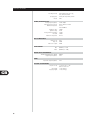
SPECIFICATIONS
CONDITION
POSSIBLE CAUSE(S)
POSSIBLE SOLUTIONS(S)
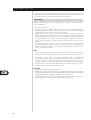
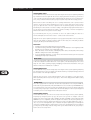
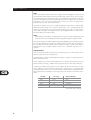
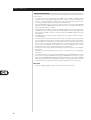
NO SOUND FROM ALL CHANNELS
•
•
•
•
AC power unplugged
power not switched on
outlet is un-powered
Tape Monitor is engaged
•
•
Check AC cable, connection, and outlet
disengage Tape Monitor
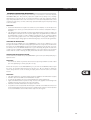
NO SOUND FROM SOME CHANNELS
•
•
•
Faulty/missing cables
<Speaker setup> channel(s) set to "No"
power-amp or speaker-connections faulty
•
•
•
Check cables
check <Speaker setup> menu
check power amp, cabling, and speakers
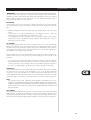
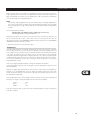
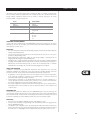
NO SOUND FROM SURROUND CHANNELS
•
•
No surround listening mode is engaged
surround-channels set to "No" on
<Speaker setup> menu
surround-channels level set too low on
<Levels setup> menu
•
•
Select appropriate listening mode
correct <Speakers setup> or <Levels setup>
settings
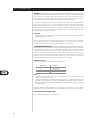
Subwoofer is off, unpowered, or improperly
connected
subwoofer set to "No" on <Speaker setup>
menu
sub level set too low on <Levels setup> menu
•
Power-up subwoofer, check sub's AC outlet, or
check connections
correct <Speakers setup> or <Levels setup>
settings
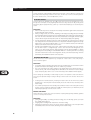
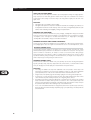
Source is a 2/0 (etc.) Dolby Digital or DTS
recording without center channel
center set to "No" on <Speaker setup> menu
center level set too low on <Levels setup> menu
•
•
NO SOUND FROM SUBWOOFER
•
•
•
NO SOUND FROM CENTER CHANNEL
•
•
•
•
•
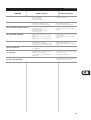
Play a known 5.1-channel recording or select
Dolby Pro Logic or Mono mode
correct <Speakers setup> or <Levels setup>
settings
NO DOLBY DIGITAL/DTS
•
Source's digital output is not connected to an
S170 digital input
•
Check connections
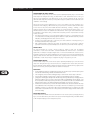
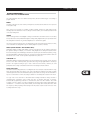
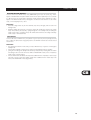
S170 DOES NOT RESPOND
TO S70 REMOTE
•
•
Batteries are flat or incorrectly inserted
IR transmitter window on remote, or IR receiver
window on S170 is obstructed
S170 front panel is in very bright sunlight or
ambient light
•
•
Check batteries
check IR windows and ensure clear line-of-sight
from remote to S170
reduce sunlight/room lighting
Microprocessor error
•
•
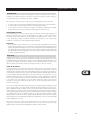
S170 DOES NOT RESPOND
TO FRONT-PANEL COMMANDS
•
•
Power-down the S170 via the front-panel Power
key and unplug it from the AC outlet; wait five
minutes, re-connect and power up
GB
29