Transcript
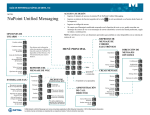
MITEL NETWORKS 5305 5310 IP Office Conference Unit IP Boardroom Conference Unit Side Control Unit Presentation Mute Volume Controls On/Off The Mitel Networks™ 5310 IP Board Room Conference Unit (depicted left) comprises a saucer, a side control unit and a Mitel Networks 5220 IP Phone. The Mitel Networks 5305 IP Office Conference Unit comprises a saucer and a side control unit. The remote is optional for both products. The following procedures apply to both the 5305 IP Conference Unit and the 5310 IP Conference Unit, unless otherwise stated. The following procedures can be carried out using either the side control unit or the optional remote . To Turn the Conference Unit On or Off Press On/Off. Remote Presentation Mode Presentation Mode is used when only one individual is speaking to a group. If another member in the group wishes to speak, disable Presentation Mode. Presentation Mode minimizes extraneous noise. The Presentation Mode feature applies to the 5310 IP Conference Unit only (as depicted left). To Turn the Presentation Mode Feature On Start speaking, and then press Presentation so the conference unit will pick up your voice only. The associated Direction LED turns on and starts flashing to indicate that the Conference Unit is receiving your voice. To Turn Mute On or Off Press Mute. Direction LED The associated LED turns on/off. The Direction LED on the saucer turns amber when Mute is on. To Adjust the Volume Press the Volume Up / Down Arrows. The associated LED turns green each time you adjust the volume. This LED turns amber when the maximum or minimum volume is reached. M Mitel (design) is a registered trademark of Mitel Networks Corporation. © 2003, Mitel Networks Corporation. All other products and services are the trademarks of their respective holders. All rights reserved. To Turn the Presentation Mode Feature Off Press Presentation to allow other speakers to be heard during the teleconference. The associated Direction LED stops flashing. 5305/5310 Quick Reference Guide