1
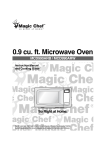
0.9 cu. ft. Microwave Oven
MCD990WF / MCD990BF
Instruction Manual
So Right at Home.
Never operate the oven when it is empty or without the glass turntable.
Before operating this oven, please read these instructions completely.
PRECAUTIONS TO AVOID POSSIBLE EXPOSURE
TO EXCESSIVE MICROWAVE ENERGY
(a) Do not attempt to operate this oven with the door open since open-door operation can result
in harmful exposure to microwave energy. It is important not to defeat or tamper with the safety
interlocks.
(b) Do not place any object between the oven front face and the door or allow soil or cleaner
residue to accumulate on sealing surfaces.
(c) Do not operate the oven if it is damaged. It is particularly important that the oven door close
properly and that there is no damage to the: (1) door (bent), (2) hinges and latches (broken or
loosened), (3) door seals and sealing surfaces.
(d) The oven should not be adjusted or repaired by anyone except properly qualified service
personnel.
TABLE OF CONTENTS
⍥PRECAUTIONS TO AVOID POSSIBLE EXPOSURE TO EXCESSIVE MICROWAVE ENERGY ...........................1
⍥IMPORTANT SAFETY INSTRUCTIONS ...........................................................................................2
⍥FEDERAL COMMUNICATIONS COMMISSION RADIO FREQUENCY
INTERFERENCE STATEMENT ....................................................................................................... 3
⍥GROUNDING INSTRUCTIONS ........................................................................................................ 3
⍥INSTALLATION................................................................................................................................. 4
⍥SPECIFICATIONS ............................................................................................................................ 5
⍥FEATURES DIAGRAM ..................................................................................................................... 6
⍥OPERATION PROCEDURE ............................................................................................................. 8
⍥CONTROLS ...................................................................................................................................... 9
SETTING THE CLOCK................................................................................................................... 9
TIME DEFROSTING....................................................................................................................... 9
WEIGHT DEFROSTING............................................................................................................... 10
COOKING IN ONE STAGE .......................................................................................................... 11
COOKING IN TWO STAGES ....................................................................................................... 11
KITCHEN TIMER MODE .............................................................................................................. 12
SPEEDY COOK............................................................................................................................ 13
ONE TOUCH COOKING .............................................................................................................. 13
AUTO COOK ................................................................................................................................ 14
LESS, MORE................................................................................................................................ 15
CHILD SAFETY LOCK ................................................................................................................. 15
TO STOP THE OVEN WHILE THE OVEN IS OPERATING ........................................................ 15
⍥CARE OF YOUR MICROWAVE OVEN ...........................................................................................16
⍥BEFORE YOU CALL FOR SERVICE ..............................................................................................17
⍥CARE AND CLEANING ...................................................................................................................17
1
IMPORTANT SAFETY INSTRUCTIONS
When using electrical appliances, basic safety precautions should be followed, including the following:
WARNING-To reduce the risk of burns, electric shock, fire, injury to persons or exposure to excessive microwave energy:
11. Read all instructions before using the appliance.
12. Read and follow the specific “PRECAUTIONS
TO AVOID POSSIBLE EXPOSURE TO
EXCESSIVE MICROWAVE ENERGY” found
on page 1.
13. This appliance must be grounded. Connect only
to properly grounded outlet. See “GROUNDING
INSTRUCTIONS” found on page 3.
14. Install or locate this appliance only in
accordance with the provided installation
instructions.
15. Some products such as whole eggs and sealed
containers - for example, closed glass jars are
able to explode and should not be heated in this
oven.
16. Use this appliance only for its intended use as
described in this manual. Do not use corrosive
chemicals or vapors in this appliance. This type
of oven is specifically designed to heat, cook, or
dry food. It is not designed for industrial or
laboratory use.
17. As with any appliance, close supervision is
necessary when used by children.
18. Do not operate this appliance if it has a
damaged cord or plug, if it is not working
properly, or if it has been damaged or dropped.
19. This appliance should be serviced only by
qualified service personnel.
10. Do not cover or block any openings on the
appliance.
11. Do not store this appliance outdoors. Do not
use this product near water — for example,
near a kitchen sink, in a wet basement, near a
swimming pool, or similar locations.
12. Do not immerse cord or plug in water.
13. Keep cord away from heated surfaces.
14. Do not let cord hang over edge of table or
counter.
15. When cleaning the contact surfaces between
the door and the oven cavity, use only mild,
non-abrasive soaps or detergents applied with a
sponge or soft cloth.
16. To reduce the risk of fire in the oven cavity:
a) Do not overcook food. Carefully attend
appliance when paper, plastic, or other
combustible materials are placed inside the
oven to facilitate cooking.
b) Remove wire twist-ties from paper or plastic
bags before placing bag in oven.
c) If materials inside the oven ignite, keep oven
door closed, turn oven off, and disconnect the
power cord, or shut off power at the fuse or
circuit breaker panel.
d) Do not use the cavity for storage purposes.
Do not leave paper products, cooking
utensils, or food in the cavity when not in use.
17. Liquids, such as water, coffee, or tea are able to
be overheated beyond the boiling point without
appearing to be boiling due to surface tension of
the liquid. Visible bubbling or boiling when the
container is removed from the microwave oven
is not always present. THIS COULD RESULT
IN VERY HOT LIQUIDS SUDDENLY BOILING
OVER WHEN A SPOON OR OTHER
UTENSIL IS INSERTED INTO THE LIQUID.
To reduce the risk of injury to persons:
a) Do not overheat the liquid.
b) Stir the liquid both before and halfway
through heating it.
c) Do not use straight-sided containers with
narrow necks.
d) After heating, allow the container to stand in
the microwave oven for a short time before
removing the container.
e) Use extreme care when inserting a spoon or
other utensil into the container.
18. Do not use this microwave oven to heat
corrosive chemicals (for example, sulfides and
chlorides). Vapors from such corrosive
chemicals may interact with the contact and
springs of the safety interlock switches thereby
rendering them inoperable.
19. Keep the waveguide cover clean at all times.
Wipe the oven interior with a soft damp cloth
after each use. If you leave grease or fat
anywhere in the cavity it may overheat, smoke
or even catch fire when next using the oven.
20. Never heat oil or fat for deep frying as you
cannot control the temperature and doing so
may lead to overheating and fire.
21. Do not operate the oven without the glass tray
in place. Be sure it is properly sitting on the
rotating base.
SAVE THESE INSTRUCTIONS
2
FEDERAL COMMUNICATIONS COMMISSION
RADIO FREQUENCY INTERFERENCE
STATEMENT
WARNING:
This equipment generates and uses ISM frequency energy and if not installed and used properly,
that is in strict accordance with the manufacturer’s instructions, may cause interference to radio
and television reception.
It has been type-tested and found to comply with limits for an ISM Equipment pursuant to part 18
of FCC Rules, which are designed to provide reasonable protection against such interference in
a residential installation.
However, there is no guarantee that interference will not occur in a particular installation.
If this equipment does cause interference to radio or television reception, which can be
determined by turning the equipment off and on, the user is encouraged to try to correct
the interference by one or more of the followings.
• Reorient the receiving antenna of radio or television.
• Relocate the Microwave oven with respect to the receiver.
• Move the microwave oven away from the receiver.
• Plug the microwave oven into a different outlet so that microwave oven
and receiver are on different branch circuits.
THE MANUFACTURER is not responsible for any radio or TV interference caused by
UNAUTHORIZED MODIFICATION to this microwave oven. It is the responsibility of
the user to correct such interference.
GROUNDING INSTRUCTIONS
This appliance must be grounded. In the event of an electrical short circuit, the grounding plug reduces
the risk of electric shock by providing an escape wire for electric current. This appliance is equipped
with a cord having a grounding wire with a grounding plug. The plug must be plugged into an outlet
that is properly installed and grounded.
WARNING: Improper use of the grounding can result in a risk of electric shock.
Consult a qualified electrician or serviceman if the grounding instructions are not
completely understood, or if doubt exists as to whether the appliance is properly
grounded, and either :
If it is necessary to use an extension cord, use only a 3-wire extension cord
that has a 3-blade grounding plug, and a 3-slot receptacle that will accept
the plug on the appliance. The marked rating of the extension cord shall
be equal to or greater than the electrical rating of the appliance.
WARNING: Do not cut or remove the third(ground) prong from the power cord under any
circumstances.
3
INSTALLATION
1. Examine the oven after unpacking.
Check for damage such as a misaligned door, broken door or dent in the cavity.
If any damage is visible, DO NOT INSTALL, and notify your dealer immediately.
2. Level, flat location.
Install the microwave oven on a level, flat surface.
3. Ventilation.
Do not block air vents. If they are blocked during operation, the oven may overheat and eventually cause a
failure.
For proper ventilation, allow 3 inches of space between oven top, sides, rear and adjacent surfaces.
4. Away from radio and TV sets.
Poor television reception and radio interference may result if the oven is located close to a TV, radio,
antenna, feeder, etc.
Place the oven as far from them as possible.
5. Away from heating appliances and water taps.
Keep the oven away from heat, steam or splashing liquids. These things can adversely affect oven wiring
and contacts.
6. Power supply.
This microwave oven requires a power supply of approximately 15 Amperes, 120 Volts, 60Hz
and a grounded outlet. A short power cord is provided to reduce the risk of the user becoming
entangled in or tripping over a longer cord.
If an extension cord is used, the marked electrical rating of the cord should be at least as great
as the electrical rating of the oven.
The extension cord must be a grounding-type 3-wire cord. The longer cord should be arranged
so that it will not drape over the counter top or tabletop where it can be pulled on by children or tripped over
unintentionally
7. The minimum height of free space necessary above the top surface of the oven is 100mm.
When use 3-pronged plug
When use grounding adaptor, make
sure the receptacle box is fully
grounded.
3-prong Receptacle
Grounding
Lead
Receptacle
Box cover
Receptacle Box Cover
3-prong plug
Grounding
Adaptor
Receptacle
“THE CANADIAN ELECTRICAL CODE DOES NOT ALLOW THE USE OF THE GROUNDING ADAPTOR”
4
SPECIFICATIONS
POWER SUPPLY
MICROWAVE
120V AC 60 Hz SINGLE PHASE WITH GROUNDING
POWER CONSUMPTION
1350 W
OUTPUT POWER
900 W
FREQUENCY
2450 MHz
OUTSIDE DIMENSIONS (W X H X D)
495 X 294 X 388 mm (19.5 X 11.6 X 15.3 in.)
CAVITY DIMENSIONS (W X H X D)
320 X 228 X 338 mm (12.6 x 9.0 x 13.3 in)
CAVITY VOLUME
0.9 cu.ft.
NET WEIGHT
APPROX. 13KG (28.7 lbs.)
TIMER
59 min. 99 sec.
POWER LEVELS
10 LEVELS
* Specifications are subject to change without notice.
388 mm (15.3 in.)
294 mm (11.6 in.)
495 mm (19.5 in.)
5
FEATURES DIAGRAM
1 2
9
3
8
7
4
5
6
6. Door release button-Pushing this button
stops oven operation and opens the door.
1. Door latch-When the door is closed it will
automatically shut off. If the door is opened
while the oven is operating, the magnetron
will automatically shut off.
7. Glass cooking tray-Made of special heat
resistant glass. The tray must always be
in proper position before operating.
Do not cook food directly on the tray.
2. Door seal-The door seal maintains the
microwave within the oven cavity and
prevents microwave leakage.
3. Oven cavity
8. Roller guide-Supports the glass cooking
tray.
4. Wave Guide Cover-Protects the
microwave outlet from splashes of cooking
foods.
9. Door screen-Allows viewing of food.
The screen is designed so that light
can pass through, but not the microwaves.
5. Safety interlock system-Prevents the
oven from operating while the door is
opened.
6
FEATURES DIAGRAM (continued)
q
q
r
e
r
w
e
t
t
y
y
u
u
0
i
o
a
w
0
i
p
o
s
a
p
s
17. Power-Used to set power level.
10. Time set pad-Used to set the cooking time
and the present time.
18. Defrost-Used to defrost foods.(for time)
11. Display-Cooking time, power level,
indicators and present time are displayed.
19. Kitchen Timer-Used as a minute timer, to
delay the start of cooking, or to set a
holding time after cooking.
12. One touch-Used to cook or reheat specific
quantities of food.
20. Clock-Used to set clock.
13. Auto Cook-Used to cook or reheat.
21. Stop/Clear-Used to stop the oven operation
or to delete the cooking data.
14. More-Used to add time to cooking.
15. Less-Used to remove time from cooking.
22. Start/Speedy cook-Used to start the oven
and also used to set a reheat time.
16. Auto Defrost-Used to defrost foods.(for
weight)
NOTE: The picture is just an example of control panel operation instruction, please mainly refer to the
real control panel to decide how to operate.
7
OPERATION PROCEDURE
This section includes useful information about oven operation.
1. Plug power supply cord into a standard 3-pronged 15 Amp, 120V AC 60Hz power outlet.
2. After placing the food in a suitable container, open the oven door and put it on the glass tray.
The glass tray and roller guide must always be in place during cooking.
3. Shut the door. Make sure that it is firmly closed.
oven light is on only when the microwave
1 The
oven is operating.
2
the STOP/CLEAR pad is touched during the
6 When
oven operation, the oven stops cooking and all
information retained. To erase all
information(except the present time), touch the
STOP/CLEAR pad once more.
If the oven door is opened during the oven
operation, all information is retained.
Each time a pad is touched, a BEEP will sound
to acknowledge the touch.
oven automatically cooks on full power
3 The
unless set to a lower power level.
display will show “ : 0” when the oven is
4 The
plugged in.
START pad is touched and the oven does
7 Ifnottheoperate,
check the area between the door and
door seal for obstructions and make sure the door
is closed securely. The oven will not start cooking
until the door is completely closed or the program
has been reset.
clock returns to the present time when the
5 Time
cooking time ends.
Make sure the oven is properly installed and
plugged into the electrical outlet.
WATTAGE OUTPUT CHART
• The power-level is set by touching the POWER pad. The chart shows the display, the power level and the
percentage of power.
Touch POWER pad
Power level (Display)
Approximate Percentage of Power
once
P-HI
100%
twice
P-90
90%
3 times
P-80
80%
4 times
P-70
70%
5 times
P-60
60%
6 times
P-50
50%
7 times
P-40
40%
8 times
P-30
30%
9 times
P-20
20%
10 times
P-10
10%
11 times
P-00
0%
8
CONTROLS
SETTING THE CLOCK
When the oven is first plugged in, the display will flash “:0” and a tone will sound. If the AC power
ever goes off, the display shows “ : 0” when the power comes back on.
CLOCK
1. Touch CLOCK pad.
This is a 12 hour clock system.
2. Touch CLOCK pad once more.
This is a 24 hour clock system.
NOTE : This oven has multiple clock
systems. If you want 12 hour clock
system, omit this step.
3. Enter the correct time of day by
touching the time set pads
in sequence.
4. Touch CLOCK pad.
The display stops blinking, and the colon starts
blinking. If you selected 12 hour clock system,
this digital clock allows you to set from 1:00 to
12:59. If you selected 24 hour clock system, this
digital clock allows you to set from 0:00 to 23:59.
NOTE: If you attempt to enter an incorrect time, the time will not be set and a error signal tone will
sound. Touch the CLOCK pad and re-enter the time.
TIME DEFROSTING
When DEFROST is selected, the automatic cycle divides the defrosting time into periods of alternating
defrost and stand times by cycling on and off.
1. Touch DEFROST pad.
The DEF indicator lights and “ : 0” is displayed.
2. Touch the time set pads for the
desired defrosting time.
The display will show what you touched.
DEFROST
Note : Your oven can be programmed for
59 minutes 99 seconds. ( 59 : 99 )
3. Touch START pad.
When you touch START pad, the DEF indicator starts blinking to show the oven is in the DEFROST mode.
The display counts down the time to show you how much defrosting time is left in the DEFROST mode.
The oven beeps during the defrosting cycle to signal that the food needs to be turned or rearranged. When the
defrosting time ends, you will hear 3 beeps.
9
WEIGHT DEFROSTING
AUTO DEFROST lets you easily defrost food by eliminating guesswork in determining defrosting time.
Follow the steps below for easy defrosting.
1. Touch MEAT pad.
The lb indicator light and “ 1.0 ” is displayed.
2. Select the desired defrosting
weight. (Refer to the weight defrost
chart below.)
The display will show what you touched.
3. Touch START pad.
MEAT DEFROSTING begins.
1. Touch POULTRY pad.
The lb indicator light and “ 1.5 ” is displayed.
2. Select the desired defrosting
weight. (Refer to the weight defrost
chart below.)
The display will show what you touched.
3. Touch START pad.
POULTRY DEFROSTING begins.
1. Touch FISH pad.
The lb indicator light and “ 0.5 ” is displayed.
2. Select the desired defrosting
weight. (Refer to the weight defrost
chart below.)
The display will show what you touched.
3. Touch START pad.
FISH DEFROSTING begins.
MEAT
POULTRY
FISH
* WEIGHT DEFROST CHART
Touch pad
MEAT
POULTRY
FISH
once
1.0 lb
1.5 lb
0.5 lb
twice
1.5 lb
2.0 lb
1.0 lb
3 times
2.0 lb
2.5 lb
1.5 lb
4 times
2.5 lb
3.0 lb
2.0 lb
The defrosting time is automatically determined by the weight selected.
When you touch START pad, the lb indicator goes off and the DEF indicator blinks and the defrosting time
counts down in the display window. The oven beeps during the defrosting cycle to signal that the food needs
to be turned or rearranged. When the defrosting time ends, you will hear 3 beeps.
10
COOKING IN ONE STAGE
POWER
1. Touch POWER pad.
(Select the desired power level.)
The M/W indicator lights.
The display will show what you touched.
Note : If steps 1 and 2 are omitted, the
oven will cook at full power.
2. Touch the time set pads for the
cooking time.
The display will show what you touched.
Note : Your oven can be programmed for
59 minutes 99 seconds. ( 59 : 99 )
3. Touch START pad.
When you touch START pad, the M/W indicator starts blinking to show the oven is cooking.
The display counts down the time to show how much cooking time is left. When the cooking time ends, you
will hear 3 beeps.
NOTE: Using lower power levels increases the cooking time which is recommended for foods such as
cheese, milk and slow cooking of meats.
COOKING IN TWO STAGES
All recipes require the frozen foods to be defrosted fully before cooking.
This oven can be programmed to automatically defrost foods before cooking.
1. Touch DEFROST pad.
The DEF indicator lights and “ : 0” is displayed.
2. Touch the time set pads for the
defrosting time you want.
The display will show what you touched.
3.Touch POWER pad.
(Select the desired power level.)
The M/W indicator lights and “P-HI” is displayed.
The display will show what you touched.
4. Touch the time set pads for the
desired cooking time.
The display will show what you touched.
DEFROST
POWER
5. Touch START pad.
When you touch START pad, the DEF and M/W indicators come on to confirm the power levels
selected. The DEF indicator starts blinking to show you that the oven is in DEFROST mode.
The display counts down the time remaining in DEFROST mode. When the oven beeps, turn over,break
apart and/or redistribute the food. At the end of DEFROST mode, the oven will beep and start M/W cook.
The DEF indicator goes off and the M/W indicator starts blinking. The display counts down the time
remaining in M/W mode. When M/W cook ends, you will hear 3 beeps.
11
KITCHEN TIMER MODE
Timer operates as a minute timer, can be set to delay cooking and used to set a holding time after cooking.
However delay cooking can not be programmed for defrost. Timer operates without microwave energy.
HOW TO USE AS A MINUTE TIMER
KITCHEN
TIMER
1. Touch KITCHEN TIMER pad.
The TIMER indicator lights and “ : 0” is
displayed.
2. Enter the amount of time you want
to count down.
The display will show what you touched.
3. Touch START pad.
The TIMER indicator starts blinking and the display counts down the time remaining in KITCHEN TIMER
mode. When KITCHEN TIMER mode ends, you will hear 3 beeps.
HOW TO USE TO DELAY THE START OF COOKING
KITCHEN
TIMER
1. Touch KITCHEN TIMER pad.
The TIMER indicator lights and “ : 0” is
displayed.
2. Enter the amount of time you want
to delay.
The display will show what you touched.
3. Program the desired power level
and cooking time for food to be
cooked.
The M/W indicator lights and the selected
power level & cooking time are displayed.
4. Touch START pad.
When you touch START pad, the TIMER indicator starts blinking and the display counts down the time
remaining in KITCHEN TIMER mode. When KITCHEN TIMER mode ends, the oven will beep. The
TIMER indicator goes off and M/W indicator starts blinking. The display counts down the time
remaining in M/W mode. When M/W cook ends, you will hear 3 beeps.
HOW TO USE TO SET A HOLDING TIME
KITCHEN
TIMER
1. Program the desired cooking time.
The M/W indicator lights and the selected
time is displayed.
2. Touch KITCHEN TIMER pad.
The TIMER indicator lights and “ : 0” is
displayed.
3. Enter the amount of time you want
the oven to hold.
The display will show what you touched.
4. Touch START pad.
The M/W indicator starts blinking and the display counts down the time remaining in M/W mode. When
the M/W cook ends, the oven will beep. The M/W indicator goes off and TIMER indicator starts blinking.
The display counts down the time remaining in KITCHEN TIMER mode. When the KITCHEN TIMER
mode ends, you will hear 3 beeps.
Note : Your oven can be programmed for 59 minutes 99 seconds. ( 59 : 99 )
12
SPEEDY COOK
SPEEDY COOK allows you to reheat for 30 seconds at full power by simply touching the SPEEDY COOK
pad.
By repeatedly touching the SPEEDY COOK pad, you can also extend reheating time to 5 minutes by 30
second increments.
START/
SPEEDY COOK
1. Touch SPEEDY COOK pad.
When you touch SPEEDY COOK pad, ":30" is
displayed.
After 1.5 seconds, the oven starts reheating.
ONE TOUCH COOKING
One touch cook allows you to cook or reheat many of your favorite foods by touching just one pad.
To increase quantity, touch the chosen pad until number in display is same as the desired quantity to cook.
(except for POPCORN)
POPCORN
1. Touch POPCORN pad once for 3.5
oz bag.
When you touch POPCORN pad once,
“ 3.5” is displayed.
After 1.5 seconds, the display is changed into
cooking time and the oven starts cooking.
NOTE: 1. Use prepackaged room-temperature microwave popcorn.
2. Place bag in oven according to manufacturer’s directions.
3. Pop only one bag at a time.
4. After popping, open bag carefully: popcorn and steam are extremely hot.
5. Do not reheat unpopped kernels or reuse bag.
6. Do not leave oven unattended while popping popcorn.
7. Do not place bag directly on the glass tray. Always use a microwave safe dish underneath
the bag.
CAUTION: If prepackaged popcorn is of a different weight than the recommended weight, do not use
the popcorn pad. Follow the manufacturer instruction.
FROZEN
PIZZA
1. Touch FROZEN PIZZA pad once
for 7 oz pizza or twice for 14 oz
pizza.
When you touch FROZEN PIZZA pad once,
“ 7 ” is displayed.
After 1.5 seconds, the display is changed into
the cooking time and the oven starts cooking.
* FROZEN PIZZA *
• 7 oz : Touch FROZEN PIZZA pad once.
• 14 oz : Touch FROZEN PIZZA pad twice within 1.5 seconds.
NOTE: 1. Use only one frozen pizza at a time
2. Use only frozen pizza made for microwave ovens.
3. If the cheese of frozen pizza does not melt sufficiently, cook a few seconds longer.
4. Some brands of frozen pizza may require more or less cooking time.
13
ONE TOUCH COOKING (continued)
DINNER
PLATE
1. Touch DINNER PLATE pad once
for 12 oz of dinner plate or twice for
15 oz of dinner plate.
When you touch DINNER PLATE pad once, “ 12 ”
is displayed.
After 1.5 seconds, the display is changed into
cooking time and the oven starts cooking.
* DINNER PLATE *
• 12 oz : Touch DINNER PLATE pad once.
• 15 oz : Touch DINNER PLATE pad twice within 1.5 seconds.
AUTO COOK
AUTO COOK allows you to cook or reheat many of your favorite foods by repeatedly touching auto cook pad.
AUTO
COOK
1. Touch AUTO COOK pad.
When you touch AUTO COOK pad once,
“ AC-1 ” is displayed. By repeatedly touching
this pad, you can select other food category as
shown in the chart below.
CATEGORY
FOOD
WEIGHT
TOUCH PAD
AC-1
BREAD
4 slices(1.5-2 oz. each)
Touch AUTO COOK once.
AC-2
SOUP
12 oz.
Touch AUTO COOK twice
AC-3
BAKED POTATO
3 potatoes(7-8 oz. each)
Touch AUTO COOK three times
AC-4
FRESH VEGETABLE
7 oz.
Touch AUTO COOK four times
AC-5
FROZEN VEGETABLE
7 oz. package
Touch AUTO COOK five times.
2. Touch START pad.
When you touch START pad, the display is
changed into cooking time and the oven starts
cooking.
14
LESS, MORE
To alter one touch cooking or cooking time while oven is in operation, use LESS or MORE.(except for
defrosting)
Touch LESS/MORE pad to decrease/increase the one touch cooking time in multiples of 10 seconds.
The overall one touch cooking time can be increased to a maximum of 59 minutes 50 seconds.
Touch LESS/MORE pad to decrease/increase the cooking time in multiples of 1 minute.
The overall cooking time can be increased to a maximum of 59 minutes.
CHILD SAFETY LOCK
The safety lock prevents unwanted oven operation by small children.
To set, press and hold STOP/CLEAR for 3 seconds, a beep sounds and LOCK indicator lights.
To cancel, press and hold STOP/CLEAR for 3 seconds, a beep sounds and LOCK indicator goes off.
TO STOP THE OVEN WHILE THE OVEN IS OPERATING
1. Touch STOP/CLEAR pad.
• You can restart the oven by touching START pad.
• Touch STOP/CLEAR once more to erase all instructions.
• You must enter in new instructions.
2. Open the door.
• You can restart the oven by closing the door and touching START pad.
NOTE: Oven stops operating when door is opened.
15
CARE OF YOUR MICROWAVE OVEN
necessary to remove the glass
6 Ittrayis occasionally
1 Turn the oven off before cleaning.
for cleaning. Wash the tray in warm sudsy
the inside of the oven clean. When food
water or in a dishwasher.
2 Keep
spatters or spilled liquids adhere to oven walls,
wipe with a damp cloth. Mild detergent may be
used if the oven gets very dirty. The use of
harsh detergent or abrasives is not
recommended.
outside oven surface should be cleaned
3 The
with soap and water, rinsed and dried with a
soft cloth. To prevent damage to the operating
parts inside the oven, water should not be
allowed to seep into the ventilation openings.
the Control Panel becomes wet, clean with a
4 Ifsoft,
dry cloth. Do not use harsh detergents or
roller guide and oven cavity floor should be
7 The
cleaned regularly to avoid excessive noise.
abrasives on Control Panel.
5
Simply wipe the bottom surface of the oven with
mild detergent water or window cleaner and dry.
The roller guide may be washed in mild sudsy
water.
If steam accumulates inside or around the
outside of the oven door, wipe with a soft cloth.
This may occur when the microwave oven is
operated under high humidity conditions and in
no way indicates malfunction of the unit.
ROLLER GUIDE
ROLLER GUIDE and oven floor should
1 The
be cleaned frequently to prevent excessive
noise.
Glass Tray
2
The ROLLER GUIDE MUST ALWAYS be
used for cooking together with the Glass
Tray.
GLASS TRAY
NOT operate the oven without the Glass
1 DO
Tray in place.
NOT use any other Glass Tray with this
2 DO
oven.
Glass Tray is hot, ALLOW TO COOL
3 Ifbefore
cleaning or placing it in water.
4 DO NOT cook directly on the Glass Tray.
16
Roller Guide
BEFORE YOU CALL FOR SERVICE
• The oven doesn’t work :
1. Check that the power cord is securely plugged
in.
2. Check that the door is firmly closed.
3. Check that the cooking time is set.
4. Check for a blown circuit fuse or tripped main
circuit breaker in your house.
• Sparking in the cavity :
1. Check utensils. Metal containers or dishes with
metal trim should not be used.
If there is still a problem, contact the MC
Appliance Customer Support Department at 888
775-0202 or you can request service online at
www.mcappliance.com
CARE AND CLEANING
Although your oven is provided with safety features, it is important to observe the following:
1. It is important not to disable or tamper with
safety interlocks.
3. When opened, the door must not be subjected
to strain, for example, a child hanging on an
opened door or any load could cause the oven
to fall forward to cause injury and also damage
to the door. Do not operate the oven if it is
damaged, until it has been repaired by a trained
service technician.
It is particularly important that the oven closes
properly and that there is no damage to the:
i) Door(bent)
ii) Hinges and hooks(broken or loosened)
iii) Door seals and sealing surfaces.
2. Do not place any object between the oven front
face and the door or allow residue to
accumulate on sealing surfaces. Wipe the
sealing area frequently with a mild detergent,
rinse and dry. Never use abrasive powders or
pads.
4. The oven should not be adjusted or repaired by
anyone except a properly trained service
technician.
17
Microwave Oven Warranty
MC Appliance Corporation warrants each new Microwave Oven to be free from defects in
material and workmanship and agrees to remedy any such defect or to furnish a new part(s) (at
the company’s option) for any part(s) of the unit that has failed during the warranty period. Parts
and labor expenses are covered on this unit for a period of one year after the date of purchase. In
addition MC Appliance Corporation warrants the Magnetron (parts only) to be free from defects in
material and workmanship for a period of 8 years. The consumer is responsible for all labor and
transportation expenses related to the diagnosis and replacement of the Magnetron after the
initial one- year warranty expires. If in the event the unit requires replacement or refund under the
terms of this warranty the consumer is responsible for all transportation expenses to return the
unit to our factory prior to receiving a replacement unit or refund. A copy of the dated sales
receipt / invoice is required to receive warranty service.
This warranty covers appliances in use within the continental United States, Puerto Rico and
Hawaii. The warranty does not cover the following:
• Damages due to shipping damage or improper installation.
• Damages due to misuse or abuse.
• Content losses due to failure of the unit.
• Repairs performed by unauthorized service agents.
• Service calls that do not involve defects in material and workmanship such as instruction on
proper use of the product or improper installation.
• Replacement or resetting of house fuses or circuit breakers.
• Failure of this product if used for other then its intended purpose.
• Disposal costs of failed units not returned to our factory.
• Any delivery / installation costs incurred as the result of a unit that fails to perform as specified.
• Expenses for travel and transportation for product service if your appliance is located in a
remote area where service by an authorized service technician is not available.
• The removal and reinstallation of your appliance if it is installed in an inaccessible location or is
not installed in accordance with published installation instructions.
This warranty is in lieu of all warranties expressed or implied and no representative or person is
authorized to assume for us any other liability in connection with the sale of this product. Under
no circumstances is the consumer permitted to return this unit to the factory without prior written
consent from MC Appliance Corporation
Model
MCB990WF
MCB990BF
Parts
One-Year
Labor
One-Year
Magnetron (Part Only)
Type of Service
Eight Years
For Service or Assistance please call 888 775-0202
Or visit us on the web at www.mcappliance.com
Carry In