1
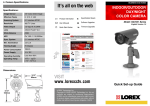
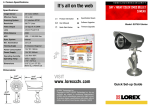
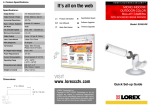
MODEL SG4933R
1/4” CCD COLOR WEATHERPROOF BULLET CAMERA
CAMERA
VIDEO EXT. CABLE
POWER EXT. CABLE
RCA/BNC CONNECTOR
RCA/6 PIN COUPLER
METAL MOUNTING
BRACKET
12 V AC POWER
SUPPLY
RCA/RCA ADAPTER
THIS PACKAGE CONTAINS:
1 - Color Weatherproof Bullet
Camera with finished leads
1 - Metal Mounting Bracket
1 - RCA/BNC Connector (used only
when connecting camera to
a monitor with BNC ends)
1 - 12 V AC Power Supply
1 - 65 Ft Video Extension Cable
1 - 65 Ft Power Extension Cable
1 - RCA/RCA Adapter
1 - RCA/6 Pin Coupler
1 - Owners Manual
1 - Warranty Card
OWNERS MANUAL
Connecting Camera to a TV or VCR
1. Mount the camera to ceiling or other desired mounting surface
2. Connect the 65 ft video extension cable to the camera end marked ‘Video’
3. Connect the 65ft power extension cable to the camera end marked ‘+12V’
4. Run the 65 ft extension cable and power extension cable to the television (or VCR)
which you will use for viewing camera location
5. Attach one end of the supplied RCA/RCA connector to the extension cable,
the other end to the television (or VCR)
6. Connect the supplied 12Volt AC power supply to the power extension cable
7. Turn your television (or VCR) to auxiliary (AUX) or video mode to view
camera
8. Adjust the camera to the desired angle for viewing the camera
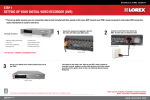
Connecting Camera to a LOREX Observation System
1. Mount the camera to ceiling or other desired mounting surface
2. Connect the 65 ft video extension cable to the camera end marked ‘Video’
3. Connect the 65ft power extension cable to the camera end marked ‘+12V’
4. Run the 65 ft video extension cable and power extension cable to the Lorex Monitor
5. Attach the RCA end of the RCA/6 pin coupler to the video extension cable, the other
end to one of the camera inputs at the back of the Lorex Monitor
6. Connect the supplied 12Volt AC power supply to the power extension cable
7. Turn your Lorex observation monitor on to view camera location
8. Adjust the camera to the desired angle for viewing the camera
SPECIFICATIONS
Image Device
Scanning System
Resolution
Shutter Control
Electronic Shutter
Lens
Minimum Illumination
Outputs/Connections
Power Requirement
Operating Temperature
Weight
Dimensions
Housings
1/4” CCD Image sensor
510 H x 492 V picture elements
2:1 Interlace
Horizontal 380 TV lines
Auto 1/60 - 1/100,000
Built-In
3.6 mm lens
1.0 Lux (F: 2.0)
Video-RCA, Power DC Jack
12V DC Adapter (included)
14° F - 122° F
6 oz
3 1/8”(W) x 3/8” (H) x 3/8” (D)
Black - Aluminum
Distributed By:
Lorex Technology Inc
300 Alden Road, Markham, Ontario Canada L3R 4C1
Tel: (905) 946- 8589 Fax: (905) 947-0138
FOR MORE INFORMATION: www.lorexcctv.com
Because our products are subject to continuous improvement, SVC reserves the right to modify product designs and
specifications without notice and without incurring any obligation. E. & O.E.