1
Wireless-G Bridge for Phone Adapters
Chapter 3: Getting to Know the Wireless-G Bridge for Phone
Adapters
Overview
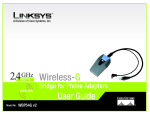
The Bridge has two LEDs, a Power port, and a permanently attached cable.
The LEDs
The Bridge has two LEDs to indicate network activity. (Not all versions of the Bridge have LEDS; however, all
Bridges work the same, with or without LEDs.)
Ethernet
Green. The Ethernet LED lights up when the Bridge has an active connection to the wired network.
It flashes when the Bridge is experiencing wired network activity. The LED is not lit when the Bridge
has no active connection to the wired network.
Wireless
Green. The Wireless LED lights up when the Bridge is connected to the wireless network. It flashes
when the Bridge is experiencing wireless network activity. The LED is not lit the Bridge is not
connected via wireless.
Figure 3-1: LEDs
When the Bridge’s firmware is being upgraded, the Ethernet and Wireless LEDs alternate flashing.
The Port
The Bridge does not include its own power adapter; instead, it uses the power adapter of the Linksys phone
adapter or IP phone.
Power
The Power port only supports a 5 V, 2 A, DC power adapter, which was included with your Linksys
phone adapter or IP phone. Do NOT connect any other type of power adapter to the Bridge.
IMPORTANT: Using the wrong power adapter may cause malfunction or damage
your equipment.
Chapter 3: Getting to Know the Wireless-G Bridge for Phone Adapters
Overview
Figure 3-2: Power Port
5