1
Troubleshooting
4.2
Module LED Indication
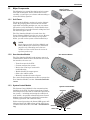
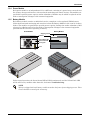
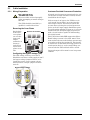
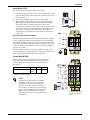
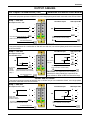
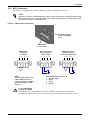
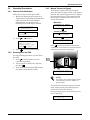
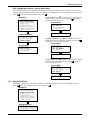
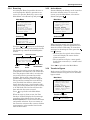
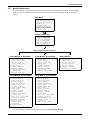
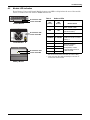
Every Battery, Power and Control Module features two LEDs to help inform the user of the module
status, as shown below left. Refer to Table 2 for details.
Table 2
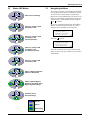
Green Status LED
Yellow Fault LED
Status
LED
(Green)
Fault
LED
(Yellow)
OFF
OFF
Module not inserted into
frame. System is OFF.
OFF
ON
Module is initializing
(max 30 seconds*).
FLASHING
OFF
Normal Operation
FLASHING
FLASHING
Module is in start-up
qualification mode or module
warning. **
FLASHING
ON
Module failed and is off-line.
OFF
FLASHING
ON
OFF
ON
ON
ON
FLASHING
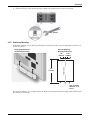
Control Module
Green Status LED
Yellow Fault LED
Power Module
Green Status LED
Yellow Fault LED
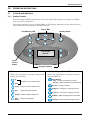
Guide to LEDs
*
Module Status
Abnormal operation,
re-insert module.
If this persists, contact
Liebert Global Services at
1-800-543-2378.
If this persists for more than 30 seconds, check to verify the
lever is in the down position, otherwise the module is faulty.
** If both green and yellow LEDs are flashing for more than 30
seconds, then reinsert module.
Battery Module
33