1
36
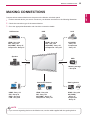
MAKING CONNECTIONS
ENGLISH
ENG
Connecting to a HD receiver,
DVD, Camcorder, Camera,
Gaming Device or VCR player
Connect a HD receiver, DVD, or VCR player to the
Monitor set and select an appropriate input mode.
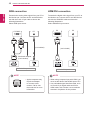
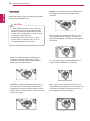
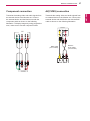
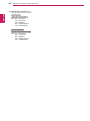
HDMI/DVI connection
Transmits the digital video signal from an external
device to the Monitor set. Connect the external
device and the Monitor set with the HDMI/DVI
cable as shown in the following illustration. To
transmit an audio signal, connect an optional audio
cable.
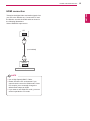
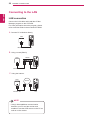
HDMI connection
Transmits the digital video and audio signals from
an external device to the Monitor set. Connect the
external device and the Monitor set with the HDMI
cable as shown on the following illustration.
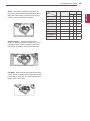
HDMI-DVI
Signal Cable
(not included)
HDMI Signal Cable
(not included)
NOTE
Use a High Speed HDMI™ Cable.
yy
High Speed HDMI™ Cables are tested to
yy
carry an HD signal up to 1080p and higher.
RCA-PC
Audio Cable
(not included)