1
6. Troubleshooting
LaCie 119 Monitor
User’s Manual
page 16
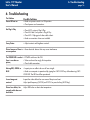
6. Troubleshooting
The Problem
Power LED not on
Possible Solutions
No Plug & Play
• Check if PC system is Plug & Play
• Check if Video Card system is Plug & Play
• Check if D-15 plug pin of video cable is bent
• Make sure monitors drivers are installed.
Fuzzy Picture
• Adjust contrast and brightness controls.
• Make sure power switch is in ON position.
• Check power cord connections.
Picture bounces of there is • Move electrical devices that may cause interference.
a wave pattern
The POWER LED is on but • POWER switch must be ON
there is no video or
• Video card must be snugly fit into position.
picture,
• Check cable connection.
Missing RED, GREEN or
BLUE
• Inspect pins on cable to be sure all are straight.
• Make sure computer is operational by typing the CAPS LOCK key while observing CAPS
LOCK LED. The LED should be operational.
Screen Image not
centered
Inspect the video cable to be sure none of the pins are bent.
Adjust pixel frequency (CLOCK) and FOCUS or press hot-key (AUTO-key).
Picture has defects, for
example white does not
look white.
Adjust RGB color or select color temperature.