1
OPTIONS: LEVEL 2 (manager- technician)
PAYMENT SYSTEM
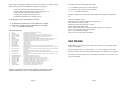
After having inserted the correct password, that it initially is" ask to manufacturer", you will enter in the following menu:
The followings programs compose this menu:
MODIFY PASSWORD LEVEL 1: Insert the new password and press E to confirm.
MODIFY PASSWORD LEVEL 2: Insert the new password and press E to confirm.
SET COIN VALUE PARALLEL SYSTEM
Setting of the coin values (see note 1).
DECIMAL POINT
Setting of the decimal point to be applied to coin and prices values.
SET DRINKS: See ”set drinks” chapter at page 19.
NAME OF CURRENCY
Setting of the currency.
LOAD DEFAULT DATA: Original data loading. To confirm press “6” while to
cancel press “5”.
SINGLE SALE NO CHANGE GIVEN
Setting of the sale without maintenance of the residual credit.
SET LANGUAGE: Language of all the message .
MAXIMUM CHANGE GIVEN
Maximum value of the credit to be given (for change giver systems
only).
SET DELAY POWDER: Set the delay between the water and the powder, in
tenth of seconds (see note 1).
SET WATER QUEUE: Reserve of water without powder at the end of the selection, in tenth of seconds (see note 1).
TYPE OF PAYMENT SYSTEM
Type of payment system used on the machine (see note 2).
SET PAUSE ESPRESSO GROUP: Time for coffee puck drying, in tenth of
seconds.
ENABLE BITTER DRINK AS DEFAULT: Kind of sugar / no sugar drink (not
available)
SET FILTER COUNTER: Counter for the limestone filter substitution. Once
reached, the machine will show “*” on display but it will continue to work (see
also at page 22).
SET NUMBER OF COFFEE GROUNDS: Counter for coffee pucks emptying.
Once reached, the machine will show “EMPTY GROUNDS” and it will stop (see
also at page 22).
Note 1: this menu is only valid for parallel selectors.
To memorize the values coin proceed in the following way:
Set the value of the coin to accept with the numerical buttons
introduce the coin in the selector
if accepted, on the display the channel will appear on which is programmed
press F4 to confirm the memorization.
Repeat the procedure for the other coins.
Note 2: after having programmed the type of system of payment, it is necessary to
go out of the program with ESC and switch off the machine.
REGULAR MODE COUNTERS&AMOUNTS: regular mode counter.
TEST MODE COUNTERS&AMOUNTS: test mode working counter.
FREE MODE COUNTERS&AMOUNTS: Free mode working counter.
Pag. 16
Pag. 13