1
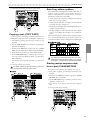
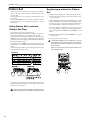
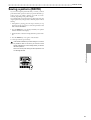
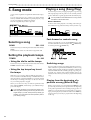
Thank you purchasing the Korg
ELECTRIBE·AmkII EA-1mkII.
In order to enjoy long and troublefree use, please read this manual
carefully and use the instrument
correctly.
E 1
Precautions
Location
Using the unit in the following locations can result in a malfunction.
• In direct sunlight
• Locations of extreme temperature or humidity
• Excessively dusty or dirty locations
• Locations of excessive vibration
• Close to magnetic fields
Power supply
Please connect the designated AC adapter to an AC outlet of the correct voltage. Do not connect it to
an AC outlet of voltage other than that for which your unit is intended.
Interference with other electrical devices
Radios and televisions placed nearby may experience reception interference. Operate this unit at a
suitable distance from radios and televisions.
Handling
To avoid breakage, do not apply excessive force to the switches or controls.
Care
If the exterior becomes dirty, wipe it with a clean, dry cloth. Do not use liquid cleaners such as benzene or thinner, or cleaning compounds or flammable polishes.
Keep this manual
After reading this manual, please keep it for later reference.
Keeping foreign matter out of your equipment
Never set any container with liquid in it near this equipment. If liquid gets into the equipment, it
could cause a breakdown, fire, or electrical shock.
Be careful not to let metal objects get into the equipment. If something does slip into the equipment,
unplug the AC adapter from the wall outlet. Then contact your nearest Korg dealer or the store where
the equipment was purchased.
THE FCC REGULATION WARNING (for U.S.A.)
This equipment has been tested and found to comply with the limits for a Class B digital device, pursuant to Part 15 of the FCC
Rules. These limits are designed to provide reasonable protection against harmful interference in a residential installation. This
equipment generates, uses, and can radiate radio frequency energy and, if not installed and used in accordance with the instructions, may cause harmful interference to radio communications. However, there is no guarantee that interference will not occur in
a particular installation. If this equipment does cause harmful interference to radio or television reception, which can be determined by turning the equipment off and on, the user is encouraged to try to correct the interference by one or more of the
following measures:
•
Reorient or relocate the receiving antenna.
•
Increase the separation between the equipment and receiver.
•
Connect the equipment into an outlet on a circuit different from that to which the receiver is connected.
•
Consult the dealer or an experienced radio/TV technician for help.
Unauthorized changes or modification to this system can void the user’s authority to operate this equipment.
CE mark for European Harmonized Standards
CE mark which is attached to our company’s products of AC mains operated apparatus until December 31, 1996 means it conforms to EMC Directive (89/336/EEC) and CE mark Directive (93/68/EEC).
And, CE mark which is attached after January 1, 1997 means it conforms to EMC Directive (89/336/EEC), CE mark Directive (93/
68/EEC) and Low Voltage Directive (73/23/EEC).
Also, CE mark which is attached to our company’s products of Battery operated apparatus means it conforms to EMC Directive
(89/336/EEC) and CE mark Directive (93/68/EEC).
2
Contents
1. Introduction .................................................................... 6
Main features ......................................................................................... 6
About the data you create on the EA-1mkII .................................................................................................... 6
Make connections and play! .................................................................. 7
Example connections ............................................................................................ 7
Preparing to play ....................................................................................................7
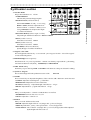
2. Front and rear panel ...................................................... 8
Common section ................................................................................... 8
Synthesizer section ............................................................................... 9
Sequence Control section ....................................................................10
Step Key section...................................................................................10
Connector section ............................................................................... 11
3. Basic operation (Quick Start) ...................................... 12
Conceptual diagram of the EA-1mkII ...................................................................12
Listening to a Song...............................................................................12
Listening to Patterns ............................................................................ 13
Trying out the functions ....................................................................... 13
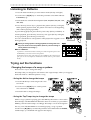
Changing the tempo of a song or pattern ........................................................... 13
• Using the dial to change the tempo ...................................................................................... 13
• Using the Tap Tempo key to change the tempo .................................................................... 13
Striking keys to play sounds (Keyboard function) ...............................................
Modifying (editing) the sound ..............................................................................
Playing the sound of a part along with a song or pattern ....................................
Modify (edit) the sound along with a song or pattern ..........................................
Modifying (editing) a phrase pattern ...................................................................
14
14
15
15
15
• Realtime Recording (using the Keyboard function to create a phrase) ................................. 16
• Step Recording (using the Step keys to create a phrase) .................................................... 16
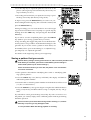
Saving a pattern that you create ......................................................................... 17
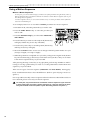
Using a Motion Sequence ................................................................................... 18
Connecting various sources to the audio input ................................................... 19
Playing with Pattern Set ...................................................................................... 20
Using the EA-1mkII as a tone generator module ..................................................20
Synchronized playback with the ER-1mkII .......................................................................... 21
4. Pattern mode ............................................................... 22
Selecting a pattern ...............................................................................22
Setting the playback tempo ................................................................. 22
• Using the dial to change the tempo .................................................................. 22
• Using the Tap Tempo key to change the tempo ................................................ 22
3
Playing a pattern (Pattern Play)............................................................22
The timing at which patterns will change ............................................................
Playing from the beginning of a pattern (Reset & Play) ......................................
About the tempo when the pattern is changed ...................................................
Selecting a pattern ..............................................................................................
22
22
22
23
Creating a pattern................................................................................ 23
Editing the sound of a part .................................................................................. 23
Synthesizer parameters ...................................................................................... 23
OSCILLATOR ...........................................................................................................................23
FILTER .................................................................................................................................... 24
AMP .........................................................................................................................................25
EFFECT .................................................................................................................................. 25
Length, Scale/Beat settings ................................................................................ 26
Swing settings ..................................................................................................... 26
Creating a phrase pattern ................................................................................... 27
Realtime recording .................................................................................................................. 27
Step recording .........................................................................................................................27
Event editing ........................................................................................................................... 27
Motion sequence ................................................................................. 29
Playing a motion sequence ................................................................................. 29
Recording a motion sequence ............................................................................ 29
Checking motion sequence data ......................................................................... 29
Convenient functions for editing patterns .............................................29
Erasing phrase pattern data from a part ............................................................. 29
Erasing data during playback or recording (ERASE) ...............................................................29
Erasing all data from a part (CLEAR PART) ........................................................................... 29
Transposing a phrase (TRANSEPOSE) ..............................................................
Moving data within a part (MOVE DATA) ............................................................
Copying a part (COPY PART) .............................................................................
Data Copy within a pattern ..................................................................................
Erasing motion sequence data from a part (CLEAR MOTION) ..........................
30
30
31
31
31
Pattern Set .......................................................................................... 32
Using Pattern Set to perform (Pattern Set Play) ..................................................32
5. Song mode .................................................................. 34
Selecting a song ...................................................................................34
Setting the playback tempo ................................................................. 34
• Using the dial to set the tempo ......................................................................... 34
• Using the tap tempo key to set the tempo ........................................................ 34
Playing a song (Song Play) ................................................................. 34
Fast-forward or rewind a song ............................................................................. 34
Switching songs .................................................................................................. 34
Playing from the beginning of a position or song (Reset & Play) .........................34
Creating a song ....................................................................................35
Creating a song from scratch .............................................................................. 35
Erasing song data (CLEAR SONG) .........................................................................................35
Specifying a pattern for each position ......................................................................................35
4
Specifying the pitch of each pattern .................................................................... 36
Editing a song ..................................................................................................... 36
Inserting a pattern at a specified position (INSERT PATTERN) ...............................................36
Deleting a pattern from a specified position (DELETE PATTERN) ..........................................37
Changing the pattern for a specific position .............................................................................37
Recording knob movements or your performance in a song (Event Recording) ..................... 38
Deleting event data from a song (CLEAR EVENT) ................................................................. 38
Checking for song event data ..................................................................................................38
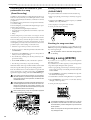
Saving a song (WRITE) ....................................................................... 38
6. Global mode ................................................................ 39
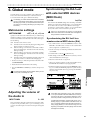
Metronome settings ..............................................................................39
Adjusting the volume of the Audio In ................................................... 39
Synchronizing the EA-1mkII with external MIDI devices (MIDI Clock) .. 39
Synchronizing the EA-1mkII to a master external MIDI device (Ext) .................. 39
Synchronizing an external MIDI device to the EA-1mkII as master (int) .............. 40
Protect settings (Memory Protect) ....................................................... 40
Saving the settings you modify in Global mode (WRITE).....................40
7. MIDI mode ................................................................... 41
Setting the MIDI channel of part 1 ....................................................... 41
Setting the MIDI channel of part 2 ....................................................... 41
Transmit/receive dump data (MIDI Data Dump) ...................................41
MIDI filter settings................................................................................ 42
Adjusting the pitch bend range ............................................................ 42
Saving the settings you modify in MIDI mode (WRITE) ...................... 42
8. Appendices .................................................................. 43
About MIDI .......................................................................................... 43
Troubleshooting ....................................................................................44
Error messages ....................................................................................45
Restoring the factory set data ............................................................. 45
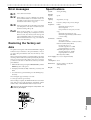
Specifications .......................................................................................45
Example sounds ...................................................................................46
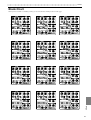
Blank Chart ......................................................................................... 47
Index .................................................................................................... 48
Pattern Name List ................................................................................ 50
Song Name List ....................................................................................50
MIDI Implementation Chart ................................................................. 51
5
1.Introduction
○○○○○○○○○○○○○○○○○○○○○○○○○○○○○○○○○○○○○○○○○
1. Introduction
Thank you for purchasing the Electribe·AmkII (EA-1mkII).
The EA-1mkII is a unique and easy-to-use synthesizer that uses DSP synthesis technology to help
anyone from beginners to hard-core users to produce truly original sounds and phrases.
By using the front panel knobs and keys, you can create analog synthesizer sounds intuitively, and
easily create phrases using these sounds.
The EA-1mkII is the ideal tool for the musician, DJ, sound creator, or desktop-music user who is
looking for originality in their music.
Main features
• The EA-1mkII features analog synthesizer-like operation that lets you create a versatile range of
sounds using two parts (each part with 2 OSC, 1 Filter, 1 Amp, and 3 Effects). By combining the
two synthesizer parts you can create unique sequenced phrases
• By using an external input as an oscillator, you can use the EA-1mkII as a filter bank with powerful
resonance. Ring, Sync, and Cross functions allow oscillators to modulate each other.
• The Motion Sequence function lets you record and loop knob movements, and these can be memorized separately for each part of a pattern.
• You can quickly modify sounds or phrases to change your performance while you play.
• You can create Pattern consisting of a sound for each part and a sequence phrase (up to 64 steps
long), and store up to 256 of these patterns in memory. Furthermore, you can arrange patterns in
the desired playback order and add knob movements etc. to create Songs, and store up to 16 of
these songs in memory.
• Distortion, delay, and chorus/flanger effects are provided for each part.
• A Keyboard function lets you use the sixteen step keys as a keyboard on which to perform.
• Pattern Set Play lets you register sixty-four patterns in the sixteen step keys, and switch patterns as
you perform.
• Tap tempo and MIDI Clock can be used to synchronize the EA-1mkII's performance with an external sequencer or turntable etc.
• The EA-1mkII can be controlled from an external sequencer or keyboard etc., and used as a MIDI
expansion tone generator.
• The MIDI Dump function lets you save data on a computer or external sequencer etc.
About the data you create on the EA-1mkII
Patterns and songs that you create on the EA-1mkII by editing will return to their un-edited state if
you select a different pattern or song, or turn off the power before performing the Write operation.
If you wish to save an edited pattern, song, or global data, be sure to perform the Write operation.
Even after Writing the edited data, it is still possible to restore all songs and patterns etc. to the factory
settings. (Refer to p.45 "Restoring the factory set data.")
6
○ ○ ○ ○ ○ ○ ○ ○ ○ ○ ○ ○ ○ ○ ○ ○ ○ ○ ○ ○ ○ ○ ○ ○ ○ ○ ○ ○ ○ ○ ○ ○ ○ ○ ○ ○ ○ ○ ○ ○ ○ 1.Introduction
Make connections and play!
1.Introduction
Example connections
or
Power switch
AC Local
Voltage
Preparing to play
Be sure to turn off the power before making connections. Careless operation may damage your
speaker system or cause malfunctions.
1. Connect the included AC adapter to the DC 9V jack, and plug the adapter into an AC outlet.
As shown in the above diagram, hook the AC adapter cable around the adapter cable holder. When
removing the cable from the holder, do not use excessive force.
2. Connect one end of your audio cables to the Part output jacks of the EA-1mkII (PART1/MIX, PART2),
and connect the other end to your mixer. The output of the EA-1mkII is not stereo, but is independent for each part, so you will need to make pan adjustments on your mixer. If you wish to mix the
two parts for output, connect your powered monitor speaker (amplified speaker) to the PART1/
MIX jack.
3. If you will be using headphones, connect them to the headphone jack. The headphone output is
monaural.
The output from the Part output jacks will not be switched off even if headphones are plugged in.
Master volume
Keyboard function key
* Alternates on/off each
time it is pressed
Step keys
4. When you have finished making connections, turn on the power. Slightly raise the master volume
of the EA-1mkII, and press the Keyboard function key. Press the step keys to produce sound and
verify that connections have been made correctly. Use the master volume of the EA-1mkII and the
gain and fader controls of your mixer or powered monitor system to adjust the volume to an
appropriate level.
7
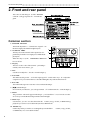
2.Front and rear panel
○○○○○○○○○○○○○○○○○○○○○○○○○○○○○○○○○○○○○
2. Front and rear panel
Connector section
The contr ols and other par ts of the EA-1mkII
can be br oadly grouped as sho wn in the diagram.
Synthesizer
section
Common section
Sequence
control section
Step key section
Common section
1. MASTER VOLUME
This knob adjusts the v olume that is output fr om
the Part output jacks and the headphone jack.
2. AUDIO IN THRU
This key allows the external audio input to be output directl y from the P art output jac ks and the headphone jack.
When this key is on, the AUDIO INof OSC1 will
have no eff ect.
3. Display
This sho ws the v alue of the currentl y selected parameter , and various messa ges.
1
4
3
2
5
6
7
8
9
4. Dial
Use this to modify the v alue sho wn in the displa y.
5. Peak LED
This indicates the peak le vel for the input signal fr om the audio in jac ks. Adjust the
output level of your external device so that the LED lights only at the maximum level.
6. Beat LED
This will b link at quar ter-note inter vals to indicate the tempo.
7. [▲][▼
] (cursor keys)
In eac h mode , use these ke ys to select parameter s fr om the matrix sho wn in the displa y.
8. Matrix
The parameter s that will appear in the displa y are listed here f or eac h mode . Use the
cursor ke ys to make the desired parameter select LED light.
9. Mode keys
Use these ke ys to mo ve to the desired mode: Pattern, Song, Global, or MIDI.During
playback you can move to Global mode, but not to MIDI mode.
10. WRITE key
Use this key when you wish to save settings that you modified in
or MIDImode, or to save Pattern Set data.
8
Pattern , Song , Global ,
10
○ ○ ○ ○ ○ ○ ○ ○ ○ ○ ○ ○ ○ ○ ○ ○ ○ ○ ○ ○ ○ ○ ○ ○ ○ ○ ○ ○ ○ ○ ○ ○ ○ ○ ○ ○ ○ ○2.Front and rear panel
Synthesizer section
1. OSCILLATOR
1
This pr oduces the basic wa veform.
• PORTAMENTO
This smoothly connects changes in pitch.
2
•OSC BALANCE(oscillator balance)
When OSC MODis off and y ou are using
3
4
RINGor SYNC, this knob adjusts the level
balance of the tw o oscillator s. When you are
using CROSS, this knob adjusts the depth
5
of oscillator modulation.
•OSC2 PITCH OFS(oscillator 2 pitc h offset)
Adjust the pitc h difference between OSC1and OSC2.
•OSC1 (oscillator 1 wave)
Select the waveform for OSC1.
•OSC2 (oscillator 2 wave)
Select the waveform for OSC2.
•OSC MOD(oscillator modulation)
Specify the type of oscillator modulation.
6
2.Front and rear panel
7
8
2. Original value LED
This will light when the knob y ou are currentl y moving reac hes the v alue of the original
saved sound of the pattern.
3. MOTION SEQ(motion sequence)
This function allo ws you to loop knob mo vements. Eac h time y ou press this ke y, the setting
will alternate between Off (dark), SMOOTH, and TRIG HOLD.
4. PART SELECT key
Each time you press this key, PART 1 and PART 2 will alternate as the part selected for editing.
5. Synthesis diagram
This is a block diagram for the synthesizer section of the
EA-1mkII.
6. FILTER
These controls let you adjust the brightness of the sound or add a distinctive tonal character.
•CUTOFF: Adjust the cutoff frequenc y of the filter .
•RESONANCE: Adjust the resonance of the filter .
•EG INT(EG intensity): Adjust the depth of the filter en velope .
•DECAY: Adjust the deca y speed of the filter en velope .
7. AMP
Here you can adjust the v olume le vel and the distor tion eff ect.
• DISTORTION: Switc h distor tion on/off.
•LEVEL: Adjust the v olume le vel.
8. EFFECT
Here you can ad d effects to the sound.
•DEPTH: Adjust the depth of the eff ect (tempo dela y, c horus/flanger).
•TIME: Adjust the dela y time , or the speed of the c horus/flanger LFO.
• TYPE SELECT: Choose the eff ect (tempo dela y or c horus/flanger) that will be adjusted
by the Depth and Time contr ols.
9
2.Front and rear panel
○○○○○○○○○○○○○○○○○○○○○○○○○○○○○○○○○○○○○
Sequence Control section
1. Rec key
Use this ke y to recor d phrases and mo vements of the
knobs etc. If you press this ke y during recor ding, recor ding will end, and pla ybac k will contin ue.
1
2
3
4
2. Stop/Cancel key
This key stops playback of a pattern or song, or cancels an operation.
3. Play/Pause key
This key begins/pauses playback of a pattern or song.
4. TAP, REST/TIE key
Use this ke y to enter a tap tempo. During step recor ding, use this ke y to input a rest or a tie .
5. TRANSPOSE key
Use this key to transpose a phrase.
Step Key section
1
2
3
4
5
1. SELECT keys
By pressing these ke ys to turn the Select LEDs on or off , you can use the sixteen step ke ys
below as up to 64 step keys.
When the K eyboar d function is on, these ke ys are used to s witch the octa ve.
In Song mode , these ke ys function as re wind and fast-f orward keys. When the P attern Set
function is on, the y are used to s witch Pattern Set gr oups.
2. Select LEDs
The upper r ow of LEDs (green) indicates the location (length 1...4) within the pattern of the
currentl y-playing phrase pattern.
The lo wer row of LEDs (red) indicates the location (length 1...4) of the phrase pattern indicated by the step keys. When the Pattern Set function is on, these LEDs indicate the pattern
set gr oup. When the K eyboar d function ke y is on, these LEDs indicate the octa ve position.
3. Step keys 1...16
Use these keys to modify and audition the phrase pattern of each part.
When the K eyboar d function ke y is on, these ke ys function as a ke yboar d, allowing you to
play sounds. When the Pattern Set function is on, use these keys to select patterns that you
registered.
4. Keyboard function key
This makes the sixteen step ke ys function as a ke yboar d. Eac h time y ou press this ke y, the
setting will alternate on/off . By holding do wn this ke y and pressing one of the step ke ys,
you can switch to the pattern that you assigned to that key (Pattern Set function).
10
5
○ ○ ○ ○ ○ ○ ○ ○ ○ ○ ○ ○ ○ ○ ○ ○ ○ ○ ○ ○ ○ ○ ○ ○ ○ ○ ○ ○ ○ ○ ○ ○ ○ ○ ○ ○ ○ ○2.Front and rear panel
5. SHIFT key
This key is used in conjunction with other keys. When held down, it gives an additional
function to another ke y.
SHIFT + Play/Pause key:Pla ybac k from the beginning of the pattern.
SHIFT + Rec key:During pla ybac k, erase trig gers fr om the pattern.
SHIFT + Step keys:Ex ecute the function sho wn belo w eac h step ke y.
SHIFT + dial: If the Shift ke y is held do wn as y ou rotate the dial, the v alue in the dis
play will change in steps of ten.
SHIFT + SELECT key:In P attern mode , the tar get step will be ad vanced b y one .
2.Front and rear panel
For other SHIFTkey combinations, refer to the e xplanation of eac h parameter .
Connector section
1
2
3
4
5
6
1. Power switch
This s witch turns the po wer on/off. Eac h time y ou press it, the po wer will alternate on
or off .
2. DC 9V
Connect the inc luded AC adapter here .
3. MIDI connectors
IN
MIDI data is received at this connector to contr
nal MIDI device or to receive a data dump.
ol the EA-1mkII from an e xter-
OUT
MIDI data is transmitted fr om this connector to contr
vice or to transmit a data dump.
ol an e xternal MIDI de-
THRU
MIDI data received at the MIDI INconnector is re-transmitted without c hang e
from this connector . This is used to "daisy-c hain" m ultiple MIDI devices.
4. AUDIO IN jack
This jac k receives the signal that will be used f or AUDIO INof OSC1. The sound that is
input here will be used as the sound of OSC1.
5. PART1/MIX, PART2 (par t output jac ks)
Connect y our audio cab les fr om these jac ks to send the sound of P arts 1 and 2 separatel y
to your mixer or po wered monitor system (po wered speaker s) etc. If you wish to output
the sound of P arts 1 and 2 tog ether, make connections to the PART1/MIX jac k.
6.
(headphone jack)
A set of stereo headphones fitted with a stereo jac
The output is monaural.
k plug can be connected here
.
11
3. Basic operation (Quick Start)
○○○○○○○○○○○○○○○○○○○○○○○○○○○○○○○○○○
3. Basic operation (Quick Start)
Conceptual diagram of the EA-1mkII
On the EA-1mkII, a song consists mainly of Patterns (which consist of Parts and delay
settings) and event data (refer to p.37 "Recording knob movements or your performance
in a song (Event Recording)").
Structure of Song
Songs: S01...S16
Patterns: A01...D64
Part
Pattern order Event data
A03
Part Trigger
Pattern data
Part data
Synthesizer
B53
Part Pitch
Tempo
Part 1
Portamento
C07
Gate Time
Length
D06
á
A52
á
B17
á
Part 2
Beat/Scale
á
Motion sequence
OSC Balance
OSC1
OSC2
Trigger
á
Pitch
á
Gate Time
á
Fillter
á
AMP
End
Phrase pattern
Effect
Listening to a Song
1. Press the Song Mode key to enter Song mode (the key will light).
2. Use the cursor [▲][▼] keys to make the parameter select LED indicate
SONG (the top LED).
3. Rotate the dial to select the desired song (S01...S16).
2
1
4. Press the Play/Pause key to playback the song (the key will light). When
the song ends, playback will stop automatically (the key will go dark).
3
To pause during playback, press the Play/Pause key (the key will blink). To
resume playback, press the Play/Pause key once again (the key will light).
To stop playback, press the Stop/Cancel key.
It is not possible to change songs during playback.
Stop/
Cancel key
4
What is a Song?
On the EA-1mkII, a song is musical data consisting of Patterns arranged in the desired playback order. The EA-1mkII
lets you create and store up to sixteen songs. In each song
you can arrange up to 256 patterns, and phrase and knob
movements can also be recorded in addition to the playback.
(Refer to p.34 "Song mode.")
12
Song
Pattern(A03)
Pattern(B01)
Pattern(A01)
Pattern(A02)
○ ○ ○ ○ ○ ○ ○ ○ ○ ○ ○ ○ ○ ○ ○ ○ ○ ○ ○ ○ ○ ○ ○ ○ ○ ○ ○ ○ ○ ○ ○ ○ ○ ○3. Basic operation (Quick Start)
Listening to Patterns
1. Press the Pattern mode key to enter Pattern mode (the key will light).
2. Use the cursor [▲][▼] keys to make the parameter select LEDs indicate
PATTERN (top).
3. Rotate the dial to select the desired pattern (A01...A64, b01...b64, C01...C64,
d01...d64).
2
1
4. Press the Play/Pause key to playback the pattern (the key will light).
When pattern playback ends, the pattern will return to the beginning,
and continue playing repeatedly.
3
To pause during playback, press the Play/Pause key (the key will blink). To
resume playback, press the Play/Pause key once again (the key will light).
To stop playback, press the Stop/Cancel key.
You can rotate the dial to select patterns when playback is stopped or even
during playback.
Cancel key
4
3. Basic operation (Quick Start)
When you change patterns during playback, the change will actually occur at the end of each pattern. (Refer to p.22 "The timing at
Stop/
Pattern
Part1
which patterns will change.")
1
2
3
4
5
6
E4
C4
7
8
64
E4
-------Motion sequence data--
What is a Pattern?
Part2
A pattern is a unit of musical data consisting of sounds arranged in a phrase. On
the EA-1mkII you can create and save 256 patterns.
Each pattern consists of two parts (refer to p.14). In addition to the sounds of each
part, you can also record phrases and knob movements (refer to p.22 "Pattern
mode").
1
2
3
C4
4
5
6
7
--64
8
G4
F4
-------Motion sequence data--
---
Trying out the functions
Changing the tempo of a song or pattern
There are two ways to change the tempo.
The tempo that you change here will return to the original tempo when you stop playback and switch to a different pattern or song.
• Using the dial to change the tempo
Change the tempo of
a song
3
Change the tempo of
a pattern
3
1. Press the Mode key to enter Song mode or Pattern mode.
2. Use the cursor [▲][▼] keys to set the parameter select LED to TEMPO.
2
3. Rotate the dial to change the tempo.
1
2
1
3
• Using the Tap Tempo key to change the tempo
While a song or pattern is playing, press the TAP key three times or more at the
desired tempo. The EA-1mkII will detect the interval at which you pressed the
TAP key, and will set the tempo accordingly. The tempo can also be changed in
this way even if the EA-1mkII is not currently playing a song or pattern.
Use the cursor [▲][▼] keys to make the parameter select LEDs indicate TEMPO,
and the tempo you modified will appear in the display.
Three times
or more
13
3. Basic operation (Quick Start)
○○○○○○○○○○○○○○○○○○○○○○○○○○○○○○○○○○
Striking keys to play sounds (Keyboard function)
1. Turn on the Keyboard function key (the key will light).
2. Use the step keys as a keyboard.
Change octaves
3. You can use the PART SELECT key to switch the part that
you play.
The sound of a part will differ depending on the pattern.
Rotate the dial to change the pattern, and try out the wide
variety of sounds.
To change the octave, use the SELECT keys.
A1
1
C2
G#2 A#2 C3
2
The select LEDs (lower row, red) will light to indicate the
octave as follows.
LED(s) lit
1
1,2
Pitch range
A0...C2
A1...C3
1,2,3
A2...C4
2,3,4
A3...C5
3,4
4
A4...C6
A5...C7
What is a Part?
A Part consists of a synthesizer sound, a phrase
pattern (trigger, pitch, gate time), and motion sequence. Each part is a monophonic synthesizer, and
cannot play two or more notes simultaneously
(polyphonically). (Refer to p.22 "Pattern mode.")
You are free to modify the sound of each part, and
a phrase pattern and motion sequence can be stored
independently for each part (refer to p.23 "Editing
the sound of a part").
Part
1
2
3
4
C4
5
6
7
G4
8
64
F4
----------Motion sequence data------
---
Modify1ing (editing) the sound
1. Turn on the Keyboard function key, and then press the step
keys to play the sound.
3
Orignal
value LED
2. Press the PART SELECT key to select the part whose sound
you wish to edit.
3. Use the knobs of the Synthesizer section to edit the sound.
The Original Value LED will light to indicate the position
of the knobs for the original settings of the sound.
3
2
1
1
Refer to the example sounds (p.46) and try creating your own
sounds.
The pattern sound that you modify here can be saved by the Write operation (p.17 "Saving a pattern that you create").
If a motion sequence is controlling a knob, it may be difficult to edit the sound as you
intend. If so, turn the motion sequence off while you are editing (refer to p.29 "Motion
sequences").
What is the synthesizer section?
This is the section where the parameters assigned to the panel knobs and keys work together to "synthesize" (produce) the sound of each part. (Refer to p.23 "Editing the sound of a part.")
14
○ ○ ○ ○ ○ ○ ○ ○ ○ ○ ○ ○ ○ ○ ○ ○ ○ ○ ○ ○ ○ ○ ○ ○ ○ ○ ○ ○ ○ ○ ○ ○ ○ ○3. Basic operation (Quick Start)
Playing the sound of a part along with a
song or pattern
1. Turn on the Keyboard function key, and press the step keys
to play the sound.
2. In Song mode or Pattern mode, press the Play/Pause key
to begin playback. Use the PART SELECT key to select
the part that you wish to play.
3. As you listen to the song or pattern, strike the step keys to
play along.
2
2
1
1,3
Each part is a monophonic synthesizer. It is not possible
for a single part to sound two or more notes simultaneously.
3. Basic operation (Quick Start)
Modify (edit) the sound along with a
song or pattern
3
1. In Song mode or Pattern mode, press the Play/Pause
key to begin playback.
3
2. Press the PART SELECT key to select the part whose
sound you wish to edit.
2
1
3. Use the knobs and keys of the Synthesizer section to
modify the sound. The sound of the part that is playing
will be modified as you move the knobs or keys.
To save the pattern sounds that you modify here, use the Write operation (refer to p.17 "Saving a
pattern that you create").
If you re-select a pattern or turn off the power without performing the Write operation,
the sound will return to its unedited state.
It is not possible to write the sounds you edit in a Song. Only in a Pattern can you write
the edited sounds.
Modifying (editing) a phrase pattern
What is a Phrase Pattern?
A phrase pattern consists of a trigger (note location), pitch,
and gate time (note length) at each step. You can modify
the phrase pattern for each part by using the sixteen step
keys (or by realtime input along with the playback). (Refer to p.22 "Pattern mode.")
Phrase pattern
Time
Timing of sounds
Note
On Off Off
trigger 1 2 3
Pitch
C4
On On Off Off Off Off On Off Off Off On
6
7
8
9 10 11 12 13 14
4
5
E4 C4
A3
Off Off
15 16
C4
Note
value
A phrase pattern can be edited in three ways.
• Realtime recording
While you playback a pattern, use the Keyboard function to record a new phrase
along with the playback.
• Step recording
With pattern playback stopped, input pitches one at a time to create a phrase.
• Event editing
Edit the data (trigger, pitch, gate time) for individual steps to create a phrase.
15
3. Basic operation (Quick Start)
○○○○○○○○○○○○○○○○○○○○○○○○○○○○○○○○○○
In the following pages we will explain how to perform Realtime Recording and Step
Recording. For details on Event Editing, refer to Event Editing (p.28) in "Pattern mode."
• Realtime Recording (using the Keyboard function to create a phrase)
If you wish to listen to the metronome as you record, refer to p.39 "Metronome settings."
1. Press the Pattern mode key (the key will light). Use the cursor [▲][▼]
keys to make the parameter select LEDs indicate PATTERN.
2
2. Rotate the dial to select the pattern that you wish to edit.
3. Turn on the Keyboard function (the key will light). Use the PART SELECT key to select the part that you wish to record.
1
1
4. Press the Rec key to enter record-ready mode. (The Rec
key will light, and the Play/Pause key will blink.)
5. Press the Play/Pause key to start the pattern. (The Play/
Pause key will light.)
6. At the timing that you wish to input the notes of the
phrase, press the step keys to record the notes. The pattern will playback repeatedly, and you can continue recording additional notes as long as the Rec key is lit. If
you wish to record the other part as well, use the PART
SELECT key to switch parts, and continue recording.
3
4, 7
2
3
6
6
7. Press the Stop/Cancel key to stop recorded. (The Rec key and the Play/Pause key
will go dark.) Alternatively, you can press the Rec key (instead of pressing the Stop/
Cancel key) to stop recording but continue playback. (The Rec key will go dark, and
the Play/Pause key will light.)
If you input a note by mistake, hold down the SHIFT key while the pattern continues to
play, and then hold down the Rec key. Note triggers will be erased from the selected part
(whose key is lit) while you hold down these keys.
If you wish to save the completed pattern, press the WRITE key. (Refer to p.17 "Saving a
pattern that you create.")
• Step Recording (using the Step keys to create a phrase)
1. Press the Pattern mode key (the key will light). Use the cursor [▲][▼] keys to make the parameter
select LEDs indicate PATTERN.
2. Rotate the dial to select the pattern that you wish to edit.
3. Turn on the Keyboard function (the key will light).
4. Use the PART SELECT key to select the part that you wish to edit.
5. Use the cursor [▲][▼] keys to make the parameter select LEDs indicate STEP REC.
(The display will indicate the target step.)
6. Press the Rec key to enter recording mode. At this time, pressing the Play key will not
start playback.
16
○ ○ ○ ○ ○ ○ ○ ○ ○ ○ ○ ○ ○ ○ ○ ○ ○ ○ ○ ○ ○ ○ ○ ○ ○ ○ ○ ○ ○ ○ ○ ○ ○ ○3. Basic operation (Quick Start)
7. Use the step keys to input the pitch for each note of the
phrase. (The target step will automatically advance by one
step each time you do so.)
8. Recording will end when you input the last step or press
the Stop/Cancel key (the Rec key will go dark).
2
1
4
1
To input a rest, press the RESET/TIE key. To enter a tie, continue holding down the step key (the sound will continue) and
press the RESET/TIE key.
3
During recording, you can rotate the dial to move the target
step forward or backward. You can jump to a specific step by
holding down the SHIFT key and pressing the desired SELECT key.
REST/TIE key
5
5
3. Basic operation (Quick Start)
If you wish to save the completed pattern, press the WRITE
key. (Refer to p.17 "Saving a pattern that you create.)
In step recording, the trigger and pitch are recorded simultaneously, but it is not possible to make detailed settings for the
gate time. If you wish to create a pattern in more detail, use
Event Edit (refer to p.28 "Event editing") to re-adjust the trigger and pitch, or to adjust the gate time.
6
7
For details on the target step, refer to p.27 "Target step."
Saving a pattern that you create
With the factory settings, memory protect will be on, and it will not be possible to save
data. Before you save data, you must turn off the Memory Protect settings in
Global mode. (Refer to p.40 "Protect settings.")
Please be aware that when you save data, the pattern in the save destination will be overwritten.
1. Edit a pattern as described in "Modifying the sound" or "Modifying (editing) a phrase pattern."
3
2. Press the WRITE key once (the key will blink). The display will blink to
indicate the pattern number.
3. Rotate the dial to select the pattern number in which the data will be saved
(i.e., the "save destination").
2,4
4. Press the WRITE key once again to begin saving the data. While the data is
being saved, the key will blink. When saving is complete, the key will go
dark.
If you decide to cancel, press the Stop/Cancel key. If you do not wish to save
the pattern you created, simply select a different pattern without performing
the Write operation.
Never turn off the power while data is being saved to memory (i.e., while the
Write key is lit). Doing so may damage the data.
It is not possible to Write data during playback or recording.
17
3. Basic operation (Quick Start)
○○○○○○○○○○○○○○○○○○○○○○○○○○○○○○○○○○
Using a Motion Sequence
What is a Motion Sequence?
For each part, you can record the changes you make to the synth parameters using the knobs, and loop
them for playback. The looped data for the knob movements is called a Motion Sequence (refer to p.29
"Recording a motion sequence").
A "motion sequence" allows you to record movements of any one of the parameters of the Synthesizer
section for an individual part.
As an example, here's how to record the CUTOFF parameter in a motion sequence.
1. In Pattern mode, select the pattern that you wish to edit.
1
2. Press the PART SELECT key to select the part that you
wish to edit.
6
3. Press the MOTION SEQ key to select either SMOOTH or
TRIG HOLD.
4. Press the Rec key to enter record-ready mode (the Rec key
will light, and the Play/Pause key will blink).
2
4
5
5. Press the Play/Pause key to start the pattern (the Rec key
and Play/Pause key will light).
6. Move the CUTOFF knob to create various changes while the pattern makes one cycle
(16 steps x length, or 12 steps x length).
7. When the pattern has completed one cycle after you began moving the knob, the Rec
key will automatically go dark and you will return to Play mode so that you can listen
to the motion sequence that you just recorded.
After pressing the Stop/Cancel key to stop playback, perform step numbers 2 and following for "Saving a pattern that you create" to save the pattern that contains the motion
sequence you just recorded.
There are two types of motion sequence (SMOOTH and TRIG HOLD). During playback, switch between these to hear the difference. (Refer to p.29 "Playing a motion sequence.")
It is not possible to modify a motion sequence after it has been recorded. If the results are
not as desired, please re-record your motion sequence.
For each part, only one knob can be recorded as a motion sequence. If you move two
or more knobs when recording a motion sequence for a part, the effect of the previously-moved knob will be lost. (Refer to p.29 "Recording a motion sequence.")
18
3
○ ○ ○ ○ ○ ○ ○ ○ ○ ○ ○ ○ ○ ○ ○ ○ ○ ○ ○ ○ ○ ○ ○ ○ ○ ○ ○ ○ ○ ○ ○ ○ ○ ○3. Basic operation (Quick Start)
Connecting various sources to the audio input
Let's try connecting various types of audio device (radio,
or MD or CD player) or tone generator to the audio input
jack.
Try out various types of sounds or music. Depending on
the content, you may discover unexpectedly interesting
results.
1. Connect an audio device etc. to the audio input of the
EA-1mkII. The input jack is monaural, so you may need
1
Input from
2 Peak LED
a CD or MD, etc.
6
to use a stereo-mono adapter plug, depending on the
device you are connecting.
3
5
4
7
3. Basic operation (Quick Start)
2. Adjust the output level of the connected device so that
the peak LED lights only at the maximum levels. At
this time you can turn on the AUDIO IN THRU key
(the key will light) to hear the input sound.
3
3. Select the pattern or song whose volume you wish to
adjust, press the OSC1 key to select AUDIO IN, and
begin playback.
4. Press the mode key to enter Global mode.
5. Use the cursor [▲][▼] keys to set the parameter select LED to INPUT GAIN.
6. Rotate the dial to adjust the input volume to create a balance with the volume of the
other part.
7. Move the knobs and keys of the Synthesizer section to apply filtering or effects to the
input signal.
If you wish to use the audio input for the OSC1, you must turn the AUDIO IN THRU key
off (key is dark).
Line-level input is recommended for the audio input. It is not possible to directly connect a mic or turntable etc.
If the Input Gain setting is too high, the sound may be distorted.
19
3. Basic operation (Quick Start)
○○○○○○○○○○○○○○○○○○○○○○○○○○○○○○○○○○
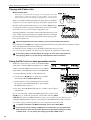
Playing with Pattern Set
What is Pattern Set?
Pattern Set 1
Pattern Set is a function that lets you register a favorite pattern to each of the
sixteen step keys, and use the step keys to switch patterns. You can use this
function to play a performance simply by selecting patterns one after the other.
When you hold down the Keyboard function key (the key will blink)
and press one of the sixteen step keys, the pattern registered for
that key will be selected. At this time you can use the SELECT keys
to change the pattern set group indicated by the red select LEDs
(lower line) 1--4, to use 16 x 4 (total of 64) pattern sets.
If during playback you hold down the Keyboard function key and
press another step key, the pattern assigned to that key will begin
playing when the currently-playing pattern finishes playing. (Refer to p.32 "Pattern Set.")
Pattern Set 3
Hold down the SHIFT key and
press the Keyboard function key
to hold the Pattern Set function.
While the Keyboard function key is blinking, it will control the Pattern Set function.
If you hold down the SHIFT key and press the Keyboard function key, the Pattern Set function will be
held. (The Keyboard function key will blink.)
To defeat this "hold" condition, press the Keyboard function key once again.
You can assign new pattern sets. (Refer to p.32, "Registering a pattern for Pattern Set.")
If you switch patterns during playback, the change will occur when each pattern finishes playing. (Refer to p.22 "The timing at which patterns will be switched.")
Using the EA-1mkII as a tone generator module
Read this section when you wish to use the EA-1mkII
with other connected MIDI equipment. Use a MIDI
cable to connect the MIDI OUT connector of your MIDI
keyboard etc. to the MIDI IN connector of the EA-1mkII.
MIDI IN
MIDI cable
1. Press the MIDI mode key to enter MIDI mode.
MIDI OUT
MIDI keyboard etc.
2. Use the cursor [▲][▼] keys to make the parameter
select LEDs indicate MIDI CH[PART 1].
3. Set the channel of the transmitting device to match
Set the MIDI channel
the channel of the EA-1mkII. (Refer to p.41 "Setting
the MIDI channel of part 1.")
4. Play the connected MIDI keyboard etc., and the sound of part 1
will be heard.
2
If you are connecting a multi-track MIDI sequencer, use the cursor
[▲][▼] keys to make the parameter select LEDs indicate MIDI
CH[PART 2], and set the MIDI channel for part 2 as you did for part 1. (Refer to p.41
"Setting the MIDI channel of part 2.") Set each part to the MIDI channel of the track that
you want it to play, and start playback on your sequencer to hear the sound.
For details on the EA-1mkII's MIDI functionality, refer to p.43 "About MIDI."
If you wish to save the settings of MIDI mode or Global mode, you must perform the
Write operation in either of these modes. (Refer to p.40 "Saving the settings you modify
in Global mode ," or p.42 "Saving the settings you modify in MIDI mode.")
20
3
1
○ ○ ○ ○ ○ ○ ○ ○ ○ ○ ○ ○ ○ ○ ○ ○ ○ ○ ○ ○ ○ ○ ○ ○ ○ ○ ○ ○ ○ ○ ○ ○ ○ ○3. Basic operation (Quick Start)
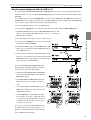
Synchronized playback with the ER-1mkII
By synchronizing the Electribe EA-1mkII and ER-1mkII you can enjoy even greater performance possibilities. Here's how you can make the ER-1mkII playback in synchronization with the tempo of the
EA-1mkII.
Use a MIDI cable to connect the MIDI OUT connector of the EA-1mkII to the MIDI IN connector of
the ER-1mkII. Connect the part output jacks of the EA-1mkII and the line output jacks of the ER-1mkII
to your mixer or powered monitor system (amplified speakers).
1. Press the MIDI mode key to move to MIDI mode.
2. Use the cursor [▲][▼] keys to make the parameter select LEDs indicate MIDI CH[PART 1].
3. Set the EA-1mkII channel to "01," and the ER-1mkII channel to "10."
(Refer to p.41 "Setting the MIDI channel of part 1.", "Setting the
MIDI channel of part 2.")
5. Use the cursor [▲][▼] keys to make the parameter
select LEDs indicate CLOCK.
3. Basic operation (Quick Start)
4. Press the Global mode key to move to Global mode.
EA-1mkII
6. Set the EA-1mkII to "int," and the ER-1mkII to "Ext."
(Refer to p.39 "Synchronizing the EA-1mkII with external MIDI device.")
MIDI OUT
MIDI cable
7. Press the Play/Pause key of the EA-1mkII to start a
pattern or song. (The Play/Pause key will light.) The
ER-1mkII will play the pattern in synchronization
with the tempo of the EA-1mkII.
MIDI IN
ER-1mkII
If you want the EA-1mkII and ER-1mkII to play
the identically-numbered pattern in synchronization, make the following settings.
• Synchronizing the ER-1mkII to the EA-1mkII
as master.(Set the EA-1mkII to "int," and the
ER-1mkII to "Ext.")
• Set the EA-1mkII and ER-1mkII to the same
MIDI channel (for example, set both to
"01").
EA-1mkII
2
It is also easy to make the EA-1mkII playback
in synchronization by connecting it to a sequencer or synthesizer that can transmit and
receive MIDI Clock messages.
3
2
• On the EA-1mkII and ER-1mkII, set the
MIDI filter setting "P" to "O" (refer to p.42
"MIDI filter settings").
• On the ER-1mkII, set the MIDI note number setting to C-1...A-1 or A#8...G9. (This
will prevent the ER-1 mk II from being
sounded unintentionally when note-on
messages are received.
ER-1mkII
3
1
1
EA-1mkII
ER-1mkII
6
2
1
5
6
4
7
21
4.Pattern mode
○○○○○○○○○○○○○○○○○○○○○○○○○○○○○○○○○○○○○○○○○○
4. Pattern mode
In this mode you can play patterns, or edit them to make new
patterns.
Press the Pattern mode key to enter Pattern mode.
256 patterns A01...D64
Pattern (A01)
Phrase patterns (maximum 64 steps)
Parts
Synthesizer 1
Motion Sequence)
Motion Sequence)
E2
D2
E2
C2
C2
Step Step Step Step Step Step Step Step Step Step Step Step Step Step Step Step Step Step Step Step Step Step Step Step Step Step Step Step Step Step Step Step
1
2
Synthesizer 2
(Synth Parameter, Effects,
D2
G2
C2
(Synth Parameter, Effects,
3
4
5
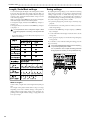
6
G2
7
8
9
10
11
12
13
14
15
16
17
18
D2
E2
19
20
21
22
E2
23
24
25
26
27
28
29
30
31
32
D2
C2
Step Step Step Step Step Step Step Step Step Step Step Step Step Step Step Step Step Step Step Step Step Step Step Step Step Step Step Step Step Step Step Step
1
2
3
4
5
6
7
8
9
10
11
12
13
14
15
16
17
18
19
20
21
22
23
24
25
26
27
28
29
30
31
32
Selecting a pattern
PATTERN
A01...d64
Use the cursor keys to make the parameter select LEDs indicate
PATTERN.
Rotate the dial to select one of the 256 patterns: A01...A64,
b01...b64, C01...C64, and d01...d64. By holding down the SHIFT
key as you rotate the dial, you can change the pattern number
in steps of ten.
Setting the playback tempo
TEMPO
Playing a pattern
(Pattern Play)
Use the cursor keys to make the parameter select LEDs indicate
PATTERN. Press the Play/Pause key to start pattern playback.
When the pattern finishes playing, it will return to the beginning and continue playing.
While listening to a pattern, you can strike the step keys along
with the phrase, or move the knobs to modify the sound.
By taking advantage of the various functions of Pattern mode
as part of your performance technique, you can enjoy even wider
possibilities.
The timing at which patterns will
change
When you switch patterns during playback, the change will
occur when the currently playing pattern finishes its last step.
Until the pattern actually changes, the pattern number selected
in the display will blink.
Pattern is changed Begins playing
Pattern A01
Pattern A21
20...300
• Using the dial to change the tempo
Use the cursor keys to make the parameter select LEDs indicate
TEMPO. Rotate the dial to modify the tempo.
• Using the Tap Tempo key to
change the tempo
While the pattern is playing, press the TAP key three times or
more at the desired tempo. The EA-1mkII will calculate the interval at which you pressed the TAP key, and will change the
tempo accordingly. You can change the tempo in the same way
even when playback is stopped.
When you use the cursor keys to make the parameter select
LEDs indicate TEMPO, and the tempo you modified will appear in the display.
If you switch to a different pattern without writing the pattern whose tempo you modified, the pattern tempo will
return to the previous value. If you wish to keep the modified tempo, you must perform the Write operation (refer to
p.33 "Saving a pattern").
Playing from the beginning of a
pattern (Reset & Play)
If you hold down the SHIFT key when pressing the Play/Pause
key, the playback will be forced to playback from the beginning. By using this function in conjunction with setting the
tempo by the TAP key, you can synchronize the playback without using MIDI.
In order to ensure that the phrase always matches, you
will need to perform this adjustment each time.
Pattern A01
Pattern A01
About the tempo when the pattern
is changed
When you switch patterns during playback, the tempo of the
previous pattern will always be maintained. If you wish to use
the tempo that is stored in the newly selected pattern, press the
Stop/Cancel key to stop playback, and then start playback once
again. The pattern’s own tempo will be applied from the point
at which the pattern was stopped.
22
○ ○ ○ ○ ○ ○ ○ ○ ○ ○ ○ ○ ○ ○ ○ ○ ○ ○ ○ ○ ○ ○ ○ ○ ○ ○ ○ ○ ○ ○ ○ ○ ○ ○ ○ ○ ○ ○ ○ ○ ○ ○ 4.Pattern mode
You can use the PART SELECT key to switch the part that will
be edited or played using the Keyboard function.
When you select a Part, the LED for that part will light, and you
can edit it in the Synthesizer section, or edit a phrase pattern.
At this time if the Keyboard function key is off (dark), the step
keys will indicate the trigger locations (refer to p.28) of the
phrase pattern for that part.
If the Keyboard function key is on (lit) while a pattern is playing back, the step keys will light in succession to indicate the
pitch that the currently selected part is sounding. If the Keyboard function key is off (dark), the step keys will indicate the
trigger locations for the phrase pattern of the currently selected
part, and the step that is currently playing.
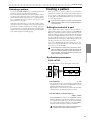
Creating a pattern
There are two ways to create a pattern. You can start with a
pattern that is similar to the desired result and then edit it, or
you can create a sound and phrase pattern for each part from
scratch. Either way, the EA-1mkII makes it easy for you to create
your own original patterns.
If you wish to save a pattern you create, you must perform
the Write operation before you select a different pattern or
turn off the power.
Editing the sound of a part
Select a pattern that is close to what you have in mind (or a
pattern which contains no sound or phrase). Use the PART SELECT key to select the part that you wish to edit. Then operate
the knobs and keys to edit the sound. At this time, the Original
Value LED will light when the knob etc. that you are currently
moving reaches the same value as the original sound of the
pattern. Referring to the example sounds in the appendix (p.46)
will help you learn how to create your own sounds.
You can also edit while playing back a pattern. It is also possible to use an external MIDI device to control the value of each
knob (refer to p.43 "About MIDI").
If the sound does not change when you rotate a knob or
switch the setting of a key, either another knob or key has
been set so that the parameter you are attempting to adjust has no effect, or the Motion Sequence function (p.29
"Motion Sequence") is operating.
4.Pattern mode
Selecting a pattern
Synthesizer parameters
OSCILLATOR
This specifies the basic waveform and pitch of the sound.
OSC2
Filter
Effect
Resonace
OSC Mod
Cutoff
OSC1
Audio In
Audio Input
Amp
Distortion
Chorus
Flanger
EG
Level
Delay
Output
Time
Time
Depth
Depth
EG Int.
Decay
PORTAMENTO
0...100
This parameter creates a smooth change in pitch from one
note to the next. As this knob is turned further toward the
right, the pitch will change more slowly.
If portamento is raised excessively, a certain amount of time
will elapse before the destination pitch is reached.
OSC BALANCE (oscillator balance)
OSC1...OSC2
When OSC MOD is off and you are using RING or SYNC,
this knob adjusts the volume balance of the two oscillators.
If you turn the knob all the way to one side, the level will be
zero for the other oscillator. When you are using CROSS,
this knob adjusts the depth of oscillator modulation.
OSC BALANCE does nothing if the OSC MODE is
CROSS and you select AUDIO IN for OSC 1.
23
4.Pattern mode
○○○○○○○○○○○○○○○○○○○○○○○○○○○○○○○○○○○○○○○○○○
OSC2 PITCH OFS (OSC2 pitch offset)
–1 octave ... 4 octaves
Specify the pitch of OSC2 relative to the pitch of OSC1.
The pitch of OSC2 can be adjusted in the range of –1 octave
to 4 octaves from the pitch of OSC1.
The pitch of OSC1 will be the pitch that sounds when you
use the keyboard function or the pitch specified for a phrase
pattern.
OSC1
...AUDIO IN
The tone and volume of Ring Modulation may vary
depending on the phase difference between OSC1
and OSC2.
• SYNC (Oscillator Sync)
OSC 1
OSC 1
Output
OSC 2 Sync
OSC 2
Output
Specify the basic waveform of OSC1.
(sawtooth wave)
This waveform is rich in overtones, and is suitable for
bass or synth lead sounds.
(square wave)
This waveform contains only the odd-numbered har
monics, and produces a tone typical of electronically
produced sound.
(triangle wave)
This waveform is more mellow than the sawtooth wave
or square wave, and is suitable for sub-bass sounds etc.
This type of modulation forcibly resets the OSC2 waveform
by synchronizing its pitch to the pitch of OSC1. Moving
the pitch of OSC2 will produce the popular "sync lead"
sound. The modulated sound will be output from OSC2.
Differences in the OSC1 waveform will not affect the output of OSC2.
• CROSS (Cross Modulation)
Cross
Mod
AUDIO IN
The audio signal input from the audio input jack will
be used as OSC1.
So that they will be particularly suitable for bass sounds,
the waveforms of OSC1 have a slightly heavier sound (fundamental) than the waveforms of OSC2.
OSC2
,
,
Specify the basic waveform of OSC2 (refer to OSC1).
OSC MOD (oscillator modulation)
off, RING, SYNC, CROSS
Selects the type of modulation between oscillators. The various types of oscillator modulation will be applied as you
turn the OSC BALANCE knob toward OSC2. You can then
change the OSC2 pitch (OSC2 PITCH OFS) to produce even
greater tonal changes.
OSC 1
Output
OSC 1
OSC 2
This produces sound with a complex overtone structure by
using the OSC2 waveform to rapidly modulate the frequency (pitch) of OSC1. Use the OSC BALANCE knob to
adjust the depth of modulation.
Cross Modulation is not available if OSC1 is set to
AUDIO IN.
If you apply Cross Modulation with OSC2 PITCH OFS
set to 0 or to a pitch difference of exactly one octave
relative to OSC1, the sound may differ depending on
the phase of the oscillator at that time.
FILTER
The filter processes the sound produced by the oscillator to make
it less bright, etc.
• Off (When the OSC MOD LED is dark)
OSC 1
OSC 1
Output
Cutoff frequency
OSC 2
OSC 2
Output
EG INT
EG INT > 0
Cutoff
When OSC MOD is off, the oscillators will not modulate
each other.
By using OSC2 PITCH OFS to create a slight difference in
pitch between the oscillators, you can produce a spacious
detune effect. Setting a one-octave difference in pitch is effective when you wish to create thick synth-bass sounds etc.
DECAY
Trigger on
Cutoff frequency
Time
EG INT < 0
Cutoff
EG INT
• RING (Ring Modulation)
OSC 1
Output
OSC 1
OSC 2
Ring Mod
OSC 2
Output
This type of modulation generates a frequency consisting
of the sum and difference of the OSC1 and OSC2 frequencies. When you move the OSC2 pitch offset knob the timbre will change, producing metallic sounds or sound effects.
The modulated sound will be output from OSC2
24
DECAY
Trigger on
Time
○ ○ ○ ○ ○ ○ ○ ○ ○ ○ ○ ○ ○ ○ ○ ○ ○ ○ ○ ○ ○ ○ ○ ○ ○ ○ ○ ○ ○ ○ ○ ○ ○ ○ ○ ○ ○ ○ ○ ○ ○ ○ 4.Pattern mode
CUTOFF
EFFECT
If CUTOFF and EG INT are set to 0, you will hear
virtually no sound.
RESONANCE
This parameter adds character to the sound by boosting the
region around the cutoff frequency. If you raise the resonance and turn the CUTOFF knob (or adjust EG INT and
DECAY), you will hear the typical "meow-ing" sound typical of analog synthesizers.
If the resonance is raised, the sound may be distorted depending on the cutoff frequency or on the pitch that you
play.
EG INT (EG intensity)
–100...0...100
Specify the depth and direction of the effect that the EG
(envelope generator) will have on the cutoff frequency. The
EG will start when trigger-on occurs (the instant you play
the keyboard). If this knob is in the center position, the EG
will have no effect.
If the gate time length of a step extends beyond the
point at which the next step is sounded, the EG will
not be re-triggered for the next step.
DECAY
0msec...10sec
Specify the time over which the EG will decay. In conjunction with the CUTOFF and EG INT parameters, this controls the way in which the sound will change over time. If
EG INT is set to a negative (–) setting, Decay Time can be
used in place of Attack Time.
AMP
These parameters adjust the volume level and distortion effect.
DISTORTION
On, Off
Turn distortion on/off. Distortion is an effect that intentionally distorts the sound to produce a hard sound even from
a mellow waveform. It is highly effective to raise the resonance and use distortion.
LEVEL
Adjust the volume.
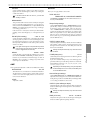
Here you can apply effects to the sound.
TYPE SELECT
TEMPO DELAY, CHOURUS/FLANGER
The DEPTH and TIME knobs will edit the effect that is selected by TYPE SELECT.
Tempo Delay settings
Set the TYPE SELECT button to TEMPO DELAY, and adjust the delay. Delay is an effect that plays back a time-delayed version of the original signal, and is also known as
"echo." TEMPO DELAY is a delay that can automatically
synchronize the delay time to the tempo of a pattern. If the
MIDI Clock parameter is set to "Ext" (external), the delay
time can also be synchronized to the clock of an external
device. (Refer to p.39 "Synchronizing the EA-1mkII and an
external MIDI device.")
• DEPTH (delay depth)
Adjust the depth of the delay and the amount of feedback
(the number of delay repeats). Rotating the knob toward
the right will increase the level of the delayed sound and
the amount of feedback.
Raising the Depth excessively may cause the sound
to distort.
• TIME (delay time)
4.Pattern mode
Set the cutoff frequency of the low-pass filter. Overtones
higher than the cutoff frequency will be cut, making the
sound more mellow.
1/4...8
Set the delay time. Rotating the knob toward the right will
lengthen the delay time.
If you have selected Tempo Delay as the effect type, this
parameter will let you set the tempo in terms of sixteen different multiples of the step: 1/4, 1/3, 1/2, 2/3, 3/4, 1, 1.33,
1.5, 2, 2.5, 3, 4, 5, 6, 7, or 8.
Depending on the tempo setting, it may be impossible
to set the delay time. In such cases, set the delay time
to half the desired value.
Chorus/Flanger settings
Set the TYPE SELECT button to CHORUS/FLANGER, and
adjust the chorus/flanger. Chorus creates minute differences
in the pitch to produce an ensemble effect, and Flanger adds
a "swooshing" modulation to the sound.
• DEPTH (chorus/flanger depth)
Adjust the depth of the chorus/flanger effect. Rotating the
knob toward the right will change from a chorus effect to a
flanger effect.
Raising the depth excessively may cause the sound
to distort.
TIME (LFO rate)
0.2 Hz ... 5,000 Hz
Adjust the LFO speed of the chorus/flanger. Rotating the
knob toward the right will speed up the LFO.
25
4.Pattern mode
○○○○○○○○○○○○○○○○○○○○○○○○○○○○○○○○○○○○○○○○○○
Length, Scale/Beat settings
Swing settings
You can set the length (the length of the entire pattern) and the
basic beat (time signature).The Length and Scale/Beat you
specify here will affect the correspondence between step keys
and note values, and the maximum number of steps as shown
in the following diagram.
While you hold down the SHIFT key, the step keys will light to
indicate the length and beat of the current pattern.
To change the Length, hold down the SHIFT key and press a
Step Key 1...4.
To change the Beat/Scale, hold down the SHIFT key and press
a Step Key 5...7.
By adjusting the Swing settings you can offset the note timing
of the steps. For example, you can change a straight 16-beat by
adding a slight "bounce" or shuffle. The Swing value can be
adjusted from 50 to 75 (%), and will affect the note timing of
even-numbered steps. A setting of 50 will produce a perfect 16beat, and a setting of 66 will produce a shuffle.
It is not possible to view or change the Length or Beat/
Scale during playback or recording, or during Pattern Set
Play.
3. Hold down the SHIFT key, and press step key 8 (SWING).
Key 8 will light.
· If you select triplets (3 x 12) for Beat/Scale, step keys 13...16
will have no function.
Length
Maximum number of steps
x 16
x 16 or
1
x 16
16
12
SHIFT + Step key 2
32
24
3
48
36
SHIFT + Step key 1
2
SHIFT + Step key 3
4
64
SHIFT + Step key 4
1. If a pattern is playing back, press the Stop/Cancel key to stop
playback.
2. Rotate the dial to select the pattern for which you wish to
make Swing settings.
4. A value will blink in the display. Rotate the dial to set the
Swing value.
5. Once again press step key 8 to execute the Swing setting (key
8 will go dark).
If you decide to cancel without making the setting, press the
Stop/Cancel key.
If the Length and Beat/Scale settings are set to triplets (3
x 12), the Swing setting has no effect.
It is not possible to view or adjust the Swing parameter
during playback or recording, or during Pattern Set Play.
2,4
48
between step keys
Scale/Beat Correspondence
and note values
x 16
SHIFT + step key 5 1 2 3 4 5 6 7 8 9 10 11 12 13 14 15 16
x 16
SHIFT + step key 6
x 12
3
1 2 3 4 5 6 7 8 9 10 11 12 13 14 15 16
3
3
3
3
SHIFT + step key 7 1 2 3 4 5 6 7 8 9 10 11 12
What is Length?
In this context, "Length" refers to the length of the rhythm pattern.
The "Length" of the pattern will be either 16 steps or 12 steps,
depending on the Scale and Beat settings of the pattern. A
rhythm pattern in triple meter will be shown in triplets. Depending on the Length and Beat settings, a single pattern can
have up to 64 steps.
26
3,5
○ ○ ○ ○ ○ ○ ○ ○ ○ ○ ○ ○ ○ ○ ○ ○ ○ ○ ○ ○ ○ ○ ○ ○ ○ ○ ○ ○ ○ ○ ○ ○ ○ ○ ○ ○ ○ ○ ○ ○ ○ ○ 4.Pattern mode
Creating a phrase pattern
Example display
There are three ways to create a phrase pattern.
Step 10
Realtime recording
Use the Keyboard function to play the step keys at the exact
timing you wish to record them.
Length 1
Step recording
Use the Keyboard function to specify the pitch of the note for
each target step to create the phrase.
Event editing
Edit the data (trigger, pitch, gate time) for each step to create
the phrase.
If you wish to erase the phrase of each part before you create
your own rhythm data, refer to p.29 "Erasing phrase data from
a part."
Step 5(37)
Length 3
Event editing
A phrase pattern consists of the following three data items for
each step. For each step, you can set these three items.
• Trigger: Whether or not a note will sound
• Pitch: The pitch that will be sounded
• Gate time: The duration of the sound
Realtime recording
Please refer to "Realtime recording (Using the Keyboard function to create a phrase)" (p.16) in chapter 3. Basic operation
(Quick Start).
Step
Trigger
Pitch
Step recording
Gate time
1
On
2
On
C2 G2
1.25
2.00
3
4
On
F2
0.5
5
6
7
8
10
11
On On
On
On
D2 D2
A1
E2
1.50
2.00
0.5
9
4.00
12
13
14
On
A2
1.00
(duration of
Please refer to "Step recording (Using the step keys to create a
phrase)" (p.16) in chapter 3. Basic operation (Quick Start).
the sound)
1. Turn off the Keyboard function key (the key will be dark).
1.01...4.16
The value shown in the display when the parameter select LEDs
indicate STEP REC is called the "target step." The value shown
in the display indicates the location of a certain step in the phrase
pattern. To change the target step, you can use the dial or press
one of the sixteen step keys. Alternatively, you can hold down
the SHIFT key and use the SELECT keys to move forward or
backward in single steps.
The maximum number of steps will depend on the length
and scale/beat settings.
In the case of a pattern with a length of 2 or greater, you can use
the SELECT keys to move the select LED in the lower line (red)
in order to change the length that is shown by the step keys,
and verify or modify the trigger locations.
Length
Select
LED display
4.Pattern mode
Changing the trigger settings
About the Target Step
Target Step
2. Use the cursor keys to make the parameter select LEDs indicate either PATTERN, TEMPO, or STEP REC.
3. Use the PART SELECT key to select the part that you wish to
edit.
4. For a pattern with a pattern length of 2 or more, you can use
the SELECT keys to move the red select LEDs to left or right
to change the length location that you will edit.
5. The step keys will light to indicate the trigger locations of the
pattern for that part. You can press each key to switch the
trigger on/off for that step. Each time you press a step key,
the trigger will alternate on (lit) and off (dark).
Area shown by the step keys
For x 16, x 16
For 3 x 12
1
Steps 1...16
Steps 1...12
2
Steps 17...32
Steps 13...24
3
Steps 33...48
Steps 25..36
4
Steps 49...64
Steps 37...48
2
3
4
4
When the Keyboard function key is on, the step keys will
not indicate the target step. When the Keyboard function
is off, the step key corresponding to the target step will
blink.
27
4.Pattern mode
○○○○○○○○○○○○○○○○○○○○○○○○○○○○○○○○○○○○○○○○○○
Changing the pitch
PITCH
C-1...G9
Changing the gate time
GATE TIME
0.25...64.0
1. Turn off the Keyboard function key (the key will go dark).
1. Turn off the Keyboard function key (the key will go dark).
2. Use the cursor keys to make the parameter select LEDs indicate PITCH.
2. Use the cursor keys to make the parameter select LEDs indicate GATE TIME.
3. Use the PART SELECT key to select the part that you wish to
edit.
3. Use the PART SELECT key to select the part that you wish to
edit.
4. The step keys will light to indicate the trigger locations of the
pattern for that part. Press the step key for the step whose
pitch you wish to edit (the key will blink). By pressing a step
key where a trigger exists, you can audition its pitch.
4. The step keys will light to indicate the trigger locations of the
pattern for that part. Press the step key for the step whose
gate time you wish to edit (the key will blink). By pressing a
step key where a trigger exists, you can audition its pitch.
5. Rotate the dial to modify the pitch of that step.
5. Rotate the dial to modify the gate time of that step.
When the display is showing the Pitch, pressing a step key will
not switch its trigger on/off.
Changing the pitch of a step whose trigger is off will have no
effect. If you turn that trigger on, the specified pitch will be
used. If you wish to transpose the pitch for one part of the entire pattern, refer to p.30 "Changing the pitch data of a part (Pitch
Shift)."
The value shown in the display is the gate time length in units
of a step. For example if the gate time is set to 1.0, the gate time
will be exactly as long as one step.
5
If the gate time length extends into the timing of the next
note, the filter EG of the next note will not be retriggered.
When the display is showing the Gate Time, pressing a step
key will not switch its trigger on/off.
Changing the gate time of a step whose trigger is off will have
no effect. If you turn that trigger on, the specified gate time will
be used.
5
2
3
4
The pitch will be shown in the display as follows.
Display for A3
28
Display for B4
Display for D Ð1
2
3
4
○ ○ ○ ○ ○ ○ ○ ○ ○ ○ ○ ○ ○ ○ ○ ○ ○ ○ ○ ○ ○ ○ ○ ○ ○ ○ ○ ○ ○ ○ ○ ○ ○ ○ ○ ○ ○ ○ ○ ○ ○ ○ 4.Pattern mode
Motion sequence
Playing a motion sequence
A motion sequence can be played back in one of the following
two ways, and you can select the playback method independently for each part.
SMOOTH: Knob values will be connected smoothly, and the
sound will change smoothly.
TRIG HOLD (trigger hold): The value of the motion sequence
knob will be held at the note timing of that part.
If you wish to save the pattern you edit using these functions, you must perform the Write operation before selecting a different pattern or turning off the power.
Erasing phrase pattern data from
a part
Playback the motion sequence
with Smooth setting
To erase the phrase pattern data for the selected part, you can
use one of the following two methods in addition to turning
each of the sixteen step keys off.
1 2 3 4 5 6 7 8 9 10 11 12 13 14 15 16
On
On
On On
On On
On
On
Erasing data during playback or
recording (ERASE)
Playback the motion sequence
with Trig Hold setting
1 2 3 4 5 6 7 8 9 10 11 12 13 14 15 16
On
On
On On
On On
On
On
There will be no effect when the Motion Sequence LED is
dark (off).
1. Press the PART SELECT key to select the part from which
you wish to erase data.
2. During playback or recording, hold down the SHIFT key and
press the Rec key. As long as you continue holding these keys,
trigger data will be automatically be erased from the selected
part.
Performing this operation will not affect the pitch and gate
time data.
4.Pattern mode
Knob movements when the motion
sequence was recorded
1 2 3 4 5 6 7 8 9 10 11 12 13 14 15 16
On
On
On On
On On
On
On
Convenient functions for
editing patterns
Recording a motion sequence
You can record knob movements (motion sequence) for each
part. When recording a motion sequence, only one knob is valid
for each part. If you record a motion sequence on the same part
using a different knob, the effect of the previously recorded knob
will disappear.
For the recording procedure, refer to p.18 "Using a motion sequence" in section 3. Basic operation (Quick Start).
Motion sequences are recorded in realtime while you listen to the playback. It is not possible to partially modify a
motion sequence after it has been recorded. You will need
to keep trying until you record a motion sequence to your
liking. (Refer to p.31 "Erasing motion sequence data from
a part.")
Checking motion sequence data
Hold down the SHIFT key and press the MOTION SEQ key. If
motion sequence data has been recorded in the selected part,
step keys 1, 2, 3, 4 will light.
It is not possible to check for motion sequence data during playback, recording, or Pattern Set Play.
1
2
2
Erasing all data from a part (CLEAR PART)
This operation erases all phrase pattern and motion sequence
data at once.
1. If the pattern is playing, press the Stop/Cancel key to stop
playback.
2. Press the PART SELECT key to select the part whose data
you wish to erase.
3. Hold down the SHIFT key and press step key 12 (CLEAR
PART). (Key 12 will blink.)
4. Once again press step key 12 to clear the data.
To cancel without clearing the data, press the Stop/Cancel key.
When you perform this operation, the pitch of all steps will
be set to "C4," and the gate time to "1.00."
2
3
3,4
29
4.Pattern mode
○○○○○○○○○○○○○○○○○○○○○○○○○○○○○○○○○○○○○○○○○○
To cancel without executing, press the Stop/Cancel key.
Transposing a phrase
(TRANSEPOSE)
TRANSPOSE
–24...24
This operation lets you transpose a phrase.
1. While you continue pressing the TRANSPOSE key, the display will indicate the current transposition status.
2. While holding down the TRANSPOSE key, rotate the dial to
transpose the phrase in semitone steps. +/–1 transposes the
pitch by a semitone, +/–2 by a whole tone, +/–7 by a fifth, and
+/–12 by one octave.
While holding down the TRANSPOSE key you can also use
the step keys or SELECT keys to transpose.
When you hold down the TRANSPOSE key and use the step
keys to specify the transposition, step key 4 will correspond to
the C pitch.
To transpose an individual part, use the Pitch Shift operation described below.
When you transpose the pitch, the TRANSPOSE key will
light. If the value is set to 0, the key will go dark.
The Transpose value is not saved. The next time that the
power is turned on, the value will be 0.
The Move Data operation applied to all steps of the selected
part. Data that is moved beyond the last step of the pattern will
"wrap around" to the first step. For example if 64-step data is
moved for "5" steps, the data that was in steps 60 through 64
will be moved to steps 1 through 5. Likewise, data that is moved
earlier than the first step of the pattern will "wrap around"to
the last step. For example if 48-step data is moved for "–3 " steps,
the data that was in steps 1 through 3 will be moved to steps 46
through 48.
With a setting of 3
The data of each step will be moved three steps toward
the end of the pattern.
Example: 2
5, 6
9, 10
13, 14
1
Step
Step
Step
Step
Step
Step
Step
Step
Step
Step
Step
Step
Step
Step
Step
Step
1
2
3
4
5
6
7
8
9
10
11
12
13
14
15
16
Step
Step
Step
Step
Step
Step
Step
Step
Step
Step
Step
Step
Step
Step
Step
Step
1
2
3
4
5
6
7
8
9
10
11
12
13
14
15
16
With a setting of Ð2
The data of each step will be moved two steps toward
the beginning of the pattern.
Example: 1
15, 3
1, 6
4, 10
8, 14
12
Step
Step
Step
Step
Step
Step
Step
Step
Step
Step
Step
Step
Step
Step
Step
Step
1
2
3
4
5
6
7
8
9
10
11
12
13
14
15
16
2
Step
Step
Step
Step
Step
Step
Step
Step
Step
Step
Step
Step
Step
Step
Step
Step
1
2
3
4
5
6
7
8
9
10
11
12
13
14
15
16
5
1,2
4
Moving data within a part
(MOVE DATA)
3
The Move Data operation lets you move the phrase pattern and
motion sequence data of a part backward or forward, or to shift
the pitch of an entire part.
Move Data
–16...16
Use this when you want to change the starting location of a
pattern.
1. If the pattern is playing, press the Stop/Cancel key to stop
playback.
2. Hold down the SHIFT key and press step key 9 (MOVE
DATA). (Key 9 will blink.)
3. Turn off the TRANSPOSE key (the LED will go dark).
4. Use the PART SELECT key to select the part whose data you
wish to move. If you wish to select both parts 1 and 2, press
the key several times to make both LEDs blink.
30
2
Pitch Shift
2,6
–24...24
Use this when you want to shift the pitch data of all steps in a part.
1. If the pattern is playing, press the Stop/Cancel key to stop
playback.
2. Hold down the SHIFT key and press step key 9 (MOVE
DATA). (Key 9 will blink.)
3. Turn on the TRANSPOSE key (the LED will blink).
4. Use the PART SELECT Key to select the part whose pitch
you wish to shift. If you wish to select both parts 1 and 2,
press the key several times to make both LEDs blink.
5. A number will blink in the display. Rotate the dial to select
the number of steps and the direction (positive or negative)
in which the data will be moved.
5. A number will blink in the display. Rotate the dial to select
the amount of pitch shift. +/–1 transposes the pitch by a
semitone, +/–2 by a whole tone, +/–7 by a fifth, and +/–12 by
one octave.
6. Press the blinking step key 9 to execute the Move Data operation.
6. Press the blinking step key 9 to execute the Move Data operation.
○ ○ ○ ○ ○ ○ ○ ○ ○ ○ ○ ○ ○ ○ ○ ○ ○ ○ ○ ○ ○ ○ ○ ○ ○ ○ ○ ○ ○ ○ ○ ○ ○ ○ ○ ○ ○ ○ ○ ○ ○ ○ 4.Pattern mode
To cancel without executing, press the Stop/Cancel key.
5
Data Copy within a pattern
Phrase pattern data (including motion sequence data) that you
create for a pattern of length 1 can be copied to the steps of
lengths 2...4. This function is a convenient way to create a pattern that uses similar phrases repeatedly.
1. Create a pattern with a length of 1, and Write it into memory.
(Refer to p.32 "Saving a pattern.")
4
2. At this point, the same data as in length 1 will automatically
be copied to the steps of lengths 2...4.
3
3. Change the pattern length to the desired length. (Refer to p.26,
"Length, Scale/Beat settings.")
2
Copying a part (COPY PART)
4. The steps of lengths 2...4 will contain the same data as length
1. Now you can edit the data of lengths 2...4 to complete the
pattern.
You can copy the sound settings and phrase pattern data (including motion sequence) from a selected part to another part.
The data will be copied in a similar way when the pattern length
is 2 or 3 (refer to the table below). If you shorten a pattern you
create, the data will be copied according to the shortened length.
1. If the pattern is playing, press the Stop/Cancel key to stop
playback.
Copy Pattern data
2. Press the PART SELECT key to select the copy destination
part (the LED will light).
3. Hold down the SHIFT key and press step key 10 (COPY
PART). (Key 10 will blink.) The display will begin blinking.
4. Rotate the dial to select the copy source pattern number.
5. Use the PART SELECT key to select the copy source part.
(The copy source LED will blink, and the copy destination
LED will be dark.)
6. Press step key 10 once again to execute the Copy Part operation.
To cancel, press the Stop/Cancel key.
For details on data copy within the same part, refer to the
following section "Data Copy within a part."
Example
A01
C20
Part 1
Part 2
Copy source
d01
Copy destination
Part 1 (sound, phrase pattern)
Part 1 (copy of C20 part 2)
Part 2 (sound, phrase pattern)
Part 2 (copy of A01 part 1)
Pattern
length
Pattern data before
writing
Pattern data after
writing
1
A Ñ Ñ Ñ
A
A
A
A
2
A
B Ñ Ñ
A
B A
B
3
A
B
A
B C
C
C Ñ
4.Pattern mode
2,6
The data that is copied automatically when you Write a
pattern does not force the pattern length (1--4) to change.
If the length is 4, data will not be copied within the pattern.
Erasing motion sequence data
from a part (CLEAR MOTION)
This operation erases all the motion sequence data of a part.
1. If the pattern is playing, press the Stop/Cancel key to stop
playback.
2. Hold down the SHIFT key and press step key 11 (CLEAR
MOTION). (Key 11 will blink.)
3. Use the PART SELECT key to select the part whose motion
sequence you wish to erase.
4
4. Press step key 11 once again to clear the motion sequence
data.
To cancel, press the Stop/Cancel key.
2,5
3
3,6
3
2,4
2
31
○○○○○○○○○○○○○○○○○○○○○○○○○○○○○○○○○○○○○○○○○○
4.Pattern mode
Pattern Set
Pattern Set is a function that lets you assign your favorite patterns to each of the sixteen step keys, and switch them at the
touch of a key.
During playback, you can successively switch patterns to perform a song.
By using the SELECT key in conjunction with this to switch
pattern set groups, you can register and select 16 x 4 (total of
64) patterns.
Using Pattern Set to perform
(Pattern Set Play)
Press the Play/Pause key to begin playback.
Hold down the Keyboard function key and press a step key to
switch to the pattern that was assigned to that step key.
By holding down the Keyboard function key and pressing a
SELECT key, you can switch to a different group of registered
pattern sets. The pattern set group will be indicated by the lower
line of the Select LEDs (red).
By holding down the SHIFT key and pressing the Keyboard
function key, you can hold the Pattern Set function (the key will
light).
To defeat the Hold condition, press the Keyboard function key
once again (the key will go dark).
Registering a pattern for Pattern
Set
1. With playback stopped, press and hold the Keyboard function key and press the step key for the location that you wish
to assign a pattern.
2. While continuing to press the Keyboard function key (or while
Hold is still in effect), rotate the dial to select the pattern number that you wish to assign. Release the Keyboard function
key (or defeat Hold) to complete the registration process.
3. To save the pattern set registrations, press the Stop/Cancel
key to stop playback. Continue pressing the Keyboard function key, and press the WRITE key (the WRITE key will
blink).
4. The display will blink "PSt." Press the WRITE key once again
to save the data.
To cancel, press the Stop/Cancel key.
If the Global mode Memory Protect setting is on, it will not
be possible to write the data. In this case, turn off the Global mode Memory Protect setting before you execute the
Write operation.
Never turn the power off during the Write operation. This
may damage the data.
Example
Step key
Select LED
1
2
3
4
1
2
3
4
5
2
14 15 16
A01 A20 B03 B04 A51
A20 B43
B61
C21 C23 C56 C64 C28
C21 A07
A08
B01 B02 B04 B62 A01
A05 A45
A64
D01 D02 D03 D04 D05
D07 D08
D09
3,4
Pattern set 1
Pattern set 3
2,3
Hold down the SHIFT key and
press the PATTERN SET key to
hold the function
In Pattern Set Play, the timing at which patterns will change,
tempo adjustment, and functions such as Reset & Play etc. are
the same as for Pattern Play.
Pattern Set cannot be used during recording. When you
enter recording (ready) mode, Pattern Set will be cancelled.
32
1
○ ○ ○ ○ ○ ○ ○ ○ ○ ○ ○ ○ ○ ○ ○ ○ ○ ○ ○ ○ ○ ○ ○ ○ ○ ○ ○ ○ ○ ○ ○ ○ ○ ○ ○ ○ ○ ○ ○ ○ ○ ○ 4.Pattern mode
Saving a pattern (WRITE)
If you wish to keep the pattern data that you create, you must
perform this Write operation. When you perform the Write operation, "Data Copy within a pattern" (p.31) will occur automatically, depending on the pattern length.
If you intentionally want to discard your edits and revert to the
original pattern data, simply select a different pattern without
Writing.
1. If the pattern is playing, press the Stop/Cancel key to stop
playback. Use the cursor keys to make the parameter select
LEDs indicate PATTERN.
2. Press the WRITE key once (the key will blink). The pattern
number will blink in the display.
3. Rotate the dial to select the writing destination pattern number.
4. Press the WRITE key once again to write the data.
To cancel, press the Stop/Cancel key.
If the Global mode Memory Protect setting is on, it will not
be possible to Write. In this case, you must turn off the
Global mode Memory Protect setting before you execute
the Write operation.
4.Pattern mode
Never turn off the power during the Write operation. This
can damage the data.
3
2,4
33
5.Song mode
○○○○○○○○○○○○○○○○○○○○○○○○○○○○○○○○○○○○○○○○○○○
Playing a song (Song Play)
5. Song mode
A song consists of patterns arranged in the desired order of playback.
You can create and save up to sixteen songs in the internal
memory of the EA-1mkII. In addition to pattern playback, songs
can also record phrases and knob movements.
Press the Song mode key to enter Song mode.
Song (S01)
Press the Play/Pause key to begin playing the song. The song
will begin playing from the pattern of the currently selected
position. When the song ends, playback will automatically stop.
It is not possible to save edited sounds in a song. Please
use Pattern mode to edit sounds.
What is Position?
"Position" refers to the playback or recording order of the patterns within the song, and is the unit by which you edit a song.
S01...S16 16 songs
Pattern D01
Pattern A10
Pattern B01
(32Steps)
(64Steps)
(36Steps)
(24Steps)
(16Steps)
(36Steps)
Position
Position
Position
Position
Position
Position
1
2
3
4
5
6
Pattern B20 Pattern A01 Pattern B01
Pattern A01
...
(16Steps)
End
Pattern D01
Pattern A10
Pattern B01
Position
Position
(32Steps)
(64Steps)
(36Steps)
(24Steps)
51
(16Steps)
(36Steps)
50
Position
Position
Position
Position
Position
Position
1
2
3
4
5
6
+ Event data
Pattern B20 Pattern A01 Pattern B01
Pattern A01
...
(16Steps)
End
Position
Position
50
51
Fast-forward or rewind a song
Selecting a song
SONG
S01...S16
During song playback, you can use the SELECT Keys to fastforward or rewind. To fast-forward, press the [ ] SELECT Key.
To rewind, press the [ ] SELECT Key.
Use the cursor keys to make the parameter select LEDs indicate
SONG.
Rotate the dial to select one of the sixteen songs S01 to S16.
Setting the playback tempo
TEMPO
20...300
Rewind
Fast-forward
• Using the dial to set the tempo
Use the cursor keys to make the parameter select LEDs indicate
TEMPO. Rotate the dial to set the tempo.
• Using the tap tempo key to set
the tempo
While the song is playing, strike the TAP Key three times or
more in succession at the desired tempo. The EA-1mkII will calculate the interval at which the TAP Key was pressed, and will
set the tempo accordingly. The tempo can be set in the same
way even when playback is stopped.
When you use the cursor keys to make the parameter select
LEDs indicate TEMPO, and the tempo you modified will appear in the display.
If you modify the tempo of a song but then switch to another song without Writing, the first song will return to its
original tempo. If you wish to keep the tempo setting you
modified, you must perform the Write operation (refer to
p.38 "Saving a song").
34
Switching songs
It is not possible to switch songs during playback, but it is possible to select the song number beforehand. If you select a song
number during playback, the display will blink to indicate the
selected number. When the currently playing song ends, playback will stop, and the newly selected number will now be
steadily lit. Press the Play/Pause key to playback the selected
song.
Playing from the beginning of a
position or song (Reset & Play)
While a song is playing, you can hold down the SHIFT key and
press the Play/Pause key to start playback from the beginning
of the pattern specified for the currently-playing position. In
addition, you can press the Play/Pause key while a song is playing to pause the playback, and then hold down the SHIFT key
and press the Play/Pause key to playback from the beginning
of the song.
○ ○ ○ ○ ○ ○ ○ ○ ○ ○ ○ ○ ○ ○ ○ ○ ○ ○ ○ ○ ○ ○ ○ ○ ○ ○ ○ ○ ○ ○ ○ ○ ○ ○ ○ ○ ○ ○ ○ ○ ○ ○ ○5.Song mode
Creating a song
3,5,6
Creating a song from scratch
Here's how to create a song by placing patterns in the desired
order.
1,2
If you switch to a different song while editing a song, your
edited data will be lost. If you wish to keep the edited song,
you must perform the Write operation to save the song
data.
Erasing song data (CLEAR SONG)
1. If the song is playing, press the Stop/Cancel key to stop playback. Then select the song that you wish to erase.
2. Hold down the SHIFT key and press step key 16 (CLEAR
SONG). (Key 16 will blink.)
4,6
If you wish to view the order of patterns in the song, or to reselect the pattern for a specific position, make the parameter
select LEDs indicate PATTERN. Each time you press a SELECT
Key, you will move to the next or previous position. You can
use the dial to change the pattern number that is displayed.
3. Press step key 16 once again to erase the song data.
Use the select keys to move through the positions,
and use the dial to select patterns
To cancel, press the Stop/Cancel key.
PATTERN
If you erase the song data by mistake, rotate the dial to re-select
the song before you save it. This will restore the data to its original condition.
Alternatively, you can make the parameter select LEDs indicate POSITION, and use the dial or SELECT Key to select the
position you wish to check. Then make the parameter select
LEDs indicate PATTERN, and view or change the Pattern.
At the Position setting use the select keys or dial to move;
then select Pattern and use the dial to select or view the pattern.
2
2,3
POSITION
PATTERN
POSITION
PATTERN
5.Song mode
Specifying a pattern for each position
001...256
A01...d64
Specify a pattern for each position. When doing this, please turn
the Keyboard function key off (the key will go dark).
1. Use the cursor keys to make the parameter select LEDs indicate POSITION. Notice that the display indicates "001."
2. Use the cursor keys to make the parameter select LEDs indicate PATTERN.
3. Rotate the dial to select the pattern that you wish to assign to
position "001."
4. Press the SELECT [ ] key to advance to the next position.
The display will indicate "End."
5. Rotate the dial to select the pattern. The pattern you select
here will be the pattern for position "002."
6. When you select a pattern for the "End" position, the "End"
will move to the next position. Repeat steps 4 and 5 to assign
as many patterns as you wish.
To playback the completed song from the beginning, press the
Play/Pause key once, and then press the Stop/Cancel key. Alternatively, use the cursor keys to make the parameter select
LEDs indicate POSITION, and rotate the dial or use the SELECT Keys to set the position to "001." Then press the Play/
Pause key.
35
5.Song mode
○○○○○○○○○○○○○○○○○○○○○○○○○○○○○○○○○○○○○○○○○○○
Specifying the pitch of each
pattern
PITCH OFS (Pitch Offset)
Editing a song
–24...24
You can insert a new pattern into a song, or delete an existing
pattern. You can also add knob movements or your own performance to a song.
This function offsets the pitch of the pattern at the specified
position within the song.
If you wish to keep the edited song, you must perform the
Write operation. If you select a different song or turn off
the power without performing the Write operation, the song
will return to the state in which it was before you edited it.
Pitch Offset simply offsets the pitch within the song. It does
not affect the pitch data of the pattern itself.
1. If the song is playing, press the Stop/Cancel key to stop playback.
2. Use the cursor keys to make the parameter select LEDs indicate POSITION.
3. Use the dial or SELECT keys to select the position whose
pitch you wish to offset.
4. Use the cursor keys to make the parameter select LEDs indicate PITCH OFS.
5. Use the dial to specify the desired pitch offset. +/–1 offsets
the pitch by a semitone, +/–2 by a whole tone, +/–7 by a fifth,
and +/–12 by one octave.
Even when the parameter select LEDs indicate PITCH OFS,
you can use the SELECT keys to move the position forward or
backward in single steps.
Inserting a pattern at a specified
position (INSERT PATTERN)
You can insert a pattern at a specified position, and subsequent
patterns will be moved backward (toward the end of the song).
Insert a new pattern at position 3
Before
inserting
After
inserting
Pattern A01
Pattern B01 Pattern D01 Pattern A01
Pattern B20 Pattern B01
(16Steps)
(36Steps)
(32Steps)
(16Steps)
(24Steps)
(36Steps)
End
Position
Position
Position
Position
Position
Position
Position
1
2
3
4
5
6
7
Pattern A01
Pattern B01 Pattern D01 Pattern D01
Pattern B20
Pattern B01
(16Steps)
(36Steps)
(32Steps)
(32Steps)
(16Steps)
(24Steps)
(36Steps)
End
Position
Position
Position
Position
Position
Position
Position
Position
1
2
3
4
5
6
7
8
Pattern A01
3,5
1. If the song is playing, press the Stop/Cancel key to stop playback.
2. Hold down the SHIFT key and press step key 13 (INSERT
PATTERN). (The 13 key will blink.)
2,4
3
3. The position indication in the display will blink. Rotate the
dial to select the position at which you wish to insert a pattern. (For example if you wish to insert a pattern into position 3. make the display blink "003.")
4. Press step key 13 once again, and a pattern will be inserted in
front of that position. (The key will go dark.)
To cancel, press the Stop/Cancel key.
The pattern that is inserted will be the pattern which had previously been at that position. Now you can specify the desired
pattern for the position that was inserted.
Data following the inserted pattern will be moved backward.
3
2
36
2,4
○ ○ ○ ○ ○ ○ ○ ○ ○ ○ ○ ○ ○ ○ ○ ○ ○ ○ ○ ○ ○ ○ ○ ○ ○ ○ ○ ○ ○ ○ ○ ○ ○ ○ ○ ○ ○ ○ ○ ○ ○ ○ ○5.Song mode
Deleting a pattern from a specified
position (DELETE PATTERN)
Changing the pattern for a specific
position
You can delete a pattern from a specified position, and subsequent patterns will be moved forward (toward the beginning
of the song).
1. If you are playing back, press the Stop/Cancel key to stop
playback.
Delete the pattern at position 5
Before
deleting
After
deleting
Pattern A01 Pattern D01
(32Steps)
(16Steps)
Pattern B01
3. Use the dial to select the position that you wish to modify.
Pattern B20 Pattern A10
Pattern B01 Pattern A01
4. Use the cursor keys to make the parameter select LEDs indicate PATTERN.
(36Steps)
(24Steps)
(64Steps)
(36Steps)
(16Steps)
End
Position
Position
Position
Position
Position
Position
Position
Position
1
2
3
4
5
6
7
8
Pattern A01
Pattern D01 Pattern B01
2. Use the cursor keys to make the parameter select LEDs indicate POSITION.
Pattern B20 Pattern B01
Pattern A01
(16Steps)
(32Steps)
(36Steps)
(24Steps)
(36Steps)
(16Steps)
End
Position
Position
Position
Position
Position
Position
Position
1
2
3
4
5
6
7
5. Use the dial to select the pattern that you wish to assign to
the selected position.
If you wish to audition the patterns as you select one, press the
Pattern mode key to enter Pattern mode, and listen to the playback. To return to Song mode, press the Stop/Cancel key to
stop playback, and then press the
Song mode key.
1. If the song is playing, press the Stop/Cancel key to stop playback.
2. Hold down the SHIFT key and press step key 14 (DELETE
PATTERN). (The 14 key will blink.)
3. The position indication in the display will blink. Rotate the
dial to select the position from which you wish to delete the
pattern. (For example if you wish to delete the pattern from
position 5. make the display blink "005.")
4. Press step key 14 once again, and the pattern will be deleted.
To cancel, press the Stop/Cancel key.
5.Song mode
When you delete a pattern, the event data (refer to the following page) at that position will also be deleted.
Data following the inserted pattern will be moved forward.
3
2
2,4
37
○○○○○○○○○○○○○○○○○○○○○○○○○○○○○○○○○○○○○○○○○○○
5.Song mode
Recording knob movements or your
performance in a song
(Event Recording)
Deleting event data from a song
(CLEAR EVENT)
In addition to placing patterns in a desired playback order, Song
mode also lets you record your realtime performance on the
step keys using the Keyboard function, and knob movements
you perform.
Recording this type of performance in Song mode is referred to
as "event recording."
Event recording lets you record the following three types of performance data (event data).
• Your performance using the Keyboard function
• Your performance using the knobs and switches (only for the
selected part)
• Tempo
1. If the song is playing, press the Stop/Cancel key to stop playback.
Event recording allows you to record two or more types of events
in the same area, as long as the events are played at the same time.
Event recording always rewrites the previous data ("replace
recording"), and when you record your performance, any event
recording data previously in that area will be erased. (It is not
possible to layer event recording over the same area.)
1. Select the song on which you wish to record events.
2. Use the cursor keys to make the parameter select LEDs indicate POSITION.
3. Use the dial or the SELECT keys to move to the position at
which you wish to begin recording.
4. Press the Rec key, and then press the Play/Pause key to begin event recording.
5. Use the PART SELECT key and/or the knobs to perform.
6. Press the Stop/Cancel key to stop event recording.
If the musical data of the song coincides with the event-recorded
data, the song data will be given priority during playback.
Knob movements that are event-recorded in Song mode will
always playback in a way that corresponds to the SMOOTH
type motion sequence setting (and not the TRIG HOLD type).
If you wish to save the event recording, you must perform
the Write operation. If you switch songs or turn off the power
without performing the Write operation, the data that was
recorded will be lost.
If during playback you operate a knob that had been eventrecorded, playback of the events of that knob will be cancelled until it reaches the next position. However if you
modify the tempo that was event-recorded, the tempo will
be cancelled until the end of the song.
This operation deletes all event data from the selected song.
2. Hold down the SHIFT key and press step key 15 (CLEAR
EVENT). (The 15 key will blink.)
3. Press step key 15 once again to clear the data.
To cancel, press the Stop/Cancel key.
2,3
2
Checking for song event data
If event data has been recorded in a song, holding down the
SHIFT key and pressing the MOTION SEQ key will make step
keys 13 through 16 light.
It is not possible to check for event data during playback
or recording.
Saving a song (WRITE)
If you wish to save a song that you create, you must perform
this Write operation.
If you decide not to save the song data you create, simply switch
songs without performing the Write operation.
1. If the song is playing, press the Stop/Cancel key to stop playback. Use the cursor keys to make the parameter select LEDs
indicate SONG.
2. Press the WRITE key once (the key will blink). The song number will blink in the display.
3. Rotate the dial to select the writing destination song number.
4. Press the WRITE key once again to save the data. (The key
will light, and then go dark.)
To cancel, press the Stop/Cancel key.
3
After rewinding a song, it may not be possible to playback
exactly according to the event data.
1,3
2,4
5
2
3
4
Never turn the power off during the Write operation. This
may damage the data.
4
5
38
If the Global mode Memory Protect setting is on, it will not
be possible to write the data. In this case, turn off the Global mode Memory Protect setting before you execute the
Write operation.
5
○ ○ ○ ○ ○ ○ ○ ○ ○ ○ ○ ○ ○ ○ ○ ○ ○ ○ ○ ○ ○ ○ ○ ○ ○ ○ ○ ○ ○ ○ ○ ○ ○ ○ ○ ○ ○ ○ ○ ○ ○ ○ 6.Global mode
6. Global mode
In Global mode you can set parameters such as Metronome or
Protect. Press the Global mode key to enter Global mode.
To execute Global mode, press a different mode key.
The settings you make in Global mode will be cancelled if
you turn off the power without Writing. If you wish to save
the settings you make, you must perform the Write operation (refer to p.40 "Saving the settings you modify in Global mode").
Metronome settings
METRONOME
oFF, r-0, r-1, r-2, on
Specify how the metronome will function. If you will be using
realtime recording to create a pattern from scratch, it is convenient to use the metronome. The metronome will sound at quarter-note timing.
oFF: The metronome will not sound.
r-0: The metronome will sound only during recording (when
the Rec and Play/Cancel keys are lit).
r-1: When recording, a one-measure count will be sounded
before recording begins. The metronome will sound only
during recording.
r-2: When recording, a two-measure count will be sounded
before recording begins. The metronome will sound only
during recording.
on: The metronome will sound during playback and record
ing. There will be no count before recording begins.
1. Use the cursor keys to make the parameter select LEDs indicate METRONOME.
2. Rotate the dial to make the metronome setting.
3. Press the PATTERN or SONG key to return to the previous
mode.
The metronome setting cannot be written. When you turn
on the power, it will always be "oFF."
Synchronizing the EA-1mkII
with external MIDI devices
(MIDI Clock)
CLOCK
int, Ext
The Global mode CLOCK setting allows the tempo of the EA1mkII to be synchronized with the tempo of an external MIDI
device that is able to send or receive MIDI Clock messages.
For details on synchronization settings of your external MIDI
device, refer to the owner's manual for your device.
Even if you set CLOCK to Ext, the EA-1mkII will operate
with its own internal clock if no MIDI Clock messages are
being received at its MIDI IN connector.
Synchronizing the EA-1mkII to a
master external MIDI device (Ext)
1. Use a MIDI cable to connect the MIDI IN connector of the
EA-1mkII to the MIDI OUT connector of the external MIDI
device (sequencer or synthesizer etc.).
2. Use the cursor keys to make the parameter select LEDs indicate CLOCK.
3. Rotate the dial to select "E t" (external clock).
4. Make settings on the external MIDI device (master) so that it
will transmit MIDI Clock messages.
5. Return to Pattern mode or Song mode.
6. When you start the sequencer of the external MIDI device,
the EA-1mkII will simultaneously begin playback.
7. If MIDI Clock data is being received at the MIDI IN connector, you can make the EA-1mkII playback in synchronization
with the external MIDI device by pressing the EA-1mkII's
Play/Pause key.
1
6.Global mode
3
3
MIDI IN
MIDI cable
MIDI keyboard or
2
sequencer etc.
1
2
Adjusting the volume of
the Audio In
INPUT GAIN
MIDI OUT
0...100
These parameters adjust the volume that is input to the Audio
In jacks. For the procedure, refer to p.19 "Connecting various
sources to the audio inputs" in section 3. Basic Operation (Quick
Start).
If the MIDI Clock parameter is set to "Ext" and the EA1mkII is synchronized to the external MIDI clock, it will synchronize to the tempo of the external sequencer, and it
will not be possible to change the tempo on the EA-1mkII.
If a MIDI Start message is received while the EA-1mkII is
already playing in synchronization with MIDI Clock, the
EA-1mkII will begin playback from the beginning of the currently playing pattern (or in the case of a song, from the
beginning of the pattern that was playing when the Start
message was received).
39
6.Global mode
○○○○○○○○○○○○○○○○○○○○○○○○○○○○○○○○○○○○○○○○○○
Synchronizing an external MIDI
device to the EA-1mkII as master (int)
1. Use a MIDI cable to connect the MIDI OUT connector of the
EA-1mkII to the MIDI IN connector of the external MIDI
device (sequencer or synthesizer etc.).
2. Use the cursor keys to make the parameter select LEDs indicate CLOCK.
3. Rotate the dial to select "Int" (internal clock).
4. Make settings on the external MIDI device (slave) so that it
will receive MIDI Clock messages.
5. When you start playback on the EA-1mkII, the external MIDI
device will begin playback in synchronization.
When you perform the Reset & Play operation to begin
playback from the beginning of the pattern, the EA-1mkII
will transmit only a MIDI Start message.
Protect settings
(Memory Protect)
PROTECT
on, oFF
This is the memory protect setting for Pattern mode and Song
mode. When protect is "on," the WRITE key will not function,
and it will not be possible to rewrite data or to receive MIDI
data dumps.
If you wish to save data you edited or to receive a data dump,
you must turn protect "oFF."
1. Press the Stop/Cancel key to stop playback.
2. Use the cursor keys to make the parameter select LEDs indicate PROTECT.
3. Rotate the dial to turn Protect "on" or "oFF."
If you wish to save the Protect setting, perform the Global mode
Write operation.
This setting applies to Pattern mode and Song mode. In
Global mode and MIDI mode, it is always possible to Write
data regardless of the Protect setting.
1
MIDI OUT
3
With the factory settings, this will be "on."
MIDI cable
3
MIDI keyboard or
sequencer etc.
MIDI IN
2
2
1
Saving the settings you
modify in Global mode
(WRITE)
When you perform the Write operation in either Global
mode or MIDI mode, the modified settings of both modes
will be saved.
Here's how to save the Global mode settings. If you wish to
save the settings you modify, you must perform this Write operation. Each time you turn on the power, those settings will be
in effect. Conversely, if you do not wish to save the modified
settings, simply turn off the power without performing the Write
operation.
1. Press the Stop/Cancel key to stop playback.
2. Press the Global mode (or MIDI mode) key.
3. Press the WRITE key once (the key will blink). The display
will indicate "---."
4. Press the WRITE key once again to write the data.
To cancel, press the Stop/Cancel key.
In Global mode or MIDI mode, it is always possible to execute
the Write operation, regardless of the Protect settings (see the
previous section).
Never turn off the power while data is being written to
memory. This may damage the data.
40
○ ○ ○ ○ ○ ○ ○ ○ ○ ○ ○ ○ ○ ○ ○ ○ ○ ○ ○ ○ ○ ○ ○ ○ ○ ○ ○ ○ ○ ○ ○ ○ ○ ○ ○ ○ ○ ○ ○ ○ ○ ○ ○ 7.MIDI mode
7. MIDI mode
In MIDI mode you can make MIDI-related settings, and dump
exclusive data. To enter MIDI mode, press the MIDI mode key.
To leave MIDI mode, press a different mode key.
If you turn off the power without Writing, the settings you
made in MIDI mode will be lost. If you wish to keep the
modified settings, you must execute the Write operation
(refer to p.42 "Saving the settings you modify in MIDI
mode").
Setting the MIDI channel of
part 1
MIDI CH[PART1]
1...16
This sets the MIDI channel of part 1. The same MIDI channel is
used for both transmission and reception. With the factory settings this will be "1."
1. Use the cursor keys to make the parameter select LEDs indicate MIDI CH[PART1].
2. Rotate the dial to select the channel.
Program changes and exclusive data will be transmitted
and received on the MIDI channel you specify here.
Transmit/receive dump
data (MIDI Data Dump)
DUMP
Ptn, SnG, ALL
Transmission
Here's how system exclusive data (pattern data, song data, or
Global mode settings) can be transmitted from the EA-1mkII to
an external MIDI data filer or computer connected to the MIDI
OUT connector.
1. Connect the MIDI OUT connector of the EA-1mkII to the MIDI
IN connector of an external MIDI device that is able to receive MIDI data dumps (another EA-1mkII, or a computer
that is running a MIDI data filer program or editing program,
etc.).
2. Set the MIDI channel of the external MIDI device and the
EA-1mkII to match. However when transmitting to a data filer,
it is not normally necessary to match the MIDI channel.
3. Use the cursor keys to make the parameter select LEDs indicate DUMP.
4. Rotate the dial to select the data that you wish to transmit.
Ptn: All pattern data
SnG: All song data
ALL: All data (pattern data, song data, Global data)
5. Press the Play/Pause key to transmit the data dump.
MIDI CH[PART2]
1...16
This sets the MIDI channel of part 2. The same MIDI channel is
used for both transmission and reception. With the factory settings this will be "2."
1. Use the cursor keys to make the parameter select LEDs indicate MIDI CH[PART1].
Reception
Here's how EA-1mkII system exclusive data can be received from
an external MIDI data filer or computer connected to the MIDI
IN connector.
1. Connect the MIDI IN connector of the EA-1mkII to the MIDI
OUT connector of the external MIDI device that will transmit the MIDI data dump (another EA-1mkII, or a computer
that is running a MIDI data filer program or editing program,
etc.).
2. Rotate the dial to select the channel.
2. Set the MIDI channel of the external MIDI device and the
EA-1mkII to match. However when transmitting from a data
filer, it is not normally necessary to match the MIDI channel.
If part 1 and part 2 are set to the same channel, the sounds of
part 1 and part 2 will be heard simultaneously when controlled
from an external MIDI device.
3. Use the cursor keys to make the parameter select LEDs indicate DUMP.
4. Transmit the data dump from the external MIDI device.
Details on data dumps are provided in the MIDI implementation chart of the EA-1mkII.
Consult your local Korg distributor for more information on
MIDI implementation
7.MIDI mode
Setting the MIDI channel of
part 2
Do not touch the keys of the EA-1mkII while a data dump is
in progress.
When the parameter select LEDs indicate DUMP, system
exclusive data can be transmitted or received even if the
MIDI FILTER parameter "E" is set to "-."
If the MIDI FILTER parameter "E" is set to "O," system
exclusive data can be transmitted or received in any mode.
41
7.MIDI mode
○○○○○○○○○○○○○○○○○○○○○○○○○○○○○○○○○○○○○○○○○○○
MIDI filter settings
Here you can select the types of MIDI message that will be transmitted and received.
For each character "PCE" in the display, select "O" if you want
that type of message to be transmitted and received, or select "" if you do not want that type of message to be transmitted or
received.
1. Use the cursor keys to make the parameter select LEDs indicate MIDI FILTER.
2. Rotate the dial to select the combination of message types
that will be transmitted and received; "O" allows transmission and reception, and "-" disables it.
P: Transmission/reception of Program Change, Bank Select,
and Song Select messages.
C: Transmission/reception of Control Change messages.
E: Transmission/reception of Exclusive data. However
when the parameter select LEDs indicate DUMP, Exclu
sive data can be transmitted/received regardless of this
setting.
Displayed alternately
Here's how to save the MIDI mode settings. If you wish to save
the settings you modify, you must perform this Write operation. Each time you turn on the power, those settings will be in
effect. Conversely, if you do not wish to save the modified settings, simply turn off the power without performing the Write
operation.
1. Press the Stop/Cancel key to stop playback.
2. Press the MIDI mode (or Global mode) key.
3. Press the WRITE key once (the key will blink). The display
will indicate "---."
4. Press the WRITE key once again to write the data.
In Global mode or MIDI mode, it is always possible to execute
the Write operation, regardless of the Protect settings (see the
previous section).
transmitted/received
Only P will be
Never turn off the power while data is being written to
memory. This may damage the data.
transmitted/received
All will be
transmitted/received
(Factory settings)
Adjusting the pitch bend
range
You can adjust the range of the pitch bend that will occur when
MIDI Pitch Bend messages are received.
–12...12
1. Use the cursor keys to make the parameter select LEDs indicate BEND RANGE.
2. Rotate the dial to select the bend range. +/–1 will allow a bend
range of a semitone, +/–2 a whole tone, +/–7 a fifth, and +/–12
an octave.
On some sounds, it may not be possible to bend the pitch
upward a full octave.
42
When you perform the Write operation in either MIDI mode
or Global mode, the modified settings of both modes will
be saved.
To cancel, press the Stop/Cancel key.
None will be
BEND RANGE
Saving the settings you
modify in MIDI mode
(WRITE)
○ ○ ○ ○ ○ ○ ○ ○ ○ ○ ○ ○ ○ ○ ○ ○ ○ ○ ○ ○ ○ ○ ○ ○ ○ ○ ○ ○ ○ ○ ○ ○ ○ ○ ○ ○ ○ ○ ○ ○ ○ ○ ○ ○ ○ 8.Data
8. Appendices
About MIDI
1. MIDI channels
6. If "stuck notes" occur
Similarly to a television, data can be received when the channel
of the receiving device matches the channel on which the data
is being transmitted.
The transmit/receive channel of the EA-1mkII is set by the MIDI
channel setting in MIDI mode.
If for some reason a note fails to stop sounding, you can usually
switch modes to stop the sound. If a note played via MIDI fails
to stop, you can simultaneously press the Shift key and the Stop/
Cancel key to perform a MIDI Reset.
7. About synchronization
When you use the Keyboard function and press a step key, the
note number assigned to that step key will be transmitted as a
Note-on message [9n, kk, vv] (n: channel, kk: note number, vv:
velocity) on the MIDI channel specified for that part. On the
EA-1mkII, the vv: velocity value is fixed at 64H (100). When you
release the step key, a note-off message [8n, kk, vv] is transmitted. However, most devices do not transmit note-off velocity,
and neither does the EA-1mkII. When note-on/off messages are
received on the MIDI channel assigned to a part, that part will
sound.
Note-on/off messages are transmitted and received on the MIDI
channels that you specify for part 1 and part 2 in MIDI mode.
3. Switching patterns
When you switch patterns, Program Change and Bank Select
messages [Bn, 00, mm] (control change #00), [Bn, 20, bb] (control change #32) (mm: bank number upper byte, bb: bank number lower byte, together allowing 16,384 banks to be selected)
will be transmitted.
If a Program Change is received on the MIDI channel of the
EA-1mkII, patterns will be switched within the same group (e.g.,
from A01 to A02). After a Bank Select has been received, the
next-received Program Change will be able to switch to a pattern of a different group (e.g., from A01 to C01).
Transmission and reception of Program Change messages can
be controlled by the MIDI mode MIDI Filter setting.
Program Change
Pattern number
0...127
0...127
A01...b64
C01...d64
4 Applying pitch bend
Pitch bend messages [En, vv, vv] (vv, vv: lower and upper bytes
of the value, together expressing 16,384 steps, where 8192 (vv,
vv = 00H, 40H) is the center value) are not transmitted, but can
be received to apply a pitch bend effect. The range of pitch bending is specified by the Pitch Bend Range setting of MIDI mode.
5. Using NRPN messages to edit
NPRN (Non Registered Parameter No.) messages are messages
to which manufacturers are free to assign their own functions.
On the EA-1mkII, NRPN messages are assigned to all knobs and
keys of the Synthesizer section other than Motion Seq.
To edit, first use NRPN (LSB) [Bn, 62, rr] and NRPN (MSB) [Bn,
63, mm] (control change #98 and 99) (rr, mm: lower and upper
Two or more sequencers can be connected via MIDI and made
to playback in synchronization. Messages used for synchronization (realtime messages) include Timing Clock [F8], Start [FA],
Continue [FB], and Stop [FC].
In a synchronized system, one synthesizer (the master) will
transmit these messages, and the other sequencer(s) (the slave(s))
will receive these messages. The slave devices will playback
according to the tempo specified by the Timing Clock messages
transmitted by the master. Twenty-four Timing Clock messages
are transmitted for each quarter note. When the EA-1mkII’s Global mode parameter Clock is set to INT, it will be the master
device, and will transmit these realtime messages. When Clock
is set to EXT, it will be the slave device, and will receive these
realtime messages. However even when Clock is set to EXT, the
EA-1mkII will operate according to its own internal clock if no
Timing Clock messages are being received. The Start message
specifies when playback will begin. When the Start/Pause key
is pressed on the master device, it will transmit a Start message.
Slave devices that receive this Start message will synchronize
to the Timing Clock messages subsequently received, and will
begin playback from the beginning. If the Start/Pause key is
pressed on the master devices when it is paused, the master
will transmit a Continue message. When a slave device receives
the Continue message, it will resume playback from the point
where it is currently stopped. If the Stop key is pressed during
playback, the master will transmit a Stop message. Slave devices will stop playback when they receive a Stop message.
8. Synchronization in Song mode
In Song mode, the EA-1mkII can transmit and receive Song Select and Song Position Pointer messages. When you switch
songs, a Song Select [F3 ss] message will be transmitted (ss: song
number, where one of 128 songs can be selected. On the EA1mkII you can select 16 songs.) If the EA-1mkII receives a Song
Select message in Song mode, it will switch songs. Transmission and reception of Song Select messages can be restricted by
the MIDI Filter settings of MIDI mode. If you change the current position on the master device (i.e., the device whose Clock
is set to INT) when the song is stopped, a Song Position Pointer
message [F2 pp pp] will be transmitted. (pp: the number of MIDI
beats from the beginning of the song; i.e., the number of Timing
Clocks divided by six.) Song Position Pointer indicates the location at which the sequencer is currently stopped. When Song
Position Pointer is received in Song mode by a slave device (i.e.,
a device whose Clock is set to EXT), it will change the location
at which its song is currently stopped to match the location of
the master. However on the EA-1mkII, the length of each pattern may be different, so the master and slave will not necessarily be in the same location. When the Start/Pause key is pressed
8.Data
2. Note-on/off
Bank Select
MSB LSB
00
00
00
01
bytes of the parameter no.) to select the parameter. Then transmit Data Entry (MSB) [Bn, 06, mm] and Data Entry (LSB) [Bn,
26, vv] (control change #06 and 38) (mm, vv: upper and lower
bytes of the value, together expressing 16,384 steps) to set the
value. The EA-1mkII uses only the MSB value (128 steps) of the
Data Entry message.
43
8.Data
○○○○○○○○○○○○○○○○○○○○○○○○○○○○○○○○○○○○○○○○○○○○○
on the master device, a Continue message is transmitted, and
the song will begin playback from the currently selected position. When the slave device receives the Continue message, it
will synchronize to the Timing Clock messages and begin playback from the current point in the song. In the same way as
synchronizing the playback from the beginning of the song, you
can specify the location at which playback will start, and then
playback in synchronization. If you use the dial or Select keys
to fast-forward or rewind while the song is playing, Song Position Pointer messages will not be transmitted. Be aware that if
you perform these operations during synchronized playback,
the synchronization will be lost. Also, even if Song Position
Pointer messages are received during playback, the playback
location will not change.
9. About system exclusive
messages
Manufacturers are free to use system exclusive messages in any
way they choose, and these messages are used mainly to transmit and receive parameters that are specific to particular devices, such as sound data and editing data.
The system exclusive message format of the EA-1mkII is [F0, 42,
3n, 52, ... F7] (n: exclusive channel).
However, some system exclusive messages have been defined
for use in a specific way, and these are called "universal system
exclusive messages."
Of the several different universal system exclusive messages,
the EA-1mkII supports the following one.
- When an Inquiry Message Request [F0, 7E, nn, 06, 01, F7] is
received, the EA-1mkII will transmit an Inquiry Message [F0,
7E, nn, 06, 02, (nine bytes), F7] that means "I am a Korg EA1mkII and my system version is ..."
10. Transmitting sound setting
data (Data Dump)
Song, Pattern, or All (song, pattern, global) data can be transmitted as MIDI exclusive data, and stored on an external device. This data is transmitted by the MIDI mode Dump command. The channel used for transmission and reception of this
data is set by the MIDI mode MIDI ch setting. Data dumps are
also transmitted when a Data Dump Request message is received.
11. Editing sounds etc.
By sending MIDI exclusive data dumps, you can rewrite all
patterns or individual programs. By using NRPN messages in
Pattern mode, you can edit the knobs that are active for each
part.
Troubleshooting
The display does not light up when I press the
Power switch!
• Is the AC adapter connected?
• Is the AC adapter plugged into an AC outlet?
No sound!
• Is your amp, mixer, or headphones connected to the correct
jack? (Can you playback a pattern? If so, the connections are
correct.)
• Are your amp or mixer powered-on and set correctly?
• Is the master volume knob of the EA-1mkII raised?
Sound does not stop!
• When a pattern is played back, it will continue playing repeatedly. When you are finished listening to a pattern, press
the Stop/Cancel key (p.13).
Sounds or operations are different than when I
edited!
• Did you perform the Write operation after editing? (p.33, 38)
After you have edited, you must perform the Write operation before switching songs or patterns, or turning off the
power.
• Did you edit the selected pattern or song after writing it?
Can't control via MIDI!
• Is the MIDI cable or special cable connected correctly?
When playing the EA-1mkII from an external device
• Has the EA-1mkII been set to receive MIDI data on the channel on which the data is being transmitted? (p.41)
• Is the MIDI mode MIDI Channel parameter set to the desired
channel? (p.41)
• Are the MIDI mode MIDI Filter settings set appropriately?
(p.42)
When playing an external device from the EA1mkII
• Does the MIDI channel of the EA-1mkII match the MIDI channel of the receiving device? (p.41)
Cannot write a pattern or song!
• Is the Global mode Protect setting turned "on"? (p.40)
Playing the step keys does not sound the specified sound!
• After editing the sound of a part, did you perform the Write
operation? (p.33)
• Is the Keyboard function turned on?
• Is a motion sequence being used? (p.29)
44
○ ○ ○ ○ ○ ○ ○ ○ ○ ○ ○ ○ ○ ○ ○ ○ ○ ○ ○ ○ ○ ○ ○ ○ ○ ○ ○ ○ ○ ○ ○ ○ ○ ○ ○ ○ ○ ○ ○ ○ ○ ○ ○ ○ ○ 8.Data
Error messages
Er.1
Er.2
Er.9
Full
Specifications
Data could not be written.
When writing a song to a different song number,
the maximum number of recordable events was
exceeded. Use the Clear Event operation to erase
unwanted events from the song (p.38).
Protect was turned "on" for the memory into which
you attempted to write data. In Global mode, turn
the Protect setting "oFF" (p.40).
When event-recording on a song, event data
memory has filled up. If you attempt to record additional events, the "memory full" message will
appear immediately. Either use Clear Event to delete unwanted events from a song, or record blank
data to clear the memory.
System:
Analog modeling
Number
of parts:
2 parts
Memory
capacity:
256 patterns, 16 songs
Effects:
Distortion, Tempo Delay, Chorus/Flanger
Sequencer:
Pattern
Maximum 64 steps per part
Motion sequence
One parameter for each part, 64 events
Song
Maximum 256 patterns per song
Maximum approximately 65,500 events for
event recording
Connectors:
Restoring the factory set
data
The pattern and song data with which the EA-1mkII is shipped
from the factory is referred to as the "preloaded data," and you
can restore this preloaded data back into the memory of the
EA-1mkII.
When you do this, the patterns you created and the songs which
use these patterns will be erased, and replaced by the preloaded
data. If you wish to keep the patterns and songs you created,
you must save the data on a data filer etc. before you load the
preloaded data.
1. While simultaneously pressing the TRANSPOSE key and the
WRITE key, turn on the power.
PHONES
Stereo phone plug
Nominal level: 21 mW + 21 mW (32 ohms)
OUTPUT (PART1/MIX, PART2)
Phone jacks: mono x 2
Nominal output level: -10 dBu
Output impedance: 1 k-ohms
AUDIO IN (phone jack: mono x 1)
Nominal input level: -10 dBu
Input impedance: 47 k-ohms
MIDI (IN, OUT, THRU)
Power supply: DC 9 V (AC adapter included)
Power
consumption: 5.5 W
Dimensions:
296 (W) x 220 (D) x 55 (H) mm
(with rubber feet)
Weight:
1.5 kg
2. The display will indicate "PLd," and the Play/Pause key will
blink.
3. To load the factory preloaded data, press the blinking Play/
Pause key.
This will require apporoximately 15 seconds.
To cancel, press the Stop/Cancel key.
When loading is complete, the EA-1mkII will return to its initial
state. After several seconds the display will indicate pattern
number "A01," and the EA-1mkII will be in Pattern mode.
Never turn off the power during the Load process. The
data may be damaged.
1
8.Data
3
Cancel
45
8.Data
○○○○○○○○○○○○○○○○○○○○○○○○○○○○○○○○○○○○○○○○○○○○○
Example sounds
46
Saw Bass
Sub Bass
Octave Bass
Detuned Saw
Distortion Lead/Bass
Sync Lead
Ring Mod
Cross Mod
5th Pad
Deep Flange
Beam
Pulse Width Mod
○ ○ ○ ○ ○ ○ ○ ○ ○ ○ ○ ○ ○ ○ ○ ○ ○ ○ ○ ○ ○ ○ ○ ○ ○ ○ ○ ○ ○ ○ ○ ○ ○ ○ ○ ○ ○ ○ ○ ○ ○ ○ ○ ○ ○ 8.Data
Blank Chart
8.Data
When you have created a sound that you like, you can store the knob and key locations in this page.
47
8.Data
○○○○○○○○○○○○○○○○○○○○○○○○○○○○○○○○○○○○○○○○○○○○○
Index
E
Edit
Pattern -----------------------Phrase -----------------------Song ---------------------- 15,
Sound -------------------- 14,
Effect
Chorus/Flanger ------------Depth ---------------------- 9,
LFO rate ---------------------Tempo delay ----------------Time ----------------------- 9,
Type select --------------- 9,
EG INT -------------------------EG intensity -------------------Erase
Phrase pattern data -------Error messages --------------Event
Clear --------------------------Data ---------------------------Editing ------------------------Recording -------------------Example sound ----------------
A
About the data ------------------- 6
Amp
Distortion ----------------- 9, 25
Level ----------------------- 9, 25
AUDIO IN THRU ---------------- 8
Audio input ----------- 11, 19, 39
B
Beat -------------------------- 8, 26
Beat LED -------------------------- 8
Bend range --------------------- 42
Blank chart --------------------- 47
C
Checking
Motion sequence ----------- 29
Song event data ------------ 38
Chorus/Flanger ---------------- 25
Clear
Event -------------------------- 38
Motion ------------------------- 31
Part ---------------------------- 29
Song --------------------------- 35
Clock ----------------------------- 39
Common section ---------------- 8
connection ------------------------ 7
Copy
Data ---------------------------- 31
Part ---------------------------- 31
Creating
Phrase pattern -------------- 27
Song --------------------------- 35
Cross modulation ------------- 24
Cutoff ---------------------------- 25
D
Data copy ----------------------- 31
Data dump ----------------- 41, 44
Decay ---------------------------- 25
Delay ------------------------- 9, 25
Delete pattern ------------------ 37
Depth ---------------------------- 25
Display ----------------------------- 8
Distortion ------------------------ 25
Dump------------------------ 41, 44
48
L
15
15
36
23
25
25
25
25
25
25
25
25
29
45
38
38
27
38
46
F
Factory set data --------------- 45
Fast-forward -------------------- 34
Features --------------------------- 6
FILTER ---------------------------- 9
Filter
Cutoff ---------------------- 9, 25
Decay ---------------------- 9, 25
EG intensity -------------- 9, 25
Resonance --------------- 9, 25
G
Gate time ----------------------- 28
Global mode --------------- 8, 39
H
Headphone --------------------- 11
I
Input gain ------------------ 19, 39
Insert pattern ------------------- 36
K
Keyboard ------------------------ 14
Keyboard function key ------- 10
Length --------------------------Level ----------------------------LFO rate ------------------------Listening
Pattern -----------------------Song ---------------------------
26
25
25
13
12
M
Metronome --------------------- 39
MIDI
About -------------------------- 43
Channel ------------------ 41, 43
Clock--------------------------- 39
Connector -------------------- 11
Data dump ------------------- 41
Filter --------------------------- 42
Mode -------------------------- 41
Mode
Global ------------------------- 39
MIDI ---------------------------- 41
Pattern ------------------------ 22
Song --------------------------- 34
Mode key -------------------------- 8
Modulation
Cross -------------------------- 24
Oscillator sync -------------- 24
Ring ---------------------------- 24
MOTION SEQ ------------------- 9
Motion sequence --------- 18, 29
Move data ----------------------- 30
N
Note-on/off ---------------------- 43
NRPN ---------------------------- 43
O
Ooctave ------------------------- 14
Original value -------------------- 9
OSC Balance -------------- 9, 23
OSC MOD ------------------ 9, 24
OSC1 ------------------------ 9, 24
OSC2 ------------------------ 9, 24
OSC2 PITCH OFS ------- 9, 24
Oscillator -------------------- 9, 23
Oscillator sync ----------------- 24
Output jack --------------------- 11
○ ○ ○ ○ ○ ○ ○ ○ ○ ○ ○ ○ ○ ○ ○ ○ ○ ○ ○ ○ ○ ○ ○ ○ ○ ○ ○ ○ ○ ○ ○ ○ ○ ○ ○ ○ ○ ○ ○ ○ ○ ○ ○ ○ ○ 8.Data
P
Part ------------------------------- 14
Part select key ------------------- 9
Pattern
Create ------------------------- 23
Delete ------------------------- 37
Insert -------------------------- 36
Mode -------------------------- 22
Select -------------------------- 23
Pattern mode------------------- 13
Pattern name list -------------- 50
Pattern set ----------------- 20, 32
Peak LED ------------------------- 8
Phrase pattern ----------------- 27
Pitch
Bend --------------------------- 43
Bend range ------------------ 42
Change ----------------------- 28
Offset -------------------------- 36
Shift ---------------------------- 30
PITCH OFS ---------------------- 9
Play
Motion sequence ------ 18, 29
Pattern ------------------------ 15
Pattern set -------------- 20, 32
Song ---------------------- 15, 34
Portamento ----------------- 9, 23
POSITION ---------------------- 35
Protect --------------------------- 40
R
27
10
41
38
29
16
16
32
34
25
10
34
24
S
Save
Pattern ------------------- 17,
Song --------------------------Scale ----------------------------Select key -----------------------
T
TAP key -------------------------Tap tempo ------------ 13, 22,
Target step ---------------------Tempo ---------------------------Pattern -----------------------Song --------------------------Tempo delay -------------------Tone generator module -----Transepose --------------------Transmission ------------------TRANSPOSE key ------------Trigger --------------------------Troubleshooting --------------Type select ----------------------
10
34
27
13
22
34
25
20
30
41
10
27
44
25
W
Write
Global ------------------------- 40
MIDI ---------------------------- 42
Pattern ------------------- 17, 33
Song --------------------------- 38
WRITE key ----------------------- 8
33
38
26
10
8.Data
Realtime recording ------ 16,
Rec key -------------------------Reception ----------------------Recording
Event -------------------------Motion sequence ----------Realtime ---------------------Step ---------------------------Registering a pattern for
Pattern Set---------------------Reset & Play ------------------Resonance --------------------REST/TIE key -----------------Rewind --------------------------Ring modulation ---------------
Select LED --------------------- 10
Select pattern ------------- 22, 23
Sequence control section --- 10
SHIFT key ---------------------- 11
Song ----------------------------- 12
Fast-forward ----------------- 34
Mode -------------------------- 34
Rewind ------------------------ 34
Select -------------------------- 34
Tap tempo -------------------- 34
Tempo ------------------------- 34
Song name list ----------------- 50
Specification ------------------- 45
Step key ------------------------- 10
Step key section --------------- 10
Step recording ------------ 16, 27
Swing ---------------------------- 26
Switching songs --------------- 34
Synchronize --- 21, 39, 40, 43
Synthesis diagram -------------- 9
Synthesizer parameter ------ 23
Synthesizer section ------------- 9
System exclusive ------------- 44
49
8.Data
○○○○○○○○○○○○○○○○○○○○○○○○○○○○○○○○○○○○○○○○○○○○○
Pattern Name List
A BANK
B Bank
C Bank
No.
Pattern Name
Tempo
No.
Pattern Name
Tempo
No.
Pattern Name
Tempo
A01
A02
A03
A04
A05
A06
A07
A08
A09
A10
Nu Skool Breaks 1
Nu Skool Breaks 2
Nu Skool Breaks 3
Nu Skool Breaks 4
Nu Skool Breaks 5
Nu Skool Breaks 6
Nu Skool Breaks 7
Nu Skool Breaks 8
Nu Skool Breaks 9
Electro 1
138
136
140
134
140
136
130
137
135
134
B01
B02
B03
B04
B05
B06
B07
B08
B09
B10
Techno 9
Techno 10
Techno 11
Techno 12
Techno 13
Techno 14
Techno 15
Techno 16 ‘A’
Techno 17
Techno 18 ‘A’
144
136
136
125
138
132
138
130
130
130
C01
C02
C03
C04
C05
C06
C07
C08
C09
C10
Hip Hop 4
Hip Hop 5
Hip Hop 6
Hip Hop 7
Hip Hop 8
Hip Hop 9
Big Beat 1
Big Beat 2
Big Beat 3
Big Beat 4
96
100
100
80
102
100
140
130
132
125
A11
A12
A13
A14
A15
A16
A17
A18
A19
A20
Electro 2
Electro 3
Electro 4
Electro 5
Trance 1
Trance 2
Trance 3
Trance 4
Trance 5
Trance 6
130
140
135
130
135
132
132
136
135
140
B11
B12
B13
B14
B15
B16
B17
B18
B19
B20
Techno 19
Techno 20
Techno 21
Techno 22 ‘A’
Techno 23
Techno 24
Techno 25
Techno 26
Techno 27
Techno 28
130
130
120
130
120
120
120
135
120
120
C11
C12
C13
C14
C15
C16
C17
C18
C19
C20
Big Beat 5
Big Beat 6
Big Beat 7
Big Beat 8
Big Beat 9
Big Beat 10
Big Beat 11
Big Beat 12
Big Beat 13
Drum’n’Bass 1
128
135
137
150
138
122
110
110
115
173
A21
A22
A23
A24
A25
A26
A27
A28
A29
A30
Trance 7
Trance 8
Trance 9
Trance 10
Trance 11
Trance 12
Trance 13
Trance 14
Trance 15
Trance 16
138
142
140
139
142
142
140
140
138
140
B21
B22
B23
B24
B25
B26
B27
B28
B29
B30
Techno 29
Techno 30
Techno 31
Techno 32
Techno 33
Techno 34
Techno 35 ‘A’
Hard House 1
Hard House 2
Hard House 3
120
124
120
135
137
108
100
140
139
134
C21
C22
C23
C24
C25
C26
C27
C28
C29
C30
Drum’n’Bass 2
Drum’n’Bass 3
Drum’n’Bass 4
Drum’n’Bass 5
Drum’n’Bass 6
Drum’n’Bass 7
Drum’n’Bass 8
Drum’n’Bass 9
Drum’n’Bass 10
Drum’n’Bass 11
173
173
173
180
180
185
170
175
175
170
A31
A32
A33
A34
A35
A36
A37
A38
A39
A40
Trance 17
Trance 18
Trance 19
Trance 20
Trance 21
Trance 22
Trance 23
Trance 24
Trance 25
Trance 26
142
140
140
130
139
135
135
138
135
130
B31
B32
B33
B34
B35
B36
B37
B38
B39
B40
Hard House 4
Hard House 5 ‘A’
Hard House 6
Hardcore
House 1
House 2
House 3
House 4
House 5
House 6 ‘A’
138
140
140
135
125
128
130
130
132
124
C31
C32
C33
C34
C35
C36
C37
C38
C39
C40
Drum’n’Bass 12
Drum’n’Bass 13
Drum’n’Bass 14
Drum’n’Bass 15
Drum’n’Bass 16
Drum’n’Bass 17
Drum’n’Bass 18
Drum’n’Bass 19
IDM 1
IDM 2
166
166
166
166
166
160
160
163
112
122
A41
A42
A43
A44
A45
A46
A47
A48
A49
A50
Hard Trance 1
Hard Trance 2
Hard Trance 3
Hard Trance 4
Hard Trance 5
Hard Trance 6
Hard Trance 7
Hard Trance 8
Hard Trance 9
Hard Trance 10
135
140
142
136
136
133
140
139
152
140
B41
B42
B43
B44
B45
B46
B47
B48
B49
B50
House 7
House 8
House 9
House 10
House 11
House 12
House 13
House 14
House 15
House 16
126
138
124
120
127
122
125
128
114
120
C41
C42
C43
C44
C45
C46
C47
C48
C49
C50
IDM 3
IDM 4
Trip Hop 1
Trip Hop 2
Trip Hop 3
Trip Hop 4
Dancehall
Lounge 1
Lounge 2
Lounge 3
120
117
102
94
84
90
103
110
100
100
A51
A52
A53
A54
A55
A56
A57
A58
A59
A60
Hard Trance 11
Hard Trance 12
Hard Trance 13
Hard Trance 14
Hard Trance 15
Hard Trance 16
Techno 1
Techno 2
Techno 3
Techno 4
135
135
140
140
140
140
135
140
133
135
B51
B52
B53
B54
B55
B56
B57
B58
B59
B60
House 17
House 18
House 19
House 20
House 21 ‘A’
House 22
UK Garage 1
UK Garage 2
UK Garage 3
UK Garage 4
120
130
120
120
134
130
134
130
134
130
C51
C52
C53
C54
C55
C56
C57
C58
C59
C60
Rhythmic 1
Rhythmic 2
Rhythmic 3
Rhythmic 4
Rhythmic 5
Rhythmic 6
Rhythmic 7
Rhythmic 8
Rhythmic 9
Rhythmic 10
124
143
150
150
160
135
130
124
110
180
A61
A62
A63
A64
Techno 5
Techno 6
Techno 7
Techno 8
135
122
138
125
B61
B62
B63
B64
UK Garage 5
Hip Hop 1
Hip Hop 2
Hip Hop 3
130
120
75
80
C61
C62
C63
C64
S.E. 1
S.E. 2
S.E. 3 ‘A’
S.E. 4
83
80
122
140
Song Name List
S01: Electribe Mix Part 1
S02: Electribe Mix Part 2
S03: Electribe Mix Part 3
50
* Patterns and initial data for the demo song are assigned to bank D.
* The 'A' in the Style column indicates that this pattern uses Audio In for oscillator 1.
* The first pattern of each style is assigned to step keys 1...16 of the Pattern Set function.
S08...S16: Blank
S04: Bass Burn
S05: Macrocaustic
S06: Elect-Rave
S07: Dugan's Midnight X-press
All Patterns and All Songs - ©2003 KORG Inc. All rights reserved.
[Synthesizer]
ELECTRIBE A·EA-1mkII
MIDI Implementation Chart
Transmitted
Recognized
2003.6.30
Remarks
Function ...
Basic
channel
Default
Changed
1 – 16
1 – 16
1 – 16
1 – 16
Mode
Default
Messages
Altered
×
3
×
Note
number :
**************
0– 127
9n, v=1– 127
True voice
**************
Velocity
Note ON
Note OFF
×
×
×
×
After
Touch
Polyphonic
Channel
×
×
×
×
×
O
O
O
O
×
O
O
O
O
O 0 – 127
**************
O 0 – 127
0 – 127
O
O
O
O 0 – 15
×
O
O 0 – 15
×
System Realtime : Clock
: Commands
O
O
O
O
Aux Messages
×
×
O
×
O
O123-127
O
×
Pitch Bender
0,32
98, 99
8
121
Memorized
*C
Bank Select(MSB,LSB)
NRPN(LSB,MSB)
Data Entry(MSB)
Reset All Controllers
*P
*C
*C
Control Change
Program
Change :
True#
System Exclusive
System Common
: Song Pos
: Song Sel
: Tune
: Local ON/OFF
: All Notes OFF
: Active Sense
: Reset
Notes
Mode 1: OMNI ON, POLY
Mode 3: OMNI OFF, POLY
Transmitted/received in Pattern mode *P
Can always be transmitted/received
*2 *E
in the MIDI Dump page
Transmitted/received in Song mode
*1
*P
*1
*1
*P, *C, *E: Sent and received when MIDI mode MIDI Filter (P, C, E) respectively
are set to "O"
*1: Sent but not received when Global mode Clock is "Int."When set to "Ext,"
received but not sent.
*2: In addition to Korg exclusive messages, also responds to Inquiry messages.
Mode 2: OMNI ON, MONO
Mode 4: OMNI OFF, MONO
O : Yes
× : No
❋ Consult your local Korg distributor for more information on MIDI IMPLEMENTATION.
51
IMPORTANT NOTICE TO CONSUMERS
E 1
This product has been manufactured according to strict specifications and voltage requirements that are applicable
in the country in which it is intended that this product should be used. If you have purchased this product via the
internet, through mail order, and/or via a telephone sale, you must verify that this product is intended to be used in
the country in which you reside.
WARNING: Use of this product in any country other than that for which it is intended could be dangerous and could
invalidate the manufacturer’s or distributor’s warranty.
Please also retain your receipt as proof of purchase otherwise your product may be disqualified from the manufacturer’s
or distributor’s warranty.
15 - 12, Shimotakaido 1 - chome, Suginami-ku, Tokyo, Japan.
©2003 KORG INC.
Printed in China