1
4.Pattern mode
○○○○○○○○○○○○○○○○○○○○○○○○○○○○○○○○○○○○○○○○○○
4. Pattern mode
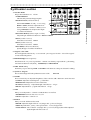
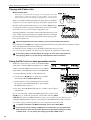
In this mode you can play patterns, or edit them to make new
patterns.
Press the Pattern mode key to enter Pattern mode.
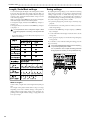
256 patterns A01...D64
Pattern (A01)
Phrase patterns (maximum 64 steps)
Parts
Synthesizer 1
Motion Sequence)
Motion Sequence)
E2
D2
E2
C2
C2
Step Step Step Step Step Step Step Step Step Step Step Step Step Step Step Step Step Step Step Step Step Step Step Step Step Step Step Step Step Step Step Step
1
2
Synthesizer 2
(Synth Parameter, Effects,
D2
G2
C2
(Synth Parameter, Effects,
3
4
5
6
G2
7
8
9
10
11
12
13
14
15
16
17
18
D2
E2
19
20
21
22
E2
23
24
25
26
27
28
29
30
31
32
D2
C2
Step Step Step Step Step Step Step Step Step Step Step Step Step Step Step Step Step Step Step Step Step Step Step Step Step Step Step Step Step Step Step Step
1
2
3
4
5
6
7
8
9
10
11
12
13
14
15
16
17
18
19
20
21
22
23
24
25
26
27
28
29
30
31
32
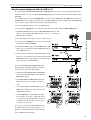
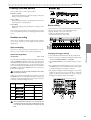
Selecting a pattern
PATTERN
A01...d64
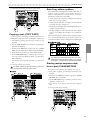
Use the cursor keys to make the parameter select LEDs indicate
PATTERN.
Rotate the dial to select one of the 256 patterns: A01...A64,
b01...b64, C01...C64, and d01...d64. By holding down the SHIFT
key as you rotate the dial, you can change the pattern number
in steps of ten.
Setting the playback tempo
TEMPO
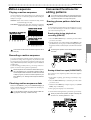
Playing a pattern
(Pattern Play)
Use the cursor keys to make the parameter select LEDs indicate
PATTERN. Press the Play/Pause key to start pattern playback.
When the pattern finishes playing, it will return to the beginning and continue playing.
While listening to a pattern, you can strike the step keys along
with the phrase, or move the knobs to modify the sound.
By taking advantage of the various functions of Pattern mode
as part of your performance technique, you can enjoy even wider
possibilities.
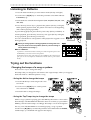
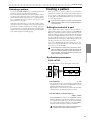
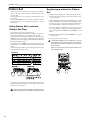
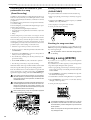
The timing at which patterns will
change
When you switch patterns during playback, the change will
occur when the currently playing pattern finishes its last step.
Until the pattern actually changes, the pattern number selected
in the display will blink.
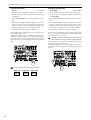
Pattern is changed Begins playing
Pattern A01
Pattern A21
20...300
• Using the dial to change the tempo
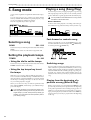
Use the cursor keys to make the parameter select LEDs indicate
TEMPO. Rotate the dial to modify the tempo.
• Using the Tap Tempo key to
change the tempo
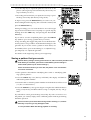
While the pattern is playing, press the TAP key three times or
more at the desired tempo. The EA-1mkII will calculate the interval at which you pressed the TAP key, and will change the
tempo accordingly. You can change the tempo in the same way
even when playback is stopped.
When you use the cursor keys to make the parameter select
LEDs indicate TEMPO, and the tempo you modified will appear in the display.
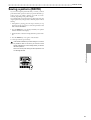
If you switch to a different pattern without writing the pattern whose tempo you modified, the pattern tempo will
return to the previous value. If you wish to keep the modified tempo, you must perform the Write operation (refer to
p.33 "Saving a pattern").
Playing from the beginning of a
pattern (Reset & Play)
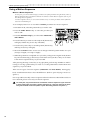
If you hold down the SHIFT key when pressing the Play/Pause
key, the playback will be forced to playback from the beginning. By using this function in conjunction with setting the
tempo by the TAP key, you can synchronize the playback without using MIDI.
In order to ensure that the phrase always matches, you
will need to perform this adjustment each time.
Pattern A01
Pattern A01
About the tempo when the pattern
is changed
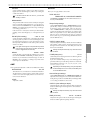
When you switch patterns during playback, the tempo of the
previous pattern will always be maintained. If you wish to use
the tempo that is stored in the newly selected pattern, press the
Stop/Cancel key to stop playback, and then start playback once
again. The pattern’s own tempo will be applied from the point
at which the pattern was stopped.
22