1
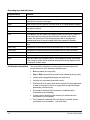
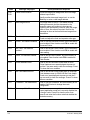
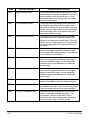
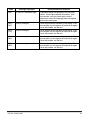
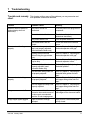
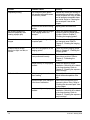
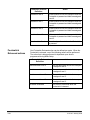
Trouble
Probable Cause
Remedy
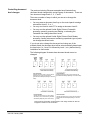
Some images are not
deskewed
If you have the Image Manager
Accessory installed, and you
encounter images that are not
deskewed, it may be that the
upper left corner could be close
enough to the center that when
the document is deskewed, part
of the document area is cut off.
To avoid loss of data, make sure
documents are not severely
skewed with the left corner in the
middle of the scanning width.
Repeated low lamp error
messages.
Lamps may not be properly
installed.
Make sure the lamps are securely
seated in the lamp socket holders.
Clearing the
document path
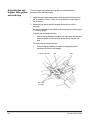
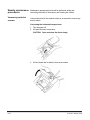
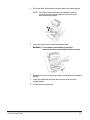
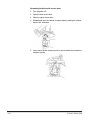
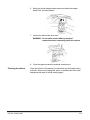
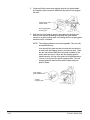
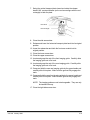
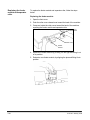
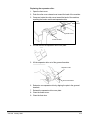
If a document becomes lodged in the scanner transport system, the
system stops running and a message appears in the status display.
A document can become lodged in the transport system when:
•
Documents are not fed straight (skewed).
•
Documents are torn, badly folded, or wrinkled.
•
Staples and paper clips were not removed from documents.
•
Imaging guides are not seated properly or are not installed.
•
Transport system plates are not firmly closed.
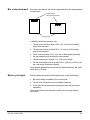
The document path can be cleared easily because:
The document path
•
No tools are needed.
•
Access doors let you quickly locate and clear documents.
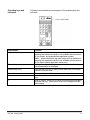
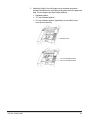
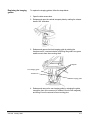
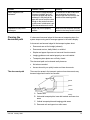
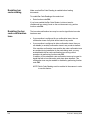
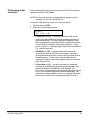
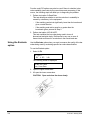
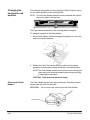
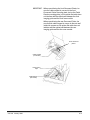
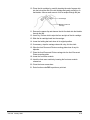
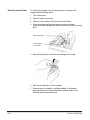
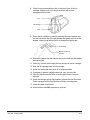
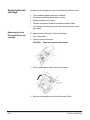
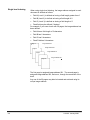
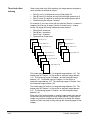
There are four areas in the transport system where documents may
become lodged and need to be removed:
Area D
Area C
Area B
A Feeder area
Area A
B Horizontal transport plate, lower belt module and lower turn
areas
C Vertical transport plate and imaging guide areas
D Document exit and upper turn roller areas
A-61140 January 2000
7-3