1
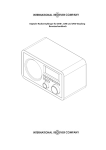
Portable MP3 CD boombox with USB / SD / MMC reader Instruction Manual JX-CD561 Please read this manual carefully before operating and save it for future reference. Have a question? Please visit http://www.jWIN.com Portable AM/FM Radio and CD Player V10M10_IM_EN_12262006 USER SAFETY GIUDE IMPORTANT SAFETY INSTRUCTIONS WARNING: To prevent fire or shock hazard, do not expose this appliance to rain or moisture. These markings are located on the bottom, side or back of the unit. CAUTION: To prevent the risk of electric shock, do not remove cover (or back). Non- userserviceable parts inside. Refer servicing to a service professional. • The lightning flash with an arrowhead symbol, within an equilateral triangle, is intended to alert the user to the presence of un-insulated "dangerous voltage" within the product's enclosure that may be of sufficient magnitude to constitute a risk of electric shock to a person. • The exclamation point within an equilateral triangle is intended to alert the user to the presence of important operating, maintenance and servicing instructions in the literature accompanying the appliance. Dripping warning: "This product shall not be exposed to any dripping or splashing, and no objects filled with liquids, such as vases, shall be placed on or near the product." Ventilation warning: "The normal ventilation of the product shall not be impeded for intended use." (Minimum distances must be kept around the apparatus for sufficient ventilation, especially while use of the apparatus is in tropical and/or moderate climates.) Dispose of old batteries safely. Do not throw them into a fire. LASER SAFETY This unit utilizes laser technology. Only a qualified professional should remove the cover or attempt to service this device, due to possible eye injury. CAUTION • Use of controls or adjustments or performance of procedure other than specified herein may result in hazardous radiation exposure. • Hazardous laser radiation when open and interlock defeated. DANGER Invisible laser radiation when open and interlock failure. Avoid direct exposure to beam. -1- www.jWIN.com Portable AM/FM Radio and CD Player V10M10_IM_EN_12262006 USER SAFETY GIUDE INSTRUCTIONS ON ENVIRONMENT PROTECTION Do not dispose of this product in the usual household garbage at the end of its life cycle; bring it to a collection point for the recycling of electrical and electronic appliances. This symbol on the product means the instructions for use or the packing will inform about the methods for disposal. The materials are recyclable as mentioned in its marking. By recycling, material recycling, or other forms of re-utilization of old appliances, you make an important contribution to protect the environment. Please inquire at your local community administration for the authorized disposal location. IMPORTANT SAFETY PRECAUTIONS 1. READ INSTRUCTIONS - All safety and operating instructions should be read before the appliance is operated. 2. RETAIN INSTRUCTIONS - The safety and operating instructions should be retained in a secure place for future reference. 3. HEED WARNINGS - All warnings on the appliance and in the operating instructions should be observed. 4. FOLLOW INSTRUCTIONS - All operating and use instructions should be followed. 5. WATER AND MOISTURE - The appliance should not be used near water. For example: near a bathtub, kitchen sink, laundry tub, and swimming pool or even in a wet basement. 6. VENTILATION - The appliance should be situated so that its location and position does not interfere with its proper ventilation. For example, the appliance should not be situated on a bed, sofa, rug or similar surface that may block the ventilation openings; or, be placed in a built-in installation, such as a bookcase or cabinet that may impede the flow of air through the ventilation openings. 7. HEAT - The appliance should be situated away from heat sources such as radiators, heat registers, stoves, or other appliances (including amplifiers) that produce heat. 8. POWER SOURCES - The appliance should be connected to a power supply only of the type described in the operating instructions or as marked on the appliance. 9. GROUNDING AND POLARIZATION - Precautions should be taken to ensure that the grounding or polarization of the appliance is correct. 10. POWER CORD PROTECTION - Power supply cords should be routed so that they are not likely to be walked on or obstructed by items placed upon or against them. Pay particular attention to cords at plugs, convenience receptacles, and the point at which they exit from the appliance. 11. CLEANING - The appliance should be cleaned only as recommended by the manufacturer. 12. POWER LINES - An outdoor antenna should be located away from power lines. 13. NONUSE PERIODS - The power cord of the appliance should be unplugged from the outlet when the appliance is to be left unused for an extended period of time. -2- www.jWIN.com Portable AM/FM Radio and CD Player V10M10_IM_EN_12262006 USER SAFETY GIUDE IMPORTANT SAFETY PRECAUTIONS – CONTINUED 14. OBJECT AND LIQUID ENTRY - Care should be taken so that objects do not fall and liquids are not spilled into the device’s openings. 15. CARTS AND STANDS - The appliance should be used only with a cart or stand that is recommended by the manufacturer. An appliance and cart combination should be moved with care. Quick stops, excessive force, and uneven surfaces may cause the appliance and cart combination to overturn. 16. WALL OR CEILING MOUNTING - If the appliance is mounted to a wall or ceiling, it should be mounted only as recommended by the manufacturer. 17. DAMAGE REQUIRING SERVICE - The appliance should be serviced by qualified service professional when: a. The power-supply cord or plug has been damaged. b. Objects have fallen into, or liquid has been spilled into the appliance’s apertures. c. The appliance has been exposed to rain. d. The appliance has been dropped and suffered damage. e. The appliance does not appear to operate normally or exhibits a marked change in performance. 18. SERVICING - The user should not attempt to service the appliance beyond that described in the user's operating instructions. All other servicing should be referred to qualified service professional. 19. PROTECTIVE ATTACHMENT PLUG - The appliance is equipped with an attachment plug that has an overload protection. This is a safety feature. If replacement of the plug is required, be sure the service technician has used a replacement plug specified by the manufacturer that has the same overload protection as the original plug. (UK Version Only) IMPORTANT NOTES ON HEARING Your hearing is very important to you and to us. Please take care when operating this equipment. We strongly recommend you to follow the guidelines below in order to prevent possible damage to or loss of hearing. After continuously listening to the loud sounds, hearing will adapt and will give the impression that the volume has been reduced. What seems normal may, in fact, be harmful. To guard against this BEFORE HEARING ADAPTS, set the volume at a low level and slowly increase the volume level until sound can be heard comfortably and clearly without distortion. Damage to hearing is accumulative and is irreversible. Any ringing or discomfort in the ears indicates that the volume is too loud. Once a comfortable listening level is established, DO NOT INCREASE THE VOLUME LEVEL FURTHER. In the use of headphones, please take more caution. Hearing experts say that continuous listening to loud music can damage hearing, especially when using headphones. -3- www.jWIN.com Portable AM/FM Radio and CD Player V10M10_IM_EN_12262006 USER SAFETY GIUDE FCC NOTICE (USA) This equipment has been tested and found to comply with the limits for a Class B digital device, pursuant to Part 15 of the FCC Rules. These limits are designed to provide reasonable protection against harmful interference in a residential installation. This equipment generates, uses, and can radiate radio frequency energy and, if not installed and used in accordance with the instructions, may cause harmful interference to radio communications. However, there is no guarantee that interference will not occur in a particular installation. If this equipment does cause harmful interference to radio or television reception, which can be determined by turning the equipment off and on, the user is encouraged to try to correct the interference by one or more of the following measures: 1. Reorient or relocate the receiving antenna. 2. Increase the separation between the equipment and receiver. 3. Connect the equipment into an outlet on a circuit different from that to which the receiver is connected. 4. Consult the dealer or an experienced radio/TV technician for help. Do not change or modify this equipment. Any changes or modifications not expressly approved by the party responsible for compliance could void the user’s authority to operate the equipment. IC NOTICE (CANADA) This digital apparatus does not exceed the Class B limits for radio noise emissions from digital apparatus as set out in the Radio Interference Regulations of Industry Canada. These limits are designed to provide reasonable protection against harmful interference in a residential installation. This equipment generates, uses, and can radiate radio frequency energy and, if not installed and used in accordance with the instructions, may cause harmful interference to radio communications. However, there is no guarantee that interference will not occur in a particular installation. If this equipment does cause harmful interference to radio or television operation (which can be determined by turning the equipment off), the user is encouraged to try to correct the interference by one or more of the following measures: • Reorient or relocate the receiving antenna. • Increase the separation between the equipment and receiver. • Connect the equipment into an outlet on a circuit different from that to which the receiver is connected. • Consult the dealer or an experienced radio/TV technician for help. -4- www.jWIN.com Portable AM/FM Radio and CD Player V10M10_IM_EN_12262006 TABLE OF CONTENTS 1. 2. Getting Started a. Introduction ……………………………………………………………………… 6 b. Location of Controls ……………………………………………………………. 6 c. AC Operation ………..………………………………………………………….. 7 d. Installing the Batteries …………………………………………………………. 7 Operational Instructions a. Playing an MP3 disc …………………………………………..…………….... i. Repeat and random ……………………………………………. 8 ii. Skip and search ……………………………………………….… 9 iii. Program mode …………………………………………………… 9 iv. To stop the playback ……………………………………………. 10 b. Playing MP3 files from a USB Device ……………………………….………. 11 c. Playing MP3 files from an SD/MMC Memory Card…………………………. 11 d. Playing an audio CD (CR-R/RW Playback Compatible)………………….… 12 i. e. 3. 8 Repeat and random …………………………………………….. 12 ii. Skip and search …………………………………………………. 12 iii. Program mode …………………………………………………… 13 iv. To stop the playback ……………………………………………. 13 Listening to the radio …….…..……………………………………….……….. 14 i. FM stereo indication ……………………………………………. ii. 14 Antennas …………………………………………………………. 14 f. Auxiliary (AUX) mode ………………………………………………….………. 14 g. Stereo headphone jack ……………………………………………………..…. 14 h. Bass boost ………………………………………………………………………. 14 Maintenance a. Notes on CDs ………………………………………………………………….. 15 b. Cleaning the lens ………………………………………………………………. 15 c. Cleaning the cabinet …………………………………………………………... 15 4. Troubleshooting Guide ………….……………….……………………………………… 16 5. Technical Specifications …………………………..……………………………………. 17 -5- www.jWIN.com Portable AM/FM Radio and CD Player V10M10_IM_EN_12262006 GETTING STARTED Thank you for purchasing the JX-CD561. Unpack the unit and make sure to put aside all accessories so they will not be lost. We recommend that you retain the original carton and packaging materials for future use, should you transport or ship the unit in the future. Portable MP3 CD Boombox with USB / SD / MMC Reader • • • • • • • MP3 CD player o Liquid crystal display (LCD) with blue backlight o Programmable memory for 20 audio tracks o Repeat-track (One / Folder / All) function o Random function o Skip and search functions Plays MP3 files on USB storage device or SD / MMC card Integrated AM / FM stereo radio Bass boost system (BBS) Auxiliary line-level audio input for other audio devices Playable Media: MP3 CD / Audio CD (CD-R / CD-RW) 3.5mm stereo headphone jack What’s Included • • • Portable MP3 CD boombox Audio patch cable (3.5mm-to-3.5mm) Instruction manual Location of Controls 24 -6- www.jWIN.com Portable AM/FM Radio and CD Player V10M10_IM_EN_12262006 GETTING STARTED Location of Controls – Continued 1. 2. 3. 4. 5. 6. 7. 8. 9. 10. 11. 12. FUNCTION SWITCH (AUX/CD/OFF/RADIO) BAND SWITCH (AM/FM/FM ST) FM TELESCOPIC ANTENNA CD DOOR TUNING KNOB BASS BOOST BUTTON CD SKIP/SEARCH FORWARD BUTTON CD SKIP/SEARCH BACKWARD BUTTON CD PROGRAM BUTTON CD MODE BUTTON CD STOP BUTTON CD PLAY/PAUSE BUTTON 13. 14. 15. 16. 17. 18. 19. 20. 21. 22. 23. 24. LCD DISPLAY STEREO HEADPHONE JACK VOLUME CONTROL KNOB AC SOCKET BATTERY DOOR (BOTTOM) AUX IN JACK SPEAKER LEFT SPEAKER RIGHT FOLDER BUTTON CD / SD / USB BUTTON USB PORT SD / MMC SLOT AC Operation Before operation, please be sure that the voltage on the set corresponds to the voltage of your local area. Unravel the AC line cord, and insert one end into the AC jack on the set and the other end into a standard AC outlet. Notes: 1) 2) In case of malfunction due to electrostatic discharge (ESD), reset the unit by reconnecting the AC cord again to resume to normal operation. When not in use – Unplug the AC power cord completely from the AC power socket. Installing the Batteries Disconnect the AC Cord Set completely. Open the BATTERY DOOR and insert eight “C” or “UM-2” size batteries (not supplied) making sure that the indicated battery polarity is observed. When not in use – Remove all the batteries if the unit will not be used for several months or more. -7- www.jWIN.com Portable AM/FM Radio and CD Player V10M10_IM_EN_12262006 OPERATIONAL INSTRUCTIONS Playing an MP3 Disc 1. Set the FUNCTION SWITCH to the “CD” position. 2. Open the CD DOOR by pulling up the CD DOOR. Put a MP3 disc into the CD compartment and close the CD DOOR. Ensure the CD DOOR is closed properly and locked in place. When the CD DOOR is closed with an MP3 disc inside, total number of the MP3 files in the disc will be shown on the LCD DISPLAY and go to the stop mode. The “DISC” indication will always be shown on the DISPLAY. If there is no disc inside, the DISPLAY will show “no” and go to the stop mode. If the CD DOOR is not closed, the DISPLAY will show “– – –”. 3. Press the PLAY/PAUSE BUTTON (X||) to start playing the MP3 CD. When the PLAY/PAUSE BUTTON (X||) is pressed, the first track will be played. The play “X” and “MP3” indications will be shown as well to indicate an MP3 disc is being played. The LCD will show the specific track number being played. 4. Press the PLAY/PAUSE BUTTON (X||) to interrupt the playback in the play mode. To resume the playback, press it once again. Repeat and Random 1. Repeat 1: When the MODE BUTTON is pressed once, the Repeat 1 indication “REP.” will be shown on the LCD, and this single MP3 file will be repeated. 2. Repeat Folder: When the MODE BUTTON is pressed twice, the “REP.” and “ALBUM” indications will be shown. This specific folder will be played repeatedly. The folder number and the MP3 file number will be shown every 2 seconds alternatively. 3. Repeat All: When the MODE BUTTON is pressed three times, the Repeat ” will be shown. The whole disc can be All indication “ played continuously. 4. Random: When the MODE BUTTON is pressed four times, the “RANDOM” indication will be shown. This feature allows the MP3 files on the disc to be played in a random order. 5. To cancel the Repeat/Random Function: Press the MODE BUTTON repeatedly until the Repeat/Random indication disappears from the LCD DISPLAY. -8- www.jWIN.com Portable AM/FM Radio and CD Player V10M10_IM_EN_12262006 OPERATIONAL INSTRUCTIONS Skip and Search 1. Press the SKIP/SEARCH FORWARD () or BACKWARD () BUTTON to skip to the next or previous MP3 file. 2. Press and hold the SKIP/SEARCH FORWARD () or BACKWARD () BUTTON to search the track with audible high speed forward or backward playback. 3. To select a specific MP3 file in a certain folder inside the MP3 disc, a. Press the FOLDER BUTTON once to see the current folder (or album) number. The current folder (or album) number will blink on the LCD DISPLAY. b. Press the FOLDER BUTTON until you find the folder (or album) you want to search while the folder (or album) number is still blinking on the DISPLAY. Note: If there is no folder inside the MP3 disc, the folder (or album) number will only show “001” on the DISPLAY after pressing the FOLDER BUTTON. c. Press the SKIP/SEARCH FORWARD () or BACKWARD () BUTTON to select a specific MP3 file in the selected folder (or album) while the selected folder (or album) number is still blinking on the DISPLAY. Example of step b and c: To select Album # 4, track # 3. STEP - b: Press the FOLDER BUTTON to select the Album # 4. STEP - c: Press the SKIP/SEARCH FORWARD () or BACKWARD () BUTTON to select the Track # 3 inside this Album # 4. d. Press the PLAY/PAUSE BUTTON (X||) to play the selected MP3 file if you select it in the stop mode. If you select the MP3 file while playing another MP3 file, it will automatically play the file. Program Mode 1. Press the PROGRAM BUTTON once during the stop mode. The “PROGRAM” indication and the number of Program to be memorized starting from the first program “P01” will be shown on the LCD and blink continuously. 2. Press the FOLDER BUTTON until you find a specific folder (or album). The selected folder (or album) number will be shown and blink on the DISPLAY. 3. Press the SKIP/SEARCH FORWARD () or BACKWARD () BUTTON to select your desired MP3 file in the selected folder (or album) above, while the folder (or album) number is still blinking. The LCD DISPLAY will show the MP3 file number of this specific folder (or album) to be programmed. -9- www.jWIN.com Portable AM/FM Radio and CD Player V10M10_IM_EN_12262006 OPERATIONAL INSTRUCTIONS Program Mode – Continued 4. Press the PROGRAM BUTTON to store the MP3 file number in memory. 5. Repeat above procedure (from step 2 to step 4) until all desired MP3 files have been programmed. Note: Whenever the FOLDER BUTTON is pressed, it will always show the last programmed album number first to recall your memory. The total of 20 tracks can be stored in memory. After complete programming, LCD DISPLAY will show “PROGRAM – – –” and blink continuously. 6. To start the programmed playback, press the PLAY/PAUSE BUTTON (X||) once. The play “X” indication, “PROGRAM” indication and the MP3 file number of the specific album will be shown on the LCD. Example: Album # 3, Track # 2. Press the FOLDER BUTTON to read the ALBUM number. 7. 8. To check the program you have stored after complete programming: a. Press the PROGRAM BUTTON once during the stop mode. The LCD DISPLAY will show “P01” and blink continuously. b. Press the FOLDER BUTTON to read the folder (or album) number, and then press the SKIP/SEARCH FORWARD () or BACKWARD () BUTTON once. The LCD DISPLAY will show the stored MP3 file number of said folder (or album). c. Press the PROGRAM BUTTON again. The LCD DISPLAY will show “P02” and blink continuously. d. Repeat above procedure (from step b to step c) to check all programs being stored. To cancel the programmed memory: a. During the stop mode, press the STOP BUTTON () once, or b. Open the CD Door during the stop mode. The “PROGRAM” Indication will disappear from the LCD DISPLAY. To Stop the Playback 1. Press the STOP BUTTON () once when the MP3 disc is in either the play or pause mode to stop the MP3 disc. 2. To turn off the unit, slide the FUNCTION SWITCH to the “OFF” position. - 10 - www.jWIN.com Portable AM/FM Radio and CD Player V10M10_IM_EN_12262006 OPERATIONAL INSTRUCTIONS IMPORTANT NOTES: THIS UNIT SUPPORTS MOST OF COMMON USB STORAGE DEVICES OR SD/MMC MEMORY CARDS. HOWEVER DUE TO RAPID CHANGES IN TECHNOLOGY, SOME NEWER USB STORAGE DEVICES OR SD/MMC MEMORY CARDS MAY NOT FUNCTION WITH THIS UNIT. THIS UNIT SUPPORTS MP3 FILES STORED ON USB STORAGE DEVICES OR SD/MMC MEMORY CARDS. Playing MP3 Files from a USB Device 1. Slide the FUNCTION SWITCH to the “CD” position. 2. Press the CD/SD/USB BUTTON twice. The LCD DISPLAY will show “USB” indication. Note: When there has no USB storage device connecting to the USB PORT, the LCD DISPLAY will show “no”. 3. Insert the USB plug of an Auxiliary unit (e.g.: Portable USB MP3 Player or USB Storage Device) into the USB PORT in this unit. The total number of MP3 files stored on the USB storage device will be shown on the LCD DISPLAY. 4. Press the PLAY/PAUSE BUTTON (X||) to start playing the music. 5. Operate all the CD control buttons as mentioned in above section “PLAYING MP3 DISC”. They have all the same functions and operating methods. 6. To exit from the USB playback mode, press the CD/USB BUTTON once. It will go back to the CD mode. Playing MP3 Files from a SD/MMC Memory Card 1. Slide the FUNCTION SWITCH to the “CD” position. 2. Press the CD/SD/USB BUTTON once. The LCD DISPLAY will show “CARD” indicator. Note: When there has no SD memory card or MMC memory card inserted into the SD/MMC CARD SLOT, the LCD DISPLAY will show “no”. 3. Insert a SD/MMC memory card as shown right. The total number of MP3 files stored on the SD/MMC memory card will be shown on the LCD DISPLAY. 4. Press the PLAY/PAUSE BUTTON (X||) to start playing the music. 5. Operate all the CD control buttons as mentioned in above section “PLAYING MP3 DISC”. They have all the same functions and operating methods. 6. To exit from the SD/MMC playback mode, press the CD/SD/USB BUTTON twice. It will go back to the CD mode. - 11 - www.jWIN.com Portable AM/FM Radio and CD Player V10M10_IM_EN_12262006 OPERATIONAL INSTRUCTIONS Playing an Audio CD (CD-R/RW Playback Compatible) 1. Set the FUNCTION SWITCH to the “CD” position. 2. Open the CD DOOR by pulling up the CD DOOR. Put an Audio CD into the CD compartment and close the CD DOOR. Ensure the CD DOOR is closed properly and locked in place. When the CD DOOR is closed with an Audio CD inside, total number of the tracks in the disc will be shown on the LCD DISPLAY and go to the stop mode. (ex. Total 17 tracks on the disc) The “DISC” indication will always be shown on the DISPLAY. If there is no disc inside, the DISPLAY will show “no” and go to the stop mode. If the CD DOOR is not closed, the DISPLAY will show “– – –”. 3. Press the PLAY/PAUSE BUTTON (X||) to start playing the Audio CD. When the PLAY/PAUSE BUTTON (X||) is pressed, the first track will be played. The play “X” indication and the specific track number being played will be shown on the LCD. 4. Press the PLAY/PAUSE BUTTON (X||) to interrupt the playback in the play mode. To resume the playback, press it once again. Repeat and Random 1. Repeat 1: When the MODE BUTTON is pressed once, the Repeat 1 indication “REP.” will be shown on the LCD and this single track of music will be repeated. 2. Repeat All: When the MODE BUTTON is pressed twice, the ” will be shown. The whole disc can Repeat All indication “ be played continuously. 3. Random: When the MODE BUTTON is pressed three times, the “RANDOM” indication will be shown. This feature allows the tracks on the disc to be played in a random order. 4. To cancel the Repeat/Random Function: Press the MODE BUTTON repeatedly until the Repeat/Random indication disappears from the LCD DISPLAY. Skip and Search 1. Press the SKIP/SEARCH FORWARD () or BACKWARD () BUTTON to skip to the next or previous MP3 file. 2. Press and hold the SKIP/SEARCH FORWARD () or BACKWARD () BUTTON to search the track with audible high speed forward or backward playback. - 12 - www.jWIN.com Portable AM/FM Radio and CD Player V10M10_IM_EN_12262006 OPERATIONAL INSTRUCTIONS Program Mode 1. Press the PROGRAM BUTTON once during the stop mode. The “PROGRAM” indication and the number of Program to be memorized starting from the first program “P01” will be shown on the LCD and blink continuously. 2. Press the SKIP/SEARCH FORWARD () or BACKWARD () BUTTON to select your desired audio track. The LCD DISPLAY will show the appropriate track number. 3. Press the PROGRAM BUTTON to store the track in memory. 4. Repeat above procedure (from step 2 to step 3) until all desired tracks have been programmed. Note: Whenever SKIP/SEARCH FORWARD () or BACKWARD () BUTTON is pressed, it will always show the last programmed track first to recall your memory. The total of 20 tracks can be stored in memory. After complete programming, LCD DISPLAY will show “PROGRAM – – –” and blink continuously. 5. To start the programmed playback, press the PLAY/PAUSE BUTTON (X||) once. The play “X” indication, “PROGRAM” indication and the track number will be shown on the LCD. 6. To check the program you have stored after complete programming: 7. a. Press the PROGRAM BUTTON once during the stop mode. The LCD DISPLAY will show “P01” and blink continuously. b. Press the SKIP/SEARCH FORWARD () or BACKWARD () BUTTON once. The LCD DISPLAY will show the first programmed track number. c. Press the PROGRAM BUTTON again. The LCD DISPLAY will show “P02” and blink continuously. d. Repeat above procedure (from step b to step c) to check all programs being stored. To cancel the programmed memory: a. During the stop mode, press the STOP BUTTON () once, or b. Open the CD Door during the stop mode. The “PROGRAM” Indication will disappear from the LCD DISPLAY. To Stop the Playback 1. Press the STOP BUTTON () once when the disc is in either the play or pause mode to stop the disc. 2. To turn off the unit, slide the FUNCTION SWITCH to the “OFF” position. - 13 - www.jWIN.com Portable AM/FM Radio and CD Player V10M10_IM_EN_12262006 OPERATIONAL INSTRUCTIONS Listening to the Radio Slide the FUNCTION SWITCH to the “RADIO” position. Slide the BAND SWITCH to the desired waveband. Turn the TUNING KNOB to your desired radio station. Adjust the sound level by rotating the VOLUME CONTROL KNOB. To turn off the radio, simply slide the FUNCTION SWITCH to “OFF” position. Note: Radio frequency is shown on the LCD DISPLAY. FM Stereo Indication When tuned to a FM Stereo broadcast, the FM stereo indication will be shown on the LCD. In weak signal areas the FM stereo signal may not be strong enough and can cause excessive background noise. In this case, slide the BAND SWITCH to the “FM” position. Antennas For best reception, fully extend the FM TELESCOPIC ANTENNA to receive FM stations. For AM reception, the unit has a built-in antenna, turn the whole unit for best reception. Auxiliary (AUX) Mode 1. Slide the FUNCTION SWITCH to the “AUX” position. 2. Connect the earphone socket from the auxiliary unit (e.g. MP3 player or MD player) into AUX-IN jack on the rear of this product via an audio patch cable (3.5mm plug on both ends). 3. Play the auxiliary unit. Music from the auxiliary unit can be listened to through the speaker of this product. Stereo Headphone Jack For private listening, insert the plug of a stereo headphone into the STEREO HEADPHONE JACK and adjust the VOLUME CONTROL KNOB accordingly. During the use of a headphone, the speakers are automatically disconnected. Bass Boost For increased bass at all volume levels, push the BASS BOOST BUTTON to the “ON” position to boost the low frequency tone for an emphasized bass sound. To release the super bass, simply push the button again. - 14 - www.jWIN.com Portable AM/FM Radio and CD Player V10M10_IM_EN_12262006 MAINTENANCE Notes on CDs 1. Before playing, clean the CD with a cleaning cloth. Wipe the CD from the center out to the ends. 2. Do not use solvents such as benzine, thinner, commercially available cleaners or anti-static spray intended for vinyl LPs. 3. Do not expose the CD to direct sunlight or heat sources such as hot air ducts. Do not expose to direct sunlight, nor leave CDs in a car, as there can be a considerable rise in temperature. 4. Do not stick paper or sticker on the CD. Do not scratch, dirt or fingerprints on the CD, for it may cause tracking error. Cleaning the lens If the lens becomes dirty, it may cause a skipping of sound during CD operation. Clean with a commercially available lens cleaner. Cleaning the cabinet Clean the cabinet, panel and controls with a soft cloth slightly moistened with a mild detergent solution. Do not use any type of abrasive pad, scouring powder, or solvent, such as alcohol or benzine. - 15 - www.jWIN.com Portable AM/FM Radio and CD Player V10M10_IM_EN_12262006 TROUBLESHOOTING GUIDE When the instructions in this manual are followed, this unit should function properly. However, if any of the following difficulties occur and cannot be corrected by the user or if a problem arises that is not mentioned here, please contact jWIN Customer Service or a qualified service technician. 1. Unit Does Not Play • Unit may be disconnected from power source. Check connection. • Disc is not correctly set. CDs should be inserted label side up. • Disc is scratched or dirty. Clean the disc or play another disc. • The lens is dirty. Follow the instructions of the lens cleaner. • There is moisture on the lens. Wait an hour and try again. 2. No Sound or Feedback • Ensure plugs are inserted firmly. • Disc is scratched or dirty. Clean the disc or play another disc. • Volume control is turned down. Increase the volume to the comfortable level for listening. 3. No Radio Sound • Unit is not set on the RADIO mode. Set the FUNCTION SWITCH to RADIO; choose AM/FM. • Volume control is turned down. Increase the volume to the comfortable level for listening. 4. Noise or Static in Radio Reception • Radio station may not be tuned properly. Adjust tuning. • Radio signal is weak or low frequency. Fully extend FM telescopic antenna or reposition unit or antenna until clear (or clearer) signal is received. • Antenna is near other cables and/or cords. Reposition antenna away from cables or cords. - 16 - www.jWIN.com Portable AM/FM Radio and CD Player V10M10_IM_EN_12262006 TECHNICAL SPECIFICATIONS • Audio Output: 1.5WRMS (L) + 1.5WRMS (R) o Total: 3WRMS / 6WPEAK / 60WPMPO • Frequency Range o AM: 530kHz – 1710kHz o FM: 88MHz – 108MHz • Connectivity o USB port o SD / MMC card slot (supports up to 2GB) o Auxiliary line-level audio input jack o 3.5mm stereo headphone jack • Power Requirement o Main Unit: AC 120V / 60Hz o Battery Operation: 12V (8 x “C” size or UM2 batteries, not included) • Power Consumption: ≤ 15W • Unit Dimensions (W x H x D): Approx. 11” x 8.7” x 5.6” (280mm x 220mm x 142mm) • Unit Weight: Approx. 3.75 lbs (1.7 kg) * Specifications and features are subject to change without prior notice. - 17 - www.jWIN.com TEL: 516-626-7188 FAX: 516-626-7105 website: www.jwin.com © 2007 jWIN Electronics Corp. All rights reserved. No portion of this printed material or product enclosed herewith including design, shape and graphics, may be reproduced or transmitted in any form without prior written consent of jWIN Electronics Corp. by any means, electronic or mechanical, including photocopying, recording or use of an information storage and retrieval system. Any unauthorized distribution or reproduction of this printed material or product, or any portion thereof, will be prosecuted to the fullest possible extent of the law. Printed in China