1
XL-PG3S/LVT1295-004A/B
XL-PG3S/LVT1295-004A/B
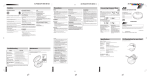
Power Supply Preparations
Using dry-cell batteries
(not supplied)
XL-PG3S/LVT1295-004A/B
Other Play Methods
Basic Play
Using the AC adaptor (not supplied)
Follow the steps in the numerical order.
3
Track number in play
ON
OFF
5
AC adaptor
4
Two “LR6” alkaline batteries.
Caution:
Repeat play
You can successively play the first 10 seconds of every track.
You can program up to 32 tracks in any desired order including
the same tracks.
You can repeat one track or all tracks.
While stopped,
01 02 53
• Play stops automatically
when all the tracks have
been played.
VOLUME
Program play
1
HOLD
AC power outlet
Intro play
MODE
1
ALL
INTRO
MODE
PROG
PROGRAM
00 01
(Repeatedly)
Elapsed playing time of
each track
During playback,
While stopped,
2
(Repeatedly)
1 track repeat
All track repeat
To cancel
Track number to be programmed
00: Not programmed yet.
Program sequence
number
Do not forcibly open the battery lid too wide.
Press MODE repeatedly until the repeat indicator goes out.
Notes:
Battery indicator
1
Battery indicator
Firmly connect
6
VOLUME
This indicator appears when the batteries are almost out of power.
Power will be cut off a short while later.
Note:
2
R
L
Select the desired track.
To cancel
2
Press MODE repeatedly until “INTRO” goes out.
Label side
PROG
03 01
Notes:
• You can also select Intro play during playback.
In this case, Intro play will start from the next track after the
current track has finished.
• You can also select Intro play during Program play mode.
Notes:
• Even if the unit is turned off, small power is consumed as long
as the AC adaptor is connected to the AC power outlet.
• When you want to purchase the AC adaptor, see page 5.
Display/reference
PROG
00 02
For your reference:
“dISC”
MODE
This indication appears if 3/8 is pressed when no disc is loaded
or if the disc is not properly seated.
During play,
To pause
07 00 18
Press again to restart play.
Total number of tracks
During play,
RAND
Next program sequence number
(Repeatedly)
“– –”
10 44 48
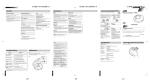
Preventing Accidental Operation (Hold mode)
HBS 1
2
HBS
The track is registered.
Anti-Shock Protection EX
This function achieves excellent performance against sound interruption caused by vibrations. You will be able to enjoy listening
to music during (not vigorous) jogging.
By utilizing the high-performance servo circuit, audio data will be
stored in the memory ahead of time (up to 45 seconds worth).
Normally, this function is in effect.
After playing all tracks, the unit stops.
Preparation period before playing the track
Flashes for several seconds after pressing 3/8 to play.
To cancel
4
Notes:
Removing discs
• You can also select Random play in stop mode.
• During Program play, you can not select Random play.
Turn off the unit and, after the disc has stopped rotating, remove
the disc as shown below:
Repeat steps 2 and 3.
When you program exceeding 32 tracks, the program sequence number returns to “01” and will overwrite the previous setting.
Press MODE until “RAND” goes out, or press 7 to stop the disc.
“OPEn”
This indication appears when the lid is open.
To stop
1
3
PROGRAM
Button
You can enjoy powerful bass sound.
OFF
During playback,
Operation
Hyper-Bass Sound effect
e.g. Track number 3
Random play
Turning off the Anti-Shock Protection EX will save the battery power
more or less. For details, see “Anti-shock Protection EX” on page 4.
• You can also select Repeat play during Program play.
• You can also select Repeat play while stopped.
ANTI
SHOCK
ANTI SHOCK
indicator
As the audio data is gradually stored, the indicator changes as follows:
5
Total playing time.
This function causes the unit to ignore, accidental button presses.
Hold mode prevents the following:
• Powering on the unit accidentally (which can cause the batteries to go dead).
• Play being cut off unexpectedly.
HOLD
While stopped,
ON
No indication
To cancel
To turn off the
unit
Note:
To use the Hold mode
OFF
[Fully stored]
• When the unit is in Hold mode, “HoLd” and “
” lights as
follows.
Power on : “
” stays lit.
Power off : “HoLd” and “
” lights up for a few seconds
when 6 is pressed.
• To confirm the program
Skip function
During play,
If the HOLD switch is set to the ON position, you cannot turn on
the unit.
Reverse
Fast forward/
reverse
• To prevent the unit from powering on accidentally, set the
HOLD switch to the ON position while the unit is turned off.
• To prevent the unit from unexpected operation during play,
set the HOLD switch to the ON position after you starts playing the disc.
Forward
• To skip back to the previous track, quickly press 4
twice.
• During Program play, the button is used to fast forward or back through the programmed sequence of
tracks.
• During Random play, the skip button cannot be used
to skip back to tracks that were played previously in
the random sequence.
Search function
Turn off the unit.
Press the ASP button.
If the unit is left in stop mode for 30 seconds, the unit turns
itself off automatically to prevent the batteries from running
down.
Notes:
• During this operation, the disc rotates at a higher rate than usual
in order to collect extra audio data. This may cause the batteries
to run out faster and could result in a slight increase in disc rotation noise.
• This function can be switched ON and OFF during playback.
However, this may cause a slight interruption in the sound because the disc’s rotational speed changes.
4
p3
The “ANTI SHOCK” indicator goes out.
To activate again
Auto power off
The portable CD player uses a power-saving operation method
so that disc rotation noise will intermittently be emitted. But, it
is not a failure.
3
p2
• To delete the entire program
Disc rotation noise
Keep depressed during play.
2
A.S.P
While stopped, press PROGRAM repeatedly. At this time, you
can change the program, if required.
p4
XL-PG3S/LVT1295-004A/B
XL-PG3S/LVT1295-004A/B
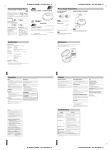
Cautions
XL-PG3S/LVT1295-004A/B
Precautions
Listening precautions
Rechargeable batteries
Unit
• Do not play your headphones at a high volume. Hearing experts advise against continuous extended play.
• If you experience a ringing in your ears, reduce volume or discontinue use.
• Do not use while operating a motorized vehicle. It may create a
traffic hazard and is illegal in many areas.
• You should use extreme caution or temporarily discontinue use
in potentially hazardous situations.
• Even if your headphones is an open-air type designed to let you
hear outside sounds, don’t turn up the volume so high that you
can’t hear what’s around you.
• Rechargeable batteries (not supplied) can be used.
• To use the rechargeable batteries, follow the instruction manual
attached to the rechargeable batteries and charger (not supplied).
No altering or remodeling
This can cause malfunctioning.
No dropping or strong impacts
This may damage the unit.
Locations to be avoided
Dry cell batteries
To prevent damage to the batteries and electrolyte leakage, heed
the following points.
• Align the , and . polarities properly when inserting the batteries.
• Do not mix different types or makers of batteries or old and
new batteries.
• Remove the batteries if you do not plan to use the unit for a
long period of time.
• Do not throw batteries into a fire, and do not short-circuit, disassemble or subject them to excessive heat.
• Do not attempt to recharge dry cell batteries.
Carrying dry cell batteries around
When putting dry cell batteries in a pocket or bag, ensure that no
other metal objects such as a necklace are placed together with
them. Contact with metal may cause short-circuiting which, in
turn, may cause a fire.
Avoid using the unit in the following locations since they can
cause malfunctioning.
1. Bathrooms and other moisture-prone places.
2. Warehouses and other dusty places
3. Very hot places near heating appliances, etc.
Safety
Maintenance
Only compact discs bearing this mark can be used with this unit.
1. Care of AC adaptor - The cord of the AC adaptor should be
routed so that they are not likely to be walked on or pinched by
items placed upon or against them. Never take hold of the AC
adaptor if your hand is wet, and always grasp the plug when
connecting or disconnecting it.
(See page 5 for details.)
Clean the cabinet, panel and controls with a soft cloth lightly
moistened with mild detergent solution.
Do not use any type of abrasive pad, scouring powder or solvent
such as alcohol or benzine.
However, continued use of irregular shape CDs (heart-shape, octagonal, etc.) can damage
the unit.
CD-R and CD-RW discs recorded with the audio
CD format can be played back, though some may
not be played back because of the disc characteristics or recording condition.
2. Disconnect when not in use - When not in use, be sure to disconnect the AC adaptor from the AC power outlet.
Service
The Non-DVD side of a “DualDisc” does not comply with the “Compact Disc Digital
Audio” standard. Therefore, the use of Non-DVD side of a DualDisc on this product may
not be recommended.
1. Damage Requiring Service - The unit should be serviced by
qualified service personnel when:
(a) The AC adaptor is damaged; or
(b) Objects have fallen or liquid has been spilled into the unit; or
(c) The unit has been exposed to rain; or
(d) The unit does not appear to operate normally or exhibits a
marked change in performance; or
(e) The unit has been dropped, or the enclosure damaged.
How to hold a disc
3. Batteries - If the unit is not used for a long period of time or is
used only from an AC power source, remove all the batteries to
prevent potential damage due to battery leakage. Do not mix
(old and new ) batteries or different types of batteries.
Do not leave the unit exposed to direct sunlight for
long periods of time
Installation
This may deform or discolor the cabinet and may also cause malfunctioning.
Concerning Compact Discs
If the disk surface is dirty
Wipe it with a damp cloth and then wipe dry.
Wipe from the center toward the outer edge.
■ Environment
When purchasing AC adaptor
1. Condensation - Moisture may form on the lens in the following conditions…
• immediately after a heater has been turned on.
• in a steamy or very humid room.
• when the unit is suddenly moved from a cold environment to
a warm one. If moisture forms inside this unit, it may not operate properly. To correct this problem wait about one hour
for the moisture to evaporate.
Be absolutely sure to purchase the AC adaptor designed especially for this unit.
AC adaptor: AA-R4515
For details, check with your dealer.
■ Placement
1. Foreign Material - Care should be taken so that objects do not
fall into and liquids are not spilled into the unit. Do not subject
this unit to excessive smoke, dust, mechanical vibration, or
shock.
AC adaptor
TO REDUCE THE RISK OF FIRE OR ELECTRIC SHOCK, DO
NOT EXPOSE THIS APPLIANCE TO RAIN OR MOISTURE.
If moisture has formed on a disc
When moisture has formed because the
disc was brought suddenly into a warm
room from a cold environment, wipe off
the moisture using a soft dry cloth.
When storing discs
Avoid locations which are
• Exposed to direct sunlight.
• Susceptible to high levels of humidity or
dust.
• Directly exposed to heat from a heating
appliance.
• On top of a car dashboard or near the
rear window.
CAUTION!
THIS PRODUCT UTILIZES A LASER.
USE OF CONTROLS OR ADJUSTMENTS OR PERFORMANCE
OF PROCEDURES OTHER THAN THOSE SPECIFIED HEREIN
MAY RESULT IN HAZARDOUS RADIATION EXPOSURE.
DO NOT OPEN COVERS AND DO NOT REPAIR YOURSELF.
REFER SERVICING TO QUALIFIED PERSONNEL.
3. Stacking - Do not place any objects on top of the unit.
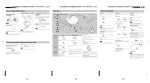
Problem
Type
Signal detection system
Pickup system
Number of channels:
Frequency response
Wow & flutter
Output
Duration of battery
(with Anti-Shock
Protection EX OFF)
Power requirements
1. CLASS 1 LASER PRODUCT
2. CAUTION: Do not open the top cover. There are
no user serviceable parts inside the unit; leave all
servicing to qualified service personnel.
3. CAUTION: Visible and invisible laser radiation
when open and interlock failed or defeated. Avoid
direct exposure to beam.
4. REPRODUCTION OF LABEL: CAUTION LABEL,
PLACED OUTSIDE THE UNIT.
Unit
Check this
Wipe the unit with a soft cloth. Remove stubborn dirt using a cloth which has been dipped in water or soapy water and wrung out, and then wipe dry.
• If you intend to use a chemically treated cleaning cloth, read its directions first.
• Do not use alcohol or paint thinners.
Does not turn on.
• Is the AC adaptor securely connected?
• Is the HOLD switch set to OFF position?
Cannot close the lid.
Is the disc properly secured in place?
Cannot play discs.
• Is the disc properly secured in place?
• Is there moisture condensation on the lens?
(Wait for about an hour and then try again.)
Cannot hear music—too
noisy.
• Is the headphone plug inserted all the way?
• Is the plug dirty? (Wipe away dirt on the plug.)
TV picture is distorted.
Radio reception is noisy.
Are you using the unit too near a TV or tuner? (If the TV or
tuner is connected to a simple indoor antenna, connect it to
an outdoor antenna.)
“dISC” or “Er” is displayed
when a disc is in the
player.
• Is the disc damaged?
• Is the disc playable on this player?
• Has the disc been inserted upside down?
Lens
Air blower for
camera lens
Lens
CAUTION: Visible and invisible
laser radiation when open and
interlock failed or defeated.
AVOID DIRECT EXPOSURE TO
BEAM.
(e)
VARNING: Synlig Och
osynlig laserstrålning när
den öppnas och spärren är
urkopplad. Betrakta ej
strålen.
(s)
ADVARSEL: Synlig og usynlig
laserstråling når maskinen er
åben eller interlocken fejle.
Undgå direkte eksponering
til stråling.
(d)
VARO: Avattaessa ja
Suojalukitus ohitettunatai
viallisena olet alttiina näkyvälle
ja näkymättömälle lasersäteilylle.
Vältä säteen kohdistumista
suoraan itseesi.
(f)
Supplied Accessories
Stereo headphones .......................................................................................................................... 1 pc.
Thank you for purchasing this JVC product. Please read these instructions carefully before starting
operation to be sure to obtain optimum performance and a longer service life from the unit.
LVT1295-004A [B]
0205SKMCREORI
EN ©2005 Victor Company of Japan, Limited
Portable CD player
IMPORTANT FOR LASER PRODUCTS
Maintenance
Handling precautions
• On the label side (the side with writing)
Do not write anything using a pencil,
ball-point pen, etc. Do not use adhesive
paper or labels.
• On the disc (shiny) side
Handle this side carefully to keep it free
from fingerprints or scratches. Do not
use record cleaners, solvents, etc.
• Do not attach labels or stickers to CDs.
Do not use CDs with exposed adhesive
from tape or left over peeled off stickers.
• Do not use scratch-proof protectors or
covers other than those specified for use
with this unit.
Specifications
CAUTION:
• Do not block the ventilation opening or holes. (If the ventilation openings of holes are blocked by a newspaper or
cloth, etc., the heat may not be able to get out.)
• Do not place any naked flame sources, such as lighted
candles, on the apparatus.
• When discarding batteries, environmental problems must
be considered and local rules or laws governing the disposal of these batteries must be followed strictly.
• Do not expose this apparatus to rain, moisture, dripping or
splashing and that no objects filled with liquids, such as vases,
shall be placed on the apparatus.
Troubleshooting
INSTRUCTIONS
Play surface (shiny surface)
WARNING:
2. Magnetism - The unit should be situated away from equipment
or devices that generate strong magnetic fields.
• Handle the AC adaptor carefully. Improper handling is dangerous.
• Do not touch it with wet hands.
• Do not place heavy objects on top of it.
• Do not forcibly bend it.
• Be sure to connect only the specified AC adaptor with the unit.
• Disconnect the AC adaptor from the power outlet if the unit is
not going to be used for a long time.
PORTABLE CD PLAYER XL-PG3S
:
:
:
:
:
:
:
Compact disc player
Non-contact optical pickup (semiconductor laser)
3 beam laser
2 channels (stereo)
20 Hz to 20 kHz
Unmeasurable
Headphones (3.5 mm dia. stereo × 1)
9 mW/ch at 10 % THD/16 Ω matching impedance (16 Ω to 1 kΩ)
: Approx. 20 hours when using two alkaline batteries (LR6)
: DC 3 V (“LR6” size battery × 2)
DC 2.4V (rechargeable battery × 2)
DC IN 4.5 V
Dimensions (W × H × D) : 138mm × 26 mm × 138 mm
(Excluding buttons and controls)
Mass
: 220 g
(without batteries)
AC adaptor (not supplied)
Input power source
Output voltage
: AC 230 V, 50 Hz
: DC 4.5 V, 600 mA
* Design and specifications are subject to change without notice.
If the remedies indicated in the chart do not solve the problem, refer to the directory of Authorized Service Centers (enclosed with this unit) to locate a convenient service center, or consult
your dealer for instructions.
5
6
p5
1
p6
p1