1
English
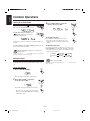
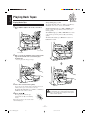
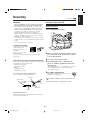
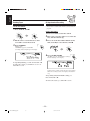
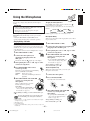
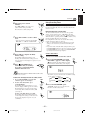
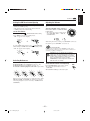
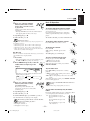
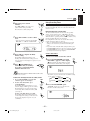
4 Set the on-time you want the unit to
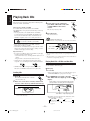
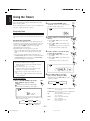
Using Sleep Timer
turn on.
With Sleep Timer, you can fall asleep to music.
You can set Sleep Timer when the unit is turned on.
1) Press 4 or ¢ to set the hour, then
press SET.
2) Press 4 or ¢ to set the minute,
then press SET.
“OFF TIME” appears for 2 seconds, then
the unit enters off-time setting mode.
How Sleep Timer actually works
The unit automatically turns off after the specified time
length passes.
SET
On the remote control ONLY:
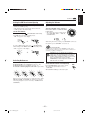
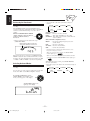
5 Set the off-time you want the unit to
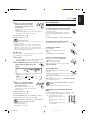
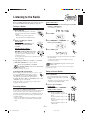
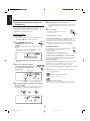
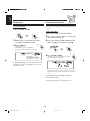
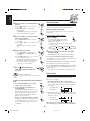
1 Press SLEEP.
turn off (on standby).
1) Press 4 or ¢ to set the hour, then
press SET.
2) Press 4 or ¢ to set the minute, then
press SET.
The unit enters preset station selecting
mode.
SLEEP
The time length until the shut-off time
appears and the SLEEP indicator starts
flashing on the display.
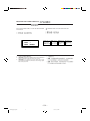
• Each time you press the button, the time length
changes as follows:
SET
SLEEP10
SLEEP20
OFF
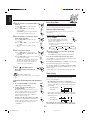
2 Wait for about 3 seconds after specifying
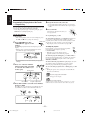
1) Press 4 or ¢ to select the band
(“TUNER FM” or “TUNER AM”), then
press SET.
2) Press 4 or ¢ to select a preset channel
number, then press SET.
The REC (recording timer) indicator stops
flashing and remains lit. The settings you
have done are shown on the display in
sequence for your confirmation.
STANDBY/ON to
turn off the unit (on standby) if
necessary.
SLEEP60
SLEEP90
(Canceled)
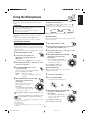
6 Select the preset station.
7 Press
SLEEP30
SLEEP120
the time length.
The SLEEP indicator stops flashing and remains lit.
To check the remaining time until the shut-off time,
press SLEEP once so that the remaining time until the shutoff time appears for about 3 seconds.
SET
To change the shut-off time, press SLEEP repeatedly until
the desired time length appears on the display.
To cancel the setting, press SLEEP repeatedly until “OFF”
appears on the display so that the SLEEP indicator goes off
from the display.
• Sleep Timer is also canceled when you turn off the unit.
STANDBY
STANDBY/ON
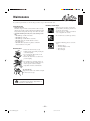
Timer Priority
About the recording source
If you change the source while recording, the recording also
changes.
Since each timer can be set separately, you may wonder
what happens if the setting for these timers overlaps.
Here are some examples.
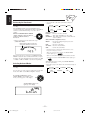
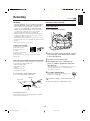
To turn on or off Recording Timer after its setting is
done
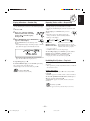
1 Press CLOCK/TIMER repeatedly until
“REC” appears on the display.
2 To turn off the Recording Timer, press
CANCEL/DEMO.
The REC (recording timer) indicator goes off
from the display (“OFF” appears for a while).
The Recording Timer is canceled, but the
setting for the Recording Timer remains in
memory until you change it.
To turn on the Recording Timer, press SET.
The REC (recording timer) indicator lights up
on the display. The settings you have done are
shown on the display in sequence for your
confirmation.
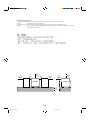
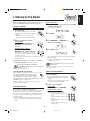
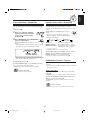
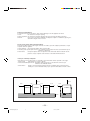
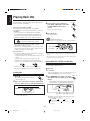
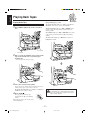
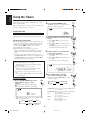
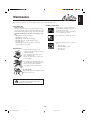
• Recording Timer has priority over Daily Timer.
If Recording Timer is set to come on while Daily Timer is
operating, Daily Timer is canceled and Recording Timer
start working.
6:30
7:00
6:00
7:30
CLOCK
/ TIMER
Recording Timer
CANCEL
/ DEMO
Daily Timer
canceled.
• If Sleep Timer overlaps with another timer (either Daily
Timer or Recording Timer), a timer with the earlier shutoff time has priority.
21:00
23
22:00
22:30
Recording Timer
canceled.
When using the Recording Timer and Sleep Timer at
the same time, pay special attention to the shut-off time.
– 23 –
EN18-26.MX-K50[UW].pm6
21:30
Sleep Timer
SET
02.5.16, 5:50 PM