1
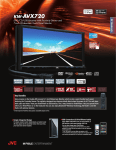
KD-AVX77
Bluetooth® Wireless Technology DVD/CD/USB Receiver
with Ultra-Widescreen Monitor and Proximity Sensor
✹Bluetooth® Compatible Functions
✹USB Connection (G3 iPod/iPhone)
In addition to hands-free calling, voice recognition dialing, and audio streaming,
you can transfer up to 100 contact
numbers to the headunit.
So Many Features!
✔ Hands-Free Calls
✔ Voice Dialing
✔ Audio Streaming
✔ Text Message Display
✔ Phonebook Transfer
Cell phone
✹2-Way Control for iPod/iPhone
* USB playback not supported for NTFS formatted devices. When partitions are
created, only the first partition can be read.
** DivX® files must be less than 2Mbps for playback on USB
*** For iPod/iPhone video playback, KS-U30 cables are required. Please visit
www.jvc.co.jp/english/car/ for iPod/iPhone compatibility details.
✹Proximity Sensor
The 2-way control for iPod/iPhone lets you easily operate on your iPod/iPhone or
the headunit. The basic functions can be controlled on the headunit even during
iPod/iPhone mode. The song
iPod/iPhone Mode
Headunit Mode
information is shown on the
display for both modes.
* Compatibility with 2-way control for
iPod/iPhone differs by model. Please visit
www.jvc.co.jp/english/car/ for details.
Enjoy digital audio/video from your iPod, iPhone, or USB
devices at full-speed transfer (USB 2.0).
You can also charge your iPod/iPhone.
Keys appear when your hand approaches. You can turn the screen on/off depending
on the setting.
LCD Monitor Off
Keys Appears
LCD Monitor On
Switchable
PLAY/PAUSE
Lets you concentrate
on the music
SKIP/FORWARD
Enjoy videos on
the screen
Motion sensor
detects approaching
hand
•Headunit Direct Control
✹Dual-Zone
✹Customizable Wallpaper Capture
The front and rear passengers can enjoy separate
entertainment at the same time, such as radio and DVD.
JPEG pictures or video scenes can be captured for your wallpaper.
Key Specifications
Maximum Power Output
Continuous Power Output (RMS)
*1 Total Harmonic Distortion
HPF*2 (Front/Rear)
LPF (Subwoofer)
AV Input
Video Input (Camera)
Line Pre-Output Terminals
Center Channel Output
Second Audio Output
Subwoofer Output with
Level/Frequency Control
Subwoofer Output Level
Subwoofer Gain Control
Composite Video Output
Digital Output
Load Impedance
Pre-Output Level/Impedance
Video Output
2nd Audio Output
Video Input
Audio Input
50W x 4
20W RMS X 4 Channels at 4Ω
; 1.0% THD*1 + N
off / 80 / 120 / 150Hz (-12dB/oct)
off / 80 / 120 / 150Hz (-12dB/oct)
✔ (Gold-Plated)
5 (Front + Rear + Subwoofer +
2nd Audio for Dual Zone)
✔ (Gold-Plated)
✔ (Gold-Plated)
✹Layout Selectable GUI
You can choose to have they keys on the left, right, or split on both sides of
the widescreen.
Single-Side Layout
Symmetric Layout
Connections
✔ (Gold-Plated)
HD Radio®
Tuner Box
5.0V
0 - 16dB
✔ (Gold-Plated)
4Ω (4 - 8Ω allowable)
5.0V/20kΩ
1.0Vp-p/75Ω
2.5V/20kΩ
1.0Vp-p/75Ω
1.5V/20kΩ
Cell phone
KT-HD300
iPhone
KS-PD100
J-BUS
*2 Set according to LPF figures.
Dimentions (W x H x D)
Installation Size
Panel Size
Detachable Face Plate
iPod
USB Memory
Rear USB
7 3/16” x 2 1/16” x 6 5/16”
7 7/16” x 2 5/16” x 1/2”
6 11/16” x 2 5/16” x 7/8”
182 x 52 x 160 mm
188 x 58 x 12 mm
169 x 58 x 22 mm
iPod
iPhone
Quick Reference of iPod/iPhone Compatibility*1
Playback
Connection
Requires
KS-PD100
*4
*3
*2
✔USB
✔USB
✔USB
*5
✔USB
✔USB
*7
*6
✔USB
✔USB
✔USB
✔USB
N/A
*1 Please visit www.jvc.co.jp/english/car/ for iPod/iPhone compatibility details. *2 Same compatibility applies for the following 4th generation and earlier iPod models: iPod with dock connector, iPod mini, and iPod with color display. *3 With J-BUS
connection, KS-PD100 may hang up while using iPod nano (2nd generation). Same compatibility applies for iPod nano (1st generation) *4 Same compatibility applies for iPod classic (160GB (2007) only). *5 iPod battery will not be charged via connection
with KS-PD100. *6 Same compatibility applies for iPod touch (1st, 2nd, and 3rd generation) *7 Same compatibility applies for iPhone, and iPhone 3G.
NTK-0786-06