1
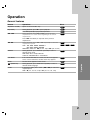
General Operation
DISPLAY
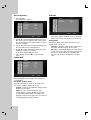
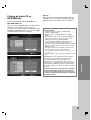
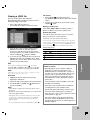
1. Press SETUP.
The Setup menu appears.
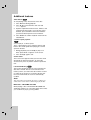
TV Aspect
4:3 – Select when a standard 4:3 TV is connected.
2. Use v / V to select the desired option then press
B to move to the second level. The screen shows
the current setting for the selected item, as well as
alternate setting(s).
Display Mode
The Display Mode setting works only when the TV
Aspect mode is set to 4:3.
3. Use v / V to select the second desired option and
then press B to move to the third level.
Letterbox – Displays a wide picture with bands on
the upper and lower portions of the screen.
4. Use v / V to select the desired setting then press
ENTER to confirm your selection.
Some items require additional steps.
Panscan – Automatically displays the wide picture
on the entire screen and cuts off the portions that
do not fit. (If the disc/file is not compatible with
Pan Scan, the picture is displayed at Letterbox
ratio.)
5. Press SETUP or PLAY (N) to exit the Setup
menu.
LANGUAGE
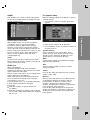
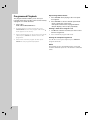
Menu Language
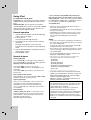
Select a language for the Setup menu and then onscreen display.
Disc Audio / Subtitle / Menu
Select the language you prefer for the audio track
(disc audio), subtitles, and the disc menu.
Original – Refers to the original language in which
the disc was recorded.
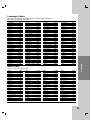
Other – To select another language, press
numeric buttons and then ENTER to enter the
corresponding 4-digit number according to the
language code list on the page 22. If you enter the
wrong language code, press CLEAR.
11
16:9 – Select when a 16:9 wide TV is connected.