1
DX-J35[U].book Page 3 Thursday, April 26, 2007 4:41 PM
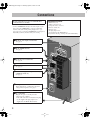
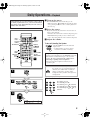
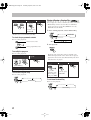
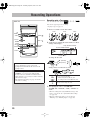
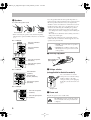
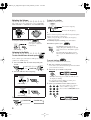
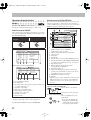
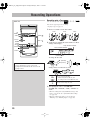
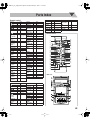
Connections
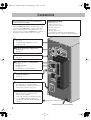
Do not connect the AC power cord until all other
connections have been made.
• Connect VIDEO OUT directly to the video input of your
TV. Connecting VIDEO OUT to a TV via a VCR may
interfere with your viewing when playing back a copyprotected source. Connecting VIDEO OUT to an integrated
TV/VCR system may interfere with your viewing.
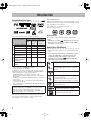
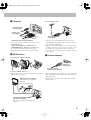
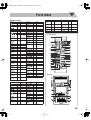
~ From the video input of TV/monitor
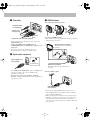
See page 4.
Ÿ From AM/FM antenna
See page 4.
! From the powered subwoofer
See page 4.
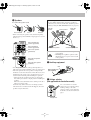
⁄ From the speakers
See page 5.
@ From the analog audio output of auxiliary
equipment (VCR, etc.)
See page 5.
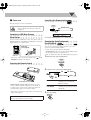
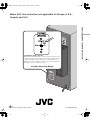
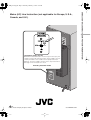
¤ Voltage selector
Before plugging in, confirm the position the
voltage selector points at. See page 5.
# To a wall outlet
Plug the AC power cord only after all
connections are complete.
• If the wall outlet does not match the AC plug,
use the supplied AC plug adapter (not
supplied for the Middle East models).
3
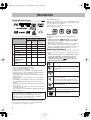
Supplied accessories
• FM antenna (x1)
• AM loop antenna (x1)
• Composite video cord (x1)
• Remote control (x1)
• Batteries (x2)
• AC plug adapter (x1)
(not supplied for the Middle East.)
If any item is missing, consult your dealer immediately.