1
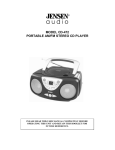
CD-600
SPORT CD PLAYER
WITH BASS BOOST
OPERATING INSTRUCTIONS
PLEASE READ THIS OPERATING MANUAL COMPLETELY BEFORE OPERATING THIS UNIT AND
RETAIN THIS BOOKLET FOR FUTURE REFERENCE
DEAR JENSEN® CUSTOMER
Selecting fine audio equipment such as the unit you've just purchased is only the start of your musical enjoyment.
Now it's time to consider how you can maximize the fun and excitement your equipment offers. This manufacturer
and the Electronic Industries Association's Consumer Electronics Group want you to get the most out of your
equipment by playing it at a safe level. One that lets the sound come through loud and clear without annoying
blaring or distortion and, most importantly, without affecting your sensitive hearing. Sound can be deceiving.
Over time your hearing "comfort level" adapts to higher volumes of sound. So what sounds "normal" can actually
be loud and harmful to your hearing. Guard against this by setting your equipment at a safe level BEFORE your
hearing adapts.
To establish a safe level:
z Start your volume control at a low setting.
z Slowly increase the sound until you can hear it comfortably and clearly, and without distortion.
Once you have established a comfortable sound level:
z Set the dial and leave it there.
Taking a minute to do this now will help to prevent hearing damage or loss in the future. After all, we want you
listening for a lifetime.
We Want You Listening For a Lifetime
Used wisely, your new sound equipment will provide a lifetime of fun and enjoyment. Since hearing damage from
loud noise is often undetectable until it is too late, this manufacturer and the Electronic Industries Association's
Consumer Electronics Group recommend you avoid prolonged exposure to excessive noise.
Customer's Record:
The serial number of this product is found on its bottom cover. You should note the serial number of this unit in
the space provided as a permanent record of your purchase to aid in identification in the event of theft of loss.
Model Number: CD-600
Serial Number:
WARNING
SAFETY PRECAUTION
1.
As the laser beam used in this compact disc player is harmful to the eyes, do not attempt to disassemble the casing.
2.
Stop operation immediately if any liquid or solid object should fall into the cabinet. Unplug the unit and have it checked by
qualified personnel.
3.
Do not touch the lens or poke at it. If you do, you may damage the lens and the player may not operate properly.
4.
Do not put anything in the safety slot. If you do, the laser diode will be ON when the lid is still opened.
5.
If the unit is not to be used for a long period of time, make sure that all power sources are disconnected from the unit. Remove all
batteries from the battery compartment, and unplug the AC adaptor from the wall outlet. Make it a practice to remove the AC
adaptor by grasping the main body and not by pulling the cord.
6.
This unit employs a laser. The use of controls or adjustment or performance of procedures other than those specified herein may
result in exposure to hazardous radiation.
COMPLIANCE WITH FCC REGULATIONS
This equipment has been tested and found to comply with the limits for a Class B Digital Device,
pursuant to Part 15 of the FCC Rules. These limits are designed to provide reasonable protection against harmful interference
in a residential installation. This equipment generates, uses and can radiate radio frequency energy and, if not installed and
used in accordance with the instructions, may cause harmful interference to radio communications. However, there is no
guarantee that interference will not occur in a particular installation. If this equipment does cause harmful interference to
radio or television reception, which can be determined by turning the equipment off and on, the user is encouraged to try to
correct the interference by one or more of the following measures:
- Reorient or relocate the receiving antenna.
- Increase the separation between the equipment and receiver.
- Connect the equipment into an outlet on a circuit different from that to which the receiver is connected.
- Consult the dealer or an experienced radio/TV technician for help.
WARNING
Changes or modifications to this unit not expressly approved by the party responsible for compliance could void the user's
authority to operate the equipment.
SPECIFICATION
20mW (32Ω)
Output Power
Frequency Response
Power Source
100 ~ 20000 Hz
2 x DC 1.5V ‘AAA’ size (UM-4) batteries (not included) or
AC-DC Adaptor, 4.5VDC ~ 500mA (not included)
60 seconds
Stereo 3.5mm jack plug
ESP
Headphone Jack
LOCATION OF CONTROLS
Main Unit
1 VOLUME UP button
2
PLAY/PAUSE/POWER ON button
3 SKIP/SEARCH UP button
4
CD LID OPEN button
5 LOCK switch for CD LID OPEN button
6 STOP button
7 SKIP/SEARCH DOWN button
8 VOLUME DOWN button
9
PROG button
10 MODE button
11 BBS switch
12 HOLD switch
13 DC jack
14 PHONE jack
Remote Control
R1 VOLUME knob
R2 STOP button
R3 Headphone Jack
R4 PLAY/PAUSE button
R5 HOLD switch
R6 SKIP/SEARCH UP button
R7 SKIP/SEARCH DOWN button
R8 Belt/Lapel Clip
1
POWER SOURCES
This CD player operates on two 1.5VDC ‘AAA’ size (UM-4) alkaline batteries (not included) or with an AC-DC
adaptor with an output of 4.5VDC~500mA (not included).
To install batteries into the player,
1. Press the CD LID OPEN button to open the CD lid.
2. Open the battery compartment cover located under the CD lid.
3. Insert the two 1.5VDC ‘AAA’ size (UM-4) alkaline batteries into the Battery Compartment following the
polarity markings as indicated in the compartment.
CAUTION:
- Be sure that the batteries are installed correctly. Wrong polarity may damage the unit.
- Please remove the batteries from the unit if you do not plan to use the unit for several weeks.
- Batteries may leak chemicals and harm the electronic parts.
- Dispose of old batteries promptly and properly.
- Remove exhausted batteries from the unit.
- Replace the batteries when the unit stops operating properly.
- Never attempt to recharge “Non-rechargeable” batteries.
4. Close the battery door and completely slide it back to its original position.
WARNING: UNPLUG THE ADAPTOR WHEN OPERATING THE PLAYER WITH BATTERIES.
Using an adaptor (not included) to power the player,
1. Before connecting the adaptor to the player make sure that the AC voltage of the adaptor corresponds to your
local AC outlet voltage. The polarity of the adaptor must match to the polarity markings next to the DC jack on
the player.
2. Plug the 4.5VDC~500mA AC-DC adaptor into an AC outlet.
3. Insert the DC plug into the jack on the player.
EARPHONES AND HI-FI CONNECTION
Listening with Headphones
Insert the plug of stereo headphones (included) into the Headphone Jack of the player.
CAUTION: AVOID EXCESSIVE VOLUME LEVELS FOR LONG PERIODS OF TIME WHEN USING
THE HEADPHONES. PROLONGED USE AT HIGH LEVELS MAY IMPAIR YOUR
HEARING.
Connecting the Player to Component Audio Systems
Use a Stereo Y-Connector Cable (not included) and plug the 2 RCA plugs into the AUX input jacks on the back of
your system. Plug the Stereo 3.5mm plug into the Headphone Jack on the player.
NOTE: Always switch off the power before making any connections to another audio system.
BASIC OPERATIONS
1.
2.
3.
4.
5.
6.
7.
Slide the HOLD switch on the player to the “OFF” position.
Press the OPEN button on the CD Lid to open the CD compartment.
Insert a disc with the label side facing up.
Close the CD Lid. A click is heard when it locks into place.
Slide the LOCK switch (5) to the “ON” position to lock the CD Lid and activate the player.
Press the PLAY/PAUSE button once to start playing.
The display will show the total number of tracks and playing time. The player will then start playing the first
track.
8. Press the VOLUME UP or VOLUME DOWN buttons to adjust the sound level. The volume range is 0-31.
NOTE: This unit can also play 3 inch (8cm) single CDs without an adaptor. Do not use a CD single adaptor for
these smaller discs.
Remote Control Operations
- With the player in the OFF position,
1. Plug the headphones into the Headphone Jack of the Remote Control.
2. Plug the Wire Remote Set into the Headphone Jack of the Main Unit.
3. Make sure the Remote Hold switch is OFF.
4. Rotate the VOLUME knob on the Remote to about the lowest setting.
5. Adjust the volume level for the Main Unit to its maximum setting.
- While CD is playing,
1. Press the four function keys (PLAY/PAUSE, STOP, SKIP/SEARCH UP and SKIP/SEARCH DOWN
buttons) to access the functions as described for the Main Unit.
2. Rotate the VOLUME knob on the Remote to adjust the sound level. You may need to adjust the volume on
the Main Unit if the level is too high or low when using the Remote volume control.
TIPS:
It is recommended to slide the HOLD switches on the both Remote and Player to the “OFF” positions when:
1. The both units are put into your bag or carrying case when they are not in use.
2. The Main Unit is put in your bag or carrying case during operating.
This is to prevent the unit from being accidentally turned on, resulting in draining the batteries.
NOTE: Never disconnect the Remote from the Player while a CD is Playing. Stop the CD first and make
sure the Player is OFF before connecting or disconnecting the Remote from the Player. Abnormal
operation may occur if the Remote is connected to or disconnected from the Player during playback.
To Enhance the Bass Sound
Set the BBS switch to the ON position.
NOTE: The bass boost performance will be increase or decrease depending on the
Volume level.
Turning Power On and Off
To turn ON and OFF, press the following buttons after a disc is inserted into the player.
To turn ON :
Press
PLAY/PAUSE button (playback starts)
To turn OFF :
Press
STOP button once for standby mode.
Press
STOP button again to turn off the power.
To Remove the Disc
1. Slide the LOCK switch (5) to its original position.
2. Press the CD LID OPEN button to open the CD compartment lid.
3. Hold the edge and gently press the center pivot as illustrated, then pick up the disc.
CAUTION: WAIT FOR THE DISC TO STOP SPINNING BEFORE SLIDING THE OPEN SWITCH
AND OPENING THE LID.
Notes on CD-R/RW Discs
- Because of non-standardized format definition/production of CD-R/RW, playback quality and performance is
not guaranteed.
- Manufacturer is not responsible for the playability of CD-R/RW due to recording conditions such as PC
performance, writing software, media ability, etc.
- Do not attach a label or seal to either side of the CD-R/RW. It may cause a malfunction.
LCD DISPLAY INFORMATION
When the
is pressed at initial start up
• The display will show “- -“ and then the total number of tracks and total playing time. The disc will start
playing and the display will show the first track number and instant playing time.
• To review the total number of tracks and total playing time of the disc, press the STOP button once.
During PLAY mode
• The track number and instant playing time are displayed. The ASP indicator will flash and then alight.
During PAUSE mode
• When the track playback is paused, the playing time flashes.
Battery Low Indicator
A flashing battery indicator
appears in the display when the batteries need to be changed.
VARIOUS PLAY MODES
REPEAT
Every time the MODE button is pressed, the corresponding mode appears in the display window, in the following
sequence:
REPEAT 1: When shown on the LCD display, the current track on the disc will be repeated.
REPEAT ALL: When shown in the LCD display, all tracks on the disc will be repeated.
NORMAL PLAYBACK
Play the whole disc. The playback will stop after the last track is finished.
INTRO
To play the first 10 seconds of each track on the disc.
•
•
When in the STOP mode, press the MODE button three times. The icon “
” will be shown in the left
corner. Press the
button to start INTRO playback.
During disc playback, press the MODE button three times and then press the skip backward
button
to start INTRO playback. The flashing icon “
” will be shown in the left corner. Press
MODE button two more times to return to normal playback.
PROGRAM
This allows the selected tracks on the disc to be played in any desired order.
NOTE: Programs can be set in either PLAY or STOP mode.
1. Press the PROG button when the unit is in the PLAY/STOP mode.
The track number will appear in the display with the flashing “
” indicator.
2. Press
or
to select the desired track.
3. Press the PROG button to enter the track into the memory.
4. Repeat the step 2 and 3 to program up to 24 tracks into the memory.
5. Press
to start the programmed play.
6. To stop the program play, press the STOP button once.
7. To check the programmed memory, press
or
during PGM mode.
8. To erase the program memory, open the lid or turn off the power by pressing the STOP button twice.
SHUFFLE
This enables all the tracks on a disc to be played in a shuffle (SHUF) or random sequence.
For example: If Shuffle mode is selected while playing track 8, the random function will commence once track 8
has ended.
1. During normal playback, press MODE button four times to activate random play. The icon “
” will be
shown in the left hand side of the display.
2. Press MODE button again to return to the NORMAL play mode.
SKIP AND SEARCH FUNCTIONS
Locating a Particular Track
To skip back to the beginning of the current or a
previous track
Press
once or repeatedly.
To skip to the beginning of following tracks
Press
once or repeatedly.
Locating a Particular Point in a Track
To search back at a high speed
Press & hold
To search forward at a high speed
Press & hold
Note: Low level audio will be heard during the search process to assist in locating correct point in the track.
DIGITAL ANTI-SHOCK OPERATION
This player incorporates the latest digital anti-skip circuitry which prevents interruption during playback if the unit
is subjected to shock or vibration. The anti-skip system will automatically be activated when a disc is played and
will show the flashing icon “ASP” in the display.
The sound will mute for approximately 1 second while the buffer fills when the PLAY button is first pressed. Once
full, the buffer will give approximately 60 seconds of protection against interruptions due to shock or vibration. If
the player is subjected to continuous shock or vibration for longer than the buffer memory allows, some
interruption of sound output will occur. This is normal and to be expected and the sound will resume once the
player has stabilized from the shock or disturbance and the buffer refills.
NOTE:
Anti-skip function provides for continuous sound output when the unit is subjected to shock or vibration. It
will not compensate for errors arising from the use of defective, scratched or dirty discs.
CARE AND MAINTENANCE
Cleaning the Cabinet
Wipe with a soft cloth. If the cabinet is very dirty, dampen the cloth with a weak solution of neutral detergent and
water, and then wipe clean.
Cleaning the Disc
When a disc becomes dirty, clean it with a cleaning cloth. Wipe the disc from the
centre out.
NOTE: Do not use solvents such as benzene petrol, thinner, commercially available
cleaners or anti-static spray intended for analogue discs.
TROUBLESHOOTING GUIDE
Should you experience difficulties in the use of this player please refer to the following chart before contacting
your dealer or the place of purchase.
Problem
Points to Check
Player fails to function
•
•
•
•
•
•
•
•
•
Disc may be inserted upside down
Disc not mounted correctly on the spindle
Dirty or defective disc
Dirty pick up lens
Player lid not closed
Moisture/Condensation, allow player to warm up to room temperature for 60 minutes
AC power to adaptor switched off
Weak batteries
Auto switch off has occurred
No sound from Headphones
•
•
Headphone plug is not firmly inserted into the Green Phones socket.
Headphones have been inserted into the Black line output socket.
No sound when played through an external amplifier
•
•
Connection is incorrect
Power of the external amplifier is not switched on
Intermittent sound
•
•
•
•
•
Dirty or defective disc
Dirty pick up lens
Player is subject to excessive vibration or shock
Low battery power
Poor Headphone connection
90 DAY LIMITED WARRANTY AND SERVICE
VALID IN THE U.S.A ONLY
SPECTRA MERCHANDISING INTERNATIONAL, INC. warrants this unit to be free from defective materials or factory
workmanship for a period of 90 days from the date of original customer purchase and provided the product is utilized within
the U.S.A. This warranty is not assignable or transferable. Our obligation under this warranty is the repair or replacement of
the defective unit or any part thereof, except batteries, when it is returned to the SPECTRA Service Department, accompanied
by proof of the date of original consumer purchase, such as a duplicate copy of a sales receipt.
You must pay all shipping charges required to ship the product to SPECTRA for warranty service. If the product is repaired or
replaced under warranty, the return charges will be at SPECTRA’s expense. There are no other express warranties other than
those stated herein.
This warranty is valid only in accordance with the conditions set forth below:
1. The warranty applies to the SPECTRA product only while:
a. It remains in the possession of the original purchaser and proof of purchase is demonstrated.
b. It has not been subjected to accident, misuse, abuse, improper service, usage outside the descriptions and warnings
covered within the user manual or non-SPECTRA approved modifications.
c. Claims are made within the warranty period.
2. This warranty does not cover damage or equipment failure caused by electrical wiring not in compliance with electrical
codes or SPECTRA user manual specifications, or failure to provide reasonable care and necessary maintenance as
outlined in the user manual.
3. Warranty of all SPECTRA products applies to residential use only and is void when products are used in a nonresidential
environment or installed outside the United States.
This warranty gives you specific legal rights, and you may also have other rights which vary from state to state. TO OBTAIN
SERVICE please remove all batteries (if any) and pack the unit carefully and send it freight prepaid to SPECTRA at the
address shown below. IF THE UNIT IS RETURNED WITHIN THE WARRANTY PERIOD shown above, please include a proof
of purchase (dated cash register receipt) so that we may establish your eligibility for warranty service and repair of the unit
without cost. Also include a note with a description explaining how the unit is defective. A customer service representative
may need to contact you regarding the status of your repair, so please include your name, address, phone number and email
address to expedite the process.
It is recommended that you contact SPECTRA first at 1-800-777-5331 or by email at [email protected] for updated
information on the unit requiring service. In some cases the model you have may be discontinued, and SPECTRA reserves
the right to offer alternative options for repair or replacement.
SPECTRA MERCHANDISING INTERNATIONAL, INC.
4230 North Normandy Avenue,
Chicago, IL60634, USA.
1-800-777-5331
To register your product, visit the link on the website below to enter your information.
http://www.spectraintl.com/wform.htm