1
BIOS User Interface
IntelP®P Server Board S3420GP TPS
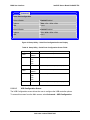
Server Management
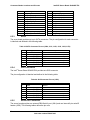
System Information
Board Part Number
Board Serial Number
System Part Number
System Serial Number
Chassis Part Number
Chassis Serial Number
BMC Firmware Revision
HSC Firmware Revision
ME Firmware Revision
SDR Revision
UUID
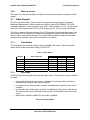
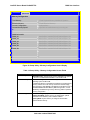
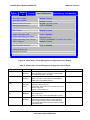
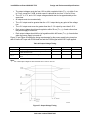
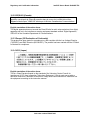
Figure 27. Setup Utility – Server Management System Information Screen Display
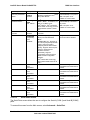
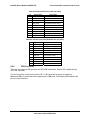
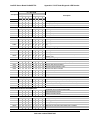
Table 23. Setup Utility – Server Management System Information Fields
5.3.2.6
Setup Item
Board Part Number
Comments
Information only
Board Serial Number
Information only
System Part Number
Information only
System Serial Number
Information only
Chassis Part Number
Information only
Chassis Serial Number
Information only
BMC Firmware Revision
Information only
HSC Firmware Revision
Information only
ME Firmware Revision
Information only
SDR Revision
Information only
UUID
Information only
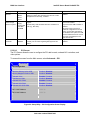
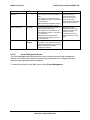
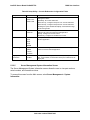
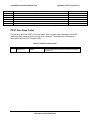
Boot Options Screen
The Boot Options screen displays any bootable media encountered during POST, and allows
the user to configure the preferred boot device.
To access this screen from the Main screen, select Boot Options.
Revision 1.0
58
Intel order number E65697-003