1
INTRODUCTION
The InFocus® LP™425z and LP435z lightweight multimedia projectors are specifically designed for the mobile presenter. They
generate crisp, clear images using Digital Light Processing™
(DLP) technology. The projectors are easy to connect, easy to use,
and easy to maintain. The soft carry case makes it easy to transport the 7.4 pound projectors. The 425z has SVGA 800x600 graphics, the 435z has XGA 1024x768 graphics. The user interfaces of
the two products are identical; information in this User’s Guide
applies to both products.
Image Resolution
LP425z
The SVGA resolution of the 425z’s projected image is 800x600.
Screen resolutions between 800x600 and 1024x768 are compressed to 800x600. The 425z cannot compress screen resolutions
above 1024x768. If your computer’s screen resolution is higher
than 1024x768, reset it to a lower resolution before you connect
the projector.
NOTE: The 425z automatically
expands 640x480 images to
800x600. You can display these
images at 640x480 by turning off
the Auto Resize feature. See “Auto
Resize” on page 28.
LP435z
The XGA resolution of the 435z’s projected image is 1024x768.
The 435z cannot compress screen resolutions above 1024x768. If
your computer’s screen resolution is higher than 1024x768, reset
it to a lower resolution before you connect the projector.
NOTE: The 435z automatically
expands 640x480 and 800x600
images to 1024x768. You can display these images at their original
resolutions by turning off the Auto
Resize feature. See “Auto Resize”
on page 28.
1
I
n
t
r
o
d
u
c
t
i
o
n
Compatibility
The projector is compatible with a wide variety of computers and
video devices, including:
• IBM-compatible computers, including laptops, up to 1024x768
resolution at 75 Hz
• Apple Macintosh and PowerBook computers up to 1024x768
resolution at 75 Hz.
• Most standard VCRs, DVD players, camcorders and laser disc
players.
Unpacking the Projector
The projector comes with the items shown in Figure 1. Check to
make sure all are included. Contact your InFocus dealer immediately if anything is missing.
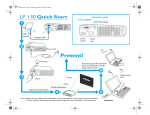
If you are experienced in setting up presentation systems, use the
Quick Start card that was included in the shipping box. For complete details on connecting and operating the projector, refer to
this User’s Guide. User’s Guides are also available for download
from our website at www.infocus.com.
NOTE: The contents of your
shipping box may vary depending
on the projector configuration
you’ve ordered.
2
2
1
4
3
5
10
7
6
9
8
FIGURE 1
Shipping box contents
1.
LP425z or 435z projector
and lens cap
6.
RCA audio/video (A/V) cable
2.
Soft carry case
7.
CableWizard3
3.
LP425z/435z User’s Guide,
quick start card, and Online
User Guide CD
8.
CableWizard USB mouse cable
4.
Power cord
9.
CableWizard PS/2 mouse cable
5.
Remote
10.
CableWizard audio cable
3
I
n
t
r
o
d
u
c
t
i
o
n
keypad
focus ring
connector panel
elevator button
power
cord
connector
speaker
power switch
FIGURE 2
Side view of projector
focus ring
zoom ring
FIGURE 3
Front view of projector
4
Usage Guidelines
• Do not look directly into the projection lens when the projector
is turned on. The bright light may harm your eyes.
• Do not block the grills on the projector. Restricting the air flow
can cause it to overheat and turn off. If this happens, you must
wait a minute before attempting to turn it back on.
• Handle the projector as you would any product with glass
components. Be especially careful not to drop it.
• Avoid leaving the projector in direct sunlight or extreme cold
for extended periods of time. If this happens, allow it to reach
room temperature before use.
• This projector is not intended for use in mainframe computer
rooms as defined in the Standard for the Protection of Electronic Computer/Data Processing Equipment, ANSI/NFPA 75.
• Transport the projector in a vendor-approved hard or soft case.
Part numbers for these cases are listed on page 48.
If You Need Assistance
The first place to look for help is in this manual. Be sure to check
the guidelines in “Troubleshooting” on page 40. Or, check the
Service and Support section of our website at
http://www.infocus.com/service.
If those sources don’t answer your question, call your InFocus
dealer. You can also call InFocus Customer Service directly at
1-800-799-9911. Call between 6 a.m. and 6 p.m. PST, Monday
through Friday. Service is available in North America after hours
and on weekends for a fee at 1-888-592-6800.
In Europe, call InFocus in The Netherlands at
(31) 35-6474010 between 8 a.m. and 6 p.m. Central European
Time.
In Asia, call (65) 332-0659 between 9:30 a.m. and 5:30 p.m.
Or, send us an e-mail at [email protected]
Our World Wide Web address is http://www.infocus.com.
5
I
n
t
r
o
d
u
c
t
i
o
n
Warranty
This product is backed by a limited two-year warranty. The
details of the warranty are printed at the back of this manual. A
longer term warranty can be purchased from your InFocus
dealer. Refer to page 48 for the part number.
6