1
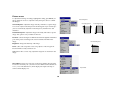
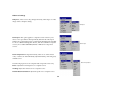
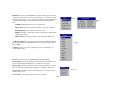
Network: The C180 has an RJ45 Ethernet connector that supports network
connections and TCP/IP protocols. This will allow for the control and management of the projector over a corporate network. The following fields are
accessible when DHCP is not checked and available for manual entry of
data.
Network
Network
Info
IP Address: Identifies the projector on the network.
Subnet mask: Separates the network address part of the IP address.
Default gateway: The IP address of the local router.
DHCP: Select this to automatically obtain an IP address, Subnet mask,
and Default gateway.
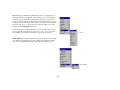
Network Info: Provides information on the network configuration.
The Network Info menu is informational and cannot be edited. It displays
the current IP Address, Subnet Mask, Default Gateway, and the projector’s
MAC Address.
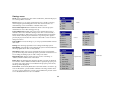
Language
Language: allows you to select a language for the onscreen display of
menus and messages.
Service: to use these features, highlight them and press Select.
Factory Reset: restores all settings (except Lamp Hours and Network settings) to their default after displaying a confirmation dialog box.
Reset Lamp: resets the lamp hours counter in the About menu to zero. Do
this only after changing the lamp. It displays a confirmation dialog box.
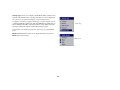
Service menu
Service Info: provides information about the projector’s software version
and the active source.
Service Code: only used by authorized service personnel.
36