1
LASERJET PRO 200
COLOR MFP M276
Print on both sides (duplex) with Windows
1.
On the File menu in the software program,
click Print.
2.
Select the product, and then click the
Properties or Preferences button.
3.
Click the Finishing tab.
© 2012 Copyright Hewlett-Packard Development
Company, L.P.
1
4.
Select the Print on both sides (manually)
check box. Click the OK button to print the
first side of the job.
5.
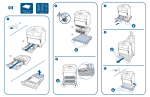
Retrieve the printed stack from the output bin,
and maintaining the same orientation, place it
with the printed-side facing down in the input
tray.
6.
On the control panel, press the OK button to
print the second side of the job.
LASERJET PRO 200
2