1
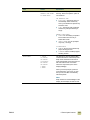
user reference
hp color LaserJet 9500mfp
HP Color LaserJet 9500mfp
user reference guide
i
Copyright and License
© 2004 Copyright Hewlett-Packard Development Company, LP
Reproduction, adaptation or translation without prior written permission is prohibited,
except as allowed under the copyright laws.
Edition 2, 10/2004
The information contained herein is subject to change without notice.
The only warranties for HP products and services are set forth in the express warranty
statements accompanying such products and services. Nothing herein should be
construed as constituting an additional warranty. HP shall not be liable for technical or
editorial errors or omissions contained herein.
Trademark Credits
Acrobat®, Adobe®, Adobe Photoshop®, and PostScript® are trademarks of Adobe
Systems Incorporated.
Corel® is a trademark or registered trademark of Corel Corporation and Corel Corporation
Limited.
HP-UX® Release 10.20 and later and HP-UX Release 11.00 and later (in both 32- and
64-bit configurations) on all HP 9000 computers are Open Group UNIX 95 branded
products.
Linux is a U.S. registered trademark of Linus Torvalds.
Microsoft®, Windows®, and Windows NT® are U.S. registered trademarks of Microsoft
Corporation.
PANTONE®* is Pantone, Inc.’s check-standard trademark for color.
UNIX® is a registered trademark of The Open Group.
ENERGY STAR® is a U.S. registered service mark of the United States Environmental
Protection Agency.
ii
ENWW
Contents
1 MFP basics
MFP components . . . . . . . . . . . . . . . . . . . . . . . . . . . . . . . . . . . . . . . . . . . . . . . . . . . . . . . 2
Control panel. . . . . . . . . . . . . . . . . . . . . . . . . . . . . . . . . . . . . . . . . . . . . . . . . . . . . . . 4
Features and benefits . . . . . . . . . . . . . . . . . . . . . . . . . . . . . . . . . . . . . . . . . . . . . . . . . . . . 6
Copying . . . . . . . . . . . . . . . . . . . . . . . . . . . . . . . . . . . . . . . . . . . . . . . . . . . . . . . . . . . 6
E-mail . . . . . . . . . . . . . . . . . . . . . . . . . . . . . . . . . . . . . . . . . . . . . . . . . . . . . . . . . . . . 6
Fax . . . . . . . . . . . . . . . . . . . . . . . . . . . . . . . . . . . . . . . . . . . . . . . . . . . . . . . . . . . . . . 6
Printing . . . . . . . . . . . . . . . . . . . . . . . . . . . . . . . . . . . . . . . . . . . . . . . . . . . . . . . . . . . 6
Media . . . . . . . . . . . . . . . . . . . . . . . . . . . . . . . . . . . . . . . . . . . . . . . . . . . . . . . . . . . . 6
Print cartridges and image drums. . . . . . . . . . . . . . . . . . . . . . . . . . . . . . . . . . . . . . . 8
Connectivity . . . . . . . . . . . . . . . . . . . . . . . . . . . . . . . . . . . . . . . . . . . . . . . . . . . . . . . 8
Setting the MFP defaults . . . . . . . . . . . . . . . . . . . . . . . . . . . . . . . . . . . . . . . . . . . . . . . . . . 9
Setting the MFP device defaults . . . . . . . . . . . . . . . . . . . . . . . . . . . . . . . . . . . . . . . . 9
Setting the MFP driver defaults. . . . . . . . . . . . . . . . . . . . . . . . . . . . . . . . . . . . . . . . 10
Printer drivers and software. . . . . . . . . . . . . . . . . . . . . . . . . . . . . . . . . . . . . . . . . . . . . . . 12
Printer drivers and software for Windows . . . . . . . . . . . . . . . . . . . . . . . . . . . . . . . . 12
Printer drivers and software for Macintosh computers . . . . . . . . . . . . . . . . . . . . . . 13
Additional printer drivers . . . . . . . . . . . . . . . . . . . . . . . . . . . . . . . . . . . . . . . . . . . . . 16
Help system . . . . . . . . . . . . . . . . . . . . . . . . . . . . . . . . . . . . . . . . . . . . . . . . . . . . . . . . . . . 17
“What is this?” Help. . . . . . . . . . . . . . . . . . . . . . . . . . . . . . . . . . . . . . . . . . . . . . . . . 17
“Show me how” Help. . . . . . . . . . . . . . . . . . . . . . . . . . . . . . . . . . . . . . . . . . . . . . . . 17
“Error” Help . . . . . . . . . . . . . . . . . . . . . . . . . . . . . . . . . . . . . . . . . . . . . . . . . . . . . . . 17
Additional information . . . . . . . . . . . . . . . . . . . . . . . . . . . . . . . . . . . . . . . . . . . . . . . 18
Loading input trays . . . . . . . . . . . . . . . . . . . . . . . . . . . . . . . . . . . . . . . . . . . . . . . . . . . . . 19
Loading tray 2 and tray 3. . . . . . . . . . . . . . . . . . . . . . . . . . . . . . . . . . . . . . . . . . . . . 22
Changing and setting the media size and type for a tray . . . . . . . . . . . . . . . . . . . . 29
Loading the staple cartridge (multifunction finisher) . . . . . . . . . . . . . . . . . . . . . . . . . . . . 31
Loading the staple cartridge (3,000-sheet stapler/stacker) . . . . . . . . . . . . . . . . . . . . . . . 33
2 Copying
Copy-screen layout . . . . . . . . . . . . . . . . . . . . . . . . . . . . . . . . . . . . . . . . . . . . . . . . . . . . . 36
Copying instructions . . . . . . . . . . . . . . . . . . . . . . . . . . . . . . . . . . . . . . . . . . . . . . . . . . . . 37
Copying by using the default settings . . . . . . . . . . . . . . . . . . . . . . . . . . . . . . . . . . . 37
Copying by using user-defined settings . . . . . . . . . . . . . . . . . . . . . . . . . . . . . . . . . 39
Copying from the scanner glass . . . . . . . . . . . . . . . . . . . . . . . . . . . . . . . . . . . . . . . 41
Copying by using the ADF . . . . . . . . . . . . . . . . . . . . . . . . . . . . . . . . . . . . . . . . . . . 41
Using Job Mode . . . . . . . . . . . . . . . . . . . . . . . . . . . . . . . . . . . . . . . . . . . . . . . . . . . 41
Copying books . . . . . . . . . . . . . . . . . . . . . . . . . . . . . . . . . . . . . . . . . . . . . . . . . . . . 42
Creating a job to be copied later . . . . . . . . . . . . . . . . . . . . . . . . . . . . . . . . . . . . . . . 42
Copy settings . . . . . . . . . . . . . . . . . . . . . . . . . . . . . . . . . . . . . . . . . . . . . . . . . . . . . . . . . . 43
Color copies or black and white copies. . . . . . . . . . . . . . . . . . . . . . . . . . . . . . . . . . 43
Reduce or enlarge . . . . . . . . . . . . . . . . . . . . . . . . . . . . . . . . . . . . . . . . . . . . . . . . . 43
Adjust the lightness/darkness . . . . . . . . . . . . . . . . . . . . . . . . . . . . . . . . . . . . . . . . . 43
Enhance the document . . . . . . . . . . . . . . . . . . . . . . . . . . . . . . . . . . . . . . . . . . . . . . 43
Copying multiple sized originals . . . . . . . . . . . . . . . . . . . . . . . . . . . . . . . . . . . . . . . . . . . 44
Setting copy defaults . . . . . . . . . . . . . . . . . . . . . . . . . . . . . . . . . . . . . . . . . . . . . . . . . . . . 44
iii
3 E-mail
Sending documents . . . . . . . . . . . . . . . . . . . . . . . . . . . . . . . . . . . . . . . . . . . . . . . . . . . . . 47
Steps for sending . . . . . . . . . . . . . . . . . . . . . . . . . . . . . . . . . . . . . . . . . . . . . . . . . . 47
Scan settings . . . . . . . . . . . . . . . . . . . . . . . . . . . . . . . . . . . . . . . . . . . . . . . . . . . . . . . . . . 48
Authentication . . . . . . . . . . . . . . . . . . . . . . . . . . . . . . . . . . . . . . . . . . . . . . . . . . . . . . . . . 49
Using the auto-complete function . . . . . . . . . . . . . . . . . . . . . . . . . . . . . . . . . . . . . 49
Using the address book . . . . . . . . . . . . . . . . . . . . . . . . . . . . . . . . . . . . . . . . . . . . . . . . . . 50
Creating a recipient list . . . . . . . . . . . . . . . . . . . . . . . . . . . . . . . . . . . . . . . . . . . . . . 50
4 Faxing
Connecting the fax to a phone line . . . . . . . . . . . . . . . . . . . . . . . . . . . . . . . . . . . . . . . . . 52
Verifying the fax operation . . . . . . . . . . . . . . . . . . . . . . . . . . . . . . . . . . . . . . . . . . . . . . . . 53
Establishing the required fax settings . . . . . . . . . . . . . . . . . . . . . . . . . . . . . . . . . . . . . . . 53
Using the Fax Settings menu . . . . . . . . . . . . . . . . . . . . . . . . . . . . . . . . . . . . . . . . . 53
Setting or verifying the date and time . . . . . . . . . . . . . . . . . . . . . . . . . . . . . . . . . . . 54
Setting or verifying the location . . . . . . . . . . . . . . . . . . . . . . . . . . . . . . . . . . . . . . . . 54
Setting or verifying the fax header . . . . . . . . . . . . . . . . . . . . . . . . . . . . . . . . . . . . . 55
Fax feature screen . . . . . . . . . . . . . . . . . . . . . . . . . . . . . . . . . . . . . . . . . . . . . . . . . . . . . . 56
Status message bar. . . . . . . . . . . . . . . . . . . . . . . . . . . . . . . . . . . . . . . . . . . . . . . . . . . . . 56
Sending faxes . . . . . . . . . . . . . . . . . . . . . . . . . . . . . . . . . . . . . . . . . . . . . . . . . . . . . . . . . 57
Sending a fax by typing the number manually . . . . . . . . . . . . . . . . . . . . . . . . . . . . 57
Sending a fax by using speed dial . . . . . . . . . . . . . . . . . . . . . . . . . . . . . . . . . . . . . 58
Sending a fax by using phone book numbers . . . . . . . . . . . . . . . . . . . . . . . . . . . . . 58
Canceling a fax . . . . . . . . . . . . . . . . . . . . . . . . . . . . . . . . . . . . . . . . . . . . . . . . . . . . . . . . 60
Canceling the current fax transmission . . . . . . . . . . . . . . . . . . . . . . . . . . . . . . . . . . 60
Canceling all pending faxes . . . . . . . . . . . . . . . . . . . . . . . . . . . . . . . . . . . . . . . . . . 60
Changing the notification setting . . . . . . . . . . . . . . . . . . . . . . . . . . . . . . . . . . . . . . . . . . . 61
Speed dial . . . . . . . . . . . . . . . . . . . . . . . . . . . . . . . . . . . . . . . . . . . . . . . . . . . . . . . . . . . . 61
Changing the sharpness setting . . . . . . . . . . . . . . . . . . . . . . . . . . . . . . . . . . . . . . . . . . . 62
Changing the background setting . . . . . . . . . . . . . . . . . . . . . . . . . . . . . . . . . . . . . . . . . . 62
Changing the light/dark setting . . . . . . . . . . . . . . . . . . . . . . . . . . . . . . . . . . . . . . . . . . . . 63
Receiving faxes . . . . . . . . . . . . . . . . . . . . . . . . . . . . . . . . . . . . . . . . . . . . . . . . . . . . . . . . 63
Remote fax configuration. . . . . . . . . . . . . . . . . . . . . . . . . . . . . . . . . . . . . . . . . . . . . . . . . 64
Web browser . . . . . . . . . . . . . . . . . . . . . . . . . . . . . . . . . . . . . . . . . . . . . . . . . . . . . . 64
HP Web Jetadmin . . . . . . . . . . . . . . . . . . . . . . . . . . . . . . . . . . . . . . . . . . . . . . . . . . 64
HP MFP Digital Sending Software Configuration Utility . . . . . . . . . . . . . . . . . . . . . 65
Establishing optional fax settings. . . . . . . . . . . . . . . . . . . . . . . . . . . . . . . . . . . . . . . . . . . 65
Setting the modem volume . . . . . . . . . . . . . . . . . . . . . . . . . . . . . . . . . . . . . . . . . . . 66
Setting the ringer volume . . . . . . . . . . . . . . . . . . . . . . . . . . . . . . . . . . . . . . . . . . . . 66
Setting error correction mode . . . . . . . . . . . . . . . . . . . . . . . . . . . . . . . . . . . . . . . . . 66
Setting JBIG compression mode . . . . . . . . . . . . . . . . . . . . . . . . . . . . . . . . . . . . . . 67
Setting outgoing fax resolution . . . . . . . . . . . . . . . . . . . . . . . . . . . . . . . . . . . . . . . . 67
Setting the overlay header . . . . . . . . . . . . . . . . . . . . . . . . . . . . . . . . . . . . . . . . . . . 67
Setting dialing mode . . . . . . . . . . . . . . . . . . . . . . . . . . . . . . . . . . . . . . . . . . . . . . . . 68
Setting dialing and detection options . . . . . . . . . . . . . . . . . . . . . . . . . . . . . . . . . . . . . . . . 68
Setting a dialing prefix. . . . . . . . . . . . . . . . . . . . . . . . . . . . . . . . . . . . . . . . . . . . . . . 68
Setting the redial-on-busy feature . . . . . . . . . . . . . . . . . . . . . . . . . . . . . . . . . . . . . . 69
Setting redial-on-no-answer . . . . . . . . . . . . . . . . . . . . . . . . . . . . . . . . . . . . . . . . . . 69
Setting redial interval . . . . . . . . . . . . . . . . . . . . . . . . . . . . . . . . . . . . . . . . . . . . . . . 69
Setting dial-tone detection . . . . . . . . . . . . . . . . . . . . . . . . . . . . . . . . . . . . . . . . . . . 70
Setting billing codes. . . . . . . . . . . . . . . . . . . . . . . . . . . . . . . . . . . . . . . . . . . . . . . . . . . . . 70
Setting rings-to-answer . . . . . . . . . . . . . . . . . . . . . . . . . . . . . . . . . . . . . . . . . . . . . . . . . . 70
Stamp received faxes . . . . . . . . . . . . . . . . . . . . . . . . . . . . . . . . . . . . . . . . . . . . . . . . . . . 71
Setting the fit-to-page option . . . . . . . . . . . . . . . . . . . . . . . . . . . . . . . . . . . . . . . . . . . . . . 71
iv
ENWW
Setting the paper tray . . . . . . . . . . . . . . . . . . . . . . . . . . . . . . . . . . . . . . . . . . . . . . . . . . . 71
Setting the destination bin . . . . . . . . . . . . . . . . . . . . . . . . . . . . . . . . . . . . . . . . . . . . . . . . 72
Blocking incoming faxes . . . . . . . . . . . . . . . . . . . . . . . . . . . . . . . . . . . . . . . . . . . . . . . . . 72
Secure settings . . . . . . . . . . . . . . . . . . . . . . . . . . . . . . . . . . . . . . . . . . . . . . . . . . . . . . . . 74
Changing your PIN . . . . . . . . . . . . . . . . . . . . . . . . . . . . . . . . . . . . . . . . . . . . . . . . . 74
Setting fax forwarding . . . . . . . . . . . . . . . . . . . . . . . . . . . . . . . . . . . . . . . . . . . . . . . . . . . 74
Scheduling fax printing . . . . . . . . . . . . . . . . . . . . . . . . . . . . . . . . . . . . . . . . . . . . . . . . . . 75
Initiate polling receive . . . . . . . . . . . . . . . . . . . . . . . . . . . . . . . . . . . . . . . . . . . . . . . . . . . 76
Printing the fax call report . . . . . . . . . . . . . . . . . . . . . . . . . . . . . . . . . . . . . . . . . . . . . . . . 76
Scheduling fax-call report printing . . . . . . . . . . . . . . . . . . . . . . . . . . . . . . . . . . . . . . . . . . 78
Printing the fax activity log . . . . . . . . . . . . . . . . . . . . . . . . . . . . . . . . . . . . . . . . . . . . . . . . 78
Printing the billing code report . . . . . . . . . . . . . . . . . . . . . . . . . . . . . . . . . . . . . . . . . . . . . 79
Clearing the fax activity log and billing code report . . . . . . . . . . . . . . . . . . . . . . . . . . . . . 79
Printing the blocked fax list report . . . . . . . . . . . . . . . . . . . . . . . . . . . . . . . . . . . . . . . . . . 80
Printing the speed dial list report . . . . . . . . . . . . . . . . . . . . . . . . . . . . . . . . . . . . . . . . . . . 80
Is your fax set up correctly? . . . . . . . . . . . . . . . . . . . . . . . . . . . . . . . . . . . . . . . . . . . . . . . 81
What type of phone line are you using? . . . . . . . . . . . . . . . . . . . . . . . . . . . . . . . . . 81
Are you using a phone-line splitter? . . . . . . . . . . . . . . . . . . . . . . . . . . . . . . . . . . . . 81
Are you using a surge-protection device?. . . . . . . . . . . . . . . . . . . . . . . . . . . . . . . . 81
Are you using a phone company voice-messaging service
or an answering machine? . . . . . . . . . . . . . . . . . . . . . . . . . . . . . . . . . . . . . . . . . . . 82
Checking fax status . . . . . . . . . . . . . . . . . . . . . . . . . . . . . . . . . . . . . . . . . . . . . . . . . . . . . 82
Fax feature is not operating . . . . . . . . . . . . . . . . . . . . . . . . . . . . . . . . . . . . . . . . . . . . . . . 83
General fax problems. . . . . . . . . . . . . . . . . . . . . . . . . . . . . . . . . . . . . . . . . . . . . . . . . . . . 84
Receiving fax problems . . . . . . . . . . . . . . . . . . . . . . . . . . . . . . . . . . . . . . . . . . . . . . . . . . 86
Sending fax problems . . . . . . . . . . . . . . . . . . . . . . . . . . . . . . . . . . . . . . . . . . . . . . . . . . . 88
Error codes . . . . . . . . . . . . . . . . . . . . . . . . . . . . . . . . . . . . . . . . . . . . . . . . . . . . . . . . . . . 89
Service settings . . . . . . . . . . . . . . . . . . . . . . . . . . . . . . . . . . . . . . . . . . . . . . . . . . . . . . . . 90
Customer support . . . . . . . . . . . . . . . . . . . . . . . . . . . . . . . . . . . . . . . . . . . . . . . . . . . . . . 90
World Wide Web . . . . . . . . . . . . . . . . . . . . . . . . . . . . . . . . . . . . . . . . . . . . . . . . . . . 90
E-mail . . . . . . . . . . . . . . . . . . . . . . . . . . . . . . . . . . . . . . . . . . . . . . . . . . . . . . . . . . . 90
Fax product specifications . . . . . . . . . . . . . . . . . . . . . . . . . . . . . . . . . . . . . . . . . . . . . . . . 91
Replacement parts and accessories . . . . . . . . . . . . . . . . . . . . . . . . . . . . . . . . . . . . . . . . 91
Regulatory information and warranties . . . . . . . . . . . . . . . . . . . . . . . . . . . . . . . . . . . . . . 91
5 Printing
Using the printer driver . . . . . . . . . . . . . . . . . . . . . . . . . . . . . . . . . . . . . . . . . . . . . . . . . . 94
Opening the printer driver . . . . . . . . . . . . . . . . . . . . . . . . . . . . . . . . . . . . . . . . . . . . . . . . 94
Changing the settings for a print job using a computer. . . . . . . . . . . . . . . . . . . . . . 94
Changing default settings . . . . . . . . . . . . . . . . . . . . . . . . . . . . . . . . . . . . . . . . . . . . 94
Printing on both sides of paper (duplexing) . . . . . . . . . . . . . . . . . . . . . . . . . . . . . . . . . . . 96
Printing on special print media . . . . . . . . . . . . . . . . . . . . . . . . . . . . . . . . . . . . . . . . . . . . 97
Choosing and printing on envelopes. . . . . . . . . . . . . . . . . . . . . . . . . . . . . . . . . . . . 97
Printing on envelopes . . . . . . . . . . . . . . . . . . . . . . . . . . . . . . . . . . . . . . . . . . . . . . . 98
Printing on letterhead, prepunched paper, or preprinted paper (single-sided) . . . . 99
Printing on labels . . . . . . . . . . . . . . . . . . . . . . . . . . . . . . . . . . . . . . . . . . . . . . . . . . 99
Printing on transparencies . . . . . . . . . . . . . . . . . . . . . . . . . . . . . . . . . . . . . . . . . . . 99
Printing on heavy paper and card stock . . . . . . . . . . . . . . . . . . . . . . . . . . . . . . . . 100
Creating the effect of a full-bleed image . . . . . . . . . . . . . . . . . . . . . . . . . . . . . . . . 101
Printing watermarks. . . . . . . . . . . . . . . . . . . . . . . . . . . . . . . . . . . . . . . . . . . . . . . . . . . . 101
Printing a cover or a different first page . . . . . . . . . . . . . . . . . . . . . . . . . . . . . . . . . . . . . 102
Adding a blank page (job separator page) or back cover to the end
of a print job (computer only). . . . . . . . . . . . . . . . . . . . . . . . . . . . . . . . . . . . . . . . . . . . . 104
Adding a blank page to the beginning of all print jobs (job separator page) . . . . . 104
v
Printing multiple page images on one side of a sheet of paper . . . . . . . . . . . . . . . . . . . 106
Customizing tray 1 operation . . . . . . . . . . . . . . . . . . . . . . . . . . . . . . . . . . . . . . . . . . . . . 107
Printing from tray 1 when the loaded paper is requested . . . . . . . . . . . . . . . . . . . 107
Manually feeding paper from tray 1. . . . . . . . . . . . . . . . . . . . . . . . . . . . . . . . . . . . 107
Using the job-storage features. . . . . . . . . . . . . . . . . . . . . . . . . . . . . . . . . . . . . . . . . . . . 108
Private jobs . . . . . . . . . . . . . . . . . . . . . . . . . . . . . . . . . . . . . . . . . . . . . . . . . . . . . . 108
Stored jobs . . . . . . . . . . . . . . . . . . . . . . . . . . . . . . . . . . . . . . . . . . . . . . . . . . . . . . 109
QuickCopy jobs . . . . . . . . . . . . . . . . . . . . . . . . . . . . . . . . . . . . . . . . . . . . . . . . . . . 110
Proof and hold jobs . . . . . . . . . . . . . . . . . . . . . . . . . . . . . . . . . . . . . . . . . . . . . . . . 112
Printing a booklet. . . . . . . . . . . . . . . . . . . . . . . . . . . . . . . . . . . . . . . . . . . . . . . . . . . . . . 114
Selecting an output bin for print jobs . . . . . . . . . . . . . . . . . . . . . . . . . . . . . . . . . . . . . . . 116
3,000-sheet stacker and 3,000-sheet stapler/stacker . . . . . . . . . . . . . . . . . . . . . . 116
Multifunction finisher . . . . . . . . . . . . . . . . . . . . . . . . . . . . . . . . . . . . . . . . . . . . . . . 117
8-bin mailbox. . . . . . . . . . . . . . . . . . . . . . . . . . . . . . . . . . . . . . . . . . . . . . . . . . . . . 117
Selecting an output location at the control panel . . . . . . . . . . . . . . . . . . . . . . . . . 118
Selecting the stapler for a print job . . . . . . . . . . . . . . . . . . . . . . . . . . . . . . . . . . . . . . . . 119
Selecting the stapler . . . . . . . . . . . . . . . . . . . . . . . . . . . . . . . . . . . . . . . . . . . . . . . 119
Basic network printing setup . . . . . . . . . . . . . . . . . . . . . . . . . . . . . . . . . . . . . . . . . . . . . 120
6 Control-panel menus
Retrieve job menu . . . . . . . . . . . . . . . . . . . . . . . . . . . . . . . . . . . . . . . . . . . . . . . . . . . . . 126
Information menu. . . . . . . . . . . . . . . . . . . . . . . . . . . . . . . . . . . . . . . . . . . . . . . . . . . . . . 127
Paper handling menu . . . . . . . . . . . . . . . . . . . . . . . . . . . . . . . . . . . . . . . . . . . . . . . . . . 128
Configure device menu . . . . . . . . . . . . . . . . . . . . . . . . . . . . . . . . . . . . . . . . . . . . . . . . . 130
Originals submenu . . . . . . . . . . . . . . . . . . . . . . . . . . . . . . . . . . . . . . . . . . . . . . . . 130
Copying submenu . . . . . . . . . . . . . . . . . . . . . . . . . . . . . . . . . . . . . . . . . . . . . . . . . 131
Enhancement submenu . . . . . . . . . . . . . . . . . . . . . . . . . . . . . . . . . . . . . . . . . . . . 132
Sending submenu . . . . . . . . . . . . . . . . . . . . . . . . . . . . . . . . . . . . . . . . . . . . . . . . . 132
Printing submenu . . . . . . . . . . . . . . . . . . . . . . . . . . . . . . . . . . . . . . . . . . . . . . . . . 134
PCL submenu . . . . . . . . . . . . . . . . . . . . . . . . . . . . . . . . . . . . . . . . . . . . . . . . . . . . 136
Print quality submenu . . . . . . . . . . . . . . . . . . . . . . . . . . . . . . . . . . . . . . . . . . . . . . 138
System setup submenu . . . . . . . . . . . . . . . . . . . . . . . . . . . . . . . . . . . . . . . . . . . . 140
I/O submenu . . . . . . . . . . . . . . . . . . . . . . . . . . . . . . . . . . . . . . . . . . . . . . . . . . . . . 145
Resets submenu . . . . . . . . . . . . . . . . . . . . . . . . . . . . . . . . . . . . . . . . . . . . . . . . . . 149
Diagnostics menu . . . . . . . . . . . . . . . . . . . . . . . . . . . . . . . . . . . . . . . . . . . . . . . . . . . . . 150
7 Using color and fonts
HP ImageREt 4800 . . . . . . . . . . . . . . . . . . . . . . . . . . . . . . . . . . . . . . . . . . . . . . . . 153
Managing color . . . . . . . . . . . . . . . . . . . . . . . . . . . . . . . . . . . . . . . . . . . . . . . . . . . 154
Matching colors . . . . . . . . . . . . . . . . . . . . . . . . . . . . . . . . . . . . . . . . . . . . . . . . . . . 156
Color samples . . . . . . . . . . . . . . . . . . . . . . . . . . . . . . . . . . . . . . . . . . . . . . . . . . . . 157
Printing color samples. . . . . . . . . . . . . . . . . . . . . . . . . . . . . . . . . . . . . . . . . . . . . . 158
Four-color printing (CMYK) . . . . . . . . . . . . . . . . . . . . . . . . . . . . . . . . . . . . . . . . . . 158
Using fonts. . . . . . . . . . . . . . . . . . . . . . . . . . . . . . . . . . . . . . . . . . . . . . . . . . . . . . . . . . . 159
Installing fonts . . . . . . . . . . . . . . . . . . . . . . . . . . . . . . . . . . . . . . . . . . . . . . . . . . . . 159
Understanding the MFP font defaults . . . . . . . . . . . . . . . . . . . . . . . . . . . . . . . . . . 159
Selecting fonts. . . . . . . . . . . . . . . . . . . . . . . . . . . . . . . . . . . . . . . . . . . . . . . . . . . . 160
Selecting PCL fonts at the MFP control panel . . . . . . . . . . . . . . . . . . . . . . . . . . . 160
Printing a list of available MFP fonts . . . . . . . . . . . . . . . . . . . . . . . . . . . . . . . . . . . 160
Using PostScript fonts . . . . . . . . . . . . . . . . . . . . . . . . . . . . . . . . . . . . . . . . . . . . . . 160
Using fonts on a network. . . . . . . . . . . . . . . . . . . . . . . . . . . . . . . . . . . . . . . . . . . . 161
Adding support for fonts to a printer hard disk or Flash Memory card . . . . . . . . . 161
Using special effects with typefaces (Windows only) . . . . . . . . . . . . . . . . . . . . . . 162
vi
ENWW
8 Selecting and using media
Selecting high-quality media . . . . . . . . . . . . . . . . . . . . . . . . . . . . . . . . . . . . . . . . . 163
Using non-HP-brand media . . . . . . . . . . . . . . . . . . . . . . . . . . . . . . . . . . . . . . . . . 163
Ordering supported media . . . . . . . . . . . . . . . . . . . . . . . . . . . . . . . . . . . . . . . . . . 164
Setting media size and type . . . . . . . . . . . . . . . . . . . . . . . . . . . . . . . . . . . . . . . . . 164
Supported types of media . . . . . . . . . . . . . . . . . . . . . . . . . . . . . . . . . . . . . . . . . . . 172
Selecting media for your document. . . . . . . . . . . . . . . . . . . . . . . . . . . . . . . . . . . . 175
Printing by type and size of media . . . . . . . . . . . . . . . . . . . . . . . . . . . . . . . . . . . . 188
Advanced settings . . . . . . . . . . . . . . . . . . . . . . . . . . . . . . . . . . . . . . . . . . . . . . . . . . . . . 189
Print modes. . . . . . . . . . . . . . . . . . . . . . . . . . . . . . . . . . . . . . . . . . . . . . . . . . . . . . 189
Storing media . . . . . . . . . . . . . . . . . . . . . . . . . . . . . . . . . . . . . . . . . . . . . . . . . . . . 195
Media-related copy-quality and print-quality issues . . . . . . . . . . . . . . . . . . . . . . . 196
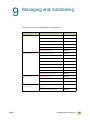
9 Managing and maintaining
Using the MFP memory. . . . . . . . . . . . . . . . . . . . . . . . . . . . . . . . . . . . . . . . . . . . . . . . . 200
Using HP Toolbox . . . . . . . . . . . . . . . . . . . . . . . . . . . . . . . . . . . . . . . . . . . . . . . . . . . . . 204
Supported operating systems . . . . . . . . . . . . . . . . . . . . . . . . . . . . . . . . . . . . . . . . 204
Supported browsers . . . . . . . . . . . . . . . . . . . . . . . . . . . . . . . . . . . . . . . . . . . . . . . 204
To view HP Toolbox . . . . . . . . . . . . . . . . . . . . . . . . . . . . . . . . . . . . . . . . . . . . . . . . 204
HP Toolbox sections . . . . . . . . . . . . . . . . . . . . . . . . . . . . . . . . . . . . . . . . . . . . . . . 205
Other links. . . . . . . . . . . . . . . . . . . . . . . . . . . . . . . . . . . . . . . . . . . . . . . . . . . . . . . 205
Status tab . . . . . . . . . . . . . . . . . . . . . . . . . . . . . . . . . . . . . . . . . . . . . . . . . . . . . . . 205
Alerts tab. . . . . . . . . . . . . . . . . . . . . . . . . . . . . . . . . . . . . . . . . . . . . . . . . . . . . . . . 205
Device Settings button . . . . . . . . . . . . . . . . . . . . . . . . . . . . . . . . . . . . . . . . . . . . . 206
HP Toolbox links . . . . . . . . . . . . . . . . . . . . . . . . . . . . . . . . . . . . . . . . . . . . . . . . . . 206
Using the embedded Web server . . . . . . . . . . . . . . . . . . . . . . . . . . . . . . . . . . . . . . . . . 207
Managing supplies. . . . . . . . . . . . . . . . . . . . . . . . . . . . . . . . . . . . . . . . . . . . . . . . . . . . . 210
Checking supplies levels . . . . . . . . . . . . . . . . . . . . . . . . . . . . . . . . . . . . . . . . . . . . 210
Ordering supplies . . . . . . . . . . . . . . . . . . . . . . . . . . . . . . . . . . . . . . . . . . . . . . . . . 212
Storing supplies . . . . . . . . . . . . . . . . . . . . . . . . . . . . . . . . . . . . . . . . . . . . . . . . . . 212
Replacing and recycling the supplies . . . . . . . . . . . . . . . . . . . . . . . . . . . . . . . . . . 213
Using the image drums . . . . . . . . . . . . . . . . . . . . . . . . . . . . . . . . . . . . . . . . . . . . . 217
Image transfer kit . . . . . . . . . . . . . . . . . . . . . . . . . . . . . . . . . . . . . . . . . . . . . . . . . 221
Image cleaning kit . . . . . . . . . . . . . . . . . . . . . . . . . . . . . . . . . . . . . . . . . . . . . . . . . 227
Image fuser kit . . . . . . . . . . . . . . . . . . . . . . . . . . . . . . . . . . . . . . . . . . . . . . . . . . . 231
Cleaning procedures . . . . . . . . . . . . . . . . . . . . . . . . . . . . . . . . . . . . . . . . . . . . . . . . . . . 234
Cleaning the ADF . . . . . . . . . . . . . . . . . . . . . . . . . . . . . . . . . . . . . . . . . . . . . . . . . 234
Cleaning the post charger . . . . . . . . . . . . . . . . . . . . . . . . . . . . . . . . . . . . . . . . . . . 238
Cleaning the fuser input . . . . . . . . . . . . . . . . . . . . . . . . . . . . . . . . . . . . . . . . . . . . 240
Installing firmware updates . . . . . . . . . . . . . . . . . . . . . . . . . . . . . . . . . . . . . . . . . . . . . . 242
Downloading the new firmware to the MFP . . . . . . . . . . . . . . . . . . . . . . . . . . . . . 242
Remote firmware update through a local Windows port . . . . . . . . . . . . . . . . . . . 243
Remote firmware update through a Windows network . . . . . . . . . . . . . . . . . . . . . 244
Remote firmware update for UNIX systems . . . . . . . . . . . . . . . . . . . . . . . . . . . . . 244
Remote firmware update by using FTP on a direct network connection . . . . . . . 245
Remote firmware update by using FTP through a browser. . . . . . . . . . . . . . . . . . 246
Remote firmware update using the HP LaserJet utility (Mac OS 8.6 and 9.x only)247
Remote firmware update using the LPR command . . . . . . . . . . . . . . . . . . . . . . . 248
Using HP Web Jetadmin to download the firmware to the MFP . . . . . . . . . . . . . . 248
MFP messages during firmware update . . . . . . . . . . . . . . . . . . . . . . . . . . . . . . . 249
Troubleshooting a firmware update . . . . . . . . . . . . . . . . . . . . . . . . . . . . . . . . . . . 250
Managing and configuring printer drivers . . . . . . . . . . . . . . . . . . . . . . . . . . . . . . . . . . . 251
Using the HP Web Jetadmin software plug-in. . . . . . . . . . . . . . . . . . . . . . . . . . . . 252
Using the customization utility. . . . . . . . . . . . . . . . . . . . . . . . . . . . . . . . . . . . . . . . 252
vii
Relocating the MFP . . . . . . . . . . . . . . . . . . . . . . . . . . . . . . . . . . . . . . . . . . . . . . . . . . . . 253
Before you move the MFP. . . . . . . . . . . . . . . . . . . . . . . . . . . . . . . . . . . . . . . . . . . 253
After the MFP is in the new location . . . . . . . . . . . . . . . . . . . . . . . . . . . . . . . . . . . 254
10 Problem solving
Clearing jams. . . . . . . . . . . . . . . . . . . . . . . . . . . . . . . . . . . . . . . . . . . . . . . . . . . . . . . . . 257
Jam clearing locations . . . . . . . . . . . . . . . . . . . . . . . . . . . . . . . . . . . . . . . . . . . . . 257
Clearing jams from the input-tray areas . . . . . . . . . . . . . . . . . . . . . . . . . . . . . . . . 259
Clearing jams from the duplexer . . . . . . . . . . . . . . . . . . . . . . . . . . . . . . . . . . . . . . 269
Clearing jams from the output areas. . . . . . . . . . . . . . . . . . . . . . . . . . . . . . . . . . . 271
Solving repeated jams . . . . . . . . . . . . . . . . . . . . . . . . . . . . . . . . . . . . . . . . . . . . . 290
Understanding MFP messages . . . . . . . . . . . . . . . . . . . . . . . . . . . . . . . . . . . . . . . . . . . 291
Using the MFP help system . . . . . . . . . . . . . . . . . . . . . . . . . . . . . . . . . . . . . . . . . 291
If a message persists . . . . . . . . . . . . . . . . . . . . . . . . . . . . . . . . . . . . . . . . . . . . . . 291
Interpreting control-panel messages. . . . . . . . . . . . . . . . . . . . . . . . . . . . . . . . . . . 292
Solving output-quality problems . . . . . . . . . . . . . . . . . . . . . . . . . . . . . . . . . . . . . . . . . . 317
Output-quality troubleshooting procedures . . . . . . . . . . . . . . . . . . . . . . . . . . . . . . 318
Print Quality Troubleshooting Pages . . . . . . . . . . . . . . . . . . . . . . . . . . . . . . . . . . 318
Solving persistent output-quality problems . . . . . . . . . . . . . . . . . . . . . . . . . . . . . . 319
Solving MFP problems. . . . . . . . . . . . . . . . . . . . . . . . . . . . . . . . . . . . . . . . . . . . . . . . . . 331
MFP hardware issues . . . . . . . . . . . . . . . . . . . . . . . . . . . . . . . . . . . . . . . . . . . . . . 331
MFP control-panel issues . . . . . . . . . . . . . . . . . . . . . . . . . . . . . . . . . . . . . . . . . . . 332
Media-handling issues . . . . . . . . . . . . . . . . . . . . . . . . . . . . . . . . . . . . . . . . . . . . . 333
MFP-output issues . . . . . . . . . . . . . . . . . . . . . . . . . . . . . . . . . . . . . . . . . . . . . . . . 335
PostScript issues. . . . . . . . . . . . . . . . . . . . . . . . . . . . . . . . . . . . . . . . . . . . . . . . . . 338
Software issues. . . . . . . . . . . . . . . . . . . . . . . . . . . . . . . . . . . . . . . . . . . . . . . . . . . 338
Communication issues . . . . . . . . . . . . . . . . . . . . . . . . . . . . . . . . . . . . . . . . . . . . . 339
Duplexer issues. . . . . . . . . . . . . . . . . . . . . . . . . . . . . . . . . . . . . . . . . . . . . . . . . . . 341
Selecting an alternate PPD (Macintosh only) . . . . . . . . . . . . . . . . . . . . . . . . . . . . . . . . 342
Communicating with an HP Jetdirect print server . . . . . . . . . . . . . . . . . . . . . . . . . . . . . 343
Checking the MFP configuration . . . . . . . . . . . . . . . . . . . . . . . . . . . . . . . . . . . . . . . . . . 344
Menu map . . . . . . . . . . . . . . . . . . . . . . . . . . . . . . . . . . . . . . . . . . . . . . . . . . . . . . . 345
Configuration page . . . . . . . . . . . . . . . . . . . . . . . . . . . . . . . . . . . . . . . . . . . . . . . . 346
Jetdirect page . . . . . . . . . . . . . . . . . . . . . . . . . . . . . . . . . . . . . . . . . . . . . . . . . . . 348
Supplies status pages . . . . . . . . . . . . . . . . . . . . . . . . . . . . . . . . . . . . . . . . . . . . . . 349
Usage page. . . . . . . . . . . . . . . . . . . . . . . . . . . . . . . . . . . . . . . . . . . . . . . . . . . . . . 351
PCL or PS font list. . . . . . . . . . . . . . . . . . . . . . . . . . . . . . . . . . . . . . . . . . . . . . . . . 352
Print demo page . . . . . . . . . . . . . . . . . . . . . . . . . . . . . . . . . . . . . . . . . . . . . . . . . . 353
Print RGB samples . . . . . . . . . . . . . . . . . . . . . . . . . . . . . . . . . . . . . . . . . . . . . . . . 354
Print CMYK samples. . . . . . . . . . . . . . . . . . . . . . . . . . . . . . . . . . . . . . . . . . . . . . . 354
File directory page . . . . . . . . . . . . . . . . . . . . . . . . . . . . . . . . . . . . . . . . . . . . . . . . 356
Event log page . . . . . . . . . . . . . . . . . . . . . . . . . . . . . . . . . . . . . . . . . . . . . . . . . . . 357
Printing a paper-path test . . . . . . . . . . . . . . . . . . . . . . . . . . . . . . . . . . . . . . . . . . . . . . . 358
Setting registration. . . . . . . . . . . . . . . . . . . . . . . . . . . . . . . . . . . . . . . . . . . . . . . . . . . . . 358
A Specifications
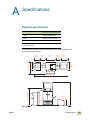
Physical specifications. . . . . . . . . . . . . . . . . . . . . . . . . . . . . . . . . . . . . . . . . . . . . . . . . . 359
Power requirements and circuit capacity . . . . . . . . . . . . . . . . . . . . . . . . . . . . . . . . . . . . 360
Power consumption . . . . . . . . . . . . . . . . . . . . . . . . . . . . . . . . . . . . . . . . . . . . . . . . . . . . 360
Acoustical specifications¹ . . . . . . . . . . . . . . . . . . . . . . . . . . . . . . . . . . . . . . . . . . . . . . . 361
Operating and storage environment . . . . . . . . . . . . . . . . . . . . . . . . . . . . . . . . . . . . . . . 361
viii
ENWW
B Support information
Information from the MFP . . . . . . . . . . . . . . . . . . . . . . . . . . . . . . . . . . . . . . . . . . . 363
Customer support and MFP repair assistance . . . . . . . . . . . . . . . . . . . . . . . . . . . 364
Warranties and license . . . . . . . . . . . . . . . . . . . . . . . . . . . . . . . . . . . . . . . . . . . . . . . . . 364
Extended warranty . . . . . . . . . . . . . . . . . . . . . . . . . . . . . . . . . . . . . . . . . . . . . . . . 364
Color print cartridge/image drum warranty . . . . . . . . . . . . . . . . . . . . . . . . . . . . . . 364
HP software license terms . . . . . . . . . . . . . . . . . . . . . . . . . . . . . . . . . . . . . . . . . . 366
C Regulatory
Environmental product stewardship program . . . . . . . . . . . . . . . . . . . . . . . . . . . . . . . . 369
Protecting the environment . . . . . . . . . . . . . . . . . . . . . . . . . . . . . . . . . . . . . . . . . . 369
FCC statement . . . . . . . . . . . . . . . . . . . . . . . . . . . . . . . . . . . . . . . . . . . . . . . . . . . . . . . 371
Regulatory statements. . . . . . . . . . . . . . . . . . . . . . . . . . . . . . . . . . . . . . . . . . . . . . . . . . 372
Declaration of Conformity . . . . . . . . . . . . . . . . . . . . . . . . . . . . . . . . . . . . . . . . . . . 372
EU Statement for Telecom Operation . . . . . . . . . . . . . . . . . . . . . . . . . . . . . . . . . . 373
Canadian DOC Regulations . . . . . . . . . . . . . . . . . . . . . . . . . . . . . . . . . . . . . . . . . 373
VCCI Statement (Japan) . . . . . . . . . . . . . . . . . . . . . . . . . . . . . . . . . . . . . . . . . . . . 373
Korean EMI Statement . . . . . . . . . . . . . . . . . . . . . . . . . . . . . . . . . . . . . . . . . . . . . 374
Laser Statement for Finland . . . . . . . . . . . . . . . . . . . . . . . . . . . . . . . . . . . . . . . . . 374
Taiwan Class A Statement . . . . . . . . . . . . . . . . . . . . . . . . . . . . . . . . . . . . . . . . . . 375
Taiwan Battery Statement . . . . . . . . . . . . . . . . . . . . . . . . . . . . . . . . . . . . . . . . . . . 375
Product Information Sheet . . . . . . . . . . . . . . . . . . . . . . . . . . . . . . . . . . . . . . . . . . 375
D Setting up the MFP
Preparing a location for the MFP . . . . . . . . . . . . . . . . . . . . . . . . . . . . . . . . . . . . . 378
Unpacking and setting up the MFP . . . . . . . . . . . . . . . . . . . . . . . . . . . . . . . . . . . . 379
Removing and loading the consumables . . . . . . . . . . . . . . . . . . . . . . . . . . . . . . . 384
Installing the finishing device . . . . . . . . . . . . . . . . . . . . . . . . . . . . . . . . . . . . . . . . 387
Unpacking and installing the 2,000-sheet side input tray (tray 4) . . . . . . . . . . . . . 388
Setting the MFP language . . . . . . . . . . . . . . . . . . . . . . . . . . . . . . . . . . . . . . . . . . 390
Loading media in tray 2 and tray 3 . . . . . . . . . . . . . . . . . . . . . . . . . . . . . . . . . . . . 391
Loading media in the 2,000-sheet side input tray (tray 4) . . . . . . . . . . . . . . . . . . . 392
Using the control panel . . . . . . . . . . . . . . . . . . . . . . . . . . . . . . . . . . . . . . . . . . . . . 392
Configurating e-mail . . . . . . . . . . . . . . . . . . . . . . . . . . . . . . . . . . . . . . . . . . . . . . . 393
Installing the printing software . . . . . . . . . . . . . . . . . . . . . . . . . . . . . . . . . . . . . . . 394
Index
ix
x
ENWW
1
MFP basics
Now that the MFP (multifunction peripheral) is set up, take a few moments to set your
defaults and get to know the MFP. This chapter contains information about the following
topics:
ENWW
●
MFP components
●
Features and benefits
●
Setting the MFP defaults
●
Printer drivers and software
●
Help system
●
Loading input trays
●
Loading the staple cartridge (multifunction finisher)
●
Loading the staple cartridge (3,000-sheet stapler/stacker)
1 MFP basics
1
MFP components
The following figures show the components of the HP Color LaserJet 9500mfp.
1
8
2
9
3
10
11
4
12
13
5
6
7
Figure 1: MFP components (front view)
1
the ADF (automatic document
feeder) output bin
4
5
the control panel (including the
6
touch-screen graphical display)
7
the finishing device
8
(3,000-sheet stapler/stacker,
3,000-sheet stacker,
multifunction finisher, or 8-bin
mailbox)
2
3
2
MFP components
the front doors
9
the ADF
the power switch
10 the ozone fan and filter
tray 2
11 the right door
tray 3
12 tray 1
the ADF feeder
13 the 2,000-sheet side input
tray (tray 4)
ENWW
3
1
4
5
6
7
8
2
9
10
11
Figure 2: MFP components (rear view)
1
the air filter
2
the power-cord connector
3
the hard disk (EIO)
4
the disk-drive security lock
5
the RJ11 connector (to the
external fax line)
9
6
the HP JetLink connector
7
the copy connect card
(enhanced input/output [EIO])
10 the ethernet network card
(EIO)
8
ENWW
the FIH (foreign interface
harness) connector
11 the USB port
the parallel port
1 MFP basics
3
Control panel
The control panel includes a touch-screen graphical display, three job-control buttons, a
numeric keypad, and three light-emitting diode (LED) indicator lights.
For more information about the control-panel menus, see “Control-panel menus” on
page 123.
Touch-screen
graphical display
Numeric keypad
Display
contrast
adjustment
SLEEP button
MENU button
STATUS button
STOP button
RESET button
Ready light (green)
Data light (green)
START button
Attention light (orange)
CLEAR button (C)
Features and buttons
Function
DISPLAY CONTRAST
Use this to adjust the amount of contrast on the control-panel display.
ADJUSTMENT
TOUCH-SCREEN
4
GRAPHICAL DISPLAY
This touch-screen display provides the user with text and graphical
information about the configuration and status of the MFP. The touch
screen allows you to control all of the MFP functions and features.
SLEEP
Use this to put the MFP in Sleep Mode.
MENU
Use this to open the MFP Information, Configuration, and other
menus.
STATUS
This button shows the current jobs and their progress, and also shows
the status of the trays and supplies.
RESET
Use this button to reset the job settings to user-defined default values.
STOP
Use this button to cancel the active job.
START
Use this button to begin a copy job, start digital sending or faxing, or
continue a job that has been interrupted.
C
This is the Clear button which resets the number of copies to one.
NUMERIC KEYPAD
Use the keypad to type numeric values for the number of copies that
are required and to specify other numeric values.
MFP components
ENWW
Interpreting control-panel lights
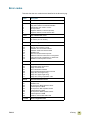
Use the following table to interpret the control-panel lights.
Light
State
Ready (green) Off
Data (green)
Attention
(orange)
Indication
The MFP is off, offline, or has experienced an error.
On
The MFP is ready to print.
Blinking
The MFP is going offline.
Off
The MFP has no data to print.
On
The MFP has data to print, but is not ready or is offline.
Blinking
The MFP is processing or is printing the data.
Off
The MFP is functioning without error.
On
The MFP has experienced a critical error. Note the error
message, and then turn the MFP off and on again.
Blinking
Action is required. See the control-panel display.
Control-panel home screen
The home screen, or main menu, displays the three basic functions of the MFP. Touch the
corresponding icon to copy, send e-mail, or fax. If additional optional functionality is
installed (such as send to network), those icons also appear on the home screen.
1
ENWW
1
touch this to use the copy screen
2
touch this to use the e-mail screen
3
touch this to use the fax screen
2
3
1 MFP basics
5
Features and benefits
The HP Color LaserJet 9500mfp (C8549A) is designed to be shared by a workgroup, and
can be used to copy, digitally send, print, and fax black-and-white or color documents. The
MFP can function as a standalone device and does not require connection to a computer.
With the exception of network printing, you can select all functions at the control panel.
Copying
●
color or black and white
●
modes for text, photo, glossy photo, and mixed originals
●
a Job Interrupt feature (at copy boundaries)
●
multiple pages per sheet (N-up layout)
●
operator-attendance animations (for example, paper-jam recovery)
●
an auto-configure feature that matches output to MFP settings
●
the ability to copy books
●
a sleep feature that saves energy
●
one-pass duplex scanning
●
heavy-media original modes
E-mail
●
e-mail compatibility
●
an address book
Fax
●
HP LaserJet MFP Analog Fax Accessory 300 (standard in some countries/regions)
●
speed dial
●
a phone book (when the HP MFP Digital Sending Configuration Utility is configured)
●
remote fax configuration
Printing
●
color printing at speeds up to 24 pages per minute (ppm)
●
a 533-MHz processor
●
automatic duplex printing (printing on both sides of the paper)
Media
●
supported media sizes:
• Letter
• Letter-R
• Legal
• Executive
• Statement
6
Features and benefits
ENWW
• 8.5 x 13
• 11 x 17
• 12 x 18
• A3
• A4
• A4-R
• A5
• RA3
• B5
• Executive
• Postcard
• 8K
• 16K
• Envelope #10
• Envelope monarch (tray 1 only)
• Envelope C5 (tray 1 only)
• Envelope DL (tray 1 only)
• Envelope B5 (tray 1 only)
• Custom
●
Supported media weight of 64 grams per square meter (g/m²) to 220 g/m² (17- to 60-lb
bond)
●
Input
• Tray 1 (100-sheet multipurpose tray): Use this multipurpose tray for paper,
transparencies, labels, and envelopes. Tray 1 holds up to 100 sheets of 75 g/m2
(20-lb bond) paper, 20 transparencies, or 10 envelopes. This tray also handles
heavy media and is designed to accommodate the narrowest and widest media that
the MFP supports.
• Trays 2 and 3 (500-sheet input trays): These trays automatically sense several
standard paper sizes up to ledger/A3 and accommodate printing on custom-size
paper and transparencies.
• 2,000-sheet side input tray (tray 4): This tray automatically senses standard
media sizes. Use this tray for letter/A4 media only.
• Duplex printing (duplexer): The duplexer provides printing on both sides of paper
for all of the supported paper types.
• ADF: This tray can hold up to 50 sheets of A3/ledger media or up to 100 sheets of
A4/letter media.
●
Output
• ADF output bin: Holds up to 100 sheets of media.
• One of the following finishing devices is required with the HP Color LaserJet
9500mfp:
• 3,000-sheet stacker: This finishing device stacks up to 3,000 sheets of paper in the order in which
they were printed. Bin 1 (face-up bin) holds up to 125 sheets of paper, and bin 2 (face-down bin)
holds up to 3,000 sheets of paper.
ENWW
1 MFP basics
7
• 3,000-sheet stapler/stacker: In addition to stacking, this finishing device provides multiposition
stapling for up to 50 sheets of 75 g/m2 (20-lb) paper per staple, or an equivalent job height of 5.5 mm
(0.22 inch) thickness. Bin 1 (face-up bin) holds up to 125 sheets of paper, and bin 2 (face-down bin)
holds up to 3,000 sheets of paper.
• Multifunction finisher: This finishing device produces professional-looking booklets and brochures
through finishing options such as multiposition stapling, stacking, and job separation. Provides 1,000
sheets of stacking capacity (stacker bin), stapling for as many as 50 sheets of paper per document,
plus folding and saddle stitching of booklets that contain up to 10 sheets of paper. The booklet bin
holds up to 50 booklets.
• 8-bin mailbox: This finishing device provides a high-capacity output that increases the MFP’s output
capacity to 2,000 sheets of standard media. Each of the eight bins holds up to 250 sheets of media.
The 8-bin mailbox can also provide a full set of stacking options in four different operational modes:
mailbox, stacker, job separator, and sorter/collator (copy separator).
Print cartridges and image drums
●
separate print cartridges and image drums decrease the cost per page
●
supplies status indicators appear on the control panel
●
a supplies status page (which can be printed by using the control panel) shows the
toner gauge, page count, and information about paper sizes that have been used
●
the no-shake cartridge design simplifies installation and replacement
●
the MFP authenticates HP print cartridges and image drums
Each of the four print cartridges contains toner in one of four colors: cyan, magenta,
yellow, and black. Each print cartridge works with a matching image drum that contains the
corresponding color.
Connectivity
●
three enhanced input/output (EIO) slots support the following cards:
• HP Jetdirect EIO cards (Fast Ethernet 10/100TX, LocalTalk, wireless, and others)
• Copy connect card
• Hard disk (20-gigabyte [GB])
Note
8
●
IEEE 1284 type-C parallel connection
●
foreign interface harness connection (FIH)
●
Copy connect board
●
HP Jet-Link (for paper-handling devices)
●
fax
●
universal serial bus (USB)
Additional EIO cards, including USB and IEEE 1394 EIO, are available from HewlettPackard (www.hp.com) or other vendors. For information about installing and connecting
EIO cards, see the documentation that is supplied with these cards.
Features and benefits
ENWW
Setting the MFP defaults
Certain printing features and hardware (such as the duplex-printing accessory or a
finishing device) must be configured through the printing-system software.
Setting the MFP device defaults
You can create default MFP device settings for several printing, copying, faxing, e-mail,
and network features.
To set device defaults at the control panel
1
Press the MENU button.
2
Scroll to and touch CONFIGURE DEVICE.
3
Scroll to and touch the configuration item that you want. These items include the
following:
●
copying
●
enhancement
●
sending
●
printing
●
system setup
To set device defaults by using eToolbox (Windows only)
Note
1
Click on Start.
2
Click on Programs.
3
Click on HP color LaserJet 9500mfp.
4
Click on HP LaserJet Toolbox.
5
Click on the configuration item that you want.
You can only configure status alerts. Press the Alerts tab to perform this function.
To set device defaults by using HP Web Jetadmin
ENWW
1
Download HP Web Jetadmin at www.hp.com/go/webjetadmin.
2
Install HP Web Jetadmin and follow the directions to configure your MFP using
HP Web Jetadmin.
3
See the HP Jetdirect Administrators Guide for more information.
1 MFP basics
9
Setting the MFP driver defaults
You can configure the MFP to use driver default settings.
To set driver defaults in Microsoft® Windows 98, Windows Millennium
Edition (Me), Windows NT® 4.0, and Windows 2000
1
Click the Start button, point to Settings, and then click Printers.
2
Right-click the HP color LaserJet 9500mfp icon, and then click Properties.
3
On the Device setting or Configure tab, select your MFP Model and make sure that
the configuration items for your MFP are correct.
4
Click More to view and change other configuration options.
5
Click OK to return to the Configure tab.
6
Click OK to save your configuration, and to close the printer driver.
To set driver defaults in Windows 98 and Windows Me
1
Click the Start button, point to Settings, and then click Printers.
2
Right-click the HP color LaserJet 9500mfp icon, and then click Properties.
3
Change any of the settings on the Finishing, Effects, Paper, Destination, Basics,
and Color tabs (the PostScript (PS) driver also includes a PS tab). These settings are
now the defaults for the MFP.
4
Click OK to save your settings, and to close the printer driver.
To set driver defaults in Windows NT 4.0
1
Click the Start button, point to Settings, and then click Printers and Faxes.
2
Right-click the HP color LaserJet 9500mfp icon, and then click Document Defaults.
3
Change any of the settings on the Finishing, Effects, Paper, Output, Basics, Job
Storage, Color, Configure, and NT Forms tabs (the PS driver also includes PS and
Status tabs). These settings are now the defaults for the MFP.
4
Click OK to save your settings and configuration, and to close the printer driver.
To set driver defaults in Windows 2000 and Windows XP
10
1
Click the Start button, point to Settings, and then click Printers (Windows 2000) or
Printers and Faxes (Windows XP).
2
Right-click the HP color LaserJet 9500mfp icon, and then click Printing
Preferences.
3
Change any of the settings on the Advanced, Paper/Quality, Effects, Finishing,
Output, Job Storage, and Color tabs. These settings are now the defaults for the
MFP.
4
Click OK to save your settings, and to close the printer driver.
Setting the MFP defaults
ENWW
To set driver defaults in Macintosh (OS 9.2 to 9.2.x)
1
On the File menu, click Print.
2
Change the settings you want on the various pop-up menus.
3
Click or select Save Settings in the lower left corner.
To set driver defaults in Macintosh (OS 10.1 and later)
ENWW
1
On the File menu, click Print.
2
Change the settings you want on the various pop-up menus.
3
Select the Presets pull-down tab, and then select Save As.
1 MFP basics
11
Printer drivers and software
The printer drivers that are provided on the CD-ROM must be installed in order to take full
advantage of the printer features. The other software programs on the CD-ROM are
recommended but are not required for operation. See the Readme file on the CD-ROM for
more information.
The CD-ROM includes software that is designed for end users and for network
administrators that are using the following operating systems:
●
Windows NT 4.0, Windows 95, Windows 98, and Windows Me
●
Windows 2000 and Windows XP
●
Mac OS 7.5 or later
●
Mac OS 8.6 to 9.x
●
Mac OS X (10.1 or later)
The most recent printing system software and other software utilities are available from the
Internet. See www.hp.com/go/webjetadmin for more information.
Printer drivers and software for Windows
This section contains information about the HP printer drivers and software that are
available for MFPs that are running Windows operating systems.
Available printer drivers
●
PCL 5c
●
PCL 6
●
PS
Select the correct printer driver for your needs
Note
●
Use the PCL 6 printer driver to take full advantage of the printer features. Use of the
PCL 6 printer driver is recommended unless backward compatibility with previous PCL
printer drivers or older printers is necessary.
●
Use the PS printer driver for compatibility with HP postscript 3 emulation needs or for
PS font dual inline memory module (DIMM) support.
●
Use the PCL 5c printer driver if you want printed results to look comparable to those
from legacy printers.
The printer automatically switches between PostScript (PS) and Printer Control Language
(PCL) printer languages.
Printer-driver help
Each printer driver has context-sensitive help screens that can be activated from the Help
button, the F1 key, or the question mark symbol in the upper-right corner in the printer
driver (depending on the Windows operating system that is running). These help screens
give detailed information about the specific printer driver and the task you are performing.
Printer-driver help is separate from the software-program help.
12
Printer drivers and software
ENWW
Printer drivers and software for Macintosh computers
This section contains information about the HP printer drivers and software that are
available for MFPs that are running Macintosh operating systems.
Printer Driver
●
PS
Client software
●
●
●
●
PS PPDs and printer dialog
extensions (PDEs)
HP LaserJet Utility* (8.6 to 9.2)
Fonts*
Help files (English only)
*These software products are not supported in Traditional Chinese, Simplified Chinese, Korean, Japanese,
Czech, Russian, and Turkish languages.
Printing system software components
Printer drivers provide access to the printer features and let the computer communicate
with the printer (by using a printer language). Use the LaserWriter 8.6 or later printer
drivers, which are PS printer drivers. The LaserWriter 8.6 printer driver comes with the
Mac OS or can be obtained directly from Apple. Only PS PPDs are included.
The PS PPDs for Mac OS 9 and earlier, in combination with the LaserWriter 8.6 printer
driver, provide access to the printer features and let the computer communicate with the
printer. Use the Apple LaserWriter 8.6 printer driver that comes with the computer. An
installation program for the PPDs and other software is provided on the CD.
Use PDEs and PPDs for Mac OS X.
To install printer drivers from Mac OS 8.6 to 9.2
Note
ENWW
1
Connect the network cable between the HP Jetdirect print server and a network port.
2
Insert the CD-ROM into the CD-ROM drive. The CD-ROM menu runs automatically. If
the CD-ROM menu does not run automatically, double-click the CD-ROM icon on the
desktop, and then double-click the Installer icon. This icon is located in the Installer/
<language> folder of the Starter CD-ROM (where <language> is your language
preference). (For example, the Installer/English folder contains the Installer icon for
the English printer software.)
3
Follow the instructions on the computer screen.
4
Open the Chooser located in the Apple menu (upper left corner).
5
Click LaserWriter 8.
6
Click the appropriate zone if required.
7
Click on the printer name and then select Create or Setup.
The icon on the desktop will appear to be generic. All the print panels will appear in the print.
1 MFP basics
13
To install printer drivers from Mac OS 10.1 and later
1
Connect the network cable between the HP Jetdirect print server and a network port.
2
Insert the CD-ROM into the CD-ROM drive. The CD-ROM menu runs automatically. If
the CD-ROM menu does not run automatically, double-click the CD-ROM icon on the
desktop, and then double-click the Installer icon. This icon is located in the Installer/
<language> folder of the Starter CD-ROM (where <language> is your language
preference). (For example, the Installer/English folder contains the Installer icon for
the English printer software.)
3
Double-click the HP LaserJet Installers folder.
4
Follow the instructions on the computer screen.
5
Double-click the Installer icon for the desired language.
6
On your computer hard drive, double-click Applications, Utilities, and then Print
Center.
7
Click Add Printer.
8
Select the appropriate network selection.
9
Select the printer name.
10 Click Add Printer.
11 Close the Print Center (10.1 and 10.2) or the Printer Setup Utility (10.3) by clicking the
close button in the upper-left corner.
Installing Macintosh printing system software for direct connections
(USB)
Note
Macintosh computers do not support parallel port connections.
This section explains how to install the printing system software for Mac OS 8.6, Mac OS
9.x, and Mac OS 10.1 and later.
The Apple LaserWriter driver must be installed to use the PPD files with Mac OS 8.6 to
9.x. Use the Apple LaserWriter 8 driver that came with your Macintosh computer.
To install the printing system software
1
Connect a USB cable between the USB port on the printer and the USB port on the
computer. Use a standard 2-meter USB cable.
2
Close all software programs that are open or running.
3
Insert the printer CD-ROM into the CD-ROM drive and run the installer.
The CD-ROM menu runs automatically. If the CD-ROM menu does not run
automatically, double-click the CD-ROM icon on the desktop, and then double-click
the Installer icon. This icon is located in the Installer/<language> folder of the Starter
CDROM (where <language> is your language preference).
14
4
Follow the instructions on the computer screen.
5
Restart the computer.
Printer drivers and software
ENWW
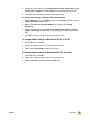
6
For Mac OS 8.6 to 9.x
• From HD/Applications/Utilities, open the Apple Desktop Printer Utility.
• Double-click Printer (USB), and then click OK.
• Next to USB Printer Selection, click Change.
• Select the printer, and then click OK.
• Next to Postscript® Printer Description (PPD) File, click Auto Setup and then
select Create.
• Save the printer setup.
• Click on the Desktop Printer Icon that was just created.
• On the Printing menu, click Set Default Printer.
For Mac OS X
Note
If OS X and 9x (Classic) are installed on the same computer, the installer will show both
the Classic and the OS X installation options.
• From HD/Applications/Utilities/Print Center or Printer Setup Utility, start the Print
Center.
• If the printer appears in the Printer list, delete the printer.
• Click Add.
• From the drop-down menu on the top, select USB.
• From the printer Model List, select HP.
• Under Model Name, select HP color Laserjet 9500mfp, and then click Add.
7
Print a Test Page or a page from any software program to make sure that the software
is correctly installed.
If installation fails, reinstall the software. If this fails, see the installation notes or readme
files on the printer CD-ROM or the flyer that came in the printer box, or go to
www.hp.com/go/clj9500mfp for help or more information.
The icon on the desktop will appear to be generic. All the print panels will appear in the
print dialog in an application.
Printer-driver Help
Use the following steps to open the printer-driver Help.
1
Open the Help menu.
2
Select Help Center.
3
Click HP LaserJet Printer Help.
These help screens give detailed information about using the printer. Printer-driver help is
separate from the software-program help.
ENWW
1 MFP basics
15
HP LaserJet Utility (OS 8.6 to 9.x only)
The HP LaserJet Utility provides access to features that are not available in the printer
driver. The illustrated screens simplify the selection of printer features. Use the
HP LaserJet Utility to perform the following tasks:
Note
●
Customize the printer control-panel messages.
●
Name the printer, assign it to a zone on the network, download files and fonts, and
change most of the printer settings.
●
Set a password for the printer.
●
From the computer, lock out functions on the printer control panel to prevent
unauthorized access. (See the printer-driver help.)
●
Configure and set the printer for Internet Protocol (IP) or AppleTalk printing.
●
Initialize disk or flash memory (not available in the PS printer driver).
●
Manage fonts in RAM, disk, or flash memory.
●
Administer job-retention features.
The HP LaserJet Utility is not supported for the Korean, Japanese, Simplified Chinese, and
Traditional Chinese languages.
See the HP LaserJet Utility Help on your computer for more information.
Fonts
Eighty screen fonts are installed that correspond with the PS fonts that reside in the
printer. An additional 136 fonts are available on the Adobe® font dual inline memory
module (DIMM) accessory.
Additional printer drivers
You can obtain the following additional printer drivers by downloading them from the
Internet or by requesting them from an HP-authorized service or support provider. (See
www.hp.com/go/clj9500mfp for more information.)
●
OS/2 PCL 5c and PCL 6 printer driver
●
OS/2 PS2 printer driver
●
Linux*
●
UNIX®*
* Network printer installation for UNIX and other network operating systems is available from the
Internet or through a local HP-authorized distributor.
Note
16
If the CD-ROM does not include the printer driver you want, or if the printer driver is not
listed here, read the Readme files to see if the appropriate printer driver is available. If not,
contact the manufacturer of the operating system or distributor and request a driver for the
printer.
Printer drivers and software
ENWW
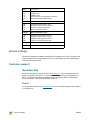
Help system
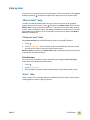
At any time, you can gain access to the Help system on the touch screen of the graphical
display by pressing
, located in the upper-left or upper-right corner of each screen.
“What is this?” Help
The MFP provides information about any topic on the touch screen of the graphical
display. On the top level screen, touch
, and then touch What is this?. After touching
What is this?, a pop-up dialog box asks you to “Touch any item for help.” After touching
an item, a pop-up dialog box opens and displays information about the item you touched.
After reading the information, touch a clear space on the screen to remove the What is
this? pop-up dialog box.
“Show me how” Help
Using Show me how Help, the MFP shows you how to use the MFP features.
1
Touch
.
2
Touch SHOW ME HOW. You can choose a topic from the Show Me How Index screen
by using the scroll bar to view and touch the required topic.
Show me how also appears on a What is this? pop-up dialog box if the item you chose is
a function that includes instructions.
Print this topic
You can print any of the Show me how instructions by touching the Print This Topic
button at the top of the Show Me How screen.
1
Touch
.
1
Touch SHOW ME HOW.
2
Scroll through the available topics and then select the topic that you want to print.
“Error” Help
There are some error messages that provide additional help information. Some of these
include graphics to assist in solving problems.
ENWW
1 MFP basics
17
Additional information
Environmental features
See “Protecting the environment” on page 369.
Firmware updates
Firmware is the instructions or data that are programmed directly into the circuitry of the
MFP. Firmware controls the operation of the MFP. Firmware updates include new features
or fixes for existing errors or bugs. The MFP can use newer versions of its firmware as
they become available. To obtain the latest firmware, go to
www.hp.com/go/clj9500mfp and follow the instructions on the screen. To download
firmware updates easily to one or to many MFPs, use the HP Web Jetadmin software (go
to www.hp.com/go/webjetadmin).
HP EIO hard disk
The EIO hard-disk can be used to store selected print jobs, support RIP Once technology
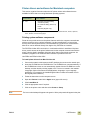
(the ability to print, at maximum speed, multiple copies of complex pages), and
permanently store downloaded fonts and forms in the MFP. Unlike standard memory,
many items on the EIO hard disk remain in the MFP even when the MFP is turned off.
Fonts downloaded to the EIO hard disk are available to all users of the MFP.
For security, the EIO hard disk can be write-protected through software and locked by
using the security lock slot.
Security lock slot
The security lock slot helps deter theft of the MFP hard disk and the data it contains by
locking the slot with a security cable accessory that is sold by vendors. For more
information about compatible disk drive and formatter locks that are available through
other vendors, see the HP Global Solutions Catalog at www.hpgsc.com or the HP Secure
Print Solutions Data Sheet at www.hp.com.
Windows users
Hewlett-Packard occasionally introduces new software tools for use with your MFP and
accessories. These tools are available from the Internet. For more information, go to
www.hp.com/go/clj9500mfp for the addresses of the HP Web sites.
Macintosh users
Use the HP LaserJet Utility to download fonts and files. For more information, see
“HP LaserJet Utility (OS 8.6 to 9.x only)” on page 16 or the HP LaserJet Utility Help that is
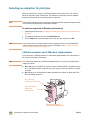
included with the HP LaserJet Utility.
18
Help system
ENWW
Loading input trays
This section contains information about loading standard- and custom-size media into
tray 1, tray 2, tray 3, and the 2,000-sheet side input tray (tray 4). See Selecting and using
media in chapter 8 for more information about media.
CAUTION
To avoid a jam, never add or remove paper from tray 1 or open tray 2, tray 3, or the 2,000sheet side input tray (tray 4) while printing or copying from that tray.
To avoid damaging the MFP, print labels and envelopes only from tray 1. Send labels and
envelopes to the face-up bin. Print on only one side of labels and envelopes.
For paper specifications, see “Recommended media” on page 172.
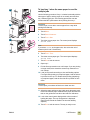
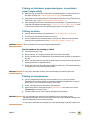
1
To load media in tray 1
Tray 1 is a multipurpose tray that holds a stack of media up to
5 mm (0.2 inch) in height, which equals approximately 100 sheets
of 75 g/m² (20-lb paper), 10 envelopes, or 20 transparencies.
(See “Supported media sizes for input and output” on page 180.)
If media is loaded in tray 1, the MFP default is to print media from
tray 1 first.
3
Tray 1 provides a convenient way to print envelopes,
transparencies, custom-size paper, or other types of media
without having to unload the other trays. It can also be used as a
convenient additional input tray.
Use this procedure to load media in tray 1.
1
Open tray 1.
2
Pull the first tray extension out until it stops. If you are printing
on large media, also extend the second tray extension out
until it stops.
3
Load (orient) media according to size and finishing options.
For single-sided printing on preprinted paper, load the side to
be printed on face up. For double-sided printing (duplexing)
on preprinted paper, load the first side to be printed on face
down. For more information about how to orient the media
size that you are using, see “Orienting media” on page 168.
4
Note
To avoid jams, print sheets of labels one sheet at a time.
ENWW
4
Adjust the paper guides so they lightly touch the paper stack,
but do not bend the paper. Make sure the paper fits under the
tabs on the paper guides and not above the load level
indicators.
5
Look at the control-panel display within a few seconds of
loading the paper. (Remove and reload the media if the time
has already elapsed.)
6
If the control panel does not display the message TRAY 1
<TYPE> <SIZE>, then the tray is ready to use.
1 MFP basics
19
7
If the control panel displays TRAY 1 <TYPE> <SIZE>, touch OK
to change the size and type configuration. The size menu is
displayed.
8
Touch ANY SIZE. The control panel displays SETTING SAVED.
9
Touch ANY TYPE. The control panel displays SETTING SAVED.
10 If the control panel displays TRAY 1 ANY SIZE ANY TYPE, then
the tray is ready for occasional one-time use for a variety of
paper.
11 Touch EXIT to accept the size and type settings.
20
Loading input trays
ENWW
8
To load tray 1 when the same paper is used for
multiple jobs
Use the following procedure if tray 1 is loaded continually with the
same type of paper, and the paper is not usually removed from
tray 1 between print jobs. The following procedures can also
increase the MFP performance when printing from tray 1.
10
11
CAUTION
To avoid a jam, never add or remove paper from a tray while
printing from that tray.
1
Touch MENU.
2
Touch PAPER HANDLING.
3
Touch TRAY 1 SIZE.
4
Touch the correct paper size. The control panel displays
SETTING SAVED.
Note
If you select CUSTOM as the paper size, also select the unit of
measure (the X and Y dimensions).
5
Touch TRAY 1 TYPE.
6
Touch the correct paper type. The control panel displays
SETTING SAVED.
7
Touch EXIT to exit the menus.
8
Open tray 1.
9
Pull the first tray extension out until it stops. If you are printing
on large media, also extend the second tray extension out
until it stops.
10 Load (orient) media according to size and finishing options.
For single-sided printing on preprinted paper, load the side to
be printed on face up. For double-sided printing (duplexing)
on preprinted paper, load the first side to be printed on face
down.
CAUTION
To avoid jams, print sheets of labels one sheet at a time.
11 Adjust the paper guides so they lightly touch the paper stack,
but do not bend the paper. Make sure the paper fits under the
tabs on the guides and not above the load level indicators.
12 Look at the control-panel display within a few seconds of
loading the paper. The tray configuration is displayed.
(Remove and reload the media if the time has already
elapsed.)
13 Touch EXIT to exit the menus. The tray is ready to use.
ENWW
1 MFP basics
21
Loading tray 2 and tray 3
1
Tray 2 and tray 3 hold up to 500 sheets of standard media.
To load detectable standard-size media in tray 2
and tray 3
Use this procedure to load detectable standard-size media in the
tray. The following are the detectable sizes, which are marked
inside the tray:
2
3
●
A4
●
Letter
●
A3
●
Legal
●
Executive
●
11 x 17
●
B4
●
B5
●
A4-R
●
Letter-R
4
CAUTION
To avoid a jam, never add or remove media from a tray while
printing from that tray.
1
Pull the tray open until it stops.
2
Adjust the left (Y) media guide by pressing the tab on the
guide and set the guide to the correct media size.
3
Adjust the front (X) media guide by pressing the tab on the
guide and set the guide to the correct media size.
4
Load (orient) the media according to size.
5
CAUTION
Do not load more media than the maximum that is indicated by
the media-fill triangles at the back of the tray.
6
22
Loading input trays
5
Set the custom/standard switch to Standard.
6
Slide the tray into the MFP.
7
Look at the control panel within a few seconds of closing the
tray. (Open and close the tray if the time has already
elapsed.) The control panel displays the tray size and type
configuration. Do one of the following.
●
If the size and type settings are correct, touch EXIT to accept
the settings.
ENWW
●
If the size and type settings are not correct, touch OK. The
TRAY N SIZE=*<SIZE> menu is displayed.
8
To change the size setting, touch the correct paper size. The
message SETTING SAVED is displayed for a moment, and then
the tray type menu is displayed.
Note
Depending on the size that you selected, the MFP might prompt
you to move the Custom/Standard switch in the tray to another
position. The MFP might also prompt you to move the paper
guides. Follow the instructions on the control panel, close the
tray, and then repeat this procedure starting with step 7.
9
To change the type setting, touch the correct paper type. The
message SETTING SAVED is displayed for a moment, and then
the size and type settings are displayed.
Note
If you are using media that is lighter or heavier than 75 g/m² to
105 g/m² (20 to 28 lb), or if you are using coated media or
transparencies, set the media type for the tray.
10 If the size and type settings are correct, touch EXIT to accept
the settings. The tray is ready to use.
Note
See “Selecting media for your document” on page 175 for more
information about selecting types of media.
ENWW
1 MFP basics
23
To load undetectable standard-size media in tray 2
and tray 3
1
Use this procedure to load undetectable standard-size media in
the tray. The following are the undetectable sizes, which are
marked inside the tray:
4
●
8K
●
16K
●
A5
●
Statement
●
Executive
●
8.5 x 13 (216 x 330 mm)
CAUTION
To avoid a jam, never add or remove media from a tray while
printing from that tray.
5
6
1
Pull the tray open until it stops.
2
Press the tab on the front (X) paper guide and slide the guide
all the way out.
3
Press the tab on the left (Y) paper guide and slide the guide
all the way out.
4
Load (orient) the media according to size.
Note
For more information about how to orient the media size that you
are using, see “Orienting media” on page 168.
7
8
5
Adjust the left (Y) media guide by pressing the tab on the
guide and slide the guide until it gently touches the paper.
6
Adjust the front (X) media guide by pressing tab on the guide
and slide the guide until it gently touches the paper.
7
Set the Custom/Standard switch to Custom.
8
Slide the tray into the MFP.
9
Look at the control panel within a few seconds of closing the
tray. (Open and close the tray if the time has already
elapsed.) The control panel displays the tray size and type
configuration. Do one of the following:
●
If the size and type settings are correct, touch EXIT to accept
the settings.
●
If the size and type settings are not correct, touch OK. The
TRAY N SIZE=*<SIZE> menu is displayed.
10 To change the size setting, touch the correct paper size. The
message SETTING SAVED is displayed for a moment, and then
the tray type menu is displayed.
24
Loading input trays
ENWW
Note
Depending on the size that you selected, the MFP might prompt
you to move the Custom/Standard switch in the tray to another
position. The MFP might also prompt you to move the paper
guides. Follow the instructions on the control panel, close the
tray, and then repeat this procedure starting with step 9.
11 To change the type setting, touch the correct paper type. The
message SETTING SAVED is displayed for a moment, and then
the size and type settings are displayed.
Note
If you are using media that is lighter or heavier than 75 g/m² to
105 g/m² (20 to 28 lb), or if you are using coated media or
transparencies, set the media type for the tray.
12 If the size and type settings are correct, touch EXIT to accept
the settings. The tray is ready to use.
Note
See “Selecting media for your document” on page 175 for more
information about selecting types of media.
ENWW
1 MFP basics
25
1
To load custom media in tray 2 and tray 3
Use this procedure to load custom-size media in the tray.
CAUTION
To avoid a jam, never add or remove media from a tray while
printing from that tray.
4
1
Pull the tray open until it stops.
2
Press the tab on the front (X) paper guide and slide the guide
all the way out.
3
Press the tab on the left (Y) paper guide and slide the guide
all the way out.
4
Load (orient) the media according to size.
5
Note
For more information about how to orient the media size that you
are using, see “Orienting media” on page 168.
5
Set the Custom/Standard switch to Custom.
6
Adjust the left (Y) media guide by pressing the tab on the
guide and slide the guide until it gently touches the paper.
7
Adjust the front (X) media guide by pressing tab on the guide
and slide the guide until it gently touches the paper.
8
Note the orientation of the paper, as well as the value of the X
dimension and the Y dimension. The X and Y dimensions are
marked in the tray. You will need this information for a later
step.
9
Slide the tray into the MFP.
6
7
10 Look at the control panel within a few seconds of closing the
tray. (Open and close the tray if the time has already
elapsed.) The control panel displays the tray size and type
configuration. Do one of the following:
●
If the size and type settings are correct, touch EXIT to accept
the settings. The tray is ready to use. (You do not need to
complete the rest of this procedure unless you want to
configure the exact custom dimension. See the following note
for more information.)
●
To change the size setting, touch OK. The TRAY N
SIZE=*<SIZE> menu is displayed.
9
26
Loading input trays
ENWW
Note
If the size displayed on the control panel is CUSTOM, then the tray
size is set to ANY CUSTOM. The tray will match any custom-size
print job, even if the print-job dimensions are different from the
dimensions of the paper that is loaded in the tray. If you prefer,
you can specify the exact dimensions of the custom-size paper
that is loaded in the tray. When you specify exact dimensions, the
dimensions are displayed as the size, rather than CUSTOM.
11 Touch CUSTOM. The Unit of Measure menu is displayed.
Note
The MFP might prompt you to move the Custom/Standard switch
in the tray to another position. The MFP might also prompt you to
move the paper guides. Follow the instructions on the control
panel, close the tray, and then repeat this procedure starting with
step 10.
12 Touch the unit of measure (MILLIMETERS or INCHES). (If you
are using the measurement on the tray guide, select
MILLIMETERS.)
13 Use the numeric keypad to select the X (front to back)
dimension.
14 Touch OK.
15 Use the numeric keypad to select the Y (left to right)
dimension.
16 Touch OK. The control panel displays SETTING SAVED for a
moment. The tray size in dimensions is then displayed.
17 To change the type setting, touch the correct paper type. The
message SETTING SAVED is displayed for a moment, and then
the size and type settings are displayed.
Note
If you are using media that is lighter or heavier than 75 g/m² to
105 g/m² (20 to 28 lb), or if you are using coated media or
transparencies, set the media type for the tray.
18 Touch EXIT to accept the settings. The tray is ready to use.
Note
See “Selecting media for your document” on page 175 for more
information about selecting types of media.
ENWW
1 MFP basics
27
To load the 2,000-sheet side input tray (tray 4)
1
The 2,000-sheet side input tray (tray 4) holds up to 2,000 sheets
of media. For media specifications, see “Recommended media”
on page 172.
The 2,000-sheet side input tray (tray 4) only supports A4- or
letter-size media. If you are using media that is lighter or heavier
than 75 g/m2 to 105 g/m2 (20 to 28 lb), or if you are using coated
media, set the media type for the tray. To set the media type for
the tray or to use other sizes of media, see “Setting media size
and type” on page 164.
2
CAUTION
To avoid a jam, never add or remove media from the tray while
printing from that tray.
Use this procedure to load media in the 2,000-sheet side input
tray (tray 4).
3
1
Open the top door, and then open the bottom door.
2
Load the media so that the side to be printed on faces up and
the long edge is toward the MFP (short edge is toward the
MFP if you are making booklets). Do not load more media
than the maximum that is indicated by the media-fill triangles
at the back of the 2,000-sheet side input tray (tray 4).
Note
The number of sheets that can be loaded might vary depending
on the type of media. Use the media-fill triangles to determine
how much media to load.
Make sure that the corners of the media are not folded.
The 2,000-sheet side input tray (tray 4) supports letter, A4, A4-R,
and letter-R media.
3
Close the bottom door, and then close the top door.
4
The control-panel display prompts you to select the size and
type of the media that you want to use.
5
Scroll to the size that you want and select it.
6
Scroll to the type you want and select it.
Note
See “Selecting media for your document” on page 175 for more
information about selecting types of media.
28
Loading input trays
ENWW
Changing and setting the media size and type for a tray
You can configure the MFP input trays by type and size. You can load different media in
the input trays and then request media by type or size.
Note
If you have used previous HP LaserJet printers or MFPs, you might be accustomed to
configuring tray 1 to first mode or cassette mode. To duplicate the settings for first mode,
configure tray 1 for Size = ANYSIZE and Type = ANY. To duplicate the settings for cassette
mode, set either the size or type for tray 1 to a setting other than ANY.
The following instructions are used to configure the trays at the MFP control panel. You
can also configure the trays from your computer by using the embedded Web server. For
more information, see “Using the embedded Web server” on page 207.
To set or change media size for tray 1
1
Press the MENU button.
2
Touch PAPER HANDLING.
3
Touch TRAY 1 SIZE.
4
Touch the paper size that is loaded.
5
Touch EXIT to exit the menus.
To set a standard size for tray 2, tray 3, and the 2,000-sheet side input
tray (tray 4)
The MFP automatically detects the size that is loaded, so you do not need to set the size
manually.
To set or change a custom size for tray 2 and tray 3
Note
ENWW
1
Make sure that the switch inside the tray that you want to configure is in the Custom
position.
2
A message on the control panel prompts you to specify the paper size.
3
Touch the appropriate unit of measure (MILLIMETERS or INCHES). (The default is
MILLIMETERS because the marks on the tray guides are in millimeters.)
4
Use the numeric keypad to specify the tray X (front-to-back) dimension.
5
Use the numeric keypad to specify the tray Y (left-to-right) dimension.
6
Touch EXIT to exit the menus.
See “Setting media size and type” on page 164 for more information.
1 MFP basics
29
To set or change a media type for any tray
Note
1
Determine the correct media-type selection for your media. See “Supported types of
media” on page 172 for more information.
2
Press the MENU button.
3
Touch PAPER HANDLING.
4
Touch TRAY X TYPE.
5
Touch the appropriate type setting for the media that you are using.
The default media type is plain.
6
Note
Touch EXIT to exit the menu.
For a description of media types, see “Selecting and using media” on page 163.
To select the media type in Windows 95, Windows 98, Windows Me,
and Windows NT 4.0
1
Open the printer driver (see “Changing the settings for a print job using a computer” on
page 94).
2
On the Paper tab, in the Type is drop-down list, select the type that matches the
control-panel setting.
3
Click OK.
To select the media type in Windows 2000 and Windows XP
30
1
Open the printer driver (see “Changing the settings for a print job using a computer” on
page 94).
2
On the Paper/Quality tab, in the Type is drop-down list, select the type that matches
the control-panel setting.
3
Click OK.
Loading input trays
ENWW
Loading the staple cartridge (multifunction finisher)
Use this procedure to load staples in the multifunction finisher.
The message STAPLER LOW ON STAPLES appears on the control panel if the staple cartridge
has 20 to 50 staples remaining. The message STAPLER OUT OF STAPLES appears on the
control panel if the stapler cartridge contains no more staples.
1
2
To load the staple cartridge
1
Open the stapler-unit door.
2
Slide the stapler unit toward you.
3
Turn the large, green knob until you see the blue dot (this
indicates that the stapler is fully open).
4
Turn the small, green knob at the top of the stapler unit
clockwise until the staple cartridge moves to the left of the
stapler unit.
CAUTION
The blue dot must appear in the window of the stapler unit before
you remove the staple cartridge. If you try to remove the staple
cartridge before the blue dot appears in the window, you could
damage the finishing device.
3
4
ENWW
1 MFP basics
31
5
5
On the empty staple cartridge, squeeze the tabs together and
pull the empty cartridge out.
6
Insert the new staple cartridge so that it locks into place.
7
Slide the stapler unit into the finishing device.
8
Close the stapler-unit door.
6
7
8
32
Loading the staple cartridge (multifunction finisher)
ENWW
Loading the staple cartridge (3,000-sheet stapler/stacker)
Use this procedure to load staples in the 3,000-sheet stapler/stacker.
The message STAPLER LOW ON STAPLES appears on the control panel if the staple cartridge
has 20 to 50 staples remaining. The message STAPLER OUT OF STAPLES appears on the
control panel if the stapler cartridge contains no more staples.
1
To load the staple cartridge
1
Move the 3,000-sheet stapler/stacker away from the MFP.
2
Open the stapler unit door.
3
On the empty staple cartridge, pull up on the green tab, and
then pull the empty cartridge out.
4
Insert the new staple cartridge, and push down on the green
tab so that the cartridge locks into place.
5
Close the stapler unit door and attach the 3,000-sheet
stapler/stacker to the MFP.
2
3
4
5
ENWW
1 MFP basics
33
34
Loading the staple cartridge (3,000-sheet stapler/stacker)
ENWW
2
Copying
This MFP functions as a standalone, walk-up color or black-and-white copier—you do not
have to have software installed or have your computer turned on to make copies. You can
easily adjust copy settings at the control panel. Originals can be copied using either the
ADF or the scanner glass. The MFP can process copying, printing, and digital-sending
jobs simultaneously.
This chapter provides information about how to make black-and-white or color copies and
how to change copy settings. It is helpful to review the section about control-panel
operation before using the MFP copying functions. See “Control panel” on page 4 in
chapter 1. This chapter contains information about the following topics:
ENWW
●
Copy-screen layout
●
Copying instructions
●
Setting copy defaults
2 Copying
35
Copy-screen layout
The following figure and table provide information about features and buttons on the copy
screen.
Features and buttons
Function
Provides access to “What is this?” Help or “Show me How.”
(Help)
36
READY
Indicates that the MFP is ready to copy. (Additional status messages
might appear on this line.)
DESCRIBE ORIGINAL
Allows you to select size, type, orientation, image content, and
additional features of the original copy.
COLOR COPIES
Allows you to select color copies.
BLACK COPIES
Allows you to select black and white copies.
REDUCE/ENLARGE
Reduces or enlarges the size of the copy.
LIGHT/DARK
Increases or decreases the brightness of the copy.
COPY SETTINGS
Displays settings that describe the output features of the document,
such as paper size, simplex/duplex, and stapling.
START
Starts copying the document.
BACK
Moves back one screen on the control-panel display.
CANCEL
Each lower-level screen (any screen below the main screen) on the
touch screen includes a CANCEL option. Touching CANCEL negates any
changes that you made, and takes you back to the previous screen.
OK
Each lower-level screen on the touch screen includes an OK option.
Touching OK accepts any changes that you made, and takes you to the
next screen.
Copy-screen layout
ENWW
Copying instructions
For standard-size media, the size of the original is automatically detected when the
document is placed on the scanner glass or in the ADF, and the appropriate size of media
is used for the copy. You can override the auto-detect feature by specifying the required
input (DESCRIBE ORIGINAL) and output (COPY SETTINGS) at the control panel.
Note
Use the scanner glass to copy small, lightweight (less than 46 g/m2, or 12 lb), or irregularly
sized originals, such as receipts, newspaper clippings, photographs, or old, delicate,
valuable, or worn documents. The scanner glass is also used to copy books, magazines,
and manuals.
Use the MFP to make as many as 999 copies of a document. The ADF can be loaded with
up to 50 sheets of ledger/A3 media or 100 sheets of letter/A4 media (depending on the
thickness of the pages).
Note
The 8.5 x 13 and 12 x 18 media sizes are not supported for copying.
This section provides instructions for the following copying tasks:
●
Copying by using the default settings
●
Copying by using user-defined settings
●
Copying from the scanner glass
●
Copying by using the ADF
●
Copying books
●
Creating a job to be copied later
Copying by using the default settings
The following are the default settings for copying:
Note
●
One copy
●
Letter- or A4-size original and letter-size copy
The MFP automatically detects the original size and makes a same-size copy. The factory
default paper-size setting is Letter or A4 only if no media size is detected.
●
Black and white (color copies can be selected)
●
Page Orientation: Portrait
●
Number of Sides: One
●
Page Content: Mixed (mixed text and graphics)
●
Job Mode: Off
●
Heavy Paper: Off
To make color copies by using the default settings
ENWW
1
Place the document face-down on the scanner glass or in the ADF.
2
Touch COPY.
3
Select color copies.
2 Copying
37
4
Touch START.
To make black and white copies by using the default settings
38
1
Place the document face-down on the scanner glass or in the ADF.
2
Touch COPY.
3
Select black copies.
4
Touch START.
Copying instructions
ENWW
Copying by using user-defined settings
Use the following steps to change the settings for your copies.
To make copies by using settings other than the default settings
Note
1
Place the original face-down on the scanner glass or in the ADF.
2
Touch the copy icon on the control panel. The copy screen appears on the graphical
display.
3
Touch COLOR or BLACK & WHITE copies.
4
Make any necessary adjustments to the contrast and the reduction or enlargement by
using the LIGHT/DARK bar and the REDUCE/ENLARGE option in the image-modification
section of the graphical display.
5
Touch DESCRIBE ORIGINAL to view your options. You can select BASIC options or
ADVANCED options. After you make your selections, touch OK.
If you select Mixed on the Page Content tab, you can use the Advanced tab to select the
emphasis for text or photo, or for text or glossy photo.
Basic tab
SIZE
PAGE ORIENTATION
NUMBER OF SIDES
PAGE CONTENT
What to select
Select Book or the media size of your original.
Select Portrait or Landscape.
Select 1-sided or 2-sided.
Select Text, Photo, Glossy Photo, or Mixed.
Advanced tab
HEAVY PAPER
What to select
Select Heavy Paper if your original is heavy paper
and you are using the ADF.
If you are combining multiple flatbed scans into a
single job, select Job Mode.
JOB MODE
Note
The original settings menu has a button that allows you to describe the content of the original
to be copied.
Description of use
ENWW
Text
Optimize for the best text quality.
Photo
Optimize for printed or half-tone original graphics.
Glossy photo
Optimize for glossy photographs and for continuous tone photographic
originals.
Mixed
Optimize for mixed text and graphics.
Advanced (button)
An adjustment to optimize more toward text or graphics in mixed mode.
2 Copying
39
6
Touch COPY SETTINGS to view your options. You can touch the Advanced tab to see
more options.
Basic tab
SIZE
NUMBER OF SIDES
BACK SIDE ORIENTATION
PAGES PER SHEET
What to select
Select Auto (media size is matched to original size),
or the copy size that you want. Be sure that you have
loaded the correct media size in the tray.
Select 1-sided or 2-sided.
Select Normal or Flip (applies when 2-sided copying
is selected).
Select 1, 2, 4, or Booklet.
If 4 pages per sheet is selected, “Z” or “N” ordering is
tailored to the page orientation, and the option to put a
border around each smaller page appears.
“Z” ordering
BORDERS
STAPLE
Advanced tab
COLLATION
OUTPUT BIN
JOB STORAGE
ENHANCE
SCALE TO FIT
7
Note
Select Border or No Border when you are printing
multiple pages per sheet.
Stapling options depend on your finishing device and
the media size that you selected. For the 3,000-sheet
stapler/stacker, the selections are None, Corner, 1, 2,
3, or 6. For the multifunction finisher, the selections
are None, 1, 2, or Booklet.
What to select
Select Collated or Uncollated.
Select the output destination for your finishing device.
Select On to indicate that the copy job should be
stored on the MFP rather than printed. Select Off to
copy the job normally. See “Creating a job to be
copied later” on page 42 for more information.
Increases or reduces sharpness, and removes
background.
Select On to slightly reduce the image so that it fits in
the printable area.
When you are finished, touch OK to return to the main copy screen.
The page icon in the COPY section of the graphical display shows a representative image
of the copy.
8
40
“N” ordering
Using the numeric keypad, specify the number of copies, and then press START.
Copying instructions
ENWW
Copying from the scanner glass
Use the scanner glass to copy small, lightweight (less than 46 g/m² or 12 lb), or irregularly
sized originals, such as receipts, newspaper clippings, photographs, or old or worn
documents. The scanner glass is also used to copy books, magazines, and manuals.
1
Place the document face-down on the scanner glass.
2
Make any image modifications, and choose any copy settings, if necessary. See
“Copying by using user-defined settings” on page 39 for the available settings.
3
If you are making only one copy, press START. If you are making multiple copies, use
the numeric keypad to select the number of copies (up to 999), and then press START
to begin copying.
Copying by using the ADF
Using the ADF, you can make as many as 999 copies of a document that has as many as
100 pages (depending on the thickness of the pages).
1
Load the document face-down into the ADF. The MFP can automatically detect several
standard paper sizes.
2
Make any image modifications, and select any copy settings if necessary. See
“Copying by using user-defined settings” on page 39 for the available settings.
If you are making only one copy, press START. If you are making multiple copies, use the
numeric keypad to specify the required number of copies, and then press START.
Using Job Mode
Use the Job Mode feature to build a single print job from multiple scans. You can use either
the ADF or the scanner glass. The settings for the first scan are used for subsequent
scans.
1
Touch COPY.
2
Touch DESCRIBE ORIGINAL.
3
Touch ADVANCED.
4
In the JOB MODE check box, touch ON.
5
Select any output settings, if necessary.
6
After each page is scanned, the control panel prompts you for more pages.
7
Do one of the following:
• If the job contains more pages, load the next page, and then press the START button.
• If the job contains no more pages, touch FINISHED to print.
Note
ENWW
In Job Mode, if you scan the first page of a document by using the ADF, then you must scan
all of the pages in that document by using the ADF. If you scan the first page of a document
by using the flatbed scanner, then you must scan all of the pages in that document by using
the flatbed scanner.
2 Copying
41
Copying books
You can use the scanner glass to copy books.
Note
1
Place the book face-down on the scanner glass.
2
Align the book. The book is correctly aligned if the book binding is in line with the book
icon at the top of the scanner glass.
3
Touch COPY.
4
Touch DESCRIBE ORIGINAL.
5
Select Book as the size.
6
Touch OK.
You can skip a page by touching the Skip Page button above the page icon. Touch the
button once to skip the left page and twice to skip the right page. Press the button three
times to cancel page skipping. If you don’t skip a page using the Skip Page button, left side
and right side pages will be copied.
7
Touch COPY SETTINGS.
8
Select any output settings that you want. Select the paper size that is the closest
match to the actual size of the book that you are copying.
9
Touch OK.
10 Using the numeric keypad, specify the number of copies you want.
11 Press START.
Creating a job to be copied later
Turning on the stored job setting indicates that you want the copy job to be stored on the
MFP hard disk, and that you will print the job later.
1
Select your basic copy settings (see “Copying by using user-defined settings” on
page 39).
2
Touch the Advanced tab.
3
For the Job Storage option, select On.
A pop-up dialog box appears, asking for the User Name, Job Name, and Personal
Identification Number (PIN), if required. The keyboard appears when you select User
Name and Job Name. The PIN is a four-digit number that can be typed by using the
numeric keypad.
4
Type the User Name.
5
Type the Job Name.
6
Type the PIN if you want to control access to the stored copy job.
7
Touch OK.
8
Press START.
See “To print a stored job” on page 110 for information about printing a stored job.
42
Copying instructions
ENWW
Copy settings
The MFP features the following image-modification functions on the main touch screen.
Note
Press the RESET button to return all of the settings to their default values.
Color copies or black and white copies
At the home screen, touch COPY and then touch the circle below COLOR copies or BLACK &
WHITE copies to select the appropriate type of copies. If COLOR is selected, COLOR COPIES:
appears in the upper-right corner of the control-panel display. If BLACK & WHITE is
selected, BLACK COPIES: appears in the upper-right corner of the control-panel display.
Reduce or enlarge
The MFP has an autoscaling feature. If the original paper size differs from the copy paper
size, the MFP can autodetect a size mismatch between the original page size and the copy
page size. The scanned image of the original page is reduced or enlarged automatically to
match the copy paper size. You can override autoscaling by using the reduce and enlarge
feature.
The MFP can reduce copies to as little as 25% of the original size and enlarge copies to as
much as 400% of the original (200% when using the ADF).
To reduce or enlarge your copies, touch the arrows on the REDUCE/ENLARGE button until
you reach the size that you want. The scale percentage box in the center of the REDUCE/
ENLARGE button indicates the percentage of reduction or enlargement. You can also touch
100% to display the keypad to type the number that you want. Touch OK to save the
changes.
Adjust the lightness/darkness
You can adjust the lightness and the darkness of the copied output by touching the arrows
on the LIGHT/DARK bar in the default copy screen.
Enhance the document
Touch the Copy Settings tab and then touch the Advanced tab to gain access to the
embedded enhancement screen that allows you to adjust the level of background removal
from the copied image, and increase or decrease the sharpness of the copied image.
Background Removal
If you are copying a document that is printed on colored paper or the original is thin and
makes the backside image show through, you can enhance your copy quality by removing
the background. Adjust the amount of background removal by touching the arrows on the
BACKGROUND REMOVAL CONTROL. The slider moves to the lighter or darker area of the
BACKGROUND REMOVAL CONTROL bar for increased or decreased background removal.
ENWW
2 Copying
43
Sharpness
The SHARPNESS CONTROl specifies the sharpness setting that the scanner uses when the
MFP scans your original. Sharpness enhances the edges of the original so that faint or fine
text and graphics are reproduced more sharply. Adjust the amount of sharpness by
touching the arrows on the SHARPNESS CONTROL bar.
Copying multiple sized originals
If the original document contains mixed-size originals, for example, a letter-size document
with several legal-size charts, see “Using Job Mode” on page 41 for more information.
Setting copy defaults
The defaults for several copy settings can be controlled by the administrator. To set or
change the following copy defaults, perform the following steps:
Note
44
1
Touch MENU.
2
Touch CONFIGURE DEVICE.
3
Touch COPYING.
4
Select the copy setting that you want to change.
Copy setting
Description
COLOR MODE
Sets the MFP to default to color or black and white copies.
NUMBER OF SIDES
The copy can have one side (simplex) or two sides (duplex) printed on
each page.
COLLATE
If collate is OFF, each page is copied separately. If collate is ON, the
document is collated.
COPIES
Indicates the number of copies that will be produced.
STAPLE SUBMENU
Appears if a stapling finishing device is attached.
SHARPNESS
Indicates the sharpness of the image when it is copied.
BACKGROUND REMOVAL
Indicates how much background is removed when an image is copied.
See “Copying submenu” on page 131 for more information.
Copying multiple sized originals
ENWW
3
E-mail
To configure the embeded Send to e-mail feature, you must either know the Internet
Protocol (IP) address or hostname of the Simple Mail Transfer Protocol (SMTP) server on
your network, or use the Find Servers menu option to attempt to locate the server. The
MFP uses SMTP to send e-mail messages with attachments containing the image that is
scanned at the MFP.
Optionally, you can configure the MFP to use the Lightweight Directory Access Protocol
(LDAP) to connect to a directory server so that you can easily address an e-mail that will
be sent from the MFP. Directory servers contain recipient names (for example, “John
Smith”), and associated e-mail addresses ([email protected]).
When the MFP is configured to use LDAP, users simply type the first few characters of a
recipient’s name. The MFP searches the directory server for names that match and uses
the closest matching name. In most environments, the Embedded Web Server must be
used to correctly configure LDAP.
Note
ENWW
If you do not know the IP address or hostname of the SMTP or LDAP servers on your
network, ask your network or e-mail administrator for this information.
1
Touch MENU.
2
Touch CONFIGURE DEVICE.
3
Touch SENDING.
4
Touch E-MAIL.
5
You can touch FIND SEND GATEWAYS to let the MFP search the local network for LDAP
and SMTP servers. If this is successful, go to step 8. Otherwise, go to step 6.
6
Touch SMTP GATEWAY and then enter the IP address or hostname of the SMTP
server. If a LDAP server is available, touch LDAP GATEWAY and then enter the IP
address or hostname of the LDAP server.
7
Touch OK.
8
Touch TEST SEND GATEWAYS to test the configuration.
3 E-mail
45
The MFP offers color-scanning and digital-sending capabilities. Using the control panel,
you can scan black-and-white or color documents and send them to an e-mail address as
an e-mail attachment. To use digital sending, the MFP must be connected to a local area
network (LAN). The MFP connects directly to your LAN by using the Jetdirect ethernet
card. This chapter addresses both scanning and sending, because they are fully
integrated functions.
Digital sending offers the following benefits:
●
Sends documents to multiple e-mail addresses, saving time and delivery costs.
●
Delivers files in black-and-white or in color. Files can be sent in different file formats
that the recipient can manipulate.
●
Provides verification that e-mail was delivered correctly.
With digital sending, documents are scanned into the MFP memory and sent to an e-mail
address or multiple addresses as an e-mail attachment. Digital documents can be sent in
several graphics formats, such as PDF, JPEG, and TIFF (see “Using the auto-complete
function” on page 49), enabling recipients to manipulate the document file in various
programs to meet their specific needs. Documents arrive in near-original quality, and then
can be printed, stored, or forwarded.
The HP Digital Sending Software offers the additional benefits of sending to a fax machine,
authenticating the user for security purposes, and scanning to a folder. This chapter
contains information about the following topics:
46
●
Sending documents
●
Using the address book
ENWW
Sending documents
The MFP scans at a 600 pixels-per-inch (ppi) resolution. The MFP scans both black-andwhite and color originals. You can place originals either on the scanner glass or in the ADF.
The scanner glass accommodates all sizes of media, including irregular-size documents,
books, stapled documents, previously folded documents, and photographs.
You can use the default settings or change the scanning preference and file formats. The
following are the default settings:
●
Color
●
.PDF file (requires the recipient to have an Adobe® Acrobat® viewer to view the e-mail
attachment)
Steps for sending
1
Place the document on the glass or in the ADF.
2
Select the type of destination:
• E-mail
• Fax
• Folder (additional software is required)
• Secondary e-mail (additional software is required)
• Workflow (additional software is required)
3
If prompted, type your user name and password. For more information, see
“Authentication” on page 49.
4
Type the information that is needed for sending to the specific file destination. E-mail:
Complete the From:, To:, CC:, BCC:, and Subject: fields. Your user name or other
default might appear in the From: field. If so, you might not be able to change it.
• Fax: Complete the Fax Numbers: field. If prompted, type your user name and password.
For more information, see “Authentication” on page 49.
• Folder (additional software is required): Select a folder destination from the list or type a
folder path, if you are an authenticated user.
• Secondary e-mail (additional software is required): Complete the From:, To:, CC:, BCC:,
and Subject: fields. Your user name or other default might appear in the From: field. If so,
you might not be able to change it.
• Workflow (additional software is required): Select a Workflow destination. Type the
requested information for the document.
ENWW
5
Optional. Use SETTINGS to change the default settings for the scanned document that
you are creating (for example, change the type of file format that you want). For more
information, see “Scan settings” on page 48.
6
Optional. Use DESCRIBE ORIGINAL to change the default settings (for example,
document size) for the document that you are sending. If you are sending a doublesided document, you must describe the original as a two-sided document.
7
Press START to begin sending.
8
When you are finished, remove the document from the MFP.
3 E-mail
47
Scan settings
Use SETTINGS on the control panel to change the settings for the scanned document that
you are creating (for example, the file type that you want).
Note
Scan settings do not apply to the fax send options.
Setting
Options
Description
Scan
preference
Black & White
Use this option when the original is black and white, or when you
want to send a more complex original as black and white in order
to reduce file size and transmission time.
Color
Use this option when the original contains shades of gray, a mix of
text and illustrations, or a mix of color and black-and-white areas.
This choice increases file size and transmission time.
.PDF
This is the default setting, offering the best overall text and
graphics quality. Recipients must have Adobe® Acrobat® Reader
installed on their computers to read this type of file. When used for
E-mail, this option produces one e-mail attachment that contains
all of the scanned pages.
.TIFF
This is a standard file type that can be brought into software
programs and modified by the recipient. When used for E-mail,
this option produces one e-mail attachment for each scanned
page.
.MTIFF
This is a multipage .TIFF file that saves multiple scanned pages as
a single file. The files can be brought into software programs and
modified by the recipient. When used for E-mail, this option
produces one e-mail attachment that contains all of the scanned
pages.
.JPEG
This file type is best for viewing through an Internet browser. The
files can be brought into software programs and modified by the
recipient. When used for E-mail, this option produces one e-mail
attachment for each scanned page.
File type
Resolution
File size
The following options are available:
●
75 DPI
●
150 DPI
●
200 DPI
●
300 DPI
The following options are available:
Small
●
Standard
●
Large
●
48
Scan settings
ENWW
Authentication
Authentication is a security feature. When the administrator has turned on authentication,
you must type your network credentials to use the MFP digital sending features.
For Windows networking systems, you must supply the following information for
authentication:
●
Username
●
Password
●
Domain
For Novell networking systems and Novell Bindery, you must supply the following
information for authentication:
●
Username
●
Password
●
Server
Certain digital sending features (e-mail, fax) or destinations within a feature (network
folders, workflows) might require user authentication. After you have been authenticated,
you will not be asked to re-authenticate for the remainder of the session. If you select
Logoff from the control panel, press the RESET button, or allow the MFP to time out, you
will have to re-authenticate.
Using the auto-complete function
When you open the To, CC, or From screens in the Send to E-mail feature, the autocomplete function is invoked. As you type the required address or name at the keyboard
screen, the MFP automatically searches the address book list and brings the first matching
address into the text line of the keyboard screen. Then you can select that name by
touching ENTER, or continue typing the name until auto-complete finds the correct entry. If
you type a character that does not match any entry in the list, the auto-complete text is
removed from the display to show that you are typing an address that is not in the address
book.
ENWW
3 E-mail
49
Using the address book
The private address book and the local address book store frequently-used e-mail
addresses. These books can be shared between MFPs that use the same server to
access the HP MFP Digital Sending software.
Note
Addresses can be added or deleted to the private and local address books, but you must
be authenticated in order to add addresses to your private address book. If authentication
is not complete, the addresses are added to the local address book.
The address book is activated by selecting the address book icon in the display dialog box.
When the ALL or LOCAL button are selected, an EDIT button appears. Use the EDIT button
to add or delete items in the address books. When the EDIT button is selected, ADDRESS
BOOK - ADD and ADDRESS BOOK - DELETE appear on the control-panel display.
The BACK button returns you to the previous screen.
You can send to a list of recipients by using the MFP address book feature. See your
system administrator for information about configuring address lists.
Creating a recipient list
Complete these steps on the touch screen of the graphical display:
Note
1
Touch E-MAIL.
2
Touch TO: to gain access to the keyboard screen.
3
Type the first letter of the name.
The MFP starts at the beginning of the address list unless you type in the first letter of the
name.
4
Touch
to gain access to the address book.
5
Navigate in the address book using the scroll bar.
6
Highlight the name to select a recipient, and then touch the ADD button.
You can also select a distribution list by touching the ALL or LOCAL button, or add a
recipient from a local list by touching the LOCAL button. Highlight the appropriate names,
and then touch the ADD button to add the name to your list of recipients.
You can remove a recipient from your list by scrolling to highlight the recipient, and then
touching the REMOVE button.
7
The names in the recipient list are placed into the text line of the keyboard screen. If
you want to, you can add a recipient that is not in the address book by typing the email address on the keyboard.
8
Touch OK on the keyboard screen.
9
Finish typing CC: and SUBJECT: on the Send To E-mail screen, if necessary. You can
check the list of recipients by touching the down arrow in the TO: text line.
10 Press START.
50
Using the address book
ENWW
4
Note
Faxing
In some countries/regions, the HP LaserJet MFP Analog Fax Accessory 300 is standard
on the HP Color LaserJet 9500mfp. The HP LaserJet MFP Analog Fax Accessory 300
requires telecommunication certification by country/region. Check with your sales
representative or at www.hp.com/clj9500mfp/fax/countries-regions for a list of the certified
countries/regions that offer fax as a standard capability.
When configuring the required fax settings for location, some countries/regions are
supported but do not have an entry in the Location setting list. These additional countries/
regions can be supported by selecting another alternate country/region from the Location
settings list.The following table lists additional supported countries/regions and the
acceptable alternate country/region to select to support that country/region.
Country/region support
ENWW
To select this country/
region
Select this country/region from the location setting list
Estonia
Norway, Sweden, or Russian Federation
Iceland
Denmark, Norway, or Sweden
Latvia
Norway, Sweden, or Russian Federation
Liechtenstein
Austria or Switzerland
Lithuania
Norway, Sweden, or Russian Federation
Morocco
Spain
Slovenia
Hungary or Poland
4 Faxing
51
The MFP can function as a standalone analog fax machine. The information in this chapter
helps you complete the following tasks:
●
Perform initial setup configuration
●
Send faxes
●
Configure fax settings
●
Perform advanced fax features
●
Use fax logs and reports
●
Troubleshoot problems
This chapter also provides product specifications.
Note
Although the MFP also supports LAN faxing through the HP MFP Digital Sending Software
Configuration Utility, that utility is available as an option and is not discussed in this chapter.
For information about LAN faxing, see the HP MFP Digital Sending Software User Guide
or the HP MFP Digital Sending Software Support Guide.
Connecting the fax to a phone line
When connecting the fax to a phone line, make sure that the phone line for the fax is a
dedicated line that is not used by any other devices. This line should be an analog line,
because the fax will not function correctly when it is connected to some digital PBX
systems. If you are unsure about what type of line you have, contact your telecom
provider.
Note
Use the phone cord that comes with the fax to make sure that the fax functions correctly.
Follow these instructions to connect the fax to a phone jack.
Note
52
1
Locate the phone cord that is included with the fax kit. Plug one end of the cord into
the fax phone jack. The fax phone jack is located on the back of the MFP on the
formatter plate, next to the other connectors. Make sure that the cord is plugged into
the fax phone jack completely and securely.
2
Plug the other end of the phone cord completely into the phone jack on the wall to
finish the installation.
The fax function for the HP Color LaserJet 9500mfp will not function until the required items
are entered into the appropriate menus on the control panel. See “Establishing the required
fax settings” on page 53.
Connecting the fax to a phone line
ENWW
Verifying the fax operation
Verify that the MFP fax is functioning by checking the MFP control-panel display. The fax
option should appear on the screen. However, until the required settings are established,
the option is gray and the text “Not Configured” appears across it. To use the analog fax,
see Establishing the required fax settings.
Establishing the required fax settings
After the fax is installed, you must establish these settings before you can use the fax:
●
Date and time
●
Location (country/region)
●
Fax header (phone number and company name)
This information is used in the fax header that is printed on all outgoing faxes.
Note
In the U.S. and many other countries/regions, setting the date, time, location, phone number
and company name is a legal requirement.
Because the fax reads some of these settings from the MFP, a value might already be set.
Verify the value that appears to make sure that the information is correct.
Using the Fax Settings menu
Use the Fax Settings menu to establish the required fax settings. Press the MENU button
on the MFP control panel to open the Fax Settings menu.
Note
ENWW
If you have the HP MFP Digital Sending Software installed and the LAN fax is enabled, the
fax settings do not appear on the menu because the settings are only used to configure
the analog fax. Only one type of fax can be enabled at a time, and only the controls for that
fax appear on the control-panel display. If you want to use analog fax when the LAN fax is
enabled, use the HP MFP Digital Sending Software Configuration Utility to disable the LAN
fax. See “To set the analog MFP fax settings from the HP MFP Digital Sending Software
Configuration Utility” on page 65.
4 Faxing
53
The following figure shows the control-panel with the fax option visible.
Touch-screen
graphical display
Fax option
MENU button
START button
Figure 3: Fax option
Setting or verifying the date and time
The date and time setting for the fax is the same value as the MFP date and time setting. If
you are turning on the MFP for the first time, you will be prompted for this information.
To verify or change the date and time settings
1
Press the MENU button.
2
Scroll to and touch FAX.
3
Scroll to and touch FAX SETUP REQUIRED.
4
Scroll to and touch DATE/TIME.
5
Select the date and time formats, and then type the date and time.
Setting or verifying the location
The location setting identifies the country/region where the MFP is located. This setting
selects the date/time format and the minimum and maximum rings-to-answer range for the
country/region. Because this setting is a legal requirement in some countries/regions, it
must be set before the fax can operate. If you are turning on the MFP for the first time, you
will be prompted for this information.
To verify or change the location
54
1
Press the MENU button.
2
Scroll to and touch FAX.
3
Scroll to and touch FAX SETUP REQUIRED.
4
Scroll to and touch FAX HEADER.
5
Scroll to and touch LOCATION.
6
Scroll through the list until your country/region appears, and then touch the country/
region to select it.
Establishing the required fax settings
ENWW
Setting or verifying the fax header
The fax header setting is used to set a phone number and company name that appear in
the fax header. This information is required and must be set.
To verify or change the phone number and the company name
1
Press the MENU button.
2
Scroll to and touch FAX.
3
Scroll to and touch FAX SETUP REQUIRED.
4
Scroll to and touch FAX HEADER.
5
Scroll to and touch PHONE NUMBER.
6
Type a phone number and then touch OK.
7
Touch COMPANY NAME.
8
Type the company name, and then touch OK.
If the fax option appears on the control-panel display and the message “Not Configured”
does not appear, you have completed the setup and can use the fax feature.
ENWW
4 Faxing
55
Fax feature screen
Use the Fax feature screen to send faxes. Press the Fax option that appears on the MFP
control-panel display to open this screen.
Note
The Phone Book option appears only if you set the feature in the HP MFP Digital Sending
Software Configuration Utility.
Status message bar
While the MFP is sending and receiving faxes, status information such as Ready,
Receiving call, and Page sent appears in the status bar at the top of some touch-screens.
56
Fax feature screen
ENWW
Sending faxes
Use one of three basic methods to specify numbers to send a fax:
Note
●
Type the number manually
●
Specify the number by using speed dial
●
Specify the number by using the phone book (available only if the HP MFP Digital
Sending Software Configuration Utility is installed and the phone book has been
populated)
For online information about sending a fax, touch ? on the screen to open the Help menu,
and then touch SEND A FAX under the list of help topics.
When using the numeric keypad to type a phone number, include any pauses or other
numbers such as area codes, access codes for numbers outside a PBX system (usually a
9 or 0), or a long-distance prefix. A two-second pause can be included by typing a
comma (,). If the fax prefix setting is set to automatically include the dialing prefix, you do
not need to type it. See “Setting billing codes” on page 70 for more information.
Note
Faxes that fail because the number was busy or the receiving fax did not answer, for
example, are deleted from memory.
Sending a fax by typing the number manually
Use the following procedure to send a fax by typing the number.
1
Place the document in the ADF or on the scanner glass.
2
On the control-panel display, touch the Fax option. You might be prompted to type a
user name and password.
3
Touch SETTINGS. Verify that the DESCRIBE ORIGINAL settings are appropriate for your
original. The following settings are available:
• page size (such as letter or A4)
• 1-sided or 2-sided printing
• page content (text, mixed text and graphics, or graphics and photos)
• orientation (portrait or landscape)
If the settings do not match, complete the following steps:
a. Touch DESCRIBE ORIGINAL to open the Original Setting screen.
b. Make any changes that are required to describe your original.
Note
You can also change how you are notified about the status of a fax (that is, if the fax was
sent or if an error occurred that prevented it from being sent), by touching the Fax Settings
option to view the notification settings, and then making any appropriate changes. This
setting changes the notification only for the current fax.
c. When all of the settings are complete, touch OK to return to the Fax screen.
4
ENWW
Type a phone number by using the keyboard that appears on the control-panel
display.
4 Faxing
57
Note
If a two-second pause is needed, type a comma (,) after a prefix number (such as a “9” or
“0”) to allow the internal phone system time to reach an outside line before the remainder
of the number is dialed.
5
Note
To remove a number from the list, scroll to and highlight the number and then touch REMOVE.
6
Note
To specify additional phone numbers, touch NEXT NUMBER.
Touch START to send the fax. (You can touch START on the touch-screen or press the
START button on the control panel.)
When a fax is sent, it is first copied into memory. After the entire document is stored, the
fax is sent and is then deleted from memory.
Sending a fax by using speed dial
Use the following procedure to send a fax by using speed dial.
Note
Before sending a fax by using speed dial, you must create a speed dial. To create a single
speed dial or a speed-dial group, see “To create a speed dial” on page 61.
1
Follow steps 1 through 3 in the procedure “Sending a fax by typing the number
manually” on page 57.
2
Scroll to and touch SPEED DIAL.
3
Touch the check box in front of the speed dial name that you want to send the fax to.
4
Touch OK. The speed dial name should be listed on the Fax Recipient screen.
5
Touch START to send the fax. (You can touch START on the touch-screen or press the
START button on the control panel.)
Sending a fax by using phone book numbers
The fax phone book feature is only available when the MFP is configured to use the
HP MFP Digital Sending Configuration Utility.
If the MFP has not been configured for use with this software, the Phone Book button will
not appear. To configure the MFP for use with the HP MFP Digital Sending Configuration
software, see the HP MFP Digital Sending Software User Guide or the HP MFP Digital
Sending Software Support Guide.
Also, when Authentication is turned on in the HP MFP Digital Sending Configuration Utility,
personal fax numbers from your Microsoft Exchange contact list appear in the phone book.
Note
58
You cannot add to or delete fax numbers from the phone book on this device. Fax numbers
can only be added or deleted using the Address Book Manager (ABM) on the Digital Send
Server or by changing your contact list.
Sending faxes
ENWW
If you have the HP MFP Digital Sending Configuration Utility installed on your MFP you
can use the following procedure to send a fax by using the phone book.
ENWW
1
Follow steps 1 through 3 in the procedure “Sending a fax by typing the number
manually” on page 57.
2
Scroll to and touch PHONE BOOK.
3
Scroll to and highlight a name or a number in the list, and then touch ADD to include
the name or number in the window. You can add as many names and numbers as you
want to.
4
Touch DETAILS to view the fax number or list of fax numbers for the selected phonebook entry. The PERSONAL option shows only the entries from the user's contact list in
the phone book. The ALL option provides a merged list of the public fax entries and the
personal entries from the contact list.
5
Touch OK to return to the Fax screen. The list of fax names appears in the Recipients
window.
6
Touch START to send the fax. (You can touch START on the touch-screen or press the
START button on the control panel.)
4 Faxing
59
Canceling a fax
Canceling the current fax transmission
The Cancel Current Transmission menu appears only if an outgoing fax call is in
progress.
Note
Note
The cancel operation can require up to 30 seconds to complete.
1
Press the MENU button.
2
Touch FAX.
3
Scroll to and touch CANCEL CURRENT TRANSMISSION.
While a fax or faxes are being deleted, a “Canceling fax” message appears in the status bar.
Canceling all pending faxes
This feature deletes all of the outgoing faxes that are stored in memory. However, if a fax
is in the process of being transmitted, that fax is not deleted.
Note
60
If any outgoing faxes are waiting in memory, they are also deleted.
1
Press the MENU button.
2
Touch FAX.
3
Scroll to and touch CANCEL ALL PENDING TRANSMISSIONS.
Canceling a fax
ENWW
Changing the notification setting
Use the notification setting to specify when and how you are notified of the status of an
outgoing fax. This setting applies to the current fax only. To change the setting
permanently, change the default setting. See “Scheduling fax-call report printing” on
page 78.
1
On the control panel main screen, touch the FAX option.
2
Touch SETTINGS.
3
Touch FAX SETTINGS.
4
Perform one of the following actions on the Notify tab:
• Touch NONE to turn off notification, and then touch OK.
• Touch THIS JOB or ON ERROR to turn on notification and continue to the next step.
5
Note
Touch PRINT to receive a printed notification, or touch E-MAIL to make the controlpanel keyboard available.
The e-mail notification works if you have configured e-mail. If “Not Configured” appears on
the e-mail option, e-mail is not configured. To configure e-mail, use the MFP e-mail menu
settings.
6
If you selected e-mail, use the control-panel keyboard to type an e-mail address, and
then touch OK.
Speed dial
Use speed dial to assign a speed dial name to a single number or a group of numbers.
You can send a fax to that number or numbers by selecting the speed dial name.
To create a speed dial
Note
ENWW
1
Touch the FAX option.
2
Touch SPEED DIAL.
3
Touch the Edit tab.
4
Touch NEW SPEED DIAL.
5
Type a number by using the control-panel keyboard. If you want to specify more than
one number, touch NEXT NUMBER and then specify another number. Repeat this step
to define all of the numbers for the speed dial.
6
Touch NAME.
7
Type a name for the speed dial using the control-panel keyboard.
8
Touch OK.
After you have created a speed dial group, you cannot add or delete individual numbers
from it.
4 Faxing
61
To delete a speed dial
1
Touch the FAX option.
2
Touch SPEED DIAL.
3
Touch the Edit tab.
4
Touch DELETE SPEED DIAL.
5
Touch the check box in front of the speed dial that you want to delete. You might need
to scroll up or down to find the speed dial name. You can delete more than one speeddial groups by placing a check mark in front of other names.
6
Touch DELETE.
7
Touch YES.
8
Touch OK.
Changing the sharpness setting
Use the Sharpness setting to specify the resolution that the scanner uses when the MFP
scans your original. Sharpness enhances the edges of the original so that faint or fine text
and graphics are reproduced more sharply.
Note
Increasing sharpness increases resolution, which also increases the transmission time.
To change the sharpness setting
1
Touch the FAX option.
2
Touch SETTINGS.
3
Touch the FAX SETTINGS option.
4
On the Enhance tab, touch the left arrow to decrease the sharpness or touch the right
arrow to increase the sharpness of the image.
5
Touch OK.
Changing the background setting
If you are faxing a document that is printed on colored paper, you can enhance your fax
copy quality by removing the background that might cause your fax copy to streak or blur.
To change the background setting
62
1
Touch the FAX option.
2
Touch SETTINGS.
3
Touch FAX SETTINGS.
4
On the Enhance tab, touch the left arrow to increase the appearance of background
or touch the right arrow to decrease the background.
5
Touch OK.
Changing the sharpness setting
ENWW
Changing the light/dark setting
The light/dark setting adjusts how light or dark the transmitted image will appear on the
recipient’s fax machine.
To change the light/dark setting
1
Touch the FAX option.
2
Touch SETTINGS.
3
Touch the Light arrow to lighten the image or touch the Dark arrow to darken the
image.
4
Touch OK.
Receiving faxes
When the fax receives incoming faxes, it stores them in memory before printing. After the
entire fax is stored, it is printed and then deleted from memory. However, if fax printing is
set (turned on), then all of the incoming faxes are stored in memory and none are printed.
When the fax printing has been set and is then turned off, all of the stored faxes are
printed. See “Scheduling fax printing” on page 75.
You can change the fax receive default settings to modify the way a fax is received:
●
Select the number of rings-to-answer
●
Print date, time, and page number on faxes (stamp)
●
Select input paper tray and destination bin
●
Forward faxes to another number
●
Block faxes from certain numbers
●
Fax printing
For information about changing these menu settings, see “Remote fax configuration” on
page 64 and “Secure settings” on page 74.
Note
ENWW
You cannot cancel incoming faxes.
4 Faxing
63
Remote fax configuration
In addition to using the MFP control panel for fax configuration, network administrators can
configure the fax remotely by using various software tools. Because the MFP contains an
embedded Web server (EWS), administrators can configure the fax by using either a Web
browser or HP Web Jetadmin. If it installed in the MFP, administrators can also use the
HP MFP Digital Sending Software Configuration Utility to configure the fax on a networkconnected computer. These tools provide access to most of the fax configuration settings
that are available on the MFP fax menu. Network administrators configure the settings,
and then users can change the settings at the MFP control panel.
Note
HP MFP Digital Sending Software Configuration Utility can be used to turn the analog fax
feature on or off from the MFP control panel. If the analog fax is disabled by using the utility,
and then the MFP is detached from the utility, you will not see Send to Fax in the EWS or
HP Web Jetadmin Digital Sending menu. See “To set the analog MFP fax settings from the
HP MFP Digital Sending Software Configuration Utility” on page 65 to turn on the analog
fax for the MFP.
Web browser
Use the MFP EWS to gain access to and set the analog fax settings.
To use a Web browser to gain access to the EWS fax setting screens
1
Type the IP address of the MFP in the browser URL address bar and press Enter to
open the EWS Configure MFP screen.
2
Click the Digital Sending tab.
3
Click the Send to Fax tab.
4
On the Fax Settings screen, make any appropriate changes to the settings and then
touch OK.
5
Click the Edit tab to open the Advanced MFP Modem Settings screen and establish
additional fax settings.
HP Web Jetadmin
For detailed information about HP Web Jetadmin, see the HP Web Jetadmin Reference
Manual.
Note
Before HP Web Jetadmin can open the MFP Digital Sending configuration pages, the
hpjdigsending.fpm plug-in must be installed. If you do not have this plug-in, you can
download it at www.hp.com. See the HP Web Jetadmin Reference Manual for information
about installing plug-ins.
To set the analog MFP fax settings through HP Web Jetadmin
64
1
Start HP Web Jetadmin.
2
In the At a Glance text box, type the IP address of the MFP in the Quick Device Find
text box, and then select GO to show the device status in the right pane. Select Digital
Sending from the status drop-down menu.
Remote fax configuration
ENWW
3
On the Digital Send Settings menu, select Send to Fax.
4
On the Fax Settings screen, make any appropriate changes to the settings and then
click OK.
5
Click the Edit tab to open the Advanced MFP Modem Settings screen for additional
fax settings.
Administrators can configure a single MFP or perform multiple device configurations. Use
the Multiple device mode to configure several MFPs at one time. For information about this
feature, see the HP Web Jetadmin Reference Manual.
HP MFP Digital Sending Software Configuration Utility
Use the following procedure to set analog fax settings for the MFP.
Note
This utility also contains all of the necessary settings for the LAN fax functionality.
To set the analog MFP fax settings from the HP MFP Digital Sending
Software Configuration Utility
1
Start the utility to open the main screen.
2
Select the MFP and then touch CONFIGURE MFP.
3
Select the Send to Fax tab.
4
To enable the fax capabilities on the MFP, select the Enable Sent to Fax check box.
To access Analog Fax settings, select directly from the mfp’s internal modem from
the Send Faxes... drop-down list. On the Fax Settings screen make any changes to
the settings and then touch OK.
5
Click the Edit tab to open the Advanced MFP Modem Settings screen and establish
additional fax settings.
You can configure a single MFP or perform multiple device configurations. For more
information about the HP MFP Digital Sending Software Configuration Utility, see the
HP MFP Digital Sending Software User Guide or the HP MFP Digital Sending Software
Support Guide.
Establishing optional fax settings
Use the following procedures when you want to establish fax settings in addition to those
that are required for fax functionality.
Note
ENWW
Depending on the capabilities of and settings that you have established for your fax method,
some of these options might not be available or configurable.
4 Faxing
65
Setting the modem volume
Use the following procedure to set the modem volume.
To set the modem volume
1
Press the MENU button.
2
Touch FAX.
3
Scroll to and touch FAX SETUP OPTIONAL.
4
Scroll to and touch MODEM VOLUME.
5
Scroll to and touch OFF, MEDIUM (default), or LOUD.
Setting the ringer volume
Use the following procedure to set the ringer volume for the local fax.
To set the ringer volume
1
Press the MENU button.
2
Touch FAX.
3
Scroll to and touch FAX SETUP OPTIONAL.
4
Scroll to and touch RINGER VOLUME.
5
Scroll to and touch OFF, MEDIUM (default), or LOUD.
Setting error correction mode
Normally, the fax monitors the signals on the telephone line while it is sending or receiving
a fax. If the fax detects an error during the transmission and the error correction setting is
on, the fax can request that the error portion of the fax be resent.
You should turn off error correction only if you are having trouble sending or receiving a fax
and you are willing to accept the errors in the transmission. Turning off the setting might be
useful when you are trying to send a fax overseas or receive one from overseas, or if you
are using a satellite telephone connection.
To turn error correction mode on or off
66
1
Press the MENU button.
2
Touch FAX.
3
Scroll to and touch FAX SETUP OPTIONAL.
4
Scroll to and touch ERROR CORRECTION MODE.
5
Touch ON (default) to turn on error correction mode, or touch OFF to turn it off.
Establishing optional fax settings
ENWW
Setting JBIG compression mode
Because using JBIG compression can reduce phone charges by reducing the fax
transmission time, JBIG compression mode is the preferred setting. However, this mode
might cause compatibility problems with some older fax machines, in which case you
might need to disable it.
Note
JBIG compression only works when the receiving fax contains JBIG compression.
To turn JBIG compression on or off
1
Press the MENU button.
2
Touch FAX.
3
Scroll to and touch FAX SETUP OPTIONAL.
4
Scroll to and touch JBIG COMPRESSION.
5
Touch ON to turn on JBIG compression, or touch OFF (default) to turn it off.
Setting outgoing fax resolution
Use this setting to establish the resolution for outgoing fax transmissions. The sending fax
determines the maximum resolution that the receiving fax supports, and then uses a
resolution that is defined by a combination of this setting and the information about the
receiving fax.
Note
If the fax is wider than 8.5 inches, the fax will automatically select fine or standard resolution
in order to reduce the transmission time.
To set the outgoing fax resolution
Note
1
Press the MENU button.
2
Touch FAX.
3
Scroll to and touch FAX SEND.
4
Scroll to and touch DEFAULT RESOLUTION.
5
Touch STANDARD (200 x 100 dpi), FINE (200 x 200 dpi; default), or SUPERFINE
(300 x 300 dpi) to select the resolution.
The higher the resolution, the longer the transmission time that is required.
Setting the overlay header
The overlay header, which consists of the date, time, company name, phone number, and
page number, is printed at the top of the page on outgoing faxes. This setting determines
whether the header is appended to the top of the page or is printed as an overlay. If the
header is appended to the top of a page, it moves data downward on the page, which can
result in data at the bottom of a page being pushed to an additional page. If the header is
printed as an overlay, it does not push any page data, but the header might print over data
at the top of the page.
ENWW
4 Faxing
67
Note
When fax forwarding is turned on, the overlay header is always appended to the top of the
page, even if the overlay feature is turned on.
To select how the header is printed
1
Press the MENU button.
2
Touch FAX.
3
Scroll to and touch FAX SEND.
4
Scroll to and touch OVERLAY HEADER.
5
Touch YES to print the header as an overlay, or touch NO (default) to append the
header to the top of the page.
Setting dialing mode
The dialing mode setting sets the type of dialing that is used when sending a fax. Specify
either tone (touch-tone phones) or pulse (rotary-dial phones).
To set dialing mode
1
Press the MENU button.
2
Touch FAX.
3
Scroll to and touch FAX SEND.
4
Scroll to and touch DIALING MODE.
5
Touch TONE (default) to set the fax for tone dialing, or touch PULSE to set the fax for
pulse dialing.
Setting dialing and detection options
Use the following procedures to set a dialing prefix, redial options, or tone detection.
Setting a dialing prefix
Use the dialing prefix setting to specify a prefix number (such as a “9” to gain access to an
outside line) that is automatically added to all phone numbers when they are dialed.
To set a dialing prefix
Note
68
You might need a pause between the prefix and the phone number. To insert a two second
pause, type a comma (,).
1
Press the MENU button.
2
Touch FAX.
3
Scroll to and touch FAX SEND.
4
Scroll to and touch DIAL PREFIX.
Setting dialing and detection options
ENWW
5
Touch OFF (default) to turn off dialing prefix, or touch CUSTOM to see the keyboard on
the control-panel display and type a prefix.
6
Type the prefix number(s), and then touch OK.
Setting the redial-on-busy feature
The redial-on-busy setting specifies the number of times (0 through 9) that the fax redials a
number when it is busy. The interval between retries is established in the redial interval
setting.
To set redial-on-busy
1
Press the MENU button.
2
Touch FAX.
3
Scroll to and touch FAX SEND.
4
Scroll to and touch REDIAL ON BUSY.
5
Scroll to and touch the number of redial attempts (the default is 3), and then touch OK.
Setting redial-on-no-answer
The redial-on-no-answer setting selects the number of times the fax redials if the receiving
fax does not answer. The number of retries is either 0 or 1 (in the U.S.) or 0 to 2,
depending on the country/region. The interval between retries is established in the redial
interval setting.
To set redial-on-no-answer
1
Press the MENU button.
2
Touch FAX.
3
Scroll to and touch FAX SEND.
4
Scroll to and touch REDIAL ON NO ANSWER.
5
Scroll to and touch the number (default=0), and then touch OK.
Setting redial interval
Use the redial interval setting to specify the number of minutes between retries if the
receiving fax is busy or does not answer.
To set redial interval
ENWW
1
Press the MENU button.
2
Touch FAX.
3
Scroll to and touch FAX SEND.
4
Scroll to and touch REDIAL INTERVAL.
5
Scroll to and touch the number (1 through 5 minutes; default=5), and then touch OK.
4 Faxing
69
Setting dial-tone detection
Use the detect dial-tone setting to specify whether the fax checks for a dial tone before
sending a fax.
To turn dial-tone detection on or off
1
Press the MENU button.
2
Touch FAX.
3
Scroll to and touch FAX SEND.
4
Scroll to and touch DETECT DIAL TONE.
5
Touch ON (default) to enable dial tone detection, or touch OFF to disable dial tone
detection.
Setting billing codes
When the billing code setting is turned on, you are prompted to type a number when
sending a fax. This number appears on the billing code report. To view the billing code
report, either print the report (see “Printing the billing code report” on page 79) or use a
software program to view it.
To set billing codes
1
Press the MENU button.
2
Touch FAX.
3
Scroll to and touch FAX SEND.
4
Scroll to and touch BILLING CODE.
5
Touch CUSTOM to open the billing code screen. Scroll to and touch the minimum
number of digits that you want in the billing code, and then touch OK. To turn off the
billing codes setting, touch OFF (default).
Setting rings-to-answer
Use the rings-to-answer setting to specify the number of times the phone rings before the
call is answered by the fax.
To set the number of rings-to-answer
Note
70
1
Press the MENU button.
2
Touch FAX.
3
Scroll to and touch FAX RECEIVE.
4
Scroll to and touch RINGS TO ANSWER.
5
Scroll to and touch the number of rings, and then touch OK.
The default setting range for rings-to-answer is specific to the country/region where the
MFP is located.
Setting billing codes
ENWW
Stamp received faxes
The stamp received faxes setting enables or disables stamping incoming faxes. The
stamp prints the date, time, phone number, and page number on each incoming page.
To turn the stamp feature on or off
1
Press the MENU button.
2
Touch FAX.
3
Scroll to and touch FAX RECEIVE.
4
Scroll to and touch STAMP RECEIVED FAXES.
5
Touch NO (default) to turn off the stamp feature, or touch YES to turn it on.
Setting the fit-to-page option
When selecting a page size to print a fax, the MFP determines the closest page size that
matches the intended size and selects it from the sizes that are available in the MFP. If the
fit-to-page setting is turned on and the received image is larger than that page size, the
MFP attempts to scale the image to fit the page. If this setting is turned off and an incoming
image is larger than the page, the image is split across pages.
To turn the fit-to-page feature on or off
1
Press the MENU button.
2
Touch FAX.
3
Scroll to and touch FAX RECEIVE.
4
Touch FIT TO PAGE.
5
Touch ON to turn on fit-to-page, or touch OFF (default) to turn it off.
Setting the paper tray
The paper tray setting selects the MFP tray from which to pull paper for printing faxes.
To select the paper tray
ENWW
1
Press the MENU button.
2
Touch FAX.
3
Scroll to and touch FAX RECEIVE.
4
Scroll to and touch FAX PAPER TRAY.
5
Scroll to and touch the number for the tray (default=0), and then touch OK.
4 Faxing
71
Setting the destination bin
The destination bin setting specifies the MFP output bin to receive the printed fax.
To set the destination bin
1
Press the MENU button.
2
Touch FAX.
3
Scroll to and touch FAX RECEIVE.
4
Scroll to and touch FAX DESTINATION BIN.
5
Scroll to and touch the number of the bin (default=0), and then touch OK.
Blocking incoming faxes
Use the blocked-fax list setting to block faxes from senders that you specify. Create a list
of phone numbers. When a fax is received from any of those numbers, it is stored in
memory and immediately deleted without being printed.
To create a blocked-fax list
1
Press the MENU button.
2
Touch FAX.
3
Scroll to and touch FAX RECEIVE.
4
Scroll to and touch BLOCKED FAX LIST.
5
Scroll to and touch ADD BLOCKED NUMBER.
6
Type a number and touch OK.
7
To add additional numbers, repeat steps 5 and 6.
To remove numbers from the blocked-fax list
72
1
Press the MENU button.
2
Touch FAX.
3
Scroll to and touch FAX RECEIVE.
4
Scroll to and touch BLOCKED FAX LIST.
5
Scroll to and touch REMOVE BLOCKED NUMBER.
6
Scroll through the numbers to highlight one that you want to remove, and then touch
the phone number to remove it. Repeat this step for any numbers that you want to
remove.
7
Touch OK.
Setting the destination bin
ENWW
To clear all numbers from the blocked-fax list
ENWW
1
Press the MENU button.
2
Touch FAX.
3
Scroll to and touch FAX RECEIVE.
4
Scroll to and touch BLOCKED FAX LIST.
5
Scroll to and touch CLEAR ALL BLOCKED NUMBERS.
6
Touch YES to clear all numbers from the list, or touch NO to exit and retain the
numbers.
4 Faxing
73
Secure settings
The fax forwarding and fax printing are secure features that require a personal
identification number (PIN). You are required to create a PIN the first time you use either
setting. After you create that PIN, you can use it to gain access to both features. That is, if
you have created a PIN for fax forwarding, you use the same PIN to gain access to fax
printing, and vice versa. An individual can create only one PIN for access to both of these
secure settings.
Changing your PIN
Use this procedure to change your existing PIN.
To change your PIN
1
Press the MENU button.
2
Touch FAX.
3
Scroll to and touch FAX RECEIVE.
4
Scroll to and touch FORWARD FAX or FAX PRINTING.
5
Scroll to and touch CHANGE PIN.
6
Use the keypad on the control panel to type your existing PIN, and then touch OK.
7
Use the keypad on the control panel to type a new PIN (at least four digits), and then
touch OK.
8
Verify the PIN by typing it again, and then touch OK.
Setting fax forwarding
Use the forward fax setting to forward all of the faxes that the MFP receives to another
phone number. When fax forward is enabled, the receiving MFP prints the fax (if fax
printing is enabled, the fax is printed when the lock is disabled) and also forwards the fax
to the specified number.
Note
Fax forwarding is attempted only once. No retry option exists.
To set fax forwarding
74
1
Press the MENU button.
2
Touch FAX.
3
Scroll to and touch FAX RECEIVE.
4
Scroll to and touch FORWARD FAX.
5
Use the keypad on the control panel to type your PIN (which must contain at least four
digits), and then touch OK. If you have an existing PIN, the FORWARD TO NUMBER
screen appears. If you have not previously created a PIN, you are prompted to verify
the new PIN. Retype the PIN, and then touch OK.
6
Scroll to and touch FAX FORWARDING.
Secure settings
ENWW
7
Scroll to and touch FORWARD TO NUMBER.
8
Type the phone number that you want the fax to be forwarded to, and then touch OK to
turn on fax forwarding.
Scheduling fax printing
Use fax printing to specify when faxes print.
When the fax receives incoming faxes, it stores them in memory before printing. After the
entire fax is stored, it is printed and then deleted from memory. However, if fax printing is
set (turned on), then all of the incoming faxes are stored in memory and none are printed.
When fax printing has been set and is then turned off, all stored of the faxes are printed.
You can also use the Retrieve Job menu to gain access to fax jobs that are stored in
memory while fax printing is enabled. See “Retrieve job menu” on page 126 for more
information.
Fax printing can be turned on and off manually or scheduled to go on and off automatically
during specified days of the week. The fax printing schedule can be set to lock out an
entire day (24 hours) or a time period during the day. Only one lockout period can be set,
but it can be applied to any number of days. Use the fax printing setting to set the lockout
period (see “To create a fax printing schedule” on page 76).
To turn fax printing on or off
Note
Prior to enabling a fax-printing schedule, you must set up a schedule. See “To create a fax
printing schedule” on page 76.
1
Press the MENU button.
2
Touch FAX.
3
Scroll to and touch FAX RECEIVE.
4
Scroll to and touch FAX PRINTING.
5
Type your PIN (which must be at least four digits) and then touch OK. If you do not
have a PIN, you will be prompted to create one.
6
Touch FAX PRINTING MODE.
7
Select a fax printing mode:
• Touch STORE ALL RECEIVED FAXES to disable printing of faxes and store all received
faxes to memory.
• Touch PRINT ALL RECEIVED FAXES to allow all stored faxes to print and to print all
faxes as received.
• Touch CREATE FAX PRINTING SCHEDULE to use the fax printing schedule to
automatically turn on and turn off the printing of faxes.
8
Note
ENWW
Touch OK.
Fax printing and fax forwarding use the same PIN. If you have created a PIN for fax
forwarding, also use that PIN here.
4 Faxing
75
To create a fax printing schedule
1
Press the MENU button.
2
Touch FAX.
3
Scroll to and touch FAX RECEIVE.
4
Scroll to and touch FAX PRINTING.
5
Type your PIN and then touch OK. If you do not have a PIN, you will be prompted to
create one.
6
Touch CREATE FAX PRINTING SCHEDULE to display the schedule settings.
7
Touch PRINT END TIME to set the schedule start time when faxes will not print (begin
the lockout period when faxes store to memory), select a time, and then touch OK.
8
Touch PRINT START TIME to set the schedule start time when faxes begin printing (end
the lockout period when faxes are not stored to memory), select a time, and then touch
O K.
9
Scroll to and touch SCHEDULE DAYS.
10 Scroll to and touch a day of the week to see the lockout settings, and then complete on
of the following actions:
• Touch STORE ALL FAXES to lock out the day.
• Touch PRINT FAXES AS SCHEDULED to use the PRINT START TIME or PRINT END TIME
schedule for that selected day.
Repeat this step for each day that you want to lock out.
11 Touch OK.
Initiate polling receive
If someone else has set up a fax to be polled, you can request that the fax be sent to your
MFP. This is known as polling another product.
To initiate polling receive
1
Press the MENU button.
2
Touch FAX.
3
Scroll to and touch FAX FUNCTIONS.
4
Scroll to and touch INITIATE POLLING RECEIVE.
5
Use the keyboard to type a polling receive number, and then touch OK.
Printing the fax call report
The Fax Call Report is a brief report that indicates the status of the last fax that was sent or
received. You can choose to have a thumbnail representation of the fax included in the
report.
76
1
Press the MENU button.
2
Touch FAX.
Initiate polling receive
ENWW
3
Scroll to and touch REPORTS.
4
Scroll to and touch FAX CALL REPORT.
5
If you want a thumbnail of the first page of the fax, touch THUMBNAIL ON REPORT and
then complete one of the following actions:
• Touch YES to include a thumbnail of the first page.
• Touch NO if you do not want a thumbnail on the report.
6
ENWW
Touch PRINT FAX CALL REPORT to print a report for the most recent fax transmission.
4 Faxing
77
Scheduling fax-call report printing
Use the When To Print Report setting to specify the conditions for printing the fax-call
report.
1
Press the MENU button.
2
Touch FAX.
3
Scroll to and touch REPORTS.
4
Scroll to and touch FAX CALL REPORT.
5
To include the thumbnail of each fax first page, touch THUMBNAIL ON REPORT and then
complete one of the following actions:
• Touch YES to include a thumbnail of the first page report.
• Touch NO if you do not want a thumbnail on the report.
6
Scroll to and touch WHEN TO PRINT REPORT to specify when to print this report, and
then touch any of the following options:
• EVERY FAX ERROR
• SEND FAX ERROR
• RECEIVE FAX ERROR
• EVERY FAX
• SEND FAX ONLY
• NEVER
Note
If you select NEVER, you will have no indication (other than the touch-screen status-bar
message) that a fax was not transmitted unless you print a fax activity log.
Printing the fax activity log
The fax activity log provides a chronological history of faxes that were received, sent, or
deleted, and of any errors that occurred. This log includes the following information:
●
Date and time of all faxes that were received or sent, or which failed to be transmitted
●
Identification (phone number, if available)
●
Duration (off-hook time)
●
Number of pages
●
Result (successfully sent, pending, or failed to send [which includes error type and
code])
The database stores the most recent 500 faxes. Older faxes are deleted from the log. If
you want to use the log for record-keeping purposes, you should print the log periodically
(no less often than every 500 faxes) and then clear it. See “Clearing the fax activity log and
billing code report” on page 79.
78
Scheduling fax-call report printing
ENWW
To print the fax activity log
1
Press the MENU button.
2
Touch FAX.
3
Scroll to and touch REPORTS.
4
Scroll to and touch PRINT FAX ACTIVITY LOG.
Printing the billing code report
The billing code report is a list of the most recent 500 faxes that were successfully sent,
listed by billing code. The report includes the following information:
●
Billing code number
●
Date and time of all faxes that were successfully sent
●
Identification number
●
Duration (off hook time)
●
Number of pages sent
●
Result (success)
The database stores the most recent 500 faxes. Older faxes are deleted from the data
base. If you want to use the report for record keeping purposes, you should print the report
periodically (no less often than every 500 faxes) and then clear it. See Clearing the fax
activity log and billing code report for more information.
To print the billing code report
1
Press the MENU button.
2
Touch FAX.
3
Scroll to and touch REPORTS.
4
Scroll to and touch PRINT BILLING CODES REPORT.
Clearing the fax activity log and billing code report
The fax activity log and the billing code report use the same database. Because this
setting clears the database, it also clears both the activity log and the billing report data.
To clear the fax database
ENWW
1
Press the MENU button.
2
Touch FAX.
3
Scroll to and touch FAX FUNCTIONS.
4
Scroll to and touch CLEAR ACTIVITY LOG.
5
Touch YES to clear all entries or touch NO to retain the entries and exit.
4 Faxing
79
Printing the blocked fax list report
You can print a list of faxes that were blocked from the MFP.
To print the blocked fax list report
1
Press the MENU button.
2
Touch FAX.
3
Scroll to and touch REPORTS.
4
Scroll to and touch PRINT BLOCKED FAX LIST.
Printing the speed dial list report
A speed dial list report lists the fax numbers that are assigned to speed dial names.
To print the speed dial list report
80
1
Press the MENU button.
2
Touch FAX.
3
Scroll to and touch REPORTS.
4
Scroll to and touch PRINT SPEED DIAL LIST.
Printing the blocked fax list report
ENWW
Is your fax set up correctly?
Use the following checklist to help identify the cause of any fax-related problems that you
encounter.
●
Are you using the phone cord that came with the MFP?
The fax functionality has been tested with the supplied phone cord to meet RJ11
specifications. Do not substitute another phone cord. The analog fax requires an
analog phone cord. It also requires an analog phone connection.
●
Is the fax/phone line connector seated in the socket on the fax?
Make sure that the phone jack is well seated in the socket. The connector should be
inserted all the way into the socket, until it is secure.
●
Is the phone jack on the wall working?
Verify that a dial tone exists by attaching a phone to the phone jack on the wall. Can
you hear a dial tone, and can you make a phone call?
What type of phone line are you using?
Note
●
Dedicated line: A standard fax/phone number assigned to receive or send faxes.
●
PBX system: A business-environment phone system. Standard home phones and the
fax use an analog phone signal. Some PBX systems are digital and might not be
compatible with the fax. You need to have access to a standard analog phone line to
be able to send and receive faxes.
●
Roll-over lines: A phone system feature where a new call “rolls over” to the next
available line when the first incoming line is busy. Try attaching the fax to the first
incoming phone line. The fax will answer the phone after it rings the number of times
that is set in the rings-to-answer setting (see “Setting rings-to-answer” on page 70).
Roll-over lines can cause problems with the ability to receive faxes. HP recommends that
you do not use roll-over lines.
Are you using a phone-line splitter?
Parallel or “T” phone-line splitters should not be used with the fax because they can
degrade the quality of the phone signal.
Are you using a surge-protection device?
A surge-protection device can be used between the wall jack and the fax to protect the fax
against electrical power that passes through the phone lines. These devices can cause
some fax communication problems by degrading the quality of the phone signal. If you are
having problems sending or receiving faxes and are using one of these devices, connect
the fax directly to the phone jack on the wall to determine whether the problem is with the
surge-protection device.
ENWW
4 Faxing
81
Are you using a phone company voice-messaging service
or an answering machine?
If the rings-to-answer setting for the messaging service is lower than the rings-to-answer
setting for the fax, the messaging service answers the call and the fax is not able to
receive faxes. If the rings-to-answer setting for the fax is lower than that of the messaging
service, the fax answers all calls and no calls are routed to the messaging service.
Checking fax status
If the analog fax does not appear to be functioning, print a Fax Accessory Page to check
the status. Use the following steps to print this page:
1
Press the MENU button.
2
Scroll to and touch INFORMATION PAGE.
3
Scroll to and touch PRINT CONFIGURATION.
4
On the Fax Accessory Page, under the Hardware Information heading, check the
Modem Status.
The following table identifies the status conditions and possible solutions.
OPERATIONAL / ENABLED1 -
The analog fax is installed and ready.
OPERATIONAL / DISABLED1 -
The fax is installed and operational.
However, HP Digital Sending utility has
either disabled the MFP fax feature or
has enabled LAN fax. When LAN fax is
enabled, the analog fax feature is
disabled. Only one fax feature (either
LAN fax or analog fax) can be enabled
at a time.
NON-OPERATIONAL /
ENABLED/DISABLED1
A firmware failure has been identified.
The firmware should be uploaded. See
“Customer support” on page 90.
DAMAGED /
ENABLED/DISABLED1
The fax has failed. Reseat the fax card
and check for bent pins. If the status is
still DAMAGED, replace the analog fax
card.
1 - ENABLED indicates that the analog fax is enabled (turned on).
DISABLED indicates that LAN fax is turned on and the analog fax is turned
off.
82
Checking fax status
ENWW
Fax feature is not operating
Use this table to identify and solve fax malfunctions.
Problem
Cause
Solution
The fax is installed but the HP Digital Sending Software Use the HP Digital Sending
option does not appear on utility has disabled the analog Software utility to enable the
the MFP control-panel
fax feature.
analog fax feature.
display.
The fax is not operating
●
Check the fax status. See
correctly.
“Checking fax status” on
page 82. If the status is NONOPERATIONAL, you might
need to install new firmware.
●
If the status is DAMAGED and
you just installed the card, try
reseating the card and check
for bent pins.
●
If the status is DAMAGED and
the card is installed correctly,
you might need to replace the
card.
The formatter board is faulty. Contact your HP service
representative for service. See
“Customer support” on page 90.
The fax menus are not
appearing on the MFP
control-panel display.
ENWW
The LAN fax is enabled.
This is normal operation. When the
HP Digital Sending Software
enables LAN fax, the analog fax is
disabled and the fax menu, which
is used only for the analog fax,
does not appear.
4 Faxing
83
General fax problems
Use this table to solve fax problems.
Problem
Cause
The fax was not
transmitted.
The JBIG mode is enabled
Turn JBIG off. See “Setting JBIG
and the receiving fax does not compression mode” on page 67.
have JBIG capability.
An OUT OF MEMORY
message appears on the
status message bar.
The MFP storage disk is full.
The print quality of a
The Page Content mode
photo is poor or prints as setting is incorrect.
a gray box.
Recommended action
Delete some files from the disk.
Try setting the Page Content
mode to Graphics or Text and
Graphics. See “Sending a fax by
typing the number manually” on
page 57.
The CANCEL button on the
Cancel faxes by using the Fax
Even after the CANCEL
button on the MFP
keyboard does not cancel fax menu. See “Canceling a fax” on
keyboard was pressed to transmissions.
page 60.
cancel a fax transmission,
the fax was still sent.
84
No Phone Book feature
appears.
The Phone Book feature has Use the HP MFP Digital Sending
not been enabled.
Software Configuration utility to
enable the phone book feature.
The fax settings do not
seem to be available in
HP Web Jetadmin.
The fax settings in HP Web
Click the Digital Send Settings
Jetadmin are located on the menu and then click Send to Fax.
Digital Send Settings menu See “HP Web Jetadmin” on
page 64.
The header is being
appended to the top of the
page when the overlay is
enabled.
If the fax has been forwarded, No action is necessary.
the fax will append the
overlay header to the top of a
page when overlay is set.
A mix of names and
numbers appears in the
recipients box.
It is normal for both names
No action is necessary.
and numbers to appear,
depending on where they are
from. The phone book lists
names and all other
databases list numbers.
The fax call report prints
at an unwanted time,
even when fax printing is
on.
The fax printing does not
Specify when to print a fax call
control printing of the fax call report. See “Scheduling fax-call
report. The fax call report
report printing” on page 78.
settings need to be changed.
One page fax prints as
two pages.
The fax header is being
appended to the top of the
fax, pushing text to a second
page.
General fax problems
If you want every one-page fax to
print on one page, set the overlay
header to overlay mode. See
“Setting the overlay header” on
page 67.
ENWW
Problem
Cause
The document stops
feeding in the middle of
faxing.
A jam might be present in the See “Jam in the automatic
ADF.
document feeder (ADF) cover” on
page 258.
The volume for sounds
The volume setting needs to
coming from the fax is too be adjusted.
loud or too quiet.
ENWW
Recommended action
See “Setting the modem volume”
on page 66 and “Setting the ringer
volume” on page 66 for more
information about changing the
sound-volume settings.
4 Faxing
85
Receiving fax problems
Use this table to solve problems that might occur when receiving faxes.
Problem
Cause
Incoming fax calls are not The rings-to-answer setting
being answered by the fax might not be set correctly.
(no fax detected).
Solution
Check the rings-to-answer setting.
See “Setting rings-to-answer” on
page 70.
The phone cord might not be See “Connecting the fax to a phone
connected correctly, or the
line” on page 52 to check the
phone cord is not working.
installation. Make sure that you are
using the phone cord that came
with the fax.
The phone line might not be
working.
A voice-messaging service
might be interfering with the
fax’s ability to answer calls.
Faxes are transmitting or
being received very
slowly.
86
Receiving fax problems
Disconnect the fax from the phone
jack on the wall and connect a
phone. Try to make a phone call to
verify that the phone line is
working.
Take one of the following actions:
Discontinue the messaging
service
●
Get a phone line that you can
dedicate to fax calls
●
Decrease the rings-to-answer
for the fax to a number less
than the rings-to-answer for the
voice mail (see “Setting ringsto-answer” on page 70)
●
You might be sending or
Complex faxes take longer to send
receiving a very complex fax, or receive.
such as one that contains
many graphics.
The receiving fax machine
might have a slow modem
speed.
The fax only sends the fax at the
fastest modem speed the receiving
fax machine can use.
The resolution of the sent or
received fax is very high. A
higher resolution typically
results in better quality, but
also requires a longer
transmission time.
If you are receiving a fax, call and
ask the sender to decrease the
resolution and resend the fax.
If you are sending a fax, decrease
the resolution (see “Setting
outgoing fax resolution” on
page 67) and change the Page
Content mode setting (see
“Sending a fax by typing the
number manually” on page 57).
ENWW
ENWW
Problem
Cause
Solution
Faxes are transmitting or
being received very
slowly (continued).
If the phone-line connection is 1
poor, the fax and the
2
receiving fax machine slow
down the transmission to
adjust for errors.
Faxes are not printing to
the MFP.
The input tray that is specified Load media. Any faxes that were
for fax feeding contains no
received while the input tray was
media.
empty are stored and will be
printed after the tray is refilled.
Cancel and resend the fax.
Have the phone company
check the phone line.
The fax printing is set.
If fax printing is turned on, faxes
will not print until the lock is
disabled. If you want to print your
faxes, see “To turn fax printing on
or off” on page 75.
The MFP is out of toner.
The MFP stops printing as soon as
it runs out of toner. Any faxes that
are received are stored in memory
and are printed when the toner is
replaced.
4 Faxing
87
Sending fax problems
Use this table to solve problems that might occur when sending faxes.
Problem
Cause
Solution
Faxes stop during
sending.
The fax machine that you are Try sending to another fax
sending to might be
machine.
malfunctioning.
Your phone line might not be Disconnect the fax from the phone
working.
jack on the wall and connect a
phone. Try to make a phone call to
verify that the phone line is
working.
The MFP is receiving
faxes but is not sending
them.
If the fax is on a PBX system, Disable the detect dial-tone setting
the PBX system might be
(see “Setting dial-tone detection”
generating a dial tone that the on page 70).
fax cannot detect.
The phone connection might
be poor.
Try again later.
The fax machine that you are Try sending to another fax
sending to might be
machine.
malfunctioning.
Your phone line might not be Disconnect the fax from the phone
working.
jack on the wall and connect a
phone. Try to make a phone call to
verify that the phone line is
working.
Outgoing fax calls dial
repeatedly.
The fax automatically redials
a fax number if the Redial On
Busy option is set to ON, or if
the Redial On No Answer is
set to ON.
This is normal operation. If you do
not want the fax to retry sending
faxes, set Redial on Busy to 0 (see
“To set redial-on-busy” on page 69)
and set Redial On No Answer to 0
(see “To set redial-on-no-answer”
on page 69).
Sent faxes are not arriving The receiving fax machine
Call the recipient to make sure the
at the receiving fax
might be off or might have an fax machine is on and ready to
machine.
error condition, such as being receive faxes.
out of paper.
A fax might be in memory
because it is waiting to redial
a busy number, or other jobs
ahead of it are waiting to be
sent.
88
Sending fax problems
If a fax job is in memory for either
of these reasons, an entry for the
job appears in the fax log. Print the
fax activity log (see “Printing the
fax activity log” on page 78), and
check the Result column for jobs
that have a Pending designation.
ENWW
Error codes
This table lists the error codes that are identified in the fax activity log.
ENWW
Value
Description
0-15
Connection enablement failure errors
0
1
2
3
4
5
Normal and proper end of connection
Ring detect without successful handshake
Call aborted, from +FKS or <CAN>
No loop current
Ringback detected, no answer (timeout)
Ringback detected, answer without CED
16-31
Call establishment errors
16
17
Unspecified Phase A error
No answer (T3.0 T1 timeout)
32-63
Transmit negotiation errors
32
33
34
35
36
37
38
39
40
Unspecified transmit Phase B error
Remote cannot receive or send
COMREC error in transmit Phase B
COMREC invalid command received
RSPREC error
DCS sent 3 times without response
DIS/DTC received 3 times; DCS not recognized
Failure to transmit at 2400 bits/s or +FMS value
RSPREC invalid response received
64-79
Data transmit errors
64
65
66
67
68
69
70
71
Unspecified transmit Phase C error
Unspecified image format error
Image conversion error
DTE to DCE data underflow
Unrecognized transparent data command
Image error, line length wrong
Image error, page length wrong
Image error, wrong compression code
80-111
Transmit termination errors
80
81
82
83
84
85
86
87
88
Unspecified transmit Phase D error
RSPREC error
No response to MPS repeated 3 times
Invalid response to MPS
No response to EOP repeated 3 times
Invalid response to EOP
No response to EOM repeated 3 times
Invalid response to EOM
Unable to continue after PIN or PIP
112-143
Receive negotiate errors
4 Faxing
89
Value
Description
112
113
114
115
116
Unspecified receive Phase B error
RSPREC error
COMREC error
T.30 T2 timeout, expected page not received
T.30 T1 timeout after EOM received
144-159
Receive data errors
144
145
146
147
Unspecified receive Phase C error
Missing EOL after 5 seconds (3.2/T.4)
Bad CRC or frame (ECM mode)
DCE to DTE buffer overflow
160-191
Receive termination errors
160
161
162
163
Unspecified receive Phase D errors
RSPREC invalid response received
COMREC invalid response received
Unable to continue after PIN or PIP
192-223
Undefined
224-255
Undefined
Service settings
Two service settings are available from the MPF fax settings menu: Print T.30 Report and
Transmit Signal Loss. These settings are for use by qualified HP service representatives
only, and should not be used.
Customer support
World Wide Web
Solutions to many fax issues can be found at www.hp.com. Go to the Support site and
search for HP MFP Analog Fax 1.1 (the software that control the fax functionality in this
MFP). This Web site includes troubleshooting help, information about fax maintenance
and use, manuals, FAQs, software updates, and more.
E-mail
For the quickest response, go to www.hp.com and click on contact support. E-mail support
is in English only.
90
Service settings
ENWW
Fax product specifications
Environmental specifications
Operating environment
Temperature: 10°C to 32.5°C (50°F to 91°F)
Relative humidity: 20% to 80% (no condensation)
Storage environment
Temperature: -20°C to 40°C (-4°F to 104°F)
Relative humidity: less than 95% (no condensation)
Fax specifications
Fax compatibility
CCIT/ITU-T Group 3, EIA/TIA Class 1, Class 2.1
Phone connector
RJ11
Compression methods
MH, MR, MMR, and JBIG
Transmission speeds and V.17 14,400, 12,000, 9,600, 7,200 bps
standards supported
V.33 at 14,400, 12,000 bps
V.29 at 9,600, 7,200 bps
V.27ter at 4,800 and 2,400 bps
V.34 at 16,800, 19,200, 21,600, 24,000, 26,400, 28,800, 31,200,
33,600 bps
Modem speed
Up to 33.6 K bits per second (bps)
Speed dialing
Yes
Fax resolution,
(send and receive)
Standard: 200 x 100 dots per inch (dpi)
Fine: 200 x 200 dpi
Superfine: 300 x 300 dpi
Ultrafine: 200 x 400 (receive only)
Ultrafine: 400 x 400 (receive only)
Replacement parts and accessories
You can obtain replacement parts for the by contacting your sales representative or your
Hewlett-Packard dealer.
Regulatory information and warranties
The fax function in this MFP meets various regulatory standards and safety regulations.
See the appendixes for this information, and for the Hewlett-Packard warranty information.
ENWW
4 Faxing
91
92
Regulatory information and warranties
ENWW
5
Printing
This chapter contains information about the following topics.
Topic
Tasks
Page
Printer driver
Using the printer driver
page 94
Opening the printer driver
page 94
Printing on both sides of paper (duplexing)
page 96
Printing watermarks
page 101
Printing a cover or a different first page
page 102
Adding a blank page (job separator page) or back
cover to the end of a print job (computer only)
page 104
Printing tasks
Printing multiple page images on one side of a sheet page 106
of paper
Customizing your print job
Finishing
Note
ENWW
Using the job-storage features
page 108
Printing a booklet
page 114
Printing on both sides of paper (duplexing)
page 96
Selecting the stapler for a print job
page 119
Printing on special print media
page 97
Customizing tray 1 operation
page 107
Selecting an output bin for print jobs
page 116
For information about loading paper, see “Loading input trays” on page 19.
5 Printing
93
Using the printer driver
The printer driver provides access to the MFP features and allows the computer to
communicate with the MFP. This section provides instructions for printing when options
are set in the printer driver. If possible, you should try to set MFP options in the software
program that you are using or in the Print dialog box. You can set the MFP options this
way for most Windows and Macintosh software programs. If a setting is not available in the
software program or printer driver, you must set it at the MFP control panel.
For more information about printer-driver features, see the printer-driver online help. For
more information about printing in a specific software program, see the documentation for
that software program.
Opening the printer driver
Note
Printer-driver settings override control-panel settings. Software program settings override
both printer-driver settings and control-panel settings.
Changing the settings for a print job using a computer
If you want printing settings to be used only in the software program that you are using,
change the settings in the software program. After you quit the software program, the MFP
settings return to the defaults that are configured in the printer driver.
To change print settings for a print job
1
In the software program, click the File menu, and then click Print.
2
Click Setup or Properties. (The options might be different for your program.)
3
Change the print settings you want to change, and then click OK.
Changing default settings
If you want printing settings to be used in all software programs that you use on the
computer, change the default settings in the printer driver.
To change default settings in Windows 98 and Windows Me
1
Click the Start button, point to Settings, and then click Printers.
2
Right-click the HP color LaserJet 9500mfp icon, and then click Properties.
3
Change any of the settings on the Finishing, Effects, Paper, Destination, Basics,
and Color tabs (the PostScript [PS] driver also includes a PS tab). These settings are
now the defaults for the MFP.
4
Click OK to save your settings, and to close the printer driver.
To change default settings in Windows NT 4.0
94
1
Click the Start button, point to Settings, and then click Printers.
2
Right-click the HP color LaserJet 9500mfp icon, and then click Document Defaults.
Using the printer driver
ENWW
3
Change any of the settings on the Finishing, Effects, Paper, Output, Basics, Job
Storage, Color, Configure, and NT Forms tabs (the PostScript [PS] driver also
include a PS and Status tab). These settings are now the defaults for the MFP.
4
Click OK to save your settings, and to close the printer driver.
To change default settings in Windows 2000 and Windows XP
1
Click the Start button, point to Settings, and then click Printers (Windows 2000) or
Printers and Faxes (Windows XP).
2
Right-click the HP color LaserJet 9500mfp icon, and then click Printing
Preferences.
3
Change any of the settings on the Advanced, Paper/Quality, Effects, Finishing,
Output, Job Storage, and Color tabs. These settings are now the defaults for the
MFP.
4
Click OK to save your settings, and to close the printer driver.
To change default settings in Macintosh (OS 9.2 to 9.2.X)
1
On the File menu, click Print.
2
Change the settings you want on the various pop-up menus.
3
Click or select Save Settings in the lower left corner.
To change default settings in Macintosh (OS 10.1 and later)
ENWW
1
On the File menu, click Print.
2
Change the settings you want on the various pop-up menus.
3
Select the Presets pull-down tab and select Save As.
5 Printing
95
Printing on both sides of paper (duplexing)
The MFP can automatically print on both sides of paper when a duplexer is installed and
configured. See the documentation included with the duplexer for installation instructions.
CAUTION
Do not duplex paper that is heavier than 199 g/m² (53-lb bond). Damage to the MFP and
jams might result.
Note
Printer-driver settings override control-panel settings. Software program settings override
both printer-driver settings and control-panel settings.
To duplex in Windows (all versions)
1
Open the printer driver (see “Changing the settings for a print job using a computer” on
page 94).
2
On the Finishing tab, select Print on Both Sides, and then click OK.
Layout options for printing on both sides of paper
The four available print layout options are shown below. Select the binding and orientation
options for the print job in the Page Setup dialog box of the software program, if possible.
The terminology in the Page Setup dialog box for the binding edge might be different from
the terms listed here.
If you cannot set these options in the Page Setup dialog box, set them in the printer
properties. To view and change the printer properties, click File, click Print, and click
Properties. On the Finishing tab, select Print on Both Sides and select a layout from
the Booklet Layout drop-down list.
Duplexing provides a cost-effective and environmentally friendly method of printing.
1
2
4
4
3
3
Printing left-to-right
96
2
1
Printing right-to-left
1
long-edge portrait (default)
2
short-edge portrait
3
short-edge landscape
4
long-edge landscape
Printing on both sides of paper (duplexing)
ENWW
Printing on special print media
This section contains guidelines for printing on special print media, which includes
envelopes, letterhead, transparencies, postcards, and heavy paper, and for printing fullbleed images.
Choosing and printing on envelopes
You can print on envelopes from tray 1, which holds up to 10 envelopes, and send them to
the face-up bin. Many types of envelopes can be printed from tray 1.
Printing performance depends on the construction of the envelope. Always test printing on
a few sample envelopes before purchasing a large quantity.
Envelope construction
Envelope construction is critical. Envelope fold lines can vary considerably, not only
between manufacturers but also within a box from the same manufacturer.
●
Construction: Before printing, envelopes should lie flat with less than 6 mm
(0.25 inch) curl and should not contain air. (Envelopes that trap air can cause printing
problems.)
●
Condition: Make sure that envelopes are not wrinkled, nicked, or otherwise damaged.
Envelopes with adhesive strips or flaps
Envelopes with a peel-off adhesive strip, or with more than one flap that folds over to seal,
must use adhesives that are compatible with the heat and pressure of the MFP. The extra
flaps might cause wrinkling, creasing, or jams.
Envelopes with double-side seams
Double-side-seam construction has vertical seams at both ends of the envelope rather
than diagonal seams. This style might be more likely to wrinkle. Make sure that the seam
extends all the way to the corner of the envelope.
Envelope storage
Proper storage of envelopes contributes to good print quality. Envelopes should be stored
flat. If air is trapped in an envelope and creates an air bubble, then the envelope might
wrinkle during printing.
Envelope margins
The following table gives typical address margins for a Commercial #10 or DL envelope.
Type of address
Top margin
Left margin
Return address
15 mm (0.6 inch)
15 mm (0.6 inch)
Delivery address
51 mm (2 inches)
85 mm (3.5 inches)
For the best print quality, position margins no closer than 15 mm (0.6 inch) from the edges
of the envelope.
ENWW
5 Printing
97
Printing on envelopes
1
Note
Do not use envelopes that contain pressure-sensitive adhesive,
clasps, snaps, windows, coated linings, exposed self-stick
adhesives, or other synthetic materials.
2
3
1
Open tray 1.
2
Load up to 10 envelopes in the center of tray 1, with the side
to be printed on facing up, and the postage end in the upper
right corner. Slide the envelopes into the MFP as far as they
will go without forcing them.
3
Adjust the guides to touch the envelope stack without
bending the envelopes (1). Make sure that the envelopes fit
under the tabs on the guides. Load envelopes into tray 1.
4
At the control panel, set the appropriate envelope size and
type for tray 1.
5
In your software program, click the File menu, and then click
Print.
6
Click Properties (this option might vary depending on your
software program).
7
On the Paper/Quality (or Paper) tab, specify tray 1 as the
paper source, click OK, and then click Print.
1
CAUTION
Do not print on both sides of envelopes. Damage to the MFP and
jams might result.
To avoid a jam, do not remove or insert an envelope during
printing.
98
Printing on special print media
ENWW
Printing on letterhead, prepunched paper, or preprinted
paper (single-sided)
●
When printing on letterhead, prepunched, or preprinted paper, it is important to load
the paper correctly. See “Loading input trays” on page 19 for instructions.
●
If the paper is heavier than 200 g/m2 (53-lb bond) and less than 220 g/m2 (58-lb bond),
load it only in tray 1. (See “Recommended media” on page 172.)
●
When printing on both sides of letterhead, prepunched paper, or preprinted paper, you
must select the appropriate paper type (LETTERHEAD, PREPUNCHED, or PREPRINTED) at the
control panel and select the corresponding paper type in your printer driver.
Printing on labels
CAUTION
●
Load the labels according to the guidelines in “Loading input trays” on page 19.
●
To avoid jams, print sheets of labels one at a time.
●
Use only labels that are recommended for laser printers. Make sure that the labels
meet the correct specifications. (See “Recommended media” on page 172.)
Failure to follow these instructions might damage the MFP.
Special cautions for printing on labels
CAUTION
●
Load labels into tray 1 only.
●
Do not load tray 1 to capacity, because labels are heavier than paper.
●
Do not use labels that are separating from the backing sheet, wrinkled, or damaged in
any way.
●
Do not use labels that have the backing sheet exposed. (Labels must cover the entire
backing sheet with no exposed spaces.)
●
Do not feed a sheet of labels through the MFP more than once. The adhesive backing
is designed for only one pass through the MFP.
Do not print on both sides of labels. Jams and damage to the MFP might result.
Printing on transparencies
CAUTION
●
Use only transparencies that are recommended for use in color laser printers.
Transparencies used in this MFP must be able to withstand temperatures as high as
200°C (392°F), the maximum temperature for the MFP.
●
Do not mix transparencies and paper in the same tray.
●
At the control panel, set the paper type to TRANSPARENCY, and make sure to select
Transparency in the printer driver.
●
For best results, use HP color LaserJet Transparencies (C2934A).
Use only transparencies that are recommended for use in color laser printers.
Transparencies that do not meet these requirements can cause extensive damage to the
MFP. Such damage is not covered by warranty.
Do not print on both sides of transparencies. Jams and damage to the MFP might result.
ENWW
5 Printing
99
Printing on heavy paper and card stock
Note
●
For optimum MFP performance, do not use paper that is heavier than the maximum
weights that are listed for the tray. Paper that is too heavy might cause misfeeds,
stacking problems, jams, poor toner fusing, poor print quality, or excessive mechanical
wear. For paper specifications, see “Recommended media” on page 172.
●
At the control panel, set the paper type to CARDSTOCK, and make sure to select
Cardstock in the printer driver.
Before loading card stock in a tray, make sure that the card stock is regular in shape and
not damaged. Also, make sure that the sheets of card stock are not stuck together.
The following table shows the minimum and maximum dimensions and maximum weight
of media that can be used in each tray.
Tray
Prints
custom
sizes
Maximum weight
tray 1
Yes
220 g/m2
(58-lb bond)
Minimum and maximum dimensions
The leading edge of the media that is feeding into the
MFP must be a minimum of 98 mm (3.9 inches) wide
so that the rollers inside the MFP can grab the paper,
and a maximum of 306 mm (12 inches) wide.
The overall length of the media must be a minimum of
191 mm (7.5 inches).
tray 2
or tray 3
Yes
200 g/m2
(53-lb bond)
The leading edge of the media that is feeding into the
MFP must be a minimum of 148 mm (5.8 inches)
wide so that the rollers inside the MFP can grab the
paper, and a maximum of 297 mm (11.7 inches) wide.
The overall length of the media must be a minimum of
210 mm (8.3 inches) and a maximum of 432 mm
(17 inches).
2,000sheet side
input tray
(tray 4)
100
No
Printing on special print media
200 g/m2
(53-lb bond)
Letter and A4 media only.
ENWW
Creating the effect of a full-bleed image
The MFP cannot print to the edge of print media. Use the following procedure to print the
image to a larger-size page, and then trim the page to create the effect of a full-bleed
image.
To create the effect of a full-bleed image
1
Note
Use a paper size at least 25 mm (1.0 inch) wider and longer than the image you want
to print. For example, if you want to print a full-bleed image that is 215 mm (8.5 inches)
wide and 279 mm (11 inches) long, use a paper size that is at least 240 mm
(9.5 inches) wide and 304 mm (12 inches) long.
The MFP can print on specially cut paper that is up to 306 mm x 470 mm (12.3 inches x
18.5 inches) in size.
From tray 1, the MFP can print images up to 297 mm x 450 mm (11.7 inches x 17.7 inches)
in size.
2
Note
Print the image with crop marks. See your software program online help to determine
how to do this. The option to print an image with crop marks is often found in the Print
dialog box.
Because the MFP prints images no larger than 297 mm x 450 mm (11.7 inches x
17.7 inches) in size, the image should be 284 mm x 437 mm (11.2 inches x 17.2 inches)
or smaller in order for crop marks to appear.
3
Use the crop marks as a guide and cut the paper to the size of the image.
Printing watermarks
A watermark is a marking, such as “Top Secret,” “Draft,” or someone’s name, that is
printed in the background of selected pages in a document.
To print a watermark in Windows (all versions)
Note
1
Open the printer driver. (See “Changing the settings for a print job using a computer”
on page 94.)
2
On the Effects tab, select a watermark from the Watermarks list. To edit or create a
watermark, click Edit, and then click OK.
The preceding procedures change the MFP’s settings for a print job.
To print a watermark for Macintosh
For Mac OS 9.2 and earlier, select Overlay 1 or Overlay 2 from the Watermarks list.
Specify the text that you want, depending on your printer-driver version. To use this
feature on later versions of Mac OS, visit www.hp.com/clj9500mfp for the latest
information about the watermark feature support.
Note
ENWW
Watermarks are not available for Mac OS X.
5 Printing
101
Printing a cover or a different first page
Use the following procedure to print the first page of a document on a media type that is
different from the remainder of the document (for example, to print the first page of a
document on letterhead paper and the remainder on plain paper, or to print a cover on
card stock and the subsequent pages on plain paper).
To print a cover or different first page in Windows 95, Windows 98,
Windows Me, and Windows NT 4.0
Note
1
Open the printer driver (see “Changing the settings for a print job using a computer” on
page 94).
2
On the Paper tab, select Use different paper for first page. The First Page, Other
Pages, and Back Cover tabs appear.
The Back Cover tab is not available in the PS driver.
3
Select the Size, Source is, and Type is for the first page and other pages, and then
click OK. The first page is the cover of the document. The other pages are the interior
pages of the document.
To print a cover or different first page in Windows 2000 and
Windows XP
Note
1
Open the printer driver (see “Changing the settings for a print job using a computer” on
page 94).
2
On the Paper/Quality tab, select Use Different Paper. First Page, Other Pages, and
Back Cover become available (are no longer gray).
3
Select First Page.
4
Select the Source is and Type is for the first page.
5
Repeat steps 3 and 4 for Other Pages.The first page is the cover of the document.
The other pages are the interior pages of the document.
6
Click OK.
The preceding procedures change the MFP’s settings for a print job. To change the MFP’s
default settings, see “Changing default settings” on page 94.
To print a different first page for Macintosh OS 9
102
1
In the software program, click Print on the File menu.
2
Select a tray in the First from field.
3
Select a tray in the Remaining from field, and then click Print.
Printing a cover or a different first page
ENWW
To print a different first page for Macintosh OS X
ENWW
1
In the software program, click Print on the File menu.
2
On the Copies and Pages tab, select Paper Feed.
3
Select a tray in the First from field.
4
Select a tray in the Remaining from field, and then click Print.
5 Printing
103
Adding a blank page (job separator page) or back cover to the
end of a print job (computer only)
Use this option to add a blank page to the end of a print job.
To print a blank page in Windows 95, Windows 98, Windows Me, and
Windows NT 4.0 (PCL only)
Note
This option is not available for the PS driver.
1
Open the printer driver (see “Changing the settings for a print job using a computer” on
page 94).
2
On the Paper tab, select Use different paper for first page. The First Page, Other
Pages, and Back Cover tabs appear.
3
Select the Size, Source is, and Type is for the back cover, and then touch OK.
To print a blank page in Windows 2000 and Windows XP
Note
1
Open the printer driver (see “Changing the settings for a print job using a computer” on
page 94).
2
On the Paper/Quality tab, select Use Different Paper. First Page, Other Pages, and
Back Cover become available.
3
Select Back Cover.
4
Select Add a blank back cover.
5
Select the Source is and Type is for the back cover, and then click OK.
The preceding procedures change the MFP’s settings for a print job. To change the MFP’s
default settings, see “Changing default settings” on page 94.
Adding a blank page to the beginning of all print jobs (job
separator page)
Use this option to add a blank page to the beginning of all print jobs. This separates print
jobs, making each print job easier to find.
To add a blank page to the beginning of all print jobs in Windows 95,
Windows 98, Windows Me, and Windows NT 4.0
104
1
Click the Start button, point to Settings, and then click Printers.
2
Right-click the HP color LaserJet 9500mfp icon, and then click Properties.
3
On the General tab, click Separator Page.
4
Browse to find a separator page. Any printable document can be used as a separator
page.
5
Click OK to select a separator page.
6
Click OK to return to the General tab.
Adding a blank page (job separator page) or back cover to the end of a print job (computer only)
7
Click OK to save your settings.
To add a blank page to the beginning of all print jobs in Windows 2000
and Windows XP
1
Click the Start button, point to Settings, and then click Printers (Windows 2000) or
Printers and Faxes (Windows XP).
2
Right-click the HP color LaserJet 9500mfp icon, and then click Properties.
3
On the Advanced tab, click Separator Page.
4
Browse to find a separator page. Any printable document can be used as a separator
page.
5
Click OK to select a separator page.
6
Click OK to return to the Advanced tab.
7
Click OK to save your settings.
The preceding procedures change the MFP’s default settings and affect all print jobs.
ENWW
5 Printing
105
Printing multiple page images on one side of a sheet of paper
Use the Pages per Sheet option to print more than one document page on a single sheet
of paper (this is sometimes called 2-up, 4-up, or n-up printing). This feature provides a
cost-effective and environmentally friendly way to print draft pages, especially when
combined with duplex printing (see “Printing on both sides of paper (duplexing)” on
page 96).
Printing
left-to-right
To print multiple page images on one side of a sheet of paper in
Windows (all versions)
Note
1
Open the printer driver. (See “Changing the settings for a print job using a computer”
on page 94.)
2
On the Finishing tab, select the number of Pages per sheet.
3
If you want borders around the pages, select Print Page Borders.
4
Select the page order from the Page Order list, and then click OK.
The preceding procedures change the MFP’s settings for the current print job.
To print multiple page images on one side of a sheet of paper in
Macintosh OS X
106
1
Open the printer driver.
2
Select the Layout pull-down menu.
3
If you want borders around the pages, select the Borders pull-down menu.
4
Select the layout direction for the page ordering.
5
Select Print.
Printing multiple page images on one side of a sheet of paper
ENWW
Customizing tray 1 operation
Customize tray 1 to fit your printing needs by selecting one of these options:
●
Any time the tray has media loaded in it. If TRAY 1 SIZE=ANY SIZE and
TRAY 1 TYPE=ANY TYPE (formerly known as First mode), the printer prints from tray 1
regardless of the media size or type that is set in the software program. Print speed
might be slower than normal if the tray is configured for a specific paper size.
●
Only when the type of paper loaded in tray 1 is specifically requested. If
TRAY 1 SIZE=a size other than ANY SIZE or TRAY 1 TYPE=a type other than ANY TYPE
(formerly known as Cassette mode), the printer prints from tray 1 only if the specified
size or type of media in tray 1 is set in the software program.
Printing from tray 1 when the loaded paper is requested
When TRAY 1 SIZE=any size except ANY SIZE and TRAY 1 TYPE=anything except
ANY TYPE, the printer treats tray 1 like tray 2, tray 3, or the 2,000-sheet side input tray
(tray 4). Instead of looking for media in tray 1 first, the printer pulls paper starting with the
tray that matches the type or size setting that is selected in the software program. Set the
type and size for a tray in the printer driver.
When TRAY 1 SIZE=any size and TRAY 1 TYPE=anything except ANY TYPE, an option
appears in the PAPER HANDLING menu to configure the size as well as the type settings for
tray 1.
Manually feeding paper from tray 1
The manual-feed feature is another way of printing on special paper from tray 1, such as
envelopes or letterhead. If CONFIGURE DEVICE, PRINTING, MANUAL FEED is set to YES, the
printer prints only from tray 1.
When paper is loaded in tray 1, set TRAY 1 MODE in the Paper Handling menu to
TRAY 1 SIZE=ANY SIZE and TRAY 1 TYPE=ANY TYPE.
ENWW
5 Printing
107
Using the job-storage features
You can store a job on the hard-disk and print it at a later time. To use job storage, you
must have a hard-disk drive installed in the MFP and must configure the printer driver
correctly.
Note
In the printer driver, make sure to provide a unique identity for jobs before printing. Using
default names might override previous jobs that have the same default name or cause the
job to be deleted.
Note
If you turn the MFP off, all QuickCopy, proof and hold, and private jobs are deleted.
To gain access to the job storage features
For Windows (all versions)
1
Open the printer driver. (See “Changing the settings for a print job using a computer”
on page 94.)
2
Click the Job Storage tab.
3
Modify the job storage settings as needed, and then click OK.
For Macintosh (newer OS 9 drivers)
In newer OS 9 printer drivers: Select Job Retention from the pull-down menu in the print
dialog box. In older OS 8.6 printer drivers, select Printer Specific Options.
For using this feature on later versions of Mac OS, visit www.hp.com/clj9500mfp for the
latest information about the job storage feature support.
Private jobs
Use the private printing feature to specify that a job cannot be printed until you release it
by using a four-digit personal identification number (PIN) at the MFP control panel. You
specify the PIN in the printer driver, and the PIN is sent to the MFP as part of the print job.
A lock symbol
next to a job name indicates that the job is private. The private job is
deleted after it is printed.
Note
The MFP must have a hard disk installed in order to use this feature.
To create a private job (XP and 2000)
1
Open the printer driver. (See “Changing the settings for a print job using a computer”
on page 94.)
2
Click the Job Storage tab.
3
Select Private Job.
4
Type the user name, job name, and PIN.
The job will not be unlocked (printed) until you type the PIN at the MFP control panel.
108
Using the job-storage features
ENWW
To print a private job
You can print a private job only at the MFP control panel.
1
Press the MENU button.
2
Touch RETRIEVE JOB.
3
Scroll to and touch USER NAME.
4
Scroll to and touch your job.
5
Touch PRINT, select the number of desired copies using the numeric keypad or the Up
or Down arrow, and then touch OK. (The PRINT icon should have
next to it.)
6
Use the numeric keypad to type the PIN, and then touch OK.
To delete a private job
A private job is automatically deleted from the hard-disk after you print it. If you want to
delete the job without printing it, use this procedure.
1
Press the MENU button.
2
Touch RETRIEVE JOB.
3
Scroll to and touch USER NAME.
4
Scroll to and touch your job.
5
Touch DELETE to delete the file.
6
Use the numeric keypad to type the PIN, and then touch OK.
Stored jobs
You can download a print job to the hard-disk and print it at a later time. For example, you
might want to download a personnel form, calendar, time sheet, or accounting form that
other users can open and print. You can then print the job at any time through the MFP
control panel.
To store a print job on the hard-disk accessory, select the Stored Job option in the printer
driver.
Note
The MFP must have a hard disk installed in order to use this feature.
To create a stored print job
1
Open the printer driver. (See “Changing the settings for a print job using a computer”
on page 94.)
2
Click the Job Storage tab.
3
Select Stored Job.
4
Type the user name and job name.
The job does not print until someone requests it at the MFP. See “To print a stored job” on
page 110.
ENWW
5 Printing
109
To print a stored job
You can print a job that was stored on the hard-disk at the MFP control panel.
1
Press the MENU button.
2
Scroll to and touch RETRIEVE JOB.
3
Scroll to and touch USER NAME.
4
Scroll to and touch your job.
5
To print the default number of copies, touch CONTINUE. When the screen changes, you
are prompted to enter the number of copies that you want printed. To change the
number, use the numeric keypad or scroll to select a new number, and touch OK.
If PRINT has
page 108.
next to it, the job is a private job and requires a PIN. See “Private jobs” on
To delete a stored job
Jobs that are stored on the hard-disk can be deleted at the MFP control panel.
1
Press the MENU button.
2
Touch RETRIEVE JOB.
3
Scroll to and touch USER NAME.
4
Scroll to and touch your job.
5
Scroll to DELETE, and then touch OK.
If DELETE has
page 108.
next to it, the job requires a PIN to delete. See “Private jobs” on
QuickCopy jobs
The QuickCopy feature prints the requested number of copies of a job and stores a copy
on the hard-disk. Additional copies of the job can be printed later. This feature can be
turned off from the printer driver.
The default number of different QuickCopy jobs that can be stored on the MFP is 32. At
the control panel, you can set a different default number. See “System setup submenu” on
page 140.
CAUTION
If the MFP needs additional space to store newer QuickCopy jobs, the MFP will delete other
stored QuickCopy jobs, starting with the oldest job. To permanently store the job and
prevent the MFP from deleting it when space is needed, select the Stored Job option
instead of the QuickCopy option.
Note
The MFP must have a hard disk installed in order to use this feature.
To create a QuickCopy job
110
1
Open the printer driver. (See “Changing the settings for a print job using a computer”
on page 94.)
2
Click the Job Storage tab.
3
Select QuickCopy.
Using the job-storage features
ENWW
4
Type a user name and job name.
When you send the job to print, the MFP prints the number of copies that you set in the
printer driver. To print more quick copies at the MFP, see “To print additional copies of a
QuickCopy job” on page 111.
To print additional copies of a QuickCopy job
This section describes how to print additional copies of a job that is stored on the hard disk
at the control panel.
Note
1
Press the MENU button.
2
Touch RETRIEVE JOB.
3
Scroll to and touch USER NAME.
4
Scroll to and touch your job.
5
Scroll to and touch PRINT or touch DELETE. If you select print, enter the number of
copies that you want to print.
If PRINT has
6
next to it, the job requires a PIN to print. See “Private jobs” on page 108.
Touch OK to start printing.
To delete a QuickCopy job
Delete a QuickCopy job at the MFP when you no longer need it. If the MFP needs
additional space to store new QuickCopy jobs, the MFP will automatically delete other
stored QuickCopy jobs, starting with the oldest job.
Note
Stored QuickCopy jobs can be deleted at the control panel or from HP Web Jetadmin.
1
Press the MENU button.
2
Touch RETRIEVE JOB.
3
Scroll to and touch USER NAME.
4
Scroll to and touch your job.
5
Scroll to and touch DELETE.
If DELETE has
page 108.
ENWW
next to it, the job requires a PIN to delete. See “Private jobs” on
5 Printing
111
Proof and hold jobs
The proof and hold feature provides a quick and easy way to print and proof a copy of a
job before printing the additional copies.
To store the job permanently and prevent the MFP from deleting it when space is needed
for something else, select the Stored Job option in the printer driver.
Note
If the MFP needs additional space to store newer proof and hold jobs, the MFP will delete
other stored proof and hold jobs, starting with the oldest job. To permanently store the job
and prevent the MFP from deleting it when space is needed, select the Stored Job option
in the printer driver instead of the Proof and Hold option.
Note
The MFP must have a hard disk installed in order to use this feature.
To create a proof and hold job
1
Open the printer driver. (See “Changing the settings for a print job using a computer”
on page 94.)
2
Click the Job Storage tab.
3
Select Proof and Hold.
4
Type a user name and job name.
The MFP prints one copy of the job for you to proof.
To print a proof and hold job
You can print the remaining copies of a held job at the control panel.
1
Press the MENU button.
2
Touch RETRIEVE JOB.
3
Scroll to and touch USER NAME.
4
Scroll to and touch your job.
5
Enter the number of copies that you want to print.
If PRINT has
6
112
next to it, the job requires a PIN to print. See “Private jobs” on page 108.
Touch OK to start printing.
Using the job-storage features
ENWW
To delete a proof and hold job
When you send a proof and hold job, the MFP automatically deletes your previous
proof-and-hold job. If a proof and hold job does not already exist for that job name and the
MFP needs additional space, the MFP might delete other proof and hold jobs, starting with
the oldest one.
1
Press the MENU button.
2
Touch RETRIEVE JOB.
3
Scroll to and touch USER NAME.
4
Scroll to and touch your job.
5
Touch DELETE.
If DELETE has
page 108.
6
ENWW
next to it, the job requires a PIN to delete. See “Private jobs” on
Touch YES to delete the file when DELETE FILENAME XXX appears on the control-panel
display.
5 Printing
113
Printing a booklet
You can gain access to the booklet-printing feature through some program, such as
desktop-publishing programs. See the user guide that came with your program for
information about making booklets.
If you are using a program that does not support booklet making, you can create booklets
by using your HP printer drivers.
Note
Hewlett-Packard recommends that you use your program to prepare and preview your
document for printing, and then use your printer driver to print and saddle stitch your booklet.
Three main steps are involved in creating a booklet from your printer driver:
Note
●
Preparing your booklet: Arrange the pages on a sheet (booklet imposition) to create
a booklet. You can impose your document from your software program or use the
booklet-printing feature in your HP printer driver.
●
Adding a cover: Add a cover to your booklet by selecting a different first page that
uses a different paper type. You can also add a cover of the same paper type as your
booklet. Booklet covers must be the same size as the remainder of the sheets.
However, the covers can be a different weight from the remainder of the booklet.
●
Saddle stitching: Media must be fed into the MFP short-edge first. The finisher
staples the center of your booklet (saddle stitching), and then folds the booklet. If your
booklet is only one sheet of paper, the finisher will fold the sheet but not staple it. If the
booklet consists of more than one sheet of paper, the finisher will staple and then fold
up to 10 sheets of 20-lb bond or 4 sheets of 32-lb bond media in booklet.
In order to saddle stitch a booklet, you must have a multifunction finisher installed.
Use the booklet-printing feature of the multifunction finisher to saddle stitch and fold
booklets of the following media sizes:
●
A3
●
A4-R
●
letter-R
●
legal
●
ledger
See the multifunction finisher use guide at www.hp.com/go/clj9500mfp for detailed
information about making booklets.
114
Printing a booklet
ENWW
To print a booklet (Windows XP and 2000)
1
Open the printer driver. (See “Changing the settings for a print job using a computer”
on page 94.)
2
Click the Finishing tab.
3
Click Print on Both Sides.
4
Select the booklet style from the Booklet Layout drop-down menu.
5
Click the Effects tab.
6
Click Print on Media Size.
7
Select Stapling Options from the drop-down menu.
To print a booklet (Macintosh) (8.6 to 9X only)
Note
ENWW
1
Open the printer driver. (See “Changing the settings for a print job using a computer”
on page 94.)
2
Select Layout from the drop-down menu.
3
Click Print on Both Sides.
4
Select Plug-In Preferences, Print-Time Filters, and Booklet.
5
Click Save Settings.
6
Click Booklet Printing.
7
Click Format Booklet.
8
Select the Paper Size from the drop-down menu.
For using this feature on versions of Mac OS X, visit www.hp.com/clj9500mfp for the latest
information.
5 Printing
115
Selecting an output bin for print jobs
Select an output bin by using your software program or the printer driver. You can also
select an output bin at the control panel. This selection is used only when the software
program and the printer driver do not specify an output bin.
Note
Printer-driver settings override control-panel settings. Software program settings override
both printer-driver settings and control-panel settings.
To select an output bin in Windows (all versions)
Note
1
Open the printer driver (see “Changing the settings for a print job using a computer” on
page 94).
2
For Windows 2000 and XP select the Destination tab.
3
On the Output tab, select the output bin for your print job, and then click OK.
If you cannot select an output location from the program or driver, set the default MFP
output location from the control panel. For more information, see “To select an output
location at the control panel” on page 118.
3,000-sheet stacker and 3,000-sheet stapler/stacker
If you choose the 3,000-sheet stacker or 3,000-sheet stapler/stacker, the output bins are
bin 1 (face-up) and bin 2 (face-down).
Note
The 3,000-sheet stacker and 3,000-sheet stapler/stacker can only hold 1,500 sheets of
ledger-size media.
●
Bin 1 holds up to 125 sheets of media. A sensor causes the MFP to stop when the bin
is full. The MFP operation continues when you empty or reduce the amount of media
in the bin.
●
Bin 2 holds up to 3,000 sheets of media and allows you to stack or staple jobs. This
bin is the default output bin.
bin 1 (face up)
holds up to 125 sheets
bin 2 (face down)
holds up to
3,000 sheets
3,000-sheet stacker or
3,000-sheet stapler/stacker
116
Selecting an output bin for print jobs
ENWW
Multifunction finisher
If you choose the multifunction finisher, the output bins are the stacker bin and the booklet
bin.
●
The Stacker bin (bin 1) is the top bin on the multifunction finisher. The stacker bin
provides 1,000 sheets of stacking capacity, and offsets each job as it is stacked,
delivering unstapled jobs face-up or face-down. This bin also provides stapling for up
to 50 sheets of media per document. The stacker bin is the default output bin when the
multifunction finisher is attached (500-sheet capacity for ledger).
●
The Booklet bin (bin 2) is the lower bin on the multifunction finisher. This bin provides
folding and saddle stitching of booklets that consist of up to 10 sheets of paper.
Stacker bin (Bin 1)
provides up to 1,000 sheets
of stacking capacity
Booklet bin (Bin 2)
Multifunction finisher
8-bin mailbox
If you choose the 8-bin mailbox, the output bins are the face-up bin and eight face-down
bins.
●
The face-up bin is the top bin on the 8-bin mailbox. The face-up bin provides
125 sheets of face-up stacking capacity and serves as a copier bin for delivering copy
jobs.
●
The eight face-down bins deliver media face-down, and each bin provides
250 sheets of stacking capacity. Only bins 2-8 can be used as a mailbox.
face-up bin
(holds up to 125 sheets)
one face-down copy bin
(holds up to 250 sheets)
seven face-down
print bins (hold up to
(250 sheets each)
8-bin mailbox
ENWW
5 Printing
117
Selecting an output location at the control panel
You can select an output location (bin) through your program or driver. (Where and how
you make selections depends on your program or driver.) If you cannot select an output
location from the program or driver, set the default MFP output location from the control
panel.
To select an output location at the control panel
118
1
Press the MENU button.
2
Scroll to and touch CONFIGURE DEVICE.
3
Scroll to and touch PRINTING.
4
Scroll to PAPER DESTINATION, and then touch PAPER DESTINATION to view the output
bin options.
5
Scroll to the output bin or device that you want, and then touch OK. An asterisk (*)
appears next to your selection.
Selecting an output bin for print jobs
ENWW
Selecting the stapler for a print job
Note
Stapling a document requires the multifunction finisher (C8088A) or the
3,000-sheet stapler/stacker (C8085A).
The 3,000-sheet stapler/stacker or multifunction finisher can staple documents that
comprise a minimum of two sheets of paper and a maximum of 50 sheets of paper
(20-lb paper) or that are equivalent to no more than 5.5 mm (0.22 inch) in height. The
pages must be between 64 and 199 g/m2 (17 and 53 lb) in weight for sizes that the MFP
supports.
Keep in mind these additional points about the stapler/stacker and the multifunction
finisher:
Note
●
On the stapler/stacker, the stapler bin (bin 1) can hold up to 3,000 sheets of letter/A4
and 1,500 sheets of ledger/A3.
●
On the multifunction finisher, the stacker bin can hold up to 1,000 sheets stacked (not
stapled).
●
Heavier and glossy media will have a stapling limit of fewer than 50 pages.
●
If the job you want to have stapled consists of only one sheet, or if it consists of more
than 50 sheets, the MFP will print the job but will not staple it.
For information about loading staples, see “Loading the staple cartridge (multifunction
finisher)” on page 31.
Selecting the stapler
You can usually select the stapler in your software program. Some options might be
available only in the printer driver. Where and how you make selections depends on your
software program or printer driver.
Note
Printer-driver settings override control-panel settings. Software program settings override
both printer-driver settings and control-panel settings.
To select the stapler in Windows 95, Windows 98, Windows Me, and
Windows NT 4.0
1
Open the printer driver (see “Changing the settings for a print job using a computer” on
page 94).
2
On the Finishing tab, select the Stapled option, and then click OK.
To select the stapler in Windows 2000 and Windows XP
ENWW
1
Open the printer driver (see “Changing the settings for a print job using a computer” on
page 94).
2
On the Output tab, select the option for your print job from the Stapling Option list,
and then click OK.
5 Printing
119
Basic network printing setup
The procedures to set up basic network printing vary depending on the configuration of the
network. The following is an overview of the basic approach for a TCP/IP network where
automatic IP configuration is not available:
1
Connect a network cable to the HP Jetdirect print server RJ-45 connector on the back
of the MFP, and then turn the MFP on.
2
Several networks have DHCP, BOOTP, or similar TCP/IP services that provide an IP
address and additional information such as a default gateway and subnet mask after
the MFP is connected to the network. If your network has one of these services, then
no more configuration on the MFP is required.
If a service such as DHCP or BOOTP is not available on the network, your network
administrator will have to assign an IP address and other information to the MFP. This
can be accomplished in several ways, but the easiest is to specify the information by
using the control panel menus.
3
Open the menus by pressing the MENU button.
MENU
button
4
Scroll to and touch CONFIGURE DEVICE.
5
Touch I/O.
6
Touch EIO 1 JETDIRECT.
7
Touch TCP/IP.
8
Touch CONFIG METHOD.
9
Touch SELECT MANUAL. (The message SETTING SAVED appears on the control-panel
display.)
10 Touch MANUAL SETTINGS when it appears on the control-panel display.
120
Basic network printing setup
ENWW
11 Select the IP Address, Subnet Mask, and Default Gateway, and enter the addresses
that apply to your network. If you do not know which values apply to your network, see
your network administrator.
12 Touch EXIT.
13 Print a configuration page to check the entries. To print a configuration page, press the
MENU button, touch INFORMATION, and then touch PRINT CONFIGURATION PAGE.
ENWW
5 Printing
121
122
Basic network printing setup
ENWW
6
Control-panel menus
The control-panel menu layout shows the menus that everyone uses while protecting the
menus that administrators use. Everyone typically uses the first three menus in the list.
Administrators and service technicians use the other items, which can be protected with a
personal identification number (PIN).
Perform most routine printing tasks from the computer by using the printer driver or the
software program. These settings override the MFP control-panel settings. See the Help
files that are associated with the software, or, for more information about the printer driver,
see “Opening the printer driver” on page 94. If you cannot open a menu or use an item, it
either is not an option for the MFP or your network administrator has locked the function
(ACCESS DENIED MENUS LOCKED appears on the control panel). See your system
administrator for more information.
Note
Driver and software commands override the MFP control-panel settings.
At the control panel, you can print a menu map that indicates the layout and current
settings of the control-panel menu items (see “Information menu” on page 127).
Additional menu items can appear in the control panel, depending on the options that are
installed in the MFP.
This chapter contains information about all the items and possible values that are available
on the MFP. (Default values are listed in the “Item” column.)
Note
ENWW
For more information about the HP finishing devices, see the user guide that came with the
device.
6 Control-panel menus
123
To navigate through the control-panel menus
1
Press the MENU button to open the control-panel menus.
MENU button
2
Note
Scroll to and touch the menu item that you want. (If you need to select a submenu, use
the arrows to scroll again, and then touch the submenu.)
An arrow next to a menu item indicates that a submenu is available.
3
Scroll to and touch the value that you want. An asterisk (*) appears next to the
selection in the display, indicating that it is now the default.
4
At any time, touch BACK to back up one level in the menu tree or to clear a numeric
value.
5
Touch EXIT to close the menu.
This chapter contains information about the following topics:
124
●
The Retrieve job menu shows jobs that are stored on the device. Jobs are listed by
user and job name. See “Using the job-storage features” on page 108 for information
about how to store jobs.
●
The Information menu provides a menu map that can be printed and other information
pages.
●
The Paper handling menu is used to set the media type (and the size, if it is not
detected) for each tray.
●
The Configure device menu allows administrators to set defaults and input/output (I/O)
ports, run diagnostics, and reset the MFP.
●
The Diagnostics menu provides information about the MFP that administrators and
service technicians can use to define settings, see usage information, and
troubleshoot problems.
ENWW
The following submenus are available on the Configure device menu:
• Printing submenu
• PCL submenu
• System setup submenu
• I/O submenu
• Resets submenu
ENWW
6 Control-panel menus
125
Retrieve job menu
Note
If no private, stored, quick copy, or proof and hold jobs are stored on the MFP hard disk or
in random-access memory (RAM), the message NO STORED JOB appears when the menu
is selected.
1
A list of user names appears.
2
Select a user name, and a list of jobs that are stored for that user appears.
3
Select a job name, and print or delete that job. If a job requires a PIN before it can be
printed or deleted,
appears next to the PRINT or DELETE command and a PIN must
be typed.
4
If you select PRINT, the MFP prompts you to specify the number of copies to print
(1 to 32,000).
The following items are available on the Retrieve job menu.
.
Item
USER
USER
USER
USER
USER
USER
Explanation
1
2
3
4
5
6
(X1)
(X2)
(X3)
(X4)
(X5)
(X6)
Use this item to see the private, stored, quick copy, and proof and
hold job names for the user name that you select. The (X1) notation
is the number of stored print jobs for that user.
<USER NAME>
ALL PRIVATE JOBS
JOB 1
JOB 2
JOB 3
JOB 4
Use this item to select which print jobs to work with. Select the ALL
PRIVATE JOBS option to see a list of all of the print jobs for that user
that require a PIN.
<JOB NAME>
PRINT
DELETE
Use this item to print or delete the selected job.
If a job requires a PIN to be printed or deleted,
appears next to
the PRINT or DELETE command, and a PIN must be provided.
If you select PRINT, the printer prompts you to specify the number of
copies to print (1 to 32,000).
126
Retrieve job menu
ENWW
Information menu
To print an information page, scroll to the information page that you want and touch OK.
.
ENWW
Item
Explanation
PRINT MENU MAP
Use this item to generate a menu map of the layout and the
current control-panel menu settings.
See “Menu map” on page 345 for more information.
PRINT CONFIGURATION PAGE
Use this item to generate a page that indicates the status of all of
the consumables.
The MFP returns to the READY state when the page is completed.
See “Configuration page” on page 346 for more information.
PRINT SUPPLIES STATUS PAGE
Use this item to generate a page that indicates the number of
pages remaining for each supply in the MFP.
The MFP returns to the READY state when the page is completed.
SUPPLIES STATUS
Use this item to generate a page that indicates availability of the
supplies and the status of all of the consumables. See “Supplies
status pages” on page 349 for more information.
PRINT USAGE PAGE
Use this item to generate a page that contains information that
can be used for cost accounting. This item is only available if a
hard disk is installed.
The MFP returns to the READY state when the page is completed.
See “Usage page” on page 351 for more information.
PRINT DEMO
Use this item to generate a demonstration test page that
describes the printer features. See “Print demo page” on
page 353 for more information.
PRINT RGB SAMPLES
Use this item to generate a color palette with the associated
RGB values. See “Print RGB samples” on page 354 for more
information.
PRINT CMYK SAMPLES
Use this item to generate a color palette with the associated
CMYK values. See “Print CMYK samples” on page 354 for more
information.
PRINT
FILE DIRECTORY
Use this item to generate a directory page that contains
information for all of the installed mass storage devices.
The MFP returns to the READY state when the page is completed.
See “File directory page” on page 356 for more information.
PRINT PCL
FONT LIST
Use this item to generate a typeface list of all of the PCL fonts
that are available on the MFP.
The MFP returns to the READY state when the page is completed.
PRINT PS
FONT LIST
Use this item to generate a typeface list of all of the PS fonts that
are available on the MFP.
The MFP returns to the READY state when the page is completed.
6 Control-panel menus
127
Paper handling menu
When paper-handling settings are correctly configured at the control panel, you can print
by selecting the type and size of media from the driver or software program. For more
information, see “Printing by type and size of media” on page 188.
Some items in this menu (such as duplex and manual feed) are available from specific
software programs, or from the driver (if the appropriate driver is installed). Driver and
software program settings override control-panel settings. For more information, see
“Using the printer driver” on page 94.
Note
128
When a value is specified with an ( * ), that value is the factory (default) setting.
Item
Values
Explanation
TRAY <N> SIZE
*ANY SIZE
LETTER
LETTER ROTATED
LEGAL
EXECUTIVE
STATEMENT
8.5X13
11X17
12X18
A3
A4
A4 ROTATED
A5
RA3
B5(ISO)
B5(JIS)
B4(JIS)
EXECUTIVE(JIS)
DPOSTCARD(JIS)
8K
16K
ENVELOPE #10
ENVELOPE MONARCH
ENVELOPE C5
ENVELOPE DL
ENVELOPE B5
CUSTOM
ANY CUSTOM
Use this item to set the paper size for
tray 1, tray 2, tray 3, and the 2,000-sheet
side input tray (tray 4). Substitute the tray
number for <N>.
Paper handling menu
Note
ENVELOPE #10, ENVELOPE MONARCH,
ENVELOPE C5, ENVELOPE DL, STATEMENT,
12X18, RA3, and ENVELOPE B5 appear for
tray 1 only.
Note
The 2,000-sheet side input tray (tray 4) only
supports LETTER, LETTER ROTATED, A4, and
A4 ROTATED.
ENWW
Item
Values
Explanation
TRAY <N> TYPE
*ANY
PLAIN
PREPRINTED
LETTERHEAD
TRANSPARENCY
PREPUNCHED
LABELS
BOND
RECYCLED
COLOR
LIGHT<75 G/M2
HEAVY 105-119 G/M2
CARD STOCK>163
GLOSSY 75-105 G/M2
HEAVY GLOSSY
NON HP HVY GLOSSY
HIGH GLOSS IMAGES
TOUGH PAPER
ENVELOPE
Use this item to specify the type of media in
each tray. Substitute the tray number for
<N>.
UNIT OF MEASURE
X DIMENSION
Y DIMENSION
This message appears when the custom
switch is in the CUSTOM position and you
select CUSTOM from the list of media sizes.
TRAY <N> CUSTOM
See “Recommended media” on page 172
for more information.
The listed values are available in a pop-up
menu where you select millimeters or
inches as the unit of measure and set the X
and Y dimensions of the custom paper
size.
ENWW
6 Control-panel menus
129
Configure device menu
This menu contains controls for all of the MFP administrative functions.
Originals submenu
This submenu controls the default settings for several of the copying functions that relate
to the type of originals that are being copied.
Note
130
When a value is specified with an ( * ), that value is the factory (default) setting.
Item
Values
Explanation
PAPER SIZE
*AUTO
LETTER
LEDGER
LEGAL
EXEC
A3
A4
A5
B4
B5
BOOK
Use this item to specify the media size of the
original document.
The MFP uses the media sensors to
automatically describe the size of the original
document. If media is not detected, you can
select from a list of supported media sizes.
NUMBER OF SIDES
*1
2
Use this item to determine whether one side
or both sides of the original document are
scanned.
The MFP prompts you to turn the page over if
2 is selected and the original is placed on the
scanner glass.
ORIENTATION
*PORTRAIT
LANDSCAPE
Use this item to determine whether the
orientation of the original is portrait (short
edge top) or landscape (long edge top).
CONTENT
TEXT
PHOTO
GLOSSY PHOTO
MIXED
Use this item to describe the type of image
that the original contains.
Select text for the best text quality, photo for
printed halftone graphics, glossy photo for
photographs, or mixed if the original is text
and graphics.
TEXT/PHOTO MIX
0-8
Use this item to determine the priority of text
and graphics if CONTENT is defined as mixed.
(This item only appears if MIXED is set as the
default). You can select from nine increments.
0=emphasis on text
8=emphasis on graphics
HEAVY PAPER
ON
*OFF
Use this item to determine whether heavy
media is being scanned.
If HEAVY PAPER is set to ON, the scanner will
adjust the tension on the media as it moves
through the scanning area. The setting can
impact output quality for media with weights
more than 100 g/m² (26-lb bond).
Configure device menu
ENWW
Copying submenu
This submenu controls the default settings for several of the copying functions that relate
to the characteristics of the copied output.
Note
When a value is specified with an ( * ), that value is the factory (default) setting.
Item
Values
Explanation
COLOR MODE
*BLACK COPIES
COLOR COPIES
Use this item to specify the walk-up default of
black only or color copies.
NUMBER OF SIDES
*1
2
Use this item to specify whether images
should be printed on one side or both sides of
the copy.
COLLATE
*ON
OFF
Use this item to specify whether copies
should be collated or not collated.
COPIES
1-999
Use this item to indicate the number of copies
that are produced when you press START
without selecting the number of copies.
The factory (default) setting is 1.
STAPLES
Values vary
depending on the
finishing device that
is attached
If stapling is requested, use this item to
indicate where the staple is placed and how
many staples are placed.
If a stacker or 8-bin mailbox is attached to the
MFP, stapling is not an option.
If a stapler/stacker is attached, you can select
the following values:
*NONE
ONE (upper-left corner)
CORNER (upper-left corner)
TWO
THREE
SIX
CUSTOM (available only if the stapler/stacker
has a definition for “custom”)
OPPOSITE CORNER
Note
Because of media size, media orientation,
and media feed direction, you should
experiment with staple options to find the
results you want.
If a multifunction finisher is attached, you can
select the following values:
*NONE
ONE
TWO
SADDLE STITCH
ENWW
6 Control-panel menus
131
Enhancement submenu
This submenu controls the default settings for copy enhancement features.
Item
Values
Explanation
SHARPNESS
0-4
Use this item to specify the sharpness
setting.
0=minimum sharpness
4=maximum sharpness
The factory (default) setting is 2.
BACKGROUND REMOVAL
0-8
Use this item to control the amount of
background on the original that is eliminated
in the copy. Background removal is useful
when you copy a two-sided original and do
not want the material on the first side to be
visible on the second side of the copy or
when originals with colored media cause
poor copy quality.
0=minimum background removal (more
background is visible)
8=maximum background removal (less
background is visible)
The factory (default) setting is 2.
Sending submenu
This submenu contains controls for sending functions.
Item
Values
Explanation
E-MAIL
SCAN PREFERENCE=
COLOR
Use this item to set the e-mail defaults. See
the e-mail submenu in the following table.
REPLICATE MFP
LDAP SETTINGS
E-mail submenu
This submenu contains controls for e-mail settings.
Note
132
When a value is specified with an ( * ), that value is the factory (default) setting.
Item
Values
Explanation
SCAN PREFERENCE
BLACK AND WHITE
*COLOR
Use this item to specify whether the
document is scanned in color or black and
white.
Configure device menu
ENWW
ENWW
Item
Values
Explanation
FILE TYPE
*PDF
MTIFF
TIFF
JPEG
Use this item to specify the file format of the
e-mail attachment.
FILE SIZE
SMALL
*STANDARD
LARGE
Use this item to specify the compressed value
of a document.
RESOLUTION
75 DPI
*150 DPI
200 DPI
300 DPI
Use this item to specify the resolution value of
a scanned image.
E-MAIL
FIND SEND
GATEWAYS
Use this item to automatically search the
network for SMTP and LDAP gateways that
can be used to send e-mail.
SMTP GATEWAY
Use this item to specify the IP address of the
SMTP gateway that is used to send e-mail.
LDAP GATEWAY
Use this item to specify the IP address of the
LDAP gateway that is used to send e-mail.
TEST SEND
GATEWAYS
Use this item to test the configured gateways
for correct functionality. If the configured
gateways are functional, GATEWAYS OK
appears on the control-panel display.
6 Control-panel menus
133
Printing submenu
Some items in this menu are available from a software program or from the driver (if the
appropriate driver is installed). Driver and program settings override control-panel settings.
For more information, see “Using the printer driver” on page 94.
Note
When a value is specified with an ( * ), that value is the factory (default) setting.
Item
Values
Explanation
COPIES
1 to 32,000
Use this item to set the default number of
copies by specifying any number from 1 to
32,000. Use the numeric keypad to specify
the number of copies.
The factory (default) setting is 1.
DEFAULT PAPER SIZE
DEFAULT CUSTOM PAPER
SIZE
134
Configure device menu
*LETTER
LETTER ROTATED
LEGAL
EXECUTIVE
STATEMENT
8.5X13
11X17
12X18
A3
A4
A4 ROTATED
A5
RA3
B5(JIS)
B4(JIS)
EXECUTIVE(JIS)
DPOSTCARD(JIS)
8K
16K
ENVELOPE #10
ENVELOPE MONARCH
ENVELOPE C5
ENVELOPE DL
ENVELOPE B5
CUSTOM
Use this item to set the default size for which
media and envelopes to print on if no size is
selected for the print job. (The item name
changes from media to envelope as you
scroll through the available sizes.)
UNIT OF MEASURE
X DIMENSION
Y DIMENSION
Use this item to set a custom media size for
any of the installed trays. Substitute the tray
number for <N>. This menu only appears
when the paper-size switch on the selected
tray is in the “custom” position. The user
selects the X and Y dimensions of the custom
media size using the ruler labels in the trays.
Note
This value is used only if no paper size was
sent with the job.
ENWW
Item
Values
Explanation
PAPER DESTINATION
UPPER BIN
LOWER BIN
BIN 1
BIN 2
BIN 3
BIN 4
BIN 5
BIN 6
BIN 7
BIN 8
BOOKLET BIN
Use this item to set the output destination.
Only the installed bins appear on the menu
and the value depends on the finishing
device that is installed.
DUPLEX
*OFF
ON
This item appears only when a duplexer is
installed. Set the value to ON to print on both
sides (duplex) or OFF to print on one side
(simplex) of a sheet of paper.
Note
It is best to set the duplex option in the printer
driver or software program. (Printer-driver
and software-program settings override
control-panel settings.)
DUPLEX BINDING
*LONG EDGE
SHORT EDGE
Use this item to change the binding edge for
duplex printing. The menu item appears
when a duplexer is installed in the printer and
DUPLEX=ON.
Note
It is best to set the binding layout in the
printer driver or software program. (Printerdriver and software-program settings override
control-panel settings.)
OVERRIDE A4/LETTER
*YES
NO
Use this item to print on letter-size media
when an A4 job is sent but no A4-size media
is loaded in the MFP (or to print on A4-size
media when a letter job is sent but no letter
media is loaded in the MFP).
Note
This item also applies to A3- and 11 x 17 size
media.
ENWW
MANUAL FEED
*OFF
ON
Feed the media manually from tray 1, rather
than automatically from a tray. When
MANUAL FEED=ON and tray 1 is empty, the MFP
stops and displays MANUALLY FEED [PAPER
TYPE SIZE].
COURIER FONT
*REGULAR
DARK
Use this item to select the version of Courier
font to use:
REGULAR: The internal Courier font that is
available on the HP LaserJet 4 Series
printers.
DARK: The internal Courier font that is
available on the HP LaserJet III Series
printers.
6 Control-panel menus
135
Item
Values
Explanation
WIDE A4
*NO
YES
Use the Wide A4 setting to change the
number of characters that can be printed on a
single line of A4 media.
YES: Up to 80 10-pitch characters can be
printed on one line.
NO: Up to 78 10-pitch characters can be
printed on one line.
PRINT PS ERRORS
*OFF
ON
Select ON to print the PS error page when PS
errors occur.
PRINT PDF ERRORS
*OFF
ON
Select ON to print the PDF error page when
PDF errors occur.
PCL submenu
Use this submenu to specify settings for PCL printing.
Note
When a value is specified with an ( * ), that value is the factory (default) setting.
Item
Values
Explanation
FORM LENGTH
60
Use this item to set vertical spacing from
5 to 128 lines for default media size. Specify the
value by using the numeric keypad.
ORIENTATION
*PORTRAIT
LANDSCAPE
Use this item to select default page orientation.
Note
It is best to set the page orientation from the driver
or software program. (Driver and software settings
override control-panel settings.)
FONT SOURCE
INTERNAL
CARD SLOT 1
CARD SLOT 2
CARD SLOT 3
INTERNAL DISK
EIO 1 DISK
EIO 2 DISK
EIO 3 DISK
INTERNAL: Internal fonts.
CARD SLOT X: Fonts that are stored on the
compact flash.
INTERNAL DISK: Non-removable hard disk (not an
EIO).
EIO X DISK: Removable hard disk installed in an
EIO slot.
FONT NUMBER
0-999
The MFP assigns a number to each font and lists it
on the PCL Font List (see “PCL or PS font list” on
page 352). The font number appears in the Font #
column of the printout.
The factory (default) setting is 0.
FONT PITCH
0.44-99.99
Use this item to select a default pitch for a fixedspaced font.
The factory (default) setting is 10.00.
136
Configure device menu
ENWW
Item
Values
Explanation
FONT POINT SIZE
4.00 to 999.75
Use the numeric keypad or scroll and touch to
specify a value. This item might not appear,
depending on the font that you selected.
The factory (default) setting is 12.00.
*PC-8
ROMAN-8
ROMAN-9
ISO L1
ISO L2
ISO L5
ISO L6
ISO L9
PC-775
PC-8 DN
PC-850
PC-852
PC-858
PC-8TK
PC-1004
WIN L1
WIN L2
WIN L5
WINBALT
DESKTOP
PS TEXT
LEGAL
ISO-4
ISO-6
ISO-11
ISO-15
ISO-17
ISO-21
ISO-60
ISO-69
WIN 3.0
MC TEXT
UCS-2
Use the numeric keypad or scroll and touch to
specify a value. This item might not appear,
depending on the font that you selected.
APPEND CR TO LF
*NO
YES
Select YES to append a carriage return to each line
feed that is encountered in backward-compatible
PCL jobs (pure text, no job control). Some
environments, such as UNIX, indicate a new line
by using only the line-feed control code. Use this
item to append the required carriage return to
each line feed.
SUPRESS BLANK PAGES
*NO
YES
Some PCL data streams contain extra form-feed
characters. Set this value to YES to ignore form
feeds if the page is blank.
SYMBOL SET
ENWW
Select any one of several available symbol sets
from the control panel. A symbol set is a unique
grouping of all of the characters in a font. Use of
PC-8 or PC-850 is recommended for line-drawing
characters.
6 Control-panel menus
137
Print quality submenu
Some items in this menu are available from a software program or from the driver (if the
appropriate driver is installed). Driver and software program settings override control-panel
settings. For more information, see “Using the printer driver” on page 94.
Item
138
Values
Explanation
ADJUST COLOR HIGHLIGHTS
MIDTONES
SHADOWS
RESTORE COLOR VALUES
Use this item to modify half-tone settings for
each color density (cyan, magenta, yellow, and
black). The color density value range is -5 to +5.
Negative adjustments lighten the tone curve and
positive adjustments darken the tone curve. The
factory (default) setting is 0.
SET
PRINT TEST PAGE
REGISTRATION SOURCE
ADJUST TRAY 1
ADJUST TRAY 2
ADJUST TRAY 3
ADJUST TRAY 4
Shift the margin alignment to center the image
on the page from top to bottom, and left to right.
You can also align the image on the front with
the image that is printed on the back.
PRINT MODES
AUTO SENSE MODE
AUTO SENSE OFF
LIGHT MODE
HEAVY MODE
CARDSTOCK MODE
TRANSPARENCY MODE
ENVELOPE MODE
LABEL MODE
GLOSSY MODE
IMAGE MODE
HVY GLOSSY MODE
NON HP HVY GLOSSY MODE
BEST GLOSSY MODE
BEST HP HVY GLOSSY MODE
BEST NON HP HVY GLOSSY MODE
BEST TOUGH PAPER MODE
TONER MODE
TOUGH PAPER MODE
BLISTERS MODE
Use this item to configure the mode that is
associated with the media type that you want to
use. For each of the following types, any of the
modes listed in the values column can be set.
PLAIN
PREPRINTED
LETTERHEAD
TRANSPARENCY
PREPUNCHED
LABELS
BOND
RECYCLED
COLOR
LIGHT<75 G/M2
HEAVY 106-163
CARDSTOCK>163 G/M2
GLOSSY 75-105 G/M2
HEAVY GLOSSY
NON HP HEAVY
HVY GLOSS
HIGH GLOSS IMAGE
TOUGH PAPER
ENVELOPE
RESTORE MODES
OPTIMIZE
TRANSFER UP 1
TRANSFER UP 2
TRANSFER DOWN 1
TRANSFER DOWN 2
HIGH COVERAGE 1
HIGH COVERAGE 2
HIGH COVERAGE 3
LEADING EDGE UP
LEADING EDGE DOWN
RESTORE OPTIMIZE
Use this item to optimize a number of engine
parameters for all jobs rather than by media
type. Each item can be set to OFF or ON. The
default value of each item is OFF. The RESTORE
OPTIMIZE option resets all options to the factory
default position (OFF). For more information
about optimize values, see “Optimize” on
page 192.
Configure device menu
Additional instructions are printed on the test
page when the source is selected and PRINT
TEST PAGE is selected.
ENWW
ENWW
Item
Values
Explanation
QUICK
CALIBRATE
NOW
No value to select.
Use this item to perform only DMax and DHalf
color-tone adjustments.
FULL
CALIBRATE
NOW
No value to select.
Use this item to perform DMax, DHalf, and colorplane registration (CPR) adjustments.
PROCESS
CLEANING
PAGE
No value to select.
This item appears only after a cleaning page is
generated.
Touch CONTINUE to process the cleaning page.
The progress bar shows how long until the
process is complete.
6 Control-panel menus
139
System setup submenu
Items in this menu affect the MFP function. Configure the MFP according to your printing
needs.
Note
When a value is specified with an ( * ), that value is the factory (default) setting.
Item
Values
Explanation
DATE/TIME
DATE
DATE FORMAT
TIME
TIME FORMAT
Use this item to set the day, month, year,
and time by using the controls on the
control-panel display.
JOB STORAGE LIMIT=32
1 to 100
Use this item to specify the number of
jobs that can be stored on the hard disk.
The factory (default) setting is 32
140
JOB HELD TIMEOUT
*OFF
1 HOUR
4 HOURS
1 DAY
1 WEEK
Use this item to set the amount of time
that QuickCopy, proof and hold, private,
and stored jobs are kept before being
automatically deleted from the queue.
SHOW ADDRESS
*AUTO
OFF
Use this item to define whether or not the
printer IP address appears on the control
panel with the READY message. If AUTO is
selected, the IP address of the device is
shown if the device is connected to a
network.
OPTIMUM SPEED/COST
*AUTO
SPEED
COST PER PAGE
Use this item to control how the MFP
switches from color mode to
monochrome mode. AUTO switches
between modes based on the job being
printed. SPEED increases print speed but
is not as efficient when switching modes.
COST PER PAGE slows print speed but is
the most cost-effective option for
switching modes.
Configure device menu
ENWW
Item
Values
Explanation
TRAY BEHAVIOR
*USE REQUESTED TRAY
MANUALLY FEED PROMPT
PS DEFER MEDIA
Use this item to specify the behavior of
the trays. Each of the options opens its
own submenu:
USE REQUESTED TRAY
EXCLUSIVELY. The printer does not
automatically select another tray
when you indicate that a specific tray
should be used.
●
FIRST. The printer pulls media from
another tray if the specified tray is
empty.
●
MANUALLY FEED PROMPT
ALWAYS. You are always prompted to
insert media even if the tray is
loaded with media.
●
UNLESS LOADED. You are prompted
only if tray 1 is empty.
●
PS DEFER MEDIA
ENABLED. Do not use the PostScript
paper-handling function.
●
DISABLED. Use the PostScript paperhandling function.
●
SLEEP DELAY
1 MINUTE
15 MINUTES
30 MINUTES
*45 MINUTES
60 MINUTES
90 MINUTES
2 HOURS
4 HOURS
Use this item to set how long the MFP
remains idle before it enters Sleep mode.
Sleep mode minimizes the amount of
power that the MFP consumes when it is
idle and reduces wear on the MFP
electronic components (turns off the
display backlight).
When you send a print job, press the
control-panel key, open a tray, or open
the top cover, the MFP automatically
exits Sleep mode.
Note
Sleep mode turns off the backlight on the
display, but the display can still be read.
ENWW
6 Control-panel menus
141
142
Item
Values
Explanation
COPY/SEND SETTINGS
INACTIVITY TIMEOUT
INACTIVITY TIMEOUT: The amount of
time that the copy, send, or fax settings
are kept before resetting to the defined
settings. The value range, in seconds, is
10 to 300, and the reset default is 60.
AUTO SETTINGS RESET
AUTO SETTINGS RESET: This option resets
the copy, send, and fax settings when the
START button is pressed. The values are
OFF and ON, and the default is OFF.
TIMEOUT AFTER SEND
TIMEOUT AFTER SEND: The amount of
time that a send setting is kept before
resetting to the factory (default) settings.
The value range is 10 to 300, and the
default is 10.
HOLD OFF PRINT JOB
HOLD OFF PRINT JOB: If this value is set
to ON, the print jobs will be held while you
are using the MFP control panel.
HOLD OFF TIME
HOLD OFF TIME: This value controls how
long a print job is held off after the copy/
send job is complete.
SCAN AHEAD
SCAN AHEAD: A copy job can be scanned
even if the MFP is printing another job.
The job is scanned and held until it can
be printed. If SCAN AHEAD=OFF, the job will
not be scanned until the print job is
completed.
AUTO JOB INTERRUPT
AUTO JOB INTERRUPT: A copy job can
automatically interrupt any currently
printing network print job in between the
number of full copies printed. When this
item is set to OFF, the copy job waits until
the network print job is completed.
INTERRUPT COPY JOB
INTERRUPT COPY JOB: Interrupt the
current copy job to make a different
copy. When you press the START button,
the MFP presents a message that asks if
you want to interrupt the current copy
job. When set to OFF, the current copy
job cannot be interrupted by another
copy job.
AUDIBLE FEEDBACK
AUDIBLE FEEDBACK: Gives an audible
indication when a key is pressed or when
you touch an interactive area of the
touch screen.
Configure device menu
ENWW
Item
Values
Explanation
PERSONALITY
*AUTO
PCL
PDF
XHTML
MIME
PS
Use this item to select the default printing
language (personality). Possible values
are determined by which valid languages
are installed in the MFP.
Usually, you should not change the
product language (the default is AUTO). If
you change it to a specific product
language, the MFP does not
automatically switch from one language
to another unless it receives specific
software commands.
CLEARABLE WARNINGS
*JOB
ON
Use this item to set the amount of time
that a clearable warning appears on the
control panel.
ON: Warning messages appear on the
control panel until CONTINUE is touched.
JOB: Warning messages appear on the
control panel until the end of the job from
which they were generated.
AUTO CONTINUE
*ON
OFF
Determine how the MFP reacts to errors.
ON: If an error prevents printing, the
message appears and the MFP goes
offline for 10 seconds before returning
online.
OFF: If an error prevents printing, the
message continues to appear and the
MFP does not print until CONTINUE is
touched.
Note
To stop printing when the MFP is out of
staples, set AUTO CONTINUE=OFF on the
control-panel System setup menu.
ENWW
SUPPLIES LOW
*CONTINUE
STOP
Use this item to determine how the MFP
functions when toner is low. The
CARTRIDGE LOW message appears when
the print cartridge is almost out of toner.
(After the message appears, about 2,400
pages can still be printed at 5%
coverage.)
CONTINUE: The MFP continues to print
while the CARTRIDGE LOW message
appears.
STOP: The MFP goes offline and wait for
further action.
For more information, see “Managing
supplies” on page 210.
COLOR SUPPLY OUT
*STOP
AUTOCONTINUE BLACK
Use this item to set the MFP behavior
when a color supply runs out.
6 Control-panel menus
143
144
Item
Values
Explanation
JAM RECOVERY
*AUTO
OFF
ON
Use this item to determine how the MFP
functions when a jam occurs.
AUTO: The MFP automatically selects the
best mode for jam recovery (usually ON).
This is the default setting.
ON: The MFP automatically reprints
pages after a jam is cleared.
OFF: The MFP does not reprint pages
following a jam. Printing performance
might increase with this setting.
LANGUAGE
*ENGLISH
CZECH
DANISH
DUTCH
FINNISH
FRENCH
GERMAN
HUNGARIAN
ITALIAN
NORWEGIAN
POLISH
PORTUGUESE
RUSSIAN
SPANISH
SWEDISH
TURKISH
The available values include all
languages in the list, and all supported
languages appear.
Scroll through the language values until
the language that you want appears.
Touch the language that you want.
Configure device menu
ENWW
I/O submenu
Items in the I/O (input/output) menu affect the communication between the MFP and the
computer.
Note
When a value is specified with an ( * ), that value is the factory (default) setting.
Item
Values
Explanation
I/O TIMEOUT
5 to 300
Use this item to select the I/O timeout
period in seconds. (The I/O timeout refers
to the time, measured in seconds, that the
MFP waits before ending a print job.)
Use this setting to adjust the timeout for the
best performance. If data from other ports
appears in the middle of your print job,
increase the timeout value.
The factory (default) setting is 15.
ENWW
PARALLEL INPUT SUBMENU
HIGH SPEED
ADVANCED FUNCTIONS
Use this item to specify the attributes for a
parallel connection.
HIGH SPEED: Accepts the faster parallel
communications that are used for
connections with newer computers. The
values for HIGH SPEED include YES and NO.
ADVANCED FUNCTIONS: Turn the bidirectional
parallel communication on or off. The
default is set for a bidirectional parallel port
(IEEE-1284). The values for ADVANCED
FUNCTIONS include ON and OFF, and the
default is ON.
Use this setting to allow the MFP to send
status readback messages to the computer.
(Turning the parallel advanced functions on
might slow the language switching.)
FIND SEND GATESWAYS
No value to select.
Use this item to initiate a search to find a
valid SMTP server and a valid LDAP server
on the network. AUTO DISCOVER also
configures the two addresses after finding
the valid servers.
SMTP GATEWAY
No value to select.
Provides the Internet protocol (IP) address
of the SMTP server that processes the email sent from the MFP.
This address must be configured in order
for e-mail to function.
LDAP GATEWAY
No value to select.
Provides the IP address of the LDAP server
that provides the address book for e-mail
that is sent from the MFP.
This IP address is optional.
TEST SEND GATEWAYS
No value to select.
Tests the configured gateways for correct
functionality. If the configured gateways are
functional, GATEWAYS OK appears on the
control-panel display.
6 Control-panel menus
145
EIO submenu
The EIO (enhanced input/output) submenu appears only when an EIO device is installed
in an EIO slot on the MFP (such as an HP Jetdirect print server). The items in the menu
depend on the particular MFP. If the MFP contains an HP Jetdirect print server EIO card,
you can configure basic networking parameters by using the EIO menu. These and other
parameters can also be configured through HP Web Jetadmin or other network
configuration tools (such as by using Telnet or browsing with the embedded Web server).
146
Item
Options
Values
Explanation
DLC/LLC
ENABLE
ON
OFF
Use this item to specify whether the
DLC/LLC protocol stack is enabled
(ON) or disabled (OFF).
IPX/SPX
ENABLE
ON
OFF
Use this item to specify whether the
IPX/SPX protocol stack is enabled
(ON) or disabled (OFF).
FRAME TYPE
AUTO
EN_8023
EN_II
EN_8022
EN_SNAP
Use this item to specify the frame
type setting for your network.
AUTO (the default): Automatically sets
and limits the frame type to the first
one that is detected.
For an Ethernet network only, frametype selections include EN_8023,
EN_II, EN_8022, and EN_SNAP.
Configure device menu
ENWW
Item
Options
Values
Explanation
TCP/IP
ENABLE
ON
OFF
Use this item to specify whether the
TCP/IP protocol is enabled (ON) or
disabled (OFF).
Use this item to specify an
alphanumeric string up to 32
characters. The default host name is
NPIXXXXXX, where XXXXXX is the last
six digits of the LAN hardware (MAC)
address.
HOST NAME
ENWW
CONFIG METHOD
BOOTP
DHCP
AUTO IP
MANUAL
Use this item to specify whether the
TCP/IP configuration parameters are
set automatically from a network
server by using BootP (Bootstrap
Protocol), DHCP (Dynamic Host
Configuration Protocol), Auto IP, or
manually from the EIO submenu.
DHCP RELEASE
NO
YES
This item appears if the Config
Method is set to DHCP and a DHCP
lease for the print server exists.
DHCP RENEW
NO
YES
This item appears if Config Method
is set to DHCP and a DHCP lease for
the print server exists.
MANUAL SETTINGS
IP ADDRESS
N.N.N.N
Use this item to provide access to
parameters that can be manually
configured from the control panel.
For manual configuration, CONFIG
METHOD must be set to MANUAL.
The value represents the unique IP
address of the MFP, where N is a
value from 0 to 255.
SUBNET MASK
M.M.M.M
The value represents the subnet
mask for the MFP, where M is a value
from 0 to 255. The mask is applied to
IP addresses to identify subnetworks
and modes uniquely.
SYSLOG SERVER
N.N.N.N
The value represents the IP address
of the syslog server that is used to
receive and log syslog messages.
DEFAULT
GATEWAY
N.N.N.N
The value represents the IP address
of the gateway or router used for
communications with other networks.
IDLE TIMEOUT
XX
The value represents the timeout
value (in seconds) after an idle TCP
print data connection is automatically
closed. The default value is 270
seconds, and 0 disables the timeout.
6 Control-panel menus
147
Item
Options
Values
Explanation
DEFAULT IP
AUTO IP
LEGACY
Use this item to specify what you
want the IP address to default to
when the print server is unable to
obtain an IP address from the
network during a forced TCP/IP
reconfiguration.
PRIMARY DNS
Use this item to specify the IP
address of the primary DNS server.
SECONDARY DNS
Use this item to specify the IP
address of the secondary DNS
server.
PROXY SERVER
Use this item to specify the proxy
server that will be used by
embedded software programs.
PROXY PORT
Use this item to enter the port
number used by the proxy server for
client support. The port number
identifies the port reserved for proxy
activity on the network. The value
can be from 0 to 65,535.
148
APPLTALK
ENABLE
ON
OFF
Use this item to enable or disable the
AppleTalk protocol.
DLC/LLC
ENABLE
ON
OFF
Use this item to enable or disable the
DLC/LLC protocol.
SECURE WEB
HTTPS REQUIRED
HTTPS OPTIONAL
Use this item to specify if the
embedded Web server will accept
communications by using only
HTTPS (secure HTTP) or by using
HTTP and HTTPS.
RESET SECURITY
NO
YES
Use this item to specify if the current
security setting on the print server
will be saved or reset to the factory
defaults.
LINK SPEED
AUTO
10T HALF
10T FULL
100T HALF
100T FULL
Use this item to select the network
link speed and communication mode
for the print server.
Configure device menu
ENWW
Resets submenu
Note
Be careful when using this menu. You can lose buffered page data or MFP configuration
settings when you select these items. Reset the MFP with RESTORE FACTORY SETTINGS only
under the following circumstances:
●
You want to restore the MFP default settings.
●
Communication between the MFP and the computer is interrupted.
●
You are having problems with a port.
The items in the Resets submenu clear memory in the MFP, while RESET clears only the
current job.
Item
Explanation
RESTORE FACTORY SETTINGS
Select this item to perform a simple reset and restore most of the
factory (default) settings. This item also clears the input buffer for
the active I/O. The e-mail gateways are not changed, and the local
address book is not cleared.
Resetting memory during a print job can result in data loss.
CHARGER CLEANED
Use this item to verify that the post charger was cleaned.
SLEEP MODE
Use this item to turn SLEEP MODE on and off. If SLEEP MODE is off,
the MFP never enters sleep mode and no asterisk appears next to
any item when you open the SLEEP DELAY menu item. The values
for SLEEP MODE are ON, OFF, LOW, and HIGH, and the default value is
ON. When the MFP is in SLEEP MODE, the display backlight is turned
off and the message SLEEP ON appears on the control-panel
display.
LOCK CARRIAGE
Use this item to move the scan head into the locked position
before turning the MFP off and before you transport the MFP.
See “Before you move the MFP” on page 253 for more
information on how to employ the mechanical scan head lock and
additional steps to use when moving the MFP.
ENWW
CLEAR ADDRESS BOOK
Use this item to remove all entries in the local address book.
RESET SUPPLIES
Use this item to indicate that a new supply (consumable) has been
installed in the MFP.
6 Control-panel menus
149
Diagnostics menu
Administrators and service technicians can use the features that are available on this
menu to get information about the MFP and to troubleshoot problems. See the HP Color
LaserJet 9500mfp service manual for more information about diagnostics.
.
Item
150
Values
Explanation
PRINT EVENT LOG
Use this item to generate a localized FIFO (first
in, first out) list of the 50 most recent entries in
the error log. The printed event log shows the
error number, page count, error code, and
description or personality.
SHOW EVENT LOG
Use this item to scroll through the contents of
the event log at the control panel, and to show
the 50 most recent events. Use the up arrow
and the down arrow to scroll through the event
log contents.
PQ TROUBLESHOOTING
Use this item to print eight pages to help you
identify print-quality problems. The eight pages
consist of two pages of instructions, one page
for each color (cyan, magenta, yellow, and
black), one demo page, and one configuration
page.
DISABLE CARTRIDGE CHECK
Use this item to isolate defective cartridges by
removing specific cartridges and then printing
internal pages or creating a print job by using
the remaining cartridges.
PAPER PATH TEST
SOURCE
DESTINATION
DUPLEX
COPIES
SENSORS
Use this item to generate a test page that is
useful for troubleshooting the MFP
paper-handling features. Define the test by
selecting one of the options, and then select
PRINT TEST PAGE to perform the test.
MANUAL SENSOR TEST
A TO P
0 OR 1
Use this item to manually test paper-path
sensors and switches. The sensor test reviews
five areas: paper path, trays, doors,
environment, and toner density.
Diagnostics menu
ENWW
Item
Values
Explanation
COMPONENT TEST
TRANSFER MOTORS
BELT ONLY
DEVELOPER MOTORS
CARTRIDGE MOTORS
YELLOW LASER
SCANNER
MAGENTA LASER
SCANNER
CYAN LASER
SCANNER
BLACK LASER
SCANNER
FUSER MOTOR
TRAY PICKUP
PREREGISTRATION
REGISTRATION
FACE UP SOLENOID
Use this test to exercise individual parts
independently to isolate noise, leaks, or other
issues. The results of the test depend on your
observation of the printer during the test to
determine the source of the problem.
When you select one of the components for
testing, the printer goes offline and runs the
test based on the REPEAT value. Depending on
the component that you select, you might be
prompted to remove parts from the printer. If
you do not remove the correct parts or if you
press the STOP button, the display returns to
the Diagnostics menu. When the test is
complete, the control panel also returns to the
Diagnostics menu.
PRINT/STOP TEST
STOP TIME=0
MILLISECONDS
Use this item to isolate faults by stopping the
printer in the middle of a print cycle to observe
at what point in the process the image
degrades. The range is 0 to 60,000
milliseconds, using increments of 10.
COLOR BAND TEST
PRINT TEST PAGE
COPIES
Use this item to identify arcing in the
high-voltage power supplies. The test includes
printing a bar pattern that contains specific
colors. The Color Band Test page should be
printed on 11 x 17 or A3 paper, if available. If
not, letter or A4 paper should be used.
Evidence of arcing might not appear until a
series of pages has been printed. Use the
COPIES option to control how many copies of
the internal page to print. The range is 1 to 30.
ENWW
SCANNER TESTS
LOWER LAMP
Use this item to exercise the named
UPPER LAMP
components on the scanner and ADF area of
SHUTTER SOLENOID the MFP.
WEIGHT SOLENOID
SENSORS
ADF OUTPUT MOTOR
ADF INPUT MOTOR
ADF INPUT REVERSE
FLATBED MOTOR
CONTROL PANEL
LEDS
DISPLAY
BUTTONS
TOUCH SCREEN
Use this item to exercise the functionality of the
main components of the MFP control panel.
6 Control-panel menus
151
152
Diagnostics menu
ENWW
7
Using color and fonts
The MFP has a combination of automatic color features that you can use to generate
excellent color printing results for the general user, and also includes sophisticated tools
for the experienced color user.
The MFP’s carefully designed and tested color tables provide a smooth, accurate color
rendition of all printable colors. The MFP also offers these features to help manage color:
Note
●
HP ImageREt 4800
●
Managing color options
●
Matching colors
●
Four-color printing
For optimal color and image quality, be sure to select the paper type best suited for your
printing needs. Media selection can be accomplished in the printer driver or at the control
panel.
HP ImageREt 4800
HP ImageREt 4800 is a technology that provides you with the best color print quality
without having to change driver settings or make trade-offs among print quality,
performance, and memory. The technology produces photorealistic images.
HP ImageREt 4800 provides high-class printing quality through a multilevel printing
process. This process precisely controls color by combining up to four colors within a
single dot and by varying the amount of toner in a given area. As a result, HP ImageREt
4800, together with the 600-x-600 dpi engine resolution, creates millions of smooth colors.
In contrast, the single-level printing process found in the default mode of other color laser
printers does not allow the colors to be mixed within a single dot. This process, called
dithering, significantly hinders the ability to create a wide range of colors without reduced
sharpness or visible dot structure.
Best image printing
For the best image printing quality from the HP Color LaserJet 9500mfp, use
HP High Gloss Laser Paper in the special imaging mode. To select the image mode, set
the media type to HP High Gloss (images). See “Printing on special print media” on
page 97 in chapter 5.
Paper selection
To create the best color and image quality, it is very important to select the appropriate
media type in the printer driver and at the control panel.
ENWW
7 Using color and fonts
153
Color options
Color options enable optimal color output automatically for diverse types of documents.
Color options use object tagging, which allows optimal color and halftone settings to be
used for different objects (text, graphics, and photos) on a page. The printer driver
determines which objects appear on a page and then uses halftone and color settings that
provide the best print quality for each object. Object tagging, combined with optimized
default settings, produces great color out of the box.
In the Windows environment, the Automatic and Manual color options are on the Color
tab in the printer driver.
sRGB
Standard red-green-blue (sRGB) is a world-wide color standard that was originally
developed by HP and Microsoft as a common color language for monitors, input devices
(scanners, digital cameras), and finishing devices (printers, plotters). It is the default color
space used for HP MFPs, Microsoft operating systems, the World Wide Web, and most
office software that is sold today. The sRGB standard is representative of the typical
Windows computer monitor today and is the convergence standard for high-definition
television.
Note
Factors such as the type of monitor you use and the room’s lighting can affect the
appearance of colors on your screen. For more information, see Matching colors.
The latest versions of Adobe PhotoShop®, CorelDRAW®, Microsoft Office, and many
other programs use sRGB to communicate color. Most importantly, as the default color
space in Microsoft operating systems, sRGB has gained broad adoption as a means to
exchange color information between programs and devices using a common definition that
assures typical users will experience greatly improved color matching. sRGB improves
your ability to match colors automatically between the MFP and the PC monitor and other
input devices (scanner, digital camera), without the need to become a color expert.
Managing color
Setting color options to Automatic typically produces the best possible print quality for
color documents. However, cases might occur when you want to print a color document in
grayscale (black and white) or change one of the MFP’s color options.
●
Using Windows, print in grayscale or change the color options using settings found on
the Color tab in the printer driver.
●
Using a Macintosh computer, print in grayscale or change the color options using the
Color Matching pop-up menu in the Print dialog box.
Print in Grayscale
Selecting the Print in Grayscale option from the printer driver prints a document in black
and white. This option is useful for previewing preliminary copies of slides and hard-copy
output, or for printing color documents that will be photocopied or faxed.
Automatic or manual color adjustment
The Automatic color adjustment option optimizes the neutral gray color treatment,
halftones, and edge enhancements that are used for each element in a document. For
more information, see your printer driver online Help.
154
ENWW
Note
Automatic is the factory (default) setting and is recommended for printing all color
documents.
By using the Manual color adjustment option, you can adjust the neutral gray color
treatment, halftones, and edge enhancements for text, graphics, and photographs. To use
the Manual color options, from the Color tab, select Manual, and then select Settings.
Manual color options
Use the manual color adjustment to adjust the Color (or Color Map) and Halftoning options
individually for text, graphics, and photographs.
Text halftone help box
Halftoning is performed when the MFP mixes the four primary colors (cyan, magenta,
yellow, and black) in varying proportions to create millions of colors. The Halftone options
affect the resolution and clarity of color output. You can select halftone settings for text,
graphics, and photographs independently.
●
The Normal Text halftone option is optimized for the best readability and sharpness of
small and normal text.
●
The Large Text halftone option is optimized for the best reproduction of text that has
large fill areas, such as poster text that is intended to be read at a greater than normal
distance. This halftone option increases color saturation.
Graphics halftone help box
Halftoning is performed when the MFP mixes the four primary colors (cyan, magenta,
yellow, and black) in varying proportions to create millions of colors. The Halftone options
affect the resolution and clarity of color output. You can select halftone settings for text,
graphics, and photographs independently.
●
The Fills halftone option is optimized for the best color accuracy and saturation of
graphic fill areas.
●
The Vector Lines/Text halftone option is optimized for the best clarity and sharpness
of line art and normal text in vector form. Some software programs convert text to
vectors for portability or special effects.
Photographs halftone help box
Halftoning is performed when the MFP mixes the four primary colors (cyan, magenta,
yellow, and black) in varying proportions to create millions of colors. The Halftone options
affect the resolution and clarity of color output. You can select halftone settings for text,
graphics, and photographs independently.
ENWW
●
The Images halftone option is optimized for the best photograph color reproduction.
●
The Imaged Lines/Text halftone option is optimized for the best clarity and sharpness
of line art and normal text in image form. Some software programs convert text or
graphics to raster images for portability or special effects.
7 Using color and fonts
155
Neutral Grays
The Neutral Grays setting determines the method used for creating gray colors that are
used in text, graphics, and photographs.
Two values are available for the Neutral Grays setting:
Note
●
Black Only generates neutral colors (grays and black) by using only black toner. This
guarantees that neutral colors are generated without a color cast.
●
4-Color generates neutral colors (grays and black) by combining all four toner colors.
This method produces smoother gradients and transitions to non-neutral colors, and it
produces the darkest black.
Some programs convert text or graphics to raster images. In these cases, the Photographs
settings also control text and graphics.
Edge Control
The Edge Control setting determines how edges are rendered. Edge control has two
components: adaptive halftoning and trapping. Adaptive halftoning increases edge
sharpness. Trapping reduces the effect of color-plane misregistration by overlapping the
edges of adjacent objects slightly.
Four levels of edge control are available:
●
Maximum is the most aggressive trapping setting. Adaptive halftoning is on for this
setting.
●
Normal is the default trapping setting. Trapping is at a medium level, and adaptive
halftoning is on.
●
Light sets trapping at a minimal level, and adaptive halftoning is on.
●
Off turns off both trapping and adaptive halftoning.
RGB Color
Three values are available for the RGB Color setting:
●
Default instructs the MFP to interpret RGB color as sRGB. sRGB is the accepted
standard of Microsoft and the World Wide Web Consortium (www).
●
Device instructs the MFP to print RGB data in raw device mode. In order to render
photographs properly with this selection, you must manage image color in the program
or operating system.
●
Vivid instructs the MFP to increase the color saturation in the midtones. Less colorful
objects are rendered more colorfully. This value is recommended for printing business
graphics.
Matching colors
The process of matching output color to your computer screen is quite complex because
MFPs and computer monitors use different methods of producing color. Monitors display
colors by light pixels using an RGB (red, green, blue) color process, but MFPs print colors
using a CMYK (cyan, magenta, yellow, and black) process.
156
ENWW
Several factors can influence your ability to match printed colors to those on your monitor.
These include the following factors:
●
print media
●
printer colorants (inks or toners, for example)
●
printing process (inkjet, press, or laser technology, for example)
●
overhead lighting
●
personal differences in the perception of color
●
software programs
●
printer drivers
●
computer operating system
●
monitors
●
video cards and drivers
●
operating environment (humidity, for example)
Keep these factors in mind when colors on your screen do not perfectly match your printed
colors.
For most users, the best method for matching colors on your screen to your MFP is to print
sRGB colors.
For more information about solving issues that are related to color output, see “Solving
output-quality problems” on page 317.
PANTONE®* color matching
PANTONE®* has multiple color matching systems. The PANTONE®* Matching System is
very popular and uses solid inks to generate a wide range of color hues and tints. See
www.hp.com for details about how to use PANTONE®* Matching System with this MFP.
Sample book color matching
The process for matching output to preprinted sample books and standard color
references is complex. In general, you can obtain a reasonably good match to a sample
book if the inks used to create the sample book are cyan, magenta, yellow, and black.
These are usually referred to as process color sample books.
Some sample books are created from spot colors. Spot colors are specially created
colorants. Many of these spot colors are outside of the gamut of the MFP. Most spot color
sample books have companion process sample books that provide CMYK approximations
to the spot color.
Most process sample books will have a note about what process standards were used to
print the sample book. In most cases the process is SWOP, EURO, or DIC. To achieve
optimal color matching to the process sample book, select the corresponding ink
emulation from the printer menu. If you cannot identify the process standard, use SWOP
ink emulation.
Color samples
To print RGB and CMYK sample books from the control panel, open the Information
menu and selecting PRINT RGB SAMPLES or PRINT CMYK SAMPLES. (See “Control-panel
menus” on page 123 in chapter 6 for more information.) The samples can be used to
ENWW
7 Using color and fonts
157
match colors. Select the color sample that most closely matches the color that you want to
print. Use the associated color value in your software program for the object you want to
match. The colors in the samples are representative of the printer in its default condition.
Printing color samples
To print color samples from the control panel, open the Information menu and select
PRINT CMYK SAMPLES or PRINT RGB SAMPLES. Select the color sample that most closely
matches the color that you want to print. Use the associated color value in your software
program for the object you want to match. Colors might vary depending on paper type and
the software program that you are using. For more information about how to use the color
samples, see www.hp.com/go/clj9500mfp.
Four-color printing (CMYK)
A printing press uses four ink colors: cyan, magenta, yellow and black (CMYK). The
process is often called four-color printing. CMYK data files are typically used by and
originate from graphic arts (printing and publishing) environments.
CMYK Ink Set Emulation (PS only)
The MFP's color rendering of CMYK can be made to emulate several standard offset press
ink sets.
●
Default. This selection is good for general-purpose rendering of CMYK data. It is
designed to render photographs well, while at the same time providing rich, saturated
colors for text and graphics.
●
SWOP. This is a common ink standard in the U.S. and other countries/regions.
●
Euroscale. This is a common ink standard in Europe and other countries/regions.
●
DIC (Dainippon Ink and Chemical). This is a common ink standard in Japan and other
countries/regions.
●
Device. Emulation is turned off in this selection. In order to render photographs
correctly with this selection, images require color management in the program or
operating system.
To change the CMYK Inkset Emulation in Windows (all PS versions)
1
Open the printer driver (see “Changing the settings for a print job using a computer” on
page 94).
2
On the Color tab, select the emulation from the CMYK Inkset Emulation drop-down
list, and then click OK.
To change the CMYK Inkset Emulation for Macintosh (all PS versions)
158
1
Open the printer driver (see “Changing the settings for a print job using a computer” on
page 94).
2
In Macintosh OS X, select the Color Options tab and then select the desired CMYK
Inks from he drop-down list. In Mac OS 8.6 to 9X, select the desired CMYK Inks from
the drop-down list and then select the options by selecting the radial button in the front
of each option.
ENWW
Using fonts
Installing fonts
If you are using a Windows operating system, use the printer driver to download TrueType
and PostScript fonts to the MFP RAM or hard disk.
If you are using Mac OS 8.6 to 9X, use the HP LaserJet Utility to download TrueType and
PostScript fonts to the MFP RAM or hard disk.
Using internal TrueType fonts
TrueType is a font-scaling technology. Hewlett-Packard Company has added 15 TrueType
fonts to the MFP to match Microsoft Windows TrueType fonts. When you use these
TrueType fonts in Windows programs, no bitmapped printer fonts are downloaded because
the TrueType fonts are already installed in the MFP. This, in turn, improves printing
performance.
See the Microsoft Windows documentation for specific instructions about using TrueType
fonts with Microsoft Windows. See “Using PostScript fonts” on page 160 for specific
instructions about using PostScript fonts.
Understanding the MFP font defaults
The default PCL font for this MFP is 12-point Courier in the PC-8 symbol set. This is the
font that the MFP uses unless you change the default font. Use one of these two methods
to change the default font:
●
Select a default font in your program, and the program will request that font in place of
the MFP default font.
●
Select a different default font at the MFP control panel.
Font selection priority
This is the order in which the MFP selects its fonts:
1
The MFP looks for a downloaded host-based font or “soft font” in MFP RAM.
2
The MFP checks for fonts on a DIMM, flash device, or hard disk.
3
The MFP checks for internal fonts (the standard HP LaserJet font set, including the
internal TrueType fonts).
When you select a font, the font must be available from one of the listed sources. If the font
you request is not available, the MFP selects the closest match based on individual font
characteristics.
If both a scalable font and a bitmapped font are available from the same source, you will
obtain better results by selecting the bitmapped font, rather than the scalable font.
ENWW
7 Using color and fonts
159
Selecting fonts
You can select fonts in two ways: in a program or at the MFP control panel.
Selecting fonts in a program
For information about selecting fonts in a software program, look for topics such as “font
selection,” “base font,” “printer setup,” “print options,” “font appearance,” “change font,” or
“select type” in the software documentation. Usually, you can specify a symbol set when
you run the printer-setup program for the software program.
Inserting symbols into text
The program-software documentation contains instructions for inserting special symbols
into the text. Special symbols are also known as “composite characters,” “symbol sets,”
“character sets,” “code pages,” or “extended characters.” The process for inserting such
characters is also known as the “compose feature.”
Selecting PCL fonts at the MFP control panel
If the software program does not permit font selection through its menus, select the PCL
default font at the MFP control panel. When you select the PCL default font at the MFP
control panel, specify the following items:
●
font source
●
font number
●
point size or pitch
●
symbol set
These items can be found on the PCL font list.
Note
A font selected in the software program overrides a font selected at the MFP control panel.
Printing a list of available MFP fonts
Use the font lists to see which fonts are currently installed in the MFP. (The font lists also
show which fonts are resident on an hard-disk or flash DIMM.)
To print a font list from the MFP control panel
1
Press the MENU button.
2
Touch INFORMATION MENU.
3
Scroll to and touch PRINT PCL FONT LIST or PRINT PS FONT LIST to print the font lists.
Microsoft Windows users can also use the HP Web Jetadmin and Mac OS users can use
the HP LaserJet Utility to print a list of available fonts. For more information about using the
HP Web Jetadmin or HP LaserJet Utility, see the online help in those utilities.
Using PostScript fonts
The MFP contains 35 scalable PostScript (PS) fonts drawn from 11 font families. More
than 650 additional fonts that are compatible with the MFP are available from the Adobe
Type Library. These fonts can be purchased and used in the MFP.
160
Using fonts
ENWW
Because PS fonts require software-program support, consult the software documentation
for information about using PostScript fonts.
In a print job, you cannot use the PostScript fonts in combination with the PCL fonts that
reside in the MFP or with other fonts that are supported by PCL. Personality switching
enables you to use either the PostScript or PCL supported fonts, but not both
simultaneously.
Using fonts on a network
If the MFP is connected to a network, be sure to check with your system administrator
before performing any of the following actions:
●
changing the default font at the MFP control panel
●
downloading or removing soft fonts and typefaces
●
turning the MFP off, which removes soft fonts (fonts that have been downloaded to the
MFP RAM)
Follow these guidelines to conserve MFP memory and help to avoid unexpected MFP
output. Your network operating system might automatically protect each user’s print job
from the effects of other print jobs in the system. Check with your system administrator.
To optimize the performance of the printing environment when using different fonts and
typefaces, consider the following options:
●
Encourage the use of the MFP’s extensive internal scalable font selections. PCL and
TrueType fonts are available in PCL mode, and PostScript fonts are available in PS
mode.
●
Purchase additional memory from a local authorized HP dealer.
Adding support for fonts to a printer hard disk or Flash
Memory card
When using that are fonts stored on the printer hard disk or Flash Memory card, the printer
driver must contain information about the size, shape, and style of these fonts so that it
can format the text correctly. Therefore, fonts must be installed on both your computer and
the printer hard disk or Flash Memory card before they can be used.
Installing fonts on a computer
●
For Microsoft Windows, install fonts by using the options on the printer-driver Fonts
tab.
●
For the Mac OS 8.6 to 9.X, use the HP LaserJet Utility to install fonts.
When the fonts are installed, the printer driver recognizes the fonts and lists them in your
programs.
Installing fonts to printer hard disk or Flash Memory card
Install fonts to the printer hard disk or Flash Memory card by using one of the following:
ENWW
●
the printer-driver Fonts tab (Windows only)
●
HP LaserJet Utility for Mac OS 8.6 to 9X
●
other font-downloading utilities
7 Using color and fonts
161
Note
Although the software program might list a new font in its menus, the font might not be
installed in the MFP. The printer driver downloads fonts to the MFP RAM as needed for
each print job, but the fonts are deleted when the job is finished. For more information about
installing the font onto the printer hard disk or flash DIMM, see the online help that came
with the font.
Using special effects with typefaces (Windows only)
The MFP supports special font effects, such as patterns, reverse printing, mirrored text,
and advanced font rotation. Check the documentation for your program to see if it supports
these features. Programmers can find complete instructions for using special font effects
in the PCL 5 Technical Reference Manual.
HP custom font services for Microsoft Windows
HP custom soft fonts are now available. Design a custom soft-font package to fit your
particular needs. The following are examples of custom font services:
●
any font or typeface from any HP standard font product or typeface collection
●
bar codes, including 3 of 9, Codeabar, UPC, and others
●
custom symbol-set mappings
●
signatures and logos
●
macros for automatically printing data on standard forms
For information about these services, contact the HP Corvallis Service Center at
541-715-5757. Outside the U.S., contact a local authorized HP dealer.
162
Using fonts
ENWW
8
Selecting and using media
Two conditions are necessary for the MFP to produce the best possible print quality:
●
using good-quality media that the MFP supports
●
setting the appropriate type for that media
Selecting high-quality media
This MFP accepts a variety of media, such as cut-sheet paper (including recycled paper),
envelopes, labels, transparencies, and custom-size paper. Properties such as weight,
grain, and moisture content are important factors that affect MFP performance and print
quality.
Selecting media by type and size at the control panel and in the printer driver results in
significantly better print quality for heavy paper and glossy paper. Using the wrong setting
can result in unsatisfactory print quality. Always print by type for special print media such
as labels or transparencies. Always print by size for envelopes.
The MFP can use a variety of paper and other print media in accordance with the
guidelines in this manual. Paper that does not meet these guidelines can cause the
following problems:
●
poor print quality
●
jams and multiple-sheet feeds
●
premature wear on the MFP, requiring repair
Some media types have been tested, have proven to be of good quality, and work well
with the MFP’s settings. For a list of these media types and settings used to achieve the
best quality, see “Recommended media” on page 172. For best results, use HP-brand
media, which has been designed to provide optimal performance with HP MFPs.
It is possible for paper to meet all of the guidelines in this manual and still not produce
satisfactory results. This might be the result of improper handling, unacceptable
temperature and humidity levels, or other variables over which HP has no control.
Before purchasing a large quantity of print media, make sure that it meets the
requirements that are specified in this user guide (“Selecting and using media” on
page 163). Always test media before purchasing a large quantity. For more information,
see www.hp.com/go/ljpaper.
Using non-HP-brand media
The MFP can also use non-HP-brand media that falls within the specifications for
supported media (see “Supported types of media” on page 172, and see “Supported
media sizes for input and output” on page 180). Using non-HP brand media will not
damage the MFP or void the warranty if the media meets those specifications.
ENWW
8 Selecting and using media
163
CAUTION
Using media that is outside of HP specifications might cause problems that require MFP
repair. This repair is not covered by the HP warranty or service agreements.
Ordering supported media
All of the HP-brand media is available at www.hpshopping.com or from your local officesupplies retailer.
Setting media size and type
Whenever you load an input tray, make sure that you set the size and type for the media in
that tray (see “To set or change a media type for any tray” on page 30). The MFP
automatically changes its internal settings to produce the best print quality for the media
type that you set. Make sure to set the media size and type at the MFP’s control panel and
in the printer driver. (For information about using the printer driver, see “Printer drivers and
software” on page 12.)
Standard media size
Standard media sizes are the sizes marked in the input trays or listed in the Paper
Handling menu on the control panel. Standard sizes are also the options you can select
when setting media size at the control panel or in the printer driver. Media sizes that are
not marked on the input trays or listed in the Paper Handling menu are considered
custom sizes. The following are the standard media sizes:
●
●
●
●
●
●
●
●
●
Note
letter
letter-R
11 x 17
executive
legal
A4
statement
8.5 x 13
12 x 18
●
●
●
●
●
●
●
●
●
A4-R
A3
A5
B4
JIS B4
B5
RA3
8K
16K
●
●
●
●
●
●
●
JIS B5
JPostD
Monarch (envelope, tray 1 only)
C5 (envelope, tray 1 only)
DL (envelope, tray 1 only)
commercial #10 (envelope, tray 1 only)
B5 (envelope, tray 1 only)
Tray 2 and tray 3. When using standard-size media in these trays, make sure that the
custom/standard switch (see the illustration on page 166) in the tray is set to Standard. For
all others, set the switch to Custom.
Custom media size
Custom media sizes are sizes that do not conform to those that are marked in the input
trays and that are not listed in the control-panel menus or in the printer driver.
164
ENWW
Note
Tray 1. When using custom-size media, select CUSTOM from the Tray 1 Size menu.
Tray 2 and tray 3. When using custom-size media in these trays, make sure that the
custom/standard switch (see the illustration on page 166) in the tray is set to Custom.
2,000-sheet side input tray (tray 4). This tray does not support custom-size media.
Dimensions of custom-size media must be typed at the control panel. If you are using
tray 1, the Custom menu appears when you select CUSTOM from the Tray 1 Size menu. If
you are using tray 2 or tray 3 the Custom menu appears when you set the custom/
standard switch to Custom and close the tray.
Make sure to type the X dimension and Y dimension of the media. The illustration on
page 166 shows the direction of the X and Y dimensions relative to each of the input trays.
The X dimension is measured from the front of the tray to the back of the tray. The Y
dimension is measured from the left of the tray to the right of the tray.
For more information about setting custom media sizes, see “To load custom media in
tray 2 and tray 3” on page 26.
ENWW
8 Selecting and using media
165
Y direction
X direction
Standard-size
markers
Tray 1
Y direction
X direction
Custom/standard
switch
Standard-size
markers
Tray 2 and 3
Front of the input trays
Media type
The media type determines the MFP’s fuser temperature, the length of time the media
spends in the fuser, and other factors. For a list of recommended media and their
associated media types, see “Recommended media” on page 172.
Every time you close tray 2, tray 3, or the 2,000-sheet side input tray (tray 4), you have the
opportunity to set the media type for that tray. Set the media type for tray 1 by using the
control-panel menus. For more information, see “To set or change a media type for any
tray” on page 30 and “Supported types of media” on page 172.
When you print a document, you must also set the media type in the printer driver.
To set the media type in Windows 95, Windows 98, Windows Me, and
Windows NT 4.0
1
166
Open the printer driver (see “Changing the settings for a print job using a computer” on
page 94).
ENWW
2
On the Paper tab, select the type from the Type is drop-down list.
3
Click OK.
To set the media type in Windows 2000 and Windows XP
1
Open the printer driver (see “Changing the settings for a print job using a computer” on
page 94).
2
On the Paper/Quality tab, select the type from the Type is drop-down list.
3
Click OK.
To set the media type in Macintosh (OS X)
1
Open the printer driver (see “Changing the settings for a print job using a computer” on
page 94).
2
On the drop-down list, select the Printer Features tab.
3
Select the desired media from the Media Type menu.
To set the media type in Macintosh (OS 8.6 to 9X)
ENWW
1
Open the printer driver (see “Changing the settings for a print job using a computer” on
page 94).
2
On the drop-down list, select the General tab.
3
Select the desired media from the Paper Source menu.
8 Selecting and using media
167
Orienting media
Orient media sizes and types according to the tray from which the media will be printed
and according to whether the media will be duplexed (printed on both sides). Knowing
whether the media will be duplexed is especially important when printing on letterhead,
single-side glossy, or preprinted media.
The following table shows the orientation of media. Note the special consideration given to
prepunched paper (see page 170).
Note
Media orientation works in conjunction with media type. Make sure to set the correct type
for the media you are using. For more information, see “Supported types of media” on
page 172.
Table 1. Orienting media
Media
Tray
Duplex
Orientation
Standard sizes other
than A4 or letter, and
custom sizes, long edge
up to 306 mm
(12 inches)
(weights up to
220 g/m2) (58-lb bond).
1
No
Long edge toward the MFP; top of page toward
the rear of the MFP; side to be printed on facing
up.
Standard (such as letter
and A4) and custom
sizes, long edge up to
306 mm
(12 inches)
(weights up to
220 g/m2) (58-lb bond).
1
Yes
Long edge toward the MFP; top of page toward
the rear of the MFP; first side to be printed on
facing down.
1
No
Top of page toward the MFP; side to be printed
on facing up.
Note
The short edge must be at least 210 mm
(8.25 inches).
Standard sizes that
commonly use this
orientation are letter
and A4.
Standard sizes other
than A4 or letter, and
custom sizes, long edge
between 210 mm
(8.25 inches) and
470 mm (18.5 inches),
short edge between
98 mm (3.9 inches) and
306 mm (12 inches)
(weights up to
220 g/m2) (58-lb bond).
168
ENWW
Table 1. Orienting media
Media
Tray
Duplex
Orientation
Standard (such as
legal, 11 x 17, and A3)
and custom sizes, long
edge between 210 mm
(8.25 inches) and
470 mm (18.5 inches),
short edge between
98 mm (3.9 inches) and
306 mm (12 inches)
(weights up to
220 g/m2) (58-lb bond).
1
Yes
Top of page toward the MFP; first side to be
printed on facing down.
Standard (such as letter
and A4) and custom
sizes, long or short
edges between 210 mm
(8.25 inches) and
297 mm (11.75 inches)
(weights up to
200 g/m2) (53-lb bond).
2 or 3
No
Top of page toward the rear of the tray; side to
be printed on facing down.
Standard (such as letter
and A4) and custom
sizes, long or short
edges between 210 mm
(8.25 inches) and
297 mm (11.75 inches)
(weights up to
200 g/m2) (53-lb bond).
2 or 3
Yes
Top of page toward the rear of the tray; first side
to be printed on facing up.
No
Top of page toward the right side of the tray;
side to be printed on facing down.
2 or 3
Standard (such as
legal, 11 x 17, and A3)
and custom sizes, long
edge between 210 mm
(8.25 inches) and
432 mm (17 inches),
short edge between
148 mm (5.9 inches)
and 297 mm
(11.75 inches)
(weights up to
200 g/m2) (53-lb bond).
ENWW
8 Selecting and using media
169
Table 1. Orienting media
Media
Tray
Duplex
Orientation
Standard (such as
legal, 11 x 17, and A3)
and custom sizes, long
edge between 210 mm
(8.25 inches) and
432 mm (17 inches),
short edge between
148 mm (5.9 inches)
and 297 mm
(11.75 inches)
(weights up to
200 g/m2) (53-lb bond).
2 or 3
Yes
Top of page toward the right side of the tray; first
side to be printed on facing up.
No
Long edge with holes toward the MFP; top of
page toward the rear of the MFP; side to be
printed on facing up.
Yes
Long edge with holes toward the MFP; top of
page toward the rear of the MFP; side to be
printed on facing down.
No
Long edge with holes toward the right side of the
tray; top of page toward the front of the tray; side
to be printed on facing down.
Note
Print in this orientation
when printing a booklet
on A4 or letter paper
using the multifunction
finisher.
Prepunched letter or A4 1
(weights up to
220 g/m2) (58-lb bond).
Note
If you are using
prepunched media that
is also preprinted, set
the type to PREPRINTED.
Prepunched letter or A4 1
(weights up to
220 g/m2) (58-lb bond).
Note
If you are using
prepunched media that
is also preprinted, set
the type to PREPRINTED.
Prepunched letter or A4 2 or 3
(weights up to
200 g/m2) (53-lb bond).
Note
If you are using
prepunched media that
is also preprinted, set
the type to PREPRINTED.
170
ENWW
Table 1. Orienting media
Media
Tray
Duplex
Orientation
Yes
Long edge with holes toward the right side of the
tray; top of page toward the front of the tray; side
to be printed on facing up.
2 or 3
Yes
Long edge with holes toward the front of the
tray; top of page toward the right side of the tray;
first side to be printed on facing down.
Labels (letter- or A4size sheets) or
transparencies.
Tray 1
only
No
(never
duplex)
Long edge toward the MFP; top of page toward
the rear of the MFP; side to be printed on facing
up.
Envelopes.
Tray 1
only
No
(never
duplex)
Short edge toward the MFP (stamp edge away
from the MFP); side to be printed on facing up. If
the height of the envelope is greater than 8.25
inches, feed the envelope with the flap edge
toward the MFP. Otherwise, feed the envelope
with the flap edge toward the rear of MFP.
Standard letter/A4.
2,000sheet side
input tray
(tray 4)
No
Long edge toward the MFP; first side to be
printed on facing up.
2,000sheet side
input tray
(tray 4)
Yes
Prepunched letter or A4 2 or 3
(weights up to
200 g/m2) (53-lb bond).
Note
If you are using
prepunched media that
is also preprinted, set
the type to PREPRINTED.
Prepunched custom
size or alternative
method for prepunched
letter or A4
(weights up to
200 g/m2) (53-lb bond).
Note
For custom-size
prepunched media, or if
other orientations for
letter and A4
prepunched media are
not aligned properly
(holes on wrong side),
use this orientation. The
MFP prints at half
speed in this
orientation.
Standard letter/A4.
ENWW
Note
For letter-R or A4-R, the media can be loaded
with the short edge toward the MFP. This is
required when printing letter or A4 booklets
using the multifunction finisher.
Long edge toward the MFP; first side to be
printed on facing down.
Note
For letter-R or A4-R, the media can be loaded
with the short edge toward the MFP. This is
required when printing letter or A4 booklets
using the multifunction finisher.
8 Selecting and using media
171
Supported types of media
You can select the following types of media at the control panel and in the printer driver:
●
●
●
●
●
●
●
●
Note
plain
preprinted
letterhead
transparency
prepunched
bond
recycled
color
light<75 g/m²
heavy 106-163 g/m²
cardstock
glossy 75-105 g/m²
heavy glossy
non-HP heavy glossy
high gloss images
tough paper
●
●
●
●
●
●
●
●
The MFP uses heat and pressure to fuse the toner to the paper. Make sure that any colored
paper or preprinted forms use inks that are compatible with the MFP fusing temperature
(200°C, or 392°F, for 0.1 second).
Recommended media
The media types that are listed in the following table meet these criteria:
●
They have been tested in this MFP.
●
They have proven to be of good quality.
●
They work well with the MFP’s settings.
Ordering recommended media
The product numbers for media are listed in parentheses after the media sizes. Use these
product numbers when ordering media.
All of the HP-brand media is available at www.hpshopping.com or from your local office
supplies retailer.
Note
Set the type at the control panel when you load the trays (“Setting media size and type” on
page 164), and in the printer driver when you print your print job (“Setting media size and
type” on page 164).
Table 2. Recommended media
Recommended media
Type
Characteristics
HP High Gloss Laser Paper
HEAVY GLOSSY
or
HIGH GLOSS
IMAGES
120 g/m2 (32-lb bond), 200 sheets,
high-gloss finish coating on both
sides, 95 bright
letter (Q2419A)
11 x 17 (tabloid) (Q2420A)
A4 (Q2421A)
A3 (Q2422A)
HP Premium Cover Paper
letter (Q2413A)
A4 (Q2414A)
Use for: brochures, catalogs, business
plans, photographs, and images
CARDSTOCK
>164 G/M2
200 g/m2 (75-lb cover), 100 sheets,
super-smooth matte finish on both
sides, 96 bright
Use for: postcards and document
covers
172
ENWW
Table 2. Recommended media
Recommended media
Type
Characteristics
HP Color Laser Paper
PLAIN
90 g/m2 (24-lb bond), 500 sheets,
smooth matte finish on both sides, 96
bright
letter (HPL245R)
11 x 17 (tabloid) (HPL2417)
Use for: newsletters and color
documents
HP Color Laser Paper
105 g/m2 (28-lb bond)
PLAIN
letter (HPL285R)
11 x 17 (tabloid) (HPL2817)
HP Soft Gloss Laser Paper
Use for: newsletters and color
documents
HEAVY GLOSSY
letter (C4179A)
A4 (C4179B)
GLOSSY
75-105 g/m2
letter (Q2415A)
11 x 17 (tabloid) (Q2416A)
A4 (Q2417A)
A3 (Q2418A)
HP Premium Choice LaserJet Paper
HEAVY
106-163 g/m2
letter (HPJ1124)
3-hole prepunched (HPJ113H)
legal (HPJ1424)
11 x 17 (tabloid) (HPJ1724)
A4 (Europe) (CHP310)
ENWW
120 g/m2 (32-lb bond), 500 sheets
(250 sheets for 11 x 17), matte finish
on both sides, 98 bright
Use for: proposals and charts
HEAVY
106-163 g/m2
A4 (Europe) (CHP413)
A3 (Europe) (CHP421)
HP LaserJet Paper
105 g/m2 (28-lb bond), 500 sheets,
satin finish coating on both sides, 96
bright
Use for: flyers, handouts, sales briefs,
proposals, and color images
letter (HPU1132)
11 x 17 (tabloid) (HPU1732)
A4 (CHP410)
A4 (Asia) (Q2397A)
A3 (Asia) (Q2396A)
HP Premium Choice LaserJet Paper
160 g/m2 (42-lb bond)
120 g/m2 (32-lb bond), 200 sheets,
satin finish coating on both sides, 96
bright
Use for: flyers, handouts, sales briefs,
proposals, and color images
Note
HP Soft Gloss Laser Paper is designed
specifically for use with the HP color
LaserJet 9500 series printers and
MFPs.
HP Soft Gloss LaserPaper
105 g/m2 (28-lb bond)
105 g/m2 (28-lb bond), 500 sheets,
smooth matte finish on both sides, 96
bright
160 g/m2 (42-lb bond), 250 sheets,
matte finish on both sides 98 bright
Use for: proposals and charts
PLAIN
90 g/m2 (24-lb bond), 500 sheets,
matte finish on both sides, 96 bright
Use for: reports, user manuals,
letterhead, and correspondence
8 Selecting and using media
173
Table 2. Recommended media
Recommended media
Type
Characteristics
HP Office Recycled Paper
PLAIN
75 g/m2 (20-lb bond), 500 sheets,
matte finish on both sides, contains
30% post-consumer content (satisfies
U.S. Executive Order 13101),
87 bright
letter (HPE1120)
3-hole prepunched (HPE113H)
legal (HPE1420)
Use for: training manuals and general
office printing
HP Tough Paper
TOUGH PAPER
letter (Q1298A)
A4 (Q1298B)
0.127 mm (5 mils) thick
(approximately 44-lb bond equivalent),
50 sheets, satin finish coating on both
sides, waterproof, tearproof
Use for: signs, maps, restaurant
menus, waterproof documents, and
tearproof documents
HP Color LaserJet Transparencies
letter (C2934A)
A4 (C2936A)
174
TRANSPARENCY
0.127 mm (5 mils) thick, 50 sheets,
premium coated both sides
Use for: transparencies
ENWW
Selecting media for your document
The following table lists a variety of documents and the media that is suggested for each.
The MFP supports the listed media types fully. Note that the list provides only suggestions;
in most cases other supported media can be used.
Ordering supported media
All of the HP-brand media is available at www.hpshopping.com or from your local office
supplies retailer.
The MFP supports the StoraEnso paper that is listed in the table. It is available through
your local office products supplier.
Note
Set the type at the control panel when you load the trays, and in the printer driver when
you print your print job.
Table 3. Documents and media
Document
Suggested media and
product number
Characteristics
Type
general office
copying and
printing
HP Office Recycled Paper
letter (HPE1120)
3-hole prepunched
(HPE113H)
legal (HPE1420)
75 g/m2 (20-lb bond),
500 sheets, matte finish on
both sides, contains 30%
post-consumer content
(satisfies U.S. Executive
Order 13101)
PLAIN
color document
HP Color Laser Paper
letter (HPL245R)
11 x 17 (tabloid) (HPL2417)
letter (HPL285R)
11 x 17 (tabloid) (HPL2817)
HPL245R and HPL2417:
90 g/m2 (24-lb bond),
500 sheets, matte finish on
both sides
PLAIN
HPL285R and HPL2817:
105 g/m2 (28-lb bond),
500 sheets, matte finish on
both sides
ENWW
photograph/
image
HP High Gloss Laser Paper
letter (Q2419A)
11 x 17 (tabloid) (Q2420A)
A4 (Q2421A)
A3 (Q2422A)
120 g/m2 (32-lb bond),
216 mm x 279 mm
(8.5 x 11 inches), 200 sheets,
satin finish coating on both
sides
HP HEAVY
GLOSSY
correspondence
HP LaserJet Paper
letter (HPJ1124)
3-hole prepunched
(HPJ113H)
legal (HPJ1424)
11 x 17 (tabloid) (HPJ1724)
A4 (Europe) (CHP310)
90 g/m2 (24-lb bond),
500 sheets, matte finish on
both sides
PLAIN
8 Selecting and using media
175
Table 3. Documents and media
Document
Suggested media and
product number
Characteristics
Type
letterhead
HP LaserJet Paper
letter (HPJ1124)
3-hole prepunched
(HPJ113H)
legal (HPJ1424)
11 x 17 (tabloid) (HPJ1724)
A4 (Europe) (CHP310)
90 g/m2 (24-lb bond),
500 sheets, matte finish on
both sides
PLAIN
transparency
HP Color LaserJet
Transparencies
letter (C2934A)
A4 (C2936A)
0.127 mm (5 mils) thick,
50 sheets
TRANSPARENCY
report
HP LaserJet Paper
letter (HPJ1124)
3-hole prepunched
(HPJ113H)
legal (HPJ1424)
11 x 17 (tabloid) (HPJ1724)
A4 (Europe) (CHP310)
90 g/m2 (24-lb bond),
500 sheets, matte finish on
both sides
PLAIN
cover
HP Premium Cover Paper
letter (Q2413A)
A4 (Q2414A)
Q2413A and Q2414A:
200 g/m2 (75-lb cover),
100 sheets, super-smooth
matte finish on both sides.
CARDSTOCK
>164 g/m2
11 x 17 (01109)
01109:
163 g/m2 (60-lb cover),
250 sheets, coated, premium
white
business plan
HP High Gloss Laser Paper
letter (Q2419A)
11 x 17 (tabloid) (Q2420A)
A4 (Q2421A)
A3 (Q2422A)
120 g/m2 (32-lb bond),
200 sheets, high-gloss finish
coating on both sides
HP HEAVY
GLOSSY
or
HIGH GLOSS
IMAGES
proposal
HP Premium Choice LaserJet Paper
letter (HPU1132)
11 x 17 (tabloid) (HPU1732)
A4 (CHP410)
A4 (Asia) (Q2397A)
A3 (Asia) (Q2396A)
A4 (Europe) (CHP413)
A3 (Europe) (CHP421)
HPU1132, HPU1732,
CHP410, Q2397A, and
Q2396A:
120 g/m2 (32-lb bond),
500 sheets, matte finish on
both sides, 98 bright
HEAVY
106-163 g/m2
HP High Gloss Laser Paper
letter (Q2419A)
11 x 17 (tabloid) (Q2420A)
A4 (Q2421A)
A3 (Q2422A)
120 g/m2 (32-lb bond),
200 sheets, high-gloss finish
coating on both sides
brochure
176
CHP413 and CHP421:
160 g/m2 (42-lb bond),
250 sheets, matte finish on
both sides, 98 bright
HEAVY GLOSSY
or
HIGH GLOSS
IMAGES
ENWW
Table 3. Documents and media
Document
Suggested media and
product number
Characteristics
Type
handout,
proposal, sales
brief, flyer, and
color image
HP Soft Gloss Laser Paper
letter (C4179A)
A4 (C4179B)
letter (Q2415A)
11 x 17 (tabloid) (Q2416A)
A4 (Q2417A)
A3 (Q2418A)
C4179A and C4179B:
120 g/m2 (32-lb bond),
200 sheets, satin finish
coating on both sides
HEAVY GLOSSY
or
HIGH GLOSS
IMAGES
catalog
HP High Gloss Laser Paper
letter (Q2419A)
11 x 17 (tabloid) (Q2420A)
A4 (Q2421A)
A3 (Q2422A)
120 g/m2 (32-lb bond),
200 sheets, high-gloss finish
coating on both sides
HP HEAVY
GLOSSY
or
HIGH GLOSS
IMAGES
postcard
HP Premium Cover Paper
letter (Q2413A)
A4 (Q2414A)
200 g/m2 (75-lb bond),
100 sheets, matte finish on
both sides
CARDSTOCK
>164 g/m2
chart
HP Premium Choice LaserJet Paper
letter (HPU1132)
11 x 17 (tabloid) (HPU1732)
A4 (CHP410)
A4 (Asia) (Q2397A)
A3 (Asia) (Q2396A)
A4 (Europe) (CHP413)
A3 (Europe) (CHP421)
HPU1132, HPU1732,
CHP410, Q2397A, and
Q2396A:
120 g/m2 (32-lb bond),
500 sheets, matte finish on
both sides, 98 bright
HEAVY
106-163 g/m2
sign
HP Tough Paper
letter (Q1298A)
A4 (Q1298B)
0.127 mm (5 mils) thick
(approximately 44-lb bond
equivalent), 50 sheets, satin
finish coating on both sides
TOUGH PAPER
map
HP Tough Paper
letter (Q1298A)
A4 (Q1298B)
0.127 mm (5 mils) thick
(approximately 44-lb bond
equivalent), 50 sheets, satin
finish coating on both sides
TOUGH PAPER
newsletter
HP Color Laser Paper
letter (HPL245R)
11 x 17 (tabloid) (HPL2417)
letter (HPL285R)
11 x 17 (tabloid) (HPL2817)
HPL245R and HPL2417:
90 g/m2 (24-lb bond),
500 sheets, matte finish on
both sides
PLAIN
Q2415A, Q2416A, Q2417A
and Q2418A:
105 g/m2 (28-lb bond),
500 sheets, satin finish
coating on both sides, 96
bright
CHP413 and CHP421:
160 g/m2 (42-lb bond),
250 sheets, matte finish on
both sides, 98 bright
HPL285R and HPL2817:
105 g/m2 (28-lb bond),
500 sheets, matte finish on
both sides
ENWW
8 Selecting and using media
177
Table 3. Documents and media
178
Document
Suggested media and
product number
Characteristics
Type
restaurant menu
HP Tough Paper
letter (Q1298A)
A4 (Q1298B)
0.127 mm (5 mils) thick
(approximately 44-lb bond
equivalent), 50 sheets, satin
finish coating on both sides
TOUGH PAPER
waterproof
document
HP Tough Paper
letter (Q1298A)
A4 (Q1298B)
0.127 mm (5 mils) thick
(approximately 44-lb bond
equivalent), 50 sheets, satin
finish coating on both sides
TOUGH PAPER
tearproof
document
HP Tough Paper
letter (Q1298A)
A4 (Q1298B)
0.127 mm (5 mils) thick
(approximately 44-lb bond
equivalent), 50 sheets, satin
finish coating on both sides
TOUGH PAPER
training manual
HP Office Recycled Paper
letter (HPE1120)
3-hole prepunched
(HPE113H)
legal (HPE1420)
75 g/m2 (20-lb bond),
500 sheets, matte finish on
both sides, contains 30%
post-consumer content
(satisfies U.S. Executive
Order 13101)
PLAIN
user manual
HP LaserJet Paper
90 g/m2 (24-lb bond),
letter (HPJ1124)
500 sheets, matte finish on
3-hole prepunched
both sides
(HPJ113H)
legal (HPJ1424)
11 x S17 (tabloid) (HPJ1724)
A4 (Europe) (CHP310)
PLAIN
ENWW
Determining media type
If you have media that is not mentioned in table 3 on page 175, you can determine the type
setting by using the following criteria.
Note
Set the type at the control panel when you load the trays, and in the printer driver when
you print your print job. See “Setting media size and type” on page 164 for more information.
Weight
Finish
Type
Less than 75 g/m2 (20-lb bond)
any
LIGHT<75 g/m2
75 g/m2 (20-lb bond) through 105 g/m2 (28-lb bond)
matte
PLAIN
75 g/m2 (20-lb bond) through 105 g/m2 (28-lb bond)
glossy
GLOSSY 75-105 g/m2
106 g/m2 (29-lb bond) through 163 g/m2 (43-lb bond)
matte
HEAVY 106-163 g/m2
106 g/m2 (29-lb bond) through 163 g/m2 (43-lb bond)
glossy
HEAVY GLOSSY (if
using HP-brand
media)
NON HP HEAVY
GLOSSY (if using nonHP-brand media)
164 g/m2 (44-lb bond) and heavier
any
CARDSTOCK>164 g/m2
Determining weight
To determine the media’s weight, see the label on the media packaging. If the label does
not specify a weight, note the thickness and flexibility of the media. Generally, the thicker
and less flexible media is, the greater is its weight. See “Paper-weight equivalence” on
page 183.
Matte versus glossy
To determine the media’s finish, see the label on the media packaging. If the label does
not specify a finish, look to see if the media is smooth and shiny. If so, you will probably get
the best print quality by using one of the glossy types (depending on its weight). If the
media is not smooth and shiny, it probably has a matte finish.
ENWW
8 Selecting and using media
179
Supported media sizes for input and output
Note
For more information about one of the HP finishing devices, see the user guide that came
with the device.
Table 4. Supported media sizes for input and output
Tray or bin
Capacity
Media
ADF input tray
up to
100 sheets
(10 mm stack
for letter/A4,
5 mm stack for
ledger/A3)
●
standard sizes:
letter, letter-R, legal,
executive, statement,
8.5 x 13, 11 x 17, A3, A4,
A4-R, A5, B5, B4, JPostD,
8K, 16K, envelope #10,
envelope monarch,
envelope C5, envelope DL,
envelope B5, custom
●
tray 1
up to
100 sheets
(10 mm total
height, 5 mm
total height for
media that is
200 g/m2
[53-lb bond] or
heavier)
●
standard sizes:
letter, legal, executive, A3,
A4, A5, 11 x 17, B5, B4,
JPostD, 8K, 16K
custom sizes:
minimum: 98 mm x 210 mm
(3.9 inches x 8.25 inches)
maximum:
306 mm x 470 mm
(12 inches x 18.5 inches)
●
up to
10 envelopes
(10 mm total
height)
●
●
●
●
Weight
●
64 to 220 g/m2
(17- to 58-lb bond)
64 to 220 g/m2
(17- to 58-lb bond)
duplex printing:
64 to 200 g/m2
(17- to 53-lb bond)
envelope sizes:
commercial #10, C5, DL,
Monarch, B5
minimum custom size:
98 mm x 210 mm
(3.85 inches x 8.25 inches)
maximum custom size:
254 mm x 330 mm
(10 inches x 13 inches)
Note
Print envelopes and labels from
tray 1 only.
180
tray 2 and tray 3
up to
500 sheets
standard sizes:
letter, letter-R, legal, executive
statement, 8.5 x 13, 11 x 17, A3,
A4, A4-R, A5, B5, B4, JPostD,
8K, 16K, envelope #10,
envelope monarch, envelope
C5, envelope DL, envelope B5,
custom
2,000-sheet side
input tray (tray 4)
up to
2,000 sheets
●
standard sizes:
letter and A4 only
64 to 200 g/m2
(17- to 53-lb bond)
64 to 200 g/m2
(17- to 53-lb bond)
ENWW
Table 4. Supported media sizes for input and output
Tray or bin
Capacity
Media
duplexer
not applicable
●
●
3,000-sheet
stacker
up to
3,000 sheets
of
letter or A4
●
up to
1,500 sheets
of ledger or A3
●
3,000-sheet
stapler/stacker
up to
3,000 sheets
stacked (up to
50 sheets
stapled)
●
●
ENWW
Weight
standard sizes:
letter, legal, executive, A3,
A4, A5, 11 x 17, B4, B5, 8K,
16K
duplexing is not supported
for envelopes, labels, or
transparencies
64 to 200 g/m2
(17- to 53-lb bond)
standard sizes for face-down
bin:
letter, legal, executive, A3,
A4, A5, 11 x 17, B5, B4, 8K,
16K
●
●
64 to 200 g/m2
(17- to 53-lb bond) in
face-down bin
64 to 220 g/m2
(17- to 58-lb bond) in
face-up bin
standard sizes for face-up
bin:
letter, letter-R, legal,
executive, statement,
8.5 x 13, 11 x 17, A3, A4,
A4-R, A5, B5, B4, JPostD,
8K, 16K, envelope #10,
envelope monarch,
envelope C5, envelope DL,
envelope B5, custom
custom sizes (face up):
long edge between 210 mm
and 470 mm (8.25 inches
and 18.5 inches), short edge
between 98 mm and
306 mm (3.9 inches and
12 inches)
standard sizes for face-down
bin:
letter, legal, executive, A3,
A4, A5, 11 x 17, B5, B4, 8K,
16K
●
●
64 to 200 g/m2
(17- to 53-lb bond) in
face-down bin
64 to 220 g/m2
(17- to 58-lb bond) in
face-up bin
standard sizes for face-up
bin:
letter, letter-R, legal,
executive, statement,
8.5 x 13, 11 x 17, A3, A4,
A4-R, A5, B5, B4, JPostD,
8K, 16K, envelope #10,
envelope monarch,
envelope C5, envelope DL,
envelope B5, custom
custom sizes (face up):
long edge between 210 mm
and 470 mm (8.25 inches
and 18.5 inches), short edge
between 98 mm and
306 mm (3.9 inches and
12 inches)
8 Selecting and using media
181
Table 4. Supported media sizes for input and output
Tray or bin
Capacity
Media
multifunction
finisher
up to
1,000 sheets
stacked (up to
50 sheet
stapled)
●
●
8-bin mailbox
up to 2,000
sheets stacked
(up to 250
sheets per bin)
●
●
182
standard sizes for face-down
bin:
letter, legal, executive, A3,
A4, A5, 11 x 17, B5, B4, 8K,
16K
Weight
●
●
64 to 200 g/m2
(17- to 53-lb bond) in
face-down bin
64 to 220 g/m2
(17- to 58-lb bond) in
face-up bin
standard sizes for face-up
bin:
letter, letter-R, legal,
executive, statement,
8.5 x 13, 11 x 17, A3, A4,
A4-R, A5, B5, B4, JPostD,
8K, 16K, envelope #10,
envelope monarch,
envelope C5, envelope DL,
envelope B5, custom
custom sizes (face up):
long edge between 210 mm
and 470 mm (8.25 inches
and 18.5 inches), short edge
between 98 mm and
306 mm (3.9 inches and
12 inches)
standard sizes for face-down
bin:
letter, legal, executive, A3,
A4, A5, B5, B4, ledger
standard sizes for face-up
bin:
letter, letter-R, legal,
executive, statement,
8.5 x 13, 11 x 17, A3, A4,
A4-R, A5, B5, B4, JPostD,
8K, 16K, envelope #10,
envelope monarch,
envelope C5, envelope DL,
envelope B5, custom
custom sizes (face up):
minimum: 98 mm x 210 mm
(3.9 inches x 8.25 inches)
maximum:
305 mm x 470 mm
(12 inches x 18.5 inches)
●
●
64 to 135 g/m2
(17- to 36-lb bond) in
face-down bin
64 to 216 g/m2
(17- to 58-lb bond) in
face-up bin
ENWW
Paper-weight equivalence
Use the following table to determine the approximate equivalent basis weight for weight
specifications other than U.S. bond weight. For example, to determine the equivalent of
20-lb U.S. bond weight paper in U.S. cover weight, locate the bond weight (in row two, first
column) and scan across the row to the metric weight (in the last column). The equivalent
is 75 g/m2.
CAUTION
Do not use weight that is less than 64 g/m2 (17-lb bond) or more than 220 g/m2 (58-lb bond).
Using media weights that are not listed in the paper-weight equivalence table can cause
jams.
Table 5. Paper-weight equivalence
ENWW
U.S. bond
weight (lb)
U.S. text/
book
weight (lb)
U.S. cover
weight (lb)
U.S. Bristol U.S. index
weight (lb) weight (lb)
U.S. tag
weight (lb)
Metric
weight
(g/m2)
17
43
24
29
35
39
64
20
50
28
34
42
46
75
21
54
30
36
44
49
80
22
56
31
38
46
51
81
24
60
33
41
50
55
90
27
68
37
45
55
61
100
28
70
39
49
58
65
105
32
80
44
55
67
74
120
34
86
47
58
71
79
128
36
91
50
62
75
83
135
39
100
55
67
82
91
148
42
107
58
72
87
97
157
43
110
60
74
90
100
163
47
119
65
80
97
108
176
53
134
74
90
110
122
200
58
146
80
98
120
133
220
8 Selecting and using media
183
Envelopes
Successful printing on envelopes depends on the quality of the envelopes. When selecting
envelopes, consider the following components.
Note
When printing on envelopes, make sure to set the ENVELOPE type at the control panel when
you load the tray, and in the printer driver when you print your print job.
Envelope construction
Envelope construction is critical. Envelope fold lines can vary considerably, not only
between manufacturers but also within a box from the same manufacturer.
●
Construction: Before printing, envelopes should lie flat with less than 6 mm
(0.25 inch) curl and should not contain air. (Envelopes that trap air can cause printing
problems.)
●
Condition: Make sure that envelopes are not wrinkled, nicked, or otherwise damaged.
Envelopes with adhesive strips or multiple flaps
Envelopes with a peel-off adhesive strip, or with more than one flap that folds over to seal,
must use adhesives that are compatible with the heat and pressure of the MFP. The extra
flaps might cause wrinkling, creasing, or jams.
Envelopes with double-side seams
Double-side-seam construction has vertical seams at both ends of the envelope rather
than diagonal seams. This style might be more likely to wrinkle. Make sure that the seam
extends all the way to the corner of the envelope.
Envelope storage
Proper storage of envelopes contributes to good print quality. Envelopes should be stored
flat. If air is trapped in an envelope and creates an air bubble, then the envelope might
wrinkle during printing.
Envelope margins
The following table gives typical address margins for a Commercial #10 or DL envelope.
Type of address
Top margin
Left margin
Return address
15 mm (0.6 inch)
15 mm (0.6 inch)
Delivery address
51 mm (2 inches)
85 mm (3.5 inches)
For the best print quality, position margins no closer than 15 mm (0.6 inch) from the edges
of the envelope.
CAUTION
184
Do not use envelopes that contain pressure-sensitive adhesive, clasps, snaps, windows,
coated linings, exposed self-stick adhesives, or other synthetic materials.
ENWW
Label construction
When selecting labels, consider the quality of each component:
Note
●
Arrangement: Labels can peel off sheets that have spaces between the labels,
causing serious jams. Only use full-sheet labels.
●
Adhesives: The adhesive material should be stable at 200°C (392°F), the maximum
fusing temperature of the MFP.
●
Curl: Before printing, labels must lie flat with no more than 13 mm (0.5 inch) of curl in
any direction.
●
Condition: Do not use labels that have wrinkles, bubbles, or other indications of
separation. Do not use sheets that have missing labels.
When printing on labels, make sure to set the LABEL type at the control panel when you
load the tray, and in the printer driver when you print your print job.
Card stock construction
When selecting card stock, consider the quality of each component:
Note
ENWW
●
Smoothness: 135- to 220-g/m2 (36- to 58-lb bond) card stock should have a
smoothness rating of 100 to 180 Sheffield.
●
Curl: Card stock should lie flat with less than 5 mm (0.2 inch) of curl.
●
Condition: Make sure that the card stock is not wrinkled, nicked, or otherwise
damaged.
●
Size: See the sizes listed for “Selecting and using media” on page 163.
●
Weight: Card stock of 200 g/m2 (53 lb) or less can be loaded in any tray. Card stock
heavier than 200 g/m2 (53 lb) must be printed from tray 1.
When printing on card stock, make sure to set the CARDSTOCK type at the control panel
when you load the tray, and in the printer driver when you print your print job.
8 Selecting and using media
185
The following table shows the minimum and maximum dimensions and maximum weight
of media that can be used in each tray.
Tray
Prints
custom
sizes
Maximum
weight
Minimum and maximum dimensions
tray 1
Yes
220 g/m2
(58-lb bond)
The leading edge of the media that is feeding into the
MFP must be a minimum of 98 mm (3.9 inches) wide so
that the rollers inside the MFP can grab the paper, and a
maximum of 306 mm (12 inches) wide.
The overall length of the media must be a minimum of
210 mm (8.25 inches).
tray 2
or tray 3
Yes
199 g/m2
(53-lb bond)
The leading edge of the media that is feeding into the
MFP must be a minimum of 148 mm (5.8 inches) wide so
that the rollers inside the MFP can grab the paper, and a
maximum of 297 mm (11.7 inches) wide.
The overall length of the media must be a minimum of
210 mm (8.25 inches) and a maximum of 432 mm
(17 inches).
2,000sheet
side
input
tray
(tray 4)
No
199 g/m2
(53-lb bond)
(letter or A4
only)
Letter- and A4-size media only.
CAUTION
Do not duplex paper that is heavier than 199 g/m² (53-lb bond). Damage to the MFP and
jams might result.
Note
See “Supported media sizes for input and output” on page 180 for maximum and minimum
media sizes and maximum and media weights that are supported by the finishing devices.
Glossy media
Keep these considerations in mind when selecting or printing on glossy media:
186
●
Print quality can vary with the media used. For best results, use HP-brand glossy
media.
●
When using media that has only one glossy side, make sure to orient the media so
that the MFP prints on the glossy side (see “Orienting media” on page 168).
ENWW
Note
When printing on glossy media that is between 75 g/m2 (20-lb bond) and 105 g/m2 (28-lb
bond) in weight, make sure to set the GLOSSY type at the control panel when you load the
tray, and in the printer driver when you print your print job.
When printing on HP-brand glossy media that is between 106 g/m2 (29-lb bond) and
163 g/m2 (43-lb bond) in weight, make sure to set the HEAVY GLOSSY type at the control
panel when you load the tray, and in the printer driver when you print your print job.
When printing on non HP-brand glossy media that is between 106 g/m2 (29-lb bond) and
163 g/m2 (43-lb bond) in weight, make sure to set the NON HP HEAVY GLOSSY type at the
control panel when you load the tray, and in the printer driver when you print your print job.
ENWW
8 Selecting and using media
187
Printing by type and size of media
You can configure the MFP to select media by Type (such as plain, glossy, or letterhead)
and Size (such as letter or A4), rather than by Source (a tray).
Benefits of printing by type and size of media
Printing by type or size means you want the MFP to pull paper or print media from the first
tray that is loaded with the type or size that you choose. Selecting media by type and size
results in significantly better print quality for heavy paper and glossy paper. Using the
wrong setting can result in unsatisfactory print quality. Always print by type for special print
media such as labels or grayscale transparencies. Always print by size for envelopes.
If you want to print by type or size and the trays have not been configured for a certain type
or size, load the paper or print media into tray 1, and then select the type or size from the
Page Setup dialog box, the Print dialog box, or the Print Properties dialog box.
Note
The type and size settings can also be configured from the HP Web Jetadmin software for
networked MFPs. For Macintosh operating systems, these settings can be configured by
using the HP LaserJet Utility.
Custom versus Any Custom
When you set the custom/standard switch in a tray to Custom, you can select CUSTOM or
ANY CUSTOM as the media size.
If you set the media’s size as CUSTOM, you are prompted for the exact height (X
dimension) and width (Y dimension) of the media. When you print by size and type and
you request custom-size media, the MFP prints from that tray only if the printer driver
requests that same custom size. If the printer driver requests a custom size other than the
size you have set, and no tray is set as ANY CUSTOM, a load tray message appears.
If you set the media’s size as ANY CUSTOM, you are not prompted for the media
dimensions. When you print a custom-size job, the MFP looks first for a CUSTOM tray that
contains the requested custom-size media. If no CUSTOM tray contains the requested
custom-size media, the MFP prints from the tray set to ANY CUSTOM regardless of the size
of the media in that tray.
ANY CUSTOM saves time if you use only one custom-size media in the MFP. If you use
more than one custom-size media in the MFP, HP recommends that you use the CUSTOM
option to differentiate the custom trays.
188
ENWW
Advanced settings
Print modes
CAUTION
This section is intended for advanced users only. Setting print modes incorrectly can
damage the MFP.
When you select a media type, you are, in effect, instructing the MFP to use a group of
printer settings (such as fuser temperature, print speed, and color table) to create the best
possible print quality. This group of settings is known as a mode or print mode, and a
different print mode is associated with each media type. These associations are set at the
factory, but it is possible for you to associate a media type with a different print mode.
Table 6. Print modes
ENWW
Type
Default print
mode
Print
speed
Description
When to use
PLAIN
AUTO SENSE
MODE
Full
Optimized for plain
media and autohandling
of overhead
transparencies.
Under normal
conditions.
PREPRINTED
LETTERHEAD
PREPUNCHED
BOND
RECYCLED
COLOR
AUTO SENSE
OFF
Full
Prints on whatever
media is in the tray (if a
transparency is detected,
printing stops and the
message UNEXPECTED
TYPE IN TRAY X
appears).
If transparencies are
frequently used in the
MFP. This mode
minimizes the
occurrence of
unintentional printing
on transparencies.
TRANSPARENCY
TRNSPARENCY
MODE
One-quarter
Optimized for
transparencies.
Under normal
conditions.
LABEL
LABEL MODE
Half
Optimized for labels.
Under normal
conditions.
LIGHT
LIGHT MODE
Full
Optimized for light
media.
Under normal
conditions.
HEAVY
HEAVY MODE
Half
Optimized for heavy
media.
Under normal
conditions.
CARDSTOCK
CARDSTOCK
MODE
Half
Optimized for card stock.
Under normal
conditions.
ENVELOPE
ENVELOPE
MODE
Full
Optimized for envelopes.
Under normal
conditions.
GLOSSY
GLOSSY MODE
Full
Optimized for glossy
media (75 to 105 g/m2
[20- to 28-lb bond]).
Under normal
conditions.
HEAVY GLOSSY
HEAVY GLOSSY
MODE
Half
Optimized for heavy
glossy HP media (105 to
163 g/m2 [28- to 43-lb
bond]).
Under normal
conditions.
8 Selecting and using media
189
Table 6. Print modes
190
Type
Default print
mode
Print
speed
Description
When to use
NON HP HEAVY
GLOSSY
NON HP HEAVY
GLOSSY MODE
Half
Optimized for heavy
glossy non-HP media
(105 to 163 g/m2 [28- to
43-lb bond]).
Under normal
conditions.
TOUGH PAPER
TOUGH PAPER
MODE
Half
Optimized for glossy film
media.
Under normal
conditions.
Not associated
with a type by
default.
BEST GLOSS
MODE
Half
Slows printing in order to
maintain a consistent
fuser temperature. Gives
most consistent gloss
from one page to the
next.
If you notice changes
in print quality when
using glossy media,
associate the GLOSSY
type with this print
mode.
Not associated
with a type by
default.
BEST HP
HEAVY GLOSSY
MODE
Half
Slows printing in order to
maintain a consistent
fuser temperature.
If you notice changes
in print quality when
using HP heavy
glossy media,
associate the HP
HEAVY GLOSSY type
with this print mode.
Not associated
with a type by
default.
BEST NON HP
HEAVY GLOSSY
MODE
Half
Slows printing in order to
maintain a consistent
fuser temperature.
If you notice changes
in print quality when
using non-HP heavy
glossy media,
associate the NON HP
HEAVY GLOSSY type
with this print mode.
Not associated
with a type by
default.
BEST TOUGH
PAPER MODE
Half
Slows printing in order to
maintain a consistent
fuser temperature.
If you notice changes
in print quality when
using tough paper,
associate the TOUGH
PAPER type with this
print mode.
Not associated
with a type by
default.
TONER MODE
Full
Uses less toner in order
to reduce toner scatter.
If you are using rough
media or poor-quality
media, and you have
noticed toner scatter
on your print jobs,
associate the media
type with this mode.
Not associated
with a type by
default.
BLISTERS
MODE
Full
Slows printing in order to
maintain a consistent
fuser temperature.
Use with plain media
only. If you notice
changes in print
quality when using
plain media,
associate the PLAIN
type with this print
mode.
Advanced settings
ENWW
Table 6. Print modes
Type
Default print
mode
Print
speed
Description
When to use
Not associated
with a type by
default.
RESTORE
MODES
Not
applicable
Resets all of the print
modes to the factory
defaults.
To reset all of the
print modes to the
factory defaults.
To change the print mode
ENWW
1
Press the MENU button.
2
Scroll to and touch CONFIGURE DEVICE.
3
Scroll to and touch PRINT QUALITY.
4
Scroll to and touch PRINT MODES.
5
Scroll to the type that you want to change.
6
Scroll to and touch the mode to be assigned.
7
Touch EXIT to close the menus.
8 Selecting and using media
191
Optimize
CAUTION
This section is intended for advanced users only. Setting optimize values incorrectly can
damage the MFP.
Settings in the Optimize menu are applied to all printing, regardless of which media type is
selected. These settings are adjustments based on conditions (such as extremely high
humidity) that might adversely affect all media types. All Optimize values can be set to ON
or OFF. By default, all Optimize values are set to OFF.
Table 7. Optimize values
Settings
Description
When to use
TRANSFER UP 1
Increases the transfer current
one level for better toner
adhesion.
●
●
●
TRANSFER UP 2
Increases the transfer current
two levels for better toner
adhesion.
●
●
●
●
If all of the media used in the MFP is
rough or poor-quality
If all of the media used in the MFP
has toner scatter
If the media is used in a highhumidity environment (above 80%
relative humidity)
If the optimize value TRANSFER UP 1
did not solve the print-quality problem
TRANSFER DOWN 1
Decreases the transfer
current one level for better
toner adhesion.
If the media is used in a low-humidity
environment (less than 10% relative
humidity)
TRANSFER DOWN 2
Decreases the transfer
current two levels for better
toner adhesion.
●
●
192
If all of the media used in the MFP is
rough or poor-quality
If all of the media used in the MFP
has toner scatter
If the media is used in a highhumidity environment (above 80%
relative humidity)
If the media is used in a low-humidity
environment (less than 10% relative
humidity)
If the optimize value
TRANSFER DOWN 1 did not solve the
print-quality problem
LEADING EDGE UP
Adjusts how the media is
guided past the image
transfer belt.
If the leading edge of all of the media
used in the MFP has toner scatter
LEADING EDGE DOWN
Adjusts how the media is
guided past the image
transfer belt.
If the leading edge of all of the media
used in the MFP has toner missing
HIGH COVERAGE 1
Controls the setting of the
yellow dot pattern that is
designed to eliminate certain
types of banding (47 mm) in
high coverage.
To optimize a number of engine
parameters for all jobs rather than by
media type.
Advanced settings
ENWW
Table 7. Optimize values
ENWW
Settings
Description
When to use
HIGH COVERAGE 2
Controls the setting of the
yellow dot pattern that is
designed to eliminate certain
types of banding (47 mm) in
high coverage.
To optimize a number of engine
parameters for all jobs rather than by
media type.
HIGH COVERAGE 3
Helps with 50 mm to 100 mm
bands or cardstock band
(37 mm from the trailing edge
of 11 x 17 [A3] or 115 mm
from the trailing edge of letter
[A4] on media that is heavier
than 120 g/m²).
To optimize a number of engine
parameters for all jobs rather than by
media type.
RESTORE OPTIMIZE
Sets all of the optimize values
to OFF.
To set all of the optimize values to OFF.
8 Selecting and using media
193
To change the optimize value
Use this item to optimize a number of engine parameters for all jobs rather than by media
type. Each item can be set to OFF or ON. The default value of each item is OFF. Use the
RESTORE OPTIMIZE option to reset all options to the factory default position (OFF).
Note
●
TRANSFER DOWN 1, TRANSFER DOWN 2, TRANSFER UP 1, and TRANSFER UP 2: These
settings control T2 current to correct for media types that show poor secondary
transfer when a predefined media type setting is used. Try the DOWN 1 and DOWN 2
settings first. This might result in a darker image. If it does not, some medias require
that the value is set to UP 1 or UP 2. It is possible to set these ON at the same time. If
multiple bits are set, the default (all OFF) is used. Using smoother media results in
better transfer; exceptionally rough media can show problems that will not be
addressed by these settings.
●
LEADING EDGE DOWN and LEADING EDGE UP: Use these settings to compensate for poor
transfer, missing toner, discharge marks, and mottled appearance on the leading edge
of printed pages. To resolve these issues, try setting LEADING EDGE DOWN first;
however depending on the media type, you might get better results using LEADING
EDGE UP. LEADING EDGE UP set to ON increases the leading edge secondary transfer
bias. LEADING EDGE DOWN set to ON decreases the leading edge secondary transfer
bias. If the UP and DOWN settings are both set to ON, they are set to OFF.
Try the other media type settings first, because this is a universal setting and applies to all
pages that are printed, regardless of the selected media type.
●
HIGH COVERAGE 1, HIGH COVERAGE 2, and HIGH COVERAGE 3: HIGH COVERAGE 1 and
HIGH COVERAGE 2 control the setting of the yellow dot pattern that is designed to
eliminate certain types of banding (47 mm) in high coverage.
• HIGH COVERAGE 1: Yellow dots appear in a 10 x 10 mm pattern for half-speed
printing, and an 8 x 8 mm pattern for full-speed printing. The default is OFF; when
set to ON, the yellow dots are off. If the yellow dots are objectionable and the
47 mm band is acceptable (a line or band is visible once at 47 mm from the start
and the stop of a strip of color), turn this item ON. Otherwise, leave this item OFF.
• HIGH COVERAGE 2: Yellow dots appear in an 8 x 8 mm pattern for full-speed printing,
and 10 x 10 mm for half-speed printing. The default is OFF; when set to ON, the
yellow dots are in an 8 x 8 mm pattern for half- and full-speed printing. If a line
recurs every 47 mm from the start of a strip in half-speed printing modes, turn this
item ON. Otherwise, leave this item OFF.
194
●
High coverage 3 helps with 50 mm to 100 mm bands or cardstock band (37 mm from
the trailing edge of 11 x 17 [A3] or 115 mm from the trailing edge of letter [A4] on
media that is heavier than 120 g/m²)
●
HIGH COVERAGE 3: This changes the OPC ITB speed mismatch (101.5% [OFF] to 102%
[ON]). The default is OFF. If a line or band recurs at 50 or 100 mm intervals (37 mm
from the trailing edge of 11 x 17 [A3] and 115 mm from the trailing edge of letter [A4]
on media heavier than 120 g/m2), turn this item ON for half-speed media types. Do not
change this setting to ON unless the bands are very objectionable. If you do this
47 mm banding might increase.
Advanced settings
ENWW
Storing media
Follow these guidelines when stacking and storing print media:
●
Keep media in its packaging, unopened, until it is to be used.
●
Do not store cartons or reams directly on the floor. Place cartons on a pallet or on
shelves.
●
Do not store individual reams in a manner that will result in curling or warping.
●
Rewrap partially used packages of media before storing them.
●
Do not place anything on top of the media, regardless of whether the paper is
packaged or unpackaged.
●
Store envelopes in a protective box to avoid damaging the envelope edges.
●
Keep stored media away from extremes in temperature and humidity.
●
Do not stack more than six cartons on top of each other.
●
Stack each carton squarely on top of the one underneath.
●
Stack each carton upright.
●
Do not store printed documents in vinyl folders (which can contain plasticizers) and do
not expose the documents to petroleum-based solvents.
Environmental considerations
For best performance, store and use media at 20°C to 24°C (68°F to 75°F), with a relative
humidity of 45% to 55%. When media is used in an environment outside those
temperature and humidity ranges, follow these guidelines:
●
Keep media in its packaging, unopened, until it is to be used. If media will not be used
for a significant length of time, replace it in its packaging. If media is left unwrapped or
in the MFP input tray, extreme changes in the environment will cause the media to
assume unwanted characteristics.
●
In the case of extreme humidity, keep paper and envelopes tightly wrapped in plastic.
If a significant temperature difference occurs between the media storage area and the
MFP’s operating environment, allow the media time to adjust to the temperature in the
MFP’s operating environment before unwrapping it. The greater the temperature
difference and the larger the amount of media to acclimate, the longer this time period
should be. Allow one day for every 10°C (20°F) difference in temperature between the
storage environment and the printing environment.
ENWW
8 Selecting and using media
195
Media-related copy-quality and print-quality issues
The table lists copy-quality and print-quality issues that might be related to the media that
is used. If you encounter a copy-quality or print-quality problem that is not listed here, or
the recommended actions do not solve the problem, see “Solving output-quality problems”
on page 317.
Table 8. Media-related copy- and print-quality issues
196
Issue
Recommended action
Marks on the edge of the
media
This can be caused by certain thin, rough media, and some
coated (glossy or very smooth) media effects. The marks can be
dark or light.
●
Use media that the MFP supports (see “Supported types of
media” on page 172).
●
Keep media in its packaging, unopened, until use.
●
Make sure that the media type uses the proper print mode
(see “Print modes” on page 189).
Uneven color coverage
This can be caused by rough media or by using the wrong media
type.
●
Use media that the MFP supports (see “Supported types of
media” on page 172).
●
Make sure that the correct type is set. If in doubt, use the type
for a heavier media (see “Determining media type” on
page 179).
●
If the issue persists, it might be necessary to adjust the
transfer rate (see “Optimize” on page 192).
Missing toner
This usually occurs because the wrong type is set for the media.
●
Make sure that the correct type is set (see “Determining media
type” on page 179).
●
Use media that the MFP supports (see “Supported types of
media” on page 172).
●
Keep media in its packaging, unopened, until it is to be used.
●
If the issue persists, it might be necessary to adjust the
transfer rate (see “Optimize” on page 192).
Media blisters
Moisture trapped under the coating of coated media can expand
and distort the media when it passes through the fuser.
●
Use media that the MFP supports (see “Supported types of
media” on page 172).
●
Keep media in its packaging, unopened, until use.
Marks across the page
These marks are generally more prevalent in dark colors in highdensity areas. This can occur in extremely dry conditions.
●
Make sure that the correct type is set (see “Determining media
type” on page 179).
●
Keep media in its packaging, unopened, until use.
Toner blisters
Toner is not adhering correctly to the media.
●
Make sure that the correct type is set (see “Determining media
type” on page 179).
●
Use media that the MFP supports (see “Supported types of
media” on page 172).
●
Make sure that the media type uses the proper print mode
(see “Print modes” on page 189).
Advanced settings
ENWW
Table 8. Media-related copy- and print-quality issues
ENWW
Issue
Recommended action
Toner on the back of the
page
This can occur under these conditions:
●
Prepunched paper is being used, and the toner has leaked
through the holes. Make sure that the toner coverage on the
page does not overlap the prepunched holes.
●
An incorrect custom size is set for the media. Measure the
media and set the size at the control panel (see “Setting
media size and type” on page 164).
●
After a jam, toner from the jammed media might have
remained in the MFP. Print a few more pages in order to
remove the excess toner.
Smeared toner
This occurs because the wrong type is set for the media or
because the inks used on a preprinted form melt under the
temperature of the fuser.
●
Make sure that the correct type is set (see “Determining media
type” on page 179).
●
Use media that the MFP supports (see “Supported types of
media” on page 172).
●
Make sure that the media and inks used on preprinted forms
used in this MFP can withstand temperatures as high as
200°C (392°F), the maximum temperature for the MFP.
Excessive curl
Note that heavy toner coverage can cause a page to curl. The curl
will relax after a few minutes. In humid conditions, the curl might
require up to 60 minutes to relax completely. If the curl does not
relax after this amount of time, make sure that you are using
media that is supported by the MFP (see “Supported types of
media” on page 172).
White lines or scratches
The media is heavier than the type set for it, or the media is rough.
●
Use media that the MFP supports (see “Supported types of
media” on page 172).
●
Make sure that the correct type is set (see “Determining media
type” on page 179).
●
Print the media to the left bin.
●
If problem persists, see “Solving output-quality problems” on
page 317.
Multiple sheets feed through
the MFP
Sheets of coated media can occasionally adhere to each other,
causing more than one sheet to feed through the MFP. This can
also occur if the input tray is loaded past its maximum capacity.
●
Use media that the MFP supports (see “Supported types of
media” on page 172).
●
Keep media in its packaging, unopened, until use.
●
Make sure that the input tray is not loaded past its maximum
capacity (see “Loading input trays” on page 19).
●
Fan the media to separate the individual sheets.
●
Make sure that you do not mix different media sizes or types
in a tray.
8 Selecting and using media
197
Table 8. Media-related copy- and print-quality issues
198
Issue
Recommended action
Jams
Media-related jams can occur if unsupported media is used in the
MFP, or if the media has been damaged before use.
●
Use media that the MFP supports (see “Supported types of
media” on page 172).
●
Keep media in its packaging, unopened, until it is to be used.
●
Do not load media that is bent, wrinkled, torn, or damaged.
●
See “Clearing jams” on page 257.
Error messages
The error message on the MFP’s control panel indicates a
discrepancy in the media settings.
●
Make sure that the correct type is set (see “Determining media
type” on page 179).
●
Make sure that the media guides in the input tray are touching
the edges of the stack of media. If you are using custom-size
media, make sure that the media size is set correctly at the
control panel (see “Setting media size and type” on
page 164).
●
For more information about error messages, see
“Understanding MFP messages” on page 291.
Advanced settings
ENWW
9
Managing and maintaining
This chapter contains information about the following topics.
Topic
Task and expanding
Page
Managing the MFP
Using the MFP memory
page 200
Using HP Toolbox
page 204
Using the embedded Web server
page 207
Managing supplies
page 210
Installing firmware updates
page 242
Relocating the MFP
page 253
Checking supplies levels
page 210
Ordering supplies
page 212
Replacing and recycling the supplies
page 213
Replacing the print cartridges
page 215
Replacing the image drums
page 218
Replacing the image transfer kit
page 222
Replacing the image cleaning kit
page 228
Replacing the image fuser kit
page 232
Cleaning the ADF
page 234
Cleaning the post charger
page 238
Cleaning the fuser input
page 240
Using the HP Web Jetadmin software
plug-in
page 252
Using the customization utility
page 252
Managing supplies
Cleaning the MFP
Managing and configuring
printer drivers
ENWW
9 Managing and maintaining
199
Using the MFP memory
The MFP has two, 200-pin DDR DIMM slots. One slot contains a standard 512 MB DIMM
and the other slot is open. The MFP only recognizes the standard 512 MB DIMM and the
open DIMM slot should remain open because memory expansion is not required. The
MFP will ignore added memory.
The MFP also has three Flash Memory slots. One slot contains a Flash Memory card the
contains the MFP firmware. The two available Flash Memory slots provide expansion
capability for fonts and additional software programs.
For ordering information, see “Information from the MFP” on page 363, or go to
www.hp.com/support/.
200
Using the MFP memory
ENWW
2
3
To install Flash Memory cards
1
If you have not already done so, print a configuration page to
find out how much memory is installed in the MFP before
adding more memory. (Press 22 on the numeric keypad when
the MFP is idle.)
2
Turn the MFP off and disconnect the power cord from the
outlet.
3
Remove the eight screws on the back of the MFP formatter
board.
4
Grasp the handle and pull the formatter board out of the MFP.
Place it on a flat, nonconductive surface.
5
Remove the Flash Memory card from the antistatic package.
Hold the Flash Memory card with your fingers against the side
edges of the card and your thumbs against he back edge.
Align the notches on the Flash Memory card with the Flash
Memory card slot.
6
Press the Flash Memory card straight in the slot (press
firmly).
7
Holding the black tab near the top, slide the formatter board
back into the MFP and tighten the eight screws.
8
Plug the power cord into the wall, and turn on the MFP.
4
7
8
ENWW
9 Managing and maintaining
201
Checking memory installation
Follow this procedure to verify that Flash Memory cards are installed correctly:
1
Make sure that READY appears on the MFP control-panel display when the MFP is
turned on. If an error message appears, a Flash Memory card might have been
incorrectly installed.
2
Print a configuration page. See “Checking the MFP configuration” on page 344 for
instructions to print a configuration page.
3
Check the memory section on the configuration page and compare it to the
configuration page that you printed before installing the Flash Memory card. If the
amount of memory has not increased, one of the following situations might have
occurred:
• The Flash Memory card might not be installed correctly. Repeat the installation
procedure.
• The Flash Memory card might be defective. Try a new Flash Memory card, or try
installing the Flash Memory card in a different slot.
Note
202
If you installed a printer language (personality), check the Installed Personalities and
Options section on the configuration page. This area should list the new printer language.
Using the MFP memory
ENWW
To remove or replace EIO cards or mass storage
The MFP has three EIO slots that contain the following EIO cards:
●
hard disk drive
●
copy connect card
●
ethernet network card
Note
The copy connect card and the hard disk drive are required for MFP copy functionality. The
ethernet network card can be replaced a different EIO card if desired.
Follow this procedure to remove or replace an EIO card or a mass storage device:
1
CAUTION
Turn off the MFP and remove the power cord before removing the EIO cards or mass
storage device.
Wait for the MFP cooling fans to stop before removing the power cord (you might have to
wait as long as 30 minutes).
2
Use the following graphic to locate the slots for the EIO cards or mass storage device,
such as a hard disk.
.
EIO slots
3
Note
ENWW
Loosen the retaining screws, remove the existing EIO card, and then replace it with the
EIO card that you want.
If the hard disk is locked, use the key to unlock it.
4
Tighten the retaining screws.
5
Plug the power cord into the outlet.
6
Turn the MFP on.
7
After the installation is complete, print a configuration page. (See “Checking the MFP
configuration” on page 344 to print a configuration page.)
8
Use HP Web Jetadmin to manage fonts on a mass storage device; use HP LaserJet
Utility on a Macintosh computer.
9
Use HP Web Jetadmin to configure and manage a network EIO card.
9 Managing and maintaining
203
Using HP Toolbox
The HP Toolbox is a Web-based software program that you can use for the following tasks:
●
check the printer status
●
print internal printer-information pages
●
receive pop-up status messages
You can view the HP Toolbox when the printer is directly connected to your computer. If the
printer is connected to a network, use Custom Installer. The HP Toolbox software is
automatically installed as part of the typical software installation.
Note
You do not have to have Internet access to open and use the HP Toolbox. However, if you
click a link in the Other Links area, you must have Internet access to go to the site that is
associated with the link.
Supported operating systems
HP Toolbox is supported for the following operating systems:
●
Windows 98, 2000, Me, Server 2003, and XP
●
Mac OS 10.2 or later
Supported browsers
To use the HP Toolbox, you must have one of the following browsers:
●
Microsoft Internet Explorer 5.5 or later (Internet Explorer 5.2 or later for Macintosh)
●
Netscape Navigator 7.0 or later (Netscape Navigator 7.0 or later for Macintosh)
●
Opera Software ASA Opera 6.05 and 7.0 for Windows
●
Safari 1.0 software for Macintosh
All HP Toolbox pages can be printed from the browser.
To view HP Toolbox
On the Start menu, select Programs, select HP color LaserJet 9500mfp, and then select
HP LaserJet toolbox.
Note
You can also view the HP Toolbox by clicking the system tray icon or the desktop icon.
The HP Toolbox opens in a Web browser. After you open the URL, you can bookmark it so
that you can return to it quickly in the future.
204
Using HP Toolbox
ENWW
HP Toolbox sections
The HP Toolbox software contains the following sections:
●
Status tab
●
Alerts tab
●
Device Settings button
Other links
Each page in the HP Toolbox contains links to the HP Web site for the following
information:
●
Product registration
●
Product support
●
Supplies ordering
●
HP Instant Support™
You must have Internet access to use any of these links. If you use a dial-up connection
and did not connect when you first opened the HP Toolbox, you must connect before you
can visit these Web sites.
Status tab
The Status tab has links to the following main pages:
●
Device Status. View printer status information. This page indicates printer conditions
such as a paper jam or an empty tray. Use the virtual control panel buttons on this
page to change printer settings. After you correct a problem with the printer, click the
Refresh button to update the device status.
●
Supplies Status. View detailed supplies status such as the percentage of toner
remaining in the print cartridges and the number of pages that are printed with the
current print cartridges. This page also has links to order supplies and to find recycling
information.
●
Print Info Pages. Print the configuration page and various other information pages
that are available for the printer, such as the Supplies Status page, the Demo page,
and the Menu Map.
Alerts tab
Use the Alerts tab to configure the printer to automatically notify you of printer alerts. The
Alerts tab has links to the following main pages:
●
Set up status alerts
●
Administrative settings
On the Set up status alerts page, you can turn alerts on or off, specify when the printer
should send an alert, and select from two different types of alerts:
●
a pop-up message
●
a task-bar icon
Click Apply to activate the settings.
ENWW
9 Managing and maintaining
205
On the Administrative settings page, you can set the frequency of how often the
HP Toolbox checks for printer alerts. Three settings are available:
●
Less often: every 15,000 milliseconds
●
Normal: every 8,000 milliseconds
●
More often: every 4,000 milliseconds
If you want to reduce network I/O traffic, reduce the frequency at which the printer checks
for alerts.
Device Settings button
Clicking the Device Settings button connects you to the printer embedded Web server.
See “Using the embedded Web server” on page 207 for more information.
HP Toolbox links
The HP Toolbox links at the left of the screen provide links to the following options:
206
●
Select a device. Select from all HP Toolbox-enabled devices.
●
View current alerts. View the current alerts for all of the installed printers. (You must
be printing to view current alerts.)
●
Text only page. View HP Toolbox as a site map that links to text-only pages.
Using HP Toolbox
ENWW
Using the embedded Web server
Use the embedded Web server to view the status of the MFP and the network and to
manage printing functions from your computer instead of from the MFP control panel. With
the embedded Web server, you can complete the following tasks:
●
view MFP status information
●
set the type of media that is loaded in each tray
●
determine the remaining life on all supplies and order new ones
●
view and change tray configurations
●
view and change the MFP control-panel menu configuration
●
view and print internal pages
●
receive notification of MFP and supplies events
●
add or customize links to other Web sites
●
select the language in which to show the embedded Web server pages
●
view and change network configuration
To use the embedded Web server, you must have Microsoft Internet Explorer 5.01 or later
or Netscape 6.2 or later for Windows, Mac OS, and Linux (Linux works with Netscape
only). Netscape Navigator 4.7 is required for HP-UX Release 10 and HP-UX Release 11.
The embedded Web server works when the MFP is connected to an IP-based network.
The embedded Web server does not support IPX-based MFP connections. You do not
have to have Internet access to open and use the embedded Web server. The embedded
Web server is automatically available.
When the MFP is directly connected to a computer, the embedded Web server is
supported for Windows 95 and later. In order to use the embedded Web server with a
direct connection, you must select the Custom installation option when you install the
printer driver and select the option to load Printer Status and Alerts. The proxy server is
installed as part of the Printer Status and Alerts software.
To use the embedded Web server
In a supported Web browser on your computer, type the IP address for the MFP. (To find
the IP address, print a configuration page. For more information about printing a
configuration page, see “To print information pages” on page 344.)
Note
After you open the URL, you can bookmark it so that you can return to it quickly in the future.
1. The embedded Web server has three tabs that contain settings and information about
the MFP: the Information tab, the Settings tab, and the Networking tab. Click the tab
that you want to view.
2. See the following sections for more information about each tab.
ENWW
9 Managing and maintaining
207
Information tab
The Information pages group consists of the following pages.
●
Device Status. This page shows the MFP status and shows the life remaining in HP
supplies, with 0% representing that a supply is empty. The page also shows the type
and size of print media that is set for each tray. To change the default settings, click
Change Settings.
●
Configuration page. This page shows the same information that appears on the MFP
Configuration page.
●
Supplies Status. This page shows the life remaining in HP supplies, with 0%
representing that a supply is empty. This page also provides part numbers for
supplies. To order new supplies, click Order Supplies in the Other Links area on the
left side of the window. To visit any Web site, you must have Internet access.
●
Event log. This page shows a list of all MFP events and errors.
●
Usage page. This page shows a summary of the number of pages the MFP has
printed, grouped by size and type.
●
Device information. This page also shows the MFP network name, address, and
model information. To change these entries, click Device Information on the Settings
tab.
●
Control panel. Click this button to view the current status of the MFP control panel.
Settings tab
Use the settings tab allows you to configure the MFP from your computer. The Settings
tab can be password protected. If this MFP is networked, always consult with the network
administrator before changing settings on this tab.
The Settings tab contains the following pages.
208
●
Configure Device. Configure all MFP settings from this page. This page contains the
traditional menus that are used on MFPs that contain a control-panel display. These
menus include Information, Paper Handling, and Configure Device.
●
Alerts. Network only. Set up to receive e-mail alerts for various MFP and supplies
events.
●
Email. Network only. Used in conjunction with the Alerts page to set up incoming and
outgoing e-mail.
●
Security. Set a password that must be typed to gain access to the Settings and
Networking tabs. Enable and disable certain features of the embedded Web server.
●
Other Links. Add or customize a link to another Web site. This link is shown in the
Other Links area on all embedded Web server pages. These permanent links always
appear in the Other Links area: HP Instant Support™, Order Supplies, and
Product Support.
●
Device Information. Name the MFP and assign an asset number to it. Type the name
and e-mail address for the primary contact who will receive information about the MFP.
●
Language. Determine the language in which to show the embedded Web server
information.
●
Time Services. Set the MFP to retrieve the date and time from a network server at
regular intervals.
Using the embedded Web server
ENWW
Networking tab
The network administrator can use this tab to control network-related settings for the MFP
when it is connected to an IP-based network. This tab will not appear if the MFP is directly
connected to a computer, or if the MFP is connected to a network with anything other than
an HP Jetdirect print server card.
Other links
This section contains links that connect you to the Internet. You must have Internet access
in order to use any of these links. If you use a dial-up connection and did not connect when
you first opened the embedded Web server, you must connect before you can visit these
Web sites. Connecting might require that you close the embedded Web server and reopen
it.
ENWW
●
HP Instant Support™. Connects you to the HP Web site to help you find solutions.
This service analyzes your MFP error log and configuration information to provide
diagnostic and support information that is specific to your MFP.
●
Order Supplies. Click this link to connect to the HP Web site and order genuine HP
supplies, such as print cartridges and media.
●
Product Support. Connects to the support site for the HP Color LaserJet 9500mfp.
Then, you can search for help regarding general topics.
9 Managing and maintaining
209
Managing supplies
Checking supplies levels
You can check the supplies levels by using the MFP control panel, the embedded Web
server, HP Web Jetadmin, or the HP Toolbox.
Using the MFP control panel
1
Press the MENU button.
2
Touch INFORMATION.
3
Touch PRINT SUPPLIES STATUS PAGE.
4
See “Supplies status pages” on page 349 for information about the supplies status
page.
-ORPress the STATUS button.
Using the embedded Web server to view the supplies status page
1
In your Web browser, type the IP address for the MFP. This takes you to the MFP
status page. The IP address for the MFP appears on the control-panel display.
2
On the left side of the screen, click Supplies Status. This takes you to the supplies
status page, which shows supply-level information. See “Supplies status pages” on
page 349 for information about the supplies status page.
See “Using the embedded Web server” on page 207 for more information about using the
embedded Web server.
Note
If you want to order supplies, click Order Supplies. This opens a browser and connects
you to the Internet Enabled Supplies Ordering feature that you can use to purchase supplies
online. Select the supplies that you want to order and finish the ordering process.
Using HP Web Jetadmin
In HP Web Jetadmin, select the MFP. The device status page shows toner-level
information.
Using Printer Status and Alerts to view the supplies status page
1
Open Printer Status and Alerts in one of these ways:
• Double-click the Printer Status and Alerts tray icon, which is near the clock in the
Tray Manager.
• On the Start menu, point to Programs, point to Printer Status and Alerts, and
click Printer Status and Alerts.
210
2
On the left side of the window, select the product for which you want to see
information.
3
Click the Supplies Status icon.
Managing supplies
ENWW
Life-expectancy of supplies
The following tables list the approximate schedule for replacing supplies and kits, and the
part number for each supply or kit. To order supplies, see “Ordering supplies” on
page 212.
Note
Actual life-expectancy can vary significantly based on print coverage, media type, length
of print job, and environmental conditions such as temperature and humidity.
The estimated life-expectancy of each supply and kit is based on letter-size or A4-size plain
or laser paper.
Supply or kit
Part
number
Contents
Estimated lifeexpectancy
Black
C8550A
one black print cartridge
25,000 pages*
Cyan
C8551A
one cyan print cartridge
25,000 pages*
Yellow
C8552A
one yellow print cartridge
25,000 pages*
Magenta
C8553A
one magenta print cartridge
25,000 pages*
Black
C8560A
one black image drum
40,000 pages**
Cyan
C8561A
one cyan image drum
40,000 pages**
Yellow
C8562A
one yellow image drum
40,000 pages**
Magenta
C8563A
one magenta image drum
40,000 pages**
Image transfer kit
C8555A
nine rollers, one transfer roller
one transfer belt, one filter,
and one toner wipe
200,000 pages**
Image fuser kit
C8556A
one fuser
100,000 pages**
Image cleaning kit
C8554A
one transfer cleaner, one filter,
one toner wipe, and one toner
collection bottle
50,000 pages‡
Print cartridges
Image drums
* Based on approximately 5% coverage per color on letter-size or A4-size paper; usage conditions and print
patterns can cause results to vary.
** Usage conditions and print patterns can cause results to vary.
‡ Coverages that are significantly more than or less than 5% might result in a shorter cleaning-kit life.
Factors that can shorten the life-expectancy of supplies
Several factors can shorten the life of a supply or kit:
ENWW
●
The average job length is fewer than three pages.
●
The MFP is turned off and on several times per day.
●
The MFP is idle for long periods of time between print or copy jobs.
9 Managing and maintaining
211
Ordering supplies
You can order supplies from HP for the HP Color LaserJet 9500mfp. See the table in “Lifeexpectancy of supplies” on page 211 for part numbers and descriptions.
You can order supplies online at www.hp.com/go/ljsupplies or through one of the following
options.
Ordering directly through the embedded Web server
In a network environment, use the following steps to order printing supplies directly
through the embedded Web server. (See “Using the embedded Web server” on
page 207.)
1
In the Web browser, type the IP address for the MFP home page. This takes you to the
Device Status page.
2
In the Other Links section, click Order Supplies. A new browser window opens and a
privacy agreement appears. If you accept the agreement, the Order Supplies Web site
appears.
3
Select the part numbers that you want to order and follow the instructions on the
screen.
Ordering through the Internet-Enabled Supplies Ordering Feature
You can order supplies using the Internet-Enabled Supplies Ordering (IESO) feature. Use
the URL that most closely corresponds to the geographic location from which you are
placing the order:
●
North America: www.hp.com/sbso/product/supplies
●
Canada: www.hp.ca/catalog/supplies
●
Europe & Middle East: www.hp.com/go/supplies
●
Asia Pacific: www.hp.com/paper
Storing supplies
Storing the print cartridges
Follow these guidelines for storing the print cartridges:
• Do not remove the print cartridge from its package until you are ready to use it.
• Store the cartridge in a horizontal position.
Store the cartridge in a location with a temperature range of 0°C to 35°C (32°F to 95°F)
and a relative humidity range of 35% to 85%.
Storing the image drums
Follow these guidelines for storing the image drums:
• Do not remove the drum from its package until you are ready to use it.
CAUTION
To prevent damage to the image drum, do not expose it to light for more than a few minutes.
• Store the drum in a horizontal position.
212
Managing supplies
ENWW
• Store the drum in a dark, dry location with a temperature range of 0°C to 35°C
(32°F to 95°F) and a relative humidity range of 35% to 85%.
• Avoid exposing the drum to magnetic sources.
Storing the image transfer kit
●
Do not remove the image transfer kit from its package until you are ready to use it.
Touching the belt can degrade print quality.
●
Store the kit in a cool, dry location. Sudden changes in temperature and humidity can
cause condensation to form on the belt, which degrades print quality.
●
Store the kit in a horizontal position.
Replacing and recycling the supplies
The following sections contain information about using, replacing, and recycling the
supplies.
Print cartridges
When you use an authentic HP print cartridge, you can obtain the following types of
supplies information throughout the cartridge life:
●
amount of cartridge life remaining
●
estimated number of pages remaining
●
number of pages printed
●
other supplies information
Authentic HP print cartridges for the HP Color LaserJet 9500mfp have the following part
numbers:
Print cartridge
Part number
Black
C8550A
Cyan
C8551A
Yellow
C8552A
Magenta
C8553A
Print cartridge life is directly proportional to the coverage of toner on the page. Each color
print cartridge prints approximately 25,000 pages of letter-size or A4-size media at 5%
toner coverage (a full page of text), 50,000 pages at 2.5% coverage (a page partially
covered with text), and 12,500 pages at 10% coverage (a page with text and graphics).
Hewlett-Packard Company recommends that you place an order for a replacement print
cartridge when the ORDER <COLOR> CARTRIDGE message first appears on the control-panel
display.
Non-HP print cartridges
Hewlett-Packard Company cannot recommend the use of non-HP print cartridges, either
new or remanufactured. Because they are not HP products, HP cannot influence their
design or control their quality. Service or repairs required as a result of using a nonHewlett-Packard print cartridge will not be covered under the MFP warranty.
ENWW
9 Managing and maintaining
213
When a non-HP cartridge is installed, the NON HP SUPPLY INSTALLED message appears
on the MFP control-panel display. You must touch OK to continue printing. The message
remains on the control-panel display until all of the non-HP cartridges are replaced with
authentic HP cartridges. The non-HP cartridge is unable to report on the status of the print
cartridge, such as the amount of cartridge life remaining, the estimated number of pages
remaining, the number of pages printed, and other supplies information. The ORDER
<COLOR> CARTRIDGE and REPLACE <COLOR> CARTRIDGE messages are not provided by
non-HP cartridges.
To order print cartridges, see “Ordering supplies” on page 212.
Authenticating the print cartridges
When you insert a print cartridge in the MFP, the MFP informs you if a cartridge is not a
genuine HP print cartridge. If you insert a used HP cartridge from another HP product, the
MFP might print as many as 40 pages before it identifies the cartridge as a genuine HP
cartridge and then reactivates the supply-status features. You can override the NON HP
SUPPLY INSTALLED message by touching OK on the control-panel display.
If the MFP control-panel message states that this is not a genuine HP print cartridge, and
you believe you purchased an HP cartridge, call the HP fraud hotline at (887) 219-3183
(toll-free in North America).
214
Managing supplies
ENWW
1
Replacing the print cartridges
The MFP uses four color print cartridges: yellow, magenta, cyan,
and black. Use this procedure to install the print cartridges. This
example shows the yellow print cartridge being replaced.
1 Replace the print cartridge when REPLACE (COLOR)
CARTRIDGE appears on the control-panel display.
2
2 Open the front doors of the MFP and locate the blue lever that
corresponds to the empty cartridge that you are replacing.
Turn the lever to the right.
3 Pull the empty print cartridge out of the MFP.
Note
If toner gets on your clothing, wipe it off with a dry cloth and wash
the clothing in cold water. Hot water sets toner into fabric.
3
4 Remove the new cartridge from its packaging.
Note
You do not need to remove any seals on the cartridge.
4
5 Align the arrow label on the top of the cartridge with the arrow
label above the empty slot. Slide the cartridge into the slot
until it clicks.
Note
You might detect some resistance before the cartridge clicks into
place.
5
ENWW
If the cartridge does not fit, make sure that you are installing the
correct color in the correct slot.
9 Managing and maintaining
215
6
6
Turn the blue lever to the left until it clicks into place.
7
Repeat steps 2 through 6 for each cartridge that needs to be
replaced, and then close the front doors.
8
Make sure that READY appears on the control-panel display.
9
Pack and seal the used cartridge in the packaging from the
new cartridge. For recycling information, see the recycling
guide that is included with the new cartridge.
7
8
9
216
Managing supplies
ENWW
Using the image drums
Each color image drum prints approximately 40,000 pages of letter-size or A4-size media.
When you use a new HP image drum, you can obtain the following types of supply
information throughout its life:
●
amount of image drum life remaining
●
estimated number of pages remaining
●
number of pages printed
●
other supply information
Authentic HP image drums for the HP Color LaserJet 9500mfp have the following part
numbers:
Image drum
Part number
Black
C8560A
Cyan
C8561A
Yellow
C8562A
Magenta
C8563A
Hewlett-Packard Company recommends that you place an order for a replacement image
drum when the ORDER <COLOR> DRUM message first appears on the control panel.
To order image drums, see “Ordering supplies” on page 212.
ENWW
9 Managing and maintaining
217
Replacing the image drums
1
There are four color image drums: yellow, magenta, cyan, and
black. Use this procedure to install the drums. This example
shows the yellow drum being replaced.
2
1
Replace the image drum when REPLACE <COLOR> DRUM
appears on the control-panel display.
2
Open the front doors of the MFP and swing the large green
lever down.
Note
Before beginning this procedure, you might want to remove your
jewelry, which can snag on parts inside the MFP.
3
Rotate the blue dial up until it clicks, and the image-drum door
unlatches.
4
Open the door completely.
5
Pull the used drum partially out of the MFP. Grasp the blue
handle on top of the drum, and then remove the drum.
3
Note
If toner gets on your clothes or your hands, wash them with cold
water.
4
5
218
Managing supplies
ENWW
6
6
Remove the new drum from its packaging and save the
packaging.
CAUTION
Do not yet remove the protective slide cover on the underside of
the drum unit and do not touch the green component inside the
cartridge.
7
7
2
3
1
8
9
3
Place the drum on a level surface. Pull the orange ring on the
end to remove the seal (1). Pull the orange strip on top to
remove the protective sheet (2). Pull the two orange rings on
the side (3).
Note
Do not shake the drum.
8
Make sure that the four blue levers above the door are in the
horizontal position. Align the new drum with the empty slot,
arrow-end first. Rest the end of the drum flat on the door.
9
Hold the gray protective cover in place with one hand and
slide the drum into the MFP with the palm of your other hand.
Note
If the drum does not fit into the slot, make sure that you are
installing the correct color in the correct slot.
10 Repeat steps 5 through 9 for each cartridge that needs to be
replaced. Close the image-drum door, pressing the tabs at
the top of the door until they click into place.
10
ENWW
9 Managing and maintaining
219
11 Rotate the blue dial down until it stops.
11
12 Swing the large green lever up. Close the front doors.
13 READY appears on the control-panel display.
14 Pack and seal the used drum and the protective slide in the
packaging from the new drum. For recycling information, see
the recycling guide that is included with the new drum.
12
13
14
220
Managing supplies
ENWW
Image transfer kit
The image transfer kit contains the following parts: the transfer roller, the transfer belt, one
filter, one toner wipe, two small tray rollers, and seven large tray rollers.
The image transfer kit should be replaced after every 200,000 pages of printing. When the
counter reaches 200,000 pages, the MFP stops printing until the kit is replaced and the
count is reset at the control panel.
Hewlett-Packard recommends that you place an order for a replacement image transfer kit
when the ORDER TRANSFER KIT message first appears on the control-panel display.
The part number for the image transfer kit for the HP Color LaserJet 9500mfp is C8555A.
To order an image transfer kit, see “Ordering supplies” on page 212.
ENWW
9 Managing and maintaining
221
Replacing the image transfer kit
1
Use this procedure to install the image transfer kit.
Note
Remove your jewelry, which can snag on parts inside the MFP.
1
Replace the image transfer kit when REPLACE TRANSFER KIT
appears on the control-panel display.
2
If tray 1 is open, remove any paper that is loaded in the tray,
and then close the tray.
3
Open the front doors of the MFP, and then swing the large
green lever down.
4
Slide the 2,000-sheet side input tray (tray 4) away from the
MFP.
5
Open the upper door on the right side of the MFP.
2
3
Note
Residual toner might be on the transfer belt; before removing the
belt, prepare a paper-covered surface on which to place it. If toner
gets on your clothing, wipe it off with a dry cloth and wash the
clothing in cold water. Hot water sets toner into fabric.
4
6
Pull the blue handle on the bottom of the belt until the belt
stops.
WARNING!
The transfer belt is heavy.
5
6
222
Managing supplies
ENWW
7
7
Grasp both sides of the belt, press the blue levers on each
side, and then pull the belt out of the MFP.
8
Remove the new belt from its packaging and save the
packaging. Gently remove the media from around the transfer
belt.
CAUTION
Do not touch the shiny black surface of the new transfer belt.
8
9
Grasp both sides of the belt and align the blue arrows on the
belt with the blue arrows inside the MFP. Insert the belt
halfway into the MFP.
10 Move one hand to the front-center of the belt, and then slide
the belt completely into the MFP. Close the right door.
9
Note
If the right door does not close, make sure that the transfer belt is
pushed completely into the MFP.
11 On the front side of the MFP, locate the blue transfer-roller
handle beneath the large green lever. Grasp the handle and
pull the used roller out of the MFP.
10
12 Unpack the new roller and set it on a clean, flat surface.
Carefully remove the protective sheet.
CAUTION
Do not touch the black foam roller, and be careful not to scratch
the underside of the belt as you insert the roller into the MFP.
11
12
ENWW
9 Managing and maintaining
223
13 Using one hand to support the underside of the roller, turn the
roller to a 45° angle and align the roller with the slot. Slide the
roller into the slot until it stops completely.
13
14 Swing the green lever up. Close all of the doors.
Note
If the lever does not move freely, make sure that the transfer roller
and the transfer belt are pushed into the MFP completely.
14
15 On the right side of the MFP, pull the blue tab to remove the
old filter from the slot.
16 Remove the new filter from its packaging and insert the filter
into the slot.
Note
Do not print without a filter installed.
15
17 Remove the new tray rollers from their packaging. Avoid
touching the rubber surface of the rollers.
Note
Replace all of the rollers in a tray at the same time.
16
18 Pull tray 2 out of the MFP until it stops. Lift it up slightly and
pull it out. Remove tray 3, noting which tray belongs in which
position.
Note
Do not move the blue switch at the left rear of the tray. It is not
necessary to unload the paper from the tray.
17
18
224
Managing supplies
ENWW
19
19 In tray 3, locate the small roller and two large rollers to the
right inside the opening.
20 Pinch the plastic tab on the end of each roller to remove the
roller. Remove all three rollers.
21 Grasp each new roller by both sides and slide it onto the
corresponding rod until the roller clicks into place. Replace
the tray 2 rollers by using steps 18 through 20.
20
Note
Make sure that the small roller is to the left in both trays.
22 Align tray 2 with the rails inside the MFP, and then slide the
tray into the MFP. Align tray 3 with the rails inside the MFP,
and then slide the tray into the MFP.
21
23 Remove all of the media from the 2,000-sheet side input tray
(tray 4).
24 Locate the three large rollers inside the opening.
22
23
24
ENWW
9 Managing and maintaining
225
25 Pinch the release tab on the left roller and pull the roller off of
the rod. Remove the roller on the right side. Slide the blue
cover to the left, and then remove the bottom roller.
25
26 Grasp both sides of the new bottom roller and slide it onto the
rod until it clicks into place. Install the roller on the right side,
and then install the left roller. Slide the blue cover to the right.
27 Replace the media in the 2,000-sheet side input tray (tray 4),
making sure that the guides fit snugly against the media, and
then slide the tray toward the MFP. The two plastic hooks on
the tray lock into the pedestal.
26
28 If NEW TRANSFER KIT appears on the control-panel display,
touch YES. The kit life-count is automatically reset.
29 If NEW TRANSFER KIT does not appear, press the MENU button
to open the menus. Scroll to CONFIGURE DEVICE, to RESETS,
and then to RESET SUPPLIES. Scroll to NEW TRANSFER KIT, and
then touch YES to reset the count.
27
Note
If you select NO or do not make a selection, the MFP remains
offline until you replace the kit and select YES.
30 Place the used parts in the packaging from the new ones. For
recycling information, see the recycling guide that is included
with the new image transfer kit.
28
30
226
Managing supplies
ENWW
Image cleaning kit
The image cleaning kit contains one transfer cleaner, one filter, one toner wipe, and one
toner collection bottle.
The entire image cleaning kit will usually be replaced after about 50,000 pages of printing.
The cleaning kit might need to be replaced earlier than 50,000 pages if you are printing
significantly more or less than 5% toner coverage per color per page.
Hewlett-Packard Company recommends that you place an order for a replacement
cleaning kit when ORDER CLEANING KIT first appears on the control-panel display. To
obtain maximum usage of the image cleaning kit, do not replace it until the message
REPLACE CLEANING KIT appears on the control-panel display.
The part number for the cleaning kit for the HP Color LaserJet 9500mfp is C8554A.
To order an image cleaning kit, see “Ordering supplies” on page 212.
ENWW
9 Managing and maintaining
227
Replacing the image cleaning kit
1
Use this procedure to install the image cleaning kit.
2
1
Replace the cleaning kit when REPLACE CLEANING KIT
appears on the control-panel display.
2
Remove the new parts from the packaging and save the
packaging. If a finishing device is installed on the left side of
the MFP, pull it away from the MFP.
3
On the left side of the MFP, use the blue tab on the rear edge
of the MFP to pull the filter out of the slot.
4
Remove the new filter from its packaging and insert the filter
into the slot.
Note
Do not print without a filter installed.
3
5
Open the front doors.
6
Grasp the clear top of the toner collection bottle and pull the
bottle toward you, up, and out of the holder. Set the bottle
aside for recycling.
Note
If toner gets on your clothes or hands, wash them with cold water.
4
5
6
228
Managing supplies
ENWW
7
8
7
Rotate the blue transfer cleaner handle to the left and then
down.
8
Use the blue handle to pull the cleaner out of the MFP.
9
Align the guide on the top of the new cleaner with the notch in
the MFP. Make sure that the green lever is in the up position.
Firmly insert the cleaner into the MFP until it clicks to a stop.
10 Firmly rotate the blue transfer cleaner handle up and to the
right until it snaps into place.
Note
If the handle does not snap into place, make sure that the transfer
cleaner is pushed all the way in.
9
11 Slide the new toner collection bottle down and snap it into
place against the MFP.
Note
If the bottle does not snap into place, make sure that the blue
transfer cleaner handle and the green lever are in the up position.
12 Close the front doors.
10
11
12
ENWW
9 Managing and maintaining
229
13 Reattach the finishing device.
13
14 Do one of the following:
If NEW CLEANING KIT appears on the control-panel display,
touch YES. The kit life count is automatically reset.
If NEW CLEANING KIT does not appear, press the MENU button.
Scroll to CONFIGURE DEVICE, to RESETS, and then to RESET
SUPPLIES. Scroll to NEW CLEANING KIT, and then touch YES to
reset the count.
14
Note
If you select NO or do not make a selection, and the cleaning kit is
at maximum life, the MFP remains offline until you replace the kit
and select YES.
15 Pack and seal the used parts in the packaging from the new
ones. For recycling information, see the recycling guide that is
included with the new image cleaning kit.
15
230
Managing supplies
ENWW
Image fuser kit
The image fuser kit should be replaced after every 100,000 pages of printing. When the
counter reaches 100,000 pages, the MFP stops printing until the kit is replaced and the
count is reset at the control panel.
Hewlett-Packard Company recommends that you place an order for a replacement image
fuser kit when the ORDER FUSER KIT message first appears on the control-panel display.
The part number for the image fuser kit for the HP Color LaserJet 9500mfp is C8556A.
To order an image fuser kit, see “Ordering supplies” on page 212.
ENWW
9 Managing and maintaining
231
Replacing the image fuser kit
1
This image fuser kit contains one fuser.
2
1
Replace the image fuser when REPLACE FUSER KIT appears
on the control-panel display.
2
On the left side of the MFP, move the finishing device away
from the MFP.
3
Open the lower door on the left side of the MFP.
4
If the duplexer is installed, push down the green duplexerrelease tab. Grasp the center handle and pull the duplexer out
until it stops. It is not necessary to completely remove the
duplexer.
5
Rotate each blue fuser lever inward until it is in the horizontal
position, making sure not to pinch your fingers when the
levers are released.
6
Using the black fuser handles, pull the fuser partially out of
the MFP. Grip the handles firmly and pull the fuser out until it
stops. Then lift the fuser out of the MFP.
3
WARNING!
The fuser is heavy and might be hot.
4
5
6
232
Managing supplies
ENWW
7
8
7
Remove the new fuser from its packaging.
8
Align the fuser with the black guide-rails inside the MFP.
Pushing against both ends of the fuser, slide it completely into
the MFP. Rotate the blue levers outward until they click into
place.
9
Slide the duplexer into the MFP until it clicks into place. Close
the left door. Reattach any previously removed finishing
device.
Note
If the door does not close, make sure that the blue fuser levers are
in the vertical position.
9
10 If NEW FUSER KIT appears on the control-panel display, touch
YES and then touch OK. The kit life-count is automatically
reset.
11 If NEW FUSER KIT does not appear, press the MENU button to
open the menus. Touch CONFIGURE DEVICE, RESETS, and then
RESET SUPPLIES. Scroll to NEW FUSER KIT, and then touch YES
to reset the count.
10
Note
If you select NO or do not make a selection, the MFP remains
offline until you replace the kit and select YES.
12 Place the used fuser in the packaging from the new fuser. For
recycling information, see the recycling guide that is included
with the new fuser kit.
11
12
ENWW
9 Managing and maintaining
233
Cleaning procedures
Some print-quality and copy-quality problems can be resolved by cleaning certain MFP
components rather than replacing an MFP part.
Cleaning the ADF
Clean the ADF only if it is visibly marked or dirty, or if you are experiencing a decrease in
copy quality (such as streaking).
To clean the glass
CAUTION
●
Clean the glass only if dirt is visible, or if you see poor copy quality (such as streaking).
●
Clean the glass surface by wiping it gently with a clean, damp, lint-free cloth. Use an
ammonia-based surface cleaner to dampen the cloth.
Do not pour or spray liquids directly onto the glass.
Do not press hard on the glass surface. You might break the glass.
234
Cleaning procedures
ENWW
1
2
To clean the ADF delivery system
1
Open the ADF.
2
Locate the top and bottom ADF glass strips.
3
Clean the glass strips by wiping them gently with a clean,
damp, lint-free cloth. Use an ammonia-based surface cleaner
to dampen the cloth.
4
Locate the white, vinyl ADF backing.
5
Locate the white, vinyl calibration strips.
6
Clean the ADF backing and the calibration strips by wiping
them with a clean, damp, lint-free cloth. Use an
ammonia-based surface cleaner to dampen the cloth.
7
Close the ADF.
4
5
7
ENWW
9 Managing and maintaining
235
To clean the top ADF glass strip
1
If you are still experiencing poor copy quality, you might need to
clean the top ADF glass strip.
CAUTION
Clean this area only if you see copy defects such as streaks, and
you notice dust inside the glass strip. Cleaning this area
frequently could introduce dust into the MFP.
2
1
Open the ADF cover.
2
Locate the latch that releases the top ADF glass strip. Push
the latch to the left, and pull down to expose the inside of the
glass strip.
3
Gently wipe the glass with a dry, lint-free cloth.
4
CAUTION
Use dry cloth only in this area. Do not use solvents, cleaners,
water, or compressed air. Doing so could severely damage the
MFP.
5
236
Cleaning procedures
4
Pull up on the latch to return the glass strip to its normal
position.
5
Close the ADF cover.
ENWW
11
To clean the ADF rollers
You should clean the rollers in the ADF if you are experiencing
misfeeds or if your originals show marks as they exit the ADF.
1
2
4
5
Open the ADF.
CAUTION
Clean the rollers only if you experience misfeeds or marks on the
originals, and you notice dust on the rollers. Cleaning the rollers
frequently could introduce dust into the MFP.
2
Locate the rollers near the glass strips.
3
Wipe the rollers gently with a clean, water-dampened, lintfree cloth.
CAUTION
Do not pour water directly onto the rollers. Doing so might
damage the MFP.
4
Close the ADF.
5
Open the ADF cover.
6
Locate the rollers.
7
Wipe the rollers with a clean, water-dampened, lint-free cloth.
CAUTION
Do not pour water directly onto the rollers. Doing so might
damage the MFP.
6
8
Close the ADF cover.
9
Close the delivery guide and wipe its outside surface with the
cloth.
8
ENWW
9 Managing and maintaining
237
Cleaning the post charger
1
Clean the post charger on the transfer belt if light streaks appear
in halftone areas of the printed pages.
2
1
Slide the 2,000-sheet side input tray (tray 4) away from the
MFP.
2
Open the right upper door.
3
Locate the blue handle of the post charger cleaner on the
front left of the image transfer belt.
4
Gently slide the post charger cleaner to the right until it stops.
The spring should be compressed.
5
Slide the cleaner to the left back into place.
3
4
5
238
Cleaning procedures
ENWW
7
6
Repeat steps 3 and 4 to clean the post charger a second
time.
7
Close the upper right door. If the door does not close, make
sure that the blue handle of the post charger cleaner is
positioned at the far left of the image transfer belt.
8
Slide the 2,000-sheet side input tray (tray 4) toward the MFP.
The two plastic hooks on the tray lock into the pedestal.
8
ENWW
9 Managing and maintaining
239
Cleaning the fuser input
1
Occasionally, toner and paper dust collects in the fuser input and
can affect print quality. Use the following procedure to clean the
fuser input.
1
Open the front doors of the MFP, and then swing the large
green lever down.
2
2
On the front side of the MFP, locate the blue transfer-roller
handle beneath the large green lever. Grasp the handle and
pull the roller out of the MFP. Set the roller on a clean, flat
surface.
3
CAUTION
Do not touch the black foam roller, and be careful not to scratch
the underside of the image transfer belt as you remove the roller
from the MFP.
3
Remove the green tongs and blue brush that are mounted on
the inside of the right front door.
4
Slide the open end of the brush onto the tongs until it snaps
into place.
5
Hold the tongs so that the brush is at a 45° angle and align
the brush with the transfer roller slot. Insert the brush into the
slot.
6
Slide the brush into the transfer roller slot until it stops, and
then slide the brush toward you until the brush is almost out of
the transfer roller slot.
4
CAUTION
Do not pull up or sideways on the brush. Push and pull the brush
straight in and out of the MFP.
5
7
Repeat step 6 three times, and then remove the brush from
the MFP.
6
240
Cleaning procedures
ENWW
8
8
Remove the brush from the tongs by raising the snap on the
back of the brush and pulling the brush away from the tongs.
9
Replace the tongs and brush on the inside of the right door.
10 Using one hand to support the underside of the transfer roller,
turn the roller to a 45° angle and align the roller with the slot.
Slide the roller into the slot until it stops.
10
CAUTION
Do not touch the black foam roller, and be careful not to scratch
the underside of the image transfer belt as you insert the roller
into the MFP.
11 Swing the green lever up, and then close the front doors.
11
ENWW
Note
If the lever does not move freely, make sure that the transfer roller
is pushed into the MFP completely. See also “MFP hardware
issues” on page 331.
9 Managing and maintaining
241
Installing firmware updates
The MFP can use newer versions of its firmware as they become available. To obtain the
latest firmware, go to www.hp.com/go/clj9500mfp and follow the instructions on the screen.
To download firmware updates easily to one or to many printers and MFPs, use the
HP Web Jetadmin software (go to www.hp.com/go/webjetadmin).
Downloading the new firmware to the MFP
The MFP can receive an .RFU file update when the MFP is in the READY state. The MFP
waits for all of the I/O channels to become idle before performing the update.
Note
The firmware update involves a change in the format of nonvolatile random-access memory
(NVRAM). Any menu settings that are changed from the default settings return to default
settings and must be changed again if you want settings that are different from the defaults.
Examples of settings that are affected in this way are tray types, default symbol sets, and
Web access alerts.
The elapsed time for an update depends on the I/O transfer time, as well as the time that it
takes for the MFP to reinitialize. The I/O transfer time depends on a number of things,
including the speed of the host computer that is sending the update and the I/O method
(Fast InfraRed Connect [FIR], parallel, or network). The reinitialization time depends on the
specific hardware configuration of the MFP, such as the number of EIO devices installed,
the presence of external paper-handling devices, and the amount of memory installed.
If the remote firmware update process is interrupted before the firmware is downloaded
(when RECEIVING UPGRADE appears on the control panel), the firmware file must be sent
again. If power is lost during the flash DIMM update (when UPGRADING PRINTER appears on
the control panel), the update is interrupted and the message RESEND UPGRADE appears (in
English only) on the control panel. The update must be sent only by a computer that is
attached to the parallel port of the MFP.
Finally, any print jobs that are ahead of the .RFU job in the queue are printed before the
update is processed.
Note
242
The MFP automatically turns off and then on again after processing the update.
Installing firmware updates
ENWW
Remote firmware update through a local Windows port
If the MFP is connected through a local port (USB or parallel), then you can send the .RFU
file directly to the MFP by using a Copy command from a command prompt or an MS-DOS
window. At the command prompt, perform the following steps for your operating system.
Windows 95, Windows 98, or Windows Me
1
Note
From a command prompt or in an MS-DOS window, type:
Mode lpt1:,,p
If the MFP is attached to a parallel port other than LPT1, then substitute the correct LPT
port number in the mode command.
2
Press ENTER.
3
The response that you receive should be similar to these examples:
●
LPT1 Not Rerouted
●
Resident portion of MODE loaded
●
Infinite retry on parallel printer time-out
4
At a command prompt, type:
copy /b <FILENAME> <PORTNAME>
where <FILENAME> is the name of the .RFU file (including the path) and
<PORTNAME> is the name of the appropriate MFP port (such as LPT1). For example,
C:\>COPY/b c:\9500MFPFW.RFU" LPT1
Note
ENWW
If the file name or path includes a space, you must enclose the file name or path in quotation
marks. For example, type C:\>COPY/b "c:\My Documents\9500MFPFW.RFU" LPT1
5
Press ENTER. A message appears on the control panel. See “MFP messages during
firmware update” on page 249. At the end of the upgrade process, READY appears on
the control panel.
6
Print a configuration page and verify that the firmware revision number matches the
revision of the current upgrade.
7
Type the word “exit” at the command prompt to close the command window.
9 Managing and maintaining
243
Windows NT 4.0, Windows 2000, Windows XP, or
Windows Server 2003
The .RFU file can be sent directly to the MFP by typing a copy command at a command
prompt or in an MS-DOS window.
1
At a command prompt, type:
copy /b <FILENAME> <PORTNAME>
where <FILENAME> is the name of the .RFU file (including the path) and
<PORTNAME> is the name of the appropriate MFP port (such as LPT1). For example,
C:\>COPY/b c:\9500MFPFW.RFU LPT1
Note
If the file name or path includes a space, you must enclose the file name or path in quotation
marks. For example, type: C:\>COPY/b "c:\My Documents\9500MFPFW.RFU" LPT1
2
Press ENTER. A message appears on the control panel. See “MFP messages during
firmware update” on page 249. At the end of the upgrade process, READY appears on
the control panel.
3
At the command prompt, type the word “exit” to close the command window.
Remote firmware update through a Windows network
If the MFP is shared on a Windows network, follow these instructions.
1
From a command prompt or in an MS-DOS window, type:
copy /B <FILENAME> \\<COMPUTERNAME>\<SHARENAME>
where <FILENAME> is the name of the .RFU file (including the path),
<COMPUTERNAME> is the name of the computer from which the MFP is being
shared, and <SHARENAME> is the MFP share name. For example, C:\>COPY /B
c:\9500MFPFW.RFW \\your_server\your_computer
Note
If the file name or path includes a space, you must enclose the file name or path in quotation
marks. For example, type C:\>COPY/b "c:\My Documents\9500MFPFW.RFU"
\\your_server\your_computer
2
Press ENTER. A message appears on the control panel. See “MFP messages during
firmware update” on page 249. At the end of the upgrade process, READY appears on
the control panel. The message “1 file(s) copied” appears on the computer screen.
Remote firmware update for UNIX systems
For UNIX systems, any command method that delivers the .RFU file to the MFP is
acceptable, including the following procedure:
At the command prompt, type:
$cp </home/yourmachine/FILENAME/dev/parallel>
where </home/yourmachine/FILENAME> contains the .RFU file.
244
Installing firmware updates
ENWW
Remote firmware update by using FTP on a direct network
connection
If the HP Color LaserJet 9500mfp uses a direct network connection, use file transfer
protocol (FTP) to update your HP LaserJet firmware. Complete the following steps for your
operating system.
Windows operating systems
1
Note
Make note of the TCP/IP address on the EIO Jetdirect page. The HP Jetdirect page is
the second page of the configuration page printout.
Before connecting to the MFP, make sure that the MFP is not in PowerSave mode. Also,
make sure that any error messages are cleared from the control panel.
2
Open a command window on your computer.
3
Type:
ftp <TCP/IP PRINTER ADDRESS>
For example, if the TCP/IP address is 192.168.0.90, type ftp 192.168.0.90
4
Press ENTER.
5
When prompted for the user name, press ENTER.
6
When prompted for the password, press ENTER.
7
Type the word “bin” at the command prompt.
8
Press ENTER. The message “200 Types set to I, Using binary mode to transfer files”
appears in the command window.
9
Type:
put <FILENAME>
where <FILENAME> is the name of the .RFU file that was downloaded from the Web,
including the path. For example, type:
put C:\LJ\9500FW.RFU
and then press ENTER.
Note
If the file name or path includes a space, you must enclose the file name or path in quotation
marks. For example, type put "c:\My Documents\LJ\9500MFPFW.RFU"
10 The following series of messages appears in the command window:
●
200 PORT command successful
●
150 Opening BINARY mode data connection
●
226 Ready
●
226 Processing Job
●
226 Transfer complete
A message containing transfer speed information appears.
11 The download process begins and the firmware is updated on the MFP. This can take
about five minutes. Let the process finish without further interaction with the MFP or
computer.
ENWW
9 Managing and maintaining
245
Note
The MFP automatically turns off and then on again after processing the upgrade.
12 At the command prompt, type the word “bye” to exit the ftp command.
13 At the command prompt, type the word “exit” to return to the Windows interface.
Mac operating systems (OS X)
1
Make note of the TCP/IP address on the EIO Jetdirect page. The Jetdirect page is the
second page of the configuration page printout.
2
Open a Terminal window on your Macintosh. You can find the Terminal program on the
computer hard drive under the Programs/Utilities folder.
3
Type:
FTP <TCP/IP PRINTER ADDRESS>
For example, if the TCP/IP address is 192.168.0.90, type FTP 192.168.0.90.
4
Press ENTER.
5
When prompted for a user name and password, press ENTER.
6
Type put:
<path>
where <path> is the location where the .RFU file was downloaded from the Web,
including the path. For example, type
users/computername/desktop/LaserJet/FW.RFU and then press ENTER.
Note
If the file name or path includes a space, you must enclose the file name or path in quotation
marks. For example, type \My Documents\LJFW.RFU
Note
To verify that the entire proper path to the .RFU file is placed in the Put command, type the
word “put”, then type a space, and then click and drag the .RFU file on to the terminal
window. The complete path to the file will be automatically placed after the Put command.
7
Note
The download process begins and the firmware is updated on the MFP. This can take
about five minutes. Let the process finish without further interaction with the MFP or
computer.
The MFP automatically turns off and then turns on again to activate the update.
Remote firmware update by using FTP through a browser
Follow the instructions below to use FTP through a browser to update the MFP firmware
remotely.
Note
The following instructions can be used on Windows or Mac operating systems, and the
supported browsers include Microsoft Internet Explorer 5.5 and 6.0 (Windows only) and
Netscape 7.0 (English) for all operating systems.
1
246
Open a browser window.
Installing firmware updates
ENWW
2
In the address line of the browser, type:
ftp://<IPADDRESS>
where <IPADDRESS> is the TCP/IP address of your MFP. For example, if the TCP/IP
address is 192.168.0.90, type FTP 192.168.0.90
3
Locate the .RFU file for the MFP.
4
Drag and drop the .RFU file onto the PORT1 icon in the browser window.
Remote firmware update using the HP LaserJet utility
(Mac OS 8.6 and 9.x only)
Follow these instructions to update the firmware by using the HP LaserJet utility.
1
The first step is to make sure that you have the tools and files that are necessary for
the update. You will need the HP LaserJet utility and the 9500MFPFW.RFU file, which
is the firmware file for the MFP.
The HP LaserJet utility is contained on the HP Color LaserJet 9500mfp printingsystem software CD-ROM that came with the MFP. If you do not have the software
CD-ROM, you can obtain the HP LaserJet utility by downloading the latest MFP
installer from www.hp.com.
The firmware file (9500FW.RFU) can be downloaded from:
www.hp.com/go/clj9500mfp_firmware.
When you have the firmware file and the HP LaserJet utility, you are ready to begin the
upgrade process.
2
Start the HP LaserJet utility.
3
Click Select Printer and locate the MFP that you would like to upgrade on the
network.
4
Select the MFP on the right side of the dialog box, and click OK. An information dialog
box for the HP Color LaserJet 9500mfp appears.
5
On the left side of the information dialog box, click Files. A dialog box appears in which
you can select a file to be downloaded to the MFP.
6
Click Select File.
7
Locate the 9500MFPFW.RFU file on your hard disk, and click the file name to highlight
it. Then click Select. The Files dialog box updates showing the 9500MFP.RFU file
under File to download.
8
Click Download.
The HP LaserJet utility starts downloading the file to the MFP. A progress bar keeps
you updated about how much of the file has been downloaded. When the file is
downloading, RECEIVING UPGRADE appears on the control panel. After the file
downloads to the MFP, PERFORMING UPGRADE appears on the control panel.
Note
The MFP automatically turns off and then turns on again after processing the upgrade.
9
ENWW
After the MFP turns on again and finishes initializing, print a configuration page to
make sure that the new firmware is installed. Press 22 on the control panel to print a
configuration page.
9 Managing and maintaining
247
Remote firmware update using the LPR command
Note
This remote firmware update method is for use in Windows NT 4.0, Windows 2000,
Windows XP, and Windows Server 2003.
Follow these instructions to update the MFP software remotely by using the LPR
command:
1
In a command window, type:
lpr -P <IPADDRESS> -S <IPADDRESS> -o l <FILENAME>
or
lpr -S <IPADDRESS> -Pbinps <FILENAME>
where <IPADDRESS> can be either the TCP/IP address or the hostname of the MFP,
and where <FILENAME> is the filename of the .RFU file.
Note
The parameter (-o l) consists of a lowercase "O", not a zero, and a lowercase "L", not the
numeral 1. This parameter sets the transport protocol to binary mode.
2
Press ENTER. A message appears on the control panel. See “MFP messages during
firmware update” on page 249. At the end of the upgrade process, READY appears on
the control panel.
3
Type the word “exit” at the command prompt to close the command window.
Using HP Web Jetadmin to download the firmware to the
MFP
This procedure requires that you install HP Web Jetadmin version 7.0 or later on your
computer. Complete the following steps to update a single MFP through HP Web Jetadmin
after downloading the .RFU file from the HP Web site.
248
1
Start HP Web Jetadmin.
2
Type the TCP/IP address or IP host name of the MFP in the Quick Device Find field,
and then click Go. The MFP Status window appears.
3
Open the Device Management folder in the drop-down list in the Navigation panel.
Navigate to the Device Lists folder.
4
Expand the Device Lists folder and select All Devices. Locate the MFP that you want
to update in the list of MFPs and click to select it.
5
Locate the drop-down box for Device Tools in the upper-right corner of the window.
Select Update Printer Firmware from the Choose Action list.
6
If the name of the .RFU file is not listed in the All Available Images box, click Browse
in the Upload New Firmware Image dialog box and navigate to the location of the
.RFU file that you downloaded from the Web at the start of this procedure. If the
filename is listed, select it.
7
Click Upload to move the .RFU file from your hard drive to the HP Web Jetadmin
server.
8
Refresh the browser.
9
Select the .RFU file from the Printer Firmware Update drop-down menu.
Installing firmware updates
ENWW
10 Click Update Firmware. HP Web Jetadmin sends the selected .RFU file to the MFP. A
message appears on the control panel. See “MFP messages during firmware update”
on page 249. At the end of the upgrade process, READY appears on the control panel.
HP Web Jetadmin 6.5 can be used to perform multiple or unattended installations. Use the
following procedures.
1
Start HP Web Jetadmin.
2
Create a device group. A simple way to do this is to follow these steps:
a
Click Device Management, and then click All Devices.
b
Shift-click to select MFPs that you want to be included in the group, and then click
OK.
c
When prompted, type a name for the new device group, and then click OK.
3
To modify several MFPs in a group, click the group name, and then click Open.
4
The drop-down menu for Device Group Tools appears in the right side of the window.
Scroll if necessary to view it.
5
In the Device Group Tools drop-down box, choose an action. Type in the appropriate
information, and then click Return to Device Group when you are finished.
MFP messages during firmware update
The MFP shows three messages that appear during a normal update process.
Note
ENWW
MFP message
Explanation
RECEVING UPGRADE
Appears when the MFP recognizes the start of an .RFU
update until the MFP verifies the validity and integrity of the
.RFU update
UPRGRADING MFP
Appears when the MFP is reprogramming the firmware
WAIT FOR MFP TO REINITIALIZE
Appears when the MFP finishes reprogramming the
compact flash until the MFP reinitializes
To verify that the firmware update succeeded, print a new configuration page from the
control panel and make sure that the firmware date code on the configuration page has
changed.
9 Managing and maintaining
249
Troubleshooting a firmware update
The following table lists the causes and results of possible interruptions to the firmware
update.
Cause
Result
Control panel cancelled a job.
No update occurred.
A break in the I/O stream occurred during a send.
No update occurred.
A power cycle occurred during RECEVING UPGRADE.
No update occurred.
A power cycle occurred during UPGRADING PRITNER.
No update occurred (resend the
update through a parallel port).
A power cycle occurred during WAIT FOR MFP TO REINITIALIZE. The update is complete.
Note
Print jobs sent to the MFP while an update is in process do not interrupt the update.
The following table lists possible reasons for the failure of a remote firmware update and
the corrective action required for each situation.
250
Cause
Action
The .RFU file is corrupted.
The MFP recognizes that the file is corrupted and
rejects the update. Download the file again and send
the new file to the MFP. Download the file from:
www.hp.com/go/clj9500mfp_firmware
The .RFU file contains the wrong MFP
model.
The MFP recognizes the model mismatch and rejects
the update. Download the correct file and send it to
the MFP. Download the file from:
www.hp.com/go/clj9500mfp_firmware
The upgrade is interrupted.
See previous table.
A flash hardware failure occurred.
The MFP might have a hardware failure.
Installing firmware updates
ENWW
Managing and configuring printer drivers
Your system or network administrator can use the driver management and configuration
solution to configure printer drivers before you install and deploy them within your
environment. This is helpful when you configure printer drivers for multiple workstations or
products that share the same configuration.
When you preconfigure your printer driver to match the MFP hardware, you can gain
access to all of the MFP accessories through the driver. You can also configure most driver
feature settings. Five of the driver features can be "locked." This means that you can
choose not to allow users to change the duplex, print color as gray, input tray, output tray,
and media type settings. (Some features might not apply to all products. For example,
some products do not include color printing or duplexing.)
The driver management and configuration solution saves time and reduces management
costs. Previously, if an administrator wanted to configure printer drivers, the configuration
had to be completed at each client workstation. Because the driver management and
configuration solution offers multiple configuration options, administrators can create a
single configuration, in a central location, that best fits their software installation and
deployment strategy.
The driver management and configuration solution also gives administrators more control
over their printing environment, because they can deploy drivers that share the same
configuration across an entire organization. They can use the "lock" feature to support
organization initiatives. For example, if a product includes a duplexer, locking the duplex
setting ensures that all print jobs are printed on two sides to save paper. All of the controls
can be deployed from a single computer.
Three methods are available:
●
HP Web Jetadmin software plug-in
●
customization utility
●
silent installer
Regardless of the configuration method that is used, one configuration can be shared by
all printer drivers for a given product model with one pass through either the plug-in or the
utility. The single configuration provides support for multiple operating systems, printer
driver languages, and localized language versions.
A single configuration file is associated with all supported drivers, and can be modified by
using either the plug-in or the utility.
ENWW
9 Managing and maintaining
251
Using the HP Web Jetadmin software plug-in
A driver management and configuration plug-in is available for the HP Web Jetadmin
software. You can use the plug-in to configure the printer drivers before installation and
deployment. This method for managing and controlling printer drivers provides a complete,
end-to-end solution that you can use to set up and configure the MFP, the print path
(queue), and the client computers or workstations. The following activities are included in
the workflow:
●
Discover and configure the printer(s) or MFP(s).
●
Discover and configure the print path on the server(s). You can have multiple servers
configured in a batch, or multiple printers (of the same model type) and MFPs (of the
same model number) using a single server.
●
Obtain the printer driver(s). You can install multiple drivers for each print queue that is
connected to a server in environments that support multiple operating systems.
●
Run the configuration editor (the editor is not supported for some older drivers).
●
Deploy the configured printer drivers to the server(s).
●
Instruct the end-users to connect to the print server. The configured driver for their
operating system is automatically deployed to their computer.
Administrators can use the HP Web Jetadmin software plug-in to deploy configured printer
drivers using a silent, batch, or remote process. Obtain the HP Web Jetadmin software
plug-in from www.hp.com/go/webjetadmin_software.
Using the customization utility
Administrators can use a customization utility to create a custom installation package that
includes only the components that are needed within a specific organization or operating
environment. The customization utility is available in two places:
●
On the CD-ROM that comes with the product (the utility is one of the installer options).
●
In the printing system software that is available for downloading from
www.hp.com/go/clj9500mfp.
The installation procedure prompts the administrator to select components from the
contents of the printing system. During this process, the administrator is prompted to
configure the printer driver settings, if the selected drivers support preconfiguration. The
process yields a customized installation package that the administrator can deploy to
install the configured printer drivers on the client computers and workstations. The
customization utility supports silent and batch operations.
252
Managing and configuring printer drivers
ENWW
Relocating the MFP
This section contains critical information for avoiding damage when moving the MFP.
Before moving the MFP across the room or to another nearby location, be sure to remove
any jammed media. Before moving the MFP longer distances, including moves that
require an elevator or a ride in a vehicle, use the following checklist as a general guide.
Do not disconnect the MFP’s power cord while the power is on or while the MFP’s internal
fans are operating. The MFP must be allowed to cool until the fans stop operating
(approximately 30 minutes) before the power cord is disconnected. If the MFP’s power
cord is disconnected while the power is on or while the internal fans are operating, severe
damage might occur to the MFP’s fuser and image transfer belt.
Before you move the MFP
Before you move the MFP to another location, complete the following checklist:
❏ Make sure that the new location for the MFP meets the operating and location
requirements. See “Physical specifications” on page 359.
❏ Remove any jammed media. See “Clearing jams” on page 257.
❏ Move the scan head into the “lock” position by using the control panel. Press the MENU
button, touch CONFIGURE DEVICE, touch RESETS, and then touch LOCK CARRIAGE.
❏ Lock the scan head using the carriage lock on the left side of the MFP.
❏
❏
❏
❏
❏
Turn off the MFP and allow the MFP to cool for at least 30 minutes.
Disconnect all of the power cables and Jetdirect cables after the MFP has cooled.
Disconnect the USB and the parallel and network cables from the MFP.
Remove the media from the input trays.
Remove the print cartridges and pack them carefully (see “Replacing the print
cartridges” on page 215). Place them in their original packaging, if possible.
❏ Remove the image drums and pack them carefully (see “Replacing the image drums”
on page 218). Place them in their original packaging, including their protective covers,
if possible. Do not shake or tip the drums.
❏ Remove the toner collection bottle and pack it carefully (see “Replacing the image
cleaning kit” on page 228, step 6). Place it in its original packaging, if possible. Do not
shake the toner collection bottle or turn it upside down.
❏ Remove the image transfer cleaner and pack it carefully (see “Replacing the image
cleaning kit” on page 228, steps 8 and 9). Place it in its original packaging, if possible.
Do not shake the image transfer cleaner or turn it upside down.
❏ Gather the documentation (CD-ROM, user guide, start guide).
❏ Remove the finishing device.
❏ Remove the 2,000-sheet side input tray (tray 4).
ENWW
9 Managing and maintaining
253
After the MFP is in the new location
Complete the following tasks, in order.
Task
Additional information
❏ Unlock the scan head by using the
See “Setting up the MFP” on page 377.
carriage lock.
❏ Install the 2,000-sheet side input tray
See “Setting up the MFP” on page 377.
(tray 4).
❏ Install the finishing device.
See “Setting up the MFP” on page 377.
❏ Install the image transfer cleaner.
See “Replacing the image cleaning kit” on
page 228.
❏ Install the toner collection bottle.
See “Replacing the image cleaning kit” on
page 228, step 11.
❏ Install the image drums.
See “Replacing the image drums” on page 218
❏ Install the print cartridges.
See “Replacing the print cartridges” on
page 215.
❏ Load the input trays.
See “Loading input trays” on page 19.
❏ Connect the parallel and network cables.
See “Setting up the MFP” on page 377.
❏ Connect the power cord and turn on the
See “Setting up the MFP” on page 377.
MFP.
❏ Print a configuration page.
See “Configuration page” on page 346.
❏ If applicable, install the MFP software.
See “Setting up the MFP” on page 377.
❏ Make sure that the MFP is set up
Verify the MFP setup by making a copy,
sending a document to an e-mail address, and
printing a document.
correctly.
254
Relocating the MFP
ENWW
10
Problem solving
Use this chapter to troubleshoot and solve MFP problems.
Topic
Tasks
Page
Clearing jams
Jam in the automatic document feeder (ADF) cover
page 258
Jam in tray 1
page 259
Jam in tray 2 or tray 3
page 260
Jam in the 2,000-sheet side input tray (tray 4)
page 262
Jam inside the upper right door
page 264
Jam at the upper right door or the front doors
page 266
Jam inside the duplexer
page 269
Jam in the fuser area at the lower left door
page 271
Jam in the upper left door
page 273
Jam in the stacker or stapler/stacker
page 274
Jam in the 8-bin mailbox (face-up bin)
page 276
Jam in the multifunction finisher
page 281
Staple jam from the stapler/stacker
page 283
Staple jam from the multifunction finisher
page 285
Staple jam in the upper half of the stapler head
(multifunction finisher)
page 288
Interpreting control-panel messages
page 292
Understanding MFP
messages
Solving output-quality and Output-quality troubleshooting procedures
copy-quality problems
Solving persistent output-quality problems
Print Quality Troubleshooting Pages
ENWW
page 318
page 319
page 318
10 Problem solving
255
256
Topic
Tasks
Page
Solving MFP problems
MFP hardware issues
page 331
MFP control-panel issues
page 332
Media-handling issues
page 333
MFP-output issues
page 335
PostScript issues
page 338
Software issues
page 338
Communication issues
page 339
Duplexer issues
page 341
ENWW
Clearing jams
Note
Repeating jams are often caused by using unsupported media. See “Supported types of
media” on page 172 for more information.
If a jam message appears on the MFP control panel, look for media in the locations that
are indicated on the control-panel display. You might need to look for media in locations
other than those that are indicated in the jam message.
After you have removed the jammed media, the MFP warms up and automatically clears
all of the remaining pages. If the MFP cannot clear one of them, the MFP control-panel
display indicates where to clear the remaining pages.
After looking at the graphic, you can go to the procedure for clearing the jam. When
clearing jams, be very careful not to tear the media. If a small piece of media is left in the
MFP, it could cause additional jams. If jams are a recurring problem, see “Solving
repeated jams” on page 290.
Note
Any time a jam occurs in the fuser area (including the lower area behind the left door), the
MFP automatically sends a cleaning page through the paper path to remove loose toner.
Loose toner might remain in the MFP after a jam and cause output-quality problems. These
problems should clear up after a few pages are printed.
Jam clearing locations
the automatic document feeder (ADF)
the ADF output bin
the ADF input tray
bin 2
the finishing device
the upper right door
the left door (behind
the finishing device)
tray 1
the 2,000-sheet
side input tray
(tray 4)
the duplexer
(inside the MFP)
tray 2
tray 3
the front doors and
print cartridge area
ENWW
10 Problem solving
257
Jam in the automatic document feeder (ADF) cover
1
1
Open the ADF cover.
2
Remove any jammed media from this area. Make sure that
you have removed all of the pieces of torn media.
3
Close the ADF cover.
3
258
Clearing jams
ENWW
1
Clearing jams from the input-tray areas
Jam in tray 1
Follow these directions to clear jams in tray 1.
1
Remove all of the media that is loaded in tray 1.
2
Pull the jammed media toward you and out of tray 1. Make
sure that you have removed any pieces of torn media.
3
Open and close the upper right door to reset the MFP.
4
Load media in tray 1.
5
Slide the paper guides to the appropriate size that is marked
on the tray. (See “To load media in tray 1” on page 19.)
2
3
Note
If problems occur while feeding media from tray 1, make sure that
the media is within the supported specifications, that the media is
in good condition, and that it is loaded correctly in the tray. If the
problem persists, try feeding the media from tray 2 or tray 3.
4
5
ENWW
10 Problem solving
259
Jam in tray 2 or tray 3
1
Follow these directions to clear jams in tray 2 or tray 3.
2
1
Open the tray until it stops. If you hear the sound of media
tearing, stop and look for the jammed media. Make sure to
check the upper-right side of the cavity behind the tray. To
minimize tearing, remove the jammed media by pulling it to
the left.
2
Remove any other jammed media from this area by pulling
the media to the left. Make sure that you have removed all of
the pieces of torn media.
3
Slide the 2,000-sheet side input tray (tray 4) away from the
MFP.
4
Open the upper right door and the lower right door.
3
4
260
Clearing jams
ENWW
5
5
Check for jammed media in this area. Make sure that you
have removed all of the pieces of torn media.
6
Close the upper right door and the lower right door.
7
Slide the 2,000-sheet side input tray (tray 4) toward the MFP.
The two plastic hooks on the tray lock into the pedestal.
6
7
ENWW
10 Problem solving
261
Jam in the 2,000-sheet side input tray (tray 4)
1
3
1
Open the top door, and then open the bottom door on the
2,000-sheet side input tray (tray 4).
2
Remove any jammed media from this area. Make sure that
you have removed all of the pieces of torn media.
3
Close the bottom door, and then close the top door.
4
Slide the 2,000-sheet side input tray (tray 4) away from the
MFP. Check for jammed media between the 2,000-sheet side
input tray (tray 4) and the MFP.
5
Open the upper right door.
4
5
262
Clearing jams
ENWW
6
6
If the jammed media is visible, pull it up and out of the MFP.
Make sure that you have removed any pieces of torn media.
7
Close the upper right door.
8
Slide the 2,000-sheet side input tray (tray 4) toward the MFP.
The two plastic hooks on the tray lock into the pedestal.
7
8
ENWW
10 Problem solving
263
Jam inside the upper right door
1
Follow these directions to clear jams from behind the upper right
door.
2
1
Remove all of the media that is loaded in tray 1.
2
Slide the 2,000-sheet side input tray (tray 4) away from the
MFP.
3
Open the upper right door.
4
If the jammed media is visible, pull it up and out of the MFP.
Make sure that you have removed any pieces of torn media.
5
Close the upper right door.
3
4
5
264
Clearing jams
ENWW
6
6
Reload the media in tray 1.
7
Slide the paper guides to the appropriate size that is marked
on the tray. (See “To load media in tray 1” on page 19.)
8
Slide the 2,000-sheet side input tray (tray 4) toward the MFP.
The two plastic hooks on the tray lock into the pedestal.
7
8
ENWW
10 Problem solving
265
Jam at the upper right door or the front doors
1
Follow these directions to clear jams at the upper right door or in
the front-door area.
2
1
Remove all of the media that is loaded in tray 1.
2
Slide the 2,000-sheet side input tray (tray 4) away from the
MFP.
3
Open the upper right door.
4
If the jammed media is visible, pull it up and out of the MFP.
Make sure that you remove any pieces of torn media, and
then go to step 9. If the jammed media is not visible, leave the
upper right door open and go to step 5.
5
Open the front doors.
3
4
5
266
Clearing jams
ENWW
6
7
6
Lower the green lever.
7
Press down on the tab that has the white arrow.
8
Hold the tab down and use the tongs (found in the inside
pocket of the right front door) to reach into the MFP and
remove jammed media. Make sure that you remove any
pieces of torn media.
9
Raise the green lever to its original position.
10 Close all of the doors.
8
9
10
ENWW
10 Problem solving
267
11 Reload the media in tray 1.
11
12 Slide the paper guides to the appropriate size that is marked
on the tray. (See “To load media in tray 1” on page 19.)
13 Slide the 2,000-sheet side input tray (tray 4) toward the MFP.
The two plastic hooks on the tray lock into the pedestal.
12
13
268
Clearing jams
ENWW
1
Clearing jams from the duplexer
Jam inside the duplexer
Follow these instructions to clear jams in the duplexer.
1
Move the finishing device away from the MFP to gain access
to the lower left door. To do this, stand on the left side of the
MFP and pull the finishing device straight toward you.
2
CAUTION
Do not push the finishing device face-up tray when you are
removing or installing the finishing device.
2
3
4
Open the lower left door.
WARNING!
Avoid touching the fusing area above the duplexer. It can be hot.
3
Remove the duplexer by pressing the green lever down and
pulling the unit out until it stops.
4
Remove the duplexer completely.
5
Lift the two green levers in the duplexer and remove any
media that is underneath.
5
ENWW
10 Problem solving
269
6
6
Reach far into the duplexer area and remove any media that
you find there.
7
Reinstall the duplexer by sliding it back into the MFP until it
locks into place.
8
Close the lower left door. Slide the finishing device back into
place.
Note
Any time a jam occurs in the fuser area (including the lower left
door area), the MFP automatically sends a cleaning page through
the paper path to remove loose toner.
7
8
270
Clearing jams
ENWW
1
Clearing jams from the output areas
Jam in the fuser area at the lower left door
Follow these directions to clear jams at the lower left door (fuser
area).
1
Move the finishing device away from the MFP to gain access
to the lower left door. To do this, stand on the left side of the
MFP and pull the finishing device straight toward you.
2
Open the upper left door.
3
If the jammed media is visible, remove it from the MFP. Then
close the upper left door and continue printing. If the jammed
media is not visible, go to step 4.
4
Open the lower left door.
2
3
WARNING!
Avoid touching the adjacent fusing area. It can be hot.
5
Lift the green tabs and remove any jammed or damaged
media. Be sure to remove all of the pieces of torn media.
4
5
ENWW
10 Problem solving
271
6
Press the green tab and slide the duplexer partially out of the
MFP. Remove any jammed or damaged media from this area
by pulling the media out of the MFP.
7
Close the lower left door. Push the finishing device back into
place.
Note
Any time a jam occurs in the fuser area (including the lower left
door area), the MFP automatically sends a cleaning page through
the paper path to remove loose toner.
7
272
6
Clearing jams
ENWW
1
Jam in the upper left door
Follow these directions to clear jams in the top output bin.
1
If the jam extends into the output area, slowly and carefully
pull the media out of the MFP so that it does not tear. If the
jammed media is not visible in the output area, go to step 2.
2
Move the finishing device away from the MFP to gain access
to the lower left door. To do this, stand on the left side of the
MFP and pull the finishing device straight toward you.
3
Open the upper left door.
4
If the jammed media is visible, remove it by slowly and
carefully pulling up or down, and then go to step 6. If the
jammed media is not visible, go to step 5.
5
Open the lower left door, and remove any jammed media from
this area.
6
Close all of the open doors. Push the finishing device back
into place.
2
3
Note
Any time a jam occurs in the fuser area (including the lower left
door area), the MFP automatically sends a cleaning page through
the paper path to remove loose toner.
4
5
6
ENWW
10 Problem solving
273
Jam in the stacker or stapler/stacker
1
2
1
If the jam extends into the output bins, slowly and carefully
pull the media straight out of the MFP so that it does not tear.
2
Move the finishing device away from the MFP. To do this,
stand on the left side of the MFP and pull the finishing device
straight toward you.
3
Remove any jammed media from this area.
4
On the stacker, lift the wire on bin 2 of the device, and
carefully pull out any media from this area. If you have a
stapler/stacker, carefully pull out any media that might be
protruding from the accumulator area.
Note
Only the stacker has the wire on bin 2.
4
Make sure that you have removed all of the sheets of media from
the paper path; more than one sheet of media might be jammed
in the paper path.
5
Locate the green handle in the flipper area and lift the handle.
5
274
Clearing jams
ENWW
6
6
Carefully pull out any media from the flipper area.
WARNING!
Avoid touching the flipper area. It can be hot.
7
7
Locate the green handle in the paper-path module, and then
pull down on the handle.
8
Carefully pull out any media from the paper-path module.
Close all of the open doors. Push the finishing device back
into place.
8
ENWW
10 Problem solving
275
Jam in the 8-bin mailbox (face-up bin)
1
2
1
Move the finishing device away from the MFP. To do this,
stand on the left side of the MFP and pull the finishing device
straight toward you.
2
Carefully remove the face-up bin.
3
Pull down the handle on the output paper module and remove
any jammed media from this area.
4
Push the 8-bin mailbox back into place, and then reattach the
face-up bin.
Note
For more information, see the use guide that came with the
finishing device.
3
4
276
Clearing jams
ENWW
1
2
Jam in the 8-bin mailbox (face-down bins)
1
Move the finishing device away from the MFP. To do this,
stand on the left side of the MFP and pull the finishing device
straight toward you.
2
Carefully remove any jammed media from the belt.
3
Push the 8-bin mailbox back into place.
Note
For more information, see the use guide that came with the
finishing device.
3
ENWW
10 Problem solving
277
Jam in the 8-bin mailbox (belt)
1
2
1
Move the finishing device away from the MFP. To do this,
stand on the left side of the MFP and pull the finishing device
straight toward you.
2
Carefully remove any jammed media from the belt.
3
Push the 8-bin mailbox back into place.
Note
For more information, see the use guide that came with the
finishing device.
3
278
Clearing jams
ENWW
1
2
Jam in the 8-bin mailbox (flipper entry)
1
Move the finishing device away from the MFP. To do this,
stand on the left side of the MFP and pull the finishing device
straight toward you.
2
Carefully remove any jammed media from the flipper entry or
the MFP exit area.
3
Push the 8-bin mailbox back into place.
Note
For more information, see the use guide that came with the
finishing device.
3
ENWW
10 Problem solving
279
Jam in the 8-bin mailbox (flipper exit)
1
2
1
Move the finishing device away from the MFP. To do this,
stand on the left side of the MFP and pull the finishing device
straight toward you.
2
Carefully remove the face-up bin.
3
Pull down the handle on the output paper module and remove
any jammed media from this area.
4
Push the 8-bin mailbox back into place, and then reattach the
face-up bin.
Note
For more information, see the use guide that came with the
finishing device.
3
4
280
Clearing jams
ENWW
1
Jam in the multifunction finisher
1
Open the multifunction finisher cover.
2
Slowly and carefully pull the jammed media straight out of the
multifunction finisher so that it does not tear.
3
Close the multifunction finisher cover.
4
Move the multifunction finisher away from the MFP. To do this,
push on the arrow at the front right of the multifunction finisher
to unlatch it. Then stand on the left side of the MFP and pull
the multifunction finisher straight toward you.
2
CAUTION
Do not push the finishing device face-up tray when you are
removing or installing the finishing device.
3
5
Carefully remove any media from the MFP output area.
4
5
ENWW
10 Problem solving
281
6
6
Carefully remove any media from the multifunction finisher
input area.
7
Open the stapler-unit door.
8
To clear a booklet jam, turn the bottom green knob clockwise
to remove the booklet.
9
Close the stapler-unit door.
10 Push the multifunction finisher back into place.
7
8
9
10
282
Clearing jams
ENWW
1
Staple jam from the stapler/stacker
Note
The message JAM INSIDE STAPLER appears on the control panel.
2
1
Move the stapler/stacker away from the MFP.
2
Open the stapler-unit door.
3
Pull the cartridge out.
4
Pull up on the lever that is labeled with a green dot.
5
Remove the damaged staple.
3
4
5
ENWW
10 Problem solving
283
6
6
Press down on the lever that is labeled with a green dot.
7
Reinstall the staple cartridge.
8
Close the stapler-unit door.
9
Push the stapler/stacker back into place.
7
8
9
284
Clearing jams
ENWW
1
2
Staple jam from the multifunction finisher
1
Open the stapler-unit door.
2
Slide the stapler unit toward you.
3
Turn the large green knob until you see the blue dot (this
indicates that the stapler is fully open).
4
Turn the small green knob at the top of the stapler unit
counterclockwise until the staple cartridge moves to the left of
the stapler unit.
CAUTION
The blue dot must appear in the window of the stapler unit before
you remove the staple cartridge. If you try to remove the staple
cartridge before the blue dot appears in the window, you might
damage the device.
3
4
ENWW
10 Problem solving
285
5
5
Remove the staple cartridge.
6
Pull up on the lever that is labeled with a green dot.
7
Remove the damaged staple.
8
Press down on the lever that is labeled with a green dot.
9
Reinstall the staple cartridge.
6
7
8
9
286
Clearing jams
ENWW
10
10 Slide the stapler unit into the multifunction finisher.
11 Close the stapler-unit door.
11
ENWW
10 Problem solving
287
Staple jam in the upper half of the stapler head
(multifunction finisher)
1
1
Open the stapler-unit door.
2
Slide the stapler unit toward you.
3
Turn the large green knob until you see the blue dot (this
indicates that the stapler is fully open).
2
4
Turn the small green knob at the top of the stapler unit
counterclockwise until the staple cartridge moves to the left of
the stapler unit.
3
CAUTION
The blue dot must appear in the window of the stapler unit before
you remove the staple cartridge. If you try to remove the staple
cartridge before the blue dot appears in the window, you might
damage the device.
5
Locate the damaged staple at the back of the stapler head,
and remove the staple.
4
5
288
Clearing jams
ENWW
6
6
Slide the stapler unit into the multifunction finisher.
7
Close the stapler-unit door.
7
ENWW
10 Problem solving
289
Solving repeated jams
Situation
Solution
Repeated jam problems in
the MFP
1
2
3
4
5
6
7
Repeated jam problems in
the ADF
1
2
3
4
Check the media specifications. (See “Recommended media”
on page 172.) If the media is outside of the recommended
specifications, problems can occur.
Check to see that media is correctly loaded in the trays and that
all width guides are correctly set. (See “Selecting and using
media” on page 163.)
Make sure that the paper tray is set for the size of media that is
installed and that the tray is not overloaded with media.
Try turning over the stack of media in the tray. If you are using
prepunched or letterhead media, try printing from tray 1.
Do not use torn, worn, or irregular media, or media that has
previously been printed on. For recommended media and other
media, see “Recommended media” on page 172.
Check that all damaged or jammed media is removed from the
MFP.
Repeated jams that occur when print media travels between the
MFP and the finishing device might mean that the MFP and
device are set up on an uneven floor. Use the blue levelers
above the wheels of the finishing device to level the finishing
device. See the installation guide for the finishing device for
more information.
Make sure that fewer than 50 sheets are loaded into the ADF.
Make sure that the original copies are in good condition.
Make sure that the original copies are loaded correctly into the
ADF and that the size guides are set correctly.
Use the scanner glass to copy.
If jams persist in tray 1, try feeding the media through tray 2 or tray 3. Some media, like
envelopes, can only be fed from tray 1.
If jams continue, contact HP customer support. (See “Information from the MFP” on
page 363, or go to www.hp.com/go/clj9500mfp.
290
Clearing jams
ENWW
Understanding MFP messages
Messages appear on the MFP control-panel display to relay the normal status of the MFP
(such as PROCESSING JOB), or to alert you to an error condition (such as CLOSE FRONT
DOOR) that needs attention. “Interpreting control-panel messages” on page 292 lists
messages that require attention, or that might raise questions. Messages begin on
page 292 and are listed in alphabetical order, with numeric messages at the end of the list.
Not all messages are listed, because some (such as READY) are self-explanatory.
Extensive help is available at the MFP control panel when you touch .
Note
Some MFP messages are affected by the AUTO CONTINUE and CLEARABLE WARNINGS settings
on the Configure Device menu, within the System Setup submenu, at the control panel
(see “System setup submenu” on page 140).
Using the MFP help system
This MFP features a help system on the control panel that provides instructions for
resolving most errors. Certain control-panel messages alternate with instructions about
using the help system.
Whenever a ? appears in an error message or a message alternates with
FOR HELP PRESS ?, touch
to view the help.
To exit the help system, touch EXIT.
If a message persists
ENWW
●
With messages (for example, a request to load a tray or a message that a previous
print job is still in the MFP memory), you can touch CONTINUE to print or press STOP to
clear the job and eliminate the message.
●
If a message persists after performing all of the recommended actions, contact an
HP-authorized service or support provider. (For more information, go to
www.hp.com/go/clj9500mfp.)
10 Problem solving
291
Interpreting control-panel messages
Message
Description or explanation
Recommended action
ACESS DENIED
MENUS LOCKED
The menu item is locked.
See your network administrator.
ACTION NOT CURRENTLY
AVAILABLE FOR TRAY X
TRAY SIZE CANNOT BE ANY
SIZE/ANY CUSTOM
The MFP is attempting to select duplex
registration for a tray that is set to ANY
SIZE or ANY CUSTOM. Duplex registration
is not available when the size is set to
ANY.
Configure the tray to a specific size.
ADDRESS BOOK IS FULL
The address book is full.
Remove unnecessary addresses from
the address book.
ADF COVER OPEN
The ADF cover is open.
Close the ADF cover. Follow the
instructions in the dialog box.
ADF EMPTY
The ADF is empty.
Remove and then reload the originals in
the ADF.
ADF INPUT MOTOR IS ON
The MFP is performing a diagnostic
procedure.
No action is necessary.
ADF OUTPUT MOTOR IS ON
The MFP is performing a diagnostic
procedure.
No action is necessary.
ADF PAPER JAM
A jam has occurred in the ADF.
1
2
3
4
5
Open the ADF cover.
Remove the jammed media.
Close the ADF cover.
Replace the media in the ADF.
Press the START button.
ADF PICK ERROR
The original media is not feeding
correctly into the ADF.
1
2
3
4
5
Open the ADF cover.
Remove the jammed media.
Close the ADF cover.
Replace the media in the ADF.
Press the START button.
Note
Make sure that the ADF is not
overloaded.
292
ADF SKEW ERROR
The paper is not aligned correctly.
1
2
3
4
5
AUTHENTICATION
INFORMATION IS INCORRECT
The incorrect authentication information
has been typed.
Check the authentication information
and enter it again.
BAD DUPLEXER CONNECTION
The duplexer is not connected correctly
to the MFP.
Turn the MFP off and reinstall the
duplexer. Turn the MFP on.
BLOWN LAMP FUSE
The lamp fuse is blown.
Replace the lamp fuse.
BLOWN MOTOR FUSE
The motor fuse is blown.
Replace the motor fuse.
Understanding MFP messages
Open the ADF cover.
Remove the jammed media.
Close the ADF cover.
Replace the media in the ADF.
Press the START button.
ENWW
Message
Description or explanation
Recommended action
CANCELING COPY JOB
The MFP is canceling a copy job. The
message continues while the job is
stopped, the paper path is flushed, and
any remaining data is discarded.
No action is necessary.
CANCELING SEND JOB
The MFP is canceling an e-mail job. The
message continues while the job is
stopped, the paper path is flushed, and
any remaining data is discarded.
No action is necessary.
CARD SLOT X DEVICE
FAILURE
The Flash Memory card in slot X is not
working correctly.
If Flash Memory memory has been
loaded, remove the memory and try
loading it again.
CARD SLOT X FILE
OPERATION FAILED
The requested operation cannot be
performed. You might have attempted
an illegal operation, such as trying to
download a file to a nonexistent
directory.
Check the file name and try the
operation again.
CARD SLOT X FILE SYSTEM
IS FULL
The file system located on card slot X is
full.
Delete files from the card slot and then
try again. HP Web Jetadmin can be
used to delete files and fonts. Use the
control panel to delete stored jobs that
are not needed.
CARD SLOT X IS WRITE
PROTECTED
The file system on card slot X is
protected and no new files can be
written to it.
Fonts and forms cannot be stored on the
file system when it is write protected.
Use Windows-based HP Web Jetadmin
or Macintosh-based HP LaserJet Utility
to remove the write protection from the
disk.
CARD SLOT <X> NOT
FUNCTIONAL
The Flash Memory card in slot X is not
working correctly.
If Flash Memory memory has been
added, remove it and try loading it
again.
CHECK SCANNER LOCK
The scanner shipping lock is engaged.
1
2
3
CHECK THE GLASS AND
REMOVE ANY PAPER
The MFP detects residual media on the
scanner glass.
1
2
3
CHECKING PAPER PATH
The engine is rotating its rollers to check
SOME PAGES MAY BE EJECTED for possible jams and to clear the jams
automatically.
ENWW
Turn off the MFP.
Move the scanner lock to the
unlocked position. See “Before you
move the MFP” on page 253 for
more information.
Turn on the MFP.
Open the ADF.
Check the scanner glass for residual
media and remove it.
Close the ADF.
No action is necessary.
CHECKING PRINTER
The engine is performing an internal
test.
No action is necessary.
CHOSEN PERSONALITY NOT
AVAILABLE
TO CONTINUE TOUCH OK
A print job has been requested a printer
language (personality) that is not
available with this MFP. The job will not
print and will be cleared from memory.
Print the job by using a printer driver for
a different printer language, or add the
requested language to the MFP (if it is
available).
10 Problem solving
293
Message
Description or explanation
Recommended action
CLEAN POST CHARGER
The post charger requires cleaning.
Clean the post charger. See “Cleaning
the post charger” on page 238.
CLEANING DISK FAILED
A hard disk or Flash Memory disk
cleaning failed.
Try cleaning the disk again.
CLEARING ACTIVITY LOG
The corresponding fax menu item is
activated.
No action is necessary.
CLEARING ALL BLOCKED
NUMBERS
The corresponding fax menu item is
activated.
No action is necessary.
CLEARING EVENT LOG
The even log is clear. The MFP controlpanel display will back up one screen to
the service menu when the event log is
clear.
No action is necessary.
CLEARING PAPER
The MFP jammed or was turned on and
media is detected in a wrong location.
The MFP is automatically attempting to
eject the pages.
No action is necessary.
CLOSE FLATBED COVER
DURING INITIALIZATION
The ADF is open during initialization.
Close the ADF, turn the MFP off, and
then turn it on again.
CLOSE FRONT OR LOWER LEFT
DOOR
TO CONTINUE TURN OFF THEN
ON
The front or lower left door is open. The
MFP cannot start when any doors are
open.
Close the doors and then turn the MFP
on.
CLOSE FRONT OR UPPER
RIGHT DOOR
TO CONTINUE TURN OFF THEN
ON
The front or upper right door is open.
The MFP cannot start when any doors
are open.
Close the doors and then turn the MFP
on.
CLOSE RIGHT DOOR
The right door is open.
Close the right door to continue printing.
CONDITIONING...
IMAGE DRUM
A new image drum has been installed or
the MFP is exiting Sleep mode.
No action is necessary.
CONDITIONING...
TRANSFER
A new transfer roller has been installed
or the MFP is exiting Sleep mode.
No action is necessary.
CORRUPT FIRMWARE IN
EXTERNAL ACCESSORY
Corrupt firmware is detected in the input
or output accessory.
1
2
294
Turn off the MFP, and then turn it
back on.
If the message appears, the
firmware might need to be updated.
See “Installing firmware updates” on
page 242.
DATA RECEIVED
The MFP is waiting for the command to
print the last page.
Press the START button or the CLEAR
button to clear the print buffer.
DATE/TIME=
YYYY/MMM/DD HH:MM
TO CHANGE TOUCH OK. TO
SKIP TOUCH EXIT.
The MFP is requesting the current date
and time.
Set the current date and time.
Understanding MFP messages
ENWW
Message
Description or explanation
Recommended action
DISK DEVICE
FAILURE
The EIO hard disk had a critical failure
and can no longer be used.
1
2
3
4
DISK FILE
OPERATION FAILED
The requested operation could not be
performed. You might have attempted
an illegal operation, such as trying to
download a file to a nonexistent
directory.
Check the file name and try the
operation again.
DISK FILE
SYSTEM IS FULL
The disk file system has reached
maximum capacity.
Delete files from the EIO hard disk and
then try again. HP Web Jetadmin can be
used to delete files and fonts. Use the
control panel to delete stored jobs that
are no longer needed.
DISK IS
WRITE PROTECTED
The disk device is protected, and no
new files can be written to it.
Fonts and forms cannot be stored on the
disk when the disk is write-protected.
Use the Windows-based HP Web
Jetadmin or the Macintosh-based
HP LaserJet Utility to remove the write
protection from the disk.
DISK NOT INITIALIZED
The disk file system is not initialized.
Initialize the disk file system by using
HP Web Jetadmin.
DUPLEXER ERROR
REMOVE DUPLEXER
INSTALL DUPLEXER WITH
POWER OFF
The duplexer is not functioning correctly. 1
2
3
4
5
Turn off the MFP.
Remove the duplexer.
Check the duplexer and duplexer
cavity for residual jammed media.
Reinstall the duxpler and make sure
that it is reseated securely.
Turn on the MFP.
E-MAIL GATEWAY DID NOT
ACCEPT THE JOB BECAUSE
THE ATTACHMENT WAS TOO
LARGE
The server rejected an e-mail.
Make sure that you are typing the
correct e-mail address.
E-MAIL GATEWAY DID NOT
RESPOND
The connection to the e-mail server has
timed out.
Make sure that the e-mail server
address is correct.
EIO X
The EIO hard disk in slot X is initializing.
No action is necessary.
EIO DISK FILE OPERATION
FAILED
The requested operation could not be
performed. You might have attempted
an illegal operation, such as trying to
download a file to a nonexistent
directory.
Check the file name and try the
operation again.
EIO DISK NOT FUNCTIONAL
The EIO hard disk in slot X is not
working correctly.
1
2
3
4
5
ENWW
Turn off the MFP.
Remove and reinstall the hard disk.
Turn on the MFP.
If the message continues, replace
the disk with a new EIO hard disk.
Turn off the MFP.
Remove the EIO hard disk from the
slot that is indicated by X.
Reinstall the EIO hard disk.
Turn on the MFP.
If the message continues, replace
the disk with a new EIO hard disk.
10 Problem solving
295
Message
Description or explanation
Recommended action
EIO X DISK FILE SYSTEM IS
FULL
The disk file system on the hard disk in
slot X is full.
Delete files from the EIO hard disk and
then try again. HP Web Jetadmin can be
used to delete files and fonts.
EIO X DISK IS WRITE
PROTECTED
The disk device in slot X is protected and
no new files can be written to it.
Fonts and forms cannot be stored on the
disk when the disk is write protected.
Use the Windows-based HP Web
Jetadmin or the Macintosh-based
HP LaserJet Utility to remove the write
protection from the disk.
EXTERNAL DEVICE
INITIALIZING
An external input or output device that is
attached to the MFP is initializing.
No action is necessary.
FLASH FILE OPERATION
FAILED
The requested operation could not be
performed. You might have attempted
an illegal operation, such as trying to
download a file to a non-existent
directory.
Check the file name and try again.
FLATBED COVER OPEN
The ADF cover is open.
Close the ADF cover.
FOLDER LIST IS FULL
TO ADD A FOLDER YOU MUST
FIRST DELETE A FOLDER
Too many folders have been added.
Remove one or more of the folders.
HP DIGITAL SENDING
DELIVERY
A digital sending job has failed.
Try sending the digital send job again.
INITIALIZING SCANNER,
PLEASE WAIT
The MFP is initializing.
No action is necessary.
INPUT PAPER PATH OPEN
The paper path between the MFP and
the 2,000-sheet side input tray (tray 4) is
open.
Push the 2,000-sheet side input tray
(tray 4) securely into the MFP to close
the paper path.
INSERT OR
CLOSE TRAY X
The specified tray is missing or open.
Close or insert the specified tray to
continue printing.
INSTALL CARTRIDGE
A print cartridge has been removed or
has been installed incorrectly.
Replace or correctly reinstall the
cartridge to continue printing.
INSTALL CLEANER
The cleaner is not installed or is not
installed correctly.
1
2
3
4
5
296
Understanding MFP messages
Make sure that the transfer cleaner
is installed.
Open the front doors and press
lightly on the toner collection bottle.
Close the front doors and check to
see if the error message goes away.
Remove the toner collection bottle
and reseat the cleaning blade. Make
sure that the blade is locked into
position.
Replace the toner collection bottle
and check to see if the error
message goes away.
If the message persists, replace the
cleaning kit. See “Replacing the
image cleaning kit” on page 228.
ENWW
Message
Description or explanation
Recommended action
INSTALL BLACK CARTRIDGE
The print cartridge is not installed or is
not installed correctly.
Remove and then reinstall the indicated
print cartridge. See “Replacing the print
cartridges” on page 215.
INSTALL CYAN CARTRIDGE
The print cartridge is not installed or is
not installed correctly.
Remove and then reinstall the indicated
print cartridge. See “Replacing the print
cartridges” on page 215.
INSTALL MAGENTA CARTRIDGE The print cartridge is not installed or is
not installed correctly.
Remove and then reinstall the indicated
print cartridge. See “Replacing the print
cartridges” on page 215.
INSTALL YELLOW CARTRIDGE
The print cartridge is not installed or is
not installed correctly.
Remove and then reinstall the indicated
print cartridge. See “Replacing the print
cartridges” on page 215.
INSTALL BLACK DRUM
The image drum is not installed or is not
installed correctly.
Remove and then reinstall the indicated
image drum. See “Replacing the image
drums” on page 218.
INSTALL CYAN DRUM
The image drum is not installed or is not
installed correctly.
Remove and then reinstall the indicated
image drum. See “Replacing the image
drums” on page 218.
INSTALL MAGENTA DRUM
The image drum is not installed or is not
installed correctly.
Remove and then reinstall the indicated
image drum. See “Replacing the image
drums” on page 218.
INSTALL YELLOW DRUM
The image drum is not installed or is not
installed correctly.
Remove and then reinstall the indicated
image drum. See “Replacing the image
drums” on page 218.
INTERNAL DISK FILE
OPERATION FAILED
The requested operation could not be
performed. You might have attempted
an illegal operation, such as trying to
download a file to a non-existent
directory.
Check the file name and try again.
INTERNAL DISK FILE SYSTEM
IS FULL
The internal hard disk file is full.
Delete files from the EIO hard disk and
then try again. HP Web Jetadmin can be
used to delete files and fonts.
INTERNAL DISK
INITIALIZING
The internal hard disk is initializing.
No action is necessary.
INTERNAL DISK IS WRITE
PROTECTED
The disk device is protected, and no
new files can be written to it.
Fonts and forms cannot be stored on the
disk when the disk is write protected.
Use the Windows-based HP Web
Jetadmin or the Macintosh-based
HP LaserJet Utility to remove the write
protection from the disk.
INTERNAL DISK NOT
INITIALIZED
The internal hard disk file has not been
initialized.
Initialize the disk file system by using
HP Web Jetadmin.
LOAD TRAY 1 [TYPE] [SIZE] The MFP is waiting for media to be
loaded into tray 1.
ENWW
Load the specified media into the tray.
10 Problem solving
297
Message
Description or explanation
Recommended action
LOAD TRAY 1
[TYPE] [SIZE]
TO CONTINUE TOUCH OK
The MFP is waiting for media to be
loaded into tray 1.
Touch OK to continue printing if the
paper that is loaded in the tray is the
correct size and type. If it is the incorrect
size or type, remove the media in the
tray and load the tray with the correct
media.
LOAD TRAY 1
[TYPE] [SIZE]
TO USE ANOTHER TRAY TOUCH
OK
The MFP is waiting for media to be
loaded into tray 1. Media that is loaded
in the tray might not match the size or
type necessary for the specified job.
1
2
3
LOAD TRAY XX
[TYPE] [SIZE]
A job has been sent that requires a
specific type or size of media that is not
loaded in the tray, and no other trays are
available to use.
1
2
Load the specified media into the
tray.
To use another tray, touch OK, touch
NEXT, and then scroll to the tray that
you want to use.
Touch OK when the size and type
you want appears.
Load the specified media into the
tray.
When prompted by the controlpanel display, select the media size
and type that you want to use.
To cancel a job, press the STOP button.
Note
Touching IGNORE will temporarily delay
a print job to allow for a copy job.
LOAD TRAY XX
[TYPE] [SIZE]
TO USE ANOTHER TRAY TOUCH
OK
A job has been sent that requires a
specific type or size of media that is not
loaded in the tray, and at least one other
tray is available to use.
1
2
To use media that is loaded in a
different tray, touch OK and then
touch NEXT to scroll through the
loaded media sizes and types.
When the size and type that you
want appears, touch OK.
To cancel a job, press the STOP button.
Note
Touching IGNORE will temporarily delay
a print job to allow for a copy job.
LOAD TRAY XX
[TYPE] [SIZE]
MOVE TRAY SWITCH TO
CUSTOM.
TO USE ANOTHER TRAY TOUCH
OK
A job has been sent that requires a
specific type or size of media that is not
loaded in the tray, and at least one other
tray is available to use.
1
2
3
4
5
To use media that is loaded in a
different tray, touch OK and then
touch NEXT to scroll through the
loaded media sizes and types.
When the size and type that you
want appears, touch OK.
Load the specified media into the
tray.
Move the switch to CUSTOM.
When the size and type that you
want appears on the control-panel
display, touch OK.
To cancel a job, press the STOP button.
Note
Touching IGNORE will temporarily delay
a print job to allow for a copy job.
298
Understanding MFP messages
ENWW
Message
Description or explanation
Recommended action
LOAD TRAY XX
[TYPE] [SIZE]
MOVE TRAY SWITCH TO
CUSTOM.
A job has been sent that requires a
specific type or size of media that is not
loaded in the tray, and no other trays are
available to use.
1
2
3
Load the specified media into the
tray.
Move the tray switch to CUSTOM.
When prompted by the controlpanel display, select the media size
and type that you want to use.
To cancel a job, press the STOP button.
Note
Touching IGNORE will temporarily delay
a print job to allow for a copy job.
LOAD TRAY XX
[TYPE] [SIZE]
RECOMMEND MOVE TRAY
SWITCH TO STANDARD.
TO USE ANOTHER TRAY TOUCH
OK.
A job has been sent that requires a
specific type or size of media that is not
loaded in the tray, and at least one other
tray is available to use.
1
2
3
4
5
To use media that is loaded in a
different tray, touch OK and then
touch NEXT to scroll through the
loaded media sizes and types.
When the size and type that you
want appears, touch OK.
Load the specified media into the
tray.
Move the switch to STANDARD.
When the size and type that you
want appears on the control-panel
display, touch OK.
To cancel a job, press the STOP button.
Note
Touching IGNORE will temporarily delay
a print job to allow for a copy job.
LOAD TRAY XX
[TYPE] [SIZE]
RECOMMEND MOVE TRAY
SWITCH TO STANDARD.
A job has been sent that requires a
specific type or size of media that is not
loaded in the tray, and no other trays are
available to use.
1
2
3
Load the specified media into the
tray.
Move the tray switch to STANDARD.
When prompted by the controlpanel display, select the media size
and type that you want to use.
To cancel a job, press the STOP button.
Note
Touching IGNORE will temporarily delay
a print job to allow for a copy job.
LOWER LEFT BIN FULL
The specified output bin is full.
REMOVE ALL PAPER FROM BIN
MAKING COPY [X] OF [Y]
PAGE [A] OF [B]
ENWW
The copy job is processing. Copy X
indicates the number of copies
completed, and copy Y indicates the
number of copies in the job. Page A
indicates the number of pages
completed, and page B indicates the
number of pages in each copy.
Empty the bin to continue printing.
No action is necessary.
10 Problem solving
299
Message
Description or explanation
Recommended action
MANUALLY FEED
[TYPE] [SIZE]
The MFP is waiting for media to be
loaded in tray 1 for a manual feed, and
no other trays have media available to
use.
Load the requested media into tray 1.
The MFP is waiting for media to be
loaded in tray 1 for a manual feed
(media is loaded in the tray).
1
MANUALLY FEED
[TYPE] [SIZE]
TO CONTINUE TOUCH OK
To cancel a job, press the STOP button.
2
3
4
If the media loaded in the tray is the
correct size and type, touch OK to
continue printing.
If the media loaded in the tray is the
incorrect size and type, load the
correct media.
To use a different tray, remove the
media, touch OK, and then touch
NEXT to scroll through the loaded
media sizes and types.
When the size and type that you
want appears on the control-panel
display, touch OK.
To cancel a job, press the STOP button.
MANUALLY FEED [TYPE]
[SIZE]
TO USE ANOTHER TRAY TOUCH
OK
The MFP is waiting for media to be
loaded in tray 1 for a manual feed, and
at least one other tray has media
available to use.
1
2
3
Load the specified media into the
tray.
To use another tray, touch OK, touch
NEXT, and then scroll to the tray that
you want to use.
Touch OK when the size and type
you want appears.
To cancel a job, press the STOP button.
A component test that is moving a
solenoid is being performed.
No action is necessary.
MOVING SOLENOID AND MOTOR A component test that is moving a
TO EXIT PRESS STOP
solenoid and a motor is being
performed.
No action is necessary.
MOVING SOLENOID
TO EXIT PRESS STOP
300
MULTIPLE PAGE SCAN MODE
BOOK or JOB MODE has been selected in
the Describe Original menu.
BOOK or JOB MODE copying will continue.
Follow the prompts on the control-panel
display. See “Copying instructions” on
page 37 in chapter 2 for more
information.
NETWORK CONNECTION
REQUIRED FOR DIGITAL
SENDING
CONTACT ADMINISTRATOR.
A network connection is not detected.
Verify the network connection.
NON-HP SUPPLY IN USE
A non-HP supply is in use. Any MFP
repair required as a result of using nonHP supplies in not covered under the
warranty. HP cannot ensure the
accuracy or availability of certain
features.
Use genuine HP supplies for the most
reliability and output quality. If you think
you purchased an HP supply, please call
the HP fraud hotline.
NO STORED JOBS
No jobs are available to retrieve in the
Retrieve Job menu.
No action is necessary.
Understanding MFP messages
ENWW
Message
Description or explanation
Recommended action
NOVELL LOGIN REQUIRED
Novell authentication is enabled for this
destination.
Enter the Novell network credentials.
ORDER CLEANING KIT
LESS THAN XXX PAGES
The cleaning kit is nearing the end of its
life.
Printing will continue normally until the
cleaning kit is completely used. A new
cleaning kit should be ordered.
ORDER BLACK CARTRIDGE
The black cartridge is nearing the end of
its life.
Printing will continue normally until the
black print cartridge is completely used.
A new print cartridge should be ordered.
ORDER CYAN CARTRIDGE
The cyan cartridge is nearing the end of
its life.
Printing will continue normally until the
cyan print cartridge is completely used.
A new print cartridge should be ordered.
ORDER MAGENTA CARTRIDGE
The magenta cartridge is nearing the
end of its life.
Printing will continue normally until the
magenta print cartridge is completely
used. A new print cartridge should be
ordered.
ORDER YELLOW CARTRIDGE
The yellow cartridge is nearing the end
of its life.
Printing will continue normally until the
yellow print cartridge is completely
used. A new print cartridge should be
ordered.
ORDER BLACK DRUM
LESS THAN XXXX PAGES
The black image drum is nearing the
end of its life.
Printing will continue normally until the
black image drum is completely used. A
new image drum should be ordered.
ORDER CYAN DRUM
LESS THAN XXXX PAGES
The cyan image drum is nearing the end
of its life.
Printing will continue normally until the
cyan image drum is completely used. A
new image drum should be ordered.
ORDER MAGENTA DRUM
LESS THAN XXXX PAGES
The magenta image drum is nearing the
end of its life.
Printing will continue normally until the
magenta image drum is completely
used. A new image drum should be
ordered.
ORDER YELLOW DRUM
LESS THAN XXXX PAGES
The yellow image drum is nearing the
end of its life.
Printing will continue normally until the
yellow image drum is completely used.
A new image drum should be ordered.
ORDER FUSER KIT
LESS THAN XXXX PAGES
The fuser kit is nearing the end of its life. Printing will continue normally until the
fuser kit is completely used. A new fuser
kit should be ordered.
ORDER TRANSFER KIT
LESS THAN XXXX PAGES
The transfer kit is nearing the end of its
life.
OUTPUT BINS 1-8 FULL
The specified output bin is full.
REMOVE ALL PAPER FROM BIN
Empty the bin and continue printing.
OUTPUT BINS 2-8 FULL
The specified output bin is full.
REMOVE ALL PAPER FROM BIN
Empty the bin and continue printing.
OUTPUT BIN X FULL
The specified output bin is full.
REMOVE ALL PAPER FROM BIN
Empty the bin and continue printing.
OUTPUT PAPER PATH OPEN
ENWW
Printing will continue normally until the
transfer kit is completely used. A new
fuser kit should be ordered.
The paper path between the MFP and
the finishing device is open.
Push the finishing device securely into
the MFP to close the paper path.
10 Problem solving
301
Message
Description or explanation
Recommended action
PASSWORD OR NAME IS
INCORRECT
PLEASE ENTER CORRECT
LOGIN
The required login name or password is
incorrect.
Make sure the login name and password
are correct. It the message appears
again, check with your network
administrator.
PAUSED
The MFP is paused.
Press the MENU button and then touch
RESUME to continue.
PERFORMING...
COLOR BAND TEST
A color band test is being performed.
No action is necessary.
PERFORMING...
PAPER PATH TEST
A paper path test is being performed.
No action is necessary.
PERFORMING UPGRADE
The MFP is performing a firmware
upgrade.
Do not interrupt the upgrading process
by turning off the MFP or unplugging it.
The MFP will restart automatically when
the upgrade is complete.
PHONE BOOK IS FULL.
TO ADD A PHONE NUMBER YOU
MUST FIRST DELETE A PHONE
NUMBER.
The fax phone book is full.
Delete unnecessary fax numbers.
PIN IS INCORRECT.
PLEASE RE-ENTER PIN.
The pin that was typed is incorrect.
Make sure that the password is correct.
If the message appears again, check
with your network administrator.
PIN IS INVALID.
PLEASE ENTER A 4-DIGIT
NUMBER.
The pin that was typed is incorrect.
Make sure that the password is correct.
If the message appears again, check
with your network administrator.
PLACE NEXT ORIGINAL ON
GLASS AND PRESS START TO
SCAN PAGE OR TOUCH
FINISHED TO PRINT NOW.
The MFP is performing a job mode job.
Job mode allows multiple scans from
the scanner glass to be grouped into a
single job.
1
2
3
PLEASE TURN DEVICE OFF
AND INSTALL HARD DISK
The hard disk EIO card might be loose
or disconnected.
1
2
3
302
Place the next original copy in the
job on the scanner glass.
Press the START button.
Touch FINISHED when the last page
of the job is scanned.
Turn off the MFP.
Remove and then reseat the hard
disk EIO card.
Turn on the MFP.
PLEASE WAIT
The MFP is going offline.
No action is necessary.
PRINTING STOPPED
TO CONTINUE TOUCH OK
Time expired during a print/stop test.
Touch OK to continue.
PRINTING...
CMYK SAMPLES
The CMYK color samples pages are
being generated. The MFP returns to
Ready when the job is complete.
No action is necessary.
PRINTING...
CONFIGURATION
A configuration page is being generated. No action is necessary.
PRINTING...
DEMO PAGE
A demo page is being generated.
No action is necessary.
PRINTING...
ENGINE TEST
An engine test page is being generated.
No action is necessary.
Understanding MFP messages
ENWW
ENWW
Message
Description or explanation
Recommended action
PRINTING...
EVENT LOG
An event log page is being generated.
The MFP returns to Ready when the job
is complete.
No action is necessary.
PRINTING...
FILE DIRECTORY
The file directory on the hard disk is
being generated.
No action is necessary.
PRINTING...
FONT LIST
An internal font list is being generated.
The MFP returns to Ready when the job
is complete.
No action is necessary.
PRINTING...
MENU MAP
A menu map is being generated. The
MFP returns to Ready when the job is
complete.
No action is necessary.
PRINTING...
PQ TROUBLESHOOTING
The print quality troubleshooting pages
are being generated. The MFP returns
to Ready when the job is complete.
No action is necessary.
PRINTING...
REGISTRATION PAGE
The registration pages are being
generated. The MFP returns to Ready
when the job is complete.
No action is necessary.
PRINTING...
RGB SAMPLES
The RGB color samples pages are
being generated. The MFP returns to
Ready when the job is complete.
No action is necessary.
PRINTING...
SUPPLIES STATUS
The supplies status pages are being
generated. The MFP returns to Ready
when the job is complete.
No action is necessary.
PRINTING...
USAGE PAGE
The usage page is being generated.
The MFP returns to Ready when the job
is complete.
No action is necessary.
PROCESSING...
The MFP is processing a job.
No action is necessary.
PROCESSING DIGITAL SEND
JOB
A digital send job is processing.
No action is necessary.
PROCESSING...
FROM TRAY [X]
A print job is being generated from the
indicated tray.
No action is necessary.
RAM DISK DEVICE
FAILURE
The RAM disk had a critical failure and
can no longer be used.
Turn the MFP off, and then turn the MFP
on to clear the message.
RAM DISK FILE
OPERATION FAILED
The requested operation could not be
performed. You might have attempted
an illegal operation, such as trying to
download a file to a non-existent
directory.
Try again with a different file or directory.
10 Problem solving
303
Message
Description or explanation
Recommended action
RAM DISK FILE
SYSTEM IS FULL
The RAM disk has reached maximum
capacity.
1
2
Delete files and then try again, or
turn the MFP off and then turn the
MFP on to delete all of the files on
the device. (Delete files by using
HP Web Jetadmin or another
software utility. See the online help
for more information.)
If the message persists, increase
the size of the RAM disk and
change the RAM disk size from the
Configuration menu at the MFP
control panel (See “System setup
submenu” on page 140).
RAM DISK
IS WRITE PROTECTED
The RAM disk is protected, and no new
files can be written to it.
No action is necessary.
RAM DISK NOT INITIALIZED
The file system has not been initialized.
Initialize the disk file system by using
HP Web Jetadmin.
REMOVE ALL IMAGE DRUMS
TO EXIT PRESS STOP
A component test for a belt is being
performed.
To continue the component test, remove
all of the image drums and close the
front door. Press the STOP button to exit
the test.
REMOVE ALL PRINT
CARTRIDGES
TO EXIT PRESS STOP
A component test for a belt is being
performed.
To continue the component test, remove
all of the print cartridges and close the
front door. Press the STOP button to exit
the test.
REMOVE AT LEAST ONE IMAGE
DRUM
TO EXIT PRESS STOP
A component test for an image drum is
being performed.
To continue the component test, remove
at least one image drum and close the
front door. Press the STOP button to exit
the test.
REMOVE AT LEAST ONE PRINT
CARTRIDGE
TO EXIT PRESS STOP
A component test for a cartridge motor
or a disable cartridge check is being
performed.
To continue the component test, remove
at least one print cartridge and close the
front door. Press the STOP button to exit
the test.
REMOVE OR INSTALL
CARTRIDGE/DRUM PAIRS
TO EXIT PRESS STOP
A disable cartridge check is being
performed, and a print cartridge and
image drum of the same color are not
removed.
To continue the component test, remove
at least one print cartridge and one
image drum of the same color and close
the front door. Press the STOP button to
exit the test.
REPLACE CLEANING KIT OR
REINSTALL BOTTLE
The Supplies Low menu is set to Stop
and the cleaning kit has passed the low
threshold, or the collection bottle needs
to be reinstalled.
1
2
3
Open the front left door.
Remove the toner collection bottle
and the image cleaning blade.
Reinstall the toner collection bottle
and the image cleaning blade.
Note
Make sure to fully insert the image
cleaning blade, and make sure that you
lift and rotate the blue handle until it
clicks into place.
4
304
Understanding MFP messages
Close the front left door.
ENWW
ENWW
Message
Description or explanation
Recommended action
REPLACE BLACK CARTRIDGE
TO CONTINUE TOUCH OK
The Supplies Low menu is set to Stop
and the black print cartridge has passed
the low threshold.
Touch OK to continue printing, and order
a new black print cartridge if necessary.
REPLACE BLACK DRUM
TO CONTINUE TOUCH OK
The Supplies Low menu is set to Stop
and the black image drum has passed
the low threshold.
Touch OK to continue printing, and order
a new black image drum if necessary.
REPLACE CYAN CARTRIDGE
TO CONTINUE TOUCH OK
The Supplies Low menu is set to Stop
and the cyan print cartridge has passed
the low threshold.
Touch OK to continue printing, and order
a new cyan print cartridge if necessary.
REPLACE CYAN DRUM
TO CONTINUE TOUCH OK
The Supplies Low menu is set to Stop
and the cyan image drum has passed
the low threshold.
Touch OK to continue printing, and order
a new cyan image drum if necessary.
REPLACE FUSER KIT
The Supplies Low menu is set to Stop
and the fuser has passed the low
threshold.
Touch OK to continue printing, and order
a new fuser kit if necessary.
REPLACE MAGENTA CARTRIDGE The Supplies Low menu is set to Stop
TO CONTINUE TOUCH OK
and the magenta print cartridge has
passed the low threshold.
Touch OK to continue printing, and order
a new magenta print cartridge if
necessary.
REPLACE MAGENTA DRUM
TO CONTINUE TOUCH OK
The Supplies Low menu is set to Stop
and the magenta image drum has
passed the low threshold.
Touch OK to continue printing, and order
a new magenta image drum if
necessary.
REPLACE STAPLE CARTRIDGE
TO CONTINUE TOUCH OK
The finishing device staple cartridge is
out of staples.
Install a new staple cartridge to continue
stapling, or touch OK to continue the job
without staples.
REPLACE STAPLES
TO CONTINUE TOUCH OK
The finishing device is out of staples.
Load more staples to continue stapling,
or touch OK to continue the job without
staples.
REPLACE SUPPLIES
FOR STATUS TOUCH OK
Replace the indicated supply or
supplies.
Replace the supplies indicated on the
supplies status page with new, genuineHP supplies. Use the following
procedure to print a supplies status
page:
1 Touch MENU.
2 Touch INFORMATION.
3 Touch PRINT SUPPLIES STATUS
PAGE.
Follow the instructions that appear on
the control-panel display to tell the MFP
that the supplies are new.
REPLACE SUPPLIES
TO CONTINUE TOUCH OK
The Supplies Low menu is set to Stop
and more than one supply has passed
the low threshold.
Touch OK to continue printing, touch the
STATUS button to see the supplies
status, and order new supplies if
necessary.
REPLACE SUPPLIES
USING BLACK, PRESS
STATUS.
A color supply (or supplies) is out and
the Color Supply Out menu item has
been set to AUTOCONTINUE BLACK.
No action is necessary to print in black.
To print in color, replace the supply or
supplies. Press the STATUS button to
see the supplies that are out.
10 Problem solving
305
Message
Description or explanation
Recommended action
REPLACE TRANSFER KIT
The rollers are slipping but the transfer
kit is at the end of its life.
Replace the transfer kit with a new,
genuine-HP transfer kit. Follow the
instructions that appear on the controlpanel display to tell the MFP that the
transfer kit is new. See “Replacing the
image transfer kit” on page 222.
REPLACE TRANSFER KIT
TO CONTINUE PRESS OK
The Supplies Low menu is set to Stop
and the transfer kit has passed the low
threshold.
Touch OK to continue printing, and order
a new transfer kit if necessary.
REPLACE YELLOW CARTRIDGE
TO CONTINUE TOUCH OK
The Supplies Low menu is set to Stop
and the yellow print cartridge has
passed the low threshold.
Touch OK to continue printing, and order
a new yellow print cartridge if necessary.
REPLACE YELLOW DRUM
TO CONTINUE TOUCH OK
The Supplies Low menu is set to Stop
and the yellow image drum has passed
the low threshold.
Touch OK to continue printing, and order
a new yellow image drum if necessary.
RESETTING KIT COUNT
The user selected YES in the Reset
Supplies menu to reset the count for
any of the supplies that are not detected
as new.
No action is necessary.
RESTORING FACTORY
SETTINGS
A RESTORE FACTORY SETTINGS reset and
a COLD RESET are being performed.
No action is necessary.
RESTORING...
A RESTORE LAST SAVED STATE, RESTORE
PRINT MODES, RESTORE OPTIMIZATION,
RESTORE COLOR VALUES are being
performed.
No action is necessary.
RESTORING...[ACCESSORY #] The external paper accessory data is
being restored.
No action is necessary.
ROM DISK DEVICE FAILURE
The ROM disk had a critical failure and
can no longer be used.
Turn the MFP off and then on to clear
the message.
ROM DISK FILE OPERATION
FAILED
The requested operation could not be
performed. You might have attempted
an illegal operation, such as trying to
download a file to a non-existent
directory.
No action is necessary.
ROM DISK FILE SYSTEM IS
FULL
The ROM disk has reached maximum
capacity.
1
2
ROM DISK IS WRITE
PROTECTED
306
The ROM disk is protected, and no new
files can be written to it.
Understanding MFP messages
Delete files and then try again, or
turn the MFP off and then on to
delete all of the files on the device.
(Delete files by using HP Web
Jetadmin or another software utility.
See the online help for more
information.)
If the message persists, increase
the size of the ROM disk and
change the ROM disk size from the
Configuration menu on the control
panel (see “System setup submenu”
on page 140).
Try using a new disk that is not write
protected.
ENWW
Message
Description or explanation
Recommended action
SANITIZING DISK FAILED
The hard disk or the Flash Memory disk
sanitization failed.
Turn the MFP and then back on.
SCAN CARRIAGE LOCKED
CHECK LOCK SWITCH, CYCLE
POWER
The flatbed scanner carriage is locked
for shipping.
1
2
3
Turn off the MFP.
Unlock the scanner carriage. See
“Before you move the MFP” on
page 253 for more a graphic of this
step.
Turn on the MFP.
SCANNING
The MFP is scanning a job.
No action is necessary.
SCANNING IMAGE
The MFP is scanning an image.
No action is necessary.
SCANNING PAGE [X}
The MFP is scanning a job.
No action is necessary.
SCANNING PAGE FROM GLASS
The MFP is scanning a page from the
glass.
No action is necessary.
SIZE MISMATCH IN TRAY XX
Tray X is loaded with media that is longer
or shorter in the feed direction than the
size that is configured for the tray.
Reconfigure the tray or move the media
to a tray that is configured for that size.
SLEEP MODE ON
The MFP is in power save mode.
Press any button to exit power save
mode.
STAPLER OPTION NO LONGER
AVAILABLE.
A staple command was selected in
addition to a command that is not
compatible with a staple command.
No action is necessary if stapling is not
required.
If you want to staple, select another
staple option or deselect the command
that is not compatible with a staple
command.
ENWW
STAPLER LOW
ON STAPLES
The stapler device is running out of
staples.
Printing will continue until the staple
cartridge is empty. Order a new staple
cartridge.
STAPLER OUT OF
STAPLES
TO CONTINUE TOUCH OK
The stapler device is out of staples and
needs to be refilled.
Replace the stapler cartridge.
TESTING...
PLEASE WAIT
The MFP is performing a test.
No action is necessary.
THE BOOKLET ACCESSORY IS
LIMITED TO THE FOLLOWING
PAPER SIZES: LETTER-R,
LEGAL, LEDGER, A4-R, A3,
B4 (JIS)
The MFP can only make booklets that
contain pages of the indicated media
sizes.
Use a supported media size for making
booklets.
THE DIGITAL SENDER IS
CURRENTLY PROCESSING THE
MAXIMUM NUMBER OF ACTIVE
JOBS ALLOWED.
PLEASE TRY TO SEND YOUR
JOB LATER.
The digital sender is processing the
maximum number of jobs.
Wait and then try sending your job
again.
Touch OK to continue printing without
stapling.
10 Problem solving
307
Message
Description or explanation
Recommended action
THE DIGITAL SENDING
SERVICE AT <IP ADDRESS>
DOES NOT SERVICE THIS
MFP.
CONTACT ADMINISTRATOR.
The MFP is not serviced by the correct
DSS server.
Contact your network administrator.
THE DIGITAL SENDING
SERVICE MUST BE UPGRADED
TO SUPPORT THIS VERSION
OF THE MFP FIRMWARE.
CONTACT ADMINISTRATOR.
The MFP firmware is upgraded.
Contact your network administrator.
THE FOLDER YOU HAVE
ENTERED IS NOT A VALID
FOLDER.
An authenticated user has entered a
network folder address.
Verify the folder address or permissions.
THE NUMBER YOU HAVE
ENTERED IS NOT A VALID
SOCIAL SECURITY NUMBER.
PLEASE RE-ENTER THE
NUMBER.
The number that is entered is not valid.
Enter the valid social security number.
TOO MANY PAGES IN JOB TO
STAPLE
The finishing device received too many
pages to staple.
No action is necessary.
TOO MANY PAGES IN JOB TO
FINISH
The finishing device received too many
pages to finish the job.
No action is necessary.
TOO MANY PAGES TO BIND
Too many pages were sent to bind.
No action is necessary.
TOO MANY PAGES TO MAKE
BOOKLET
Too many pages were sent to make a
booklet.
No action is necessary.
TRAY X EMPTY
<TYPE> <SIZE>
The tray is out of media.
Load the empty tray (X) to clear the
message.
If you do not load the specified tray, the
MFP will continue to print from the next
available tray, and the message will
continue to appear.
Note
A prompt to select the size and type of
media appears on the control-panel
display after the media is loaded and the
tray is closed.
308
TRAY X OPEN
The specified tray is open or is not
closed completely.
Close the specified tray.
TRAY XX [TYPE] [SIZE]
TO CHANGE SIZE OR TYPE
TOUCH OK. TO ACCEPT
SETTINGS TOUCH EXIT.
A tray is closed and the configuration
appears on the control-panel display.
Touch EXIT to accept the settings or
wait for the message to expire. Touch
OK to change the size or type.
Understanding MFP messages
ENWW
Message
Description or explanation
Recommended action
TYPE MISMATCH IN TRAY XX
The MFP detected a different type of
media than what was specified for the
tray in use.
1
2
3
4
UNABLE TO SEND FAX
PLEASE CHECK FAX
CONFIGURATION
The MFP is unable to send a fax.
See “Faxing” on page 51.
UNSUPPORTED DATA ON FLASH
DIMM IN SLOT X
TO CLEAR TOUCH OK.
The data on the DIMM is not supported.
Press the SELECT button to continue.
UNSUPPORTED DATA ON ROM
DIMM IN SLOT X
TO CLEAR TOUCH OK.
The data on the DIMM is not supported.
Press the SELECT button to continue.
UPPER LEFT BIN FULL
The specified bin is full.
REMOVE ALL PAPER FROM BIN
Empty the bin and continue printing.
USB DEVICE X FILE
OPERATION FAILED
The requested operation cannot be
performed.
Check the file name and try again.
USB DEVICE X FILE SYSTEM
IS FULL
The storage device on the USB port is
full.
Delete some files from the storage
device on the USB port and then try
again. HP Web Jetadmin can be used to
delete files and fonts. Use the control
panel to delete stored jobs that are no
longer needed.
USB DEVICE X IS WRITE
PROTECTED
The storage device on the USB port is
protected and no new files can be
written to it.
Fonts and forms cannot be stored on the
storage device on the USB port when
the disk is write protected. Use
Windows-based HP Web Jetadmin or
Macintosh-based HP LaserJet Utility to
remove the write protection from the
disk.
USB DEVICE X NOT
INITIALIZED
The storage device on the USB port is
not initialized.
Initialize the disk file system by using
HP Web Jetadmin.
USE TRAY XX [TYPE] [SIZE] The OK option was touched when a
TO CHANGE TOUCH NEXT. TO LOAD TRAY message appeared on the
USE TOUCH OK.
control-panel display.
1
2
3
4
USER NAME OR JOB NAME IS
MISSING
ENWW
Make sure that the correct media is
loaded in the tray.
Check the driver settings to make
sure that the correct media type is
selected.
Check the media-type settings on
the control-panel display to make
sure that the MFP is set for the
media that is loaded in the tray.
See the MFP software online help
for more information.
The required information is missing.
Touch OK.
Touch NEXT to scroll to the media
size and type that you want to use to
print from a different tray.
Touch OK.
Touch EXIT to return to the
message.
Check your user name and job name,
and then try again.
10 Problem solving
309
Message
Description or explanation
Recommended action
USER NAME OR PASSWORD IS
INCORRECT.
PLEASE RE-ENTER.
The required user name or password is
incorrect.
Check your user name and password,
and then try again. If the problem
persists, see your network administrator.
WAIT FOR PRINTER
TO REINITIALIZE
The RAM disk setting has been
If you change the mode of the external
changed before the MFP is
device, turn the MFP off and then on,
automatically restarted. This change will and wait for the MFP to reinitialize.
not take effect until the MFP reinitializes.
WAIT FOR TRAY XX TO LIFT
Tray X is lifting media to the top of the
tray so the media can be fed into the
MFP.
No action is necessary.
WARMING UP
The MFP is coming out of sleep mode.
No action is necessary.
[X] DESTINATIONS RECEIVED
1 COPY
One copy of each scanned document
has been sent to a specified number of
e-mail addresses.
No action is necessary.
10.XX.YY SUPPLY MEMORY
ERROR
An error has occurred within one or
more of the MFP supplies. The following
are values of XX and YY:
1
2
XX
00 = memory is defective
01 = memory is missing
3
4
YY
00 = black print cartridge
01 = cyan print cartridge
02 = magenta print cartridge
03 = yellow print cartridge
05 = black image drum
06 = cyan image drum
07 = magenta image drum
08 = yellow image drum
10.90.XY REPLACE BLACK
CARTRIDGE
An error has occurred with the black
print cartridge.
Replace the black print cartridge.
10.90.XY REPLACE CYAN
CARTRIDGE
An error has occurred with the cyan
print cartridge.
Replace the cyan print cartridge.
10.90.XY REPLACE MAGENTA
CARTRIDGE
An error has occurred with the magenta
print cartridge.
Replace the magenta print cartridge.
10.90.XY REPLACE YELLOW
CARTRIDGE
An error has occurred with the yellow
print cartridge.
Replace the yellow print cartridge.
13 JAM IN [LOCATION]
A jam has occurred in the specified
location.
Remove the jammed media from the
specified location (see “Clearing jams”
on page 257).
20 INSUFFICIENT MEMORY
The MFP received more data than can
fit in its available memory. You might
have tried to transfer too many macros,
soft fonts, or complex graphics.
Press the START button to print the
transferred data (some data might be
lost), then simplify the print job or install
additional memory (See “Using the MFP
memory” on page 200).
TO CONTINUE TOUCH OK
310
Turn off the MFP.
Remove and then replace the
indicated supply, or install or replace
the memory.
Turn on the MFP.
If this message persists, contact an
HP-authorized service or support
provider. (See “Information from the
MFP” on page 363, or go to
www.hp.com/go/clj9500mfp.)
Understanding MFP messages
ENWW
Message
Description or explanation
Recommended action
22 EIO X
BUFFER OVERFLOW
TO CONTINUE TOUCH OK
Too much data was sent to the EIO card
in the specified slot (X). An incorrect
communications protocol might be in
use.
1
22 PARALLEL I/O
BUFFER OVERFLOW
TO CONTINUE TOUCH OK
A data flow problem occurred on the
parallel port.
2
1
2
3
4
Check for a loose cable connection,
and be sure to use a high-quality
cable. (Some non-HP parallel
cables might be missing pin
connections or might otherwise not
conform to the IEEE-1284
specification.)
This error can occur if the printer
driver you are using is not
IEEE-1284 compliant. For best
results, use the HP printer driver
that came with the MFP (See “Using
the printer driver” on page 94) or
download the latest HP driver for
this MFP from
www.hp.com/go/clj9500mfp.)
Press the START button to clear the
error message. (Data will be lost.)
If this message persists, contact an
HP-authorized service or support
provider. (See “Information from the
MFP” on page 363, or go to
www.hp.com/go/clj9500mfp.)
22 SERIAL I/O
BUFFER OVERFLOW
TO CONTINUE TOUCH OK
The MFP serial buffer has overflowed
during a busy state.
Press the START button to print the
transferred data. (Some data might be
lost.)
22 USB I/O
BUFFER OVERFLOW
TO CONTINUE TOUCH OK
The MFP USB buffer has overflowed
during a busy state.
1
2
3
4
30.00.YY SCANNER 1/0
FAILIURE
The copy connect EIO card might be
loose or disconnected.
1
2
3
4
ENWW
Press the START button to print the
transferred data. (Some data might
be lost.)
Check the host configuration. If this
message persists, contact an
HP-authorized service or support
provider. (See “Information from the
MFP” on page 363, or go to
www.hp.com/go/clj9500mfp.)
Check USB port on the MFP.
Check the host computer for loose
cable connections. Make sure a
high-quality cable is being used.
Press the START button to clear the
message.
If the problem persists, you might
need to turn off the MFP and then
turn it back on.
Turn off the MFP.
Remove and reseat the copy
connect EIO card.
Check the copy connect cable
connection at the EIO card and on
the back of the scanner.
Turn on the MFP.
10 Problem solving
311
Message
Description or explanation
Recommended action
30.00.00 SCANNER I/O
FAILURE
CHECK COPY CONNECT CARD
The high-speed copy connect card was
not detected. The copy connect card
either is not installed or failed
initialization.
1
2
3
4
30.1.06
SCAN FAILURE
A flatbed fan failure has occurred.
Turn the MFP off, and then turn the MFP
on.
30.1.07
SCAN FAILURE
A communication error has occurred.
Turn the MFP off, and then turn the MFP
on.
40 EIO X
TO CONTINUE TOUCH OK
The connection between the MFP and
the EIO card in the specified slot has
been broken.
1
2
Touch CONTINUE to print the
transferred data. (Some data might
be lost.)
If the message persists, turn off the
MFP, remove and reseat the
indicated EIO card, and turn on the
MFP.
41.3 UNEXPECTED SIZE IN
TRAY XX
LOAD TRAY XX [TYPE]
[SIZE]
The tray (X) is loaded with media that is
not of the same size that is configured
for the tray. At least one other tray is
loaded with acceptable media.
Load the tray with the specified size and
type of media to continue the job.
41.5 UNEXPECTED TYPE IN
TRAY XX
LOAD TRAY XX [TYPE]
[SIZE]
The tray (X) is loaded with media that is
not of the same type that is configured
for the tray, and no other trays are
loaded with acceptable media.
Load the tray with the specified size and
type of media to continue the job.
41.5 UNEXPECTED TYPE IN
TRAY XX
LOAD TRAY XX [TYPE]
[SIZE]
TO USE ANOTHER TRAY TOUCH
OK
The tray (X) is loaded with media that is
not of the same type that is configured
for the tray. At least one other tray is
loaded with acceptable media.
Load the tray with the specified size and
type of media to continue the job.
49
TO CONTINUE TURN OFF THEN
ON
A critical firmware error has occurred.
1
To print from a different tray:
1 Touch OK.
2 Touch NEXT to scroll to the media
size and type that you want to use to
print from a different tray.
3 Touch OK.
To print from a different tray:
1 Touch OK.
2 Touch NEXT to scroll to the media
size and type that you want to use to
print from a different tray.
3 Touch OK.
2
312
Turn off the MFP.
Remove and reseat the copy
connect EIO card.
Check the copy connect cable
connection at the EIO card and on
the back of the scanner.
Turn on the MFP.
Understanding MFP messages
Turn the MFP off and leave it off for
20 minutes, and then turn the MFP
on.
If this message persists, contact an
HP-authorized service or support
provider. (See “Information from the
MFP” on page 363, or go to
www.hp.com/go/clj9500mfp.)
ENWW
Message
Description or explanation
Recommended action
51
TO CONTINUE TURN OFF THEN
ON
A temporary printing error has occurred. 1
2
52
TO CONTINUE TURN OFF THEN
ON
A temporary printing error has occurred. 1
2
53.XY.ZZ
TO CONTINUE TOUCH OK
A problem exists with the MFP memory.
The DIMM that caused the error will not
be used. The following are the values of
X, Y, and ZZ:
1
2
3
X= DIMM type
0 = ROM
1 = RAM
4
Y= Device location
0 = Internal memory (ROM or RAM)
1 to 4 = DIMM slot 1, 2, 3, or 4
Turn the MFP off, and then turn the
MFP on. Check to see if the
message goes away.
If this message persists, contact an
HP-authorized service or support
provider. (See “Information from the
MFP” on page 363, or go to
www.hp.com/go/clj9500mfp.)
Turn the MFP off, and then turn the
MFP on. Check to see if the
message goes away.
If this message persists, contact an
HP-authorized service or support
provider. (See “Information from the
MFP” on page 363, or go to
www.hp.com/go/clj9500mfp.)
You might need to reseat or replace
the specified DIMM.
Turn the MFP off, and then replace
the DIMM that caused the error.
Try using a different printer driver or
printing a smaller file.
If this message persists, contact an
HP-authorized service or support
provider. (See “Information from the
MFP” on page 363, or go to
www.hp.com/go/clj9500mfp.)
ZZ= Error number
53.XY.ZZ CHECK RAM DIMM
SLOT X
An error has occurred in the MFP
memory.
1
2
3
4
5
54
TO CONTINUE TURN OFF THEN
ON
A temporary printing (sensor
abnormality) error has occurred.
1
2
3
ENWW
Turn off the MFP.
Check the DIMM in the indicated
slot to make sure that it is seated
correctly.
Reinstall the formatter board.
Turn on the MFP.
If the message persists, replace the
indicated DIMM.
To continue, touch CONTINUE.
If the error does not clear, turn the
MFP off, and then turn the MFP on.
If this message persists, contact an
HP-authorized service or support
provider. (See “Information from the
MFP” on page 363, or go to
www.hp.com/go/clj9500mfp.)
10 Problem solving
313
Message
Description or explanation
Recommended action
57.XY
TO CONTINUE TURN OFF THEN
ON
A temporary printing error has occurred. 1
2
3
58.X
TO CONTINUE TURN OFF THEN
ON
A temporary printing error has occurred. 1
2
3
59.X
TO CONTINUE TURN OFF THEN
ON
A temporary printing (motor) error has
occurred.
1
2
3
4
Turn the MFP off, and then turn the
MFP on. Check to see if the
message goes away.
Check the fans for obstructions.
If this message persists, contact an
HP-authorized service or support
provider. (See “Information from the
MFP” on page 363, or go to
www.hp.com/go/clj9500mfp.)
Turn the MFP off, and then turn the
MFP on. Check to see if the
message goes away.
Reseat the print cartridges and the
image drums.
If this message persists, contact an
HP-authorized service or support
provider. (See “Information from the
MFP” on page 363, or go to
www.hp.com/go/clj9500mfp.)
Turn the MFP off, and then turn the
MFP on. Check to see if the
message goes away.
If turning the MFP off and on does
not resolve the 59.00 or 59.A0 error,
remove and reinstall the image
transfer cleaner.
Reseat the print cartridges and the
image drums.
If this message persists, contact an
HP-authorized service or support
provider. (See “Information from the
MFP” on page 363, or go to
www.hp.com/go/clj9500mfp.)
60.X
An obstruction prevents the tray
specified by X from lifting media
correctly for feeding.
If this message persists, contact an
HP-authorized service or support
provider. (See “Information from the
MFP” on page 363, or go to
www.hp.com/go/clj9500mfp.)
62
TO CONTINUE TURN OFF THEN
ON
No system was found.
1
2
3
4
Turn off the MFP.
Remove and reseat the hard-disk
EIO card.
Turn on the MFP.
If a firmware upgrade was
performed recently, download the
firmware again and perform the
upgrade again.
Note
Do not interrupt the upgrading process
by turning off the MFP or unplugging it.
314
Understanding MFP messages
ENWW
Message
Description or explanation
Recommended action
64
TO CONTINUE TURN OFF THEN
ON
An error has occurred in the MFP, the
formatter, or the firmware.
1
66.XX.YY
An error in the paper-handling device
has occurred.
2
1
2
An error occurred in the MFP nonvolatile
memory (NVRAM), and one or more
MFP settings has been reset to its
factory default.
Printing can continue, but there might be
some unexpected functions because an
error occurred in permanent storage.
1
68 PERMANENT STORAGE FULL The MFP NVRAM is full. Some settings
TO CONTINUE TOUCH OK
saved in the NVRAM might have been
reset to the factory defaults.
Printing can continue, but there might be
some unexpected functions because an
error occurred in permanent storage.
1
68 PERMANENT STORAGE
WRITE FAIL
TO CONTINUE TOUCH OK
The MFP NVRAM is failing to write.
Printing can continue, but there might be
some unexpected functions because an
error occurred in permanent storage.
1
68.X STORAGE ERROR
SETTINGS CHANGE
TO CONTINUE TOUCH OK
A temporary printing (duplexer) error
has occurred.
1
69 ERROR
TO CONTINUE TURN OFF THEN
ON
A temporary printing (duplexer) error
has occurred.
68 PERMANENT STORAGE
ERROR
TO CONTINUE TOUCH OK
ENWW
2
2
2
2
1
2
Turn the MFP off, and then turn the
MFP on.
If this message persists, contact an
HP-authorized service or support
provider. (See “Information from the
MFP” on page 363, or go to
www.hp.com/go/clj9500mfp.)
Turn the MFP off, and then turn the
MFP on.
If the message persists, contact an
HP-authorized service or support
provider. (See “Information from the
MFP” on page 363, or go to
www.hp.com/go/clj9500mfp.)
Touching CONTINUE should clear the
message.
If this message persists, contact an
HP-authorized service or support
provider. (See “Information from the
MFP” on page 363, or go to
www.hp.com/go/clj9500mfp.)
Touching CONTINUE should clear the
message.
If this message persists, contact an
HP-authorized service or support
provider. (See “Information from the
MFP” on page 363, or go to
www.hp.com/go/clj9500mfp.)
Touching CONTINUE should clear the
message.
If this message persists, contact an
HP-authorized service or support
provider. (See “Information from the
MFP” on page 363, or go to
www.hp.com/go/clj9500mfp.)
Touching CONTINUE should clear the
message.
If this message persists, contact an
HP-authorized service or support
provider. (See “Information from the
MFP” on page 363, or go to
www.hp.com/go/clj9500mfp.)
Turn the MFP off, reseat the
duplexer, and then turn the MFP on.
If this message persists, contact an
HP-authorized service or support
provider. (See “Information from the
MFP” on page 363, or go to
www.hp.com/go/clj9500mfp.)
10 Problem solving
315
316
Message
Description or explanation
Recommended action
79.XXXX ERROR
TO CONTINUE TURN OFF THEN
ON
A critical hardware error has occurred.
1
Understanding MFP messages
2
Turn the MFP off, and then turn the
MFP on.
If the message persists, contact an
HP-authorized service or support
provider. (See “Information from the
MFP” on page 363, or go to
www.hp.com/go/clj9500mfp.)
ENWW
Solving output-quality problems
The first step to addressing an output-quality problem is to determine if the problem is
specific to copied pages or printed pages. Problems that appear on printed pages also
typically affect copied pages, but problems that appear on copied pages might not always
appear on printed pages. When an output-quality problem occurs when copying, it is
helpful to determine if the same problem occurs during printing. The MFP has several builtin pages that can be printed to help solve this problem. For more information, see “Outputquality troubleshooting procedures” on page 318
If the problem only appears on copied pages, typically it can be solved by cleaning the
MFP copier parts and ADF parts (see “Cleaning procedures” on page 234 in chapter 9),
checking the quality of the original copies, or changing the copy enhancement settings.
If the problem appears on both printed and copied pages, use the following procedures.
Output-quality problems sometimes occur or repeat in a direction parallel to the direction in
which the media moves through the MFP (feed direction). The following figure shows a
output-quality problem printed on both a letter- or A4-sized page and the same defect on
an 11 x 17 inch or A3-sized page (or any other size of media).
Letter-size or A4-size media is normally oriented in the trays so that the long edge feeds
through the MFP first; 11 x 17 inch or A3-size media is normally oriented in the trays so
that the short edge feeds through the MFP first.
output-quality
problem
long edge
output-quality
problem
long edge
short edge
short edge
letter- or A4-size media
11 x 17 or A3-size media
feed direction
ENWW
10 Problem solving
317
Output-quality troubleshooting procedures
For all output-quality problems and defects, perform the following procedures.
●
Replace any MFP supplies that have run out. When a supply is out, the REPLACE
<SUPPLY> message appears on the control panel, and the gauge shows an empty bar
with a flashing outline for the supply that is out. Printing stops and the REPLACE
<SUPPLY> message appears on the control panel until the supply is replaced. For more
information, see “Interpreting control-panel messages” on page 292.
Touch HELP to see step-by-step instructions for replacing the supply. For more
information about replacing supplies see “Replacing the print cartridges” on page 215
or “Replacing the image drums” on page 218 or “Replacing the image transfer kit” on
page 222 or “Replacing the image cleaning kit” on page 228 or “Replacing the image
fuser kit” on page 232.
To order supplies, see “Ordering supplies” on page 212.
●
Print 10 more pages of your print job, or of another print job. The MFP can
automatically compensate for a few output-quality problems.
If these procedures do not solve the problem, see “Solving persistent output-quality
problems” on page 319.
Print Quality Troubleshooting Pages
The Print Quality Troubleshooting Pages help diagnose many output-quality problems that
are related to a defective or damaged part. Follow the diagnostic procedure on the first
page. For more information about the solutions shown on the Print Quality Troubleshooting
Pages, see “Replacing the image drums” on page 218 and “Replacing the image fuser kit”
on page 232.
Page description
Procedure
Thumbnail views of
test pages
318
Solving output-quality problems
ENWW
To print the Print Quality Troubleshooting Pages
1
Press the MENU button.
2
Use the Up and Down arrow to scroll to and then touch DIAGNOSTICS.
3
Use the Up and Down arrow to scroll to and then touch PQ TROUBLESHOOTING.
Solving persistent output-quality problems
Note
Repeating jams are often caused by using unsupported media. See “Supported types of
media” on page 172 for more information.
If you have completed all of the steps listed under “Output-quality troubleshooting
procedures” on page 318 and the output-quality problem persists, follow these steps:
1
Use the following output-quality-defect chart to identify your output-quality defect.
2
Go to the page that is indicated beneath the defect you identify and use the solutions
listed there to solve the output-quality problem.
3
If the procedures do not solve the problem, print the Print Quality Troubleshooting
Pages and follow the diagnostic procedure that is listed on the first page to help isolate
the defect to a particular component.
4
If the problems persist, or if your output-quality defect is not shown in the outputquality defect chart, contact your local HP-authorized service and support center. See
“Information from the MFP” on page 363 for more information.
The output-quality defect chart assumes the use of letter- or A4-size media that has moved
through the MFP long edge first. See “Solving output-quality problems” on page 317.
ENWW
10 Problem solving
319
Output-quality-defect chart
Use the examples in the output-quality-defect chart to determine which output-quality
problem you are experiencing, and then see the corresponding pages to find information
that can help you troubleshoot the problem.
Note
320
The output-quality-defect chart assumes the use of letter- or A4-size media that has moved
through the MFP long edge first. See “Solving output-quality problems” on page 317.
An image that has no defects.
See “Horizontal lines or
streaks” on page 322
See “Broken horizontal lines”
on page 323
See “Vertical lines” on
page 323
See “Repetitive defects” on
page 324
See “Color fade in all colors”
on page 324
Solving output-quality problems
ENWW
ENWW
See “Color fade in one color”
on page 325
See “Fingerprints and media
dents” on page 326
See “Loose toner” on page 326
See “Smeared toner” on
page 327
See “White areas (dropouts)”
on page 327
See “Media damage (wrinkles,
curl, creases, tears)” on
page 328
See “Specks or stray toner” on
page 329
See “Skewed, stretched, or off- See “Misaligned colors” on
page 330
center page” on page 330
10 Problem solving
321
Horizontal lines or streaks
●
●
●
322
Solving output-quality problems
Make sure that the humidity, temperature, and other
operation and location requirements of the MFP are met.
See “Operating and storage environment” on page 361.
For the latest information and problem-solving procedures,
go to www.hp.com/go/clj9500mfp.
Print the Print Quality Troubleshooting Pages and follow the
diagnostic procedure that is listed on the first page to help
isolate the defect to a particular component.
ENWW
Broken horizontal lines
●
●
Clean the fuser input. See “Cleaning the fuser input” on
page 240.
For the latest information and problem-solving procedures,
go to www.hp.com/go/clj9500mfp.
Vertical lines
●
●
●
●
●
●
ENWW
Make sure that the image drums are seated correctly. To do
this, open the front doors, lower the green lever, and lower
the image-drum door. Pull each drum out a short distance,
and then slide the drum gently but firmly into place, making
sure that it is completely inside the MFP. For reference, see
“Replacing the image drums” on page 218, steps 2 through
4 and step 9 (installed image drums do not have a gray
cover).
Make sure that the image transfer belt is seated correctly. To
do this, open the front doors, and lower and raise the green
lever. The lever clicks when it is latched securely.
Make sure that the transfer cleaner is seated correctly. To do
this, open the front doors, and remove the toner collection
bottle. Pull the transfer cleaner out a short distance, and
then slide it gently but firmly into place, making sure that it is
completely inside the MFP and latched securely. For
reference, see “Replacing the image cleaning kit” on
page 228, steps 7 through 13.
Make sure that the transfer roller is seated correctly. To do
this, open the front doors, and lower the green lever. Pull the
transfer roller out a short distance, and then slide it gently
but firmly into place, making sure that it is completely inside
the MFP. For reference, see “Replacing the image transfer
kit” on page 222, steps 3 and 10.
Print the Print Quality Troubleshooting Pages (see “To print
the Print Quality Troubleshooting Pages” on page 319) and
follow the diagnostic procedure that is listed on the first
page.
For the latest information and problem-solving procedures,
go to www.hp.com/go/clj9500mfp.
10 Problem solving
323
Repetitive defects
Make sure that the humidity, temperature, and other
operation and location requirements of the MFP are met.
See “Operating and storage environment” on page 361.
●
Print the Print Quality Troubleshooting Pages (see “To print
the Print Quality Troubleshooting Pages” on page 319) and
follow the diagnostic procedure that is listed on the first
page.
●
For the latest information and problem-solving procedures,
go to www.hp.com/go/clj9500mfp.
See also “Fingerprints and media dents” on page 326.
●
Color fade in all colors
●
●
●
●
●
324
Solving output-quality problems
Make sure that the humidity, temperature, and other
operation and location requirements of the MFP are met.
See “Operating and storage environment” on page 361.
Clean the post charger. See “Cleaning the post charger” on
page 238.
Make sure that the image transfer belt is seated correctly. To
do this, open the front doors, and lower and raise the green
lever. The lever clicks when it is latched securely.
Make sure that the transfer roller is seated correctly. To do
this, open the front doors, and lower the green lever. Pull the
transfer roller out a short distance, and then slide it gently
but firmly into place, making sure that it is completely inside
the MFP. For reference, see “Replacing the image transfer
kit” on page 222, steps 3 and 10.
For the latest information and problem-solving procedures,
go to www.hp.com/go/clj9500mfp.
ENWW
Color fade in one color
●
●
●
ENWW
Make sure that the humidity, temperature, and other
operation and location requirements of the MFP are met.
See “Operating and storage environment” on page 361.
Print the Print Quality Troubleshooting Pages (see “To print
the Print Quality Troubleshooting Pages” on page 319) and
follow the diagnostic procedure that is listed on the first
page.
For the latest information and problem-solving procedures,
go to www.hp.com/go/clj9500mfp.
10 Problem solving
325
Fingerprints and media dents
●
●
●
●
Make sure to use supported media. See “Supported types of
media” on page 172. Use different supported media or use
supported media from a previously unopened package.
Make sure that the media you are using does not have any
wrinkles or dents from handling, and that the media is not
contaminated with visible fingerprints or other foreign
substances.
Print the Print Quality Troubleshooting Pages (see “To print
the Print Quality Troubleshooting Pages” on page 319) and
follow the diagnostic procedure that is listed on the first
page.
For the latest information and problem-solving procedures,
go to www.hp.com/go/clj9500mfp.
Loose toner
●
●
●
●
●
●
326
Solving output-quality problems
Make sure that the humidity, temperature, and other
operation and location requirements of the MFP are met.
See “Operating and storage environment” on page 361.
Make sure to use supported media. See “Supported types of
media” on page 172. Use different supported media or use
supported media from a previously unopened package.
Make sure that the media type and size for the tray are set
correctly at the control panel. See “Setting media size and
type” on page 164.
Make sure that the media is loaded correctly, the size guides
are touching the edges of the stack of media, and the
custom-media lever is set appropriately. See “Loading input
trays” on page 19 and “Setting media size and type” on
page 164.
Make sure that the media you are using does not have any
wrinkles or dents from handling, and that the media is not
contaminated with foreign substances.
For the latest information and problem-solving procedures,
go to www.hp.com/go/clj9500mfp.
ENWW
Smeared toner
●
●
●
●
●
Make sure to use supported media. See “Supported types of
media” on page 172. Use different supported media or use
supported media from a previously unopened package.
Make sure that the image drums are seated correctly. To do
this, open the front doors, lower the green lever, and lower
the image-drum door. Pull each drum out a short distance,
and then slide the drum gently but firmly into place, making
sure that it is completely inside the MFP. For reference, see
“Replacing the image drums” on page 218, steps 2 through
4 and step 9 (installed image drums do not have a gray
cover).
Make sure that the image transfer belt is seated correctly. To
do this, open the front doors, and lower and raise the green
lever. The lever clicks when it is latched securely.
Make sure that the transfer cleaner is seated correctly. To do
this, open the front doors, and remove the toner collection
bottle. Pull the transfer cleaner out a short distance, and
then slide it gently but firmly into place, making sure that it is
completely inside the MFP and latched securely. For
reference, see “Replacing the image cleaning kit” on
page 228, steps 7 through 13.
For the latest information and problem-solving procedures,
go to www.hp.com/go/clj9500mfp.
White areas (dropouts)
●
●
●
●
●
●
●
●
ENWW
Make sure that the humidity, temperature, and other
operation and location requirements of the MFP are met.
See “Operating and storage environment” on page 361.
Make sure to use supported media. See “Supported types of
media” on page 172. Use different supported media or use
supported media from a previously unopened package.
Make sure that the media you are using does not have any
wrinkles or dents from handling, and that the media is not
contaminated with visible fingerprints or other foreign
substances.
Make sure that the media type and size for the tray are set
correctly at the control panel. See “Setting media size and
type” on page 164.
Clean the post charger. See “Cleaning the post charger” on
page 238.
Print the Print Quality Troubleshooting Pages (see “To print
the Print Quality Troubleshooting Pages” on page 319) and
follow the diagnostic procedure that is listed on the first
page.
For the latest information and problem-solving procedures,
go to www.hp.com/go/clj9500mfp.
Clean the fuser input. See “Cleaning the fuser input” on
page 240.
10 Problem solving
327
Media damage (wrinkles, curl, creases, tears)
●
●
●
●
●
●
●
●
●
●
328
Solving output-quality problems
Make sure that the humidity, temperature, and other
operation and location requirements of the MFP are met.
See “Operating and storage environment” on page 361.
Make sure to use supported media. See “Supported types of
media” on page 172. Use different supported media or use
supported media from a previously unopened package.
Make sure that the media is loaded correctly, the size guides
are touching the edges of the stack of media, and the
standard/custom switch is set appropriately. See “Loading
input trays” on page 19 and “Setting media size and type” on
page 164. For problems with page skew, turn over the stack
of media and rotate the stack of media 180 degrees.
Make sure that the media type and size for the tray are set
correctly at the control panel. See “Setting media size and
type” on page 164.
Make sure that the media you are using does not have any
wrinkles or dents from handling, and that the media is not
contaminated with visible fingerprints or other foreign
substances.
For heavy media, print from tray 1 to the left (face-up) output
bin. See “Customizing tray 1 operation” on page 107 and
“Printing on both sides of paper (duplexing)” on page 96.
Make sure that the transfer roller is seated correctly. To do
this, open the front doors, and lower the green lever. Pull the
transfer roller out a short distance, and then slide it gently
but firmly into place, making sure that it is completely inside
the MFP. For reference, see “Replacing the image transfer
kit” on page 222, steps 3 and 10.
Inspect the jam areas and remove any undetected jammed
or torn media. See “Clearing jams from the input-tray areas”
on page 259 and “Clearing jams from the duplexer” on
page 269.
Make sure that the fuser is seated correctly. To do this, turn
off the MFP and allow it to cool for 30 minutes. Open the
lower left door, and pull out the duplexer (if one is installed).
Pull the fuser out a short distance, and then slide it gently
but firmly into place, making sure that it is completely inside
the MFP, and rotate the blue levers outward until they click
into place. For reference, see “Replacing the image fuser kit”
on page 232, steps 1 through 5 and 7 through 9.
For the latest information and problem-solving procedures,
go to www.hp.com/go/clj9500mfp.
ENWW
Specks or stray toner
●
●
●
●
●
●
ENWW
Make sure that the humidity, temperature, and other
operation and location requirements of the MFP are met.
See “Operating and storage environment” on page 361.
Make sure to use supported media. See “Supported types of
media” on page 172. Use different supported media or use
supported media from a previously unopened package.
Make sure that the media type and size for the tray are set at
the control panel. See “Setting media size and type” on
page 164.
Make sure that the transfer cleaner is seated correctly. To do
this, open the front doors, and remove the toner collection
bottle. Pull the transfer cleaner out a short distance, and
then slide it gently but firmly into place, making sure that it is
completely inside the MFP and latched securely. For
reference, see “Replacing the image cleaning kit” on
page 228, steps 7 through 13.
Print the Print Quality Troubleshooting Pages (see “To print
the Print Quality Troubleshooting Pages” on page 319) and
follow the diagnostic procedure that is listed on the first
page.
For the latest information and problem-solving procedures,
go to www.hp.com/go/clj9500mfp.
10 Problem solving
329
Skewed, stretched, or off-center page
●
●
●
●
●
●
●
●
Make sure that the humidity, temperature, and other
operation and location requirements of the MFP are met.
See “Operating and storage environment” on page 361.
Make sure to use supported media. See “Supported types of
media” on page 172. Use different supported media or use
supported media from a previously unopened package.
Make sure that the media is loaded correctly, the size guides
are touching the edges of the stack of media, and the
custom-media lever is set appropriately. See “Loading input
trays” on page 19 and “Setting media size and type” on
page 164.
For problems with page skew, turn over the stack of media
and rotate the stack 180 degrees.
Make sure that the image transfer belt is seated correctly. To
do this, open the front doors, and lower and raise the green
lever. The lever clicks when it is latched securely.
Make sure that the fuser is seated correctly. To do this, turn
off the MFP and allow it to cool for 30 minutes. Open the
lower left door, and pull out the duplexer (if one is installed).
Pull the fuser out a short distance, and then slide it gently
but firmly into place, making sure that it is completely inside
the MFP, and rotate the blue levers outward until they click
into place. For reference, see “Replacing the image fuser kit”
on page 232, steps 1 through 5 and 7 through 9.
Remove any undetected jammed or torn media. See
“Clearing jams from the input-tray areas” on page 259 and
“Clearing jams from the duplexer” on page 269.
For the latest information and problem-solving procedures,
go to www.hp.com/go/clj9500mfp.
Misaligned colors
●
330
Solving output-quality problems
For the latest information and problem-solving procedures,
go to www.hp.com/go/clj9500mfp.
ENWW
Solving MFP problems
MFP hardware issues
Situation
Solution
A MFP door does not close.
●
●
The control-panel display is
blank, and the internal fans are
not running.
●
●
●
The MFP is turned on, but the
internal fans are not running.
●
●
The green lever inside the front
doors does not rotate up.
●
●
●
●
The MFP does not print from
tray 2, tray 3, or the 2,000-sheet
side input tray (tray 4).
●
●
●
The 2,000-sheet side input tray
(tray 4) does not work.
●
●
●
The MFP will not start.
ENWW
Check to make sure that all of the levers and handles
(colored blue and green) are in the correct position.
Firmly close the MFP doors.
Make sure that the MFP power is on.
Make sure that the MFP is plugged into a working
alternating current (ac) power outlet.
Press all of the buttons individually to see if one is stuck;
contact your HP-authorized service representative if this
does not work.
Make sure that the line voltage is correct for the MFP
power configuration. (See the plate next to the power
receptacle on the back of your MFP for the voltage
requirements.)
If you are using a power strip and its voltage is not within
specification, plug the MFP directly into a working ac
outlet.
Make sure that the image drums are completely inserted
in the MFP and the image-drum door is closed securely.
Make sure that the transfer cleaner is completely inserted
in the MFP and latched in place.
Make sure that the transfer roller is inserted completely in
the MFP.
Make sure that the image transfer belt is inserted
completely in the MFP.
Make sure that the media tray guides are adjusted
correctly for the media size you are using. (See “Setting
media size and type” on page 164.)
Select the correct tray in the printer driver.
Make sure that the trays are configured correctly on the
Device Setting or Configuration tab in the printer driver.
Make sure that the power cord is firmly plugged in to both
the MFP and the power receptacle. Remove and
reconnect the power cord.
If the problem persists, you might need to replace the
cable that connects the tray to the MFP.
See The MFP does not print from tray 2, tray 3, or the
2,000-sheet side input tray (tray 4).
Make sure that your MFP power cord is plugged into an outlet
that supplies the correct amount of voltage. If a 110V MFP is
plugged into a 220V outlet, you might need to replace the
power supply. Contact an HP-authorized service or support
provider. (See “Information from the MFP” on page 363, or
www.hp.com/go/clj9500mfp.
10 Problem solving
331
MFP control-panel issues
Situation
Solution
The control-panel display is in the
wrong language or shows
unfamiliar characters.
●
1
2
3
4
5
6
●
332
Reconfigure the control panel to display language.
Turn off the MFP.
Press the MENU button.
Touch CONFIGURE DEVICE.
Touch SYSTEM SETUP.
Touch LANGUAGE.
Touch your language, and then touch EXIT.
If the new language does not appear on the display, you
might have touched OK to save your new selection.
The MANUALLY FEED [TYPE]
[SIZE] message cannot be
cleared.
●
Control-panel settings, such as
RESOLUTION or ORIENTATION, do
not work or are ignored.
Software-program commands override control-panel settings.
(See “Control panel” on page 4 for information about how your
software program works with control-panel settings.)
The disk is not initialized
(DISK X NOT
INITIALIZED message appears)
Use the Windows-based HP Web Jetadmin or the Macintoshbased HP LaserJet Utility to initialize the disk.
The disk is write-protected
(DISK X IS
WRITE PROTECTED message
appears)
Fonts and forms cannot be stored on the disk when the disk is
write-protected.
The MFP is paused.
Press RESET. The MFP control-panel READY message should
appear and the Ready light should be lit. Resume printing.
Solving MFP problems
●
●
Touch CONTINUE to clear the message.
A previous print job might still be in the MFP buffer.
Make sure that tray 1 has the correct media size loaded.
ENWW
Media-handling issues
Situation
Solution
Duplexer jams occur repeatedly.
●
●
Stapler jams occur repeatedly.
●
●
Make sure that the job to be stapled is less than 5 mm
(0.2 inch) thick.
The stapler might contain some trapped staple wires that
are obstructing the magazine. Remove any loose staples
and media particles from the inside of the stapler (see
“Staple jam from the stapler/stacker” on page 283 and
“Staple jam from the multifunction finisher” on page 285).
The job was not stapled.
Jobs that are sent to the stapler or multifunction finisher might
not be stapled for one or more of the following reasons:
●
One-page jobs are not stapled.
●
The stapler is out of staples and AUTO CONTINUE is set to
ON.
●
The wrong size or type of media was used for the job.
●
More than 50 pages were sent to the stapler, exceeding its
capacity.
●
The stapler has bent or broken staples in the stapler head.
●
A staple jam was recently cleared (up to two sequential
jobs might not be stapled).
●
The job was sent to a bin other than the stapler bin
because the wrong size or type of media was used for the
job.
●
The interface cable to the stapler unit might be defective or
not connected correctly.
The last page did not print and
the Data light is on.
●
●
●
●
●
ENWW
Make sure that you are using the supported media weights
and sizes.
Remove the duplexer and make sure that no media
remains in the MFP.
Make sure that you are using the correct printer driver.
Complex print job might still be processing.
The MFP might be waiting for the end of a file command
that did not come with the job. Press START to send it.
Make sure that the MFP is not paused. Make sure that the
PROCESSING JOB message appears on the control panel.
Check for a LOAD PAPER message on the MFP control
panel. (See “Loading input trays” on page 19.)
Network or shared MFP problems
occur.
Check for network or shared MFP problems by connecting
your computer directly to the MFP and printing from a software
program that you know works correctly. If you suspect network
problems, check with your network administrator or consult the
network documentation that came with your MFP network
cards.
The media is loaded into tray 1,
and the load or manual feed
message appears on the control
panel.
Load the correct media in the tray. (See “Loading input trays”
on page 19.) If the correct media is already loaded, press
START.
10 Problem solving
333
Situation
Solution
The media is not going to the
correct output location.
●
●
●
Jams and media-feeding
problems occur.
●
The MFP draws media from the
wrong tray.
●
See “Clearing jams” on page 257.
●
Make sure that the media specifications are within
recommended range. (See “Selecting and using media”
on page 163.)
●
Make sure that the media guides are adjusted correctly
and are not skewed. (See “Setting media size and type”
on page 164.)
●
Make sure that the environmental conditions are within the
acceptable range. (See “Operating and storage
environment” on page 361.)
Note
If problems occur while feeding media from tray 1, make sure
that the media is within the supported specifications, that the
media is in good condition, and that it is loaded correctly in the
tray. If the problem persists, try feeding the media from tray 2
or tray 3.
●
●
●
The MFP says the wrong media
size is loaded for the job.
●
●
334
Solving MFP problems
Make sure that the correct output bin is selected in the
printer driver. For more information about changing
printer-driver settings, see the online help for the printer
driver.
The media does not meet the specifications for the output
bin. (See “Selecting and using media” on page 163.)
Software-program commands override control-panel
settings. (See “Control panel” on page 4 for information
about how your software program works with control-panel
settings.)
Make sure that your software program is selecting the
correct media size or type.
Make sure that the driver for your software program is
correctly installed, configured, and capable of requesting
the media size and type that you want.
The size of media requested is not loaded in the tray
selected. The MFP draws media from the next default tray
that contains the correct size. Load the correct media in
the tray and make sure that the tray is adjusted correctly.
Load the tray with enough media to complete the print job.
(See “Setting media size and type” on page 164.)
Make sure that the media type for each tray has been
configured correctly on the MFP control panel. (See
“Setting media size and type” on page 164.)
Make sure that the custom media size defined from at the
control panel and the custom media size defined in the
printer driver or the software program are the same. (See
“Setting media size and type” on page 164 for instructions
to configure the trays for custom media.)
Make sure that the paper guides are touching the edges of
the stack of media.
ENWW
MFP-output issues
Situation
Solution
A page printed with clipped
margins.
If the page margins are clipped, you might have to print the
page at a lower resolution or install more memory. (See “To
install Flash Memory cards” on page 201.) Check the tray
alignment and make sure that the front and back are aligned.
Check your software program to make sure that no data
extends into the unprintable area of the page.
The MFP substituted a font
different from the disk-resident
font that was requested.
If you are using PCL, print the PCL Font Page, and verify that
the font is on the disk. If you are using PS, print the PS Font
Page and make sure that the font is on the disk. If the font is
not on the disk, use the HP Web Jetadmin or the Macintoshbased HP LaserJet utility to download the font. (See “PCL or
PS font list” on page 352.)
Data is missing, but no MFP
messages appear.
●
●
●
●
The first page takes much longer
to print than following pages.
●
●
●
Garbled pages print, overprints
occur, or only a portion of a page
prints.
●
●
●
●
●
The job prints with incorrect fonts.
●
●
ENWW
Check your software program to be sure that the print file
contains no errors.
Check your cable to make sure that it is securely
connected to both the MFP and the computer.
Your parallel MFP cable might be defective. Use a highquality cable.
Check your network connection.
Make sure that the message READY appears on the control
panel.
Set the PowerSave feature for a longer time period (See
“Configuration page” on page 346). If a page that has
complex formatting takes longer to print, changing the
PowerSave setting might not improve print speed. You
might want to simplify the page.
Make sure that Auto-OHT mode is not set or that there is
less than 5% capacity in the 2,000-sheet side input tray
(tray 4).
Make sure that your software program is configured for the
correct printer driver.
Your MFP interface (I/O) cable or your parallel MFP cable
might be defective. Replace each cable with a high-quality
cable that you know works correctly to determine if either
of the cables is defective.
Set the Personality item in the Configuration menu to
AUTO (See “System setup submenu” on page 140). The
MFP might have been set to PCL when a PS job was sent
to the MFP, or vice versa.
Data sent to the MFP might be corrupt. Try sending
another file to see if it prints.
Try turning the MFP off and then turning it back on.
If you are printing an .EPS file, try downloading the fonts
that are contained in the .EPS file before printing. Use the
HP LaserJet Utility (See “Printer drivers and software for
Macintosh computers” on page 13).
If the document is not printing with New York, Geneva, or
Monaco fonts, go into the Page Setup dialog box and
select Options to deselect the substituted fonts.
10 Problem solving
335
Situation
Solution
The job is not sent to the correct
MFP.
●
●
The job prints in Courier (the
MFP default font) instead of the
requested font.
●
●
●
●
The job prints on the wrong side
of the media.
●
●
The MFP prints only part of a
page or document.
●
●
The MFP prints the wrong fonts
or formats.
●
●
336
Solving MFP problems
For Macintosh systems: Another MFP with the same or
similar name might have received the print job. Make sure
that the MFP name matches the name selected in the
Chooser (See “Selecting an alternate PPD (Macintosh
only)” on page 342).
For PCs: Make sure that you have selected the correct
MFP in the Print dialog box in your software program.
The requested typeface is not available in the MFP or is
not present on the disk. Use a font-download utility to
download the font that you want.
Fonts downloaded to memory are lost when the MFP is
turned off. They are also lost if Resource Saving is not
used and a personality switch is performed to print a PCL
job. Disk fonts are not affected by PCL jobs or by turning
the MFP off.
Print a PS Font Page to verify that the font is available. If a
disk font appears to be missing, it might be because a
software utility was used to delete the font, because the
disk was reinitialized, or because the disk drive is not
installed correctly. Print a configuration page to verify that
the disk drive is installed and is functioning correctly.
Print a Disk Directory to help identify the available fonts.
Make sure that you have loaded the media correctly (see
“Orienting media” on page 168).
If you are printing one-sided copies, load media into tray 1
and the 2,000-sheet side input tray (tray 4) with the side to
be printed facing up. Load media in tray 2 and tray 3 with
the side to be printed facing down.
The connection has been broken during transmission. If
you move the portable device during transmission, the
connection can be broken. IRDA-compliant devices are
designed to recover from temporary connection
interruptions. You have up to 40 seconds to re-establish
the connection (depending on the portable device being
used).
You might need to add more MFP memory.
The font is not present in the MFP and must be
downloaded in your software program, or the proper font
DIMM must be installed. Check your program to make
sure that the correct printer driver has been installed and
configured. To verify that the font you want is available,
print a PS or PCL font list (see “Information menu” on
page 127).
Your software program selected a substitute font for one
that is not available in the MFP. (See your softwareprogram manual for more information about font
selection.)
ENWW
ENWW
Situation
Solution
Printing stops in the middle of the
job.
●
The MFP printed on only one side
of the media rather than on both
sides.
Make sure that the option to print on both sides of the media
(duplexing) is configured in the printer driver.
Check the control-panel display for an error message.
If you are on a network, make sure that the computer is
correctly configured and that no network problem exists
(see your network administrator).
●
Check the line voltage to make sure that it is steady and
within the MFP specifications. Turn the MFP off and then
back on.
●
Check the time-out setting in your network program. You
might need to increase it.
●
If you are trying to copy a file to the MFP from the
MS-DOS prompt, use the copy command
COPY [filename] LPTn /B MFP port, such as LPT1
(where n is the port number).
Note
To send the page to the output bin, you might have to send a
form-feed command from the computer.
●
10 Problem solving
337
PostScript issues
Situation
Solution
A PS (PostScript) job fails to print. Set PRINT PS ERRORS=ON, and then send the job again to print
a PS error page. If this does not identify the problem, try
installing more memory (see “” on page 201).
A PS (PostScript) error page
prints.
●
●
●
●
A text listing of PS (PostScript)
commands prints instead of your
PS print job.
Make sure that the print job is a PS job.
Check the MFP setup in your software program to make
sure that the MFP is selected.
Check the cable connections to ensure that they are
secure.
Reduce the complexity of the graphic.
The control-panel PERSONALITY=AUTO setting might have been
confused by a nonstandard PS code. Check the PERSONALITY
setting to see whether it is set to PS or to PCL. If it is set to PCL,
set it to PERSONALITY=AUTO. If it is set to AUTO, set it to PS for
this print job only. When the job is complete, return the setting
to AUTO.
Software issues
Situation
Solution
A computer software problem
exists.
Make sure that your computer is working correctly by printing
from a software program that you know works correctly, or by
printing a plain text file to see if the problem is with your
software program or with your printer driver. (For example,
C:\dir>LPTn where n is the number of the computer port the
MFP is connected to, for example LPT1.) To print the page,
you might have to send a form-feed command from your
computer.
Follow these steps to print a test page from the printer driver.
1 See “Setting the MFP device defaults” on page 9 for
instructions to open the printer driver.
1 On the General tab, click Print test page, and then touch
OK.
On a Macintosh computer, the
printer-driver icon does not
appear in the Chooser.
Make sure that the Apple LaserWriter 8 Chooser extension
resides in the Extensions folder. If it is not present anywhere
on your system, you can obtain the printer driver from your
Macintosh OS system software CD, which is available from
Apple Computer, Inc.
Auto setup did not automatically
set up the MFP.
●
●
●
338
Solving MFP problems
Set up the MFP manually by selecting the Device
Settings or Configure tab on the printer driver.
Select an alternate PPD (See “Selecting an alternate PPD
(Macintosh only)” on page 342).
The PPD might have been renamed. If so, select the
renamed PPD (See “Selecting an alternate PPD
(Macintosh only)” on page 342).
ENWW
Communication issues
Situation
Solution
Data from a previous print job
remains in the MFP buffer.
●
●
●
●
The data light is flashing, but
nothing prints.
●
●
●
The MFP does not recognize the
duplexer.
●
●
●
Make sure that you are using the correct printer driver.
A complex print job might still be processing.
Make sure that the MFP is not paused. Make sure that
PROCESSING JOB appears on the control panel.
Print a configuration page to make sure that the duplexer
is installed correctly (see “Configuration page” on
page 346).
Turn the MFP off. Remove and reinstall the duplexer. Turn
the MFP on.
Make sure that the duplexer has been configured in the
printer driver.
The MFP does not recognize the
hard disk.
Turn the MFP off and make sure that the hard disk is inserted
correctly and is securely fastened. Turn the MFP on.
The MFP does not recognize the
2,000-sheet side input tray
(tray 4) (the 2,000-sheet side
input tray does not appear on the
Configuration Page).
●
●
●
ENWW
Make sure that you are using the correct printer driver.
A complex print job might still be processing.
Make sure that the MFP is not paused. Make sure that
PROCESSING JOB appears on the control panel.
Check for a LOAD PAPER message on the MFP control
panel (see “Loading input trays” on page 19).
Make sure that the 2,000-sheet side input tray (tray 4)
power cord and the JetLink cable are plugged into the
pedestal.
Make sure that the 2,000-sheet side input tray (tray 4) data
cable is plugged into the pedestal.
Turn the MFP off and then back on.
The MFP does not recognize the
stacker, stapler/stacker,
multifunction finisher, or 8-bin
mailbox (the finishing device does
not appear on the Configuration
Page).
Check the Jetlink cable and power connection to the finishing
device. Make sure that it is correctly connected at both ends.
The MFP is ready, but is not
receiving data (the Data light
does not blink).
Check for loose I/O cable connections at the MFP and
computer or network port.
Try your I/O cable on a system that you know works correctly.
Make sure that the correct interface cable was selected and is
securely connected to both the MFP and the computer. If the
cable is not correctly configured, see the HP Color LaserJet
9500mfp start guide for configuration information.
If the MFP is connected to a network, print a Jetdirect
configuration page to check for interface or network problems
(see “Configuration page” on page 346).
The MFP is unusually slow to
respond.
●
The MFP speed is highly dependent on how your software
program is set up, which printer driver you are using, and
how much traffic is on the network. See the HP Color
LaserJet 9500mfp start guide for configuration
information.
10 Problem solving
339
Situation
Solution
A MFP port problem exists.
Check that your computer port is configured and working
correctly. One way to check this is to connect another MFP to
that port on your computer and print from a software program
you know works.
The Macintosh computer is not
communicating with the MFP.
●
●
●
●
●
●
340
Solving MFP problems
Make sure that READY appears on the MFP control panel.
Make sure that the correct printer driver is selected in the
left half of the Chooser. Then make sure that the MFP
name that you want is selected (highlighted) on the right
half of the Chooser. An icon will appear next to the MFP
name after the printer driver has been set up and
configured with the PPD.
If the MFP resides on a network that has multiple zones,
make sure that the correct zone is selected in the
AppleTalk Zones box in the Chooser.
Make sure that the correct MFP has been selected in the
Chooser by printing a configuration page (see
“Configuration page” on page 346). Make sure that the
name of the MFP that appears on the configuration page
matches the MFP in the Chooser.
Make sure that AppleTalk is active. (Select this in the
Chooser or in the AppleTalk control panel, whichever is
appropriate for your OS version.)
Make sure that the computer and MFP are on the same
network. From Control Panels in the Apple menu, select
the Network (or the AppleTalk) control panel and then
select the correct network (for example, LocalTalk or
EtherTalk).
ENWW
Duplexer issues
Situation
Solution
The print job was not printed on
both sides.
●
●
●
●
The “print on both sides”
selection is not available.
●
●
●
●
ENWW
Make sure that the option to print on both sides of the
media has been selected in the printer driver (see “Printing
on both sides of paper (duplexing)” on page 96).
Print a configuration page to make sure that the duplexer
is installed properly (see “Configuration page” on
page 346).
Make sure that the duplexer has been configured in the
printer driver (see “Setting the MFP device defaults” on
page 9).
Make sure that the software program is not overriding the
printer-driver setting.
Make sure that the duplexer is installed.
Make sure that the selected media type can be printed on
both sides (see “Selecting and using media” on page 163).
Change the media type to one that can be printed on both
sides.
Print a configuration page to make sure that the duplexer
is installed properly (see “Configuration page” on
page 346).
Make sure that the duplexer has been configured in the
printer driver (see “Setting the MFP device defaults” on
page 9).
10 Problem solving
341
Selecting an alternate PPD (Macintosh only)
This section, which only applies to Mac OS 9 and earlier, explains how to select an
alternate PPD.
To select an alternate PPD
1
Open the Chooser from the Apple menu.
2
Click the LaserWriter 8 icon.
3
If you are on a network that has multiple zones, select the zone in the AppleTalk
Zones box where the MFP is located.
4
Click the name of the MFP that you want to use in the Select a PostScript Printer
box. (Double-clicking immediately generates the next few steps.)
5
Click Setup. (This button might read Create for first-time setup.)
6
Click Select PPD.
7
Find the PPD that you want in the list and click Select. If the PPD that you want is not
listed, use one of the following options:
• Select a PPD for a MFP with similar features.
• Select a PPD from another folder.
• Select the generic PPD by clicking Use Generic. You can use the generic PPD to
print, but it limits your access to MFP features.
8
Note
In the Setup dialog box, click Select, and then touch OK to return to the Chooser.
If you manually select a PPD, an icon might not appear next to the selected MFP in the
Select a PostScript Printer box. In the Chooser, click Setup, click Printer Info, and then
click Update Info to create the icon.
9
Close the Chooser.
Renaming the MFP
If you are going to rename the MFP, do this before you select the MFP in the Chooser. If
you rename the MFP after selecting it in the Chooser, you will have to go back into the
Chooser and reselect it.
Use the Printer Name feature in the HP LaserJet Utility settings to rename the MFP.
342
Selecting an alternate PPD (Macintosh only)
ENWW
Communicating with an HP Jetdirect print server
If you cannot communicate with the MFP over the network, verify that the print server is
operating. Check the Jetdirect Configuration Page for the message I/O CARD READY. (To
print a configuration page, see “To print information pages” on page 344.)
Note
For troubleshooting information, see the HP Jetdirect administrator’s guide on the MFP
software CD-ROM.
HP Jetdirect 10/100Base-TX print server
Check to see that the print server was able to link to the network. (If you have a different
HP Jetdirect print server, see the guide that came with it.)
Check the link-speed indicators (10 or 100) on the print server. If both are off, the MFP
server failed to link to the network
• Check the HP Jetdirect configuration page. The message LOSS OF CARRIER ERROR
indicates that the print server failed to link to the network.
The HP Jetdirect 10/100Base-TX print server might require up to 10 seconds to establish
a link to the network. If the print server failed to link, verify that all of the cables are
correctly connected. If all of the cables are correctly connected, but the print server still
fails to link, follow these steps to reconfigure the print server:
Note
ENWW
1
Use the EIO menu to manually set the link speed (10 or 100 Mbps) and
communication mode (full- or half-duplex) so that they match the network. (See “EIO
submenu” on page 146.) For example, if the port on the network switch is set for
100TX full-duplex operation, you must set the print server for 100TX full-duplex
operation.
2
Turn the MFP off and back on, and then check the print server operation. If the print
server fails to link, try a different network cable.
For basic network printing instructions, see “Basic network printing setup” on page 120.
10 Problem solving
343
Checking the MFP configuration
At the control panel, you can print pages that give details about the MFP and its current
configuration. The following information pages are described here:
On the Information menu:
Note
●
Menu map
●
Configuration page
If the Jetdirect print server is installed, a Jetdirect page will print with the Configuration page.
●
Supplies status page
●
Usage page
●
PCL or PS font list
●
File directory page
On the Diagnostics menu:
●
Event log
●
Troubleshooting diagnostics pages
●
Paper path test
●
Color Band Test
Use the following procedure to print these information pages. Then, see the specific
sections that follow for more information about each page.
To print information pages
344
1
Press the MENU button.
2
Touch INFORMATION.
3
Scroll to and touch the information page you want.
Checking the MFP configuration
ENWW
Menu map
To see the current settings for the menus and items available at the control panel, print a
control-panel menu map. You might want to store the menu map near the MFP for
reference.
The content of the menu map varies, depending on the options that are currently installed
in the MFP. For a complete list of control panel items and possible values, and to change
control-panel settings, see “Control-panel menus” on page 123.
To print a menu map
ENWW
1
Press the MENU button.
2
Touch INFORMATION.
3
Touch PRINT MENU MAP.
10 Problem solving
345
Configuration page
Use the configuration page to view current MFP settings, to help troubleshoot MFP
problems, or to verify installation of optional accessories such as memory (DIMMs) and
printer languages.
Note
If an HP Jetdirect print server is installed, an HP Jetdirect configuration page will print with
the configuration page.
Note
The content of the configuration page varies, depending on the options that are currently
installed in the MFP.
To print a configuration page
1
Press the MENU button.
2
Touch INFORMATION.
3
Touch PRINT CONFIGURATION.
The configuration page contains the following information:
5
1
6
2
7
8
3
4
346
1
Device Information lists the serial number, HP Jetsend IP addresses, page counts,
and other information for the MFP.
2
Installed Personalities and Options lists all of the printer languages that are
installed (such as PCL and PS), and lists options that are installed in each DIMM slot
and EIO slot.
3
Calibration Information lists the most recent CPR page count, the most recent CPR,
the most recent DMax/DHalf page count, and the most recent Dmax/DHalf.
4
Color Density lists the CMYK values for highlights, midtones, and shadows.
Checking the MFP configuration
ENWW
ENWW
5
Memory lists the memory information, PCL Driver Work Space (DWS), and
I/O buffering and Resource Saving information.
6
Event Log lists the number of entries in the log, the maximum number of entries that
can be viewed, and the three most recent entries.
7
Security lists the status of the Control Panel Lock, Control Panel Password, and Write
Protect options.
8
Paper Trays and Options lists the size and type of media that is specified for each of
the trays in the MFP. If a duplexer or any paper-handling accessories are installed on
the MFP, information about those devices will be listed here as well.
10 Problem solving
347
Jetdirect page
If an HP Jetdirect print server is installed, an HP Jetdirect configuration page will print with
the configuration page.
To print a Jetdirect page
1
Press the MENU button.
2
Touch INFORMATION.
3
Touch PRINT CONFIGURATION.
The Jetdirect page prints after the configuration page and contains the following
information:
hp color LaserJet 9500mfp series
EIO 1 - JetDirect Page
1
1
2
3
348
1
HP Jetdirect Configuration lists the Jetdirect print server status, model number,
hardware firmware version, port select, port configuration, auto negotiation,
manufacturing identification, and manufactured date.
2
Network Status lists the total packets received, unicast packets received, bad packets
received, framing errors received, total packets transmitted, unsendable packets,
transmit collisions, and transmit late collisions.
3
Protocol Information indicates the status for TCP/IP, IPX/SPX, Novell/NetWare,
AppleTalk, and DLC/LLC.
Checking the MFP configuration
ENWW
Supplies status pages
Use the supplies status pages to obtain information about the supplies that are installed in
the MFP, the estimated number of pages that remain for each supply, and the number of
pages that have been printed with each supply that is currently installed. The page also
includes ordering and recycling information.
If the MFP detects a non-HP supply, the supply information will not be listed. Instead, a
warning message appears in the section for the specified supply and a warranty warning
appears on the second supplies status page.
To print a supplies status page
1
Press the MENU button.
2
Touch INFORMATION.
3
Touch PRINT SUPPLIES STATUS PAGE.
The supplies status page 1 contains the following information:
1
ENWW
2
1
Cartridge Information lists the amount of toner available in each of the four print
cartridges, the control-panel icon, the estimated number of pages remaining before
the cartridge is empty, the total number of pages that have been processed with each
cartridge, the print cartridge serial number and HP part number, and an indication of
when the cartridges have reached low status in the cartridge life cycle.
2
Image Drum Information lists the amount of life remaining in each image drum, the
control-panel icon, the estimated number of pages remaining before the image drum is
exhausted, the total number of pages that have been processed with each image
drum, the image drum serial number and HP part number, and an indication of when
the image drum has reached low status in the image drum life cycle.
10 Problem solving
349
The supplies status page 2 contains the following information:
1
2
3
4
5
Note
350
1
Image Transfer Kit Information lists the amount of life remaining in the image
transfer kit, the estimated number of pages remaining before the image transfer kit has
to be replaced, the control-panel icon, and the HP part number.
2
Image Cleaning Kit Information lists the amount of life remaining in the image
cleaning kit and the HP part number.
3
Image Fuser Kit Information lists the amount of life remaining in the image fuser kit,
the estimated number of pages remaining before the image fuser kit has to be
replaced, and the HP part number.
4
Ordering Information lists the HP Web site for ordering supplies.
5
Recycling Information lists the HP Web site that provides recycling information.
A warranty note appears if the MFP detects a non-HP print cartridge.
Checking the MFP configuration
ENWW
Usage page
Use the usage page to obtain information about the page sizes and number of pages
printed, and for information about the percentage of page coverage that has been used for
each toner color over the life of the MFP.
To print a usage page
1
Press the MENU button.
2
Touch INFORMATION.
3
Touch PRINT USAGE PAGE.
The usage page contains the following information:
1
2
ENWW
1
Product Name and Printer Name indicate the series of HP LaserJet MFP in use.
2
Usage Totals indicates types of pages that have been printed or scanned, the number
of single-sided pages printed or scanned, the number of duplexed pages printed or
scanned, and the total number of pages printed or scanned.
10 Problem solving
351
PCL or PS font list
Use the font lists to see which fonts are currently installed in the MFP. (The font lists also
show which fonts are resident on a hard disk or flash DIMM.)
The PS font list shows the PS fonts installed, and gives a sample of those fonts.
The following describes the information that can be found on the PCL font list:
●
Font gives the font names and samples.
●
Pitch/Point describes the pitch and point size of the font.
●
Escape Sequence (a PCL 5c programming command) is used to select the
designated font. (See the legend at the bottom of the font list page.)
●
Font # is the number used to select fonts from the MFP control panel (not the software
program). Do not confuse the font # with the font ID, which is described below. The
number indicates the DIMM slot where the font is stored.
• SOFT: Downloaded fonts that stay resident in the MFP until other fonts are
downloaded to replace them or until the MFP is turned off.
• INTERNAL: Fonts that reside permanently in the MFP.
●
Font ID is the number you assign to soft fonts when you download them to the MFP
through the font download utility.
To print a PCL or PS font list page
352
1
Press the MENU button.
2
Touch INFORMATION.
3
Touch PRINT PCL FONT LIST or PRINT PS FONT LIST.
Checking the MFP configuration
ENWW
Print demo page
To print a print demo page
1
Press the MENU button.
2
Touch INFORMATION.
3
Touch PRINT DEMO.
The print demo page contains the following information:
ENWW
10 Problem solving
353
Print RGB samples
These samples can be used to specify color output in some software programs.
To print a RGB samples
1
Press the MENU button.
2
Touch INFORMATION.
3
Touch PRINT RGB SAMPLES.
The print RGB samples page contains the following information:
Print CMYK samples
These samples can be used to specify color output in some software programs.
To print CMYK samples
1
Press the MENU button.
2
Touch INFORMATION.
3
Touch PRINT CMYK SAMPLES.
The print CMYK samples page contains the following information:
354
Checking the MFP configuration
ENWW
ENWW
10 Problem solving
355
File directory page
To print a file directory page
1
Press the MENU button.
2
Touch INFORMATION.
3
Touch PRINT FILE DIRECTORY.
The file directory page contains the following information:
1
2
3
356
1
Disk Information indicates the disk model number, serial number, capacity, available
free space, and whether you might write to the disk.
2
File Size column indicates the size of each file under the Directory/File Name column.
If a directory is listed on the line, then Directory appears in this column, and its path is
listed in the Directory/File Name column.
3
Directory/File Name indicates the name of the file. Files in a subdirectory are listed
right after the directory line. The files are not necessarily listed in alphabetic order.
Checking the MFP configuration
ENWW
Event log page
To print an event log
1
Press the MENU button.
2
Touch INFORMATION.
3
Touch PRINT DIAGNOSTICS.
The event log contains the following information:
5
1
6
2
ENWW
3
4
1
Current Page Count lists the number of pages that have been printed from the MFP.
2
Number lists the order in which the errors occurred. The last error to occur has the
highest number.
3
Page Count lists the number of pages that had been printed from the MFP when the
error occurred.
4
Event shows the internal error code for each error.
5
Serial Number shows the serial number of the MFP.
6
Description or Personality indicates whether the error occurred because a problem
within a MFP personality or as a result of a MFP jam.
10 Problem solving
357
Printing a paper-path test
The paper path test can be used to verify that various paper paths are working properly or
to troubleshoot problems with the tray configuration.
To print a paper-path test
1
Press the MENU button.
2
Scroll to and touch DIAGNOSTICS.
3
Scroll to and touch SET PAPER PATH TEST.
4
Scroll to select the input tray you want to test, the output bin, the duplex printing, and
number of copies, touching OK after you set the value for each. After selecting the last
option, the paper path test automatically starts.
Setting registration
Use the registration feature to center the image on a page and to align the front and back
images. Because image placement varies slightly for each input tray, the following
alignment procedure might need to be performed for each tray.
The test page prints on A4- or letter-size paper. You can set the registration for any size of
paper by printing on that size and following the instructions on the test page.
To set the registration value
358
1
Press the MENU button.
2
Scroll to and touch CONFIGURE DEVICE.
3
Scroll to and touch PRINT QUALITY.
4
Scroll to and touch SET REGISTRATION.
5
Touch SOURCE and then and select the tray that you want to adjust (TRAY 1, TRAY 2,
TRAY 3, or ALL TRAYS).
6
Touch PRINT TEST PAGE.
7
A page will print from each tray that is selected in step 5. Follow the instructions
printed on the test page(s) to complete the adjustments.
Printing a paper-path test
ENWW
A
Specifications
Physical specifications
HP Color LaserJet 9500mfp
Height
1,219 mm (48 inches)
Width
2,660 mm (104.7 inches)
Depth (body)
603 mm (23.7 inches)
Weight (without print cartridges
and image drums)
194.18 kg (427.1 lb)
The location for the MFP should accommodate for the following physical and
environmental requirements.
647 mm
(25.5 in)
635 mm
(25 in)
415 mm
(16.3 in)
420 mm
(16.5 in)
575 mm
(22.6 in)
603 mm
(23.7 in)
1,080 mm (42.5 in)
543 mm
(21.4 in)
475 mm
(18.7 inches)
1,651 mm (65 inches)
904 mm (35.6 inches)
1,219 mm (48 inches)
2,660 mm
(104.7 in)
HP Color LaserJet 9500mfp dimensions (top and front views)
ENWW
A Specifications
359
Power requirements and circuit capacity
110-volt models
230-volt models
Power requirements
100 to 127 Volt (+/- 10%)
50 to 60 Hz (+/- 2 Hz)
220 to 240 Volt (+/- 10%)
50 to 60 Hz (+/- 2 Hz)
Rated short-term current
12 Amps
7 Amps
Values subject to change, see www.hp.com/go/clj9500mfp for current information.
WARNING!
Power requirements are based on the country/region where the MFP is sold. Do not convert
operating voltages. This can damage the MFP and void the product warranty.
Power consumption
CAUTION
Power requirements are based on the country/region where the MFP is sold. Do not convert
operating voltages. This might damage the MFP and void the product warranty.
The following table indicates the MFP’s average power consumption in watts¹:
Product model
Printing (24 ppm)²
Copying (24 ppm)²
Ready
Low Power
(Sleep 1)
PowerSave
(Sleep 2)
Off
HP Color
LaserJet
9500mfp
820 Watts
910 Watts
275 Watts
125 Watts
55 Watts
1.4 Watts
1. Values current as of 7/10/04. Values subject to change.
See www.hp.com/go/clj9500mfp for current information.
2. Power reported is highest values measured for color and monochrome printing/
copying using all standard voltages.
• Default time from Ready Mode to Sleep 1 = 15 minutes, and to Sleep 2 =
45 minutes.
• Recovery time from Sleep 1 to start of printing = 30 seconds, and from Sleep 2 to
start of printing = 140 seconds.
• Heat dissipation in READY mode = 939 BTU/hour.
When the MFP is off, disconnecting the power cord from the electrical source can prevent
power consumption. Do not disconnect the power cord until the fuser has depressurized.
360
Power requirements and circuit capacity
ENWW
Acoustical specifications¹
Sound power level
Declared per ISO 9296
Printing/copying (24 ppm)
LWAd = 7.3 Bels (A) [73 db(A)]
Ready
LWAd = 5.6 Bels (A) [56 db(A)]
Sound pressure level (bystander position)
Declared per ISO 9296
Printing/copying (24 ppm)
LpAm = 55 db (A)
Ready
LpAm = 37 db (A)
1. Values current as of March 24, 2004. Values subject to change.
See www.hp.com/go/clj9500mfp for current information.
• Configuration tested: Copy/print simplex from 2,000-sheet side input tray (tray 4) to
the 3,000-sheet stacker using A4-size media at 24 ppm monochrome file.
Operating and storage environment
Allowable condition
Recommended condition
Operating temperature
15°C to 30°C (59°F to 86°F)
20°C to 26°C (68°F to 79°F)
Relative humidity
10% to 80%
20% to 50%
Storage temperature
0°C to 35°C (32°F to 95°F)
0°C to 35°C (32°F to 95°F)
Storage humidity
10% to 95%
10% to 95%
To optimize print quality and media feed performance, operate and store the printer within
the recommended condition parameters.
ENWW
A Specifications
361
362
Operating and storage environment
ENWW
B
Support information
Information from the MFP
Before visiting the MFP support Web site or contacting customer support, obtain the
following information and print the specified diagnostic pages.
ENWW
Information
How to find
MFP model
upper-right corner of the front doors of the MFP
serial number
inside the front doors, in the lower-right corner
brand and model of your computer
see the documentation that came with your
computer
operating system of your computer
see the documentation that came with your
computer
version of printer driver
click Print, click Properties, and then click
About on the Basics tab
configuration page and an event log
see “Checking the MFP configuration” on
page 344
B Support information
363
Customer support and MFP repair assistance
World Wide Web
Solutions to most MFP issues can be found at www.hp.com/go/clj9500mfp.The Web site
includes frequently asked questions (FAQ), troubleshooting help, information about MFP
maintenance and use, manuals, a community forum, and updates for printer drivers and
MFP software.
E-mail
For the quickest response, visit www.hp.com/go/clj9500mfp and click contact support. Email support is in English.
Warranties and license
Extended warranty
HP SupportPack provides coverage for the HP hardware product and all HP supplied
internal components. The hardware maintenance covers a three-year period from date of
the HP product purchase. The customer must purchase HP SupportPack within 90 days of
the HP product purchase. For more information, contact the HP Customer Care Service
and HP Customer Support group. See “Information from the MFP” on page 363.
Spare parts and supplies availability
Spare parts and supplies for this product will be available for at least five years after
production has stopped.
Color print cartridge/image drum warranty
This HP product is warranted to be free from defects in materials and workmanship.
This warranty does not cover products that (a) have been refilled, refurbished,
remanufactured or tampered with in any way, (b) experience problems resulting from
misuse, improper storage, or operation outside of the published environmental
specifications for the printer product or (c) exhibit wear from ordinary use.
To obtain warranty service, please return the product to place of purchase (with a written
description of the problem and print samples) or contact HP customer support. At HP’s
option, HP will either replace products that prove to be defective or refund your purchase
price.
TO THE EXTENT ALLOWED BY LOCAL LAW, THE ABOVE WARRANTY IS EXCLUSIVE
AND NO OTHER WARRANTY OR CONDITION, WHETHER WRITTEN OR ORAL, IS
EXPRESSED OR IMPLIED AND HP SPECIFICALLY DISCLAIMS ANY IMPLIED
WARRANTIES OR CONDITIONS OF MERCHANTABILITY, SATISFACTORY QUALITY,
AND FITNESS FOR A PARTICULAR PURPOSE.
TO THE EXTENT ALLOWED BY LOCAL LAW, IN NO EVENT WILL HP OR ITS
SUPPLIERS BE LIABLE FOR DIRECT, SPECIAL, INCIDENTAL, CONSEQUENTIAL
(INCLUDING LOST PROFIT OR DATA), OR OTHER DAMAGE, WHETHER BASED IN
CONTRACT, TORT OR OTHERWISE.
364
Warranties and license
ENWW
THE WARRANTY TERMS CONTAINED IN THIS STATEMENT, EXCEPT TO THE
EXTENT LAWFULLY PERMITTED, DO NOT EXCLUDE, RESTRICT OR MODIFY AND
ARE IN ADDITION TO THE MANDATORY STATUTORY RIGHTS APPLICABLE TO THE
SALE OF THIS PRODUCT TO YOU.
ENWW
B Support information
365
HP software license terms
ATTENTION: USE OF THE SOFTWARE IS SUBJECT TO THE HP SOFTWARE
LICENSE TERMS SET FORTH BELOW. USING THE SOFTWARE INDICATES YOUR
ACCEPTANCE OF THESE LICENSE TERMS. IF YOU DO NOT ACCEPT THESE
LICENSE TERMS, YOU MAY RETURN THE SOFTWARE FOR A FULL REFUND. IF
THE SOFTWARE IS BUNDLED WITH ANOTHER PRODUCT, YOU MAY RETURN THE
ENTIRE UNUSED PRODUCT FOR A FULL REFUND.
The following License Terms govern your use of the accompanying Software unless you
have a separate signed agreement with HP.
License Grant
HP grants you a license to Use one copy of the Software. “Use” means storing, loading,
installing, executing, or displaying the Software. You may not modify the Software or
disable any licensing or control features of the Software. If the Software is licensed for
“concurrent use,” you may not allow more than the maximum number of authorized users
to Use the Software concurrently.
Ownership
The Software is owned and copyrighted by HP or its third party suppliers. Your license
confers no title to, or ownership in, the Software and is not a sale of any rights in the
Software. HP’s third party suppliers may protect their rights in the event of any violation of
these License Terms.
Copies and Adaptations
You may only make copies or adaptations of the Software for archival purposes or when
copying or adaptation is an essential step in the authorized Use of the Software. You must
reproduce all copyright notices in the original Software on all copies or adaptations. You
may not copy the Software onto any public network.
No Disassembly or Decryption
You may not disassemble or decompile the Software unless HP’s prior written consent is
obtained. In some jurisdictions, HP’s consent may not be required for limited disassembly
or decompilation. Upon request, you will provide HP with reasonably detailed information
regarding any disassembly or decompilation. You may not decrypt the Software unless
decryption is a necessary part of the operation of the Software.
Transfer
Your license will automatically terminate upon any transfer of the Software. Upon transfer,
you must deliver the Software, including any copies and related documentation, to the
transferee. The transferee must accept these License Terms as a condition to the transfer.
Termination
HP may terminate your license upon notice for failure to comply with any of these License
Terms. Upon termination, you must immediately destroy the Software, together with all
copies, adaptations, and merged portions in any form.
Export Requirements
You may not export or reexport the Software or any copy or adaptation in violation of any
applicable laws or regulations.
366
Warranties and license
ENWW
U.S. Government Restricted Rights
The Software and any accompanying documentation have been developed entirely at
private expense. They are delivered and licensed as “commercial computer software” as
defined in DFARS 252.227-7013 (Oct 1988), DFARS 252.211-7015 (May 1991), or DFARS
252.227-7014 (Jun 1995), as a “commercial item” as defined in FAR 2.101 (a), or as
“Restricted computer software” as defined in FAR 52.227-19 (Jun 1987) (or any equivalent
agency regulation or contract clause), whichever is applicable. You have only those rights
provided for such Software and any accompanying documentation by the applicable FAR
or DFARS clause or the HP standard software agreement for the product involved.
ENWW
B Support information
367
368
Warranties and license
ENWW
C
Regulatory
Environmental product stewardship program
Protecting the environment
Hewlett-Packard Company is committed to providing quality products in an
environmentally sound manner. This MFP has been designed with several attributes to
minimize impacts on our environment.
ENWW
Ozone production
This MFP contains an ozone filter to protect indoor air quality. See “Image
transfer kit” on page 221 for replacement intervals.
Power consumption
Power usage drops significantly while in Sleep mode, which save natural
resources and saves money without affecting the high performance of this
product. This product qualifies for ENERGY STAR® version 1.0, which is a
voluntary program to encourage the development of energy-efficient office
products.
Paper use
This MFP's automatic duplex feature (two-sided printing, see “Printing on
both sides of paper (duplexing)” on page 96) and N-up (printing multiple
pages per sheet) capabilities can reduce paper usage and the resulting
demands on natural resources.
Plastics
Plastic parts that weigh more than 25 grams are marked according to
international standards that enhance the ability to identify plastics for
recycling purposes at the end of the MFP’s life.
HP LaserJet Printing
Supplies
In many countries/regions, this product's printing supplies (for example, print
cartridges, and image drums) can be returned to HP through the HP Printing
Supplies Returns and Recycling Program. An easy-to-use and free takeback
program is available in more than 30 countries/regions. Multilingual program
information and instructions are included in every new HP LaserJet print
cartridge and supplies package.
C Regulatory
369
HP LaserJet Printing
Supplies Returns and
Recycling Program
information
Since 1992, HP has offered HP LaserJet supplies return and recycling free of
charge in 86% of the world market where HP LaserJet supplies are sold.
Postage-paid and pre-addressed labels are included within the instruction
guide in most HP LaserJet print cartridge boxes. Labels and bulk boxes are
also available at www.hp.com/recycle.
More than 10 million HP LaserJet print cartridges were recycled globally in
2002 through the HP Planet Partners supplies recycling program. This record
number represents 26 million pounds of print cartridges materials diverted
from landfills. Worldwide HP recycled an average of 80% of the print
cartridge by weight consisting primarily of plastic and metals. Plastics and
metals are used to make new products such as HP products, plastic trays
and spools. The remaining materials are disposed of in an environmentally
responsible manner.
U.S. returns
For a more environmentally responsible return of used cartridges and
supplies, HP encourages the use of bulk returns. Simply bundle two or more
cartridges together and use the single, prepaid, pre-addressed UPS label
that is supplied in the package. For more information visit the HP LaserJet
Supplies Web site at www.hp.com/recycle.
Non-U.S. returns
Non-U.S. customers should call the local HP Sales and Service Office or visit
the www.hp.com/recycle Web site for further information regarding the
availability of the HP Supplies Returns and Recycling Program.
Recycled paper
This MFP is suited for the use of recycled paper when the paper meets the
guidelines outlined in the Print Media Guide. See
www.hp.com/go/clj9500mfp for ordering information. This MFP is suitable for
the use of recycled paper according to EN12281:2002.
Material restrictions
●
●
●
Material safety data
sheet
370
This HP MFP contains a lithium battery located on the formatter board
that might require special handling at end-of-life.
This HP MFP contains mercury in the fluorescent lamp of the liquid
crystal control panel display that might require special handling at end-oflife.
For recycling information, visit www.hp.com/recycle or contact your local
authorities or the Electronic Industries Alliance at www.eiae.com.
Material Safety Data Sheets (MSDSs) can be obtained by contacting the HP
Web site at www.hp.com/go/msds.
Environmental product stewardship program
ENWW
For more information
For more information about HP’s environmental programs, go to
www.hp.com/go/environment or
www.hp.com/hpinfo/community/environment, where you can find the
following information:
●
Product environmental profile sheet for this and many related HP
products
●
HP's commitment to the environment
●
HP's environmental management system
●
HP's end-of-life product return and recycling program
●
Material Safety Data Sheets (MSDS)
FCC statement
This equipment has been tested and found to comply with the limits for a Class A digital
device, pursuant to Part 15 of the FCC rules. These limits are designed to provide
reasonable protection against harmful interference when the equipment is operated in a
commercial environment. This equipment generates, uses and can radiate radio frequency
energy, and if not installed and used in accordance with the instruction manual, may cause
harmful interference to radio communications. Operation of this equipment in a residential
area is likely to cause harmful interference, in which case the user will be required to
correct the interference at his own expense. The end user of this product should be aware
that any changes or modifications made to this equipment without the approval of HewlettPackard could result in the product not meeting the Class A limits, in which case the FCC
could void the user’s authority to operate the equipment.
ENWW
C Regulatory
371
Regulatory statements
Declaration of Conformity
according to ISO/IEC Guide 22 and EN 45014
Manufacturer’s Name:
Hewlett-Packard Company
Manufacturer’s Address:
11311 Chinden Boulevard
Boise, Idaho 83714-1021, USA
declares, that the product
Product Names:
HP Color LaserJet 9500MFP
Product Number:
C8549A
Regulatory Model Number ³
BOISB-0205-02 including Q1891A
Product Options:
ALL
conforms to the following Product Specifications:
SAFETY:
IEC 60950:1999 / EN 60950: 2000
IEC 60825-1:1993 + A1:1996 +A2:2001 /
EN 60825-1:1994 + A11:1996 + A2:2001 (Class 1 Laser/LED Product)
GB4943-2001
EMC :
CISPR 22:1997 / EN 55022:1998 - Class A
1
EN 61000-3-2:2000
EN 61000-3-3:1995 / A1
EN 55024:1998
2
FCC Title 47 CFR, Part 15 Class A / ICES-003, Issue 3
GB9254-1998
TELECOM
TBR-21:1998; EG 201 121:1998
Supplementary Information:
The product herewith complies with the requirements of the EMC Directive 89/336/EEC, the Low Voltage Directive 73/23/EEC, the
R&TTE Directive 1999/5/EC (Annex II) and carries the CE-Marking accordingly
1) The product was tested in a typical configuration with Hewlett-Packard Personal Computer Systems. Compliance testing of product to
standard with exception of Clause 9.5, which is not yet in effect.
2) This Device complies with Part 15 of the FCC Rules. Operation is subject to the following two Conditions:
(1) this device may not cause harmful interference, and (2) this device must accept any interference received, including interference that
may cause undesired operation
3) For regulatory purposes, this product is assigned a Regulatory model number. This number should not be confused with the
marketing name (HP Color LaserJet 9500MFP) or the product number (C8549A).
For Regulatory Topics Only:
Australia Contact: Product Regulations Manager, Hewlett-Packard Australia Ltd., 31-41 Joseph Street, Blackburn, Victoria 3130, Australia.
European Contact: Your Local Hewlett-Packard Sales and Service Office or Hewlett-Packard Gmbh,
Department HQ-TRE / Standards Europe, Herrenberger Straáe 140, D-71034 Boeblingen (FAX: +49-7031-14-3143)
USA Contact: Product Regulations Manager, Hewlett-Packard Company, PO Box 15, Mail Stop 160, Boise, Idaho 83707-0015 (Phone: 208-396-6000)
372
Regulatory statements
ENWW
EU Statement for Telecom Operation
This product is intended to be connected to the analog Public Switched
Telecommunication Networks (PSTN) of European Economic Area (EEA) countries/
regions. It meets requirements of EU R&TTE Directive 1999/5/EC (Annex II) and carries
appropriate CE conformity marking. For more details see “Declaration of Conformity” on
page 372 issued by the manufacturer.
However due to differences between individual national PSTNs the product may not
guarantee unconditional assurance of successful operation on every PSTN termination
point. Network compatibility depends on the correct setting being selected by the customer
in preparation of its connection to the PSTN. Please follow the instructions provided in the
user manual. If you experience network compatibility issues, please contact your
equipment supplier or Hewlett-Packard help desk in the country/region of operation.
Connecting to a PSTN termination point may be the subject of additional requirements set
out by the local PSTN operator.
Canadian DOC Regulations
Complies with Canadian EMC Class A requirements.
<<Conforme á la classe A des normes canadiennes de compatibilité électromagnétiques.
<<CEM>>.>>
VCCI Statement (Japan)
VCCI class A product
Translation
This equipment is in the Class A category information technology equipment based on the
rules of Voluntary Control Council For Interference by Information Technology Equipment
(VCCI). When used in a residential area, radio interference may be caused. In this case,
user may be required to take appropriate corrective actions.
ENWW
C Regulatory
373
Korean EMI Statement
Laser Statement for Finland
Luokan 1 laserlaite
Klass 1 Laser Apparat
HP LaserJet 9500MFP
laserkirjoitin on käyttäjän kannalta turvallinen luokan 1 laserlaite.
Normaalissa käytössä kirjoittimen suojakotelointi estää lasersäteen pääsyn laitteen
ulkopuolelle. Laitteen turvallisuusluokka on määritetty standardin EN 60825-1 (1994)
mukaisesti.
Varoitus!
Laitteen käyttäminen muulla kuin käyttöohjeessa mainitulla tavalla saattaa altistaa
käyttäjän turvallisuusluokan 1 ylittävälle näkymättömälle lasersäteilylle.
Varning!
Om apparaten används på annat sätt än i bruksanvisning specificerats, kan användaren
utsättas för osynlig laserstrålning, som överskrider gränsen för laserklass 1.
HUOLTO
HP LaserJet 9500MFP
-kirjoittimen sisällä ei ole käyttäjän huollettavissa olevia kohteita. Laitteen saa avata ja
huoltaa ainoastaan sen huoltamiseen koulutettu henkilö. Tällaiseksi huoltotoimenpiteeksi
ei katsota väriainekasetin vaihtamista, paperiradan puhdistusta tai muita käyttäjän
käsikirjassa lueteltuja, käyttäjän tehtäväksi tarkoitettuja ylläpitotoimia, jotka voidaan
suorittaa ilman erikoistyökaluja.
Varo!
Mikäli kirjoittimen suojakotelo avataan, olet alttiina näkymättömälle lasersäteilylle laitteen
ollessa toiminnassa. Älä katso säteeseen.
Varning!
Om laserprinterns skyddshölje öppnas då apparaten är i funktion, utsättas användaren för
osynlig laserstrålning. Betrakta ej strålen. Tiedot laitteessa käytettävän laserdiodin
säteilyominaisuuksista:
Aallonpituus 775-795 nm
Teho 5 mW
Luokan 3B laser
374
Regulatory statements
ENWW
Taiwan Class A Statement
Taiwan Battery Statement
Product Information Sheet
The Toner Product Information Sheet can be obtained by calling the U.S. HP FIRST (Fax
Information Retrieval Support Technology) at (1) (800) 333-1917. International customers
should see the front of this manual for appropriate phone numbers and information.
ENWW
C Regulatory
375
376
Regulatory statements
ENWW
D
Setting up the MFP
Use this section to set up the HP Color LaserJet 9500mfp. The following information is
also available in the HP Color LaserJet 95000mfp Start Guide.
ENWW
D Setting up the MFP
377
1
2
Preparing a location for the MFP
1
Place the multifunction printer (MFP) in a well-ventilated area
that does not expose the MFP to chemicals, including
ammonia, or sunlight. Hewlett-Packard recommends
maintaining the MFP’s environment within a temperature
range of 20°C to 26°C (68°F to 79°F) and a relative humidity
range of 20% to 50%.
2
Determine the correct voltage for your MFP by checking the
voltage rating (shown on a label on the MFP inside the right
front door). The MFP requires either a dedicated 15-amp,
100-volt to 127-volt circuit or a dedicated 10-amp, 220-volt to
240-volt circuit.
3
Place the MFP, finishing device, and 2,000-sheet side input
tray (tray 4) on a sturdy, level surface (side view shown). Make
sure that sufficient space exists around the MFP so that the
air vents on the left side, right side, and back of the MFP are
not blocked.
4
Make sure that sufficient space is available on the left side of
the finishing device and on the right side of the 2,000-sheet
side input tray (tray 4) to allow access to clear jams (top view
shown).
3
4
378
Note
The maximum height of the MFP is 1,651 mm (65 inches), the
maximum width is 1,080 mm (42.5 inches), and the maximum
length is 2,660 mm (104.7 inches).
ENWW
1
2
Unpacking and setting up the MFP
1
1
3
2
3
2
Note
The MFP box also contains the consumables box.
2
3
5
2
4
7
3
Remove the three white, plastic locks (4) from the side of the
cardboard box, and then remove the four corner supports (5)
from inside of the cardboard box.
4
Open the two flaps on the side of the cardboard box.
5
Remove the supplies box (6), remove the two unloading
ramps (7), remove the external styrofoam pieces (8), and
remove the plastic bag (9) that covers the MFP.
6
Securely position the unloading ramps (10) as indicated in the
graphic.
Note
The ramps are labeled “L” and “R” to indicate “Left” and “Right”.
6
8
8
Remove the cellophane (1) that is wrapped around the MFP
box, unlatch the two clips (2) on the side of the cardboard box
that covers the MFP, and lift up and remove the cardboard box
(3) that covers the MFP.
Note
Make sure to save all of the packing material.
4
5
The HP Color LaserJet 9500mfp is shipped in three boxes.
These boxes contain the MFP (1), the finishing device (3,000sheet stacker, 3,000-sheet stapler/stacker, multifunction
finisher, or 8-bin mailbox (2), and the 2,000-sheet side input
tray (tray 4) (3).
8
9
8
7
6
10
ENWW
D Setting up the MFP
379
7
7
11
Make sure that the wheel locks (11) are in the unlocked
position and then roll the MFP onto the unloading ramps and
off of the pallet (12).
CAUTION
The MFP is heavy. Hewlett-Packard recommends that two people
roll the MFP off of the pallet.
12
8
8
Remove the orange tape from tray 2 and tray 3.
9
Remove the tray locks and orange tape from tray 2 and tray 3.
10 Open the automatic document feeder (ADF) access door,
remove the foam pad and orange tape, and then close the
ADF access door.
11 Remove the orange tape on the ADF, open the ADF, and then
remove the foam and orange tape from inside the ADF.
9
Note
If you want to change the control-panel-overlay language, perform
the following steps. If the control-panel overlays are not installed,
begin with step 13.
12 Locate the two-control panel overlays (13). Insert a small, flatblade screwdriver or another thin, narrow device in the slot at
the top edge of one of the overlays (14). Lift the overlay up
and backward to move it away from the MFP (15). Repeat 14
and 15 for the second overlay.
10
11
12
15
15
14
13
13
380
ENWW
13
16
16
13 Position the new overlay over the control panel (16). Align the
ends of the overlay with the holes on the control panel and
slide the overlay in. Snap the overlay firmly onto the control
panel. Make sure that the overlay is flat against the control
panel. Repeat this step to change the second overlay.
14 Remove the orange tape from tray 1.
15 Remove the orange tape from the front doors.
16 Open the front doors, and swing the large, green lever down.
14
17 Rotate the blue dial up until it clicks and the image-drum door
unlatches, and then open the image-drum door (17)
completely.
18 Remove the four pieces of foam and remove the orange tape.
Close the image-drum door, pressing the tabs at the top of
the door until they click into place.
15
16
17
17
18
ENWW
D Setting up the MFP
381
19
19 Rotate the blue dial downward until it stops (18) and then
swing the large, green lever up (19). Close the front doors.
18
19
20 Remove the protective film from the control panel.
21 Move the scanner carriage shipping lock to the right so it
unlocks.
22 Install the ADF output bin on the left side of the MFP.
20
23 Position the MFP in its permanent location.
24 If your HP Color LaserJet 9500mfp connects to a single
computer, connect a parallel cable to the parallel cable
connector on the left side of the MFP or connect a USB cable
to the USB port.
21
Note
If you are using a parallel cable, a parallel cable with a C-type
connector is required.
22
23
24
382
ENWW
25
25 If your MFP connects to a network, connect a network cable
to the HP Jetdirect print server RJ-45 connector on the back
of the MFP.
Note
The parallel cable and the network cable are not included.
26
26 Plug the power cable into the power connector on the left side
of the MFP, and then plug the other end of the power cable
into an alternating current (ac) outlet.
27 Plug the fax cable into the RJ11 connector (for external fax)
on the left side of the MFP, and then plug the other end of the
fax cable into an analog telephone socket on the wall.
27
ENWW
D Setting up the MFP
383
1
6
1
5
Removing and loading the consumables
1
2
3
8
4
7
2
Install the four print cartridges
2
1
3
4
Note
Before you begin, you might want to remove your jewelry, which
can snag on parts inside the MFP.
2
Open the front doors of the MFP (1), look for the blue lever (2)
that corresponds to the yellow print cartridge, and turn the
lever to the right.
3
Remove the yellow cartridge from its packaging.
Note
If toner gets on your clothes or your hands, wash them with cold
water.
4
5
The consumables box, which is located in the MFP box,
contains: four print cartridges (yellow [Y], magenta [M], cyan
[C], and black [K]) (1), four image drums (yellow [Y], magenta
[M], cyan [C], and black [K]) (2), a box that contains the
transfer cleaner (3), the Getting Started Guide and the
warranty booklet (4), the User Reference Guide on a CDROM (5), the User Guide (6), the wall poster (7), and a box
that contains the toner collection bottle (8).
Align the arrow label on the top of the cartridge with the arrow
label above the empty slot. Slide the cartridge into the MFP
until it clicks.
Note
If the cartridge does not fit, make sure that you are installing the
correct color cartridge in the correct slot.
5
Turn the blue lever to the left until it clicks into place.
Note
Repeat steps 2 through 4, using the appropriate colors, to install
the other three print cartridges.
384
ENWW
1
Install the transfer cleaner
3
1
Make sure that the large, green lever (1) is in the upright
position. Remove the transfer cleaner from its packaging.
Align the guide on the top of the transfer cleaner (2) with the
notch in the MFP.
2
Using the blue handle on the transfer cleaner, firmly insert the
transfer cleaner (3) into the MFP until it clicks to a stop.
Rotate the blue handle (4) up and firmly push it to the right
until it snaps into place.
1
2
4
5
2
Note
If the handle does not snap into place, make sure that the transfer
cleaner is pushed all the way in and that it is rotated all the way to
the right.
Install the toner collection bottle
1
Remove the toner collection bottle from its packaging.
2
Slide the toner collection bottle down and snap it into place
against the MFP.
Note
If the bottle does not snap into place, make sure that the blue
transfer cleaner handle and the large, green lever are in the
upright position.
ENWW
D Setting up the MFP
385
1
2
Install the four image drums
1
Swing the large, green lever down.
2
Rotate the blue dial upward until it clicks and the image-drum
door unlatches. Open the image-drum door completely.
3
Remove the yellow image drum from its packaging.
Note
Do not remove the protective cover on the underside of the drum
unit step 6. Do not touch the green component inside the drum
cartridge. If toner gets on your clothes or your hands, wash them
with cold water.
4
3
Place the drum on a level surface. 4a) Pull the orange ring on
the end of the drum all the way out to remove the seal from
inside the drum. 4b) Pull the orange handle on the top of the
drum to remove the protective sheet, the silica gel pack, and
the orange tape, and then discard the packaging that was
removed. 4c) Pull the two orange rings on the side of the
drum.
Note
Do not shake the drum.
4
5
5
Note
The four blue levers must be in the horizontal position so that the
image drums can be installed.
6
6
386
Make sure that the four blue levers above the image-drum
door are in the horizontal position. Align the yellow drum with
the correct slot, arrow-end first. Rest the end of the drum flat
on the image-drum door.
Hold the gray protective cover in place with one hand and use
the palm of your other hand to slide the drum firmly and
completely into the MFP.
Note
If the drum does not fit into the slot, make sure that you are
installing the correct color drum in the correct slot, and that you
have the drum aligned correctly.
ENWW
7
8
7
Repeat steps 3 through 6, using the appropriate colors, to
install the remaining three image drums. Close the imagedrum door, pressing the tabs at the top of the door until they
click into place.
8
Rotate the blue dial downward (1) until it stops and then swing
the large, green lever up (2).
9
Close the front doors.
1
2
Installing the finishing device
1
1
Remove the finishing device from its packaging.
WARNING!
The finishing device is heavy. Two people are required in order to
remove the finishing device from the box.
2
2
2
3
1
ENWW
4
Install the finishing device that you purchased. Use the
installation instructions that are packaged with the finishing
device. The finishing device is one of four types: the 3,000sheet stacker (1), the multifunction finisher (2), the 3,000sheet stapler/stacker (3), the 8-bin mailbox (4).
D Setting up the MFP
387
Unpacking and installing the 2,000-sheet
side input tray (tray 4)
1
WARNING!
The 2,000-sheet side input tray (tray 4) is heavy. Two people are
required in order to lift the 2,000-sheet side input tray (tray 4) out
of the box.
2
1
Remove the external styrofoam pieces from the cardboard
box.
2
Remove the 2,000-sheet side input tray (tray 4) from the
cardboard box.
Note
See the illustrations on the box for information about removing the
2,000-sheet side input tray (tray 4) from its packaging.
3
6
3
Position the 2,000-sheet side input tray (tray 4) with the
casters on the floor.
4
Remove all of the foam and orange tape from the 2,000-sheet
side input tray (tray 4).
5
Remove the plastic bags from the cables.
6
Remove the latching bracket from the plastic bag, and remove
the orange block from inside the tray.
Note
Make sure that the MFP is turned off while installing the 2,000sheet side input tray (tray 4).
7
7
2
1
Position the 2,000-sheet side input tray (tray 4) at the right
side of the MFP (1) and slide the blue bracket up to unlock the
rod. CAUTION: The blue bracket might break if you do not
slide it upward before lowering the connecting rod.
Lower the connecting rod to a horizontal position (2).
388
ENWW
8
3
9
6
5
10
8
Put the end of the connecting rod into the U-shaped metal
slot on the pedestal (3). Pinch the tabs on each side of the
blue plastic bracket (4), and slide the blue plastic bracket into
the metal slot until it locks into place.
9
Connect the data cable on the 2,000-sheet side input tray
(tray 4) to the data port on the MFP pedestal (5). Connect the
power cord on the 2,000-sheet side input tray (tray 4) to the
power connection on the MFP pedestal (6).
4
10 Push the 2,000-sheet side input tray (tray 4) toward the MFP.
The two plastic hooks on the 2,000-sheet side input tray
(tray 4) lock into the pedestal.
CAUTION
Remove any obstructions around the 2,000-sheet side input tray
(tray 4) before attaching it to the MFP, and make sure that the two
cables are correctly positioned at the back of the 2,000-sheet side
input tray (tray 4).
11 If a gap exists between the MFP and the 2,000-sheet side
input tray (tray 4), either at the top or at the bottom, adjust the
blue levelers above the 2,000-sheet side input tray (tray 4)
wheels until the gap closes.
11
ENWW
D Setting up the MFP
389
Setting the MFP language
1
1
Press the power button to turn on the power (button in).
Note
The MFP will start in the configured default language, or the MFP
might prompt you to select a default language. If a prompt
appears, see the next step.
2
2
3
ENTER LANGUAGE appears on the graphical display after the
printer is turned on. Scroll through the language options,
select the appropriate language, and then touch SELECT.
Note
If no language is selected within 60 seconds of when ENTER
LANGUAGE appears on the graphical display, English is set as the
language, and ENTER LANGUAGE appears on the graphical display
each time the printer is turned on until a language is selected.
1
2
3
Wait for READY to appear on the graphical display (1). Make
sure that the light on the front of the 2,000-sheet side input
tray (tray 4) is solid green or flashing green (2). If the light is
flashing green, the tray is lifting. If the light is solid orange, the
2,000-sheet side input tray (tray 4) contains no paper. If the
light is orange or off, see “Interpreting control-panel lights” on
page 5 or go to www.hp.com/cposupport for more information
or support.
4
You must establish the following settings before using the fax
option. The following information is used in the fax header
that is printed on all outgoing faxes.
●
Fax header (phone number and company name)
●
Date and time
●
Location (country/region)
Note
In the U.S. and other countries/regions, setting the date, time,
location, phone number, and company name is a legal requirement.
Perform the following steps to enter the required items, or to verify
or change the date and time settings:
1. Press the MENU button.
2. Scroll to and touch FAX.
3. Scroll to and touch FAX SETUP REQUIRED.
4. Scroll to and touch FAX HEADER.
5. Scroll to and touch PHONE NUMBER.
6. Enter the desired phone number, and then touch ENTER.
7. Repeat these steps for the other settings.
390
ENWW
Loading media in tray 2 and tray 3
1
1
2
1
2
Note
Never fan media before loading it.
3
4
3
Pull the tray open until it stops (1). Load the standard-size
media so that the side to be printed on faces down, and the
top edge is toward the rear of the tray (2). Do not load more
media than the maximum that is indicated by the media-fill
triangles at the back of the tray.
2
Move the left media guide to match the media size that is
being loaded (3). Move the front media guide to match the
media size that is being loaded (4).
3
Set the custom/standard switch to STANDARD for standardsize media. Slide the tray into the MFP.
Note
See the User Guide (in the front-door pocket of the MFP) for
instructions for loading tray 1.
ENWW
D Setting up the MFP
391
Loading media in the 2,000-sheet side input
tray (tray 4)
1
1
Open the top door, and then open the bottom door.
2
Move the media guide to match the media size being loaded
(1).
Note
The 2,000-sheet side input tray (tray 4) supports Letter, A4, LTRR, and A4-R media.
2
3
1
Load the media (2) so that the side to be printed on faces up
and the long edge is toward the MFP. Do not load more media
than the maximum that is indicated by the media-fill triangles
(3) at the back of the 2,000-sheet side input tray (tray 4).
3
2
Note
Make sure that the corners of the media are not folded.
4
Close the bottom door, and then close the top door.
3
4
1
Using the control panel
1
2
When the MFP reaches the Ready state, the green Ready
light turns on, the READY message appears on the controlpanel graphical display, and the supplies status indicators
show that all supplies are new.
Note
The READY message might alternate with other messages.
2
To verify that the MFP is operating correctly and that the
accessories are installed correctly, press the MENU button,
touch INFORMATION, and then touch PRINT CONFIGURATION.
Note
If the page does not print, check the control panel for error
messages and follow the instructions on the graphical display to
clear any errors. See “Interpreting control-panel messages” on
page 292 for troubleshooting information.
392
ENWW
Configurating e-mail
To configure the embeded Send to e-mail feature, you must either know the Internet
Protocol (IP) address or hostname of the Simple Mail Transfer Protocol (SMTP) server on
your network, or use the Find Servers menu option to attempt to locate the server. The
MFP uses SMTP to send e-mail messages with attachments containing the image that is
scanned at the MFP.
Optionally, you can configure the MFP to use the Lightweight Directory Access Protocol
(LDAP) to connect to a directory server so that you can easily address an e-mail that will
be sent from the MFP. Directory servers contain recipient names (for example, “John
Smith”), and associated e-mail addresses ([email protected]).
When the MFP is configured to use LDAP, users simply type the first few characters of a
recipient’s name. The MFP searches the directory server for names that match and uses
the closest matching name. In most environments, the Embedded Web Server must be
used to correctly configure LDAP.
Note
ENWW
If you do not know the IP address or hostname of the SMTP or LDAP servers on your
network, ask your network or e-mail administrator for this information.
1
Touch MENU.
2
Touch CONFIGURE DEVICE.
3
Touch SENDING.
4
Touch E-MAIL.
5
You can touch FIND SEND GATEWAYS to let the MFP search the local network for LDAP
and SMTP servers. If this is successful, go to step 8. Otherwise, go to step 6.
6
Touch SMTP GATEWAY and then enter the IP address or hostname of the SMTP
server. If a LDAP server is available, touch LDAP GATEWAY and then enter the IP
address or hostname of the LDAP server.
7
Touch OK.
8
Touch TEST SEND GATEWAYS to test the configuration.
D Setting up the MFP
393
1
Installing the printing software
Note
Procedures for software installation vary according to the
operating system and the network environment.
1
Insert the CD-ROM into the CD-ROM drive. When the
installation wizard starts, follow the instructions.
2
Print a test page from the printer driver to test the software
installation. On computers running Windows®, follow these
instructions to gain access to the printer driver: From your
computer desktop, click Start, select Settings, and then click
Printers (in Windows XP, click Printers and Faxes).
3
Right-click the HP Color LaserJet 9500mfp icon, and then
click Properties.
4
On the General tab, click Print Test Page. If the test page
prints, the printer software is correctly installed. If the test
page does not print, the software installation has failed and
you must reinstall the software.
5
If the software reinstallation fails, see the Install Notes on the
CD-ROM, see the support flyer that came in the MFP box, or
visit www.hp.com/support/callcenters. Click
next to your
country/region to see a list of the customer care centers in
your area.
6
Register your MFP at www.register.hp.com. This is the
quickest and easiest way to join our select group of HP
owners who can receive technical support and enhanced
support options, ideas and ways to use their new MFP, and
news about emerging technologies.
2
3
4
5
394
ENWW
Index
Symbols
? button, control panel 291
Numbers
10/100Base-TX servers, troubleshooting 343
2,000-sheet input tray. See tray 4
3,000-sheet stacker
bins 116
capacity 7
locating 2
not recognized 339
paper jams, clearing 274
paper supported 181
selecting 118
3,000-sheet stapler/stacker
bins 116
capacity 7
error messages 307
loading staples 33
locating 2
not recognized 339
paper jams, clearing 274
paper supported 181
selecting 118
staple jams, clearing 283
stapling documents 119
troubleshooting 333
8-bin mailbox
bins 117
capacity 8
jams, belt 278
jams, face-down bins 277
jams, face-up bin 276
jams, flipper entry 279
jams, flipper exit 280
locating 2
paper supported 182
selecting 118
A
A4 paper
override settings 135
Wide A4 settings 136
acoustical specifications 361
activity log, fax 78, 89
adaptive halftoning 156
address book
clearing 149
digital sending 50
full error message 292
addressing e-mail messages, auto-complete function 49
ENWW
ADF (automatic document feeder)
capacity 7
cleaning 234
copying documents 41
copying from 41
error messages 292
jams, clearing 258
jams, frequent 290
locating 2
misfeeds 237
paper supported 180
adhesive labels
loading 171
print modes 189
printing 19, 99
specifications 185
Advanced copying settings 39
air filter, locating 3
alerts, e-mail 208
alignment
front-to-back registration 358
troubleshooting 330
alternate PPD, selecting 342
answering machines 82
ANY CUSTOM mode 188
Apple LaserWriter printer driver 13
asset number, assigning from embedded Web server 208
Attention light on control panel 4, 5
authenticating print cartridges 214
authentication error messages 292
authentication, e-mail 49
auto continue settings 143
auto sense mode 189
auto setup, troubleshooting 338
auto-complete function 49
automatic document feeder (ADF)
capacity 7
cleaning 234
copying documents 41
copying from 41
error messages 292
jams, clearing 258
jams, frequent 290
locating 2
misfeeds 237
paper supported 180
AUX (foreign interface harness) 8
B
back page, blank 104
background removal
copy 43, 132
fax 62
bar codes 162
belt jams, clearing 278
best print modes 190
billing codes, fax
report, printing 79
setting up 70
Index
403
binding edge settings 135
bins
8-bin mailbox 117
capacities 7, 116
default destination, setting 135
fax, selecting 72
jams, clearing 271
multifunction finisher 117
paper path test, printing 358
selecting 116, 118
troubleshooting 334
black and white (grayscale) printing 154
black and white copies 43
blank pages
adding to end of print job 104
PCL settings 137
bleeds, printing 101
blisters mode 190
blisters, troubleshooting 196
blocking faxes 72, 80
Booklet bin, multifunction finisher 117
booklets, printing 114
books, copying from 42
BOOTP 120
both sides
copying 40
printing on 96
brochures, recommended media 176
broken horizontal lines, troubleshooting 323
buffer overflow error messages 311
buffers, data remaining in 339
buttons on control panel 4
C
cables, troubleshooting 339
calibration
settings 139
tray registration 358
call report, fax 76
Canadian DOC Regulations 373
canceling
copying 36
faxes 60
printing 4
capacities
bins 116
trays 7, 180
cardstock
print modes 138, 189
printing 100
specifications 185
carriage lock 149
carriage return settings 137
cartridges. See print cartridges
cassette mode 29
catalogs, recommended media 177
Chooser, Macintosh
alternate PPD, selecting 342
printer driver icon missing 338
renaming printer 342
circuit capacity requirements 360
404
cleaning
ADF delivery system 235
ADF glass 234
ADF rollers 237
fuser input 240
post charger 238
top ADF glass strip 236
cleaning kit for printer 211
clearable warnings setting 143
CMYK
emulation 158
sample page 127, 354
collation settings 40
color
adaptive halftoning 156
adjusting 138
Automatic option 154
band test 151
CMYK 158
edge control 156
faded, troubleshooting 324, 325
gray settings 156
halftones 155
HP ImageREt 2400 153
Manual adjustments 154
matching 154, 156
misalignment 330
neutral grays 156
PANTONE Matching System 157
printing in grayscale 154
RGB standard 156
samples, printing 158
sRGB standard 154
trapping 156
troubleshooting 196
color copies 43
colored paper
copying 43
fax settings 62
requirements 172
communications
HP Jetdirect print servers 343
troubleshooting 339
CompactFlash cards
installing 201
loading fonts 161
verifying installation 202
component tests 151
components
front view 2
rear view 3
configuration page
description 346
printing 127
viewing with embedded Web server 208
Configure device menu 130
connections, troubleshooting 339
connectivity features 8
connectors, locating 3
consumables. See supplies
continuing an interrupted job 4
contrast, copies 43
ENWW
control panel
blank 331
buttons 4
Configure device menu 130
Copying submenu 131
date and time, setting 140
default settings 9
Diagnostic menu 150
EIO submenu 146
E-mail submenu 132
Enhancement submenu 132
help system 291
I/O submenu 145
Information menu 127
language, setting 144, 390
menus 123
messages 291
navigating menus 124
Originals submenu 130
overlays, installing 380
Paper handling menu 128
PCL submenu 136
Print quality submenu 138
Printing submenu 134
Resets submenu 149
Retrieve job menu 126
Sending submenu 132
settings, overriding 94
System setup submenu 140
testing 151
viewing with embedded Web server 208
copies, number of 134
copy connect EIO card, locating 3
copying
adjusting contrast 43
adjusting sharpness 44
background removal 132
books 42
color or black and white 43
colored paper 43
default settings 44
features 35
Job Mode 41
Originals submenu 130
quality, troubleshooting 317
reducing or enlarging 36, 43
removing background 43
size detection 37
storing jobs 42
system settings 142
using ADF 41
using default settings 37
using scanner glass 41
using user-defined settings 39
Copying submenu 131
copy-screen, features 36
Courier font
settings 135
troubleshooting 336
covers
booklets 114
HP paper 172
printing 102
recommended media 176
creases, troubleshooting 328
crop marks, printing 101
ENWW
curl, troubleshooting 197, 328
current page count 357
custom fonts 162
custom media
default sizes 134
loading 26, 168
settings 129
sizes, settings 29
tray selection 188
tray settings 164
CUSTOM mode 188
customer support
embedded Web server links 209
fax issues 90
websites 364
customization utility 252
cut-off pages 335
D
Data light on control panel
description 4
not blinking 339
status, interpreting 5
data missing on printout 335
date, setting
fax 54
MFP 140
Declaration of Conformity 372
default settings 4
configuring 9
copying 37, 44
digital sending 47
fonts 159
number of copies 134
printer drivers 94
restoring 149
defects on images
examples 320
repetitive 324
deleting jobs
private 109
proof and hold 113
QuickCopy 111
stored 110
demo page, printing 127, 353
devices
configuring from embedded Web server 208
status 208
DHCP 120
Diagnostic menu 150
dialing mode 68
dialing prefix 68
dial-tone detection 70
different first page, printing 102
digital sending
address book 50
auto-complete function 49
default settings 47
E-mail submenu 132
features 46
Originals submenu 130
recipient list, creating 50
resolution 133
security 49
Sending submenu 132
system settings 142
Index
405
directory, file 127, 356
disk
error messages 295
file directory, printing 127
job retention features 108
job retention limit, setting 140
display, matching color 154, 156
distribution list for digital sending 50
DLC/LLC
settings 146
status 348
doors
close error messages 294
front, clearing jams 266
locating 2
lower left jams, clearing 271
upper left, clearing jams 273
upper right, clearing jams 264, 266
dots, troubleshooting 329
double-sided copying 40
double-sided printing 96
drivers. See printer drivers
dropouts, troubleshooting 327
drums. See image drums
duplexer
both sides, printing on 96
capacity 7
error messages 292, 295
jams, clearing 269
jams, frequent 333
loading paper 168
not recognized 339
paper supported 181
registration, front-to-back 358
settings 135
troubleshooting 337, 341
E
edge control for color printing 156
edges not printing 335
EIO cards
installing 203
locating 3
types supported 8
EIO disk
error messages 295
features 18
file directory 356
file directory, printing 127
font installation 161
job retention features 108
job retention limit, setting 140
locating 3
not recognized 339
security 18
write-protected 332
EIO slots
cards supported 8
installed personalities and options 346
EIO submenu 146
electrical specifications 360
406
e-mail
alerts 208
auto-complete function 49
customer support, fax issues 90
digital sending features 46
error messages 295
security 49
sending documents to 47
servers, locating 45
settings 48
support assistance 364
E-mail submenu 132
embedded Web server
checking supplies levels 210
description 207
fax settings 64
Information tab 208
Networking tab 209
opening 207
ordering supplies 212
Settings tab 208
energy consumption 360
Enhancement submenu 132
enhancements, copy 43
enlarging copies 36, 43
envelopes
default size 134
loading 97, 171
margins 97, 184
print modes 138, 189
printing 19, 98
sizes supported 180
specifications 184
storing 97, 184
tray settings 128
environmental specifications
printer 361
storing media 195
environmental stewardship program 369
equivalence table, paper 183
error correction mode, fax 66
error messages
alphabetical list 292
event log 150
settings 143
troubleshooting 291
escape sequence for fonts 352
Ethernet
card, locating 3
frame type settings 146
troubleshooting 343
eToolbox settings 9
EU Statement for Telecom Operation 373
event log
description 347, 357
printing 150
viewing from embedded Web server 208
extended warranty 364
F
factory default settings 4
factory defaults, restoring 149
faded color, troubleshooting 324, 325
ENWW
fax
accessory page, printing 82
activity log 78
background 62
billing code report, printing 79
billing codes, setting up 70
blocked list, printing 80
blocking 72
call report 76
canceling sending 60
connecting to phone line 52
connector, locating 3
customer support 90
date and time, setting 54
dialing mode 68
dialing prefix 68
dial-tone detection 70
error codes 89
error correction mode 66
feature screen 56
features 51
fit-to-page 71
forwarding 74
header 55
JBIG compression 67
light/dark 63
location 54
memory lock 75
notification 61
output bin, selecting 72
overlay header 67
PIN 74
polling 76
receiving 63
receiving, troubleshooting 86
redialing 69
remote configuration 64
resolution 67
rings-to-answer 70
security 74
sending 57
sending, troubleshooting 88
service settings 90
settings 53
sharpness 62
specifications 91
speed dial list, printing 80
speed dial, creating 61
speed dial, using 58
speed dials, deleting 62
stamp received 71
status message bar 56
tray selection 71
troubleshooting 81
volume 66
FCC statement 370
features
color 153
connectivity 8
copying 35
digital sending 46
fax 51
printer drivers 12
product 6
feeding modes, trays 107
feeding problems in ADF 237
ENWW
FIH (foreign interface harness) 3
file directory page
description 356
printing 127
filters
air 3
ozone 2
fingerprints, troubleshooting 326
Finnish laser safety statement 374
firmware error messages 294
firmware updates
about 18
Macintosh 246
messages received during 249
troubleshooting 250
UNIX 244
Windows, FTP 245
Windows, local port 243
Windows, LPR commands 248
Windows, network 244
first mode 29
first page, different 102
FIRST, HP 375
fit-to-page setting, fax 71
flipper entry jams, clearing 279
flipper exit jams, clearing 280
fonts
Courier settings 135
default 159
escape sequences 352
installing on computer 161
installing on flash memory 161
installing on hard disk 18, 161
installing on printer 159
list of available 160, 352
lists, printing 127
Macintosh 16
network 161
PCL settings 136
PostScript (PS) 160
selecting 160
special charaters 160
special effects 162
troubleshooting 335, 336
TrueType 159
foreign interface harness 8
foreign interface harness (FIH) 3
form lines settings 136
forwarding faxes 74
fraud hotline 214
front door
jams, clearing 266
locating 2
front-to-back registration 358
FTP firmware updates
Macintosh 246
Windows 245
fuser
input, cleaning 240
jams, clearing 271
modes 189, 192
temperature 172
G
garbled pages 335
gateway settings 133, 145
Index
407
glossy media
HP 175
print modes 189
printing on 186
versus matte finish 179
Glossy photo copying setting 39
gray color settings 156
grayscale printing 154
green lever, troubleshooting 331
Group button 50
HP Web Jetadmin
default settings 9
driver management 251
fax settings 64
firmware updates 18, 242, 248
supplies status, viewing 210
humidity
operating environment specifications 361
storing media 195
I
H
halftone settings 155, 156
hard disk
error messages 295
features 18
file directory 356
file directory, printing 127
font installation 161
installing 203
job retention features 108
job retention limit, setting 140
locating 3
not recognized 339
security 18
write-protected 332
header, fax 55, 67
heavy paper
detection 130
print modes 138, 189
printing 100
specifications 185
help
Contents tab 400
control panel 291
copying topics 396
favorites 396, 401
finding topics 395, 396
Index tab 400
printer drivers 12
printing topics 396
product 17
shortcuts 397, 399
high-capacity input tray. See tray 4
horizontal lines, troubleshooting 322, 323
HP FIRST 375
HP fraud hotline 214
HP ImageREt 2400 153
HP Instant Support link 209
HP Jetdirect print servers
configuration page 348
troubleshooting 343
HP JetLink connector 3
HP JetSend IP addresses 346
HP LaserJet Utility 16, 247
HP media 172
HP MFP Digital Sending Software Configuration Utility 65
HP Printing Supplies Returns and Recycling Program 369
HP Security Print Solutions Data Sheet 18
HP SupportPack 364
HP Toolbox 204
408
I/O error messages 311
I/O submenu 145
IBM OS/2 printer drivers 16
IESO (Internet-Enabled Supplies Ordering) feature 212
image cleaning kit
description 227
life expectancy 211
replacing 228
usage information 350
image drums
installing 386
life expectancy 211
status 217
storing 212
usage information 349
warranty 364
image fuser kit
description 231
replacing 232
usage information 350
image quality. See print quality
image transfer kit
description 221
life expectancy 211
replacing 222
storing 213
usage information 350
ImageREt 2400 153
Information menu 127
information pages
configuration 346
event log 357
file directory 356
font lists 352
HP Jetdirect 348
menu map 345
printing 344
supplies status 349
usage 351
Information tab in embedded Web server 208
initializing disks 332
input trays. See tray 1; tray 2; tray 3; tray 4
install error messages 296
ENWW
installing
CompactFlash cards 201
EIO cards 203
fonts on computer 161
fonts on flash memory 161
fonts on hard disk 161
fonts on printer 159
image cleaning kit 228
image drums 386
image fuser kit 232
image transfer kit 222
print cartridges 215, 384
printer drivers, Macintosh 13
setting up the MFP 378
software 394
toner collection bottle 385
transfer cleaner 385
tray 4 388
Internet-Enabled Supplies Ordering (IESO) feature 212
IP address
JetSend devices 346
Show Address setting 140
SMTP servers 45
IPX/SPX
settings 146
status 348
J
jams
8-bin mailbox belt 278
8-bin mailbox face-down bins 277
8-bin mailbox face-up bin 276
8-bin mailbox flipper entry 279
8-bin mailbox flipper exit 280
clearing 257
duplexer 269
frequent, troubleshooting 290
locations 257
media, troubleshooting 198
output 271
recovery settings 144
staple 283, 285, 288
tray 1 259
tray 2 or 3 260
tray 4 262
upper left door 273
Japan VCCI Statement 373
JBIG compression mode 67
Jetadmin
default settings 9
driver management 251
fax settings 64
firmware updates 18, 242, 248
supplies status, viewing 210
Jetdirect page 348
JetLink connector 3
JetSend IP addresses 346
Job Mode, using 41
ENWW
job retention
features, accessing 108
limit, setting 140
private jobs 108
proof and hold 112
QuickCopy 110
Retrieve job menu 126
stored jobs 109
timeout settings 140
jobs
continuing interrupted 4
not sent to correct printer 336
settings 94
stopped 337
K
keys on control panel 4
Korean EMI Statement 374
L
labels
loading 171
print modes 138, 189
printing 19, 99
specifications 185
landscape orientation
duplexing options 96
setting as default 136
language
control panel 144, 332, 390
embedded Web server 208
languages, printer
automatic switching 12
error messages 293
selecting 143
LaserJet Utility 16
LaserWriter printer driver 13
last page
blank 104
not printing 333
LDAP, locating servers 45
left door jams, clearing 271
letterhead
print modes 138
printing on 99
recommended media 176
life expectancies, supplies 211
light mode 189
light/dark setting, fax 63
lights on control panel 4, 5
line feed settings 137
line spacing settings 136
lines on images
broken horizontal 323
horizontal 322, 323
vertical 323
white 197
links, embedded Web server 208, 209
Linux printer drivers 16
Index
409
loading paper
custom 26
error messages 298
orientation 168
tray 1 19
tray 2 or tray 3 22, 24
tray 4 28
loading staples
multifunction finisher 31
stapler/stacker 33
location, fax 54
lock carriage 149
lock for EIO disk 18
long edge binding settings 135
loose toner, troubleshooting 326
low print cartridges 143
lower left door jams, clearing 271
LPR commands, firmware updates 248
M
Macintosh
alternate PPD, selecting 342
communications, troubleshooting 340
driver default settings 11
firmware updates 246
fonts included 16
HP LaserJet Utility 16
operating systems supported 12
printer drivers and software included 13
renaming printer 342
websites, software 18
mailbox
bins 117
capacity 8
jams, belt 278
jams, face-down bins 277
jams, face-up bin 276
jams, flipper entry 279
jams, flipper exit 280
locating 2
paper supported 182
selecting 118
manual feed
control panel settings 135
error messages 300
selecting 107
troubleshooting 332, 333
manual sensor test 150
map, menu 127
maps, recommended media 177
margins
adjusting 138
clipped 335
envelopes 97, 184
matching, color 154, 156
Material Safety Data Sheet (MSDS) 370
matte finish 179
410
media
A4 paper settings 135, 136
bins, troubleshooting 334
card stock specifications 185
colored, copying 43
custom 129, 164
default size 134
envelopes 97
first page, different 102
glossy 179, 186
HP 172
labels 99, 171, 185
letterhead 99
loading 19, 168
Optimize settings 192
prepunched 99, 170
print modes 138, 189
recommended 172, 175
recycled 370
selecting 163
settings, trays 29, 128
size detection, copying 37
sizes and weights supported 180
special 97
standard sizes 164
storing 195
transparencies 99, 171
tray 1 settings 107
tray selection 188, 334
troubleshooting 196, 328
type settings, trays 30, 129, 166
types supported 172
weight 179
weight equivalence table 183
memory
configuration page 347
error messages 310
job retention features 108
NVRAM errors 315
verifying installation 202
memory lock, fax 75
menu map, printing 127
menus
Configure device 130
Copying 131
Diagnostic 150
EIO 146
E-mail 132
Enhancement 132
I/O 145
Information 127
navigating 124
Originals 130
Paper handling 128
PCL 136
Print quality 138
Printing 134
Resets 149
Retrieve job 126
Sending 132
System setup 140
messages
alphabetical list 292
event log 150
settings 143
troubleshooting 291
ENWW
MFP Digital Sending Software Configuration Utility 65
misaligned colors 330
misfeeds in ADF 237
missing data on printout 335
Mixed copying setting 39
model number 363
modem volume, fax 66
modes
Job, copying 41
print 138, 189, 191
tray 107
monitor, matching color 154, 156
moving the printer 253
MSDS (Material Safety Data Sheet) 370
mulitpurpose. See tray 1
multifeeds, troubleshooting 197, 237
multifunction finisher
bins 117
capacity 7, 8
error messages 307
jams, clearing 281
locating 2
paper supported 182
selecting 118
staple cartridge, loading 31
staple jams, clearing 285, 288
stapling documents 119
multiple pages per sheet
copying 40
printing 106
N
naming printer
from embedded Web server 208
from Macintosh Chooser 342
NetWare 146, 348
network card, locating 3
Networking tab in embedded Web server 209
networks
configuring alerts 208
configuring with embedded Web server 209
customization utility 252
EIO settings 146
fonts, downloading 161
HP Jetdirect configuration page 348
HP Jetdirect print servers 343
printer driver configuration 251
printing, setting up 120
status information 208
troubleshooting 333
Neutral Grays setting 156
newsletters, recommended media 177
noise specifications 361
non-HP
media 163
print cartridges 213
nonvolatile memory errors 315
Novell NetWare 146, 348
number of copies, setting default 134
n-up printing 106
NVRAM errors 315
O
off-center images 330
offline printer 332
ENWW
on/off switch, locating 2
one-touch copying 37
online help
Contents tab 400
copying topics 396
favorites 396, 401
finding topics 395, 396
Index tab 400
printing topics 396
shortcuts 397, 399
operating environment 361
operating systems supported 12
Optimize menu 192
optimize option 138
ordering
error messages 301
from embedded Web server 209, 212
media 175
supplies, websites 212
orientation, page
default 136
loading pape 168
Originals submenu 130
OS/2 printer drivers 16
output bins. See bins
output quality
defect examples 320
media, troubleshooting 196
Print Quality Troubleshooting Pages 318
settings 138
troubleshooting 317, 318
overhead transparencies
HP 174
loading 171
print modes 138
printing 99
overlay header, fax 67
overlays, control panel 380
overprints 335
override A4/letter 135
ozone fan and filter 2
ozone production 369
P
page counts
image cleaning kit 350
image drums 217, 349
image fuser kit 231, 350
image transfer kit 221, 350
print cartridges 213
viewing on configuration page 346
viewing on event log 357
page orientation
default 136
loading paper 168
pages
blank 104
last one not printing 333
not printing 338
partially printed, troubleshooting 335, 336
Pages Per Sheet
copying 40
printing 106
pamphlets, recommended media 176
PANTONE colormatching systems 157
Index
411
paper
A4 settings 135, 136
bins, troubleshooting 334
card stock specifications 185
colored, copying 43
custom 129, 164
default size 134
first page, different 102
glossy 179, 186
HP 172
letterhead 99
loading 19, 168
Optimize settings 192
prepunched 99, 170
print modes 138, 189
recommended 172, 175
recycled 370
selecting 163
settings, trays 29, 128
size detection, copying 37
sizes and weights supported 180
standard sizes 164
storing 195
tray 1 settings 107
tray selection 188, 334
troubleshooting 196, 328
type settings, trays 30, 129, 166
types supported 172
weight 179
weight equivalence table 183
Paper handling menu 128
paper input trays. See tray 1; tray 2; tray 3; tray 4
paper jams
8-bin mailbox belt 278
8-bin mailbox face-down bins 277
8-bin mailbox face-up bin 276
8-bin mailbox flipper entry 279
8-bin mailbox flipper exit 280
clearing 257
duplexer 269
frequent, troubleshooting 290
locations 257
output 271
tray 1 259
tray 2 or 3 260
tray 4 262
upper left door 273
paper path test 150, 358
parallel connection speed, settings 145
parallel port, locating 3
part numbers 212
partial pages printing 335, 336
parts
availability 364
ordering 212
password, setting 208
paused printer 332
PBX systems 81
PCL fonts
list, printing 127, 352
selecting at control panel 160
PCL printer drivers 12
PCL submenu 136
PDF error pages 136
412
personalities
automatic switching 12
error messages 293
selecting 143
phone line, connecting fax to 52
phone lines, troubleshooting 81
phone numbers
HP FIRST 375
HP fraud hotline 214
Photo copying setting 39
photographs, recommended media 175
physical specifications 359
PIN (personal identification number)
fax 74
printing private jobs 108
plain mode 189
plastics recycling programs 369
platforms supported 12
polling faxes 76
portrait orientation
duplexing options 96
setting as default 136
ports
locating 3
troubleshooting 340
types supported 8
post charger, cleaning 238
postcards
printing 100
recommended media 177
PostScript error pages. See PS (PostScript) error pages
PostScript fonts. See PS (PostScript) fonts
PostScript printer drivers 12
power
requirements 360
troubleshooting 331
power switch, locating 2
power-cord connector, locating 3
PPD (PostScript Printer Description) files
description 13
selecting alternate 342
prefix, dialing 68
preprinted paper
loading 170
printing on 99
requirements 172
prepunched paper
loading 170
printing 99
print cartridges
authenticating 214
diagnostics 150
features 8
install error message 296
installing 384
life expectancy 211
low 143
non-HP 213
recycling 369
replacing 215
sample pages, printing 127
status 213, 349
storing 212
supplies status page, printing 127
warranty 364
print modes 138, 189, 191
ENWW
print quality
defect examples 320
media, troubleshooting 196
settings 138
troubleshooting 317, 318
Print quality submenu 138
Print Quality Troubleshooting Pages 318
print servers
Jetdirect page 348
troubleshooting 343
print/stop test 151
printer drivers
configuring 251
customization utility 252
default settings 10, 94
downloading 16
features 12
help 12
Linux 16
Macintosh 13
Macintosh, missing from Chooser 338
UNIX 16
using 94
version number, locating 363
website 16
Windows, available 12
Printing submenu 134
Printing Supplies Environmental Program 369
private jobs 108, 126
proof and hold jobs 112, 126
protocol
settings 146
status 348
PS (PostScript) error pages 136, 338
PS (PostScript) fonts
list, printing 127, 352
Macintosh 16
using 160
PS printer drivers 12
Q
quality
defect examples 320
media, troubleshooting 196
Print Quality Troubleshooting Pages 318
settings 138
troubleshooting 317, 318
QuickCopy jobs 110, 126
R
RAM disk error messages 303
Ready light on control panel 4, 5
receiving faxes
about 63
blocking 72
memory lock 75
polling 76
settings 66, 70
tray selection 71
troubleshooting 86
recipient list, digital sending 50
recovery setting for jams 144
recycled paper
HP brand 174
specifications 370
ENWW
recycling programs 369
redial settings, fax 69
Reduce/Enlarge button 36, 43
reducing copies 36, 43
registration
front-to-back 358
settings 138
regulatory statements 372
relocating the printer 253
remote fax configuration 64
remote firmware updates
downloading 242
Macintosh 246
messages received during 249
troubleshooting 250
UNIX 244
Windows, FTP 245
Windows, LPR commands 248
Windows, network 244
renaming printer from Macintosh Chooser 342
repair assistance 364
replacing
image cleaning kit 228
image fuser kit 232
image transfer kit 222
print cartridges 215
reports
configuration page 346
event log 357
file directory 356
font lists 352
HP Jetdirect page 348
menu map 345
recommended media 176
supplies status page 349
usage page 351
Reset button on control panel 4
Resets submenu 149
resetting supplies 149
resizing copies 36, 43
resolution
digital sending 133
faxing 67
restoring factory defaults 4, 149
Retrieve job menu 126
review copies, printing 112
RGB
color settings 156
sample 127
sample page 354
right door
jams, clearing 264, 266
locating 2
ringer volume, fax 66
rings-to-answer setting, fax 70
RIP ONCE technology 18
RJ11 connector, locating 3
rollers
cleaning ADF 237
included in image transfer kit 221
life expectancies 211
roll-over lines 81
ROM disk error messages 306
S
saddle stitching booklets 114
Index
413
scaling copies 36, 43
Scan settings 48
scanner glass, copying from 41
scanner lock error messages 293
scanner tests 151
screen, matching color 154, 156
security
authentication 49
fax settings 74
information on configuration page 347
lock for EIO disk 18
setting password for embedded Web server features 208
sending faxes
canceling 60
forwarding 74
manual dialing 57
settings 66
troubleshooting 88
using speed dial 58
Sending submenu 132
sending. See digital sending
sensor test 150
separator page, adding 104
serial number
disk 356
image drum 349
print cartridge 349
product 346, 363
servers, e-mail 45
service 364
setting up the MFP 378
settings
configuring from embedded Web server 208
control panel, troubleshooting 332
copy 36, 39
copy, defaults 44
date and time 54
defaults 9
digital sending 47
e-mail 48
fax 53, 66
header, fax 55, 67
jobs 94
overriding 94
paper size 29
print modes 191
print quality 138
printer driver 94
restoring factory 4
scan 48
viewing on configuration page 346
Settings tab in embedded Web server 208
shared printers, troubleshooting 333
Sharpness Control, copying 44
Sharpness, fax 62
short edge binding settings 135
shortcuts, help 397
Show me how Help 17
signs, recommended media 177
site requirements 378
size, copy
detection, automatic 37
Reduce/Enlarge 36, 43
size, product 359
414
sizes, media
custom 164
default 134
standard 164
supported 180
tray selection 188
tray settings 29, 128
skewed images 330
Sleep mode
power consumption 360
settings 141, 149
slots
cards supported 8
installed personalities and options 346
slow printing, troubleshooting 335, 339
smeared toner 327
SMTP servers 45
software
customization utility 252
HP Web Jetadmin 251
installing 394
license 366
operating systems supported 12
settings 94
troubleshooting 338
sound specifications 361
space requirements 359, 378
special characters 160
special media, printing 19, 97
specifications
acoustical 361
card stock 185
envelopes 184
environmental 361
fax 91
labels 185
paper 163
physical 359
power 360
storing media 195
specks, troubleshooting 329
speed dials, fax
creating 61
deleting 62
report, printing 80
sending faxes 58
speed, troubleshooting 335, 339
splitters 81
sRGB color standard 154
stacker
bins 116
capacity 7
locating 2
not recognized 339
paper jams, clearing 274
paper supported 181
selecting 118
stamp received faxes 71
standard paper sizes, setting trays 29
staple cartridge, loading
multifunction finisher 31
stapler/stacker 33
staple jams
multifunction finisher 285, 288
repeated 333
stapler/stacker 283
ENWW
stapler/stacker
bins 116
capacity 7
error messages 307
loading staples 33
locating 2
not recognized 339
paper jams, clearing 274
paper supported 181
selecting 118
staple jams, clearing 283
stapling documents 119
troubleshooting 333
stapling
booklets 114
documents 119
Start button on control panel 4
starting jobs 4
status
control panel lock and password 347
devices 208
e-mail alerts 208
information pages 349
lights 5
network 348
supplies 210
status message bar, fax 56
status messages
alphabetical list 292
troubleshooting 291
status page, printing 127
Status tab, HP Toolbox 205
Stop button on control panel 4
stop test 151
stopped printing, troubleshooting 337
stopping jobs 4
stored jobs 109, 126
storing
copy jobs 42
envelopes 97, 184
image drums 212
image transfer kit 213
jobs 126
media 195
print cartridges 212
print jobs 109
product, environmental specifications 361
streaks, troubleshooting 322
stretched images 330
supplies
availability 364
life expectancies 211
ordering from embedded Web server 209, 212
part numbers 212
recycling 369
resetting 149
status, checking 208
supplies status page
description 349
printing 127
support
embedded Web server links 209
fax issues 90
websites 364
SupportPack, HP 364
surge protectors 81
ENWW
swatch book color matching 157
switching printer languages 12
symbol sets 137, 160
System setup submenu 140
T
T.30 report 90
Taiwan regulatory statements 375
TCP/IP
network printing, setting up 120
settings 147
status 348
tearproof documents, recommended media 178
telephone numbers
HP FIRST 375
HP fraud hotline 214
temperature
fusing 172
image drum storage 212
operating environment specifications 361
print cartridge storage 212
storing media 195
Text copying setting 39
time, setting
fax 54
MFP 140
timeout settings
copy 142
I/O 145
job retention 140
toner
loose, troubleshooting 326
modes 190, 192
smeared 327
specks, troubleshooting 329
troubleshooting 196
usage information 349
toner cartridges. See print cartridges
toner collection bottle, installing 385
Toner Product Information Sheet 375
Toolbox, HP 204
tough paper
HP 174
print modes 190
transfer cleaner, installing 385
transfer modes 192
Transmit Signal Loss report 90
transparencies
HP 174
loading 171
print modes 138, 189
printing 99
recommended media 176
trapping, color 156
Index
415
tray 1
capacity 7, 180
custom media, printing 165, 188
envelopes, loading 171
envelopes, printing 98
error messages 308
feeding modes, setting 107
heavy paper, printing 100
jams, clearing 259
labels, loading 171
labels, printing 99
loading 19, 168
locating 2
manual feed mode 107
media specifications 186
media supported 180
media type settings 30, 129
modes 141
paper type settings 166
prepunched paper, loading 99
size settings 29, 128
troubleshooting 333, 334
tray 2
capacity 7, 180
custom media, loading 26
custom media, printing 165, 188
error messages 308
heavy paper, loading 100
jams, clearing 260
loading 22, 24, 169
locating 2
media specifications 186
media type settings 30, 129
modes 141
paper supported 180
paper type settings 166
size settings 29, 128
troubleshooting 331, 334
tray 3
capacity 7, 180
custom media, loading 26
custom media, printing 165, 188
error messages 308
heavy paper, loading 100
jams, clearing 260
loading 22, 24, 169
locating 2
media specifications 186
media type settings 30, 129
paper supported 180
paper type settings 166
size settings 29, 128
troubleshooting 331, 334
416
tray 4
capacity 7, 180
custom media, printing 165, 188
error messages 308
heavy paper, loading 100
installing 388
jams, clearing 262
loading 28
locating 2
media specifications 186
media type settings 30, 129
modes 141
not recognized 339
paper supported 180
paper type settings 166
size settings 29, 128
troubleshooting 331, 334
troubleshooting
accessories 339
ADF misfeeds 237
bins 334
color 196, 324, 325, 330
communications 339
control panel 331
curl 197, 328
Diagnostics menu 150
dropouts 327
duplexing 337, 341
error messages 291, 292
faxing 81
fingerprints 326
firmware updates 250
fonts 335, 336
green lever 331
HP Jetdirect print servers 343
jams 290
lines 322, 323
Macintosh issues 338, 340
margins 335
media 196
multifeeds 197
paper jams 257
paper path test 358
partial pages 336
PostScript 338
power 331
print quality 318
printing 331
quality 317
receiving faxes 86
repetitive defects 324
sending faxes 88
skew 330
software 338
specks 329
speed 335
staple jams 283, 285, 288
stapling 333
toner 326, 327
trays 331, 333
TrueType fonts 159
T-splitters 81
two-sided copying 40
two-sided printing 96
type settings, trays 30, 129
typefaces. See fonts
ENWW
types, media
glossy 179
print modes 189
supported 172
tray selection 188
tray settings 166
U
UNIX
downloading printer drivers 16
firmware updates 244
unpacking the MFP 379
UPC bar codes 162
updating firmware
about 18
downloading 242
Macintosh 246
messages received during 249
troubleshooting 250
UNIX 244
Windows, FTP 245
Windows, local port 243
Windows, LPR commands 248
Windows, network 244
upper left door jams, clearing 273
upper right door jams, clearing 264, 266
usage page
description 351
printing 127
viewing from embedded Web server 208
USB port, locating 3
V
VCCI statement 373
vertical line spacing settings 136
vertical lines on images 323
voice-messaging 82
volume, fax 66
websites
embedded Web server links 208, 209
environmental programs 370
fax issue support 90
firmware 242
firmware updates 18
HP media 172
HP-brand media 164
material safety data sheet (MSDS) 370
ordering supplies from IESO 212
paper specifications 163
printer drivers 16
recycling information 370
software utilities 12
support 364
Windows software 18
weight, media
equivalence table 183
supported 180
types 179
weight, product 359
What is this? Help 17
white areas, troubleshooting 327
white lines, troubleshooting 197
Wide A4 setting 136
Windows
driver default settings 10
fonts 162
FTP firmware updates 245
local port firmware updates 243
LPR command firmware updates 248
network firmware updates 244
operating systems supported 12
websites, software 18
wrinkled media, troubleshooting 328
write-protected disk 332
wrong side, pages printing on 336
W
warranty 364
watermarks, printing 101
waterproof documents, recommended media 178
wave, troubleshooting 197, 328
Web Jetadmin
default settings 9
driver management 251
fax settings 64
firmware updates 18, 242, 248
supplies status, viewing 210
ENWW
Index
417
418
ENWW
© 2004 Hewlett-Packard Development Company, L.P.
http://www.hp.com