1
Set up the All-in-One
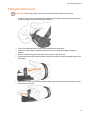
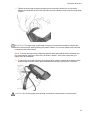
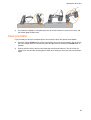
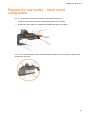
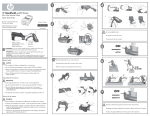
7. Tighten the finger strap by pulling straight up from the buckle until there is no movement
between the hand and the All-in-One and then secure the fastener ends to lock the finger strap
in place.
IMPORTANT: The finger strap must be tight enough to prevent motion between the fingers and
the All-in-One because under-tightening may lead to irritation. Do not over-tighten to the point that
numbness or discomfort results.
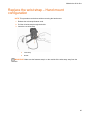
NOTE: To loosen the finger strap, release the fastener strap and rotate the buckle outwards until
it is at a 90-degree angle to the All-in-One, as shown in step #1. Then pull the strap with your
fingers until it is comfortable.
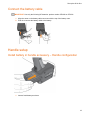
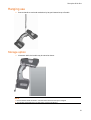
8. To tighten the wrist strap, bend the wrist upward while making a relaxed fist, and then pull the
strap until the All-in-One makes light contact with the knuckles. Light tension is sufficient.
CAUTION: Do not over-tighten the wrist strap. It should not create pressure on the knuckles.
18