1
Find more information
English
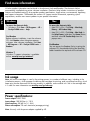
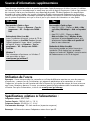
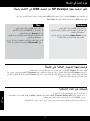
All other product information can be found in the electronic Help and Readme. The electronic Help is
automatically installed during printer software installation. Electronic Help includes instructions on product
features and troubleshooting. It also provides product specifications, legal notices, environmental, regulatory,
and support information. The Readme file contains HP support contact information, operating system
requirements, and the most recent updates to your product information.
Windows
Mac
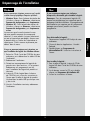
To access the electronic Help
• Windows: Click Start > All Programs > HP >
Deskjet F4500 series > Help.
To access the electronic Help
• Mac OS X v10.4: Click Help > Mac Help,
Library > HP Product Help.
• Mac OS X v10.5: Click Help > Mac Help. In
the Help Viewer, hold down the Home button,
and then select HP Product Help from the
pop-up menu.
Find Readme
Before software installation, insert the software
CD, click Readme when the option appears
onscreen. After software installation, click Start
> All Programs > HP > Deskjet F4500 series >
Readme.
Find Readme
You can access the Readme file by inserting the
software CD, then double-clicking the Read Me
folder located at the top-level of the software CD.
Windows 7
Windows 7 support information is available
online: www.hp.com/go/windows7.
Ink usage
Note: Ink from the cartridges is used in the printing process in a number of different ways, including in the
initialization process, which prepares the device and cartridges for printing, and in printhead servicing, which
keeps print nozzles clear and ink flowing smoothly. In addition, some residual ink is left in the cartridge after
it is used. For more information see www.hp.com/go/inkusage.
Power specifications:
Power adapter: 0957-2269
Input voltage: 100-240Vac (+/- 10%)
Input frequency: 50/60 Hz (+/- 3Hz)
Power consumption: 20 watts maximum (average printing)
Note: Use only with the power adapter supplied by HP.