1
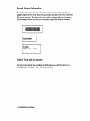
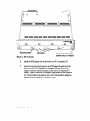
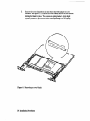
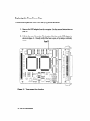
Slot cover screws
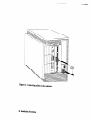
Figure
4. slot locations
Slot covers
/
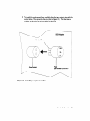
Orange stripe indicating top
(matches strip on computer)
6.
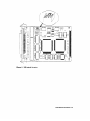
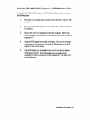
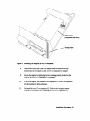
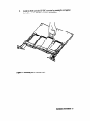
Install the SCSI adapter into the slot in the core I/O or expansion I/O.
7.
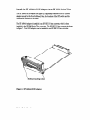
Insert the mounting tabs (located on the SCSI adapter faceplate) into the
slots in the core I/O or expansion I/O bulkhead, then line up the SCSI
adapter connector with the receptacle on the core I/O or expansion I/O
adapter. Figure 5 shows the SCSI adapter beiig installed on the expansion
I/O. The procedure is the same for the core VO except that the adapter is
installed in the slot labeled ‘OPTIONAL I/O (X/8)‘.
22 Installation
Rocedures