1
Printer software problems
Printer software problems
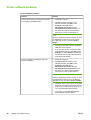
Problem
Solution
A printer driver for the HP LaserJet 1018 printer
is not visible in the Printer folder.
●
Restart the computer.
●
Reinstall the printer software. In the
Windows task bar, click Start, select
Programs, select HP, select
HP LaserJet 1018 series, and click
Uninstall HP LaserJet 1018 series. Turn
the printer off. Install the printer software
from the CD. Turn the printer back on.
NOTE
Close any applications that are running. To close
an application that has an icon in the system
tray, right-click the icon, and select Close or
Disable.
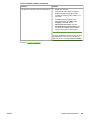
An error message was displayed during the
software installation.
●
Try plugging the USB cable into a different
USB port on the computer.
●
If you are trying to print to a shared printer,
in the Windows task bar, click Start, select
Settings, and select Printers. Double-click
the Add Printer icon. Follow the instructions
in the Add Printer Wizard.
●
Restart the computer.
●
Reinstall the printer software. In the
Windows task bar, click Start, select
Programs, select HP, select
HP LaserJet 1018 series, and click
Uninstall HP LaserJet 1018 series. Turn
the printer off. Install the printer software
from the CD. Turn the printer back on.
NOTE
Close any applications that are running. To close
an application that has an icon in the task bar,
right-click the icon, and select Close or Disable.
64
Chapter 4 Problem solving
●
Check the amount of free space on the drive
where you are installing the printer software.
If necessary, free up as much space as you
can, and reinstall the printer software.
●
If necessary, run the Disk Defragmenter,
and reinstall the printer software.
ENWW