1
309396
Instructions
Rev. A
Read and keep for reference. For detailed instructions and
warnings, see manual 309300 (ProBatch™) or 309301
(ProDispense™).
First choice when
quality counts™
Software Upgrade Kit 244840
For upgrading ProBatch™ or ProDispense™ display PCB software
To avoid damage, keep display PCB chip in its
original packaging until you are ready to use it.
Ground yourself with the wrist strap before handling circuit board components.
5. Orient the new chip with the display PCB socket and
lay it on the socket. With even pressure, snap the
chip firmly into place. When properly installed, the
top of the chip is flush with the top of the socket.
6. Reinstall control box cover.
Kit includes:
Description
Display PCB Chip
Chip Extractor Tool
Grounding Wrist Strap
Qty.
1
1
1
Replacing Display PCB Chip
To reduce the risk of fire, explosion or electric shock:
• The controller must only be installed
and serviced by a qualified electrician.
• Turn off controller power switch and disconnect electrical power supply before
servicing equipment.
1. Turn off controller power switch.
2. Remove control box cover (A). See Manual 309300
(ProBatch™) or 309301 (ProBatch™) and refer to
FIG. 2.
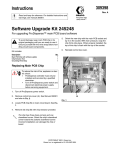
3. Locate PCB chip (B) on display circuit board. See
FIG. 1.
B
FIG. 1
4. Remove old PCB chip (B) with chip extractor provided.
The chip has three sharp corners and one
chamfered corner. Orient the chip’s chamfered
corner toward the socket’s chamfered corner.
Incorrect installation can damage the chip or
board.
COPYRIGHT 2001, Graco Inc.
Graco Inc. is registered to I.S. EN ISO 9001
A
B
TI1089A
ProBatch Controller
A
B
TI1436a
ProDispense Controller
FIG. 2
Sales Offices: Minneapolis, Detroit
International Offices: Belgium, Korea, Hong Kong, Japan
GRACO INC. P.O. BOX 1441 MINNEAPOLIS, MN 55440-1441
www.graco.com
PRINTED IN USA 309396 July 2001