1
SETTING THE SECURITY CODE
This setting allows you to change the factory-set default security code
used to access your answering system from a remote location. The default
code is 123.
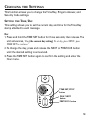
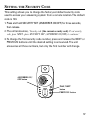
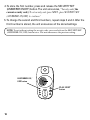
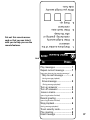
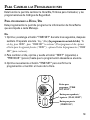
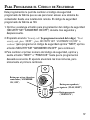
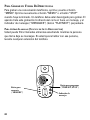
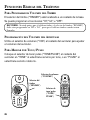
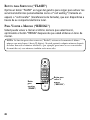
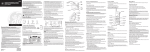
1. Press and hold SECURITY SET (ANSWERER ON/OFF) for three seconds,
then release.
2. The unit announces, “Security code ( the current security code) To set security
code, press NEXT...press SECURITY SET (ANSWERER ON/OFF) to continue.”
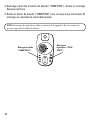
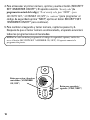
3. To change the first security code number, press and release the NEXT or
PREVIOUS buttons until the desired setting is announced. The unit
announces all three numbers, but only the first number will change.
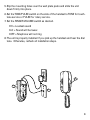
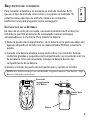
ANSWERER ON/
OFF button
TIME SET/STOP
ON/OFF
ANSWERER
GREETING
PLAY
NEXT
MEMO
ERASE
PLAY/NEXT
button
PREVIOUS button
PREVIOUS
17