1
Appendix
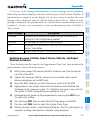
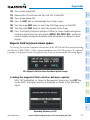
NOTE: Loading the Jeppesen navigation database as the active database
prior to its effective date will result in the expiration date on the power-up
screen and the effective date on the AUX-System Status Page being displayed
in yellow.
7) Repeat steps 1 through 6 for the other display (PFD or MFD).
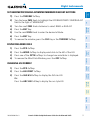
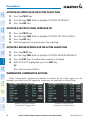
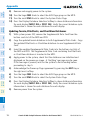
9) Turn the large FMS Knob to select the AUX Page group on the MFD.
NOTE: After the navigation database is loaded or copied, the top SD card
may be removed.
Appendix
Annun/
Alerts
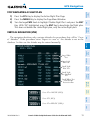
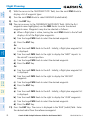
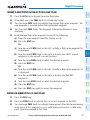
11) Press the Display Database Selection Softkey to show active navigation
database information for each display (MFD1 DB, PFD1 DB). Verify the
correct active navigation database cycle information is shown for each display.
Abnormal
Operation
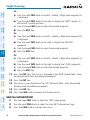
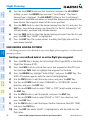
10) Turn the small FMS Knob to select the System Status Page.
Additional
Features
8) Apply power to the system and press the ENT Key to acknowledge the startup
screen.
Hazard
Avoidance
6) Turn the system OFF and remove the SD card from the top card slot.
Procedures
5) After the update completes, the display starts in normal mode.
Flight
Planning
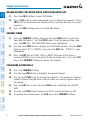
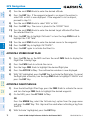
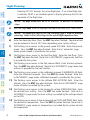
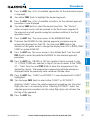
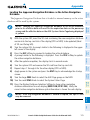
3) Press the NO Softkey to proceed to loading the active database.
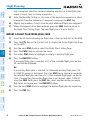
4) A prompt similar to the following is displayed. Press the YES Softkey to update
the active navigation database.
GPS Nav
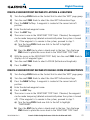
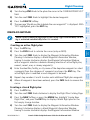
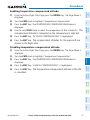
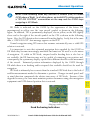
2) Turn the system ON. A prompt similar to the following is displayed in the upper
left corner of the display:
AFCS
1) With the system OFF, insert the SD card containing the new navigation database
version into the top card slot of the display (PFD or MFD) to be updated (label
of SD card facing left).
Nav/Com/
XPDR/Audio
EIS
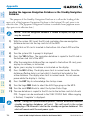
The Jeppesen Navigation Database that is loaded to internal memory as the active
database will be used by the system.
Flight
Instruments
Loading the Jeppesen Navigation Database as the Active Navigation
Database
Index
190-01896-00 Rev. A
Garmin G1000 Cockpit Reference Guide for the Diamond DA62
125