1
Nav/Com/XPDR/Audio Panel
Flight
Instruments
is cancelled by pressing the COM 1/2 Key again, at which time the annunciator is
extinguished.
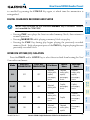
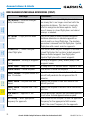
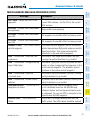
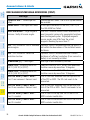
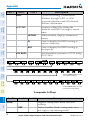
DIGITAL CLEARANCE RECORDER AND PLAYER
EIS
NOTE: Only the audio for the selected COM MIC Key is recorded. Audio is
not recorded for COM3 MIC.
Flight
Planning
Selected
radios; pilot;
copilot;
passengers;
music
Selected
radios; pilot;
copilot;
passengers;
music
Copilot;
passengers;
music
Copilot;
passengers;
music
PILOT
ON
OFF
Selected
radios; pilot
Copilot
Selected
radios; pilot;
passengers;
music
Selected
radios; pilot;
copilot
Passengers;
music
COPILOT
OFF
ON
Selected
radios; pilot;
passengers;
music
CREW
ON
ON
Selected
radios; pilot;
copilot
190-00525-04 Rev. A
Garmin G1000 Cockpit Reference Guide for the Beechcraft G36
Index
OFF
Appendix
OFF
Annun/
Alerts
ALL
Selected
radios; pilot;
copilot;
passengers;
music
Abnormal
Operation
Passenger
Hears
Additional
Features
Copilot
Hears
Hazard
Avoidance
Pilot Hears
Procedures
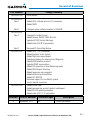
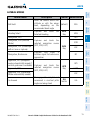
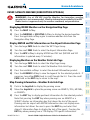
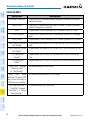
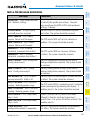
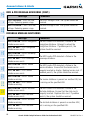
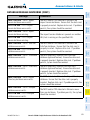
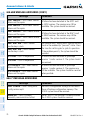
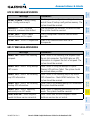
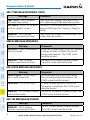
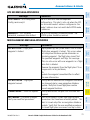
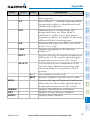
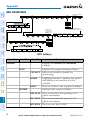
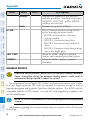
Press the PILOT and/or COPLT Key to select those isolated from hearing the Nav/
Com radios and music.
PILOT KEY
COPLT KEY
ANNUNCIATOR ANNUNCIATOR
GPS Nav
INTERCOM SYSTEM (ICS) ISOLATION
Mode
AFCS
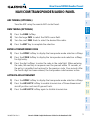
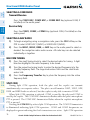
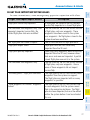
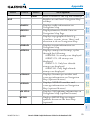
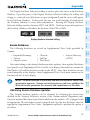
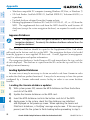
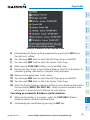
• Pressing PLAY once plays the latest recorded memory block, then returns to
normal operation.
• Pressing MKR/MUTE while playing a memory block stops play.
• Pressing the PLAY Key during play begins playing the previously recorded
memory block. Each subsequent press of the PLAY Key begins playing the next
previously recorded block.
Nav/Com/
XPDR/Audio
11