Download First Alert N8891-1 User's Manual
Transcript
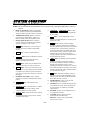
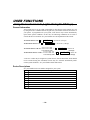
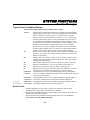
6<67(0)81&7,216 Trouble Messages Typical Trouble Condition Displays To silence the beeping sound for fault conditions, press any key. FAULT † Notify your service company. Indicates that a problem exists with the zone(s) displayed, accompanied by rapid beeping. First, determine if the zone(s) displayed are intact and make them so if they are not. If the zone uses a wireless detector, check that changes in the room (moving furniture, televisions, etc.) are not blocking wireless signals from the detector. If the problem has been corrected, the zone descriptor(s) and FAULT should disappear from the display. If not, key an OFF sequence (security code plus OFF) to clear the display. A fault condition can also indicate a wiring problem. If the “FAULT” display persists, notify your service company. Note that the system will not allow arming if a fault condition exists. To arm the system with a fault condition present, you must first bypass the zone(s) having the fault condition. FC Indicates that a failure has occurred in the telephone communication portion of your system or a problem with the phone line existed when dialing was attempted.† CC Indicates that the control is on-line with the central station's remote computer. The control will not operate while on-line. Wait a few minutes. The display should disappear. dI If this remains displayed for more than 1 minute, the system is disabled.† CA Indicates a cancelled alarm. See Entry/Exit Delay section (page 13). EA Indicates an exit alarm. See Entry/Exit Delay section (page 13). 90 Indicates that the system has detected an RF jam condition or excessive interference. If the condition persists, notify your service company. LOW BAT Accompanied by a once-per-45 seconds beeping at the keypad, indicates (no zone no.) a low system battery condition exists. Refer to the procedure on the next page to replace the system battery.† LOW BAT Accompanied by a once-per-45 seconds beeping at the keypad, indicates (with zone no.) a low battery condition exists in the wireless transmitter displayed.† LOW BAT Accompanied by a once-per-45 seconds beeping at the keypad, indicates (with zone 00) a low battery condition exists in a wireless keypad.† Routine Care • • • Treat the components of your security system as you would any other electrical equipment. Do not slam sensor-protected doors or windows. Keep dust from accumulating on the keypad and all protective sensors, particularly on motion sensors and smoke detectors. The keypad and sensors should be cleaned carefully with a dry soft cloth. Do not spray water or any other fluid on the units. – 27 –