1
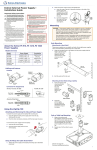
PS 1230 External Power Supply •
Installation Guide
Using Tie Wraps for Cable Strain Relief
1. Attach the power supply to the ZipClip 200 mounting clip as described
previously.
2. Fasten the power output cords to the ZipClip base.
Important Safety Instructions
This symbol is intended to alert the user of
important operating and maintenance (servicing)
instructions in the literature provided with the
equipment.
WARNING: To reduce the risk of fire or electric shock, do not
expose this apparatus to rain or moisture.”
“This apparatus shall not be exposed to dripping or splashing
and no objects filled with liquids, such as vases shall be placed
on the apparatus”
This symbol is intended to alert the user of the
presence of uninsulated dangerous voltage within
the product enclosure that may present a risk of
electric shock. On the product, risk of shock may
be indicated by this symbol.
Refer all servicing to qualified service personnel. Servicing is required
when the apparatus has been damaged in any way, such as when
the power-supply cord or plug is damaged, liquid has been spilled
or objects have fallen into the apparatus, the apparatus has been
exposed to rain or moisture, does not operate normally, or has
been dropped.
Read these instructions.
Keep these instructions.
Heed all warnings.
a. Insert tie wraps (which are also called “zip ties”) along the notches
on the side of the power supply and through the tie wrap anchor
points on the ZipClip, then around the cord.
b. Connect and pull the tie wraps until they are secure. Do not over
tighten.
WARNING: This apparatus is a Class I product. This product
must be connected to a MAINS socket outlet with a protective
earthing connection.
Follow all instructions.
Do not use this apparatus near water.
Clean only with dry cloth.
Do not block any ventilation openings. Install in accordance with the
manufacturer’s instructions.
The mains plug is used as the disconnect device and shall remain readily
operable.
Do not install near any heat sources such as radiators, heat registers,
stoves, or other apparatus (including amplifiers) that produce heat.
To prevent the risk of shock, do not attempt to service this equipment
yourself because opening or removing covers may expose you to
dangerous voltage or other hazards.
Do not defeat the safety purpose of the polarized or grounding-type
plug. A polarized plug has two blades with one wider than the
other. A grounding type plug has two blades and a third grounding
prong. The wide blade or the third prong are provided for your
safety. If the provided plug does not fit into your outlet, consult an
electrician for replacement of the obsolete outlet.
WARNING:
Power sources • This equipment should be operated only from
the power source indicated on the product. This equipment
is intended to be used with a main power system with a
grounded (neutral) conductor. The third (grounding) pin is a
safety feature, do not attempt to bypass or disable it.
Protect the power cord from being walked on or pinched particularly at
plugs, convenience receptacles, and the point where they exit from
the apparatus.
Tie Wrap
Power disconnection • To remove power from the equipment
safely, remove all power cords from the rear of the equipment,
or the desktop power module (if detachable), or from the
power source receptacle (wall plug).
Only use attachments/accessories specified by the manufacturer.
Unplug this device apparatus during lightning storms or when unused
for long periods of time.
About the PS 1230 Power Supply
Model
Part
Number
Power Output
Termination
PS 1230
70-769-01
36 watts, 12 VDC,
8 A peak, 3 A continuous; shared
between all three outputs
Captive screw
—
—
ZipClip™ 200
101-001-01
Mounting to a Rack Shelf
These power supplies are one quarter rack wide. Up to four power supplies can
be mounted side by side directly onto a rack shelf.
Connector Wiring
1. Align the threaded holes in the bottom of the power supply with the holes in
an Extron rack shelf and fasten the supply to the shelf with two screws as
shown below.
b
Captive Screw
Connector
Tip (+)
Tie
Wrap
Rack Mounting
RSB 123
Rack Shelf
a
Smooth
(2) 4-40 x 3/16"
Screws
3/16"
(5 mm) Max.
Ridged
Sleeve (-)
Smooth
DC Power Plug
Captive Screw Connector
Ridged
Rack Mounted
2. Bolt the rack shelf to the rack.
Power Supply
Output Cord
Captive Screw Connector
Captive Screw Connector
Features
AC
Power
Input
Notches for
Securing
Tie Wrap
Power
LED
DC Power
Outputs
Mounting to Rack Rails Using a ZipClip
1. Fasten the ZipClip 200 mounting clip to a rack rail using two rack screws
(see the diagram below).
ZipClip
Mounting Slot
(front and rear)
2. Insert the bottom of the power supply down into the clip, starting with one
end.
3. Pivot the other end toward the clip and press until the clip snaps into place.
Using the ZipClip 200
Attaching and Removing the Clip and Power Supply
To attach the power supply to the ZipClip 200 mounting clip:
1. Insert the bottom of the power supply down into the clip, starting with one
end.
ZipClip 200
2. Pivot the other end down and press until the clip snaps into place.
To remove the power supply from the ZipClip:
1. Press the tab on the ZipClip.
b
Side of Rack
2. Pivot the power supply and lift it out of
the ZipClip.
Back of Rack
a
Inside of Rack
See the next page for furniture mounting instructions.
1
Extron External Power Supply • Installation Guide (continued)
Furniture Mounting
Specifications
NOTE: The ZipClip is shipped with a set of four wood screws.
1. Attach the ZipClip to the mounting surface using two or more wood screws
as shown below. Make sure the clip is oriented with the appropriate surface
facing the mounting surface of the
furniture and with the tab
accessible from the front of
the furniture.
2. Insert the
power supply
into the ZipClip
as described
previously and
press to snap it into
place.
a
Under a Desk
b
PS 1230
Pole Mounting
Mounting the PS 1230 to a projector mount pole requires an optional Extron
PMK Series Pole Mount kit. Follow the installation instructions included with the
mounting kit.
Power output��������������������������������� 12 VDC, 3 A, 36 watts; shared between all
three outputs
Power input����������������������������������� 100 VAC to 240 VAC, 50-60 Hz
No load����������������������������������� 0.3 watts
Full power�������������������������������� 41 watts, 1.2 A maximum
Temperature/humidity�������������������� Storage: -40 to +158 °F (-40 to +70 °C) /
10% to 90%, noncondensing
Operating: +32 to +122 °F (0 to +50 °C) /
10% to 90%, noncondensing
Cooling������������������������������������������ Convection, no vents
Mounting
Rack mount����������������������������� Yes, with optional 1U rack shelf, with the
included ZipClip™ 200 mounting clip, or by
securing to rack rails with tie wraps
Furniture mount����������������������� Yes, with the included ZipClip 200 mounting clip
Pole mount������������������������������ Yes, using tie wraps
Enclosure type������������������������������� High impact, high temperature plastic
Enclosure dimensions�������������������� 1.7” H x 4.3” W x 4.5” D (1U high, quarter
rack wide)
(4.2 cm H x 10.9 cm W x 11.4 cm D)
Product weight������������������������������ 0.8 lb (0.4 kg)
Shipping weight����������������������������� 3 lbs (2 kg)
Vibration���������������������������������������� Operating: 10-250 Hz, 0.25 Gp-p, 3 axes,
15 min. sweep
Regulatory compliance
Safety, EMI/EMC��������������������� BSMI, CCC, CE, C-tick, c-UL, CISPR 22
Class B, CISPR 24, FCC Class B, GS, KC,
NEC Class 2, PSE, S-mark, UL
Environmental�������������������������� Complies with the appropriate requirements
of CEC, EU code of conduct, Korea
Energy Certification, Australia Energy Safe
Certification, RoHS, WEEE.
These power supplies meet energy
efficiency level V and are marked with the UL
Environment Energy Efficiency Certification
(EEC) Mark.
MTBF��������������������������������������������� 400,000 hours
Warranty���������������������������������������� 3 years parts and labor
NOTE: Specifications are subject to change without notice.
8.0-041612-D12
Safety Instructions • English
This symbol is intended to alert the user of
important operating and maintenance (servicing)
instructions in the literature provided with the
equipment.
Consignes de Sécurité •
Français
This symbol is intended to alert the user of the
presence of uninsulated dangerous voltage
within the product enclosure that may present a
risk of electric shock.
Cautions and General Guidelines
Read instructions • Read and understand all safety and operating
instructions before using the equipment.
Retain instructions • The safety instructions should be kept for future
reference.
Follow warnings • Follow all warnings and instructions marked on the
equipment or in the user information.
Avoid attachments • Do not use tools or attachments that are not
recommended by the equipment manufacturer because they may
be hazardous.
Avoid water • Do not use this or other electrical equipment near water.
Clean the device with a dry cloth only.
Warnings
Ce symbole sert à avertir l’utilisateur que la
documentation fournie avec le matériel contient
des instructions importantes concernant
l’exploitation et la maintenance (réparation).
Dieses Symbol soll dem Benutzer in der im
Lieferumfang enthaltenen Dokumentation
besonders wichtige Hinweise zur Bedienung und
Wartung (Instandhaltung) geben.
Ce symbole sert à avertir l’utilisateur de la
présence dans le boîtier de l’appareil de tensions
dangereuses non isolées posant des risques
d’électrocution.
Dieses Symbol soll den Benutzer darauf
aufmerksam machen, daß im Inneren des
Gehäuses dieses Produktes gefährliche
Spannungen, die nicht isoliert sind und die
einen elektrischen Schock verursachen können,
herrschen.
Attention
Lire les instructions• Prendre connaissance de toutes les consignes de
sécurité et d’exploitation avant d’utiliser le matériel.
Conserver les instructions• Ranger les consignes de sécurité afin de
pouvoir les consulter à l’avenir.
Respecter les avertissements • Observer tous les avertissements
et consignes marqués sur le matériel ou présentés dans la
documentation utilisateur.
Eviter les pièces de fixation • Ne pas utiliser de pièces de fixation ni
d’outils non recommandés par le fabricant du matériel car cela
risquerait de poser certains dangers.
Avertissement
Power and electrical safety
WARNING: To reduce the risk of fire or electric shock, do not
expose this apparatus to rain or moisture. This device
shall not be exposed to dripping or splashing, and no
objects filled with liquids, such as vases, shall be placed
on this device.
Power sources • This equipment should be operated only from the
power source indicated on the product. This equipment is intended
to be used with a main power system with a grounded (neutral)
conductor. The third (grounding) pin is a safety feature, do not
attempt to bypass or disable it.
WARNING: The PS 1230 is a Class I product, which must be
connected only to a mains socket outlet with a protective
earthing (grounding) connection.
Power disconnection • To remove power from the equipment safely,
remove all power cords from the rear of the equipment, or the
desktop power module (if detachable), or from the power source
receptacle (wall plug).
Power plug as a disconnection device • The mains plug is used as
the disconnect device and shall remain readily operable. In other
words, it the power plug must be accessible and easy to unplug
from the power source.
When to unplug the unit • Unplug this device during lightning storms
or when it will be unused for long periods. Unplug the device
before servicing.
Alimentations • Ne faire fonctionner ce matériel qu’avec la source
d’alimentation indiquée sur l’appareil. Ce matériel doit être utilisé
avec une alimentation principale comportant un fil de terre (neutre).
Le troisième contact (de mise à la terre) constitue un dispositif de
sécurité : n’essayez pas de la contourner ni de la désactiver.
Déconnexion de l’alimentation• Pour mettre le matériel hors tension
sans danger, déconnectez tous les cordons d’alimentation de
l’arrière de l’appareil ou du module d’alimentation de bureau (s’il
est amovible) ou encore de la prise secteur.
Protection du cordon d’alimentation • Acheminer les cordons
d’alimentation de manière à ce que personne ne risque de marcher
dessus et à ce qu’ils ne soient pas écrasés ou pincés par des objets.
Réparation-maintenance • Faire exécuter toutes les interventions
de réparation-maintenance par un technicien qualifié. Aucun des
éléments internes ne peut être réparé par l’utilisateur. Afin d’éviter
tout danger d’électrocution, l’utilisateur ne doit pas essayer de
procéder lui-même à ces opérations car l’ouverture ou le retrait des
couvercles risquent de l’exposer à de hautes tensions et autres
dangers.
Fentes et orifices • Si le boîtier de l’appareil comporte des fentes ou
des orifices, ceux-ci servent à empêcher les composants internes
sensibles de surchauffer. Ces ouvertures ne doivent jamais être
bloquées par des objets.
安全须知 • 中文
Servicing • Refer all servicing to qualified service personnel. Servicing
is required when the apparatus has been damaged in any way,
such as when the power-supply cord or plug is damaged, liquid
has been spilled into or objects have fallen into the device, or when
the device has been exposed to rain or moisture, does not operate
normally, or has been dropped. To prevent the risk of shock, do
not attempt to service this equipment yourself because opening or
removing covers may expose you to dangerous voltage or other
hazards.
Ventilation, mounting, and temperature
Ventilation slots and openings • If the equipment has slots or holes
in the enclosure, these are provided to prevent overheating of
sensitive components inside. Do not block any ventilation opening,
as this may cause the product to malfunction. Install the device in
accordance with the manufacturer’s instructions.
Temperature • Do not install electronic devices near any heat sources
such as radiators, heat registers, stoves, or other apparatus
(including amplifiers) that produce heat.
Achtung
Lesen der Anleitungen • Bevor Sie das Gerät zum ersten Mal
verwenden, sollten Sie alle Sicherheits-und Bedienungsanleitungen
genau durchlesen und verstehen.
Aufbewahren der Anleitungen • Die Hinweise zur elektrischen
Sicherheit des Produktes sollten Sie aufbewahren, damit Sie im
Bedarfsfall darauf zurückgreifen können.
Este símbolo se utiliza para advertir al usuario
sobre instrucciones importantes de operación
y mantenimiento (o cambio de partes) que
se desean destacar en el contenido de la
documentación suministrada con los equipos.
Este símbolo se utiliza para advertir al usuario
sobre la presencia de elementos con voltaje
peligroso sin protección aislante, que puedan
encontrarse dentro de la caja o alojamiento del
producto, y que puedan representar riesgo de
electrocución.
Precaucion
Leer las instrucciones • Leer y analizar todas las instrucciones de
operación y seguridad, antes de usar el equipo.
Conservar las instrucciones • Conservar las instrucciones de
seguridad para futura consulta.
Befolgen der Warnhinweise • Befolgen Sie alle Warnhinweise und
Anleitungen auf dem Gerät oder in der Benutzerdokumentation.
Obedecer las advertencias • Todas las advertencias e instrucciones
marcadas en el equipo o en la documentación del usuario, deben
ser obedecidas.
Keine Zusatzgeräte • Verwenden Sie keine Werkzeuge oder
Zusatzgeräte, die nicht ausdrücklich vom Hersteller empfohlen
wurden, da diese eine Gefahrenquelle darstellen können.
Evitar el uso de accesorios • No usar herramientas o accesorios que
no sean especificamente recomendados por el fabricante, ya que
podrian implicar riesgos.
Vorsicht
Advertencia
Stromquellen • Dieses Gerät sollte nur über die auf dem Produkt
angegebene Stromquelle betrieben werden. Dieses Gerät wurde für
eine Verwendung mit einer Hauptstromleitung mit einem geerdeten
(neutralen) Leiter konzipiert. Der dritte Kontakt ist für einen
Erdanschluß, und stellt eine Sicherheitsfunktion dar. Diese sollte
nicht umgangen oder außer Betrieb gesetzt werden.
Stromunterbrechung • Um das Gerät auf sichere Weise vom Netz zu
trennen, sollten Sie alle Netzkabel aus der Rückseite des Gerätes,
aus der externen Stomversorgung (falls dies möglich ist) oder aus
der Wandsteckdose ziehen.
Schutz des Netzkabels • Netzkabel sollten stets so verlegt werden,
daß sie nicht im Weg liegen und niemand darauf treten kann oder
Objekte darauf- oder unmittelbar dagegengestellt werden können.
Wartung • Alle Wartungsmaßnahmen sollten nur von qualifiziertem
Servicepersonal durchgeführt werden. Die internen Komponenten
des Gerätes sind wartungsfrei. Zur Vermeidung eines elektrischen
Schocks versuchen Sie in keinem Fall, dieses Gerät selbst öffnen,
da beim Entfernen der Abdeckungen die Gefahr eines elektrischen
Schlags und/oder andere Gefahren bestehen.
Schlitze und Öffnungen • Wenn das Gerät Schlitze oder Löcher im
Gehäuse aufweist, dienen diese zur Vermeidung einer Überhitzung
der empfindlichen Teile im Inneren. Diese Öffnungen dürfen niemals
von anderen Objekten blockiert werden.
Alimentación eléctrica • Este equipo debe conectarse únicamente a
la fuente/tipo de alimentación eléctrica indicada en el mismo. La
alimentación eléctrica de este equipo debe provenir de un sistema
de distribución general con conductor neutro a tierra. La tercera
pata (puesta a tierra) es una medida de seguridad, no puentearia
ni eliminaria.
Desconexión de alimentación eléctrica • Para desconectar con
seguridad la acometida de alimentación eléctrica al equipo,
desenchufar todos los cables de alimentación en el panel trasero
del equipo, o desenchufar el módulo de alimentación (si fuera
independiente), o desenchufar el cable del receptáculo de la pared.
Protección del cables de alimentación • Los cables de alimentación
eléctrica se deben instalar en lugares donde no sean pisados ni
apretados por objetos que se puedan apoyar sobre ellos.
Reparaciones/mantenimiento • Solicitar siempre los servicios
técnicos de personal calificado. En el interior no hay partes a las
que el usuario deba acceder. Para evitar riesgo de electrocución,
no intentar personalmente la reparación/mantenimiento de este
equipo, ya que al abrir o extraer las tapas puede quedar expuesto a
voltajes peligrosos u otros riesgos.
Ranuras y aberturas • Si el equipo posee ranuras o orificios en su caja/
alojamiento, es para evitar el sobrecalientamiento de componentes
internos sensibles. Estas aberturas nunca se deben obstruir con
otros objetos.
这个符号提示用户该设备用户手册中有重要的
操作和维护说明。
Power cord protection • Power cords should be routed so that they
are not likely to be stepped on or pinched by items placed upon or
against them. Protect the cord particularly at plugs, convenience
receptacles, and the points where they exit the devices.
Polarized and grounding plugs • Do not defeat the safety purpose
of the polarized or grounding type plug. A polarized plug has two
blades with one wider than the other. A grounding type plug has
two blades and a third grounding prong. The wide blade or the
third prong are provided for your safety. If the provided plug does
not fit into your outlet, consult an electrician to replace the obsolete
outlet with a safer one.
Instrucciones de seguridad •
Español
Sicherheitsanleitungen •
Deutsch
这个符号警告用户该设备机壳内有暴露的危险
电压,有触电危险。
仅适用于海拔 2000 m 以下地区安全使用.
Use only at altitudes not more than 2000 m above sea level.
<2000m
仅适用于非热带气候条件下地区安全使用.
注意
Use only in non-tropical conditions.
阅读说明书 • 用户使用该设备前必须阅读并理解所有安全和
使用说明。
保存说明书 • 用 户应保存安全说明书以备将来使用。
遵守警告 • 用户应遵守产品和用户指南上的所有安全和操
作说明。
避免追加 • 不要使用该产品厂商没有推荐的工具或追加设
备,以避免危险。
68-1575-30
Rev. C
11 12
警告
电源 • 该设备只能使用产品上标明的电源。 设备必须使用有
地线的供电系统供电。 第三条线(地线)是安全设施,不
能不用或跳过 。
拔掉电源 • 为安全地从设备拔掉电源,请拔掉所有设备后或
桌面电源的电源线,或任何接到市电系统的电源线。
电源线保护 • 妥善布线, 避免被踩踏,或重物挤压。
维护 • 所有维修必须由认证的维修人员进行。 设备内部没有
用户可以更换的零件。为避免出现触电危险不要自己试图
打开设备盖子维修该设备。
通风孔 • 有些设备机壳上有通风槽或孔,它们是用来防止机
内敏感元件过热。 不要用任何东西挡住通风孔。
Extron Headquarters
Extron Europe
Extron Asia
Extron Japan
Extron China
Extron India
+1.800.633.9876
(Inside USA/Canada Only)
+800.3987.6673
(Inside Europe Only)
+31.33.453.4040
FAX:
+31.33.453.4050
+800.7339.8766
(Inside Asia Only)
+65.6383.4400
FAX:
+65.6383.4664
+81.3.3511.7655
FAX:
+81.3.3511.7656
+4000.EXTRON
+4000.398766
(Inside China Only)
+86.21.3760.1568
FAX:
+86.21.3760.1566
1800.3070.3777
(Inside India Only)
+91.80.3055.3777
FAX: +91.80.3055.3737
Extron USA - West Extron USA East
+1.714.491.1500+1.919.850.1000
FAX:
+1.714.491.1517+1.919.850.1001
Extron Middle
East
+971.4.2991800
FAX:
+971.4.2991880
© 2012 Extron Electronics — All rights reserved. All trademarks mentioned are the property of their respective owners. www.extron.com
Extron Korea
+82.2.3444.1571
FAX:
+82.2.3444.1575
2