1
RX1290 Multi-Format Receiver
Software Version 3.0.0 (and later)
REFERENCE GUIDE
EN/LZT 790 0003/2 R1A
Preliminary Pages
ENGLISH (UK) - READ THIS FIRST!
ITALIANO - LEGGERE QUESTO AVVISO PER PRIMO!
If you do not understand the contents of this manual. DO NOT OPERATE
THIS EQUIPMENT. Also, translation into any EC official language of this
manual can be made available, at your cost.
Se non si capisce il contenuto del presente manuale. NON UTILIZZARE
L’APPARECCHIATURA.. È anche disponibile la versione italiana di questo
manuale, ma il costo è a carico dell’utente.
SVENSKA - LÄS DETTA FÖRST!
NEDERLANDS - LEES DIT EERST!
Om Ni inte förstår informationen i denna handbok. ARBETA DÅ INTE MED
DENNA UTRUSTNING. En översättning till detta språk av denna handbok
kan också anskaffas, på Er bekostnad.
Als u de inhoud van deze handleiding niet begrijpt. STEL DEZE
APPARATUUR DAN NIET IN WERKING. U kunt tevens, op eigen kosten,
een vertaling van deze handleiding krijgen.
PORTUGUÊS - LEIA O TEXTO ABAIXO ANTES DE MAIS NADA!
SUOMI - LUE ENNEN KÄYTTÖÄ!
Se não compreende o texto deste manual. NÃO UTILIZE O
EQUIPAMENTO. O utilizador poderá também obter uma tradução do
manual para o português à própria custa.
Jos et ymmärrä käsikirjan sisältöä. ÄLÄ KÄYTÄ LAITETTA. Käsikirja
voidaan myös suomentaa asiakkaan kustannuksella.
FRANÇAIS - AVANT TOUT, LISEZ CE QUI SUIT!
DANSK - LÆS DETTE FØRST!
Si vous ne comprenez pas les instructions contenues dans ce manuel. NE
FAITES PAS FONCTIONNER CET APPAREIL. En outre, nous pouvons
vous proposer, à vos frais, une version française de ce manuel.
Udstyret må ikke betjenes. MEDMINDRE DE TIL FULDE FORSTÅR
INDHOLDET AF DENNE HÅNDBOG. Vi kan også for Deres regning levere
en dansk oversættelse af denne håndbog.
DEUTSCH - LESEN SIE ZUERST DIESEN HINWEIS!
ΕΛΛΗΝΙΚΑ - ΔΙΑΒΑΣΤΕ ΠΡΩΤΑ ΑΥΤΟ!
Sollte Ihnen der Inhalf dieses Handbuches nicht klar verständlich sein,
dann. BEDIENEN SIE DIESE GERÄTE NICHT! Eine Übersetzung des
Handbuches in diese Sprache ist gegen Berechnung lieferbar.
Αν δεν καταλάβετε το περιεχόμενο αυτού του βοηθήματος/εγχειριδίου. ΜΗΝ
ΛΕΙΤΟΥΡΓΗΣΕΤΕ ΑΥΤΟΝ ΤΟΝ ΕΞΟΠΛΙΣΜΟ. Επίσης, αυτό το εγχειρίδιο
είναι διαθέσιμο σε μετάφραση σε αυτή τη γλώσσα και μπορείτε να το
αγοράσετε.
ESPAÑOL - LEA ESTE AVISO PRIMERO!
Si no entiende el contenido de este manual. NO OPERE ESTE EQUIPO.
Podemos asimismo suministrarle una traducción de este manual al (idioma)
previo pago de una cantidad adicional que deberá abonar usted mismo.
Copyright
© Copyright Ericsson AB 2011. All rights reserved.
Disclaimer
No part of this document may be reproduced in any form without the written permission of the
copyright owner.
The contents of this document are subject to revision without notice due to continued progress in
methodology, design and manufacturing. Ericsson shall have no liability for any error or damage of
any kind resulting from the use of this document.
ii
EN/LZT 790 0003/2 R1A 2011-06-06
Preliminary Pages
Contents
Chapter 1: Introduction
This chapter identifies the equipment versions covered by this Reference Guide;
describes the purpose of the equipment in a typical system; provides a summary of
its main features; identifies the controls, indicators and connectors.
Chapter 2: Installing the Equipment
This chapter provides a guide to the suitability of an installation; gives detailed
procedures for the preparation, installation and configuration of the equipment
including important safety information; provides pin-out details of the external
connectors; and details the power-up/-down procedures.
Chapter 3: Operating the Equipment Locally
This chapter provides a guide to using the Front Panel LCD interface and details the
setting-up, configuration and operating procedures.
Chapter 4: Operating the Equipment Remotely
This chapter provides a guide to configuring and preparing the unit for remote
operation.
Chapter 5: Alarms
This chapter provides a guide to configuring the alarm interface.
Chapter 6: Options
This chapter describes the available hardware and software options for the
equipment.
Chapter 7: Preventive Maintenance and Fault-finding
This chapter details routine maintenance tasks to be performed; provides general
servicing advice, and information regarding warranty and maintenance; provides
general fault-finding information for other types of problem which may be
encountered.
Annex A: Glossary
Annex B: Technical Specification
Annex C: Menus
Annex D: Annex A: Glossary
Annex E: Factory Defaults
EN/LZT 790 0003/2 R1A 2011-06-06
iii
Preliminary Pages
Introduction
This Reference Guide provides instructions and information for the installation and
operation of the RX1290 Multi-Format Receiver.
This Reference Guide should be kept in a safe place for reference for the life of the
equipment. It is not intended that this Reference Guide will be amended by the issue
of individual pages. Any revision will be by a complete reissue. Further copies of this
Reference Guide can be ordered from the address listed in Customer Services. If
passing the equipment to a third party, also pass the relevant documentation.
Revision History
Issues of this Reference Guide are listed below:
Issue
Date
Software Version
Comments
1
Jul 2006
1.0.0
Initial release.
2
Oct 2006
1.0.0
Updates to Annex B Technical Specification
Product name also corrected.
3
Mar 2007
2.0.0
G.703 and IP Options added..
4
Jan 2008
3.0.0
Maintenance release.
5
May 2008
3.0.0
References to New IP Card added.
A
June 2011
3.0.0
Allocation of Ericsson Number Identity and
re-brand completion.
Associated Documents
The following manuals/guides are also associated with this equipment:
Ericsson Document Identity
Original Document
Number
Title
1/1424-EN/LZT 790 0003 Uen A
ST.US.E10228
RX1290 User Guide
1424-EN/LZT 790 0003 Uen A
ST.TS.E10288
RX1290 RCP
Trademarks
All best endeavors have been made to acknowledge registered trademarks and
trademarks used throughout this Reference Guide. Any notified omissions will be
rectified in the next issue of this Reference Guide. Some trademarks may be
registered in some jurisdictions but not in others.
Registered trademarks and trademarks used are acknowledged below and marked
with their respective symbols. However, they are not marked within the text of this
Reference Guide.
iv
EN/LZT 790 0003/2 R1A 2011-06-06
Preliminary Pages
Registered Trademarks
Ethernet®
Registered trademark of Xerox Corporation.
Dolby®/AC-3®
Registered trademarks of Dolby Laboratories Licensing
Corporation.
Trademarks
Alteia™
Trademark of Ericsson AB.
Macrovision
This product incorporates copyright protection technology that is protected by U.S.
patents and other intellectual property rights. Use of this copyright protection
technology must be authorized by Macrovision Corporation, and is intended for
home and other limited viewing uses only unless authorized by Macrovision.
Reverse engineering or disassembly is prohibited.
Warnings, Cautions and Notes
Heed Warnings
All warnings on the product and in the operating instructions should be adhered to.
The manufacturer cannot be held responsible for injuries or damage where warnings
and cautions have been ignored or taken lightly.
Read Instructions
All the safety and operating instructions should be read before this product is
operated.
Follow Instructions
All operating and use instructions should be followed.
Retain Instructions
The safety and operating instructions should be retained for future reference.
Warning!
Warnings give information which, if strictly observed, will prevent personal injury or
death, or damage to property or the environment. They are highlighted for
emphasis, as in this example, and are placed immediately preceding the point at
which the reader requires them.
EN/LZT 790 0003/2 R1A 2011-06-06
v
Preliminary Pages
Caution!
Cautions give information which, if strictly followed, will prevent damage to
equipment or other goods. They are highlighted for emphasis, as in this example,
and are placed immediately preceding the point at which the reader requires them.
Note:
Notes provide supplementary information. They are highlighted for
emphasis, as in this example, and are placed immediately after the relevant
text.
EMC Compliance
This equipment is certified to the EMC requirements detailed in Annex B, Technical
Specification. To maintain this certification, only use the leads supplied or if in doubt
contact Customer Services.
Contact Information
Support Services
Our primary objective is to provide first class customer care that is tailored to your
specific business and operational requirements. All levels are supported by one or
more service performance reviews to ensure the perfect partnership between
Ericsson and your business.
Warranty
All Ericsson products and systems are designed and built to the highest standards
and are covered under a comprehensive 12 month warranty.
Levels of Continuing Ericsson Service Support
For standalone equipment, then Ericsson BASIC Essential support is the value for
money choice for you. BASIC provides you with year-by-year Service long after the
warranty has expired.
Call Ericsson Sales for more details.
vi
EN/LZT 790 0003/2 R1A 2011-06-06
Preliminary Pages
Customer Services
Europe, Middle East
and Africa
Tel:
+44 (0) 23 8048 4455
Fax: +44 (0) 23 8048 4467
Email: [email protected]
Americas
Tel:
Tel:
Fax:
Email:
Email:
+888 671 1268
+678 812 6255
+678 812 6262
[email protected]
[email protected]
US and Canada
International
China
Tel:
Fax:
Tel:
Fax:
Email:
+86 10 8476 8676
+86 10 8476 7741
+852 2590 2388
+852 2590 9550
[email protected]
Beijing
Beijing
Hong Kong
Hong Kong
Australia and New
Zealand
Tel:
+612 (0) 9111 4027
Fax: +612 (0) 9111 4949
Email: [email protected]
Internet Address
www.ericsson.com
Compression
Software Support Centre
Technical Training
Ericsson provides a wide range of training courses on the operation and
maintenance of our products and on their supporting technologies. Ericsson can
provide both regularly scheduled courses and training tailored to individual needs.
Courses can be run either at your premises or at one of our dedicated training
facilities.
International
Tel:
+44 (0) 23 8048 4229
Fax: +44 (0) 23 8048 4161
Email: [email protected]
Customer Services and Technical Training Postal Address
Ericsson
Unit 2
Strategic Park
Comines Way
Hedge End
Southampton
Hampshire
SO30 4DA
United Kingdom
EN/LZT 790 0003/2 R1A 2011-06-06
vii
Preliminary Pages
Return of Equipment
If you need to return equipment for repair please contact your local Ericsson
Customer Services Department.
Please refer to the Customer Services Contact Information on Page vii
You will then be directed to return the faulty equipment to a repair centre with
the appropriate facilities for that equipment. A tracking number will be issued that
should be used if you need to enquire about the progress of the repair. The
equipment should be properly packed and the tracking number should be clearly
marked on the outside of the packaging.
Technical Publications
If you need to contact Ericsson Technical Publications regarding this publication,
e-mail: [email protected].
viii
EN/LZT 790 0003/2 R1A 2011-06-06
1
Introduction
Chapter 1
Contents
1.1
1.1.1
1.1.2
1.1.2.1
1.1.2.2
1.2
1.2.1
1.2.2
1.2.2.1
1.2.2.2
1.2.2.3
1.2.2.4
1.2.2.5
1.2.2.6
1.2.3
1.2.3.1
1.2.3.2
1.2.3.3
1.2.3.4
1.2.3.5
1.3
1.3.1
1.3.2
1.3.3
1.4
1.4.1
1.4.2
1.5
1.5.1
1.5.2
1.6
1.6.1
1.6.2
1.6.3
1.6.4
EN/LZT 790 0003/2 R1A
Scope of This Reference Guide ........................................................... 1-3
Who Should Use This Reference Guide............................................... 1-3
What Equipment is Covered by This Reference Guide ........................ 1-3
The Equipment Models......................................................................... 1-3
Software Version .................................................................................. 1-5
Summary of Features ........................................................................... 1-5
Main Features....................................................................................... 1-5
Inputs.................................................................................................... 1-7
ASI Input (Decoder).............................................................................. 1-7
Remote Control .................................................................................... 1-7
DVB-S / DVB-S2 L-Band Inputs (Satellite Receivers) (Option) ............ 1-7
TTV G.703 DS3 and E3 Input (Telco Receivers) (Option).................... 1-7
IP Input (Telco Receivers) (Option) ...................................................... 1-7
Frame Synchronization......................................................................... 1-7
Outputs ................................................................................................. 1-7
Transport Stream Outputs .................................................................... 1-7
Video Outputs....................................................................................... 1-7
Audio Outputs....................................................................................... 1-7
Data Output .......................................................................................... 1-8
Alarm Output ........................................................................................ 1-8
The Satellite Receiver .......................................................................... 1-8
Typical Satellite System ....................................................................... 1-8
Input Connections................................................................................. 1-9
What the Satellite Receiver Does ......................................................... 1-9
The Telco Receiver/Decoder .............................................................. 1-10
Typical Decoder System..................................................................... 1-10
What the Decoder Does ..................................................................... 1-10
Control Modes .................................................................................... 1-11
Introduction......................................................................................... 1-11
Front Panel (Local) Modes ................................................................. 1-11
Guided Tour........................................................................................ 1-12
Construction ....................................................................................... 1-12
Front Panel Controls........................................................................... 1-12
Front Panel LEDs ............................................................................... 1-12
Rear Panel.......................................................................................... 1-13
1-1
Introduction
List of Figures
Figure 1.1
Figure 1.2
Figure 1.3
Figure 1.4
Figure 1.5
Figure 1.6
Figure 1.7
Front View of a RX1290 Multi-Format Receiver................................... 1-3
Typical Satellite Compression System ................................................. 1-8
What the Satellite Receiver Does......................................................... 1-9
Typical Compression System............................................................. 1-10
Role of the Decoder ........................................................................... 1-11
Front Panel States ............................................................................. 1-11
Front Panel Controls .......................................................................... 1-12
List of Tables
Table 1.1 Equipment Model Descriptions............................................................. 1-3
Table 1.2 Hardware Options ................................................................................ 1-4
Table 1.3 Software Options.................................................................................. 1-4
1-2
EN/LZT 790 0003/2 R1A
Introduction
1.1
Scope of This Reference Guide
1.1.1
Who Should Use This Reference Guide
This Reference Guide is written for operators/users of the RX1290 Multi-Format
Receiver. It describes the unit’s functions and operation. The Reference Guide is
written to assist in the installation and day-to-day care and operation of the unit.
Maintenance information requiring the covers to be removed is not included.
Warning!
Do not remove the covers of this equipment. Hazardous voltages are present within
this equipment and may be exposed if the covers are removed. Only Ericsson
television trained and approved service engineers are permitted to service this
equipment.
Caution!
Unauthorized maintenance or the use of non-approved replacements may affect the
equipment specification and invalidate any warranties.
1.1.2
What Equipment is Covered by This Reference Guide
1.1.2.1
The Equipment Models
Ericsson is introducing an improved ordering system for its television products. New
part numbers are being introduced to support this new system. The tables below
shows the new part numbers used for ordering and supply of the product and its
options. The Multi-Format Receiver described in this Reference Guide is the base
model.
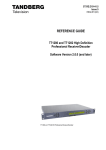
Figure 1.1 Front View of a RX1290 Multi-Format Receiver
Table 1.1
Equipment Model Descriptions
Marketing Code
Price Object
Number
Supply Object
Number
Description
RX1290/BAS
FAZ 101 0116/1
KDU 137 642/1
Decoder with integrated Common Interface
CAM reader, AC voltage input. SD MPEG-2
4:2:0, SD MPEG-2 4:2:2, HD MPEG-2 4:2:0
video decode only.
EN/LZT 790 0003/2 R1A
1-3
Introduction
Table 1.2
Hardware Options
Marketing Code
Price Object
Number
Supply Object
Number
Description
RX1290/HWO/DVBS2
FAZ 101 0116/3
ROA 128 3800
DVBS2 I/P SAT DEMOD
OPTION
RX1290/HWO/DVBS2/IF/C
FAZ 101 0116/5
ROA 128 3801
DVBS2 I/P SAT
DEMOD+CONST O/P
RX1290/HWO/IP/PROFEC
FAZ 101 0116/8
ROA 128 3802
IP, PRO-MPEG INPUT
OPTION
RX1290/HWO/G703
FAZ 101 0116/6
ROA 128 3803
G.703 INPUT OPTION CARD
RX1290/HWO/IP/GIGE
FAZ 101 0116/7
ROA 128 3804
100/1000 BASE-T INPUT
OPTION
Marketing Code
Price Object
Number
Supply Object
Number
Description
RX1290/SWO/MPEG2/HD/422
FAZ 101 0116/22
FAT 102 0205
MPEG-2 HD 4:2:2 LICENSE
RX1290/SWO/MPEG4/SD
FAZ 101 0116/24
FAT 102 0206
MPEG-4 SD 4:2:0 LICENSE
RX1290/SWO/MPEG4/HD
FAZ 101 0116/23
FAT 102 0207
MPEG-4 HD 4:2:0 LICENSE
RX1290/SWO/DIR5
FAZ 101 0116/14
FAT 102 0208
DIRECTOR V5 LICENSE
RX1290/SWO/AC3
FAZ 101 0116/11
FAT 102 0209
DOLBY AC3 LICENSE
RX1290/SWO/DVBS2/QPSK
FAZ 101 0116/18
FAT 102 0210
DVB-S2 QPSK LICENSE
RX1290/SWO/DVBS2/8PSK
FAZ 101 0116/16
FAT 102 0211
DVB-S2 8PSK LICENSE
RX1290/SWO/DVBS2/LSYM
FAZ 101 0116/17
FAT 102 0212
DVB-S2 LOW SYMBOL RATE
LICENSE
RX1290/SWO/DVBS2/16APSK
FAZ 101 0116/15
FAT 102 0213
DVB-S2 16APSK LICENSE
RX1290/SWO/CI
FAZ 101 0116/12
FAT 102 0214
COMMON INTERFACE
LICENSE
RX1290/SWO/RAS
FAZ 101 0116/28
FAT 102 0215
RAS LICENSE
RX1290/SWO/PROV/LOCK
FAZ 101 0116/26
FAT 102 0216
PROVIDER LOCK LICENSE
RX1290/SWO/IP/PROMPEG
FAZ 101 0116/20
FAT 102 0217
PRO-MPEG IP LICENSE
RX1290/SWO/UPCONV
FAZ 101 0116/29
FAT 102 0218
UPCONVERSION LICENSE
RX1290/SWO/DCONV
FAZ 101 0116/13
FAT 102 0219
DOWN CONVERSION
LICENSE
RX1290/SWO/AAC
FAZ 101 0116/10
FAT 102 0220
AAC AUDIO LICENSE
RX1290/SWO/PW
FAZ 101 0116/27
FAT 102 0222
PASSWORD PROTECTION
LICENSE
Table 1.3
1-4
Software Options
EN/LZT 790 0003/2 R1A
Introduction
Marketing Code
Price Object
Number
Supply Object
Number
Description
RX1290/SWO/LDELAY
FAZ 101 0116/21
FAT 102 0223
LOW LATENCY DECODE
MODE (4:2:0 ONLY)
RX1290/SWO/HSETHER
FAZ 101 0116/19
FAT 102 0224
HIGH SPEED DATA PIPING
LICENSE
RX1290/SWO/PAA
FAZ 101 0116/25
FAT 102 0229
QUAD PHASE ALIGNED
MPEG-1 LAYER 2 AUDIO
RX1290/SWO/4AUD
FAZ 101 0116/9
FAT 102 0221
DIGITAL AUDIO 3&4
LICENSE
RX1290/SWO/EBU/3.6.2
FAZ 101 0116/34
FAT 102 0227
RX1290 SW 3.6.2 FOR EBU
RX1290/SWO/UPG/MP4SD/MP4H
FAZ 101 0116/31
FAT 102 0225
UPGRADE FROM MPEG4 SD
TO HD
RX1290/SWO/UPG/MP2422/MP4H
FAZ 101 0116/30
FAT 102 0226
UPGRADE FROM MPEG-2
HD 4:2:2 TO MPEG-4 HD
1.1.2.2
Software Version
This Reference Guide covers the functions of software version 3.0.0 and later.
To verify the installed version access the Systems Menu (Menu 7.2.1). The menus
are described in Annex C, Menus.
1.2
Summary of Features
1.2.1
Main Features
The Multi-Format Receiver is fully compliant with the appropriate sections of the
MPEG-2 1 , DVB-S 2 and MPEG-4 AVC 3 specifications and offers the following
features:
•
•
Front Panel Controls and Indications:
-
A vertical split two line x 40 character back-lit dot matrix LCD display with
pushbuttons for Up, Down, Left, Right, Edit, and Save to provide information
and operator choice entry.
-
LEDs to indicate lock and general alarm conditions.
Service Selection:
-
Chosen from a menu list of available Services carried in the currently
received Transport Stream.
1
Moving Pictures Expert Group: MPEG-2 specification ISO 13818.
European Digital Video Broadcasting (DVB) Project. EN 300 421 Digital broadcasting systems for television, sound and data services:
Framing structure, channel coding and modulation for the 11/12 GHz satellite service.
3
ITU-T Recommendation and ISO/IEC 14496-10 (MPEG-4 AVC) Advanced Video Coding.
2
EN/LZT 790 0003/2 R1A
1-5
Introduction
•
Multiple Inputs (Satellite Receivers):
-
•
•
•
•
•
•
-
MPEG 4:2:0 mode support.
-
MPEG 4:2:2 mode support (MPEG-2 Only).
Audio Decoding:
-
Sampling rate 48 kHz.
-
All MPEG-1 data rates.
-
AAC decode.
-
All Dolby Digital AC-3 data rates, decoded as a Dolby Stereo downmix.
-
Dolby E pass-through.
-
Linear uncompressed audio, data rates as defined by SMPTE 302M.
-
DTS audio detection and pass-through.
Data:
-
Low Speed Data: RS-232 asynchronous (up to 38.4 kbps).
-
High Speed Data: Ethernet Data-piping (up to 5 Mbps) (option).
Transport Stream Output:
-
SNMP.
-
RS-232 (Alteia protocol).
Clock/Calendar:
-
Available to coordinate universal and local time.
-
Constantly updated when locked to a valid Transport Stream.
Transport Stream Demultiplexing:
1-6
Maximum Video decoding capability of 90 Mbps.
Audio:
-
•
Maximum capability is 160 Mbps, depending on CA in use and input frontend.
Video Decoding:
-
•
ASI Transport Stream output with maximum data rate 160 Mbps.
Remote Control:
•
L-band Satellite Receivers have four inputs.
Video Decoding:
•
Up to 40 preselected choices can be stored within the unit.
Audio embedding in the digital video output.
VANC data support:
-
Closed Captions.
-
VITC.
-
ARIB reference spec TR23.
•
Frame Synchronization of video output to a composite analogue input.
•
Local Control Methods:
EN/LZT 790 0003/2 R1A
Introduction
-
Front Panel User Interface.
1.2.2
Inputs
1.2.2.1
ASI Input (Decoder)
One BNC connector supporting both byte-mode and single packet burst mode.
1.2.2.2
Remote Control
An RJ-45 Ethernet connector for connection to a PC or network switch to provide
SNMP control.
1.2.2.3
DVB-S / DVB-S2 L-Band Inputs (Satellite Receivers) (Option)
Four F-type connectors connect the L-band output of a suitable LNB either directly
or via a suitable attenuator giving lightning and surge protection.
1.2.2.4
TTV G.703 DS3 and E3 Input (Telco Receivers) (Option)
Equipped with a single BNC connector for receiving signals over a PDH Telco
network.
1.2.2.5
IP Input (Telco Receivers) (Option)
A single 10/100/1000BaseT RJ-45 connector for receiving signals over Ethernet
1.2.2.6
Frame Synchronization
A BNC connector accepts a composite video input to which the video output timing
can be synchronized.
1.2.3
Outputs
1.2.3.1
Transport Stream Outputs
•
1.2.3.2
1.2.3.3
Up to three BNC connectors output ASI Transport Streams with a maximum
data rate of 160 Mbps, depending on the CA in use and the input card front-end.
Video Outputs
•
One SVGA HD video output carried on a D-type connector for monitoring only.
•
Three digital video outputs carried on BNC connectors (same connectors as
ASI).
•
One SD Analogue composite video output on BNC.
Audio Outputs
•
EN/LZT 790 0003/2 R1A
Two 9-way, D-type, male connectors each provide simultaneous analogue
stereo and balanced digital audio output. The digital mode can be changed via
the user interface.
1-7
Introduction
•
1.2.3.4
1.2.3.5
Four BNC connectors providing unbalanced audio output.
Data Output
•
RS-232 asynchronous low-speed data output carried on a 9-way, D-type, female
connector.
•
RJ-45 high speed data over Ethernet output (option).
Alarm Output
A 9-way, D-type connector for interfacing to the alarm and failure monitoring within
the Multi-Format Receiver. This includes a summary alarm signal that coincides with
the general front-panel ALARM LED.
There is one relay for failure monitoring. The operator can define (using the Alarm
Menu pages) which alarm conditions drive the relay. This is described in Chapter 5,
Alarms and Annex C, Menus.
1.3
The Satellite Receiver
1.3.1
Typical Satellite System
The Multi-Format Receiver is a component of the MPEG-4 AVC/MPEG-2/DVB
compliant range of Ericsson's equipment. They are designed for use by
broadcasters and distributors of video, audio and data Services over satellite.
Figure 1.2 Typical Satellite Compression System
1-8
EN/LZT 790 0003/2 R1A
Introduction
1.3.2
Input Connections
The Satellite Receiver interfaces directly to Low-Noise Block (LNB) and accepts an
intermediate frequency (IF) input in the band 950 - 2150 MHz (L-band) for operation
in the specified symbol-rate range (see Annex B, Technical Specification). The unit
can provide dc power and polarization switching to the LNB.
1.3.3
What the Satellite Receiver Does
The Receiver can be tuned to a specified satellite channel frequency and
polarization. The input is down-converted via a Low-Noise Block (LNB) to provide an
L-band input to the Receiver. The front-end tuning is microprocessor controlled with
a frequency synthesized local oscillator. A software tuning and acquisition algorithm
resolves translation errors (mainly due to the LNB).
The signal is then passed to a demodulator that recovers the signal using softdecision decoding. The resulting stream is Reed-Solomon decoded and
descrambled to provide inputs to the Decoder circuit. The received channel may
contain multiple Services, therefore the Receiver’s demultiplexer is configured to
select a single video Service and other audio/data components and present them at
the output.
Figure 1.3 What the Satellite Receiver Does
EN/LZT 790 0003/2 R1A
1-9
Introduction
1.4
The Telco Receiver/Decoder
1.4.1
Typical Decoder System
The Decoder is a component of Ericsson’s range of equipment. It is designed for
use by broadcasters and distributors of video and audio Services. It can be used as
a Transport Stream monitor or to decode signals received over a
telecommunications network.
Figure 1.4 Typical Compression System
1.4.2
What the Decoder Does
The ASI interface is used to present the Transport Stream in the format required by
the internal Decoder circuitry. At this point, the operation of the unit is the same as
the Satellite Receiver.
The Decoder can be used to receive an input signal from a Public Telecom Network
via a Network Adapter Unit (NAU). No error correction is supported at the input of
the unit so a level of Quality of Service should be negotiated with the Telecom
Network Provider.
The Decoder is configured to select a single video Service and other audio/data
components from the multiple Services on the incoming Transport Stream and
present them at the output.
1-10
EN/LZT 790 0003/2 R1A
Introduction
Figure 1.5 Role of the Decoder
1.5
Control Modes
1.5.1
Introduction
The Multi-Format Receiver is designed for unattended operation. Once set-up, the
unit requires no further attention except to ensure the fans are working. There are
up to three control modes associated with the Receiver (dependent upon options
fitted). The unit remains in the chosen control mode until another mode is requested.
Note:
1.5.2
Local (Front Panel) Control is the factory default if Director is not installed.
Front Panel (Local) Modes
Operating the Multi-Format Receiver from the Front Panel is via two main operating
modes: Navigate and Edit. See Section 3.3, Front Panel Operating Modes.
Timeout (5 minutes)
EDIT Off
NAVIGATE
EDIT
EDIT On
SAVE
Figure 1.6 Front Panel States
EN/LZT 790 0003/2 R1A
1-11
Introduction
1.6
Guided Tour
1.6.1
Construction
The Multi-Format Receiver is constructed using a screened self-ventilated modular
system. All operational inputs and outputs are via rear-panel connectors. The unit
may be operated freestanding or mounted in a 19-inch rack.
1.6.2
Front Panel Controls
The physical interface for the Front Panel consists of an alphanumeric LCD display,
pushbuttons, and status LEDs that are used to set-up and monitor the unit. The
general layout is shown in Figure 1.7. Information on the use of these controls is
given in Chapter 3, Operating the Equipment Locally.
User input is via six pushbuttons comprising four cursor pushbuttons: Left, Right,
Up, and Down; and two edit control pushbuttons: Edit and Save.
Each pushbutton has an integral green LED except Save, which has an integral red
LED. When lit these LEDs indicate to the user which pushbutton is currently active.
Automatic repeat following an initial delay period is implemented for the Left, Right,
Up, and Down pushbuttons in software.
ALARM LED
LCD display
POWER LED
Edit
Save
Left
Down
Up
Right
Figure 1.7 Front Panel Controls
1.6.3
Front Panel LEDs
Figure 1.7 shows the location of the LEDs on the front panel The LEDs indicate the
Multi-Format Receiver status as follows:
The red ALARM LED is used to indicate a Multi-Format Receiver fault condition,
e.g. a missing or faulty input signal. It should be off for correct operation, although it
may be lit briefly during power up.
The green POWER LED is used to indicate that the Multi-Format Receiver is locked
to a Transport Stream when lit, indicates correct conditions and correct system
functioning.
1-12
EN/LZT 790 0003/2 R1A
Introduction
1.6.4
Rear Panel
Inputs and outputs to the unit are taken via the rear panel. Connector descriptions
are given in Chapter 2, Installing the Equipment and Chapter 6, Options.
EN/LZT 790 0003/2 R1A
1-13
Introduction
BLANK
1-14
EN/LZT 790 0003/2 R1A
2 Installing the Equipment
Chapter 2
Contents
2.1
2.1.1
2.1.2
2.1.3
2.1.4
2.1.4.1
2.1.4.2
2.1.4.3
2.2
2.2.1
2.2.2
2.3
2.3.1
2.3.2
2.3.3
2.3.3.1
2.3.3.2
2.3.4
2.4
2.4.1
2.4.2
2.5
2.5.1
2.5.2
2.5.2.1
2.5.2.2
2.5.3
2.6
2.7
2.7.1
2.7.2
2.7.3
2.7.4
2.7.5
2.7.6
2.7.7
2.7.8
EN/LZT 790 0003/2 R1A
Read This First! .................................................................................... 2-3
Handling ............................................................................................... 2-3
Installing the Equipment ....................................................................... 2-3
Lifting .................................................................................................... 2-3
Site Requirements ................................................................................ 2-3
Power Supplies..................................................................................... 2-3
Environment ......................................................................................... 2-3
Lightning Protection.............................................................................. 2-3
Preliminary Checks............................................................................... 2-4
Mechanical Inspection .......................................................................... 2-4
Moving the Equipment Safely ............................................................... 2-4
Installing the Equipment ....................................................................... 2-4
Fixing .................................................................................................... 2-4
Ventilation............................................................................................. 2-5
Openings in the Covers ........................................................................ 2-5
Care in Positioning ............................................................................... 2-5
Protection from Moisture ...................................................................... 2-5
Installing Cables - Safety...................................................................... 2-6
EMC Compliance Statements .............................................................. 2-6
EN 55022/AS/NZS 3548....................................................................... 2-6
FCC ...................................................................................................... 2-6
AC Supply Operating Voltage and Fusing – Safety Information........... 2-6
AC Power Supply ................................................................................. 2-6
AC Power Supply Cord........................................................................ 2-7
General................................................................................................. 2-7
Wire Colors........................................................................................... 2-7
Connecting the Equipment to the AC Power Supply ............................ 2-8
Protective Earth/Technical Earth .......................................................... 2-8
Signal Connections............................................................................... 2-9
General................................................................................................. 2-9
ASI/HD-SDI/SD-SDI OUT................................................................... 2-11
CVBS.................................................................................................. 2-11
Audio Outputs..................................................................................... 2-11
SVGA Output (RGB HV)..................................................................... 2-12
Frame Synchronization....................................................................... 2-13
Ethernet .............................................................................................. 2-14
ASI IN ................................................................................................. 2-14
2-1
Installing the Equipment
2.7.9
2.7.10
2.7.11
2.8
Alarm Connector and Relay ............................................................... 2-15
RS-232 Low-speed Asynchronous Data Output ................................ 2-15
Serial Remote Control ........................................................................ 2-16
Option Card Connectors..................................................................... 2-16
List of Figures
Figure 2.1
Figure 2.2
Figure 2.3
Figure 2.4
Figure 2.5
Air-flow Through the Equipment........................................................... 2-5
AC Power Inlet Assembly..................................................................... 2-7
Location of the Technical Earth............................................................ 2-9
Typical Receiver Rear Panel................................................................ 2-9
Signal Connections ............................................................................ 2-10
List of Tables
Table 2.1
Table 2.2
Table 2.3
Table 2.4
Table 2.5
Table 2.6
Table 2.7
Table 2.8
Table 2.9
Table 2.10
Table 2.11
Table 2.12
Table 2.13
2-2
Supply Cord Wiring Colors ................................................................... 2-7
Non Standard Supply Cord Wire Colors............................................... 2-8
Digital Output Connector .................................................................... 2-11
Digital Output Connector .................................................................... 2-11
Analogue/Digital Audio Connectors.................................................... 2-12
Digital (Unbalanced) Audio Connectors ............................................. 2-12
SVGA Connector................................................................................ 2-13
Frame Sync Hi-Z Connector............................................................... 2-14
Ethernet Pin-outs ............................................................................... 2-14
Digital Input Connector....................................................................... 2-14
Alarm Connector ................................................................................ 2-15
RS-232 Low-speed Data .................................................................... 2-15
RS232/RS485 Remote Control .......................................................... 2-16
EN/LZT 790 0003/2 R1A
Installing the Equipment
2.1
Read This First!
2.1.1
Handling
The equipment must be handled and installed carefully and thoughtfully to prevent
safety hazards and damage.
2.1.2
Installing the Equipment
Ensure the personnel designated to fit the unit have the appropriate skills and
knowledge. If in any doubt, contact Ericsson Customer Services (see Preliminary
Pages for contact details).
Installation of the product should follow these instructions, and should only use
installation accessories recommended by the manufacturers. When rack mounted,
this equipment must have shelf supports as well as being fixed at the front panel.
Do not use this product as a support for any other equipment.
2.1.3
Lifting
In some circumstances the unit might be awkward to lift. In which case, do not
attempt to lift or move it without proper assistance or equipment. If in doubt, seek
assistance.
2.1.4
Site Requirements
2.1.4.1
Power Supplies
See Annex B Technical Specification for a full specification.
2.1.4.2
Environment
See Annex B, Technical Specification for a full specification.
Do not install this product in areas of high humidity or where there is danger of water
ingress.
2.1.4.3
Lightning Protection
Warning!
If the receiver has been subject to a lightning strike or power surge that has stopped
it working, disconnect the power immediately. Do not re-apply power until it has
been checked for safety. If in doubt contact Ericsson Customer Services.
EN/LZT 790 0003/2 R1A
2-3
Installing the Equipment
Where appropriate, ensure this product has an adequate level of lightning
protection. Alternatively, during a lightning storm or when it is left unattended and
unused for long periods of time, unplug it from the supply outlet and disconnect the
output equipment. This prevents damage to the product due to lightning and power
line surges.
2.2
Preliminary Checks
2.2.1
Mechanical Inspection
Warning!
Removing the covers of this equipment may invalidate any warranties, cause a
safety hazard or/and affect the EMC performance.
2.2.2
Moving the Equipment Safely
Do not place this product on an unstable cart, stand, bracket, or
table. The product may fall, causing serious injury and serious
damage to the product. Use only with a cart, stand, bracket or
table recommended by Ericsson.
An appliance and cart combination should be moved with care. Quick stops,
excessive force, and uneven surfaces may cause the appliance and cart
combination to overturn. Do not move or carry the equipment whilst it is still
connected to the supply or other leads, is live, or is in operation.
2.3
Installing the Equipment
2.3.1
Fixing
The equipment is designed for fixed use only and has been shipped with fixing
brackets suitable for a standard 19-inch rack. When installed in a rack, it should be
secured using the fixing brackets. In addition, support shelves must be used to
reduce the weight on the brackets. Ensure it is firmly and safely located and it has
an adequate flow of free-air.
Slide the receiver onto the chassis supports and affix to the rack by means of an
M6 x 18 mm panhead screw in each corner.
A freestanding unit should be installed on a secure horizontal surface where it is
unlikely to be knocked or its connectors and leads disturbed.
2-4
EN/LZT 790 0003/2 R1A
Installing the Equipment
2.3.2
Ventilation
2.3.3
Openings in the Covers
Side openings in the unit, as well as side-mounted cooling fans, are provided for
ventilation. They ensure reliable operation of the product and protect it from
overheating. The openings of the fans must not be blocked or covered.
Air is released through
vents at this
side of the unit.
Fans are mounted on
this side of the unit
Figure 2.1 Air-flow Through the Equipment
2.3.3.1
Care in Positioning
Cautions!
The fans contained within this unit are not fitted with a dust/insect filter. Pay
attention to the environment in which it is to be used.
Do not install equipment so that the air intake of one aligns with the outlet on
another. Provide baffles and adequate spacing.
The equipment should never be placed near or over a radiator or other source of heat.
It should not be placed in a built-in installation such as a rack unless proper ventilation
is provided and the instructions have been adhered to.
Allow at least 40 mm free air-space at each side of the equipment to ensure
adequate cooling. Racks containing stacked equipment may need to be forced aircooled to reduce the ambient temperature within the rack.
2.3.3.2
Protection from Moisture
Do not install this equipment in areas of high humidity or where there is a danger of
water ingress.
EN/LZT 790 0003/2 R1A
2-5
Installing the Equipment
2.3.4
Installing Cables - Safety
Power supply cables should be routed so that they are not likely to be walked on or
pinched by items placed upon or against them. Pay particular attention to cables at
plugs, convenience receptacles, and the point where they exit from the appliance.
Do not run AC power cables in the same duct as signal leads. Do not move or install
equipment whilst it is still attached to the mains supply. Ensure safety and ESD
precautions are observed whilst inter-connecting equipment.
2.4
EMC Compliance Statements
2.4.1
EN 55022/AS/NZS 3548
1
This is a Class A product. In a domestic environment this product may cause radio
interference in which case the user may be required to take adequate measures.
2.4.2
FCC
This equipment has been tested and found to comply with the limits for a Class A
digital device, pursuant to Part 15 of the FCC Rules. These limits are designed to
provide reasonable protection against harmful interference when the equipment is
operated in a commercial environment.
This equipment generates, uses and can radiate radio frequency energy and, if not
installed and used in accordance with the Reference Guide, may cause harmful
interference to radio communications. Operation of this equipment in a residential
area is likely to cause harmful interference in which case the user will be required to
correct the interference at his/her own expense.
2.5
AC Supply Operating Voltage and Fusing – Safety
Information
2.5.1
AC Power Supply
The equipment operates from an wide-ranging mains power supply (100-240 V AC
50/60 Hz nominal) and is designed for use in ambient air temperature in the range
0°C to +50°C. There are no links etc. to be altered for operation from different
supply voltages. The full Technical Specification is given in Annex B, Technical
Specification.
1
The EMC information was correct at the time of manufacture. The EMC tests were performed with the Technical Earth attached.
2-6
EN/LZT 790 0003/2 R1A
Installing the Equipment
Warning!
The RX1290 should only be operated from the type of power source indicated on
the marking label. If you are not sure of the type to your business, consult your
appliance dealer or local power company. Do not overload wall outlets and
extension cords as this can result in a risk of fire or electric shock.
The RX1290 Receivers are not fitted with an AC power ON/OFF switch. Ensure the
supply socket outlet is installed or located near the equipment so that it is
accessible.
AC Power Inlet
Position of the fuse carrier
Figure 2.2 AC Power Inlet Assembly
Note:
See Annex B, Technical Specification for fuse information.
2.5.2
AC Power Supply Cord
2.5.2.1
General
A two-meter power supply cord is supplied with this product. It is fitted with a molded
plug suitable for the USA, UK or mainland Europe as advised at the time of ordering.
Note:
2.5.2.2
The equipment is not fitted with an AC power supply ON/OFF switch.
Ensure the socket-outlet supplying the equipment is installed near the
equipment so that it is easily accessible.
Wire Colors
The wires in the supply cord are colored as shown in Table 2.1.
Table 2.1 Supply Cord Wiring Colors
Earth:
Neutral:
Live:
EN/LZT 790 0003/2 R1A
UK (BS 1363)
EUROPE (CEE 7/7)
USA (NEMA 5-15P)
Green-and-yellow
Green-and-yellow
Green
Blue
Blue
White
Brown
Brown
Black
2-7
Installing the Equipment
If the colors do not correspond with the colored markings identifying the terminals in
a locally supplied plug, proceed as in Table 2.2. The inclusion of Table 2.2 is for
reference.
Table 2.2 Non Standard Supply Cord Wire Colors
Wire Color (UK)
2.5.3
Action
green-and-yellow
...must be connected to the terminal in the plug which is marked
with the letter E or the safety earth symbol
or colored green or
green-and-yellow.
blue
...must be connected to the terminal in the plug which is marked
with the letter N or colored black.
brown
...must be connected to the terminal in the plug which is marked
with the letter L or colored red.
Connecting the Equipment to the AC Power Supply
As there is no mains power switch fitted to this unit, ensure the local AC power
supply is switched OFF before connecting the supply cord.
Connect the mains lead to the equipment and then to the local supply.
2.6
Protective Earth/Technical Earth
Warning!
This unit must be correctly earthed through the molded plug supplied. If the local
mains supply does not have an earth conductor do not connect the unit. Contact
Ericsson Customer Services for advice.
Before connecting the unit to the supply, check the supply requirements in Annex B.
The terminal marked at the rear panel is a Technical Earth. Its use is
recommended. This is NOT a protective earth for electric shock protection. The
terminal is provided to:
•
Ensure all equipment chassis fixed within a rack are at the same technical earth
potential. To do this, connect a wire between the Technical Earth terminal and a
suitable point on the rack.
•
Eliminate the migration of stray charges when connecting between equipment.
The Technical Earth provides a suitable connection between the equipment and the
installation to give a low impedance path at normal operating frequencies.
2-8
EN/LZT 790 0003/2 R1A
Installing the Equipment
Technical Earth
Figure 2.3 Location of the Technical Earth
2.7
Signal Connections
2.7.1
General
Caution!
It is strongly recommended that the terminal marked
at the rear panel of the
equipment is connected to a site Technical Earth before any external connections
are made and the equipment is powered. This limits the migration of stray charges.
All signal connections are made via the rear panel. A typical rear panel is shown in
Figure 2.4. The connections are also shown schematically in Figure 2.5, and a full
technical specification is given in Annex B. The Receiver provides a flexible
Transport Stream input interface. The status information appropriate to each input
type is available to the user via the User Interface, and also via the remote control
interfaces.
AUD 1,2,3 & 4
RGB HD
FRAME
SYNC
CVBS
AUDIO 1 & 2
10/100
Base T -
ALARM
RELAY
ASI/HD–SDI/SD–SDI
OUT x3
ASI IN
TECHNICAL
EARTH
RS232/RS485
REMOTE
DATA
OUT
AC IN
Figure 2.4 Typical Receiver Rear Panel
EN/LZT 790 0003/2 R1A
2-9
Installing the Equipment
RX1290 Multi-Format Receiver
Motherboard
RX1290/BAS
ASI In
Frame Synchronization
RS232/485
10 /100Base-T
ASI/HDSDI/SDSDI OUT 1
ASI/HDSDI/SDSDI OUT 2
ASI/HDSDI/SDSDI OUT 3
ASI
AUDIO 1
AUDIO 2
FRAME SYNC
CVBS OUT
DATA OUT
REMOTE CONTROL
ALARM RELAY
AUD 1
ETHERNET
AUD 2
AUD 3
AUD 4
RGB HD
Transport Stream/Digital Video Output
Transport Stream/Digital Video Output
Transport Stream/Digital Video Output
Analogue/Digital Audio Output
Analogue/Digital Audio Output
Analogue Video Output
Low-speed Async Data
Alarms
Digital Audio Output
Digital Audio Output
Digital Audio Output
Digital Audio Output
RGB HD Out
Constellation Output Satellite
DemodCard
(RX1290/HWO/DVBS/IF/CONST
Option Cards
PRO-MPEG FEC Input Card
(RX1290/HWO/IP/PROFEC
G.703 E3/DS3 Input Card
(TT1290/HWO/G703)
AC Power Supply
Power Supply
Figure 2.5 Signal Connections
2-10
EN/LZT 790 0003/2 R1A
Installing the Equipment
2.7.2
ASI/HD-SDI/SD-SDI OUT
The unit has three ASI/SMPTE 292M video (HD-SDI)/656 video
(SD-SDI) outputs in the standard configuration.
The output standard must be selected from the user interface or
remote control interface.
ASI/HD-SDI/SD-SDI
OUT 1/2/3
The ASI/HD-SDI/SD-SDI output is coaxial via BNC connectors.
Video control is through the Video Menu (Menu 3.1).
Table 2.3 Digital Output Connector
Item
Specification
Connector type
BNC 75 Ω female socket
Connector designation
ASI/HD-SDI/SD-SDI OUT 1
ASI/HD-SDI/SD-SDI OUT 2
ASI/HD-SDI/SD-SDI OUT 3
Pin-outs
Video output
Ground/Chassis
Note:
2.7.3
Centre
Shield
These sockets are under the control of Menu 5.1
CVBS
A BNC socket is provided for composite video output which
supports NTSC(M) (with and without pedestal) and
PAL(B,D,H,I,M).
CVBS
Table 2.4 Digital Output Connector
Item
Specification
Connector type
BNC 75 Ω female socket
Connector designation
ASI/HD-SDI/SD-SDI OUT 1
ASI/HD-SDI/SD-SDI OUT 2
ASI/HD-SDI/SD-SDI OUT 3
Pin-outs
Video output
Ground/Chassis
Centre
Shield
1
2.7.4
5
Audio Outputs
A pair of 9-way male D-type connectors provide two stereo
channels. Each connector carries a single channel of a stereo
pair in both analogue and balanced digital form.
6
9
AUDIO 1 / 2
Audio control is through the Service Menu (Menu 3).
EN/LZT 790 0003/2 R1A
2-11
Installing the Equipment
In addition, four unbalanced digital audio outputs are available
via separate BNC connectors.
Table 2.5 Analogue/Digital Audio Connectors
Item
Specification
Connector type
9-way, D-type, Male
Connector
designations
AUDIO 1
AUDIO 2
Pin-outs
Pin 1 - Digital audio +
Pin 2 - Ground
Pin 3 - Left +
Pin 4 - Right +
Pin 5 - Ground
Pin 6 - Digital audio Pin 7 - Ground
Pin 8 - Left Pin 9 - Right -
Nominal output
impedance
50 Ω
Maximum data rate
3.072 Mbps
Analogue Output level
+18 dBm nominal clipping level.
Selectable in range 12 to +24 dBm.
Load impedance
≥600 Ω balanced
AUD 1
Table 2.6 Digital (Unbalanced) Audio Connectors
2.7.5
Item
Specification
Connector type
BNC 75 Ω socket
Connector designation
AUD 1, AUD 2, AUD 3 and AUD 4
Pin-outs
Digital Audio output (AES/EBU)
Ground/Chassis
Centre
Shield
SVGA Output (RGB HV)
The EQUIPMENT is equipped with a SVGA 15-pin D-type
connector for video output monitoring in the standard
configuration.
The SVGA connector shall be set to RGB/HV (SVGA) or
YPrPb under control of the user interface and remote
control interfaces.
2-12
EN/LZT 790 0003/2 R1A
Installing the Equipment
Table 2.7 SVGA Connector
Item
Specification
Connector type
15-way D-type
Connector
designation
Video Out
Pin-outs
2.7.6
1
Red / Pr
75 Ω, 0,7Vt-t
2
Green / Y
75 Ω, 0,7Vt-t
3
Blue / Pb
75 Ω, 0,7Vt-t
4
NC
5
Video GND
6
Red GND
7
Green GND
8
Blue GND
9
NC
10
Sync GND
11
NC
12
NC
13
H-Sync
14
V-Sync
15
NC
Frame Synchronization
A BNC socket is used by the Decoder to frame lock to an
external video source (NTSC, PAL or SECAM). The frame
information is input as a composite signal, with or without active
video. The user can offset the synchronization to the video
output by ±8 lines of the reference signal, with a resolution of 1
pixel of the reference signal. Lip sync error introduced by the
Receiver is in the range -10 ms to +30 ms. This implies audio
frame skip and repeat may occur.
FRAME SYNC
This Frame Sync is activated through the Service Menu
(Menu 3).
EN/LZT 790 0003/2 R1A
2-13
Installing the Equipment
Table 2.8 Frame Sync Hi-Z Connector
Item
Specification
Connector type
BNC 75 Ω socket
Connector
designation
FRAME SYNC
Pin:
Centre
Analogue Black and Burst Input
Shield
Ground/Chassis
Last unit must be terminated with 75 Ω
Impedance
1
2.7.7
8
Ethernet
The equipment has an Ethernet remote control port for SNMP
Control. This is also used for high speed data over Ethernet
output and engineering debug purposes.
10/100BaseT
Table 2.9 Ethernet Pin-outs
2.7.8
Item
Specification
Connector type
RJ-45 (100BaseT)
Connector
designation
10/100BaseT
Pin-outs
(Unused pins not
connected)
Pin 1 - Tx Out (+)
Pin 2 - Tx Out (-)
Pin 3 - Rx In (+)
Pin 6 - Rx In (-)
ASI IN
A BNC socket is provided for detection of the transport
stream lock on the ASI input.
ASI IN
Table 2.10 Digital Input Connector
Item
Specification
Connector type
BNC 75 Ω female socket
Connector
designation
ASI IN
Pin-outs
2-14
Centre
Shield
ASI Input
Ground/Chassis
EN/LZT 790 0003/2 R1A
Installing the Equipment
5
2.7.9
1
Alarm Connector and Relay
The alarm relay connector has a summary relay. The
summary relay is activated whenever the unit detects an
alarm, or the power is switched off.
9
6
ALARM RELAY
Table 2.11 Alarm Connector
Item
Specification
Connector type
9-way, D-type, Female for the summary alarm
relay
Connector
designation
ALARM RELAY
Pin-outs
Pin 1 - Open
Pin 2 - Open
Pin 3 - Open
Pin 4 - Relay 1, common pin
Pin 5 - Open
Pin 6 - Open
Pin 7 - Open
Pin 8 - Relay 1, Normally Closed (Open on
Alarm)
Pin 9 - Relay 1, Normally Open (Closed on
Alarm)
2.7.10
RS-232 Low-speed Asynchronous Data Output
A 9-way, D-type female connector provides a asynchronous
low-speed data serial communications interface. The status
of the data output on this connector is given in the Data
Menus (Menus 3.4 and 3.5).
5
1
9
6
DATA
Table 2.12 RS-232 Low-speed Data
EN/LZT 790 0003/2 R1A
Item
Specification
Connector type
9-way, D-type, Female
Connector
designation
RS-232 Data Out
Standards
RS-232 DATA
Configuration
DCE
Pin-outs
Pin 1 - Reserved
Pin 2 - Receive Data Output (RxD) (RS-232)
Pin 3 - Reserved
Pin 4 - No connection
2-15
Installing the Equipment
Item
Specification
Pin 5 - Ground (RS-232)
Pin 6 - Reserved
Pin 7 - No connection
Pin 8 - Reserved
Pin 9 - Reserved
1
2.7.11
5
Serial Remote Control
A 9-way, D-type male connector provides a configurable
RS232/RS485 asynchronous low-speed data serial
communications interface for remote control.
6
9
RS232/RS485 REMOTE
Table 2.13 RS232/RS485 Remote Control
Item
Specification
Connector type
9-way, D-type, Female
Connector designation
RS232/RS485 Remote
Standards
RS-232/RS-485
Configuration
RS-232
RS-485
Pin-outs
Pin 1 - Data Carrier Detect (DCD) - Input
Pin 2 - Receive Data (RXD) - Input
Pin 3 - Transmit Data (TXD) - Output
Pin 4 - Data Terminal Ready - Output
Pin 5 - Ground
Pin 6 - Data Set Ready - Input
Pin 7 - Request to Send - Output
Pin 8 - Clear to Send - Input
Pin 9 - Not connected
Pin 1 - Not connected - Input
Pin 2 - Not connected - Input
Pin 3 - Not connected - Output
Pin 4 - Rx - Input
Pin 5 - Ground
Pin 6 - Not TX - Output
Pin 7 - TX - Output
Pin 8 - Not RX - Input
Pin 9 - Not connected
2.8
Option Card Connectors
Option cards are described in Chapter 6, Options.
2-16
EN/LZT 790 0003/2 R1A
3 Operating the Equipment Locally
Chapter 3
Contents
3.1
3.1.1
3.1.2
3.2
3.3
3.3.1
3.3.2
3.3.3
3.4
3.4.1
3.4.2
3.4.3
3.5
3.5.1
3.5.2
3.6
3.6.1
3.6.1.1
3.6.2
3.6.3
3.6.4
3.7
3.7.1
3.7.2
3.7.3
3.7.4
3.7.5
3.7.6
3.7.7
3.7.8
3.7.8.1
3.7.8.2
3.7.9
3.7.10
3.7.11
EN/LZT 790 0003/2 R1A
Powering the Equipment ...................................................................... 3-5
Switching On ........................................................................................ 3-5
Power up Operating Modes .................................................................. 3-5
Front Panel Controls and Pushbuttons................................................. 3-6
Front Panel Operating Modes .............................................................. 3-6
General................................................................................................. 3-6
Navigate Mode ..................................................................................... 3-6
Edit Mode ............................................................................................. 3-7
Using the Local Controls ...................................................................... 3-7
LCD Menu Descriptions........................................................................ 3-7
Selecting a Menu Option ...................................................................... 3-8
Entering a Menu Value ......................................................................... 3-8
Setting Up Preset Services (Menu 1) ................................................... 3-9
Using Preset Services .......................................................................... 3-9
Setting Up a Preset Service ................................................................. 3-9
Setting Up the Input (Menu 2) ............................................................ 3-10
DVB-S2 Satellite Receiver (TT1290/HWO/DVBS2 and
TT1290/HWO/DVBS2/IF/CONST)...................................................... 3-10
DVB-S2 Input Option Card TT1290/HWO/DVBS2/IF/CONST............ 3-11
Telco Receiver – RX1290/HWO/G703 ............................................... 3-11
10/100BaseT Input – RX1290/HWO/IP .............................................. 3-12
100/1000BaseT Dual IP Input – RX1290/HWO/GIGE........................ 3-13
Service Configuration (Menu 3).......................................................... 3-14
Selecting and Setting Up a Service .................................................... 3-14
Selecting the Video Component ......................................................... 3-14
Setting Down Conversion Mode ......................................................... 3-15
Setting SD Monitor Aspect Ratio ........................................................ 3-15
Setting Video Delay ............................................................................ 3-16
Setting Video Output mode ................................................................ 3-16
Setting Low Delay Mode – RX1290/SWO/LDELAY ........................... 3-16
Selecting the Audio Component ......................................................... 3-17
Introduction......................................................................................... 3-17
Selecting the Audio Manually ............................................................. 3-17
Setting Up Asynchronous Data (RS-232) ........................................... 3-18
Setting Up High Speed Data Over Ethernet –
RX1290/SWO/HSETHER ................................................................... 3-18
Setting Up Teletext ............................................................................. 3-19
3-1
Operating the Equipment Locally
3.7.12
3.7.13
3.7.14
3.7.15
3.7.16
3.7.17
3.7.18
3.7.19
3.7.20
3.7.21
3.7.22
3.7.23
3.7.24
3.7.25
3.7.26
3.7.27
3.8
3.8.1
3.8.2
3.8.3
3.8.4
3.8.5
3.9
3.9.1
3.9.2
3.9.3
3.9.4
3.10
3.11
3.12
Setting Up VITC ................................................................................. 3-19
Setting Up Closed Captions ............................................................... 3-20
Setting Up ITS Insertion ..................................................................... 3-20
Setting Up VPS .................................................................................. 3-20
Setting Up WSS ................................................................................. 3-20
Setting Up Video Index....................................................................... 3-21
Setting Up Monochrome Samples...................................................... 3-21
Setting Up AMOL 1 and 2 .................................................................. 3-21
Setting Up NTSC Pedestal Insertion .................................................. 3-21
Setting Up VANC Data Insertion ........................................................ 3-22
Setting Up Splice Point Insertion........................................................ 3-22
Setting Up Station ID Insertion ........................................................... 3-22
Setting Up AFD Insertion.................................................................... 3-22
Setting Up DVB Subtitles ................................................................... 3-23
Setting the PCR PID Menu................................................................. 3-23
Viewing the Network ID Menu ............................................................ 3-23
Setting Up the Conditional Access/Scrambling (Menu 4)................... 3-23
Introduction ........................................................................................ 3-23
Basic Interoperable Scrambling System (BISS) (Menu 4.4) .............. 3-24
Remote Authorization System (RAS) (Menu 4.1)............................... 3-24
Director (Menu 4.3) ............................................................................ 3-24
DVB Common Interface (Menu 4.2) ................................................... 3-24
Setting Up the Transport Stream Output (Menu 5) ............................ 3-25
Set-Up Procedure............................................................................... 3-25
Setting the Output Connector............................................................. 3-25
Transport Stream Output Bit-rates ..................................................... 3-26
Transport Stream Packet Lengths...................................................... 3-26
Setting Up the Alarms (Menu 6) ......................................................... 3-26
Setting Up System Parameters (Menu 7)........................................... 3-27
Restarting the Unit.............................................................................. 3-28
List of Figures
Figure 3.1 Power up Operating Mode ................................................................... 3-5
Figure 3.2 Front Panel Controls and Pushbuttons ................................................ 3-6
List of Tables
Table 3.1
Table 3.2
Table 3.3
Table 3.4
Table 3.5
Table 3.6
Table 3.7
Table 3.8
Table 3.9
Table 3.10
Table 3.11
Table 3.12
3-2
Navigate Mode ..................................................................................... 3-6
Edit Mode ............................................................................................. 3-7
Selecting a Menu Option ...................................................................... 3-8
Entering a Menu Value......................................................................... 3-8
Setting Up a Preset Service ................................................................. 3-9
Setting Up the DVB-S2 Satellite Receiver.......................................... 3-10
Setting Up the TTV G.703 Interface ................................................... 3-11
Setting Up the IP Interface ................................................................. 3-12
Setting Up the Dual IP Interface......................................................... 3-13
Selecting a Service............................................................................. 3-14
Selecting the Video Component......................................................... 3-14
Setting Down Conversion................................................................... 3-15
EN/LZT 790 0003/2 R1A
Table 3.13
Table 3.14
Table 3.15
Table 3.16
Table 3.17
Table 3.18
Table 3.19
Table 3.20
Table 3.21
Table 3.22
Table 3.23
Table 3.24
Table 3.25
Table 3.26
Table 3.27
Table 3.28
Table 3.29
Table 3.30
Table 3.31
Table 3.32
Table 3.33
Table 3.34
Table 3.35
Table 3.36
Table 3.37
Table 3.38
Table 3.39
Table 3.40
Table 3.41
Table 3.42
Table 3.43
Setting Aspect Ratio ........................................................................... 3-16
Setting Video Delay Mode .................................................................. 3-16
Setting Video Ddelay Mode ................................................................ 3-16
Setting Low delay mode ..................................................................... 3-17
Manually Selecting the Audio Components ........................................ 3-17
Setting Up Async Data ....................................................................... 3-18
Setting Up High speed Data over Ethernet ........................................ 3-18
Setting Up Teletext ............................................................................. 3-19
Setting Up VITC.................................................................................. 3-19
Setting Up Closed Captions ............................................................... 3-20
Setting Up ITS Insertion ..................................................................... 3-20
Setting Up VPS................................................................................... 3-20
Setting Up WSS.................................................................................. 3-20
Setting Up Video Index....................................................................... 3-21
Setting Up Monochrome..................................................................... 3-21
Setting Up AMOL 1 and 2................................................................... 3-21
Setting Up NTSC Pedestal Insertion .................................................. 3-21
Setting Up VANC Data Insertion ........................................................ 3-22
Setting Up Splice Point Insertion ........................................................ 3-22
Setting Up Station ID Insertion ........................................................... 3-22
Setting Up AFD Insertion.................................................................... 3-22
Setting Up DVB Subtitles.................................................................... 3-23
Viewing the PCR PID Menu ............................................................... 3-23
Viewing the Network ID Menu ............................................................ 3-23
Setting Up the Transport Stream Output (TSO) ................................. 3-25
Setting Up the Output Connector ....................................................... 3-25
Maximum Descrambled Transport Stream Output Bit-rates............... 3-26
Setting Up the Alarms......................................................................... 3-26
Setting Up a System ........................................................................... 3-27
Viewing the Multi-Format Receiver Details Menu............................... 3-28
System Restart Menu ......................................................................... 3-28
EN/LZT 790 0003/2 Rev R1A 2011-06-06
3-3
Operating the Equipment Locally
BLANK
3-4
EN/LZT 790 0003/2 R1A
Operating the Equipment Locally
3.1
Powering the Equipment
3.1.1
Switching On
Caution!
This equipment should not be operated unless the cooling fan is working and there
is free-air flow around the unit.
Connect the signal inputs and AC power supply to the Multi-Format Receiver and
power up the unit. After a short period of initialization and the Multi-Format Receiver
gaining lock, the unit powers up in Navigate mode. This is the usual operating
condition.
The POWER LED will be on (green) when a signal is locked and off when unlocked.
See Figure 3.2 for the location of the POWER LED.
3.1.2
Power up Operating Modes
Figure 3.1 Power up Operating Mode
EN/LZT 790 0003/2 R1A
3-5
Operating the Equipment Locally
3.2
Front Panel Controls and Pushbuttons
Front Panel items are described under Section 1.6, Guided Tour.
ALARM LED
LCD display
POWER LED
Edit
Save
Left
Down
Up
Right
Figure 3.2 Front Panel Controls and Pushbuttons
3.3
Front Panel Operating Modes
3.3.1
General
Operating the Multi-Format Receiver from the Front Panel is via two operating
modes: Navigate Mode (see Section 3.3.2) and Edit Mode (see Section 3.3.3).
3.3.2
Navigate Mode
Navigate mode allows the user to move between menus and pages within menus
(editing the left display area).
Table 3.1 Navigate Mode
3-6
Action
Result
Up Pushbutton Pressed
Go to page given by uplink of current page, obtain and
display current data.
Down Pushbutton Pressed
Go to page given by down link of current page, obtain and
display current data.
Left Pushbutton Pressed
Go to page given by left link of current page, obtain and
display current data.
Right Pushbutton Pressed
Go to page given by right link of current page, obtain and
display current data.
Edit Pushbutton Pressed
Enter Edit mode at current page (if permitted else no
effect).
Save Pushbutton Pressed
No effect.
EN/LZT 790 0003/2 R1A
Operating the Equipment Locally
Pushbutton LEDs will be updated to indicate which pushbutton presses are still valid
as each navigation pushbutton press event is processed. For example, a lit Up
pushbutton LED indicates there are pages above the current one.
3.3.3
Edit Mode
Edit mode edits the right display area and allows the user to alter control
parameters that define the Multi-Format Receiver behavior. To enter Edit mode
press the Edit pushbutton when on a page containing an editable control parameter
and the front panel is the controlling user interface. Edit may be entered on some
special pages at all times, for example on the page defining the controlling user
interface.
The Front Panel returns to Navigate mode when Edit is pressed again (abort edit
with no save) or when Save is pressed (save modified parameter values).
Processing of events from the front panel event queue depends on the current
operating mode of the front panel.
Table 3.2 Edit Mode
Action
Result
Up Pushbutton Pressed
Increases value of current edit parameter by one unit.
Down Pushbutton
Pressed
Decreases value of current edit parameter by one unit.
Left Pushbutton Pressed
Moves cursor one edit parameter/parameter digit left (making
that the current edit parameter).
Right Pushbutton
Pressed
Moves cursor one edit parameter/parameter digit right
(making that the current edit parameter).
Edit Pushbutton Pressed
Aborts edit (no save/action of any modified parameters) and
returns to Navigate mode, obtain and display current data.
Save Pushbutton Pressed
Save/action new parameter values and returns to Navigate
mode, obtain and display current data.
Pushbutton LEDs are updated to indicate which pushbutton presses are still valid as
each edit pushbutton press event is processed. For example, when the Left
pushbutton LED is lit it indicates there are additional editable parameters to the left
of the current cursor position. There is a maximum idle period of five minutes when
Edit mode will time out and return to Navigate mode.
3.4
Using the Local Controls
3.4.1
LCD Menu Descriptions
Detailed LCD menu descriptions are given in Annex C, Menus. This chapter
concentrates on describing the use of the menus for local operation.
EN/LZT 790 0003/2 R1A
3-7
Operating the Equipment Locally
3.4.2
Selecting a Menu Option
Some items shown in the right display area of the front panel LCD display have a
set number of options. An example of this is the VIDEO TEST PATTERN (Menu
3.1.6) which has a number of preset Video Test Patterns associated with it. Use the
following steps as a general guide to selecting an option.
Table 3.3 Selecting a Menu Option
3.4.3
Step
Action
Result
1
Select the menu and display the
required selection.
Normally there is only one selectable item. If
there is more than one, use the Right and Left
pushbuttons as described in Table 3.4.
2
Press Edit on the front panel.
The Save button will come on to show that the
new option can be stored.
3
Use the arrow pushbuttons to
step through the options.
This action scrolls through the options in a
continuous loop.
4
Press Save to store the option
or press Edit to cancel the
selection and return to the
source menu.
Entering a Menu Value
Some items shown in the right display area of the front panel LCD display have a
user-entered value. An example of this is the IP Address (Menu 7.1.3) in which the
unit’s Network address has to be entered. Use the following steps as a general
guide to entering a value.
Table 3.4 Entering a Menu Value
3-8
Step
Action
Result
1
Select the menu and display the
required selection.
2
Press Edit on the front panel.
The Save button will come on to show that the
new value can be stored.
3
Use the Right or Left
pushbutton to move the cursor
to the required digit.
Each pushbutton has a built-in LED that turns
on if the pushbutton function is appropriate to
the displayed information.
4
Change the value by using the
arrow pushbuttons.
5
Press Save to store the option.
EN/LZT 790 0003/2 R1A
Operating the Equipment Locally
3.5
Setting Up Preset Services (Menu 1)
3.5.1
Using Preset Services
This group allows up to 40 Services to be stored as presets. Selecting a Service
from the preset list in Menu 1 automatically reconfigures the Multi-Format Receiver
to receive that Service with its associated parameters set as stored.
3.5.2
Setting Up a Preset Service
Follow the steps in Table 3.5 to store the current Service as a preset.
Table 3.5 Setting Up a Preset Service
EN/LZT 790 0003/2 R1A
Step
Action
Result
1
Use the menus to set-up the unit
so that the required Service is
current.
(Refer to Section 3.7, Service
Configuration (Menu 3)).
This selects the Service and associated
parameters for the preset process.
2
Go to Menu 1 to view the Preset
menu.
This displays the menu which allows the
Current Service to be stored at a chosen
location (01 – 40). If there is no Current
Service, the menu display reads NO STORED
SERVICE.
3
Select a location to store the
preset. The Edit mode cannot
be entered unless a valid
Service being decoded.
Use Edit and the arrow pushbuttons to step
through the stored items. This allows a specific
location to be chosen. Any vacant locations
are marked by NO STORED SERVICE.
4
Press Save.
This stores the current Service and its
associated parameters as a preset in the
selected location. This adds the Service to the
list displayed on page 1.
3-9
Operating the Equipment Locally
3.6
Setting Up the Input (Menu 2)
3.6.1
DVB-S2 Satellite Receiver (TT1290/HWO/DVBS2 and
TT1290/HWO/DVBS2/IF/CONST)
Table 3.6 Setting Up the DVB-S2 Satellite Receiver
3-10
Step
Action
Result
1
Go to Menu 2.3 and select
SOURCE 1.
The Receiver can take its signals from four
sources. Set-up source 1.
2
Scroll to Menu 2.3.2. Enter the
LNB FREQUENCY then press
Save.
This sets up the LNB frequency for the
selected Source in MHz.
3
Scroll to Menu 2.3.2.1. Enter
the SATELLITE FREQUENCY
then press Save.
This sets up the Satellite frequency for the
selected Source in MHz.
4
Scroll to Menu 2.3.2.2. Enter
the SYMBOL RATE then press
Save.
Sets the symbol rate for the selected Source in
Msymbols/s.
5
Scroll to Menu 2.3.2.3. Enter
the DVB Modulation Standard
then press Save.
This sets up the DVB modulation Standard
(DVB-S or DVB-S2). FEC detection is
automatic. In DVB-S2 mode the demodulator
automatically detects and locks to both QPSK
and 8PSK constellations.
6
Scroll to Menu 2.3.2.4. Enter
the
ROLL-OFF then press Save.
Sets the Roll-Off of the demodulator Root
Nyquist Filter. Choose between 35%, 25%,
20%. This value should match that set in the
transmitting modulator.
7
Scroll to Menu 2.3.2.5. Enter
the SEARCH RANGE then
press Save.
This sets up the centre frequency Search
Range for the selected Source in kHz.
8
Scroll to Menu 2.3.2.6. Enter
the LNB POWER and
VOLTAGE settings then press
Save.
Sets the LNB power for the selected Source
(ON, OFF, BOOSTED). BOOSTED provides
1V extra power over the ON setting. Also sets
the LNB voltage settings (18v – Horiz, 13v –
Vert).
9
Scroll to Menu 2.3.2.7. Enter
the LNB 22 kHz setting then
press Save.
Enables or disables the LNB 22 kHz control
tone for the selected Source (On, Off).
10
Repeat steps 2 through 9 for
input 2 to 4
EN/LZT 790 0003/2 R1A
Operating the Equipment Locally
3.6.1.1
DVB-S2 Input Option Card TT1290/HWO/DVBS2/IF/CONST
The DVB-S2 demod option TT1290/HWO/DVBS2/IF/CONST offers three
L-band inputs plus an IF input. If this input option card is fitted in the receiver then
note that Menu 2.3.5 sets the IF input frequency. LNB Frequency, Satellite
Frequency and LNB Power parameters are not applicable for this input.
The DVB-S2 demod option TT1290/HWO/DVBS2/IF/CONST also offers a
constellation output in DVB-S2 mode. This output can be enabled for each Lband/IF input from the menu 2.3.X.6. Enabling this mode disables the demodulator
transport stream rendering the receiver unable to decode a service.
3.6.2
Telco Receiver – RX1290/HWO/G703
Table 3.7 steps through the set-up procedure of the Telco Receiver using
Menu 2 Input, and the TTV G.703 input.
Table 3.7 Setting Up the TTV G.703 Interface
Step
Action
Result
1
Connect the cable to the TTV
G.703 input.
2
Power up the unit and navigate
to Menu 2 Input.
Accesses the Input menu.
3
Press the Right pushbutton to
access Menu 2.3.
Selects the G.703 menu.
4
Navigate to INTERLEAVER
(Menu 2.3.3), then press Edit.
Sets the required interleaving.
Select Enable or Disable, then
press Save.
5
Navigate to SIGNAL LEVEL
(Menu 2.3.4), then press Edit.
Sets the unit sensitivity to the input signal level.
Select Normal or Low, then
press Save.
6
Navigate to REED-SOLOMON
(Menu 2.3.2), then press Edit.
Enables FEC functionality.
Select ENABLE, then press
Save.
7
EN/LZT 790 0003/2 R1A
Return to Input Menu 2, it should
display the current status. If
status is NOT LOCKED, verify
that the cable is properly
connected and that all values
have been entered correctly.
3-11
Operating the Equipment Locally
3.6.3
10/100BaseT Input – RX1290/HWO/IP
Table 3.8 steps through the set-up procedure of the Telco Receiver using
Menu 2 Input, and the IP input.
Table 3.8 Setting Up the IP Interface
Step
Action
Result
1
Connect the Ethernet cable to
the IP input connector.
2
Power up the unit and
navigate to Menu 2 Input.
3
Navigate to UDP PORT (Menu Edits the UDP Port parameter.
2.3.2), then press Edit.
Accesses the Input menu.
Select the Receive UDP Port
number, then press Save.
4
Navigate to IP INPUT IP
ADDRESS (Menu 2.3.2.1),
then press Edit.
Edits the IP Input address parameter.
Select the IP address, then
press Save.
5
Navigate to IP INPUT
SUBNET MASK (Menu
2.3.2.2), then press Edit.
Edits the IP Input subnet mask parameter.
Select the Subnet mask, then
press Save.
6
Edits the IP Input Gateway address parameter.
Navigate to IP INPUT
GATEWAY ADDRESS (Menu
2.3.2.3), then press Edit.
Select the Gateway address,
then press Save.
7
Navigate to IP INPUT
MULTICAST IP ADD (Menu
2.3.2.4), then press Edit.
Edits the IP Input Multicast IP address parameter.
Select the Multicast IP
address, then press Save.
8
3-12
Return to Input Menu 2, it
should display the current
status. If status is NOT
LOCKED, verify that the cable
is properly connected and that
all values have been entered
correctly.
EN/LZT 790 0003/2 R1A
Operating the Equipment Locally
3.6.4
100/1000BaseT Dual IP Input – RX1290/HWO/GIGE
Steps through the set-up procedure of the Receiver using
Menu 2 Input, and the IP input.
Table 3.9 Setting Up the Dual IP Interface
Step
Action
Result
1
Connect the Ethernet cables to
the IP input connectors.
2
Power up the unit and navigate
to Menu 2 Input.
Accesses the Input menu.
3
Navigate to NETWORK
INTERFACE 1
Accesses parameters of Port 1
4
Navigate to IP ADDRESS, then Edits the IP Input address parameter.
press Edit.
Select the IP address, then
press Save.
5
Navigate to NET MASK
ADDRESS, then press Edit.
Edits the IP Input subnet mask parameter.
Select the Subnet mask, then
press Save.
6
Navigate to GATEWAY
ADDRESS, then press Edit.
Edits the IP Input Gateway address parameter.
Select the Gateway address,
then press Save.
7
Accesses and edits parameters of Port 2
Navigate to NETWORK
INTERFACE 2 and repeat steps
4, 5 and 6
8
Navigate to LISTENING
STREAM 1
Accesses parameters of listening multicast 1
9
Navigate to MCAST IP, then
press Edit.
Edits the Listening IP address parameter.
Select the IP address, then
press Save.
10
Navigate to UDP PORT, then
press Edit.
Edits the Listening UDP port number parameter.
Select the UDP port number,
then press Save.
11
EN/LZT 790 0003/2 R1A
Navigate to LISTENING
STREAM 2 and repeat steps 9
and 10
Accesses and edits parameters of listening
multicast 2
3-13
Operating the Equipment Locally
Step
Action
12
Return to Input Menu 2, it
should display the current
status. If status is NOT
LOCKED, verify that the cable is
properly connected and that all
values have been entered
correctly.
Result
3.7
Service Configuration (Menu 3)
3.7.1
Selecting and Setting Up a Service
Each Transport Stream may contain many Services. Menu 3 allows a Service to be
chosen as current and the profile of its components to be specified. This Service will
be used as the power up default Service until a new Service is selected.
Table 3.10 Selecting a Service
3.7.2
Step
Action
Result
1
Go to Menu 3 and select the
required Service.
The Edit mode cannot be
entered unless there are
available Services.
This page shows the total number of Services
available in the incoming Transport Stream. Use
Edit and the arrow pushbuttons to select the
required Service.
2
Press Save.
This stores the Service as the Current Service.
Selecting the Video Component
Table 3.11 Selecting the Video Component
3-14
Step
Action
Result
1
Go to Menu 3.1 and press
Edit. Select one of the video
streams or enter a video
stream PID.
Selects the video component.
2
Scroll to Menu 3.1.6 and edit
the parameter for setting the
response to loss of video
(FREEZE FRAME, BLACK
FRAME, BLUE FRAME,
75% BARS AND RED, BLUE
PLUS TEXT, RED PLUS
TEXT). Press Save. Perform a
system restart (see Section
3.12 Restarting the Unit).
Edits the parameter for setting the response to
loss of video.
EN/LZT 790 0003/2 R1A
Operating the Equipment Locally
3.7.3
Step
Action
Result
3
Scroll to Menu 3.1.7 and edit
the video test pattern to be
displayed. Press Save.
Edits the video test pattern to be displayed.
4
Scroll to Menu 3.1.10 and edit
the parameter for framesync
enable (ENABLED or
DISABLED). Press Save.
Edits the parameter for framesync enable.
5
Scroll to Menu 3.1.10.1 and
edit the PAL framesync offset
range (-199999 to +199999
pixels) and the NTSC
framesync offset range (199999 to +199999 pixels).
Press Save.
Edits the PAL framesync offset range and the
NTSC framesync offset range.
6
Scroll to Menu 3.1.14 and
Menu 3.1.15 edit the
embedded audio group
(NONE, ONE, TWO, THREE
or FOUR). Press Save.
Edits the embedded audio data IDs and audio
channel.
Setting Down Conversion Mode
This menu allows the user to set the receiver to produce a down converted SD
version of the incoming HD video source.
Note:
The RX1290 provides ‘grade 2’ down conversion video quality. The
suitability of grade 2 video for broadcast will depend on the intended
application.
Table 3.12 Setting Down Conversion
3.7.4
Step
Action
Result
1
Scroll to Menu 3.1.8 and edit
the parameter for down
conversion enable
(ANAMORPHIC, CROPPED,
LETTERBOX or DISABLED).
Press Save.
Edits the parameter for down conversion enable
and the output format.
Setting SD Monitor Aspect Ratio
This menu allows the user to set the SD output aspect ratio.
Note:
EN/LZT 790 0003/2 R1A
This function only applies to 4:2:0 video, and has no effect on the down
converted SD output
3-15
Operating the Equipment Locally
Table 3.13 Setting Aspect Ratio
3.7.5
Step
Action
Result
1
Scroll to Menu 3.1.9 and edit
the parameter for aspect ratio
(4:3, or 16:9). Press Save.
Edits the parameter for the output SD aspect
ratio.
Setting Video Delay
This menu allows the user to vary the output presentation delay.
Note:
This will delay both the video and audio presentation.
Table 3.14 Setting Video Delay Mode
3.7.6
Step
Action
Result
1
Go to Menu 3.1.11 and edit the
option displayed. Press Save
Edits the values for either the 4:2:0 or 4:2:2
output delay. This has a maximum value of
199 mS.
Setting Video Output mode
This menu allows the user to edit the analogue HD video output.
Note:
This applies to the analogue connector only.
Table 3.15 Setting Video Ddelay Mode
3.7.7
Step
Action
Result
1
Go to Menu 3.1.12 and edit
the parameter (RGB or
YPbPr) displayed. Press
Save
Edits the HD output format
Setting Low Delay Mode – RX1290/SWO/LDELAY
This menu allows the user to set the receiver into low delay mode.
Note:
In this mode only MPEG-1 layer II audio (Musicam) audio and 4:2:0 video is
supported.
This will reduce the decoding delay through the RX1290 by up to 320mS, depending
on video mode.
3-16
EN/LZT 790 0003/2 R1A
Operating the Equipment Locally
Table 3.16 Setting Low delay mode
Step
Action
Result
1
Go to Menu 3.1.15 and edit
the option displayed. (LOW
DELAY MODE, NORMAL).
Press Save
Gains access to the low delay option. There is a
choice between low delay and normal mode.
3.7.8
Selecting the Audio Component
3.7.8.1
Introduction
Automatic audio component selection is based on component order in the PMT as
follows:
3.7.8.2
•
Audio 1 selects the first component in the PMT, Audio 2 selects the second
component, Audio 3 selects the third component and Audio 4 selects the fourth
component.
•
Audio 1 does not select the same component as Audio 2 and vice-versa when
component-PIDs are reordered in a new PMT.
•
Coding type and language are manually selectable through the User PID and
type parameters.
Selecting the Audio Manually
It is possible to manually select any audio component from the active Service by
using the front panel controls or via the remote control interface. Select one of the
audio components in the list or enter the correct PID. Table 3.17 describes the
procedure for selecting a component.
Table 3.17 Manually Selecting the Audio Components
EN/LZT 790 0003/2 R1A
Step
Action
Result
1
Go to the Menu 3.2 and press
Edit. Select between Standard
(the default for most
applications) and AAC Downmix
+ 5.1decode.
Selects if the user wishes to do a AAC5.1
decode or not.
1
Go to the Menu 3.3 and press
Edit. Select one of the audio
streams or enter an audio PID.
Selects the audio component.
2
Scroll to Menu 3.3.3 and edit the
Audio 1 delay adjustment (range
± 0 to 49.5ms). Press Save.
Edits the Audio 1 delay adjustment.
3-17
Operating the Equipment Locally
3.7.9
Step
Action
Result
3
Scroll to Menu 3.3.4 and edit the
Audio 1 digital output format
(AES3 or AC-3) and output
routing (STEREO, MIXED TO
BOTH, LEFT TO BOTH, or
RIGHT TO BOTH). Press Save.
Edits the Audio 1 digital output format and
output routing.
4
Scroll to Menu 3.3.5 and edit the
clipping value (12 – 24 dB).
Press Save.
Edits the clipping value.
5
Scroll to Menu 3.3.6 and edit the
AC-3 down mix parameter
(SURROUND STEREO or
CONVENTIONAL STEREO)
Press Save.
Edits the AC-3 down mix parameter.
6
Go to the Menu 3.4 for Audio 2,
Menu 3.5 for Audio 3, Menu 3.6
for Audio 4 and repeat steps 2
through 5.
Selects the audio component.
Note that when the input signal is STEREO,
the Audio digital output format will always be
STEREO.
Setting Up Asynchronous Data (RS-232)
These menu pages allow status monitoring and configuration of the low speed data.
Table 3.18 Setting Up Async Data
3.7.10
Step
Action
Result
1
Go to Menu 3.7 and press
Edit. Select the data stream
PID.
Selects the data stream.
2
Scroll to Menu 3.7.1 and edit
the low speed data output
(ENABLED or DISABLED).
Press Save.
The unit receives and displays the correct bitrate.
Setting Up High Speed Data Over Ethernet – RX1290/SWO/HSETHER
These menu pages allow status monitoring and configuration of the high speed data
over Ethernet software option.
Table 3.19 Setting Up High speed Data over Ethernet
3-18
Step
Action
Result
1
Go to Menu 3.8 and press
Edit. Select the data stream
PID.
Selects the data user PID number.
EN/LZT 790 0003/2 R1A
Operating the Equipment Locally
3.7.11
Step
Action
Result
2
Scroll to Menu 3.8.1 and edit
the High speed data output
(ENABLED or DISABLED).
Press Save.
The unit receives and displays the correct bitrate.
3
Scroll to Menu 3.8.3 and edit
the Forward to Gateway
ON/OFF and the Gateway IP
address menu. Press Save.
If the Forward to Gateway option is turned on,
the unit will forward the data stream to the
gateway address given.
Setting Up Teletext
Table 3.20 Setting Up Teletext
3.7.12
Step
Action
Result
1
Scroll to Menu 3.9. and edit
the parameter for stream or
PID value. Press Save.
Edits the parameter for choosing the appropriate
component or PID if the required Teletext data
is not currently present
2
Scroll to menu 3.9.1 and edit
the parameter for enabling
Teletext (ENABLED or
DISABLED)
Enables/Disables Teletext
3
Scroll to menu 3.9.2 and edit
the parameter (ENABLED or
DISABLED)
Chooses if the Teletext is played out straight
away or on the PTS
Setting Up VITC
Table 3.21 Setting Up VITC
EN/LZT 790 0003/2 R1A
Step
Action
Result
1
Scroll to Menu 3.10.1 and edit
the parameter for enabling
VITC pass-through (ENABLED
or DISABLED). Press Save.
Edits the parameter for enabling VITC
pass-through.
2
Scroll to menu 3.10.2 and edit
the line number for VITC to be
inserted
Selects the line for VITC insertion.
3-19
Operating the Equipment Locally
3.7.13
Setting Up Closed Captions
Table 3.22 Setting Up Closed Captions
3.7.14
Step
Action
Result
1
Scroll to Menu 3.10.3 and edit
the parameter for enabling
Closed Captions pass-through
(ENABLED or DISABLED).
Press Save.
Edits the parameter for enabling Closed
Captions pass-through.
Setting Up ITS Insertion
Table 3.23 Setting Up ITS Insertion
3.7.15
Step
Action
Result
1
Scroll down to Menu 3.10.4
and edit the parameter for
enabling ITS insertion
(ENABLED (CCIR), ENABLED
(FCC/UK) or DISABLED).
Press Save.
Edits the parameter for enabling ITS insertion.
Setting Up VPS
Table 3.24 Setting Up VPS
3.7.16
Step
Action
Result
1
Scroll down to Menu 3.10.5
and edit the parameter for
enabling VPS insertion
(ENABLED or DISABLED).
Press Save.
Edits the parameter for enabling VPS passthrough.
Setting Up WSS
Table 3.25 Setting Up WSS
3-20
Step
Action
Result
1
Scroll down to Menu 3.10.6
and edit the parameter for
enabling WSS insertion
(ENABLED or DISABLED).
Press Save.
Edits the parameter for enabling WSS passthrough.
EN/LZT 790 0003/2 R1A
Operating the Equipment Locally
3.7.17
Setting Up Video Index
Table 3.26 Setting Up Video Index
3.7.18
Step
Action
Result
1
Scroll down to Menu 3.10.7
and edit the parameter for
enabling Video Index insertion
(ENABLED or DISABLED).
Press Save.
Edits the parameter for enabling Video Index
pass-through.
Setting Up Monochrome Samples
Table 3.27 Setting Up Monochrome
3.7.19
Step
Action
Result
1
Scroll down to Menu 3.10.8
and edit the parameter for
enabling Monochrome
samples insertion (ENABLED
or DISABLED). Press Save.
Edits the parameter for enabling Monochrome
samples.
Setting Up AMOL 1 and 2
Table 3.28 Setting Up AMOL 1 and 2
3.7.20
Step
Action
Result
1
Scroll down to Menu 3.10.9
and edit the parameter for
enabling AMOL insertion
(ENABLED or DISABLED).
Press Save.
Edits the parameter for enabling AMOL passthrough.
Setting Up NTSC Pedestal Insertion
Table 3.29 Setting Up NTSC Pedestal Insertion
EN/LZT 790 0003/2 R1A
Step
Action
Result
1
Scroll down to Menu 3.10.10
and edit the parameter for
enabling NTSC Pedestal
insertion (ENABLED or
DISABLED). Press Save.
Edits the parameter for enabling NTSC Pedestal
insertion.
3-21
Operating the Equipment Locally
3.7.21
Setting Up VANC Data Insertion
Table 3.30 Setting Up VANC Data Insertion
3.7.22
Step
Action
Result
1
Scroll down to Menu 3.11.1
and edit the parameter for
enabling VANC Data insertion
(ENABLED or DISABLED).
Press Save.
Edits the parameter for enabling VANC Data
insertion.
PLEASE NOTE: Any data passed by this
method will overwrite any duplicate VBI
information.
Setting Up Splice Point Insertion
Table 3.31 Setting Up Splice Point Insertion
3.7.23
Step
Action
Result
1
Scroll down to Menu 3.12.1
and edit the parameter for
enabling VANC Data insertion
(ENABLED or DISABLED).
Press Save.
Edits the parameter for enabling Splice Point
insertion.
Setting Up Station ID Insertion
Table 3.32 Setting Up Station ID Insertion
3.7.24
Step
Action
Result
1
Scroll down to Menu 3.13.1
and edit the parameter for
enabling Station ID insertion
(ENABLED or DISABLED).
Press Save.
Edits the parameter for enabling Station ID
insertion.
Setting Up AFD Insertion
Table 3.33 Setting Up AFD Insertion
3-22
Step
Action
Result
1
Scroll down to Menu 3.14.1
and edit the parameter for
enabling AFD insertion
(ENABLED or DISABLED).
Press Save.
Edits the parameter for enabling AFD insertion.
EN/LZT 790 0003/2 R1A
Operating the Equipment Locally
3.7.25
Setting Up DVB Subtitles
Table 3.34 Setting Up DVB Subtitles
3.7.26
Step
Action
Result
1
Scroll down to Menu 3.15.1
and edit the parameter for
enabling DVB Subtitles
(ENABLED or DISABLED).
Press Save.
Edits the parameter for enabling DVB Subtitles.
PLEASE NOTE: This feature is only supported
for SD 4:2:0 video sources only.
Setting the PCR PID Menu
Table 3.35 Viewing the PCR PID Menu
3.7.27
Step
Action
Result
1
Go to Menu 3.16 and scroll to
USER PID and edit the PID for
enabling manual selection of
the PCR PID.
Gains access to the selection between
automatically detected PCR PID or manually
entered PCR PID.
Viewing the Network ID Menu
Table 3.36 Viewing the Network ID Menu
Step
Action
Result
1
Go to Menu 3.17.
Gains access to the Network ID and the Original
Network ID.
3.8
Setting Up the Conditional Access/Scrambling (Menu 4)
3.8.1
Introduction
Menu 4 allows the status and configuration of the Conditional Access (CA) module
to be checked. The structure and content of this group depends on the CA system.
The available CA options are as follows:
•
Basic Interoperable Scrambling System (BISS), Mode 1 and Mode E only.
•
Remote Authorisation System (RAS) and RAS 2
•
Director
•
DVB Common Interface
BISS (as specified in EBU Tech 3292 May 2002) is standard on all units.
EN/LZT 790 0003/2 R1A
3-23
Operating the Equipment Locally
3.8.2
Basic Interoperable Scrambling System (BISS) (Menu 4.4)
BISS Mode 1 is similar to RAS in that it uses a fixed control word to encrypt the data
in the transport stream. Unlike RAS, the scrambling algorithm is non-proprietary,
using the DVB Common Scrambling Algorithm to allow interoperability with other
manufacturers’ encoding/scrambling equipment.
3.8.3
Remote Authorization System (RAS) (Menu 4.1)
RAS has two levels of operation: FIXED KEY MODE and DSNG KEY MODE.
FIXED KEY MODE has a fixed control word to encrypt the data in the transport
stream.
DSNG KEY MODE is used for fixed headend systems. Its main functionality is:
3.8.4
•
Over-air addressing of Receivers for authorization/de-authorization to decrypt
the transmission.
•
Group operation for authorization/de-authorization.
•
Periodic control word changes during transmission.
Director (Menu 4.3)
Director functionality includes Conditional Access, over-air software download and
over-air control.
No specific set-up is required in the Multi-Format Receiver for the Conditional
Access or software download. For over-air control (NCP) see Chapter 4, Operating
the Equipment Remotely.
3.8.5
DVB Common Interface (Menu 4.2)
There is a single slot on the Multi-Format Receiver front panel to allow the insertion
of a DVB Common Interface (CI) Conditional Access module (CAM) and related
conditional access card.
Other than the insertion of the CAM and Access card, no specific set-up is required
at the Multi-Format Receiver for the DVB Conditional Access, however DVB
Common Interface functionality is only available if the RX1290/SWO/CI license has
been installed.
3-24
EN/LZT 790 0003/2 R1A
Operating the Equipment Locally
3.9
Setting Up the Transport Stream Output (Menu 5)
3.9.1
Set-Up Procedure
Use Table 3.37 to step through the Transport Stream Output set-up procedure using
Menu 5. This allows the Transport Stream for the current Service to be output on the
ASI output connectors.
Table 3.37 Setting Up the Transport Stream Output (TSO)
Step
Action
Result
1
Go to Menu 5 to enter the
The Transport Stream Output will be formatted
TRANSPORT STREAM OUTPUT according to the choice made.
setting.
Press Edit then select one of the
following:
POST INPUT (i.e. as input
Transport Stream);
POST TS DESCRAMBLE (i.e.
post TTV, RAS descrambling);
POST ES DESCRAMBLE (i.e.
post TTV, RAS, Common
Interface, BISS, DIRECTOR
descrambling).
2
3.9.2
Press Save to store the choice.
The Transport Stream Output (TSO) is now set.
Setting the Output Connector
Use Table 3.38 to step through the Connector configuration procedure using Menu
5.1.
Table 3.38 Setting Up the Output Connector
Step
Action
Result
1
Go to Menu 5.1 to enter the
Connector configuration.
Edits the Connector output function for BNC
connectors 1, 2 and 3.
2
Press Edit then select one of the
following, for each connector:
The Connectors output will be formatted
according to the choice made.
DISABLED
ASI
HD SDI
SD SDI
AUTO
3
EN/LZT 790 0003/2 R1A
Press Save to store the choice.
The Connector output is now set.
3-25
Operating the Equipment Locally
3.9.3
Transport Stream Output Bit-rates
The Maximum input/output rates are described in Table 3.39.
Table 3.39 Maximum Descrambled Transport Stream Output Bit-rates
3.9.4
Level of
Descrambling
TSO Setting
Input
Output
None
POST INPUT
160 Mbps
160 Mbps
Common Interface,
BISS or Director
POST TS
DESCRAMBLE
100 Mbps
100 Mbps
Common Interface
POST TS
DESCRAMBLE
55 Mbps
55 Mbps
Transport Stream Packet Lengths
The input transport stream packet lengths may be 188/204/208 bytes. With the
transport stream output set to POST INPUT or POST TS DESCRAMBLE, the
output packet length is the same as the input. With the transport stream output set
to POST ES DESCRAMBLE, the output is always 188 bytes.
3.10
Setting Up the Alarms (Menu 6)
Menu 6 allows a selection of Alarms to be edited.
Table 3.40 Setting Up the Alarms
3-26
Step
Action
Result
1
Go to Menu 6.
Accesses the Alarms menu.
2
Scroll to Menu 6.6 and edit the
BIT ERROR RATE range (9.9 E1 to 1.0 E-8) and status (NO
ALARM, SET ALARM ONLY).
Press Save.
Edits the BER alarms menu.
3
Scroll to Menu 6.1 and edit the
TRANSPORT STREAM menu
(NO ALARM, SET ALARM
ONLY). Press Save.
Edits the Transport Stream alarms menu.
4
Scroll to Menu 6.2 and edit the
VIDEO menu (NO ALARM, SET
ALARM ONLY). Press Save.
Edits the Video alarms menu.
5
Edits the Audio 1 alarms menu.
Scroll to Menu 6.3 and edit the
AUDIO 1 menu (NO ALARM,
SET ALARM ONLY). Press Save.
EN/LZT 790 0003/2 R1A
Operating the Equipment Locally
3.11
Step
Action
Result
6
Edits the Audio 2 alarms menu.
Scroll to Menu 6.4 and edit the
AUDIO 2 menu (NO ALARM,
SET ALARM ONLY). Press Save.
7
Edits the Audio 3 alarms menu.
Scroll to Menu 6.5 and edit the
AUDIO 3 menu (NO ALARM,
SET ALARM ONLY). Press Save.
8
Edits the Audio 4 alarms menu.
Scroll to Menu 6.6 and edit the
AUDIO 4 menu (NO ALARM,
SET ALARM ONLY). Press Save.
9
Scroll to Menu 6.7 and edit the
MER menu (NO ALARM, SET
ALARM ONLY). Press Save.
Edits the MER Error Rate (00.0 to 69.9) and
status menu.
10
Scroll to Menu 6.8 and edit the
BER menu (NO ALARM, SET
ALARM ONLY). Press Save.
Edits the BER Error Rate (00.0 to 69.9) and
status menu.
11
Scroll to Menu 6.9 and edit the
EBNO menu (NO ALARM, SET
ALARM ONLY). Press Save.
Edits the EBNO
12
Scroll to Menu 6.10 and edit the
TEMPERATURE menu (NO
ALARM, SET ALARM ONLY).
Press Save.
Edits the Temperature menu.
Setting Up System Parameters (Menu 7)
This menu gives access to the Set-up Menu to set-up and edit System Parameters
as well as the Multi-Format Receiver Details menu (see Table 3.42).
Table 3.41 Setting Up a System
EN/LZT 790 0003/2 R1A
Step
Action
Result
1
Go to Menu 7.
Accesses the System menu.
2
Edits the Operating Mode menu.
Scroll to Menu 7.1 and edit the
Operating Mode (FRONT PANEL,
SERIAL REMOTE, NCP or NETWORK
(SNMP). Press Save.
3
Scroll to Menu 7.1.1 and edit the LCD
Contrast (LOW, MEDIUM or HIGH).
Press Save.
Edits the LCD Contrast.
4
Scroll to Menu 7.1.2 and edit the
SERIAL REMOTE PROTOCOL mode
(RS232 ALTEIA or RS485 ALTEIA).
Select the interface needed for serial
remote control.
5
Scroll to Menu 7.1.3 and edit the IP
Address. Press Save.
Edits the IP Address.
3-27
Operating the Equipment Locally
Step
Action
Result
6
Scroll to Menu 7.1.3.1 and edit the
Subnet Mask. Press Save.
Edits the Subnet Mask.
7
Scroll to Menu 7.1.3.2 and edit the
Gateway address. Press Save.
Edits the Gateway address.
8
Edits the Restore System Defaults menu.
Scroll to Menu 7.1.4 and
activate/deactivate the Restore system
defaults. Press Save.
9
Scroll to Menu 7.1.5 and edit the
Service Hunt Mode (ENABLED or
DISABLED). Press Save.
Edits the Service Hunt Mode menu.
10
Scroll to Menu 7.1.6 and edit the Input
Stream SI Type (AUTO, ATSC or
DVB). Press Save.
Edits the Input Stream SI Type.
11
Scroll to Menu 7.1.7 and edit the
Customization Key. Press Save.
Edits the Customization Key menu.
Table 3.42 Viewing the Multi-Format Receiver Details Menu
3.12
Step
Action
Result
1
Go to Menu 7.2.
Accesses the Multi-Format Receiver Details
Menu and displays the Electronic Serial Number.
2
Scroll to Menu 7.2.1.
Displays the Software Version.
2
Scroll to Menu 7.2.2.
Displays the Firmware Version.
3
Scroll to Menu 7.2.3.
Displays the Hardware Version.
4
Scroll to Menu 7.2.4.
Displays the PLD Version.
5
Scroll to Menu 7.2.5.
Displays the Temperature.
Restarting the Unit
The System Restart submenu allows the user to reboot the unit without having to
remove and insert the power cable.
Table 3.43 System Restart Menu
3-28
Step
Action
Result
1
Go to Menu 7.3.
Accesses the System Restart menu.
2
Press Edit.
ACTIVATE will be displayed.
3
Press Save to activate.
Unit is restarted.
EN/LZT 790 0003/2 R1A
4 Operating the Equipment Remotely
Chapter 4
Contents
4.1
4.1.1
4.1.2
4.1.3
4.1.4
4.1.5
4.1.5.1
4.1.5.2
4.1.5.3
4.2
Remote Control .................................................................................... 4-3
Introduction........................................................................................... 4-3
Remote Protocol Control Documentation ............................................. 4-3
Configuring the Unit for Remote Control via SNMP Port ...................... 4-3
Configuring the Unit for Remote Control Via the Serial Remote Port ... 4-3
Configuring the Unit for Remote Control Over-air ................................ 4-4
Overview............................................................................................... 4-4
OAC Lockout ........................................................................................ 4-4
Entering the OAC Lockout PIN ............................................................. 4-5
Returning the Unit to Local Control Mode ............................................ 4-5
List of Tables
Table 4.1 Configuring the Serial Remote Port and Activating Remote Protocol
(SNMP)................................................................................................. 4-3
Table 4.2 Configuring the Serial Remote Port and Activating Remote Protocol .. 4-4
Table 4.3 Activating Director NCP Remote Control.............................................. 4-4
Table 4.4 Entering the OAC Lockout PIN ............................................................. 4-5
Table 4.5 Configuring the Unit for Local Control .................................................. 4-5
EN/LZT 790 0003/2 R1A
4-1
Operating the Equipment Remotely
BLANK
4-2
EN/LZT 790 0003/2 R1A
Operating the Equipment Remotely
4.1
Remote Control
4.1.1
Introduction
The Multi-Format Receiver can be remotely controlled in a variety of ways. The
basic control methods are:
•
nCompass Control
•
Third-party application using SNMP MIB protocol
•
Third-party application using Alteia remote control protocol (RS-232/RS-485)
•
Director (over-air)
Common for all control methods is that the Multi-Format Receiver needs to be setup to accept the remote control handling. Once in remote control mode, it cannot be
locally controlled unless the remote control is deactivated.
4.1.2
Remote Protocol Control Documentation
For information about remote control protocols contact Ericsson.
4.1.3
Configuring the Unit for Remote Control via SNMP Port
For the unit to be controlled via the SNMP Ethernet port, the control mode of the
Multi-Format Receiver needs to be set to Network (SNMP).
Table 4.1 Configuring the Serial Remote Port and Activating Remote Protocol
(SNMP)
Step
Action
Result
1.
Go to menu 7.1.
Displays ‘OPERATING MODE’.
2.
Press Edit.
Displays ‘FRONT PANEL’.
3.
Press the down pushbutton and
select ‘NETWORK (SNMP)’.
The settings should be set to match the
external control host.
4.
Press Save.
The unit is ready for Remote Control.
Note:
4.1.4
The remote control protocols are not contained as a part of the product. An
additional license fee, NDA or other agreement with Ericsson may be
necessary to obtain the information required to control the product remotely.
Configuring the Unit for Remote Control Via the Serial Remote Port
For the unit to be controlled via RS-232 or RS-485, the control mode of the MultiFormat Receiver needs to be set to Serial Remote and serial remote protocol must
be chosen (RS-232 Alteia or RS-485 Alteia).
EN/LZT 790 0003/2 R1A
4-3
Operating the Equipment Remotely
Table 4.2 Configuring the Serial Remote Port and Activating Remote Protocol
Step
Action
Result
1.
Go to menu 7.1.
Displays ‘OPERATING MODE’.
2.
Press Edit.
Displays ‘FRONT PANEL’.
3.
Press the down pushbutton
and select ‘SERIAL REMOTE’.
The settings should be set to match the external
control host.
4.
Press Save.
The unit is ready for Remote Control.
Once the communication parameters are entered correctly, set the system into
remote mode for the external computer to gain control of the unit:
Step
Action
Result
1.
Go to menu 7.1.2.
Displays ‘SERIAL REMOTE PROTOCOL’.
2.
Press Edit.
Toggle between RS-232 Alteia or RS-485 Alteia.
3.
Chose between RS-232 Alteia
or RS-485 Alteia.
The settings should be set to match the external
control host.
4.
Press Save.
The unit is ready for Remote Control.
4.1.5
Configuring the Unit for Remote Control Over-air
4.1.5.1
Overview
For the unit to be controlled via over-air control (OAC), the control mode of the MultiFormat Receiver needs to be set to Director NCP.
Table 4.3 Activating Director NCP Remote Control
4.1.5.2
Step
Action
Result
1.
Go to menu 7.1.
Displays ‘OPERATING MODE’.
2.
Press Edit.
Displays ‘FRONT PANEL’.
3.
Press the down pushbutton
and select ‘DIRECTOR NCP’.
The settings should be set to match the external
control host.
4.
Press Save.
The unit is ready for OAC.
OAC Lockout
Once the unit is in OAC control mode, it is possible for the remote control operator
to issue a local lockout command to the Receiver. This will effectively deny the local
user access to configuring the unit.
4-4
EN/LZT 790 0003/2 R1A
Operating the Equipment Remotely
However, if a situation occurs whereby the local user needs to regain control over
the unit, without a local lockout relinquish command being sent from the OAC
control PC, a four digit Personal Identification Number (PIN) may be entered through
the keypad.
Caution!
Ericsson Customer Services Help Desk will not be able to provide you with the Local
lockout PIN, as it is uniquely created at the time of the lockout.
The user creates the PIN at lockout time. To obtain the PIN, please consult the
person responsible for the administration of the unit.
4.1.5.3
Entering the OAC Lockout PIN
Table 4.4 Entering the OAC Lockout PIN
4.2
Step
Action
Result
1.
Go to menu #4.3.6 DIRECTOR.
Displays ‘NCP LOCK OVERRIDE PIN’.
2.
Press Edit.
Displays ‘ENTER CURRENT PIN’.
3.
Enter the four-digit PIN and
press Save.
The unit is ready for local control.
Returning the Unit to Local Control Mode
Once the unit is in remote control mode, no local controls are available. To reacquire
local control, it is necessary to set the remote control parameter back to Front
Panel.
Table 4.5 Configuring the Unit for Local Control
EN/LZT 790 0003/2 R1A
Step
Action
Result
1.
Go to menu 7.1.
Displays ‘OPERATING MODE’.
2.
Press Edit.
Displays ‘SERIAL REMOTE’ or ‘DIRECTOR
NCP’.
3.
Press the down pushbutton and
select ‘FRONT PANEL’ and
press Save.
The unit is ready to be locally controlled.
4-5
Operating the Equipment Remotely
BLANK
4-6
EN/LZT 790 0003/2 R1A
5 Alarms
Chapter 5
Contents
5.1
5.2
5.3
Introduction........................................................................................... 5-3
Location of the Alarm and Power LEDs................................................ 5-3
Alarm LED ............................................................................................ 5-3
List of Figures
Figure 5.1 Front Panel LEDs ................................................................................. 5-3
EN/LZT 790 0003/2 R1A
5-1
Alarms
BLANK
5-2
EN/LZT 790 0003/2 R1A
Alarms
5.1
Introduction
There are two Front Panel LEDs that indicate the status of the Multi-Format
Receiver. These are used to indicate abnormal performance of the unit.
5.2
Location of the Alarm and Power LEDs
The red ALARM LED is used to indicate an equipment fault condition, for example a
missing or faulty input signal. It should be off during correct operation, although it
may be lit briefly during power up.
The green POWER LED is used to indicate that the equipment is locked to a
transport stream when lit, and indicates correct conditions and correct system
functioning.
ALARM LED
POWER LED
LCD display
Edit
Save
Left
Down
Up
Right
Figure 5.1 Front Panel LEDs
5.3
Alarm LED
The Multi-Format Receiver supports a summary alarm signal that is active when one
or more of the individual monitored alarm conditions are active. It allows masking of
unwanted alarm conditions so that they do not contribute to the summary alarm.
Configuration of alarms is via the Front Panel and remote control interfaces. The
state of the summary alarm is reflected by the ALARM LED on the front panel
where red represents an alarm and off represents no alarm.
This LED provides a high-level indication of an alarm within the unit. The alarm list
depends on the unit model. The unit continuously monitors for the following alarm
conditions during normal operation: (if not masked, see Annex C, Menus, Menu 6):
•
No transport stream - This alarm is raised if no valid transport stream is present.
•
Video not running - This alarm is raised if no valid video is present.
•
Audio 1 not running - This alarm is raised if the first audio is incorrect.
•
Audio 2 not running - This alarm is raised if the second audio is incorrect.
EN/LZT 790 0003/2 R1A
5-3
Alarms
•
Audio 3 not running - This alarm is raised if the third audio is incorrect.
•
Audio 4 not running - This alarm is raised if the forth audio is incorrect.
•
Unit temperature - This alarm is raised if the unit exceeds an internal
temperature of +65oC
It is possible to signal additional alarms depending on the Transport Stream input
type and optional functionality in the unit.
Satellite inputs:
5-4
•
Bit Error Rate (BER) above (programmable) threshold - This is user
configurable; an alarm is raised when the measured BER value is greater than
the predefined threshold.
•
EBNO - This is user configurable; an alarm is raised when the measured BER
value is greater than the predefined threshold.
EN/LZT 790 0003/2 R1A
6 Options
Chapter 6
Contents
6.1
6.2
6.2.1
6.2.2
6.2.3
6.2.4
6.3
6.4
6.5
6.5.1.1
6.5.1.2
6.5.1.3
6.6
6.7
6.8
6.9
6.10
6.11
6.12
6.13
6.14
6.15
6.16
6.17
6.18
6.19
6.20
6.21
6.22
6.23
EN/LZT 790 0003/2 R1A
Hardware Enabled Options .................................................................. 6-3
DVB-S2 Input Cards (RX1290/HWO/DVBS2 and
RX1290/HWO/DVBS2/IF/CONST) ....................................................... 6-3
General................................................................................................. 6-3
Connector Details - L-Band Inputs ....................................................... 6-3
Connector Details – IF Monitor Input
(RX1290/HWO/DVBS2/IF/CONST) ...................................................... 6-4
Connector Details – Constellation Output
(RX1290/HWO/DVBS2/IF/CONST) ...................................................... 6-5
TTV G.703 DS3 and E3 Input Card (TT1290/HWO/G703)................... 6-5
IP Input Card (TT1290/HWO/IP) .......................................................... 6-5
100/1000BaseT Dual IP Input – RX1290/HWO/GIGE.......................... 6-7
Mode of Operation when input port is set to Auto ................................ 6-7
Mode of Operation when input port is set to Port 1 or Port 2................ 6-8
Mode of Operation when switching from input Port 2 to Auto............... 6-8
Software Enabled Options.................................................................... 6-8
High Speed Data Over Ethernet (RX1290/SWO/HSETHER)............... 6-8
Dolby Digital Decoder (RX1290/SWO/AC3) ......................................... 6-8
RAS Mode 1 and 2 Conditional Access (RX1290/SWO/RAS) ............. 6-8
Director Functionality (RX1290/SWO/DIR5)......................................... 6-8
MPEG-2 HD 4:2:2 Decode (RX1290/SWO/MPEG-2/HD/422) ............. 6-9
MPEG-4 SD Decode (RX1290/SWO/MPEG4/SD) ............................... 6-9
MPEG-4 HD, SD MPEG-2, HD 4:2:2 Decode
(RX1290/SWO/MPEG-4/HD)................................................................ 6-9
DVB-S2 QPSK (RX1290/SWO/DVBS2/QPSK) .................................... 6-9
DVB-S2 QPSK and 8PSK (RX1290/SWO/DVBS2/8PSK).................... 6-9
DVB-S2 Low Symbol Rate (RX1290/SWO/DVBS2/LSym)................... 6-9
ProMPEG FEC (RX1290/SWO/IP/PROMPEG).................................... 6-9
Four Channel Audio Support (RX1290/SWO/4AUD)............................ 6-9
AAC Audio Support (RX1290/SWO/AAC) .......................................... 6-10
Down Conversion (RX1290/SWO/DCONV) ....................................... 6-10
Common Interface (RX1290/SWO/CI)................................................ 6-10
Provider Lock (RX1290/SWO/PROV/LOCK)...................................... 6-10
Web Browser Password Protection (RX1290/SWO/PW) ................... 6-10
6-1
Options
List of Figures
Figure 6.1 The Protocol Stack ............................................................................... 6-6
Figure 6.2 Building the Ethernet Frame................................................................. 6-6
List of Tables
Table 6.1 DVB-S2 Satellite Receiver (L-band) Connector ................................... 6-4
Table 6.2 DVB-S2 Satellite Receiver (IF Monitor Input) Connector ..................... 6-4
Table 6.3 DVB-S2 Satellite Receiver (Constellation Output) Connector.............. 6-5
6-2
EN/LZT 790 0003/2 R1A
Options
6.1
Hardware Enabled Options
These options require extra hardware to be fitted to the unit. Contact the Customer
Services Helpdesk for details (see Preliminary Pages).
6.2
DVB-S2 Input Cards (RX1290/HWO/DVBS2 and
RX1290/HWO/DVBS2/IF/CONST)
6.2.1
General
The DVB-S2 Input card supports DVB-S, QPSK demodulation and DVB-S2, QPSK
and 8PSK demodulation.
Two options are available. RX1290/HWO/DVB-S2 offers four L-band inputs,
RX1290/HWO/DVB-S2/IF/CONST offers three L-band inputs plus an IF monitor
input plus received constellation output.
6.2.2
Connector Details - L-Band Inputs
Connect the L-band output of a suitable LNB to the F-type
connector either directly or via a suitable attenuator giving
adequate consideration to lightning and surge protection.
The active input is chosen using the input Status Menu
(Menu 2).
IN 1/2/3/4
In most cases an attenuator will not be required. The following list summarizes the
circumstances when one should be used.
When the desired input level is greater than the specified maximum permissible
(-25 dBm).
When the down-lead is a short length of low-loss cable and the LNB in use has a
poor return loss (7 dB min).
When the Receiver is receiving one of many carriers in a multi-carrier FDM system
and the level of the wanted signal is close to the specified maximum permissible.
The specification for this connector is given in Annex B, Technical Specification.
EN/LZT 790 0003/2 R1A
6-3
Options
Table 6.1 DVB-S2 Satellite Receiver (L-band) Connector
Input
Specification
Connector Type
F-type, Female
Connector designation
IN 1, IN 2, IN 3, IN 4
3 x L-band inputs only on RX1290/HWO/DVBS2/IF/CONST
Pin: Centre
Shield
RF Input
Ground/Chassis
LNB Supply
Refer to the next caution box
Impedance
75 Ω
Cautions!
The receiver provides DC power (refer to Chapter 3, Operating the Equipment
Locally) via the active L-band input connector to drive an LNB (Low Noise Block
Down-Converter). Do not connect equipment other than an LNB to this connector.
Failure to do this may result in damage to the external equipment.
The F-type Connector is not suitable for repeated connection and disconnection.
When intended for use in this way, fit a sacrificial connector and connect to it.
6.2.3
Connector Details – IF Monitor Input (RX1290/HWO/DVBS2/IF/CONST)
Connect the IF Monitor input to a suitable IF frequency source e.g. a
satellite modulator. The input can be activated using Input Status
Menu (Menu 2).
This monitor input is designed to give error-free demodulation in the
presence of a wanted carrier only, for example when being fed
directly from a satellite modulator.
IF Input
The specification for this connector is given in Annex B, Technical Specification.
Table 6.2 DVB-S2 Satellite Receiver (IF Monitor Input) Connector
6-4
Input
Specification
Connector Type
BNC, Female
Connector designation
IF
Pin: Centre
Shield
IF Input
Ground/Chassis
Impedance
75 Ω
EN/LZT 790 0003/2 R1A
Options
6.2.4
Connector Details – Constellation Output
(RX1290/HWO/DVBS2/IF/CONST)
Connect the I and Q constellation output connectors to a suitable
display device such as an oscilloscope set to X-Y mode.
Constellation output is enabled using the Input Status Menu
(Menu 2).
I/Q Output
Notes: Enabling the constellation mode will disable the demodulator’s output
transport stream rendering the receiver unable to decode a service.
Constellation output mode is only available when decoding DVB-S2 signals.
The specification for this connector is given in Annex B, Technical Specification.
Table 6.3 DVB-S2 Satellite Receiver (Constellation Output) Connector
6.3
Input
Specification
Connector Type
BNC, Female
Connector designation
I, Q
Pin: Centre
Shield
I/Q Output
Ground/Chassis
Impedance
75 Ω
TTV G.703 DS3 and E3 Input Card (TT1290/HWO/G703)
The TTV G.703 input card receives a transport stream directly from a PDH network.
The card is user selectable to receive from either a DS3 network or E3 network.
For technical specifications for the TTV G.703 card, see Annex B, Technical
Specification.
6.4
IP Input Card (TT1290/HWO/IP)
The IP Input card provides a 10/100BaseT Ethernet port, on which a transport
stream can be received in UDP packets at up to 50 Mbps.
The mapping of MPEG-2 TS packets into IP data frames is done according to the
protocol stack shown in Figure 6.1. The figure shows the Protocol Stack in use when
mapping MPEG-2 into IP frames and Ethernet.
EN/LZT 790 0003/2 R1A
6-5
Options
MPEG-2 Transport Stream
(Multi-Program Transport
Stream or Single-Program
Transport Stream)
Control traffic for in-band
management
(telnet, http, snmp)
MPEG-2/DVB layer
TCP/UDP
UDP – User Datagram Protocol
Transport layer - IP
Link layer – 10/100BaseT Ethernet
Figure 6.1 The Protocol Stack
The MPEG-2/DVB layer is specified in ISO/IEC IS 13818 – Generic Coding of
Moving Pictures and Associated Audio. The UDP layer is compliant with RFC768 –
User Datagram Protocol. A configurable number of 188 Byte MPEG-2 TS packets
are mapped straight into an UDP frame with no additional overhead. The MTU for
Ethernet is usually 1500 bytes. This limits the number of MPEG-2 TS packets per
UDP frame to lie within one to seven.
The IP layer is according to RFC791 – Internet Protocol Specification.
Figure 6.2 shows a more detailed picture of the MPEG-2 data transfer. TS-packets
are mapped in a datagram, using User Data Protocol (UDP), Internet Protocol (IP)
and Ethernet.
188
8H
20H
14H
Information
Information
Information
…
188
TS packets (1
UDP datagram
IP datagram
Ethernet frame
Figure 6.2 Building the Ethernet Frame
6-6
EN/LZT 790 0003/2 R1A
Options
6.5
100/1000BaseT Dual IP Input – RX1290/HWO/GIGE
Dual IP NIC Input card provides a 100/1000BaseT Ethernet port, on which a
transport stream can be received in UDP packets at up to 208 Mbps.
The card can receive RTP encapsulated transport streams. RTP encapsulation
provides a more robust transport stream than UDP encapsulation. RTP
encapsulated transport streams are resistant to service disruption related to “IP
reordering”. IP frame reordering can occur inside an IP interconnection device (e.g.
hub, switch, router) or when a IP/TS stream can take multiple routes to a
destination. RTP encapsulation will introduce an overhead.
When you have Dual IP NIC option card installed, a few redundancy modes became
available:
Use Input Ports - Port 1/Port 2/Auto.
Auto Revert Delay – delay in seconds.
Alias names: Primary Port is Port 1, Secondary Port is Port 2
6.5.1.1
Mode of Operation when input port is set to Auto
A link down or TS lock drop on the primary port would cause a switch from the
primary to the secondary port. When the primary link is up again, the action depends
on the user’s setup.
6.5.1.1.1
Switch back
If the auto-revert is non-zero, the unit would automatically switch back to the primary
port, after linkup has been indicated for a defined length of time, this length of time is
the auto-revert time the user specifies. The delay is present to allow an opportunity
for the switch to boot, configure and enter normal operation.
Before the switchback to the primary port check the primary link status is up, if it is
down, stay on the secondary port and wait till the primary link is up again and repeat
the process again.
6.5.1.1.2
No switch back
If the auto-revert is set to zero, this indicates that the user will switch back manually,
so no action is taken.
If the active port is the secondary port and the redundancy mode is set to Auto, if the
link is up on the primary then it would cause an automatic switch to the primary port
without checking the link up length time.
EN/LZT 790 0003/2 R1A
6-7
Options
6.5.1.2
Mode of Operation when input port is set to Port 1 or Port 2
When the user sets the input port to either port 1 or port 2, a link down or TS lock
drop does not cause any switch over to the other port. This mode of operation is the
manual mode where the user decides what port is being used regardless of the
status of the link.
6.5.1.3
Mode of Operation when switching from input Port 2 to Auto
If the active port is the secondary port and the redundancy mode is set to Auto, if the
link is up on the primary then it would cause an automatic switch to the primary port
without checking the link up length time.
6.6
Software Enabled Options
These options may be enabled through software license keys. Contact the
Customer Services Helpdesk for details (see Preliminary Pages).
6.7
High Speed Data Over Ethernet
(RX1290/SWO/HSETHER)
The Multi-Format Receiver can be enabled through a license key to output high
speed data over the Ethernet port. The Multi-Format Receiver uses the Data-Piping
protocol to de-encapsulate the data received. The data must be carried as private
data on a designated transport stream PID.
Careful consideration needs to be taken to ensure interoperability with the
transmitting equipment.
6.8
Dolby Digital Decoder (RX1290/SWO/AC3)
The Multi-Format Receiver can be enabled through a license key to apply Dolby
Digital AC-3® decoding functionality. The RX1290 can decode a maximum of 2x
Dolby Digital® AC-3® services.
6.9
RAS Mode 1 and 2 Conditional Access
(RX1290/SWO/RAS)
This option enables RAS Mode 1 and 2 conditional access descrambling.
6.10
Director Functionality (RX1290/SWO/DIR5)
This option enables Director functionality.
6-8
EN/LZT 790 0003/2 R1A
Options
6.11
MPEG-2 HD 4:2:2 Decode (RX1290/SWO/MPEG2/HD/422)
This option enables MPEG-2 HD 4:2:2 decode functionality.
6.12
MPEG-4 SD Decode (RX1290/SWO/MPEG4/SD)
This option enables MPEG-2 HD decode functionality.
6.13
MPEG-4 HD, SD MPEG-2, HD 4:2:2 Decode
(RX1290/SWO/MPEG-4/HD)
This option enables H.264 HD and SD and MPEG-2 HD 4:2:2 decode functionality.
6.14
DVB-S2 QPSK (RX1290/SWO/DVBS2/QPSK)
This option enables the DVB-S2 demodulator option card QPSK demodulation
functionality.
6.15
DVB-S2 QPSK and 8PSK (RX1290/SWO/DVBS2/8PSK)
This option enables the DVB-S2 demodulator option card QPSK and 8PSK
demodulation functionality.
6.16
DVB-S2 Low Symbol Rate (RX1290/SWO/DVBS2/LSym)
This option enables the DVB-S2 demodulator option card low symbol rate
demodulation functionality.
6.17
ProMPEG FEC (RX1290/SWO/IP/PROMPEG)
This option enables the IP Input option card ProMPEG functionality.
6.18
Four Channel Audio Support (RX1290/SWO/4AUD)
This option enables the receiver to simultaneously decode four separate stereo
pairs of audio. Four stereo pairs of audio supported for MPEG-1 layer 2 and AAC
audio only.
EN/LZT 790 0003/2 R1A
6-9
Options
6.19
AAC Audio Support (RX1290/SWO/AAC)
This option enables AAC audio decode support on the receiver.
6.20
Down Conversion (RX1290/SWO/DCONV)
This option enables down conversion of HD to SD video on the receiver.
6.21
Common Interface (RX1290/SWO/CI)
This option enables Common Interface descrambling support on the receiver.
6.22
Provider Lock (RX1290/SWO/PROV/LOCK)
This provides the option to support Provider Lock.
6.23
Web Browser Password Protection (RX1290/SWO/PW)
This provides the option to password protect the web browser of the RX1290.
The default settings for this are:
Password: password
Username: username
6-10
EN/LZT 790 0003/2 R1A
7 Preventive Maintenance and Fault-finding
Chapter 7
Contents
7.1
7.2
7.2.1
7.2.2
7.3
7.3.1
7.3.2
7.3.3
7.4
7.4.1
7.4.2
7.4.3
7.4.4
7.4.4.1
7.5
7.5.1
7.5.2
7.5.3
7.5.4
7.6
7.7
7.7.1
7.7.2
Introduction........................................................................................... 7-3
Routine Checks .................................................................................... 7-3
Cooling Fans ........................................................................................ 7-3
Cleaning ............................................................................................... 7-3
Servicing............................................................................................... 7-4
Conditions Requiring Servicing ............................................................ 7-4
Replacement Parts ............................................................................... 7-4
Checks on Completion of Servicing...................................................... 7-4
Maintenance and Support Services...................................................... 7-5
Introduction........................................................................................... 7-5
Warranty ............................................................................................... 7-5
Levels of Continuing Ericsson Service Support.................................... 7-5
Warranty ............................................................................................... 7-5
Levels of Continuing Ericsson Service Support.................................... 7-5
Fault-finding.......................................................................................... 7-6
General................................................................................................. 7-6
System Defaults ................................................................................... 7-6
Preliminary Investigations..................................................................... 7-6
Ethernet Remote Control...................................................................... 7-6
AC User Accessible Fuse Replacement............................................... 7-7
Disposal................................................................................................ 7-8
Molded Plugs........................................................................................ 7-8
Equipment ............................................................................................ 7-8
List of Figures
Figure 7.1 Cooling Fans Location.......................................................................... 7-3
Figure 7.2 Fuse Carrier.......................................................................................... 7-8
List of Tables
Table 7.1 Fuse Information................................................................................... 7-7
EN/LZT 790 0003/2 R1A
7-1
Preventive Maintenance and Fault-finding
BLANK
7-2
EN/LZT 790 0003/2 R1A
Preventive Maintenance and Fault-finding
7.1
Introduction
This chapter provides the schedules and instructions, where applicable, for routine
inspection, cleaning and maintenance which should be performed by an operator.
There are also some basic fault-finding procedures to follow in the event of a
suspected failure of the RX1290 Multi-Format Receiver.
7.2
Routine Checks
7.2.1
Cooling Fans
There are no routine checks associated with this equipment other than to ensure
that the unit is adequately cooled. This equipment must never be operated unless
the cooling fans are working. They should be checked periodically.
Caution!
The fan contained within this unit is not fitted with an insect/dust filter. Pay particular
attention to the environment in which it is going to be used.
Air is released through vents
at the side of the unit.
Fans are mounted on
this side of the unit
Figure 7.1 Cooling Fans Location
7.2.2
Cleaning
Unplug the equipment from the supply before cleaning. Do not use liquid or aerosol
cleaners. Use a damp cloth for cleaning the exterior of the Receiver.
EN/LZT 790 0003/2 R1A
7-3
Preventive Maintenance and Fault-finding
7.3
Servicing
7.3.1
Conditions Requiring Servicing
Warning!
Removing the covers of this equipment may invalidate any warranties, cause a
safety hazard or/and affect the EMC performance.
The following is a list of conditions that may indicate the need for servicing:
1. When the power supply cord or plug is damaged.
2. If liquid has been spilled, or objects have fallen into the product.
3. If the product has been exposed to rain or water.
4. If the product does not operate normally by following the operating instructions.
Adjust only those controls that are covered by the operating instructions, as an
improper adjustment of other controls may result in damage and will often
require extensive work by a qualified technician to restore the product to its
normal operation.
5. If the product has been dropped or the case has been damaged.
6. When the product exhibits a distinct change in performance.
7. If the equipment has been subject to a lightning strike or power surge.
7.3.2
Replacement Parts
When replacement parts are required, be sure only parts specified by Ericsson (or
having the same characteristics as the original part) have been used. Unauthorized
substitutions may result in fire, electric shock or other hazards.
7.3.3
Checks on Completion of Servicing
Upon completion of any service or repairs to this product, ask the service technician
to perform safety checks to determine that the product is in a safe operating
condition. Also, performance and EMC checks may be required.
7-4
EN/LZT 790 0003/2 R1A
Preventive Maintenance and Fault-finding
7.4
Maintenance and Support Services
7.4.1
Introduction
Our primary objective is to provide first class customer care that is tailored to your
specific business and operational requirements. All levels are supported by one or
more service performance reviews to ensure the perfect partnership between
Ericsson and your business.
7.4.2
Warranty
All Ericsson products and systems are designed and built to the highest standards
and are covered under a comprehensive 12 month warranty.
7.4.3
Levels of Continuing Ericsson Service Support
For standalone equipment, then Ericsson BASIC Essential support is the value for
money choice for you. BASIC provides you with year-by-year Service long after the
warranty has expired.
For systems support you can choose either Gold Business Critical support or
Silver Business Advantage. These packages are designed to save you costs and
protect your income through enlisting the help of Ericsson support specialists.
Call Ericsson Sales for more details.
7.4.4
Warranty
All Ericsson products and systems are designed and built to the highest standards
and are covered under a comprehensive 12 month warranty.
7.4.4.1
Levels of Continuing Ericsson Service Support
For standalone equipment, then Ericsson BASIC Essential support is the value for
money choice for you. BASIC provides you with year-by-year Service long after the
warranty has expired.
Call Ericsson Sales for more details.
EN/LZT 790 0003/2 R1A
7-5
Preventive Maintenance and Fault-finding
7.5
Fault-finding
7.5.1
General
The information contained in this chapter is intended to isolate the unit as the faulty
equipment if a system failure occurs. If the following information fails to clear the
abnormal condition, please contact Customer Services using the information given
in the Preliminary Pages of this manual.
7.5.2
System Defaults
The system defaults can be restored at any time using the Restore System
Defaults option (Menu 7.1.4).
7.5.3
Preliminary Investigations
1. Ensure all leads and connectors are in place and serviceable.
2. Ensure the unit is powered. If not investigate the power source.
Check the fuse.
3. Ensure the red alarm LED on the front of the unit is not lit. If it is, investigate the
Alarm status (see Chapter 5, Alarms).
4. Use the C/N margin display to ensure that the C/N margin is greater than 0 db. If
it is not, check the input to the Receiver.
7.5.4
Ethernet Remote Control
Caution!
Be sure to set the correct format and address via the front panel before attempting
to use this control method. The Multi-Format Receiver will ignore any remote control
commands if the input is not correctly set.
7-6
EN/LZT 790 0003/2 R1A
Preventive Maintenance and Fault-finding
7.6
AC User Accessible Fuse Replacement
Caution!
This product should be operated only from the type of power source indicated on the
marking label. If you are not sure of the type of power supply to your home or
business, consult your appliance dealer or local power company. For products
intended to operate from battery power, or other sources, refer to the operating
instructions.
The power supply used in this equipment is a wide-ranging, AC power supply unit
designed for use in ambient air temperature conditions of 0°C to +50°C for
100 - 240 V AC, 50-60 Hz (see Annex B, Technical Specification for details). There
are no links or switches to be altered for operation from different AC supplies.
The Multi-Format Receiver is designed for User Accessible Fuse Replacement.
In addition to the fuse in the supply cable plug (if appropriate) there is a fuse held in
an integral fuse carrier at the AC power inlet at the rear of the unit.
Table 7.1 Fuse Information
Item
Specification
Fuse
Single pole, fitted in live conductor in power input filter at rear of unit.
Fuse type
5 mm x 20 mm anti-surge (T) HBC, IEC/EN 60127-2 Sheet 5
Fuse rating
4 A, 250 V AC
To replace the AC power fuse perform the following:
Warning!
Before replacing the rear panel fuse, disconnect the equipment from the supply.
Failure to do this may expose hazardous voltages. Unplug the equipment from the
local supply socket.
1. Ensure that power is turned off and the power cable is disconnected from the
AC power inlet.
2. Ease out the fuse carrier by placing a small, flat-bladed screwdriver in the
notches at the sides of the carrier.
EN/LZT 790 0003/2 R1A
7-7
Preventive Maintenance and Fault-finding
Caution!
When replacing the power input fuse, always ensure that a fuse of the correct type
and rating is fitted. Failure to do so results in inadequate protection.
3. Replace the fuse in the carrier.
4. Insert the fuse carrier back in the AC power inlet.
AC Power Inlet
To access the fuse, ease out the
notch with a small flat-blade
screwdriver.
Fuse Carrier
Figure 7.2 Fuse Carrier
If the replacement fuse also blows, do not continue. Disconnect the equipment and
contact Customer Services (see Preliminary Pages) for advice.
7.7
Disposal
7.7.1
Molded Plugs
If the molded plug fitted to the mains cable supplied with this equipment is not
required, use another cable. If the supplied plug is to be changed, cut it off and
dispose of it safely.
Warning!
If the molded plug fitted to the mains cable supplied with this equipment is not
required, please cut it off and dispose of it safely. Failure to do this may endanger
life as live ends may be exposed if the removed plug is inserted into a mains outlet.
7.7.2
Equipment
Dispose of this equipment safely at the end of its life. Local codes and/or
environmental restrictions may affect its disposal. Check with your local authority.
7-8
EN/LZT 790 0003/2 R1A
A
Glossary
Annex A
The following list covers most of the abbreviations, acronyms and terms as used in
Ericsson Manuals, User and Reference Guides. All terms may not be included in
this Reference Guide.
μm
Micrometer (former name - micron): a unit of length equal to one
millionth (10-6) of a meter.
1000BaseT
The term for the Electrical Gigabit Ethernet interface. This is the
most common interface for Gigabit Ethernet. Most Gigabit-enabled
PCs and equipment use this interface.
3:2 pull-down
A technique used when converting film material (which operates at
24 pictures per second) to 525-line video (operating at 30 pictures
per second).
4:2:0
Digital video coding method in which the color difference signals are
sampled on alternate lines at half the luminance rate.
4:2:2
Digital video coding method in which the color difference signals are
sampled on all lines at half the luminance rate.
422P@ML
422 Profile at Main Level: A subset of the MPEG-2 standard, which
supports digital video storage (DVD etc.) and transmissions up to 50
Mbps over various mediums. Used for Contribution and Distribution
applications.
5B6B
5 Binary Bits Encoded to 6 Binary Bits: Block code.
ADPCM
Adaptive Differential Pulse Code Modulation: An advanced PCM
technique that converts analogue sound into digital data and vice
versa. Instead of coding an absolute measurement at each sample
point, it codes the difference between samples and can dynamically
switch the coding scale to compensate for variations in amplitude
and frequency.
ACC
Authorization Control Computer.
ADT
Audio, Data And Teletext.
AFC
Automatic Frequency Control.
AFS
Automation File Server.
AGC
Automatic Gain Control.
EN/LZT 790 0003/2 R1A
A-1
Glossary
A-2
AMOL I and II
Automatic Measure of Line-ups I and II: Used by automated
equipment to measure programme-viewing ratings.
ARP
Address Resolution Protocol. A protocol used to "resolve" IP
addresses into underlying Ethernet MAC addresses.
ASI
Asynchronous Serial Interface.
ASIC
Application-Specific Integrated Circuit: A customized chip designed
to perform a specific function.
Async
Asynchronous.
ATM
Asynchronous Transfer Mode: A connection orientated, cell based,
data transport technology designed for Broadband ISDN (B-ISDN).
It provides a circuit-switched bandwidth-on-demand carrier system,
with the flexibility of packet switching. It offers low end-to-end delays
and (negotiable on call set up) Quality of Service guarantees.
Asynchronous refers to the sporadic nature of the data being
transmitted. Cells are transmitted only when data is to be sent,
therefore the time interval between cells varies according to the
availability of data.
ATSC
Advanced Television Standards Committee: An organization
founded in 1983 to research and develop a digital TV standard for
the U.S.A. In late 1996, the FCC adopted the ATSC standard, the
digital counterpart of the NTSC standard.
B3ZS
Bipolar with Three Zero Substitution: A method of eliminating long
zero strings in a transmission. It is used to ensure a sufficient
number of transitions to maintain system synchronization when the
user data stream contains an insufficient number of 1s to do so.
B3ZS is the North American equivalent of the European HDB3.
Backward
Compatibility
Refers to hardware or software that is compatible with earlier
versions.
BAT
Bouquet Association Table: Part of the service information data. The
BAT provides information about bouquets. It gives the name of the
bouquet and a list of associated services.
baud rate
The rate of transfer of digital data when the data comprises
information symbols that may consist of a number of possible states.
Equivalent to bit rate when the symbols only have two states (1 and
0). Measured in Baud.
BER
Bit Error Rate: A measure of transmission quality. The rate at which
errors occur in the transmission of data bits over a link. It is
generally shown as a negative exponent, (e.g., 10-7 means that 1 in
10,000,000 bits are in error).
BISS
Basic Interoperable Scrambling System: Non-proprietary encryption
from EBU (Tech3290).
Bit rate
The rate of transfer of digital data when the data comprises two logic
states, 1 and 0. Measured in bit/s.
Block; Pixel Block
An 8-row by 8-column matrix of luminance sample values, or 64
DCT coefficients (source, quantized, or de-quantized).
EN/LZT 790 0003/2 R1A
Glossary
Bouquet
A collection of services (TV, radio, and data, or any combination of
the three) grouped and sold together, and identified in the SI as a
group. A single service may be in several bouquets.
B-Picture; B-Frame
Bi-directionally Predictive Coded Picture/Frame: A picture that is
coded using motion-compensated prediction from previous I or P
frames (forward prediction) and/or future I or P frames (backward
prediction). B frames are not used in any prediction.
BPSK
Binary Phase Shift Keying: A data modulation technique.
Buffer
A memory store used to provide a consistent rate of data flow.
BW
Bandwidth: The transmission capacity of an electronic line such as
(among others) a communications network, computer bus, or
broadcast link. It is expressed in bits per second, bytes per second
or in Hertz (cycles per second). When expressed in Hertz, the
frequency may be a greater number than the actual bits per second,
because the bandwidth is the difference between the lowest and
highest frequencies transmitted. High bandwidth allows fast
transmission or high-volume transmission.
Byte-mode
Each byte is delivered separately in the ASI transport stream, with
stuffing data added between the Bytes to increase the data rate to
270 Mbps. See DVB Document A010 rev. 1, Section B3.3, (ASI)
Layer-2 Transport Protocol.
CA
Conditional Access: The technology used to control the access to
viewing services to authorized subscribers through the transmission
of encrypted signals and the programmable regulation of their
decryption by a system such as viewing cards.
CAT
Conditional Access Table: Part of the MPEG-2 Program Specific
Information (PSI) data. Mandatory for MPEG-2 compliance if CA is
in use.
C-Band
The portion of the electromagnetic spectrum, which spans the
frequency range of approximately 4 GHz to 6 GHz. Used by
communications satellites. Preferred in tropical climates because it
is not susceptible to fading.
CCIR
See: ITU-R.
CCITT
See: ITU-T.
Channel
a narrow range of frequencies, part of a frequency band, for the
transmission of radio and television signals without interference from
other channels.
In the case of OFDM, a large number of carriers spaced apart at
precise frequencies are allocated to a channel.
Channel Coding
A way of encoding data in a communications channel that adds
patterns of redundancy into the transmission path in order to
improve the error rate. Such methods are widely used in wireless
communications.
EN/LZT 790 0003/2 R1A
A-3
Glossary
A-4
Chrominance
The color part of a TV picture signal, relating to the hue and
saturation but not to the luminance (brightness) of the signal. In a
composite-coded color system, the color information (chrominance,
often referred to as chroma) is modulated onto a high frequency
carrier and added to the monochrome-format video signal carrying
the luminance (Y). In a component-coded color system, the two
color-difference signals (R-Y)(B-Y) usually referred to as CRCB
(digital) or PRPB (analogue), are used to convey color information.
When CRCB (PRPB) is added to the luminance (Y), the complete
picture information is conveyed as YCRCB (YPRPB).
Closed Captioning
A TV picture subtitling system used with 525-line analogue
transmissions.
CODE
Create Once Distribute Everywhere.
Codec
The combination of an Encoder and a complementary Decoder
located respectively at the input and output of a transmission path.
COFDM
Coded OFDM: COFDM adds forward error correction to the OFDM
transmission consisting of Reed-Solomon (RS) coding followed by
convolutional coding to add extra bits to the transmitted signal. This
allows a large number of errors at the receive end to be corrected by
convolutional (Viterbi) decoding followed by RS decoding.
Composite
CVBS Video Signal, 1 V pk-pk
Compression
Reduction in the number of bits used to represent the same
information. For the purposes of a broadcast system, it is the
process of reducing digital picture information by discarding
redundant portions of information that are not required when
reconstituting the picture to produce viewing clarity. Compression
allows a higher bite-rate to be transmitted through a given
bandwidth.
Compression
System
Responsible for compressing and multiplexing the video / audio /
data bitstreams, together with the authorization stream. The
multiplexed data stream is then ready for transmission.
C RC B
Digital Color difference signals. These signals, in combination with
the luminance signal (Y), define the color and brightness of each
picture element (pixel) on a TV line. See: Chrominance
CRC
Cyclic Redundancy Check: A mathematical algorithm that computes
a numerical value based on the bits in a block of data. This number
is transmitted with the data and the receiver uses this information
and the same algorithm to ensure the accurate delivery of data by
comparing the results of algorithm and the number received. If a
mismatch occurs, an error in transmission is presumed.
CVBS
Color Video Black Sync Signal
dB
Decibels: A ratio of one quantity to another using logarithmic scales
to give results related to human aural or visual perception. dB is a
ratio whereas dBm, for example, is an absolute value, quoted as a
ratio to a fixed point of 0 dBm. 0 dBm is 1 mW at 1 kHz terminated
in 600Ω. 0 dBmV is 1 mV terminated in 75Ω.
EN/LZT 790 0003/2 R1A
Glossary
DCE
Data Communications Equipment: Typically a modem. It
establishes, maintains and terminates a session on a network but in
itself is not the source (originator) or destination (end receiving unit)
of signals (e.g. a computer, see DTE). A DCE device may also
convert signals to comply with the transmission path (network)
format.
DCT
Discrete Cosine Transform: A technique for expressing a waveform
as a weighted sum of cosines. Raw video data is not readily
compressible. DCT is not in itself a compression technique but is
used to process the video data so that it is compressible by an
encoder. DCT processes the picture on an 8x8-pixel block basis,
converting the data from an uncompressible X Y form (as displayed
by an oscilloscope) to a compressible frequency domain form (as
displayed by a spectrum analyzer). Can be forward DCT or inverse
DCT.
DDS
Direct Digital Synthesiser.
Decoder
The unit containing the electronic circuitry necessary to decode
encrypted signals. Some Decoders are separate from the receiver
but in satellite TV broadcasting, the term is often used
interchangeably as a name for an Integrated Receiver Decoder
(IRD). The term IRD, or IRD / Decoder, is usually associated with
satellite TV broadcasting while Cable systems are based on
Converters or on Set-Top Boxes / Converters.
Decoding Time
stamp
A field that may be present in a PES packet header that indicates
the time that an access unit is to be decoded in the system target
Decoder.
DENG
Digital Electronic News Gathering
DID
Data Identifier.
Differential Coding
Method of coding using the difference between the value of a
sample and a predicted value.
DiffServ
Differentiated Services. A mechanism used on layer 3 - e.g. the IP
layer - to differentiate between traffic of various types. DiffServ is
based on the ToS field and provides a mechanism for the network to
give e.g. video traffic higher priority than other traffic (for example
Internet traffic).
DIL
Dual In Line: The most common type of package for small and
medium scale integrated circuits. The pins hang vertically from the
two long sides of the rectangular package, spaced at intervals of 0.1
inch.
DIN
Deutsches Institut für Normung: German Standards Institute.
Downlink
The part of the satellite communications circuit that extends from the
satellite to an Earth station.
Downconvert
The process by which the frequency of a broadcast transport stream
is shifted to a lower frequency range.
DPCM
Differential Pulse Code Modulation: An audio digitization technique
that codes the difference between samples rather than coding an
absolute measurement at each sample point.
EN/LZT 790 0003/2 R1A
A-5
Glossary
DSNG
Digital Satellite News-Gathering.
DSP
Digital Signal Processor.
DTE
Data circuit Terminating Equipment: A communications device that
originates (is the source) or is the end receiving unit (destination) of
signals on a network. It is typically a terminal or computer.
DTH
Direct-To-Home. The term used to describe uninterrupted
transmission from the satellite directly to the subscriber, that is, no
intermediary cable or terrestrial network utilized.
DTMF
Dual-Tone MultiFrequency
DVB
Digital Video Broadcasting: A European project which has defined
transmission standards for digital broadcasting systems using
satellite (DVB-S), cable (DVB-C) and terrestrial (DVB-T) medium,
created by the EP-DVB group and approved by the ITU. Specifies
modulation, error correction, etc. (see EN 300 421 for satellite,
EN 300 429 for cable and EN 300 744 for terrestrial).
DVB SI
Digital Video Broadcasting Service Information.
DVB-PI
DVB-Professional Interfaces: TTV Lan search shows – DVB
Physical Interfaces
DWDM
Dense Wavelength Division Multiplexing. A mechanism to utilize
existing fiber with even more bandwidth by adding extra signals
using other wavelengths/colors
Earth
Technical Earth: Ensures that all equipment chassis within a rack
are at the same potential, usually by connecting a wire between the
Technical earth terminal and a suitable point on the rack. This is
sometimes known as a Functional earth.
Protective Earth: Used for electric shock protection. This is
sometimes known as a safety earth.
EBU
European Broadcast Union.
ECM
Entitlement Control Message.
EDI
Ethernet Data Input
EIA
Electronics Industries Association (USA).
EIT
Event Information Table: Equipment: A component of the DVBService Information (SI) stream generated within an Encoder,
containing information about events or programmes such as event
name, start time, duration, etc.
System: EIT (Present/Following) contains the name of the current
and next event. It may include an optional descriptor (synopsis)
giving brief details of content. EIT (Schedule) is used to produce a
full EPG. The EIT is the only DVB-SI table, which can be encrypted.
A-6
Elementary Stream
A generic term for a coded bitstream, be it video, audio or other.
EMC
Electromagnetic Compatibility.
EMM
Entitlement Management Message.
EN/LZT 790 0003/2 R1A
Glossary
Encryption
Encoding of a transmission to prevent access without the
appropriate decryption equipment and authorization.
EPG
Electronic Programme Guide: On-screen programme listing using
thumbnail pictures and/or text.
Ethernet
The most widely used local area network (LAN) defined by the IEEE
as the 802.3 standard. Transmission speeds vary according to the
configuration. Ethernet uses copper or fiber-optic cables.
ETS
European Telecommunications Standard.
ETSI
European Telecommunications Standards Institute.
FBAS
German for CVBS
FCC
Federal Communications Commission.
FDM
Frequency Division Multiplex: A common communication channel for
a number of signals, each with its own allotted frequency.
FEC
Forward Error Correction: A method of catching errors in a
transmission. The data is processed through an algorithm that adds
extra bits and sends these with the transmitted data. The extra bits
are then used at the receiving end to check the accuracy of the
transmission and correct any errors.
FFT
Fast Fourier Transformation: A fast algorithm for performing a
discrete Fourier transform.
FIFO
First In, First Out: A data structure or hardware buffer from which
items are taken out in the same order they were put in. Also known
as a shelf from the analogy with pushing items onto one end of a
shelf so that they fall off the other. A FIFO is useful for buffering a
stream of data between a sender and receiver that are not
synchronized - i.e. they not sending and receiving at exactly the
same rate.
FM
Frequency Modulation: Analogue modulation procedure
Footprint
The area of the Earth’s surface covered by a satellite’s downlink
transmission. Also (generally) the area from which the satellite can
receive uplink transmissions.
FTP
File Transfer Protocol: A protocol used to transfer files over a
TCP/IP network (Internet, UNIX, etc.). For example, after developing
the HTML pages for a Web site on a local machine, they are
typically uploaded to the Web server, using FTP. Unlike e-mail
programs in which graphics and program files have to be attached,
FTP is designed to handle binary files directly and does not add the
overhead of encoding and decoding the data.
G.703
The ITU-T standard which defines the physical and electrical
characteristics of hierarchical digital interfaces.
GOP
Group of Pictures: MPEG video compression works more effectively
by processing a number of video frames as a block. The Ericsson
AB Encoder normally uses a 12 frame GOP; every twelfth frame is
an I frame.
EN/LZT 790 0003/2 R1A
A-7
Glossary
A-8
GUI
Graphical User Interface: The use of pictures rather than just words
to represent the input and output of a program. A program with a
GUI runs under a windowing system and has a screen interface
capable of displaying graphics in the form of icons, drop-down
menus and a movable pointer. The on-screen information is usually
controlled / manipulated by a mouse or keyboard.
HDTV
High Definition Television.
HPA
High Power Amplifier: Used in the signal path to amplify the
modulated and up-converted broadcast signal for feeding to the
uplink antenna.
HSYNC
Horizontal (line) SYNCs.
HTTP
HyperText Transfer Protocol. The fundamental protocol used on the
Internet for transmission of WEB pages and other data between
servers and PCs
HU
Height Unit
Hub
A device in a multi-point network at which branch nodes
interconnect.
ICAM
Integrated Conditional Access Module: Embedded in the IRD and
responsible for descrambling, plus packet filtering and reception. It
also contains the physical interface to the subscriber’s viewing card.
ICMP
Internet Control Message Protocol. ICMP messages, delivered in IP
packets, are used for out-of-band messages related to network
operation or mis-operation
IGMP
Internet Group Management Protocol. IGMP is a protocol used to
manage multicasts on the Internet. For a host (receiver unit) to
receive a multicast, it needs to transmit IGMP "join" messages on
the right format. Three versions exist. IGMPv2 is common today but
IGMPv3 is the next step.
IDU
Indoor unit
IEC
International Electrotechnical Committee.
IF
Intermediate Frequency: Usually refers to the 70 MHz or 140 MHz
output of the Modulator in cable, satellite and terrestrial transmission
applications.
Interframe Coding
Compression coding involving consecutive frames. When
consecutive frames are compared, temporal redundancy is used to
remove common elements (information) and arrive at difference
information. MPEG-2 uses B and P frames, but since they are
individually incomplete and relate to other adjacent frames, they
cannot be edited independently.
Intraframe Coding
Compression coding involving a single frame. Redundant
information is removed on a per frame basis. All other frames are
ignored. Coding of a macroblock or picture that uses information
only from that macroblock or picture. Exploits spatial redundancy by
using DCT to produce I frames; these are independent frames and
can be edited.
EN/LZT 790 0003/2 R1A
Glossary
IP
Internet Protocol: The IP part of TCP/IP. IP implements the network
layer (layer 3) of the protocol, which contains a network address and
is used to route a message to a different network or sub-network. IP
accepts packets from the layer 4 transport protocol (TCP or UDP),
adds its own header to it and delivers a datagram to the layer 2 data
link protocol. It may also break the packet into fragments to support
the Maximum Transmission / Transfer Unit (MTU) of the network.
I-picture; I-frame
Intracoded Picture/Frame: A picture / frame, which is coded using
purely intracoding with reference to no other field or frame
information. The I frame is used as a reference for other
compression methods.
IPPV
Impulse Pay Per View: One-time events, purchased at home (on
impulse) using a prearranged SMS credit line.
IRD
Integrated Receiver Decoder: The Receiver with an internal MPEG
Decoder, which is connected to the subscriber’s TV. The IRD is
responsible for receiving and de-multiplexing all signals. The unit
receives the incoming signal and if CA is active, decodes the signal
when provided with a control word by the viewing card. Domestic
IRDs are also known as Set-Top Units or Set-Top Boxes.
IRE
Institute of Radio Engineers: No longer in existence but the name
lives on as a unit of video amplitude measurement. This unit is 1%
of the range between blanking a peak white for a standard
amplitude signal.
ISDN
Integrated Services Digital Network: The basic ISDN service is BRI
(Basic Rate Interface), which is made up of two 64 kbps B channels
and one 16 kbps D channel (2B+D). If both channels are combined
into one, called bonding, the total data rate becomes 128 kbps and
is four and a half times the bandwidth of a V.34 modem (28.8 kbps).
The ISDN high speed service is PRI (Primary Rate Interface). It
provides 23 B channels and one 64 kbps D channel (23B+D), which
is equivalent to the 24 channels of a T1 line. When several channels
are bonded together, high data rates can be achieved. For example,
it is common to bond six channels for quality videoconferencing at
384 kbps. In Europe, PRI includes 30 B channels and one D
channel, equivalent to an E1 line.
ISO
International Standards Organisation.
ISOG
Inter-union Satellite Operations Group.
ITS
Insertion Test Signal: A suite of analogue test signals placed on
lines in the VBI. Also known as VITS.
ITT
Invitation To Tender.
ITU-R
International Telecommunications Union - Radiocommunications
Study Groups (was CCIR).
ITU-T
International Telecommunications Union - Telecommunications
Standardization Sector (was CCITT).
EN/LZT 790 0003/2 R1A
A-9
Glossary
A-10
JPEG
Joint Photographic Experts Group: ISO/ITU standard for
compressing still images. It has a high compression capability.
Using discrete cosine transform, it provides user specified
compression ratios up to around 100:1 (there is a trade-off between
image quality and file size).
kbps
1000 bits per second.
Kbit
1024 bits, usually refers to memory capacity or allocation.
Ku-band
The portion of the electromagnetic spectrum, which spans the
frequency range of approximately 12 GHz to 14 GHz. Used by
communications satellites. Preferred for DTH applications because
this range of frequency is less susceptible to interference.
LAN
Local Area Network: A network, which provides facilities for
communications within a defined building or group of buildings in
close proximity.
L-band
The frequency band from 950 MHz to 2150 MHz, which is the
normal input-frequency-range of a domestic IRD. The incoming
signal from the satellite is down-converted to L-band by the LNB.
LED
Light Emitting Diode.
LNB
Low Noise Block Down-Converter: The component of a subscriber
satellite transmission receiving dish which amplifies the incoming
signal and down-converts it to a suitable frequency to input to the
IRD (typically 950 MHz - 1600 MHz).
LO
Local Oscillator.
lsb
Least significant bit.
Luminance
The television signal representing brightness, or the amount of light
at any point in a picture. The Y in YCRCB.
LVDS
Low Voltage Differential Signal: LVDS is a generic multi-purpose
Interface standard for high speed / low power data transmission. It
was standardized in ANSI/TIA/EIA-644-1995 Standard (aka RS644).
Macroblock
A 16x16-pixel area of the TV picture. Most processing within the
MPEG domain takes place with macro blocks. These are converted
to four 8x8 blocks using either frame DCT or field DCT. Four 8 x 8
blocks of luminance data and two (4:2:0 chrominance format), four
(4:2:2) or eight (4:4:4) corresponding 8 x 8 blocks of chrominance
data coming from a 16 x 16 section of the luminance component of
the picture. Macroblock can be used to refer to the sample data and
to the coded representation of the sample values and other data
elements.
Mbps
Million bits per second.
MCC
Multiplex Control Computer: A component of a System 3000
compression system. The MCC sets up the configuration for the
System 3000 Multiplexers under its control. The MCC controls both
the main and backup Multiplexer for each transport stream.
MCPC
Multiple Channels Per Carrier.
EN/LZT 790 0003/2 R1A
Glossary
MEM
Multiplex Element Manager: A GUI-based control system, part of the
range of Ericsson AB compression system control element products.
The evolution 5000 MEM holds a model of the system hardware.
Using this model, it controls the individual system elements to
configure the output multiplexes from the incoming elementary
streams. The MEM monitors the equipment status and controls any
redundancy switching.
Meta-data
Meta-data is descriptive data that is "tagged" to a movie or audio
clip. Meta-data is essential for the broadcaster.
MMDS
Multichannel Microwave Distribution System: A terrestrial microwave
direct-to-home broadcast transmission system.
Motion
Compensation
The use of motion vectors to improve the efficiency of the prediction
of sample values. The prediction uses motion vectors to provide
offsets into the past and/or future reference frames or fields
containing previously decoded sample values that are used to form
the prediction error signal.
Motion Estimation
The process of estimating motion vectors in the encoding process.
Motion Vector
A two-dimensional vector used for motion compensation that
provides an offset from the coordinate position in the current picture
or field to the coordinates in a reference frame or field.
MP@ML
Main Profile at Main Level: A subset of the MPEG-2 standard, which
supports digital video storage (DVD etc.) and transmissions up to 15
Mbps over various mediums.
MP@HL
Main Profile at High Level: A subset of the MPEG-2 standard, which
supports digital video storage (DVD etc.) and transmissions up to 80
Mbps over various mediums.
MPEG
Moving Pictures Experts Group: The name of the ISO/IEC working
group which sets up the international standards for digital television
source coding.
MPEG-2
Industry standard for video and audio source coding using
compression and multiplexing techniques to minimize video signal
bit rate in preparation for broadcasting. Specified in ISO/IEC 13818.
The standard is split into layers and profiles defining bit rates and
picture resolutions.
MPLS
Multi-protocol Label Switching. A Quality of Service mechanism for
IP networks that allow IP packets to flow along a predefined path in
a network, improving the reliability and robustness of the
transmission.
MPTS
Multi-Program Transport Streams. Transport Streams that carry
multiple TV/Radio services.
msb
Most significant bit.
Msymbol/s
6
(Msym/s) Mega (million) Symbols per second (10 Symbols per
second).
Multiplex
A number of discrete data streams (typically 8 to 12), from
encoders, that are compressed together in a single DVB compliant
transport stream for delivery to a Modulator.
EN/LZT 790 0003/2 R1A
A-11
Glossary
Multicast
An IP mechanism that allows transmission of data to multiple
receivers. A multicast can also have several transmit sources
simultaneously. In video applications, multicast is typically used to
distribute a video signal from a central source to multiple
destinations.
MUSICAM
Masking pattern adapted Universal Sub-band Integrated Coding
And Multiplexing: An audio bit rate reduction system relying on subband coding and psychoacoustic masking.
Mux
Multiplexer: Transmission Multiplexer: receives EMMs from the
ACC, ECMs from the BCC, video/audio data from the encoders, and
the SI stream from the SIC. It then multiplexes them all into a single
DVB-compliant transport stream, and delivers the signal to the
uplink after modulation.
The Multiplexer also contains the cipher card, which scrambles the
services according to the control words supplied by the BCC.
A-12
Network
In the context of broadcasting: a collection of MPEG-2 transport
stream multiplexes transmitted on a single delivery system, for
example, all digital channels on a specific cable system.
NICAM
Near Instantaneously Companded Audio Multiplex: Official name is
NICAM 728. Used for digital stereo sound broadcasting in the UK
employing compression techniques to deliver very near CD quality
audio. 728 refers to the bit rate in kbps.
NIT
Network Information Table: Part of the service information data. The
NIT provides information about the physical organization of each
transport stream multiplex, and the characteristics of the network
itself (such as the actual frequencies and modulation being used).
nm
-9
Nanometer: a unit of length equal to one thousand millionth (10 ) of
a meter.
NMS
Network Management System. A system used to supervise
elements in an IP network. When a device reports an alarm, the
alarm will be collected by the NMS and reported to the operator.
NMS systems typically collect valuable statistics information about
the network performance and can warn the operator early.
NTSC
National Television Systems Committee: The group, which
developed analogue standards used in television broadcast systems
in the United States. Also adopted in other countries (e.g. Mexico,
Canada, Japan). This system uses 525 picture lines and a 59.97 Hz
field frequency.
NVOD
Near Video On-Demand: Method of offering multiple showings of
movies or events. The showings are timed to start at set intervals,
determined by the broadcaster. Each showing of a movie or event
can be sold to subscribers separately.
NVRAM
Non-volatile Random Access Memory: Memory devices (permitting
random read / write access) that do not lose their information when
power is removed. Stores the default configuration parameters set
by the user.
ODU
Outdoor Unit
EN/LZT 790 0003/2 R1A
Glossary
OFDM
Orthogonal Frequency Division Multiplex: A modulation technique
used for digital TV transmission in Europe, Japan and Australia;
more spectrally efficient than FDM. In OFDM, data is distributed
over a large number of carriers spaced apart at precise frequencies.
The carriers are arranged with overlapping sidebands in such a way
that the signals can be received without adjacent channel
interference.
OPPV
Order ahead Pay Per View: An advance purchase of encrypted onetime events with an expiry date.
OSD
On-screen display: Messages and graphics, typically originating
from the SMS, and displayed on the subscriber’s TV screen by the
IRD, to inform the subscriber of problems or instruct the subscriber
to contact the SMS.
Packet
A unit of data transmitted over a packet switching network. A packet
consists of a header followed by a number of contiguous bytes from
an elementary data stream.
PAL
Phase Alternating Line: A color TV broadcasting system where the
phase of the R-Y color-difference signal is inverted on every
alternate line to average out errors providing consistent color
reproduction.
PAT
Program Association Table: Part of the MPEG-2 Program Specific
Information (PSI) data and is mandatory for MPEG-2 compliance.
The PAT points (maps) to the PMT.
PCM
Pulse Code Modulation: A process in which a signal is sampled,
each sample is quantized independently of other samples, and the
resulting succession of quantized values is encoded into a digital
signal.
PCR
Program Clock Reference: A time stamp in the transport stream
from which the Decoder timing is derived.
PDC
Program Delivery Control: A Teletext service allowing simple
programming (i.e. VideoPlus) of VCR recording times. If the desired
program is rescheduled, PDC updates the programming information
in the VCR.
Pel
Picture Element: Also known as a pixel. The smallest resolvable
rectangular area of an image either on a screen or stored in
memory. On-screen, pixels are made up of one or more dots of
color. Monochrome and grey-scale systems use one dot per pixel.
For grey-scale, the pixel is energized with different intensities,
creating a range from dark to light (a scale of 0-255 for an eight-bit
pixel). Color systems use a red, green and blue dot per pixel, each
of which is energized to different intensities, creating a range of
colors perceived as the mixture of these dots. If all three dots are
dark, the result is black. If all three dots are bright, the result is
white.
EN/LZT 790 0003/2 R1A
A-13
Glossary
A-14
PES
Packetized Elementary Stream: A sequential stream of data bytes
that has been converted from original elementary streams of audio
and video access units and transported as packets. Each PES
packet consists of a header and a payload of variable length and
subject to a maximum of 64 kbytes. A time stamp is provided by the
MPEG-2 systems layer to ensure correct synchronization between
related elementary streams at the Decoder.
PID
Packet Identifier: the header on a packet in an elementary data
stream, which identifies that data stream. An MPEG-2 / DVB
standard.
PIN
Personal Identification Number: A password used to control access
to programming and to set purchase limits. Each subscriber
household can activate several PINs and may use them to set
individual parental rating or spending limits for each family member.
Pixel
PIX (picture) Element: The digital representation of the smallest
area of a television picture capable of being delineated by the
bit-stream. See Pel for more information.
pk-pk
peak to peak: Measurement of a signal or waveform from its most
negative point to its most positive point.
PLL
Phase-Locked Loop. A phase-locked loop is a control system which
controls the rotation of an object by comparing its rotational position
(phase) with another rotating object as in the case of a sine wave or
other repeating signal. This type of control system can synchronize
not only the speed, but also the angular position of two waveforms
that are not derived from the same source.
PMT
Program Map Table: Part of the MPEG-2 Program Specific
Information (PSI) data and is mandatory for MPEG-2 compliance.
Each service has a PMT, which lists the component parts
(elementary streams of video, audio, etc.) for the various services
being transmitted.
P-picture/P-frame
A picture / frame produced using forward prediction. It contains
predictions from either previous I frames or previous P frames. The
P frame is used as a reference for future P or B frames.
ppm
Parts per million.
PPV
Pay Per View: A system of payment for viewing services based on a
usage / event basis rather than on on-going subscription.
Subscribers must purchase viewing rights for each PPV event that
they wish to view. PPV events may be purchased as IPPV or OPPV.
Program
PC - A sequence of instructions for a computer.
TV - A concept having a precise definition within ISO 13818-1
(MPEG-2). For a transport stream, the timebase is defined by the
PCR. The use of the PCR for timing information creates a virtual
channel within the stream.
Programme
A linking of one or more events under the control of a broadcaster.
For example, football match, news, film show. In the MPEG-2
concept, the collection of elementary streams comprising the
programme, have a common start and end time. A series of
programmes are referred to as events.
EN/LZT 790 0003/2 R1A
Glossary
PRPB
Analogue Color difference signals. Refer to CRCB for an explanation.
PROM
Programmable Read-Only Memory: A device, which may be written
once with data for permanent storage, and then read whenever
required. Special types of PROM permit the erasure of all data by
Ultraviolet light (EPROM) or by application of an electronic signal
(EEPROM).
PS
Program Stream: A combination of one or more PESs with a
common timebase.
PSI
Program Specific Information: Consists of normative data, which is
necessary for the de-multiplexing of transport streams and the
successful regeneration of programs (see also: SI).
PSIP
Program System Information Protocol: The ATSC equivalent of SI
for DVB.
PSK
Phase Shift Keying: A method of modulating digital signals
particularly suited to satellite transmission.
PSR
Professional Satellite Receiver: See also: IRD.
PSU
Power Supply Unit.
QAM
Quadrature Amplitude Modulation: A method of modulating digital
signals, which uses combined techniques of phase modulation and
amplitude modulation. It is particularly suited to cable networks.
QoS
Quality of Service. A common term for a set of parameters
describing the quality you get from an IP network: Throughput,
availability, delay, jitter and packet loss.
QPSK
Quadrature Phase Shift Keying: A form of phase shift keying
modulation using four states.
QSIF
Quarter Screen Image Format.
Quantise
A process of converting analogue waveforms to digital information.
8-bit quantization as set out in ITU-R Rec. 601. Uses 256 levels in
the range 0 – 255 to determine the analogue waveform value at any
given point. The value is then converted to a digital number for
processing in the digital domain.
RAM
Random Access Memory: A volatile storage device for digital data.
Data may be written to, or read from, the device as often as
required. When power is removed, the data it contains is lost.
RAS
Remote Authorization System: A Ericsson AB proprietary public-key
encryption system used to prevent unauthorized viewing of a TV
programme or programmes.
RF
Radio Frequency.
RGB
Red, Green, Blue: The Chroma information in a video signal.
RIP2
Routing Information Protocol v2. A protocol used between network
routers to exchange routing tables and information.
EN/LZT 790 0003/2 R1A
A-15
Glossary
A-16
ROM
Read Only Memory: A non-volatile storage device for digital data.
Data has been stored permanently in this device. No further
information may be stored (written) there and the data it holds
cannot be erased. Data may be read as often as required.
RS
Reed-Solomon coding: An error detection and correction, coding
system. 16 bytes of Reed-Solomon Forward Error Correction code
are appended to the packet before transmission bringing the packet
length to 204 bytes. The 16 bytes are used at the receiving end to
correct any errors. Up to eight corrupted bytes can be corrected.
RSVP
ReSerVation Protocol. A Quality-of-service oriented protocol used
by network elements to reserve capacity in an IP network before a
transmission takes place.
RTP
Real-time Transfer Protocol. A protocol designed for transmission of
real-time data like video and audio over IP networks. RTP is used
for most video over IP transmissions.
RLC
Run Length Coding: Minimization of the length of a bit-stream by
replacing repeated characters with an instruction of the form ‘repeat
character x y times’.
SCPC
Single Channel Per Carrier.
Spectral
Scrambling
A process (in digital transmission) used to combine a digital signal
with a pseudo-random sequence, producing a randomized digital
signal that conveys the original information in a form optimized for a
broadcast channel.
Scrambling
Alteration of the characteristics of a television signal in order to
prevent unauthorized reception of the information in clear form.
SDI
Serial Digital Interface.
SDT
Service Description Table: Provides information in the SI stream
about the services in the system; for example, the name of the
service, the service provider, etc.
SDTI
Serial Data Transport Interface. A mechanism that allows
transmission of various types of data over an SDI signal. This may
be one or more compressed video signals or other proprietary data
types. The advantage of SDTI is that existing SDI transmission
infrastructure can be used to transport other types of data.
SELV
Safety Extra Low Voltage (EN 60950).
SFP
Small Form-factor Pluggable module. A standardized mechanism to
allow usage of various optical interfaces for Gigabit Ethernet.
Several types of SFP modules exist: Single-mode fiber modules for
long-distance transmission and multi-mode fiber modules for shorter
distances. SFP is also known as "mini-GBIC".
SIP
Session Initiation Protocol. A common acronym for the ongoing
effort to standardize signaling over IP networks, i.e. connection
set-up and tear-down. SIP makes it possible to "dial" a remote
receiver of data and set-up the connection in this way.
EN/LZT 790 0003/2 R1A
Glossary
STB
Set-Top Box: A box that sits on top of a television set and is the
interface between the home television and the cable TV company.
New technologies evolving for set-top boxes are video-on-demand,
video games, educational services, database searches, and home
shopping. The cable equivalent of the IRD.
SFN
Single Frequency Network: The SFN technique allows large
geographic areas to be served with a common transmission
multiplex. All transmitters in the network are synchronously
modulated with the same signal and they all radiate on the same
frequency. Due to the multi-path capability of the multi-carrier
transmission system (COFDM), signals from several transmitters
arriving at a receiving antenna may contribute constructively to the
total wanted signal. The SFN technique is not only frequency
efficient but also power efficient because fades in the field strength
of one transmitter may be filled by another transmitter.
SI
Service Information: Digital information describing the delivery
system, content and scheduling (timing) of broadcast data streams.
DVB-SI data provides information to enable the IRD to automatically
demultiplex and decode the various streams of programmes within
the multiplex. Specified in ISO/IEC 13818[1]. (DVB)
Single Packet Burst A burst of ASI bytes (either 188 or 204, depending on packet length)
is contiguously grouped into an MPEG-2 transport stream packet.
Mode
Stuffing data is added between the packets to increase the data rate
to 270 Mbps. See DVB Document A010 rev. 1, Section B3.3, (ASI)
Layer-2 Transport Protocol.
Smart Card
A plastic card with a built-in microprocessor and memory used for
identification, financial transactions or other authorizing data
transfer. When inserted into a reader, data is transferred to and from
the host machine or a central computer. It is more secure than a
magnetic stripe card and it can be disabled if the wrong password is
entered too many times. As a financial transaction card, it can be
loaded with digital money and used in the same way as cash until
the balance reaches zero. The file protocol is specific to its intended
application.
SMATV
Satellite Mast Antenna Television: A distribution system, which
provides sound and television signals to the households of a
building or group of buildings, typically used to refer to an apartment
block.
SMPTE
Society of Motion Picture and Television Engineers.
SMS
Subscriber Management System: A system which handles the
maintenance, billing, control and general supervision of subscribers
to conditional access technology viewing services provided through
cable and satellite broadcasting. An SMS can be an automatic (e.g.
Syntellect) system where subscribers order entitlements by entering
information via a telephone. Alternatively, an SMS can be a manual
system, which requires subscribers to speak with an operator who
then manually enters their entitlement requests. Some systems
support multiple SMSs.
SNG
Satellite News-Gathering.
SNMP
Simple Network Management Protocol.
EN/LZT 790 0003/2 R1A
A-17
Glossary
SNTP
Simple Network Time Protocol is an Internet protocol used to
synchronize the clocks of computers to some time reference. It is a
simplified version of the protocol NTP protocol which is too
complicated for many systems.
Spatial Redundancy Information repetition due to areas of similar luminance and/or
chrominance characteristics within a single frame. Removed using
DCT and Quantization (Intra-Frame Coding).
A-18
SPI
Synchronous Parallel Interface.
Statistical
Redundancy
Data tables are used to assign fewer bits to the most commonly
occurring events, thereby reducing the overall bit rate. Removed
using Run Length Coding and Variable Length Coding.
TAXI
Transparent Asynchronous Tx / Rx Interface: A proprietary high
speed data interface.
TCP / IP
Transmission Control Protocol/Internet Protocol: A set of
communications protocols that may be used to connect different
types of computers over networks.
TDM
Time Division Multiplex: One common, communications channel
carrying a number of signals, each with its own allotted time slot.
TDT
Time and Date Table: Part of the DVB Service Information. The TDT
gives information relating to the present time and date.
Temporal
Redundancy
Information repetition due to areas of little or no movement between
successive frames. Removed using motion estimation and
compensation (Inter-Frame Coding).
Time stamp
A term that indicates the time of a specific action such as the arrival
of a byte or the presentation of a presentation unit.
TOT
Time Offset Table: This optional SI table supports the use of local
offsets as well as the UTC time/date combination. The purpose of
the table is to list by country the current offset from UTC and the
next expected change to that offset (to track when daylight saving
occurs). The offset resolution is to within 1 minute over a range of
±12 hours from UTC.
Transport Stream
A set of packetized elementary data streams and SI streams, which
may comprise more than one programme, but with common
synchronization and error protection. The data structure is defined in
ISO/IEC 13818-1 [1] and is the basis of the ETSI Digital Video
Broadcasting standards.
Transport Stream
Packet Header
A data structure used to convey information about the transport
stream payload.
TS
Transport Stream.
TSDT
Transport Stream Descriptor Table: A component of the MPEG-2
PSI data. This table describes which type of Transport stream it is in
(i.e. DVB, ATSC etc.). It may also contain other descriptors.
TSP
Transport Stream Processor.
U
44.45 mm (rack height standard).
EN/LZT 790 0003/2 R1A
Glossary
UART
Universal Asynchronous Receiver Transmitter: A device providing a
serial interface for transmitting and receiving data.
UDP
User Datagram Protocol. A protocol above the IP layer that provides
port multiplexing in addition. In essence, you can transmit IP data
packets to several receiving processes in the same unit/device.
Unicast
Point-to-point connection, i.e. the "opposite" of multicast which is
one to many (or many to many). In this mode, a transmit unit sends
video data direct to a unique destination address.
Upconvert
The process by which the frequency of a broadcast transport stream
is shifted to a higher frequency range.
Uplink
The part of the communications satellite circuit that extends from the
Earth to the satellite.
UPS
Uninterruptable Power Supply: A method of supplying backup power
when the electrical power fails or drops to an unacceptable voltage
level. Small UPS systems provide battery power for a few minutes;
enough to power down the computer in an orderly manner. This is
particularly important where write back cache is used. Write back
cache is where modified data intended for the disk is temporarily
stored in RAM and can be lost in the event of a power failure.
Sophisticated systems are tied to electrical generators that can
provide power for days. UPS systems typically provide surge
suppression and may provide voltage regulation.
UTC
Universal Time Coordinate: An internationally agreed basis for
timekeeping introduced in 1972 and based on international atomic
time (corresponds to Greenwich Mean Time or GMT).
VITC
Vertical Interval Time Code.
VITS
Vertical Interval Test Signal: See: ITS.
VLAN
Virtual LAN, a network of units that behave as if they are connected
to the same wire even though they may actually be physically
located on different segments of a LAN.
VPS
Video Programming System: A German precursor to PDC
WSS
Wide Screen Switching: Data used in wide-screen analogue
services, which enables a receiver to select the appropriate picture
display mode.
WST
World System Teletext: System B Teletext. Used in 625 line / 50 Hz
television systems
(ITU-R 653).
XILINX
A type of programmable Integrated Circuit.
XLR
Audio connector featuring three leads, two for signal and one for
GND.
XML
eXtensible Markup Language. A very common self-describing textbased data format. Used for many purposes: Meta-data,
configuration files, documents, etc. The readability of the format has
made it very popular and is now the fundament for many types of
WEB services.
EN/LZT 790 0003/2 R1A
A-19
Glossary
A-20
Y (Luminance)
Defines the brightness of a particular point on a TV line. The only
signal required for black and white pictures.
Y/C
Broadcast video with separate color, Y (luminance) and C (Chroma)
(sometimes called S-Video).
YUV
Y: Luminance component (Brightness), U and V: Chrominance
(Color difference)
EN/LZT 790 0003/2 R1A
B
Technical Specification
Annex B
Contents
B.1
B.1.1
B.1.2
B.1.3
B.1.4
B.1.5
B.2
B.2.1
B.2.2
B.2.3
B.2.4
B.3
B.3.1
B.3.2
B.3.3
B.3.4
B.3.5
B.3.6
B.3.7
B.4
B.4.1
B.4.1.1
B.4.2
B.4.3
B.4.4
B.4.5
B.4.6
B.4.7
B.5
B.5.1
B.5.1.1
B.5.1.2
B.5.2
B.5.3
B.5.3.1
B.5.3.2
EN/LZT 790 0003/2 R1A
Output...................................................................................................B-3
Supported Video Resolutions ...............................................................B-3
Supported Video Bit-rates ....................................................................B-3
Composite Video Output ......................................................................B-3
Performance Figures ............................................................................B-5
HD SDI .................................................................................................B-6
Audio Decoding and Output Stage .......................................................B-7
General.................................................................................................B-7
MPEG Audio.........................................................................................B-7
Dolby Digital AC-3 Audio ......................................................................B-7
DTS Audio ............................................................................................B-8
Audio Output Format ............................................................................B-8
General.................................................................................................B-8
Analogue Audio ....................................................................................B-8
Audio Routing .......................................................................................B-9
Lip Sync..............................................................................................B-10
Supported Audio Specifications..........................................................B-10
Supported Audio Bit-rates ..................................................................B-10
Digital Audio Outputs ..........................................................................B-11
Input Specifications ............................................................................B-11
DVB-S2 Satellite Receivers ................................................................B-11
General...............................................................................................B-11
LNB Power and Control......................................................................B-15
TTV G.703 (DS3 and E3) OTTV G.703 (DS3 and E3) (Option
Card)...................................................................................................B-15
DVB-ASI Input ....................................................................................B-16
10/100BaseT IP Input (Option Card) ..................................................B-16
100/1000BaseT Dual NIC Input (Option card)....................................B-16
Frame Sync Connector.......................................................................B-17
Output Specifications..........................................................................B-17
Video Outputs.....................................................................................B-17
Analogue HD Video ............................................................................B-17
Digital Video .......................................................................................B-18
Audio Outputs.....................................................................................B-20
Data Outputs ......................................................................................B-20
RS-232 Asynchronous (Low-speed) Data ..........................................B-20
High Speed Data over Ethernet..........................................................B-21
B-1
Technical Specification
B.5.4
B.5.5
B.6
B.6.1
B.7
B.8
B.8.1
B.8.2
B.8.3
B.8.4
B.8.5
B.8.6
B.8.7
B.8.7.1
B.8.7.2
B.8.8
B.8.8.1
B.8.8.2
B.8.9
SNMP Remote Control Connector ..................................................... B-21
Alarm Connector ................................................................................ B-21
Environmental .................................................................................... B-22
Conditions .......................................................................................... B-22
Compliance ........................................................................................ B-22
Safety ................................................................................................. B-22
EMC ................................................................................................... B-23
Telecommunications .......................................................................... B-23
CE Marking ........................................................................................ B-23
C-Tick Mark ........................................................................................ B-24
Packaging Statement ......................................................................... B-24
Packaging Markings ........................................................................... B-24
Materials Declarations........................................................................ B-25
For the European Union ..................................................................... B-25
For China ........................................................................................... B-25
Equipment Disposal ........................................................................... B-26
General .............................................................................................. B-26
For the European Union ..................................................................... B-26
Recycling............................................................................................ B-26
List of Tables
Table B.1
Table B.2
Table B.3
Table B.4
Table B.5
Table B.6
Table B.7
Table B.8
Table B.9
Table B.10
Table B.11
Table B.12
Table B.13
Table B.14
Table B.15
Table B.16
Table B.17
Table B.18
Table B.19
Table B.20
Table B.21
Table B.22
Table B.23
Table B.24
Table B.25
Table B.26
Table B.27
Table B.28
Table B.29
B-2
Supported Video Resolutions............................................................... B-3
Supported Video Rates ........................................................................ B-3
625 Line ............................................................................................... B-4
525 Line ............................................................................................... B-4
HD Analogue Output Specification....................................................... B-5
Sync Output Specification .................................................................... B-6
Analogue Audio Performance Specifications ....................................... B-9
Supported Audio Specifications ......................................................... B-10
Supported Audio Data Bit-rates (MPEG-2) ........................................ B-10
DVB-S2 Satellite Receiver Input Specification ................................... B-11
DVB-S2 Satellite Receiver Input – DVB-S Eb/No Ratio ..................... B-14
DVB-S2 Satellite Receiver Input – DVB-S2 Es/No Ratio ................... B-14
LNB Power and Control...................................................................... B-15
TTV G.703 Input Specification ........................................................... B-15
DVB-ASI Copper ................................................................................ B-16
10/100BaseT IP Input Specifications ................................................. B-16
100/1000BaseT IP Dual NIC Input Specifications.............................. B-16
Frame Sync Connector ...................................................................... B-17
Analogue Video Output Connectors................................................... B-17
Digital Video Output Connectors ........................................................ B-18
625 Line ............................................................................................. B-18
525 Line ............................................................................................. B-19
Digital (Unbalanced) Audio Connectors ............................................. B-20
Analogue and Digital Audio Output Connector................................... B-20
RS-232 Asynchronous (Low-speed) Data Connector ........................ B-20
High Speed Data Over Ethernet Connector ....................................... B-21
SNMP Control Connector................................................................... B-21
Relay Alarm Output Specification....................................................... B-21
Environmental Conditions .................................................................. B-22
EN/LZT 790 0003/2 R1A
Technical Specification
B.1
Output
B.1.1
Supported Video Resolutions
The Multi-Format Receiver supports H.264, 4:2:0 and 4:2:2.
Table B.1 Supported Video Resolutions
Input Resolutions
(H x V)
Frame
Rates
Output Format
(H x V)
Specification
1920 x 1080
25
SMPTE 274M
1440 x 1080
29.97
1920 x 1080
interlaced
1280 x 1080
30
1280 x 720
progressive
SMPTE 296M
720 x 512
interlaced
SMPTE 174M
960 x 1080
1280 x 720
50
960 x 720
59.94
60
All SD Formats
29.97
25
B.1.2
Supported Video Bit-rates
The equipment supports decoding of non-encrypted compressed video at rates of
up to
90 Mbps MPEG-2 and 20 Mbps H.264.
Table B.2 Supported Video Rates
B.1.3
Coding Technology
Parameter
Limit
H.264
Level 3
10 Mbps
H.264
Level 4
20 Mbps
H.264
Level 4.1
20 Mbps
MPEG-2
4:2:0, Main Level
15 Mbps
MPEG-2
4:2:0, High Level
90 Mbps
MPEG-2
4:2:2, Main Level
50 Mbps
MPEG-2
4:2:2, High Level
90 Mbps
Composite Video Output
The equipment supports video decoding as per ITU-R BT.470 and ANSI/SMPTE
170M.
EN/LZT 790 0003/2 R1A
B-3
Technical Specification
Table B.3 625 Line
Description
Test Signal
Limit
Bar Level
VITS17
700mV +/- 7mV
Bar Tilt
VITS17
<0.5%
Sync Level
VITS17
300mV +/- 3mV
DC Offset
VITS17
+/- 100mV
Chrominance to Luminance
Gain Inequality
Colour Bars
100 +/- 5%
Chrominance to Luminance
Phase Inequality
VITS17
<20nS
K factor K 2T
VITS17
<1%
Pulse X bar K rating
VITS17
100 +/- 1%
VITS18 0. 5 MHz
0dB +/- 0.2 dB
VITS18 1 MHz
0dB +/- 0.2 dB
VITS18 2 MHz
0dB +/- 0.2 dB
VITS18 4 MHz
0dB +/- 0.3 dB
VITS18 4.8 MHz
0dB +/- 0.3 dB
VITS18 5.8 MHz
0dB +/- 0.3 dB
Differential Gain
VITS330
<1.5%
Differential Phase
VITS330
<1 Degree
Non-Linearity
VITS17
<5%
Jitter
VITS17
<5nS
Weighted Luminance Noise
Luminance Ramp
<60 dB
Weighted Luminance Noise
Flat Grey Field
<63 dB
Chrominance PM Noise
Flat Red Field
<55 dB
Description
Test Signal
Limit
Bar Level
NTC-7 comp
100 IRE +/- 1 IRE
Bar Tilt
NTC-7 comp
<0.5%
Sync Level
NTC-7 comp
40 IRE +/- 0.5 IRE
DC Offset
NTC-7 comp
+/- 100mV
Chrominance to Luminance
Gain Inequality
NTC-7 comp
100 +/- 5%
Chrominance to Luminance
Phase Inequality
NTC-7 comp
<20nS
Frequency Response
(MultiBurst)
Table B.4 525 Line
B-4
EN/LZT 790 0003/2 R1A
Technical Specification
Description
Test Signal
Limit
K factor K 2T
NTC-7 comp
<1%
Pulse X bar K rating
100 +/- 1%
FCC Multi-burst
0.5 MHz
0dB +/- 0.2 dB
1.25 MHz
0dB +/- 0.2 dB
2 MHz
0dB +/- 0.2 dB
3 MHz
0dB +/- 0.2 dB
3.58 MHz
0dB +/- 0.3 dB
4.1 MHz
0dB +/- 0.3 dB
Differential Gain
NTC-7 comp
<2%
Differential Phase
NTC-7 comp
<1 Degree
Non-Linearity
NTC-7 comp
<5%
Frequency Response
(MultiBurst)
Jitter
B.1.4
<5nS
Weighted Luminance Noise
Luminance Ramp
<60 dB
Weighted Luminance Noise
Flat Grey Field
<63 dB
Chrominance PM Noise
Flat Red Field
<55 dB
Performance Figures
Table B.5 HD Analogue Output Specification
Parameter
Value for
Y, R, G, B
Value for
Pb, Pr
Condition
Amplitude
700 mV ± 2%
700 mV ± 2%
100% color bar
DC offset
± 10 mV
± 10 mV
Black field
Bandwidth
DC to 10 MHz ± 0.2 dB
DC to 10 MHz ±
0.2 dB
Sweep
10 MHz to 20 MHz ± 1 dB
20 MHz to 30 MHz
+1 dB/-2.5 dB
10 MHz to 15 MHz ±
1 dB
Group delay
DC to 30 MHz < 50nS
DC to 30 MHz < 50nS
Noise
DC to 30 MHz < -50 dB
DC to 30 MHz < 50 dB
100% ramp
Out-of-band noise
30 MHz to 100 MHz
< -50 dB
15 MHz to 100 MHz
< -50 dB
Sweep
Linearity
< 5%
< 5%
5 step
EN/LZT 790 0003/2 R1A
Notes
B-5
Technical Specification
Parameter
Value for
Y, R, G, B
Value for
Pb, Pr
Condition
Notes
Inter-channel delay
< 10 nS
< 10 nS
100% color bar
Interchannel
crosstalk
< -40 dB
< -40 dB
Multiburst
Blanking rise and
fall time
100 nS ± 50 nS
100 nS ± 50 nS
Flat field
Active line width
inequality
<50 nS
<50 nS
Flat field
Sync edge to start
of active picture
2.586uS +80nS/-0nS
2.586uS +80nS/-0nS
Sync amplitude
Pos and Neg
300mV ± 5%
300mV ± 5%
Tri-level Sync rise
and fall time
54 nS ± 20 nS
54 nS ± 20 nS
Output impedance
75 Ω nominal
75 Ω nominal
Return loss
DC to 20 MHz > 20 dB
DC to 20 MHz > 20 dB
20% to 80%
50% to 50%
20% to 80%
Table B.6 Sync Output Specification
B.1.5
Parameter
Value
Condition
H and V Sync.
High Voltage
>2.5V
2.2k Ω
H and V Sync.
Low Voltage
<0.5V
2.2k Ω
Notes
HD SDI
HD SDI output supports:
B-6
•
Embedded Decoded Audios
•
Closed Captioning (EIA 708B)
•
VITC
•
VANC
EN/LZT 790 0003/2 R1A
Technical Specification
B.2
Audio Decoding and Output Stage
B.2.1
General
•
The Multi-Format Receiver is capable of simultaneously decoding four PES
streams of audio from the transport stream. Each of the decoders is identical in
operation, but act completely independently of the other.
•
Each channel supports extraction of four types of coded audio from the
Transport Stream as follows:
•
MPEG-1, Layer 2 Audio (Musicam): ISO/IEC 13818-3
•
Dolby Digital AC-3 Audio: ATSC document A/52
•
Linear Audio: SMPTE 302M – 2000
•
DTS Audio pass-through
•
AAC
•
HE-AAC
•
Dolby E pass-through
Audio component selection is automatic or may be specified from the User Interface
or remote interfaces. The Multi-Format Receiver automatically detects the audio
type of the selected audio component and applies the appropriate algorithm. Audio
component selection is based on the position of the component descriptor in the
PMT. Audio 1 takes the first component, Audio 2 the second, Audio 3 the third and
Audio 4 the fourth. These may be overridden by selecting User-specified component
PIDs.
B.2.2
MPEG Audio
The Multi-Format Receiver supports decoding of MPEG audio as follows:
B.2.3
•
Compression layers: MPEG-1 layers I and II
•
Sampling rate (kHz): 48
•
Maximum compressed data rate: 384 kbps (layer II)
Dolby Digital AC-3 Audio
The Multi-Format Receiver is able to decode and output the primary stereo pair of a
Dolby Digital AC-3 encoded audio stream. When there is data encoded on the audio
surround channels, the Decoder applies down mixing, so that either a surround
encoded stereo pair (LtRt down mix) or a conventional stereo pair (LoRo down mix)
is available at the output.
EN/LZT 790 0003/2 R1A
B-7
Technical Specification
The Multi-Format Receiver is not able to decode and output all 5.1 channels
individually as separate channels.
It is possible to output the compressed Dolby Digital stream from the digital audio
output, allowing it to be decoded to 5.1 channels by an external Decoder.
Sampling rate (kHz): 48
Maximum compressed data rate: 640 kbps
Note:
Support for Dolby Digital decoding requires approval and licensing from
Dolby.
The Multi-Format Receiver is able to receive audio data in the form of linear PCM
digital audio data, up to 20 bits in resolution, and makes it available for output as
either analogue or digital audio.
B.2.4
DTS Audio
The Multi-Format Receiver is able to detect DTS audio Modes 1, 2 or 3. DTS audio
is presented in AES format at the digital audio output.
B.3
Audio Output Format
B.3.1
General
The Multi-Format Receiver provides an independent stereo pair output for each
audio channel. Analogue audio is always output and the following digital audio
formats can be chosen from the User Interface and remote control interfaces:
•
AES3 format
•
Dolby Digital (AC-3) compressed format
Digital Audio embedded into the HD Serial Digital Video Output is always output
using the DIDs for channel mapping specified at the user interface.
B.3.2
Analogue Audio
The Multi-Format Receiver supports level control of the audio outputs. Independent
control of each output of each stereo pair is provided via the User Interface and
remote interfaces.
Audio output connector type: 2 x 9 way female D-type
Output level: +18 dBm nominal clipping level. Selectable in range +12 to +24 dBm.
Output impedance: 50 Ω (nominal).
B-8
EN/LZT 790 0003/2 R1A
Technical Specification
Table B.7 Analogue Audio Performance Specifications
Parameter
Specification
Output connector
Male 9 pin D-sub
Output format
Balanced
Bit-rates
32 kbps to 384 kbps
Sampling rates
48 KHz
Nominal Output Level
0dBu +/- 0.1 dB in 20 kΩ
Output impedance: <20kΩ
Clipping Level
12 dBFS – 24 dBFS (step size 1dB)
Frequency Response 48 kHz
+/- 0.65 dB (< 25 Hz)
+/- 0.5 dB (25 Hz – 16 kHz)
+/- 0.65 dB (16 kHz – 20 kHz)
THD+N at 8dB
100 Hz
<-70 dB
1 kHz
<-70 dB
100 Hz
<-70 dB
1 kHz
<-70 dB
6.3 kHz
<-70 dB
10 kHz
<-70 dB
Cross-talk @ 0dB
Noise Unweighted
<66 dB
Noise A-weighted
<62 dB
Linearity @ 1 kHz
Phase @ 0 dB
(40 Hz – 15 kHz)
B.3.3
+10 dB
+/- 0.2 dB
-10 dB
+/- 0.2 dB
- 20 dB
+/- 0.2 dB
-30 dB
+/- 0.2 dB
-40 dB
+/- 0.3 dB
+/- 2 Degrees
Audio Routing
The Multi-Format Receiver supports the following routing of audio signal:
•
STEREO (Channel 1 left, Channel 2 right)
•
MIXED TO BOTH (Channel 1 and 2 on left and right)
•
LEFT TO BOTH (Channel 1 on left and right)
EN/LZT 790 0003/2 R1A
B-9
Technical Specification
•
RIGHT TO BOTH (Channel 2 on left and right)
When the input signal is STEREO, the Audio digital output format will always be
STEREO.
Where a dual mono service is available, it is possible to configure the output as
MIXED TO BOTH, LEFT TO BOTH and RIGHT TO BOTH.
B.3.4
Lip Sync
The audio at the output remains synchronous to the decoded video by default (i.e.
where both video and audio streams are available from the same service). In such
circumstances the video and audio streams share the same PCR.
The lip sync error (delay from presentation of video until presentation of audio)
introduced by the Receiver is in the range of ±5 ms.
The lip sync delay between stereo pair 1 and 2 is ±2 ms because the PTS will be
presented independently for each pair.
When using frame sync the lip sync error is up to 40 ms due to audio frame skip and
repeats.
B.3.5
Supported Audio Specifications
Table B.8 Supported Audio Specifications
B.3.6
Specification
Description
ISO/IEC 13818-3
Generic Coding of Moving Pictures and Associated Information:
(MPEG-2) Audio.
ATSC A-52
Digital Audio Compression Standard (Dolby Digital).
SMPTE 302M
Linear Audio (Ericsson’s interpretation of the specification).
Supported Audio Bit-rates
Table B.9 Supported Audio Data Bit-rates (MPEG-2)
B-10
Mono kbps
Stereo kbps
32
64
48
96
56
112
64
128
80
160
96
192
EN/LZT 790 0003/2 R1A
Technical Specification
B.3.7
Mono kbps
Stereo kbps
112
224
128
256
160
320
192
384
Digital Audio Outputs
Digital audio outputs comply with E1A-422 1 and have a maximum data rate of
3.072 Mbps.
Digital audio is output on two 9-way, D-type and four BNC connectors.
Audio output: balanced 2 – 7 Volts.
B.4
Input Specifications
B.4.1
DVB-S2 Satellite Receivers
B.4.1.1
General
Table B.10 DVB-S2 Satellite Receiver Input Specification
Parameter
Specification
L-band input
Safety status
TNV - 1
Number of inputs
4 (RX1290/HWO/DVBS2)
3 (RX1290/HWO/DVBS2/IF/CONST)
Input connector type
F-type, female 75 Ω
Input impedance
75 Ω
Return loss
> 11 dB
Isolation between inputs
> 60 dB, typically 70 dB
L-band Frequency
1
2
Tuning range 2
Fc = 950 to 2150 MHz
Tuning step
1 kHz
Carrier frequency search
± 1 to ± 5 MHz
EIA-422-A-1978: Electrical characteristics of balanced voltage digital interface circuits.
The displayed frequency is either L-band or SHF dependent on the LNB frequency and the SHF carrier frequency set in the satellite
receiver input menu.
EN/LZT 790 0003/2 R1A
B-11
Technical Specification
Parameter
Specification
range
Receive spectrum sense
Normal and inverted
L-band Power
Input power level per carrier
-65 to –25 dBm
Total L-band input power
< -10 dBm
Oscillator power at the
L-band input
< -65 dBm, 950 < Fosc < 2150 MHz
IF Monitor Input
Safety Status
SELV
Number of inputs
0 (RX1290/HWO/DVBS2)
1 (RX1290/HWO/DVBS2/IF/CONST)
Input connector type
BNC, female 75 Ω
Input impedance
75 Ω
Return loss
-19 dB typical
Tuning range
Fc = 50 to 180 MHz
Tuning Step
1 kHz
Input power level per carrier
-40 to –25 dBm
DVB-S Modulation (EN 300 421)
Modulation
QPSK
Convolutional FEC rates
1/2, 2/3, 3/4, 5/6, 7/8
Symbol rate range
Rs = 1.0 to 45.0 MSymbol/s
Symbol rate step
1 Symbol/s
Symbol rate lock range
± 100 ppm
Eb/No ratio
See Table B.11
DVB-S2 Modulation (EN 302 307)
B-12
DVB-S2 Mode
Broadcast Services
Modulation
QPSK, 8PSK
QPSK LDPC FEC rates
1/2, 3/5, 2/3, 3/4, 4/5, 5/6, 8/9. 9/10
8PSK, LDPC FEC rates
3/5, 2/3, 3/4, 5/6, 8/9, 9/10
LDPC FEC Frame length
Normal
Pilot tones
Automatic detection
Symbol rate range
Rs = 1 to 31 MSymbol/s, (1 Msym/s min with low symbol
rate license)
EN/LZT 790 0003/2 R1A
Technical Specification
Parameter
Specification
Symbol rate step
1 Symbol/s
Symbol rate lock range
± 100 ppm
Maximum Channel bit-rate
90 Mbps
Maximum user bit-rate
81 Mbps
Es/No (C/No) ratio
See Table B.12
Constellation Output 3
Availability
RX1290/HWO/DVBS2/IF/CONST only
Safety status
SELV
Number of outputs
2 (I and Q)
Output connector type
BNC, female 75 Ω
Output impedance
75 Ω
Miscellaneous
DVB-S Phase noise
tolerance4
SSB phase-noise power spectral density < -68 –
10*log(Rs/20) dBc/Hz at δF = 10 kHz offset
Phase noise power spectral density of the form C –
20*Log(δF)
δF = Frequency offset from carrier
Rs = Symbol-rate (Msymbol/s)
DVB-S2 Phase noise
tolerance5
-25 dBc/Hz at δF = 100 Hz
-50 dBc/Hz at δF = 1 kHz
-73 dBc/Hz at δF = 10 kHz
-93 dBc/Hz at δF = 100 kHz
-103 dBc/Hz at δF = 1 MHz
-114 dBc/Hz at δF > 10 MHz
LNB power and control
See Table B.13
Table B.11 shows the Eb/No requirements for DVB-S and Table B.12 for DVB-S2
Es/No requirements to ensure error-free demodulation for all supported FEC rates.
3
Enabling this feature disables output transport stream and renders the receiver unable to decode a service. Operational for DVB-S2 modes
only.
4
These specifications apply in the presence of thermal noise at the threshold Eb/N0 ratio given in Table B.11
5
These specifications apply in the presence of thermal noise at the threshold Es/No ratio given in Table B.12 and assume a degradation to
the thermal noise performance of 0.3 dB.
EN/LZT 790 0003/2 R1A
B-13
Technical Specification
Table B.11 DVB-S2 Satellite Receiver Input – DVB-S Eb/No Ratio
Convolutional FEC
Rate
Eb/No Ratio (dB) in IF Loop for correct
MPEG-2 system operation
1/2
4.5
2/3
5.0
3/4
5.5
5/6
6.0
7/8
6.4
Eb/No ratio is referred to user bit-rate Ru188. See EN 300 421 specification. For
more detailed specification information and advice on performance in specific
applications, please contact Customer Services.
Table B.12 DVB-S2 Satellite Receiver Input – DVB-S2 Es/No Ratio
LDPC FEC Rate
DVB-S2 Theoretical 6 Es/No Ratio (dB) in
perfect linear channel for correct
MPEG-2 system operation
1/2 QPSK
1.00
3/5 QPSK
2.23
2/3 QPSK
3.10
3/4 QPSK
4.03
4/5 QPSK
4.68
5/6 QPSK
5.18
8/9 QPSK
6.20
9/10 QPSK
6.42
3/5 8PSK
5.50
2/3 8PSK
6.62
3/4 8PSK
7.91
5/6 8PSK
9.35
8/9 8PSK
10.69
9/10 8PSK
10.98
For more detailed specification information and advice on performance in specific
applications, please contact Customer Services.
6
Add 0.2 dB (0.4 dB for FEC 3/5) to any system calculation for modulator – demodulator implementation margin
B-14
EN/LZT 790 0003/2 R1A
Technical Specification
B.4.2
LNB Power and Control
The Multi-Format Receiver provides LNB power and control signals through the
active RF input connector. LNB power and controls are enabled through the Satellite
Input Menu, see Annex C, Menus.
The Multi-Format Receiver supports voltage controlled LNBs only. The LNB power
circuit provides automatic protection against short circuits in the LNB or its cable.
When the short circuit has been removed recovery is automatic. Switchable boost of
the LNB voltage to allow for losses in long cables and control of 22 kHz tone
insertion are provided. The LNB power characteristics comply with IEC 1319-1 and
are as per Table B.13.
Table B.13 LNB Power and Control
Parameter
Specification
Voltage V (nominal)
Receiver
Polarisation 7
13
Vertical/circular right
18
Horizontal/circular left
Voltage
B.4.3
Current
350 mA maximum
LNB control
22 ± 2 kHz tone
Tone amplitude
0.65 ±0.2 Vp-p
Boost voltage
1 V typical
TTV G.703 (DS3 and E3) OTTV G.703 (DS3 and E3) (Option Card)
Table B.14 TTV G.703 Input Specification
Input
Specification
Safety status
SELV
Connector type
BNC, Female
Input impedance
75 Ω
Data rate
DS3: 45 Mbps
E3: 34 Mbps
7
Network Type
PDH
Network
Specification
CCITT (ITU-T) G.703
Reed-Solomon
On/Off, Not available in 188-packet mode
Receive Polarisation: As specified in ETS 300 784: Satellite Earth Station and Systems (SES); Television Receive-only (TVRO) earth
stations operating in the 11/12 GHz frequency bands.
EN/LZT 790 0003/2 R1A
B-15
Technical Specification
B.4.4
Input
Specification
De-Interleaver
On/Off, Not available in 188-packet mode
Status LED
Green: Lock, Red: No Lock
Output Connector
Not in use
DVB-ASI Input
Table B.15 DVB-ASI Copper
B.4.5
Input
Specification
Safety status
SELV
Connector type
BNC, Female
Input impedance
75 Ω
Data rate range
0.350 - 160 Mbps
Error decoding
None
10/100BaseT IP Input (Option Card)
Table B.16 10/100BaseT IP Input Specifications
B.4.6
Input
Specification
Safety status
SELV
Connector type
8-way RJ-45
Connector
Designation
10/100 BT
Signal Type
10/100BaseT Ethernet (IEEE 802.3/802.3u)
Data Rate
1.5 – 50 Mbps
100/1000BaseT Dual NIC Input (Option card)
Table B.17 100/1000BaseT IP Dual NIC Input Specifications
B-16
Input
Specification
Safety status
SELV
Connector type
8-way RJ-45
Connector
Designation
100/1000 BT
Signal Type
100/1000BaseT Ethernet (IEEE 802.3/802.3u) Full
EN/LZT 790 0003/2 R1A
Technical Specification
Input
Specification
Duplex mode
B.4.7
Data Rate
1.5 – 208 Mbps
TS
CBR MPTS/SPTS feeds
Error correction
Pro MPEG FEC
Frame Sync Connector
The Decoder can frame lock to an external video source. The frame information is
input as a composite synchronous signal, with or without active video. The user can
offset the sync to the video output by ±32,000 HD pixels, with a resolution of one
pixel.
It is possible to connect multiple Receivers to the same reference signal. This input
requires an external 75 Ω termination.
Table B.18 Frame Sync Connector
Item
Specification
Safety status
SELV
Connector type
BNC, Female
Connector
designation
Frame Sync
Pin:
Centre
Analogue Black and Burst Input
Shield
Ground/Chassis
B.5
Output Specifications
B.5.1
Video Outputs
B.5.1.1
Analogue HD Video
Table B.19 Analogue Video Output Connectors
EN/LZT 790 0003/2 R1A
Item
Specification
Safety status
SELV
Connector type
15-way D-type
Connector designation
Video Out
Video standards
1080 interlaced
Video level (luminance)
700 mV ± 30 mV
B-17
Technical Specification
B.5.1.2
Digital Video
Table B.20 Digital Video Output Connectors
Item
Specification
Safety status
SELV
Connector type
BNC, Female, 75 Ω
Connector designation
HD SDI 1
HD SDI 2
HD SDI 3
Output standard (USA)
ANSI/SMPTE 292M
SDI output level
800 mV pk-pk nominal ±10%
Jitter Performance, Nominal
SMPTE Recommended Practices RP 192 –1996
Jitter Measurement Procedures in Bit-Serial
Digital Interfaces
Table B.21 625 Line
B-18
Description
Test Signal
Limit
Bar Level
VITS17
700mV +/- 7mV
Bar Tilt
VITS17
<0.5%
Sync Level
VITS17
300mV +/- 3mV
DC Offset
VITS17
+/- 100mV
Chrominance to Luminance
Gain Inequality
Color Bars
100 +/- 5%
Chrominance to Luminance
Phase Inequality
VITS17
<20nS
K factor K 2T
VITS17
<1%
Pulse X bar K rating
VITS17
100 +/- 1%
Frequency Response
(MultiBurst)
VITS18 0.5 MHz
0dB +/- 0.2 dB
VITS18 1 MHz
0dB +/- 0.2 dB
VITS18 2 MHz
0dB +/- 0.2 dB
VITS18 4 MHz
0dB +/- 0.2 dB
VITS18 4.8 MHz
0dB +/- 0.2 dB
VITS18 5.8 MHz
0dB +/- 0.2 dB
Differential Gain
VITS330
<1.5%
Differential Phase
VITS330
<1 Degree
Non-Linearity
VITS17
<5%
Jitter
VITS17
<5nS
EN/LZT 790 0003/2 R1A
Technical Specification
Description
Test Signal
Limit
Weighted Luminance Noise
Luminance Ramp
<60 dB
Weighted Luminance Noise
Flat Grey Field
<63 dB
Chrominance PM Noise
Flat Red Field
<55 dB
Description
Test Signal
Limit
Bar Level
NTC-7 comp
100 IRE +/- 1 IRE
Bar Tilt
NTC-7 comp
<0.5%
Sync Level
NTC-7 comp
40 IRE +/- 0.5 IRE
DC Offset
NTC-7 comp
+/- 100mV
Chrominance to Luminance
Gain Inequality
NTC-7 comp
100 +/- 5%
Chrominance to Luminance
Phase Inequality
NTC-7 comp
<20nS
K factor K 2T
NTC-7 comp
<1%
Table B.22 525 Line
Pulse X bar K rating
Frequency Response
(MultiBurst)
100 +/- 1%
FCC Multi-burst
0.5 MHz
0dB +/- 0.2 dB
1.25 MHz
0dB +/- 0.2 dB
2 MHz
0dB +/- 0.2 dB
3 MHz
0dB +/- 0.2 dB
3.58 MHz
0dB +/- 0.2 dB
54.1 MHz
0dB +/- 0.2 dB
Differential Gain
NTC-7 comp
<2%
Differential Phase
NTC-7 comp
<1 Degree
Non-Linearity
NTC-7 comp
<5%
Jitter
EN/LZT 790 0003/2 R1A
<5nS
Weighted Luminance Noise
Luminance Ramp
<60 dB
Weighted Luminance Noise
Flat Grey Field
<63 dB
Chrominance PM Noise
Flat Red Field
<55 dB
B-19
Technical Specification
B.5.2
Audio Outputs
Table B.23 Digital (Unbalanced) Audio Connectors
Item
Specification
Connector type
BNC 75 Ω socket
Connector designation
AUD 1, AUD 2, AUD 3 and AUD 4
Pin-outs
Digital Audio output (AES/EBU)
Ground/Chassis
Centre
Shield
Table B.24 Analogue and Digital Audio Output Connector
Item
Specification
Safety status
SELV
Connector type
2 x 9-Way D-type
Connector designation
AUDIO 1
AUDIO 2
Output level
+18 dBm nominal clipping level.
Selectable in range 12 to +24 dBm.
Nominal output
impedance
50 Ω
Load impedance
≥600 Ω
Compressions layers
MPEG-2 layer 1 and 2, linear audio and Dolby Digital (AC-3)
Sampling rates
48 kHz
Output formats
Analogue, AES3 and Dolby Digital AC-3
B.5.3
Data Outputs
B.5.3.1
RS-232 Asynchronous (Low-speed) Data
Table B.25 RS-232 Asynchronous (Low-speed) Data Connector
B-20
Item
Specification
Safety status
SELV
Connector type
9-Way D-type
Connector designation
RS232/RS422 DATA OUT
Data rates (bit/s)
1200; 2400; 4800; 9600; 19 200; 38 400
Standards
EIA RS-232C / ITU-T BT. V.24/V.28
Line length
< 15 meters
EN/LZT 790 0003/2 R1A
Technical Specification
B.5.3.2
High Speed Data over Ethernet
This connector is located at the back of the unit using the RJ-45 Ethernet port and is
enabled through the license key (RX1290/SWO/HSETHER).
Table B.26 High Speed Data Over Ethernet Connector
B.5.4
Item
Specification
Safety status
SELV
Connector Type
RJ-45 (100BaseT)
Connector designation
10/100BaseT
Data rates (bit/s)
5 Mbps
Standards
ETSI EN 301 192 v.1.2.1 (1999-06), Section 4
De-encapsulation type
Data-Piping (Proprietary)
SNMP Remote Control Connector
Table B.27 SNMP Control Connector
B.5.5
Item
Specification
Safety status
SELV
Connector type
RJ-45 (100BaseT)
Connector designation
10/100BaseT
Standard
Ericsson SNMP Control MIB
Alarm Connector
Table B.28 Relay Alarm Output Specification
Item
Specification
Safety status
SELV
Connector type
9-way D-type female
Connector designation:
ALARM
Contact Configuration
SPDT (Change-over)
All volt-free contacts, fully isolated.
Contact Rating
1 A at 24 V DC
1 A at 50 V AC
EN/LZT 790 0003/2 R1A
Maximum Switching Current
1A
Maximum Switching Voltage
50 Vdc / 30 V AC
B-21
Technical Specification
Item
Specification
Maximum Switching Power
24 W / 60 VA
Minimum Switching Load
0.1 mA, 100 mV DC
B.6
Environmental
B.6.1
Conditions
Table B.29 Environmental Conditions
Operational
Specification
Temperature
0°C to +50°C ambient air temperature with free air-flow
Humidity
0% to 95% (non-condensing)
Cooling requirements
Convection cooling/free air-flow
Handling/movement
Fixed (non-mobile) use only
Storage/Transportation
Temperature
-20°C to +70°C (-4°F to +158°F)
Humidity
0% to 95% (non-condensing)
B.7
Compliance
B.8
Safety
8
This equipment has been designed and tested to meet the requirements of the
following:
8
EN 60950-1
European
Information technology equipment - Safety.
IEC 60950-1
International
Information technology equipment - Safety.
UL 60950-1
USA
Information Technology Equipment - Safety.
The version of the standards shown is that applicable at the time of manufacture.
B-22
EN/LZT 790 0003/2 R1A
Technical Specification
B.8.1
EMC 9
The equipment has been designed and tested to meet the following:
B.8.2
EN 55022
and
CISPR22
European
EN 61000-3-2 10
European
Electromagnetic Compatibility (EMC), Part 3
Limits; Section 2. Limits for harmonic current
emissions (equipment input current ≤ 16 A
per phase).
EN 61000-3-310
European
Electromagnetic Compatibility (EMC), Part 3.
Limits; Section 3. Limitation of voltage
fluctuations and flicker in low voltage supply
systems for equipment with rated current ≤
16 A.
EN 55024
European
Information technology equipment - Immunity
characteristics - Limits and methods of
measurement.
FCC
USA
Conducted and radiated emission limits for a
Class A digital device, pursuant to the Code
of Federal Regulations (CFR) Title
47-Telecommunications, Part 15: Radio
frequency devices, subpart B - Unintentional
Radiators.
International
Emission Standard
Limits and methods of measurement of radio
frequency interference characteristics of
information technology equipment - Class A.
Telecommunications
If certain Option Modules (telecom interfaces) are fitted, this equipment comes
within the scope of the RTTE Directive, 1999/5/EC. Compliance with the applicable
essential requirements of this Directive (safety and EMC) are met by conformance
with the safety and EMC standards listed above.
B.8.3
CE Marking
The CE mark is affixed to indicate compliance with the following directives:
DIRECTIVE 2006/95/EC OF THE EUROPEAN PARLIAMENT AND OF THE
COUNCIL of 12 December 2006 on the harmonisation of the laws of Member
States relating to electrical equipment designed for use within certain voltage
limits.
DIRECTIVE 2004/108/EC OF THE EUROPEAN PARLIAMENT AND OF THE
9
The EMC tests were performed with the Technical Earth attached, and configured using recommended cables.
Applies only to models of the Product using ac power sources.
10
EN/LZT 790 0003/2 R1A
B-23
Technical Specification
COUNCIL of 15 December 2004 on the approximation of the laws of the
Member States relating to electromagnetic compatibility
1999/5/EC of 9 March 1999 on radio equipment and telecommunications
terminal equipment and the mutual recognition of their conformity. (If fitted with
telecom type interface modules).
Note:
B.8.4
The CE mark was first affixed to this product in 2006.
C-Tick Mark
The C-Tick mark is affixed to denote compliance with the Australian
Radiocommunications (Compliance and Labelling – Incidental Emissions) Notice
made under s.182 of Radiocommunications Act 1992.
Note:
B.8.5
The C-Tick mark was first affixed to this product in 2006.
Packaging Statement
The Stratocell® or Ethafoam 220® polyethylene foam inserts can be easily recycled
with other low density polyethylene (LDPE) materials.
B.8.6
Packaging Markings
The symbols printed on the outer carton are described below:
Handle with care.
This way up.
Fragile.
Protect from moisture.
See Reference Guide for compliance with directives details.
See Reference Guide for compliance details.
Defines country of origin.
B-24
EN/LZT 790 0003/2 R1A
Technical Specification
The packaging is reusable per GB 18455-2001.
This symbol guarantees that packaging with this symbol is
recyclable and will be accepted by cardboard recyclers.
Recyclable per GB 18455-2001.
B.8.7
Materials Declarations
Ericsson’s products are designed and manufactured in keeping with good
environmental practice. Our component and materials selection policy prohibits the
use of a range of potentially hazardous materials. In addition, we comply with
relevant environmental legislation.
B.8.7.1
For the European Union
For products sold into the EU after 1st July 2006, we comply with the EU RoHS
Directive. We also comply with the WEEE Directive.
B.8.7.2
For China
For product sold into China after 1st March 2007, we comply with the “Administrative
Measure on the Control of Pollution by Electronic Information Products”. In the first
stage of this legislation, content of six hazardous materials has to be declared
together with a statement of the “Environmentally Friendly Use Period (EFUP)”: the
time the product can be used in normal service life without leaking the hazardous
materials. Ericsson expects the normal use environment to be in an equipment room
at controlled temperatures (around 22°C) with moderate humidity (around 60%) and
clean air, near sea level, not subject to vibration or shock.
Where an Ericsson product contains potentially hazardous materials, this is
indicated on the product by the appropriate symbol containing the EFUP. For
Ericsson products, the hazardous material content is limited to lead (Pb) in some
solders. This is extremely stable in normal use and the EFUP is taken as 50 years,
by comparison with the EFUP given for Digital Exchange/Switching Platform in
equipment in Appendix A of “General Rule of Environment-Friendly Use Period of
Electronic Information Products”. This is indicated by the product marking:
50
EN/LZT 790 0003/2 R1A
B-25
Technical Specification
It is assumed that while the product is in normal use, any batteries associated with
real-time clocks or battery-backed RAM will be replaced at the regular intervals.
The EFUP relates only to the environmental impact of the product in normal use, it
does not imply that the product will continue to be supported for 50 years.
B.8.8
Equipment Disposal
B.8.8.1
General
Dispose of this equipment safely at the end of its life. Local codes and/or
environmental restrictions may affect its disposal. Regulations, policies and/or
environmental restrictions differ throughout the world. Contact your local jurisdiction
or local authority for specific advice on disposal.
B.8.8.2
For the European Union
"This product is subject to the EU Directive 2002/96/EC on
Waste Electrical and Electronic Equipment (WEEE) and
should not be disposed of as unsorted municipal waste."
B.8.9
Recycling
Ericsson SA TV Recycling has a process facility that enables customers to return
Old and End-of-Life Products for recycling if it is required.
Ericsson provides assistance to customers and recyclers through our Ericsson and
SATV Recycling eBusiness Portal.
This can be reached at: https://ebusiness.ericsson.net/.
To gain access to the Recycling site, you must be set up with a unique login and
password.
To request the login, please contact [email protected], and include the
information below:
B-26
•
First/Last name
•
Password request (6 numbers/characters). If you do not include this information
one will be created for you.
•
Phone
•
Location (Country)
EN/LZT 790 0003/2 R1A
Technical Specification
•
Company
•
Work Area (select one of the below)
EN/LZT 790 0003/2 R1A
-
Executive Management
-
Marketing and Sales
-
Planning/Engineering
-
Procurement/Supply
-
Project & Programme
-
Implementation
-
Operations and Maintenance
-
R&D
-
Other
B-27
Technical Specification
BLANK
B-28
EN/LZT 790 0003/2 R1A
C Menus
Annex C
Contents
C.1
C.1.1
C.1.2
C.2
C.3
C.4
C.5
C.5.1
C.5.2
C.5.3
C.5.4
C.5.5
C.5.6
C.6
C.6.1
C.6.2
C.6.3
C.6.4
C.6.5
C.6.6
C.7
C.7.1
C.7.2
C.7.3
C.7.4
C.7.5
C.7.6
C.7.7
C.7.8
C.7.9
C.7.10
C.7.11
C.8
C.8.1
C.8.2
C.9
EN/LZT 790 0003/2 R1A
LCD Menus.......................................................................................... C-5
Using the Menus.................................................................................. C-5
Menu Descriptions............................................................................... C-5
Menu Pages - Main Menu ................................................................... C-5
The Menu Structure............................................................................. C-6
Presets Menu Items (Menu 1) ............................................................. C-7
Input Status Menu (Menu 2) ................................................................ C-7
Overview.............................................................................................. C-7
Input Selection Menu........................................................................... C-7
DVB-S2 Option DVB-S2 Input Option (RX1290/HWO/DVBS2 or
RX1290/HWO/DVBS2/IF/CONST) ...................................................... C-8
TTV G.703 (DS3 and E3) Option Menu............................................... C-8
10/100BaseT IP Input Option Menu .................................................... C-9
100/1000BaseT Dual IP NIC Input Option Menu............................... C-10
Conditional Access Menu .................................................................. C-12
Overview............................................................................................ C-12
RAS Mode ......................................................................................... C-12
Common Interface ............................................................................. C-12
Director 5 ........................................................................................... C-12
CA Mode............................................................................................ C-13
CA Provider Lock............................................................................... C-13
Service Menu (Menu 3) ..................................................................... C-13
Overview............................................................................................ C-13
Video Menu ....................................................................................... C-14
Audio 1 Menu .................................................................................... C-16
Audio 2 Menu .................................................................................... C-16
Audio 3 Menu .................................................................................... C-17
Audio 4 Menu .................................................................................... C-17
Async Data Menu .............................................................................. C-18
Ethernet Data Menus......................................................................... C-18
VBI Menu........................................................................................... C-19
PCR PID Menu .................................................................................. C-19
Network ID Menu............................................................................... C-19
Transport Stream Output Menu ......................................................... C-20
Overview............................................................................................ C-20
Output Connector Selector Submenu................................................ C-20
Alarms Menu (Menu 6) ...................................................................... C-20
C-1
Menus
C.9.1
C.9.2
C.9.3
C.9.4
C.9.5
C.9.6
C.9.7
C.9.8
C.9.9
C.9.10
C.9.11
C.10
C.10.1
C.10.2
C.10.3
Overview ............................................................................................C-20
Transport Stream Alarm Setup Menu.................................................C-21
Video Alarm Setup Menu ...................................................................C-21
Audio 1 Alarm Setup Menu ................................................................C-21
Audio 2 Alarm Setup Menu ................................................................C-22
Audio 3 Alarm Setup Menu ................................................................C-22
Audio 4 Alarm Setup Menu ................................................................C-22
Satellite BER Alarm Setup Menu .......................................................C-22
MER Alarm Setup Menu.....................................................................C-23
C/N Alarm Setup Menu ......................................................................C-23
Temperature Alarm Setup Menu ........................................................C-23
System Menu (Menu 7) ......................................................................C-23
Setup Menu ........................................................................................C-23
Multi-Format Receiver Details Menu ..................................................C-24
System Restart Menu.........................................................................C-25
List of Tables
Table C.1 Main Menu Items..................................................................................C-5
Table C.2 Presets Menu Items .............................................................................C-7
Table C.3 Input Status Menu Items ......................................................................C-7
Table C.4 Input Selection Menu............................................................................C-8
Table C.5 DVB-S2 Input Menu .............................................................................C-8
Table C.6 TTV G.703 Menu..................................................................................C-9
Table C.7 IP Input Menu .......................................................................................C-9
Table C.8 RAS Mode Menu ................................................................................C-12
Table C.9 Common Interface Menu....................................................................C-12
Table C.10 Director 5 Menu..................................................................................C-12
Table C.11 CA Mode Menu ..................................................................................C-13
Table C.12 CA Provide Lock Menu.......................................................................C-13
Table C.13 Service Menu .....................................................................................C-14
Table C.14 Video Menu ........................................................................................C-15
Table C.15 Audio 1 Menu .....................................................................................C-16
Table C.16 Audio 2 Menu .....................................................................................C-16
Table C.17 Audio 3 Menu .....................................................................................C-17
Table C.18 Audio 4 Menu .....................................................................................C-18
Table C.19 Async Data Menu ...............................................................................C-18
Table C.20 High Speed Data Over Ethernet Menu...............................................C-19
Table C.21 VBI Menu ...........................................................................................C-19
Table C.22 PCR PID Menu...................................................................................C-19
Table C.23 Network ID Menu ...............................................................................C-20
Table C.24 Transport Stream Output Menu..........................................................C-20
Table C.25 Output Connector Selector Submenu ................................................C-20
Table C.26 Alarms Menu ......................................................................................C-21
Table C.27 Transport Stream Alarm Setup Menu.................................................C-21
Table C.28 Video Alarm Setup Menu ...................................................................C-21
Table C.29 Audio 1 Alarm Setup Menu ................................................................C-21
Table C.30 Audio 2 Alarm Setup Menu ................................................................C-22
Table C.31 Audio 3 Alarm Setup Menu ................................................................C-22
Table C.32 Audio 4 Alarm Setup Menu ................................................................C-22
Table C.33 Satellite BER Alarm Setup Menu .......................................................C-22
C-2
EN/LZT 790 0003/2 R1A
Menus
Table C.34 MER Alarm Setup Menu .................................................................... C-23
Table C.35 C/N Alarm Setup Menu...................................................................... C-23
Table C.36 Temperature Alarm Setup Menu ....................................................... C-23
Table C.37 Setup Menu ....................................................................................... C-23
Table C.38 CR Details Menu ............................................................................... C-24
Table C.39 System Restart Menu ........................................................................ C-25
EN/LZT 790 0003/2 R1A
C-3
Menus
BLANK
C-4
EN/LZT 790 0003/2 R1A
Menus
C.1
LCD Menus
C.1.1
Using the Menus
Detailed description of the use of menus is given in Chapter 3, Operating the
Equipment Locally.
C.1.2
Menu Descriptions
This annex describes the front panel LCD menus.
When the unit is first powered up, it progresses through a series of start-up pages
on the LCD display.
The menu is created in a tree structure, where each branch may contain items, new
branches, or both.
An item is viewed as an information string on the left side of the LCD, with an
editable or selectable item on the right side, or an information string.
A path to a new sub branch is viewed as an information string on the left side of the
LCD, where the string starts with a > character. The > symbolizes the arrow
pushbutton to press, to enter the submenu.
C.2
Menu Pages - Main Menu
The main menu displays the highest points of each submenu. These points
represent the main functional areas of the Multi-Format Receiver.
Table C.1 Main Menu Items
EN/LZT 790 0003/2 R1A
Display Title: Main Menu
Description
Section
Presets
Enters the Presets menu.
C.4
Input
Enters the Input menu.
C.5
Service
Enters the Service menu.
C.7
CA
Enters the Conditional Access menu.
C.7.1
Output
Enters the Output menu.
C.8
Alarms
Enters the Alarms menu.
C.9
System
Enters the System menu.
C.10
C-5
Menus
C.3
The Menu Structure
Switch ON
Boot Screen
RX1290
1 Preset Menu
2 Input Menu
3 Service Menu
4 Conditional Access Menu
5 TS Output Menu
6 Alarms Menu
7 System Menu
7. System
7 Date/Time
7.1 Setup Operating Mode
7.1.1 LCD Contrast
7.1.2 Serial Remote Protocol
7.1.3 IP Address
7.1.3.1 Subnet Mask
7.1.3.2 Gateway Address
7.1.4 Restore System Defaults
7.1.5 Service Hunt Mode
7.1.6 SI Mode
7.1.7 Customisation Key
7.2 IRD Details Electronic Serial No.
7.2.1 Software Version
7.2.2 Firmware Version
7.2.3 Hardware Version
7.2.4 PLD Version
7.2.5 Temperature
7.2.6 Model Number
7.3 System Restart
6. Alarms
6.1 Transport Stream Alarm Setup
6.2 Video Alarm Setup
6.3 Audio Alarm 1 Setup
6.4 Audio Alarm 2 Setup
6.5 Audio Alarm 3 Setup
6.6 Audio Alarm 4 Setup
6.7 MER Alarm Setup
6.8 BER Alarm Setup
6.9 EBNO Alarm Setup
6.10 Temperature Alarm Setup
5. TS Output
5.1 Output 1/2
5.2 Output 3
4. Conditional Menu
4.1 RAS Mode/RAS Key Setup
4.2 Common Interface
4.3 Director 5
4.4 Mode 1
4.5 Provider Lock
2. Input
1. Presets
1 Presets Select
1.1 Presets Save
2.1 Input Select
3. Service Selection
3.1 Video Selection
3.1.1 Resolution/Frame Rate
3.1.2 Coding Mode/Profile
3.1.3 GOP/Pixel/Aspect Ratio
3.1.4 Rate Buffer Level/Bit-rate
3.1.5 525/625 Line Output
3.1.6 Fail Mode
3.1.7 Test Pattern
3.1.7.1 Test Standard
3.1.8 Frame Sync
3.1.8.1 Frame Sync Offset
3.1.9 Video Delay
3.1.10 Output Mode
3.1.11 Trysync Mode
3.1.12 Embedded Audio 1 / 2
3.1.13 Embedded Audio 3 / 4
3.2 Audio 1 Selection
3.2.1 Sampling Rate/Bit-rate
3.2.2 Rate Buffer Level
3.2.3 Delay Adjustment
3.2.4 Digital Output/Routing
3.2.5 Clipping Level
3.2.6 AC3 Downmix Method
3.3 Audio 2 Selection
3.3.1 Sampling Rate/Bit-rate
3.3.2 Rate Buffer Level
3.3.3 Delay Adjustment
3.3.4 Digital Output/Routing
3.3.5 Clipping Level
3.3.6 AC3 Downmix Method
3.4 Audio 3 Selection
3.4.1 Sampling Rate/Bit-rate
3.4.2 Rate Buffer Level
3.4.3 Delay Adjustment
3.4.4 Digital Output/Routing
3.4.5 Clipping Level
3.4.6 AC3 Downmix Method
3.5 Audio 4 Selection
3.5.1 Sampling Rate/Bit-rate
3.5.2 Rate Buffer Level
3.5.3 Delay Adjustment
3.5.4 Digital Output/Routing
3.5.5 Clipping Level
3.5.6 AC3 Downmix Method
3.6 Async Data
3.6.1 Bit-rate/Status
3.7 Ethernet
3.7.1 Bit-rate/Status
3.7.2 Diagnostics
3.7.3 Gateway Setup
3.8 VBI Selection
3.8.1 VITC Insertion
3.8.2 Closed Caps
3.9 PCR Service
3.10 Network ID/Original Network ID
Figure C.1 Menu Structure
C-6
EN/LZT 790 0003/2 R1A
Menus
C.4
Presets Menu Items (Menu 1)
The Presets menu contains up to 40 editable preset numbers in the range 01 – 40.
Selecting a Service via the Presets menu automatically reconfigures the input of the
Multi-Format Receiver. Each preset can have a selected language, network name
and service provider associated with it.
Table C.2 Presets Menu Items
Display Title: Presets
Description
Select #YY of 40
Where YY is the EDITABLE preset number in the range 01 – 40;
XXXXXXXXXXXXXXXXXXXXXXXX
XXXXXXXXXXXXXXXXXXXXXXXXX is the stored preset
service name
Save
XXXXXXXXXXXXXXXXXXXXXXXX as
#YY of 40
Where XXXXXXXXXXXXXXXXXXX is the current service name
from the SDT;
YY is the EDITABLE preset number in the range 01 – 40
C.5
Input Status Menu (Menu 2)
C.5.1
Overview
The Input Status menu is the primary reference for transport stream lock status.
Table C.3 Input Status Menu Items
Display Title: Input
Description
WWWWWWWWWW ZZZ TID XXXXX
WWWWWWWWWW is the transport lock status
(LOCKED, NOT LOCKED)
Bit-rate YYY.YY Mbit/s
Section
XXXXX is the transport stream ID
YY.YY is the Transport stream rate (YYY.YY
above 100 Mbit/s)
ZZZ indicates the packet byte length of the current
TS (188, 204)
Input Selection
The submenu allows the user to select the TS
source.
C.5.2
Input Selection Option
The submenu accesses the option card
parameters.
C.5.4
C.5.2
Input Selection Menu
The Input Selection menu allows the user to select the Transport Stream source.
EN/LZT 790 0003/2 R1A
C-7
Menus
Table C.4 Input Selection Menu
C.5.3
Display Title: Input
Description
Select XXXX
XXXX is the editable input source selection (ASI, SMPTE 310,
any option cards).
DVB-S2 Option
DVB-S2 Input Option (RX1290/HWO/DVBS2 or
RX1290/HWO/DVBS2/IF/CONST)
When a DVB-S2 interface is used, the Input menu allows the user to edit the
parameters.
Table C.5 DVB-S2 Input Menu
Display Title: Input
Description
Input Quality
BER 1 XX
XX is the signal quality expressed as BER
C/N YY
YY is the estimated carrier to noise ratio in dB
C/N Margin ZZ
ZZ is the estimated carrier to noise ratio margin to failure in dB
Input Select
Source XX
XX is 1, 2 3 or 4 for RX1290/HWO/DVBS2
XX is 1,2,3, IF for RX1290/HWO/DVBS2/IF/CONST
Input LNB Frequency RR
RR is the LNB FREQUENCY in MHz
Satellite Frequency SS
SS is the SATELLITE FREQUENCY in MHz
Symbol Rate TT
TT is the SYMBOL RATE in Msym/s
Modulation UU
UU is the MODULATION Standard (DVB-S or DVB-S2)
Roll-off VV
VV is the spectral ROLL-OFF (35%, 25%, 20%)
Search Range WW
WW is the SEARCH Range in kHz
Mode XX
XX is the constellation output mode (NORMAL or CONSTELLATION)
2
LNB Power YY
YY is the LNB POWER (ON, OFF or BOOSTED)
LNB 22 kHz ZZ
ZZ is ENABLE/DISABLE
C.5.4
TTV G.703 (DS3 and E3) Option Menu
When a TTV G.703 input interface is used, the Input menu allows the user to edit
the set-up parameters
1
2
BER is Post Viterbi BER for DVB-S, Packet Error Ratio for DVB-S2
TT1260/HWO/DVBS2/ASI/IF/C option only. Enabling CONSTELLATION Mode renders the receiver unable to decode a service.
C-8
EN/LZT 790 0003/2 R1A
Menus
Table C.6 TTV G.703 Menu
Display Title: Input
Description
STATUS
PDH Rate
XXXXX
XXXXX is the framing mode of the TTV G.703 input module (None, C-Bit,
M13)
RANDOMISATION XXXX
XXXX (ACTIVE, NOT ACTIVE)
STUFFING PKTS YYYY
YYYY (PRESENT, NOT PRESENT)
SETUP
REED-SOLOMON DECODER
XXXXX is the EDITABLE Reed-Solomon option. (DISABLED, ENABLED)
XXXXX
INTERLEAVER
XXX.X is the EDITABLE Interleaver option (DISABLED, ENABLED)
XXX
INPUT SENSITIVITY
XXXX is the EDITABLE Signal Level option (NORMAL, LOW)
XXXX
C.5.5
10/100BaseT IP Input Option Menu
When a 10/100BaseT input interface is used, the Input menu allows the user to edit
the set-up parameters
Table C.7 IP Input Menu
Display title: Input
Description
STATUS
Last IP Received From
XXXX.XXXX.XXXX.XXXX
XXXX.XXXX.XXXX.XXXX is the IP address the last MPEG-2 packet was
received from.
Encapsulation Mode
YYYY
YYYY (UDP ONLY, RTP ONLY, RTP FEC MODE)
XXXX
XXXX status (NO DATA, LINK DOWN, OUT OF REGULATION)
SETUP
UDP PORT NUMBER
XXXXX
XXXXX shows the EDITABLE UDP Port Number on which the IP Input
Card is listening for packets.
IP ADDRESS
XXXX.XXXX.XXXX.XXXX
XXXX.XXXX.XXXX.XXXX is the EDITABLE IP address of the IP input
card.
NETWORK MASK
XXXX.XXXX.XXXX.XXXX
XXXX.XXXX.XXXX.XXXX is the EDITABLE subnet mask of the IP input
card.
DEFAULT GATEWAY
XXXX.XXXX.XXXX.XXXX
XXXX.XXXX.XXXX.XXXX is the EDITABLE gateway address of the IP
input card.
MULTICAST IP ADDRESS
XXXX.XXXX.XXXX.XXXX
XXXX.XXXX.XXXX.XXXX is the EDITABLE multicast IP address of the IP
input card.
EN/LZT 790 0003/2 R1A
C-9
Menus
C.5.6
100/1000BaseT Dual IP NIC Input Option Menu
When a 100/1000BaseT input interface is used, the Input menu allows the user to
edit the set-up parameters.
C-10
EN/LZT 790 0003/2 R1A
Menus
EN/LZT 790 0003/2 R1A
C-11
Menus
C.6
Conditional Access Menu
C.6.1
Overview
The CA Menu allows the user to enter the various keys required for the different
scrambling modes.
C.6.2
RAS Mode
Allows the user to select between DSNG KEY MODE and FIXED KEY MODE
Table C.8 RAS Mode Menu
C.6.3
Display
Description
CA RAS DSNG KEY MODE KEY
XXXXXXX
XXXXXXX is the DSNG Key
Common Interface
Table C.9 Common Interface Menu
Display
Description
COMMON INTERFACE DISPLAY
XXXX
XXXX display CI card detected
(Displays information about common
interface card inserted)
C.6.4
Director 5
Contains information regarding Director V5
Table C.10 Director 5 Menu
Director 5 Display
Description
Authorization Status
XXXX
XXXX display is authorized
Unique Hardware ID
XXXX XXXX XXXX XXXX
ManuF ID XX h
HW TYPE XX h
Model ID XX h
Download Status
XXX XX XX- XX XXX
C-12
XXXX XXXX XXXX XXXX displays unique
hardware ID
XX is relevant ID codes
XXX XX XX- XX XXX is download status
EN/LZT 790 0003/2 R1A
Menus
C.6.5
Director 5 Display
Description
NCP Lock Override PIN
XXXX
XXXX is PIN code
RESET Lock Override PIN
XXXXXXXXXXXXX
XXXXXXXXXXXXX is PIN code
NCP EXTENDED TIMEOUT
XXXX
XXXX enabled/disabled
POWER UP CARRIER
XXXX
XXXX is clear carrier slot
EMERGENCY HOME CARRIER
XXXX
XXXX is clear carrier slot
CA Mode
Table C.11 CA Mode Menu
C.6.6
Display
Description
CA MODE X
BISS KEY YYYYYYYYYYYY
X is CA mode to be selected
YY is the BISS KEY
USER ID ONE
BISS XXXXXXXXXXXX
XXX is the BISS KEY
USER ID TWO
BISS XXXXXXXXXXXX
XXX is the BISS KEY
CA Provider Lock
Table C.12 CA Provide Lock Menu
Display
Description
PROVIDER ID
XXXXXXX
XX Provider ID Key
C.7
Service Menu (Menu 3)
C.7.1
Overview
The Service menu allows access to the currently available services. This group
provides a summary of the data streams associated with the decoded service. In the
case of multiple streams of the same component type, each stream can be selected
independently.
EN/LZT 790 0003/2 R1A
C-13
Menus
After making a selection (in EDIT mode using page 1), and selecting the required
component data streams (using the other pages), pressing SAVE makes it the
current service. The audio and data modules will decode according to the default
parameters set in other pages.
Table C.13 Service Menu
C.7.2
Display Title:
Service
Description
Section
Video
The Video signal status submenu contains
information about the currently decoded MPEG-2
video.
C.7.2
Audio 1
The Audio 1 signal status submenu contains
information about the audio format and quality of
the currently decoded audio stream on the primary
audio output.
C.7.3
Audio 2
The Audio 2 signal status submenu contains
information about the audio format and quality of
the currently decoded audio stream on the
secondary audio output.
C.7.4
Audio 3
The Audio 3 signal status submenu contains
information about the audio format and quality of
the currently decoded audio stream on the
secondary audio output.
C.7.5
Audio 4
The Audio 4 signal status submenu contains
information about the audio format and quality of
the currently decoded audio stream on the
secondary audio output.
C.7.6
Async Data
The Async Data submenu allow status monitoring
and configuration of the low and high speed data.
C.7.7
Ethernet Data
The Ethernet Data sub menu allows status
monitoring and configuration of the High Speed
Data over Ethernet.
C.7.8
VBI
The VBI status submenu displays the current status
of the VBI components.
C.7.9
PCR PID
The PCR PID submenu displays the Program Clock
Reference packet identifier and its status.
C.7.10
Network ID
The Network ID submenu displays the network ID
and the Original Network ID from the current
Service Description Tables.
C.7.11
Video Menu
The Video signal status submenu contains information about the currently decoded
MPEG-2 video.
C-14
EN/LZT 790 0003/2 R1A
Menus
Table C.14 Video Menu
Display Title: Video
Description
XX Stream PID ZZZZ
XX is the number of video streams
YYYY
ZZZZ is the currently selected video stream PID
YYYY is the currently selected video stream status (OK, STOP, FAIL)
Resolution XXXXXXXXX
XXXXXXXXX is the current video resolution (e.g. 1920 x 1080)
Frame Rate YY.YY Hz
YY.YY is the current video frame rate (25 Hz, 29.97 Hz)
Coding mode XXXXX
Coding mode is the current video coding (4:2:0, 4:2:2)
Profile YYYYY
Is the current video profile (ML@HL)
GOP Structure Y…..Y
Y…..Y video GOP structure and length
Pixel Aspect Ratio YYY
YYY is the current video aspect ratio (16:9)
Rate Buffer Level XXX%
XXX is the current video rate buffer level fill percentage
Bit-rate YY.YY Mbit/s
YY.YY is the current video stream bit-rate
Fail mode YYYYYYYYYYYY
YYYYYYYYYYYY is the editable parameter for setting the response to
loss of video (FREEZE FRAME, BLACK FRAME, BLUE FRAME,
75% BARS AND RED, BLUE PLUS TEXT, RED PLUS TEXT, BLACK
PLUS TEXT)
Test Pattern
XXXXXXXXXXXXXXXXXXXXXXX is the editable video test pattern to
be displayed:
XXXXXXXXXXXXXXXXXXXXXXX
NONE, 75% BARS AND RED, MOVING BAR, BORDER, 100%
COLOUR BARS, PATHOLOGICAL, MULTIBURST, MONITOR
LINEUP, CONTRAST
Test Pattern Standard
XXXXXXXX is the editable standard for the test pattern:
XXXXXXXX
AUTO, 1080i 30 Hz, 1080i 29.97 Hz, 1080i 25 Hz, 1080i 24 Hz, 1080i
23.976 Hz, 720p 60 Hz, 720p 59.94 Hz, 720p 50 Hz, 480i 29.97 Hz,
576i 25 Hz
Framesync XXXXXXX
XXXXXXX is the editable parameter for Framesync enable (ENABLED,
DISABLED)
YYYYYYYY
YYYYYYYY shows the presence of a framesync input (SIGNAL NOT
PRESENT, SIGNAL PRESENT, FRAME RATE MISMATCH, SIGNAL
LOCKED);
Framesync PAL Offset XXXXXX
Framesync NTSC Offset YYYYYY
XXXXXX is the editable PAL framesync offset range –199999
to+199999 pixels
YYYYYY is the editable NTSC framesync offset range –199999 to
+199999 pixels
4:2:0 Delay XXX ms
4:2:2 Delay YYY ms
XXX is the editable parameter for delaying 4:2:0 video frames (0 to
100 ms)
YYY is the editable parameter for delaying 4:2:2 video frames (0 to
100 ms)
Output Mode YYY%
YYY is the editable video output mode (RGB, YPbPr)
Trisync Mode
Trisync on (NONE, ALL, GREEN)
EN/LZT 790 0003/2 R1A
C-15
Menus
Display Title: Video
Description
Embedded Audio ID
Group 1,2,3 or 4
Group
525 Line Output
NTSC-M, PAL-M, NTSC-MNP
625 Line Output
PAL-B/G/I, PAL-N,PAL-N CMB
C.7.3
Audio 1 Menu
The Audio 1 signal status submenu contains information about the audio format and
status of the currently decoded audio stream on the primary audio output.
Table C.15 Audio 1 Menu
Display Title: Audio 01
Description
XX Streams
PID
YYYY
XX is the number of Audio streams present
WWWW WWWW W
VVV
ZZZZ
YYYY is the currently selected audio1 PID
ZZZZ is the stream status (OK, STOP, FAIL)
VVV is the audio layer (MUS, LIN, DD)
WWWWWWW is the audio language
Sampling Rate XX.X kHz
XX.X is the Audio 1 sample rate
Bit-rate YYY kbit/s
YY is the Audio 1 bit-rate
Rate Buffer Level
Audio 1 percentage rate buffer level
Delay Adjustment XXX.X ms
XXX.X is the Audio 1 decoding delay (range +/- 0 to 49ms)
Digital Output XXXXX
XXXXX is the editable Audio 1 digital output format (AES3, AC-3)
Routing YYYYYY
YYYYYY is the editable Audio 1 output routing (STEREO,
MIXED TO BOTH, LEFT TO BOTH, RIGHT TO BOTH)
Clipping Level XX dB
XX is the editable Audio 1 clipping value (12 – 24 dB)
AC3 Downmix Method
XXXXXXXXXXXXX is the editable Dolby Digital AC-3 downmix
parameter (SURROUND STEREO, CONVENTIONAL STEREO)
XXXXXXXXXXXXX
C.7.4
Audio 2 Menu
The Audio 2 signal status submenu contains information about the audio format and
status of the currently decoded audio stream on the secondary audio output.
Table C.16 Audio 2 Menu
Display Title: Audio 02
Description
XX Streams
PID
YYYY
XX is the number of Audio streams present
WWWW WWWW W
VVV
ZZZZ
YYYY is the currently selected audio2 PID
ZZZZ is the stream status (OK, STOP, FAIL)
VVV is the audio layer (MUS, LIN, DD)
C-16
EN/LZT 790 0003/2 R1A
Menus
Display Title: Audio 02
Description
WWWWWWW is the audio language
Sampling Rate XX.X kHz
XX.X is the Audio 2 sample rate
Bit-rate YYY kbit/s
YY is the Audio 2 bit-rate
Rate Buffer Level
Audio 2 percentage rate buffer level
Delay Adjustment XXX.X ms
XXX.X is the Audio 2 decoding delay (range +/- 0 to 49ms)
Digital Output XXXXX
XXXXX is the editable Audio 2 digital output format (AES3, AC-3)
Routing YYYYYY
YYYYYY is the editable Audio 2 output routing (STEREO,
MIXED TO BOTH, LEFT TO BOTH, RIGHT TO BOTH)
Clipping Level XX dB
XX is the editable Audio 2 clipping value (12 – 24 dB)
AC3 Downmix Method
XXXXXXXXXXXXX is the editable Dolby Digital AC-3 downmix
parameter (SURROUND STEREO, CONVENTIONAL STEREO)
XXXXXXXXXXXXX
C.7.5
Audio 3 Menu
The Audio 3 signal status submenu contains information about the audio format and
status of the currently decoded audio stream on the secondary audio output.
Table C.17 Audio 3 Menu
Display Title: Audio 02
Description
XX Streams
PID
YYYY
XX is the number of Audio streams present
WWWW WWWW W
VVV
ZZZZ
YYYY is the currently selected audio3 PID
ZZZZ is the stream status (OK, STOP, FAIL)
VVV is the audio layer (MUS, LIN, DD)
WWWWWWW is the audio language
Sampling Rate XX.X kHz
XX.X is the Audio 3 sample rate
Bit-rate YYY kbit/s
YY is the Audio 3 bit-rate
Rate Buffer Level
Audio 3 percentage rate buffer level
Delay Adjustment XXX.X ms
XXX.X is the Audio 3 decoding delay (range +/- 0 to 49ms)
Digital Output XXXXX
XXXXX is the editable Audio 3 digital output format (AES3, AC-3)
Routing YYYYYY
YYYYYY is the editable Audio 3 output routing (STEREO, MIXED
TO BOTH, LEFT TO BOTH, RIGHT TO BOTH)
AC3 Downmix Method
XXXXXXXXXXXXX is the editable Dolby Digital AC-3 downmix
parameter (SURROUND STEREO, CONVENTIONAL STEREO)
XXXXXXXXXXXXX
C.7.6
Audio 4 Menu
The Audio 4 signal status submenu contains information about the audio format and
status of the currently decoded audio stream on the secondary audio output.
EN/LZT 790 0003/2 R1A
C-17
Menus
Table C.18 Audio 4 Menu
Display Title: Audio 02
Description
XX Streams
PID
YYYY
XX is the number of Audio streams present
WWWW WWWW W
VVV
ZZZZ
YYYY is the currently selected audio4 PID
ZZZZ is the stream status (OK, STOP, FAIL)
VVV is the audio layer (MUS, LIN, DD)
WWWWWWW is the audio language
Sampling Rate XX.X kHz
XX.X is the Audio 4 sample rate
Bit-rate YYY kbit/s
YY is the Audio 4 bit-rate
Rate Buffer Level
Audio 4 percentage rate buffer level
Delay Adjustment XXX.X ms
XXX.X is the Audio 4 decoding delay (range +/- 0 to 49ms)
Digital Output XXXXX
XXXXX is the editable Audio 4 digital output format (AES3,
AC-3)
Routing YYYYYY
YYYYYY is the editable Audio 4 output routing (STEREO,
MIXED TO BOTH, LEFT TO BOTH, RIGHT TO BOTH)
AC3 Downmix Method
XXXXXXXXXXXXX
C.7.7
XXXXXXXXXXXXX is the editable Dolby Digital AC-3
downmix parameter (SURROUND STEREO,
CONVENTIONAL STEREO)
Async Data Menu
The Async Data submenu allows status monitoring and configuration of the low speed data.
Table C.19 Async Data Menu
Display Title: Async Data
Description
WW Streams PID XXXX
WW is the number of Low speed data streams present
YYYYYYYYYYY
XXXX is the currently selected LSD PID
YYYYYYYYYYY is the stream status (PRESENT, NOT
PRESENT)
Bit-rate
XXXXX is the Asynchronous data bit-rate (Up to 38400 bit/s)
YYYYYYYY ZZZZ
YYYYYYYY is editable control (ENABLED, DISABLED)
ZZZZ is the output status (OK, STOP, FAIL)
C.7.8
Ethernet Data Menus
The Ethernet Data submenu allows status monitoring and configuration of the high
speed data over Ethernet option.
C-18
EN/LZT 790 0003/2 R1A
Menus
Table C.20 High Speed Data Over Ethernet Menu
Display Title: Ethernet Data
Description
User PID XXXX
XXXX is the currently selected HSD PID
YYY PIPE ZZZZ
YYY is the stream status (PRESENT, NOT PRESENT)
ZZZZ is the status of the service (OK, STOP, FAILED)
Bit-rate X.XX
XXXXX is the data bit-rate
YYY ZZZZ
YYY is editable control (ENABLED, DISABLED)
ZZZZ is the output status (OK, STOP, FAIL)
Packet Lost
XXXXX is the number of Packets lost
Frame Lost
YYYY is the number of framed Lost
Forward to Gateway XXX
XXX is the editable Gateway option (ON, OFF)
Gateway YYY.YYY.YYY.YYY
When XXX is set to ON, the destination Gateway can be set.
C.7.9
VBI Menu
The VBI status submenu displays the current status of the VBI components.
Note:
The VITC menu functionality is not supported in software version 1.0.0.
Table C.21 VBI Menu
Display Title: VBI
Description
Closed Captions XXXXXXXXXXX
XXXXXXXXXXX indicates the presence of Closed Captions
(PRESENT, NOT PRESENT)
YYYYYYY ZZZZ
YYYYYYY is the editable parameter for enabling Closed
Captions pass-through (ENABLED, DISABLED)
ZZZZ indicates the status of the output (OK, STOP, FAIL)
C.7.10
PCR PID Menu
The PCR PID submenu displays the Program Clock Reference packet identifier and
its status.
Table C.22 PCR PID Menu
Display Title: PCR PID
Description
PCR PID XXXX
XXXX is the PCR PID
YYYYYYYYYY
YYYYYYYYYY is (PRESENT, NOT PRESENT)
C.7.11
Network ID Menu
The Network ID submenu displays the network ID and the Original Network ID from
the current Service Description Tables.
EN/LZT 790 0003/2 R1A
C-19
Menus
Table C.23 Network ID Menu
Display Title: Network ID
Description
Network ID XXXXX
XXXXX is the network ID from the current SDT (or ----- when SDT not
available)
Original Network ID YYYYY
YYYYY is the original network ID from the current SDT (or ----- when
SDT not available)
C.8
Transport Stream Output Menu
C.8.1
Overview
The Transport Stream Output submenu allows editing of the position of the ASI
output.
Table C.24 Transport Stream Output Menu
Display Title:
Transport Stream Output
Description
XXXXXXXXXXX
Position of TS output (POST INPUT, POST ES DESCRAMBLE,
POST TS DESCRAMBLE).
C.8.2
Output Connector Selector Submenu
This menu allows editing of the output connector functionality.
Table C.25 Output Connector Selector Submenu
Display Title: Output
Description
Connector 1
Selection of output type (ASI, DISABLED, HD SDI, SD SDI, AUTO).
Connector 2
Selection of output type (ASI, DISABLED, HD SDI, SD SDI, AUTO).
Connector 2
Selection of output type (ASI, DISABLED, HD SDI, SD SDI, AUTO).
C.9
Alarms Menu (Menu 6)
C.9.1
Overview
The Alarms menu provides a summary of the alarm status.
C-20
EN/LZT 790 0003/2 R1A
Menus
Table C.26 Alarms Menu
Display Title: Alarms
Description
Section
Transport Stream Alarm Setup
Transport Stream alarm and relay settings.
C.9.2
Video Alarm Setup
Video alarm and relay settings.
C.9.3
Audio 1 Alarm Setup
Audio 1 alarm and relay settings.
C.9.4
Audio 2 Alarm Setup
Audio 2 alarm and relay settings.
C.9.5
Audio 3 Alarm Setup
Audio 3 alarm and relay settings.
C.9.6
Audio 4 Alarm Setup
Audio 4 alarm and relay settings.
C.9.7
Satellite BER Alarm Setup
Satellite BER alarm and relay settings.
C.9.8
COFDM MER Alarm Setup
COFDM MER alarm and relay settings
C.9.9
EBNO Alarm Setup
EBNO alarm relay settings
C.9.10
Temperature Alarm Setup
Temperature alarm and relay settings.
C.9.11
C.9.2
Transport Stream Alarm Setup Menu
Table C.27 Transport Stream Alarm Setup Menu
Display Title: Alarms
Description
IF NO TRANSPORT STREAM
YYYYYYYYYYYYYY is editable:
YYYYYYYYYYYYYYY
NO ALARM
SET ALARM ONLY
C.9.3
Video Alarm Setup Menu
Table C.28 Video Alarm Setup Menu
Display Title:
Description
IF VIDEO NOT RUNNING
YYYYYYYYYYYYYY is editable:
YYYYYYYYYYYYYY
NO ALARM
SET ALARM ONLY
C.9.4
Audio 1 Alarm Setup Menu
Table C.29 Audio 1 Alarm Setup Menu
Display Title:
Description
IF AUDIO 01 NOT RUNNING
YYYYYYYYYYYYYY is editable:
YYYYYYYYYYYYYY
NO ALARM
SET ALARM ONLY
EN/LZT 790 0003/2 R1A
C-21
Menus
C.9.5
Audio 2 Alarm Setup Menu
Table C.30 Audio 2 Alarm Setup Menu
Display Title:
Description
IF AUDIO 02 NOT RUNNING
YYYYYYYYYYYYYY is editable:
YYYYYYYYYYYYYY
NO ALARM
SET ALARM ONLY
C.9.6
Audio 3 Alarm Setup Menu
Table C.31 Audio 3 Alarm Setup Menu
Display Title:
Description
IF AUDIO 03 NOT RUNNING
YYYYYYYYYYYYYY is editable:
YYYYYYYYYYYYYY
NO ALARM
SET ALARM ONLY
C.9.7
Audio 4 Alarm Setup Menu
Table C.32 Audio 4 Alarm Setup Menu
Display Title:
Description
IF AUDIO 04 NOT RUNNING
YYYYYYYYYYYYYY is editable:
YYYYYYYYYYYYYY
NO ALARM
SET ALARM ONLY
C.9.8
Satellite BER Alarm Setup Menu
Table C.33 Satellite BER Alarm Setup Menu
Display Title: ALARMS
Description
VVVV WWWW UUU
VVVV is BER, or NONE
XXXXX YYYYYY ZZZZZZ
WWWW is LOCK
XXXXX is VIDEO
YYYYYY is AUDIO1
ZZZZZZZ is AUDIO2
UUU is MER
If BER exceeds X.X E-X
X.X E-X is editable 9.9 E-1 to 1.0 E-8
YYYYYYYYYYYYYY
YYYYYYYYYYYYYY is editable:
NO ALARM
SET ALARM ONLY
C-22
EN/LZT 790 0003/2 R1A
Menus
C.9.9
MER Alarm Setup Menu
Table C.34 MER Alarm Setup Menu
Display Title:
Description
IF MER LESS THAN XX.X
YYYYYYYYYYYYYY is editable 0 to 69.9:
YYYYYYYYYYYYYY
NO ALARM
SET ALARM ONLY
C.9.10
C/N Alarm Setup Menu
Table C.35 C/N Alarm Setup Menu
Display Title:
Description
IF C/N LESS THAN XX.X
YYYYYYYYYYYYYY is editable 0 to 69.9:
YYYYYYYYYYYYYY
NO ALARM
SET ALARM ONLY
C.9.11
Temperature Alarm Setup Menu
Table C.36 Temperature Alarm Setup Menu
Display Title:
Description
IF Temperature exceeds 65° C
YYYYYYYYYYYY is editable:
YYYYYYYYYYYY
NO ALARM
SET ALARM ONLY
C.10
System Menu (Menu 7)
C.10.1
Setup Menu
The Setup submenu allows the user to edit the operating mode, LCD contrast, serial
remote protocol, IP address, subnet mask, service hunt mode, and the
customization key.
Table C.37 Setup Menu
EN/LZT 790 0003/2 R1A
Display Title: Setup
Description
Date: XX/XX/XXXX
XX/XX/XXXX is the system date from the TDT
Time: YY:YY:YY
YY:YY:YY is the system time from the TDT
Operating Mode
XXXXXXXXXXXXX is editable:
C-23
Menus
Display Title: Setup
Description
XXXXXXXXXXXXX
FRONT PANEL
SERIAL REMOTE (not supported in software version
1.0.0)
NETWORK (SNMP)
LCD Contrast XXXXXX
XXXXXX is editable in the range:
LOW
MEDIUM
HIGH
Serial Remote Protocol
XXXXXXXXXXXXXXXXXXXXX is editable:
XXXXXXXXXXXXXXXXXXXXX
RS-232 TTV, RS-232 ALTEIA AT ADDR YYY, RS-485
ALTEIA AT ADDR YYY where YYY is CR address
from 000 to 999.
IP Address
XXX.XXX.XXX.XXX is the editable IP address
XXX.XXX.XXX.XXX
Subnet Mask
XXX.XXX.XXX.XXX is the editable subnet mask
XXX.XXX.XXX.XXX
Gateway Address
XXX.XXX.XXX.XXX is the editable Gateway address
XXX.XXX.XXX.XXX
Syslog Address
XXX.XXX.XXX is the editable Syslog address.
XXX.XXX.XXX
Restore System Defaults
Restores system defaults.
Service Hunt Mode
XXXXXXXX is the editable parameter for setting
automatic service selection (ENABLED, DISABLED)
XXXXXXXX
SI Mode
XXX
Customization Key
XXXXXXXXXXXXXXXXXXXXXX
C.10.2
XXX is the editable parameter for SI detection (AUTO,
ATSC, DVB)
XXXXXXXXXXXXXXXXXXXXXX is the editable
parameter for entering customization keys
Multi-Format Receiver Details Menu
The Multi-Format Receiver Details submenu displays the software, firmware,
hardware, PLD version and electronic serial number of the CR.
Table C.38 CR Details Menu
Display Title: CR Details
Description
Electronic Serial Number
XXXXX is the unit serial number
XXXXX
Software Version
C-24
XX.XX.XX is the software version number
EN/LZT 790 0003/2 R1A
Menus
Display Title: CR Details
Description
XX.XX.XX
Firmware Versions
XX.XX is the firmware 1 version number
XX.XX
XX.XX is the firmware 2 version number
Hardware Version
XXXX is the hardware version number
XXXX
PLD Versions
XXXX is the PLD 1 version number
XXXX
XXXX is the PLD 2 version number
Temperature
XX.X is the unit temperature
XX.X
Model Number
XXXXXX is RX1290
XXXXXX
C.10.3
System Restart Menu
The System Restart submenu allows the user to perform a software restart without
having to remove and insert the power cable.
Table C.39 System Restart Menu
Display Title: System
Restart
Description
Restart
Software restart. Press Edit to cancel and Save to
activate.
Activate
EN/LZT 790 0003/2 R1A
C-25
Menus
BLANK
C-26
EN/LZT 790 0003/2 R1A
D
Language Abbreviations
Annex D
Contents
D.1
D.2
ISO Language Abbreviations............................................................... D-3
Non-ISO Languages............................................................................ D-3
List of Tables
Table D.1 ISO Language Abbreviation Table ...................................................... D-3
Table D.2 Non- ISO Language Abbreviation Table.............................................. D-4
EN/LZT 790 0003/2 R1A
D-1
Language Abbreviations
BLANK
D-2
EN/LZT 790 0003/2 R1A
Language Abbreviations
D.1
ISO Language Abbreviations
Languages are shown in alphabetical order.
Table D.1 ISO Language Abbreviation Table
No
Language
Abbreviation
No
Language
Abbreviation
5
ARABIC
ARA
36
IRISH
IRI
BASA
BAS
51
ITALIAN
ITA
14
BENGALI
BEN
53
JAPANESE
JAP
135
CHINESE
CHI
55
JAVANESE
JAV
19
CZECH
CZE
61
KOREAN
KOR
21
DANISH
DAN
MALAY
MAY
82
DUTCH
DUT
83
NORWEGIAN
NOR
25
ENGLISH
ENG
90
PORTUGUESE
POR
31
FINNISH
FIN
94
ROMANIAN
ROM
34
FRENCH
FRE
95
RUSSIAN
RUS
22
GERMAN
GER
27
SPANISH
SPA
24
GREEK
GRK
112
SWEDISH
SWE
40
GUJARATI
GUJ
117
THAI
THA
52
HEBREW
HEB
123
TURKISH
TUR
42
HINDI
HIN
128
URDU
URD
44
HUNGARIAN
HUN
50
ICELANDIC
ICE
49
INDONESIAN
IND
D.2
Non-ISO Languages
The following non-ISO1 languages are supported.
Note:
1
Only applicable for a transport stream going to an Alteia Receiver.
International Standards Organisation.
EN/LZT 790 0003/2 R1A
D-3
Language Abbreviations
Table D.2 Non-ISO Language Abbreviation Table
Language
Abbreviation
MAIN
ONE
AUX
TWO
INTERNATIONAL SOUND
INT
AUDIO 1
AAA
AUDIO 2
AAB
AUDIO 3
AAC
AUDIO 4
AAD
AUDIO 5
AAE
AUDIO 6
AAF
AUDIO 7
AAG
AUDIO 8
AAH
AUDIO 9
AAI
AUDIO 10
AAJ
AUDIO 11
AAK
AUDIO 12
AAL
AUDIO 13
AAM
AUDIO 14
AAN
AUDIO 15
AAO
AUDIO 16
AAP
The non-ISO languages allow tagging of audio without reference to specific
languages. The system can then transmit two languages (Main and Auxiliary) which
could be any type of audio.
Note:
The non-ISO languages need to be user-defined in the MEM or Mobile
Contribution Encoder for them to be available.
For language codes not supported by the Multi-Format Receiver, the Receiver will
list ‘undefined’ as the language descriptor. This does not affect the way the audio is
selected.
D-4
EN/LZT 790 0003/2 R1A
Factory Defaults
E
Factory Defaults
Annex E
Units are shipped with the following factory default parameters. These can be restored at any time
using the System Menu. All other parameters are unaffected by restoring the factory defaults.
Menu
Description
Default
#2 Input
SELECT INPUT
ASI
#2 Input QPSK/8PSK/16QAM
SOURCE
1
LNB FREQUENCY
10750.0 MHz
SATELLITE FREQUENCY
12168.0 MHz
SYMBOL RATE
27.5 Msym/s
MODULATION FEC
QPSK auto
LNB POWER
OFF
LNB 22 kHz
Disabled
SEARCH RANGE
3000 kHz (5000 kHz)
REED-SOLOMON
DISABLED
INTERLEAVER
DISABLED
SIGNAL LEVEL
NORMAL
IP Address
192.168.02.101 for port 1
TTV G.703
Dual IP NIC Input
192.168.02.102 for port 2
Subnet Mask
255.255.255.0
Default Gateway
0.0.0.0
MAC
00:20:AA:4F:XX:XX for port 1
00:20:AA:50:XX:XX for port 2
Where XX:XX is serial number
EN/LZT 790 0003/2 R1A
Line mode
Auto
VLAN
Off
ICMP (ping)
On
E-1
Factory Defaults
Menu
#3 Service
E-2
Description
Default
ARP
On
SNMP
Off
FEC
On if licensed
UDP Upgrade port
61111
IP de-jitter Buffer Level
60ms
Redundancy mode
Use Input Port 1
Auto Revert Delay
0
Mcast IP Address 1/2
0
UDP Port 1/2
0
Column Port 1/2
UDP Port + 2
Row Port 1/2
UDP Port + 4
FAIL MODE
FREEZE FRAME
TEST PATTERN
NONE
FRAME SYNC
DISABLED
FSYNC PAL OFFSET
+0000
FSYNC NTSC OFFSET
+0000
4:2:0 DELAY
0 ms
4:2:2 DELAY
0 ms
OUTPUT MODE
RGB
TRISYNC MODE
ON ALL
EMBEDDED AUDIO DID 1
2E7H
EMBEDDED AUDIO DID 2
1E5H
EMBEDDED AUDIO DID 3
NONE
EMBEDDED AUDIO DID 4
NONE
DELAY ADJUSTMENT
+0.0 ms
DIGITAL OUTPUT
AES3
ROUTING
STEREO
CLIPPING LEVEL
18 dB
AC-3 DOWNMIX METHOD
SURROUND STEREO
EN/LZT 790 0003/2 R1A
Factory Defaults
Menu
Description
Default
ASYNC DATA
ENABLED
SYNC DATA (High Speed Ethernet
Data Not Fitted)
ENABLED
ETH.NET DATA (High Speed Ethernet
Data Fitted)
ENABLED
VITC INSERTION
ENABLED
CLOSED CAPTION
ENABLED
PCR PID
#5 Output
#6 Alarm
#7 Setup
EN/LZT 790 0003/2 R1A
TS OUTPUT
POST INPUT
CONNECTOR 1
DISABLED
CONNECTOR 2
DISABLED
CONNECTOR 3
DISABLED
IF NO TRANSPORT STREAM
NO ALARM
IF VIDEO NOT RUNNING
NO ALARM
IF AUDIO 1 NOT RUNNING
NO ALARM
IF AUDIO 2 NOT RUNNING
NO ALARM
IF AUDIO 3 NOT RUNNING
NO ALARM
IF AUDIO 4 NOT RUNNING
NO ALARM
IF MER LESS THAN 0.00
NO ALARM
IF BER EXCEEDS 1.0 E-8
NO ALARM
IF EBNO EXCEEDS…….
NO ALARM
IF TEMPERATURE EXCEEDS 65
NO ALARM
OPERATING MODE
FRONT PANEL
LCD CONTRAST
MEDIUM
SERIAL REMOTE CONTROL
RS-232 TTV
IP ADDRESS
155.155.155.201
SUBNET MASK
255.255.255.000
GATEWAY ADDRESS
155.155.155.001
SYSLOG IP ADDRESS
NOT SET
SERVICE HUNT MODE
ENABLED
SI MODE
AUTO
CUSTOMIZATION KEY
UNAFFECTED
E-3
Factory Defaults
Menu
E-4
Description
Default
SW VERSION/ FW VERSION/ HW
VERSION/
PLD VERSION/ ELECTRONIC
SERIAL NUMBER
UNAFFECTED
EN/LZT 790 0003/2 R1A