1
EPSON® DC-20 Document Camera (ELPDC20)
Quick Start
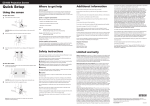
Follow these instructions to display pages from books and documents, and
three-dimensional objects. To use other features, see the User’s Guide on the
product’s CD-ROM. It provides instructions for using the microscope adapter,
capturing still images, and using the included software.
Before using the product, make sure you read the safety instructions in the
User’s Guide on the product’s CD-ROM.
4
Using the software
power button to turn on the document camera.
5
Turn on your projector. Then select the source (port) on the projector that
lets you display the camera image. On the document camera, press the
Source button, if necessary.
The included software lets you capture live audio and video, as well as still
images. You can also use it to make time-lapse movies, annotate captured
images, and upload your videos to popular websites.
Using the product
1Place your document on the table under the camera head. Align the
1 Insert the EPSON Document Camera Software CD.
center of your document with the
camera.
You can install the software on a Windows® or Mac computer.
mark on the side of the document
2
When you see the license agreement, click Yes or Agree.
3 Follow the on-screen instructions to install all the software, including
Raise the camera arm.
the Button Manager. (Make sure the Install Button Manger for EPSON
Document Camera box is selected.)
Using the software
1Connect the document camera to your computer with a USB cable.
2
Slide the lamp switch to illuminate the document.
cable (check your projector for available ports), or an HDMI cable (not
included).
USB cable
2
Lamp switch
HDMI or VGA cable
Connect the computer to your projector with an HDMI or VGA cable.
3If you’re using a laptop, make sure you’ve set it to output video to an
3
Press the Focus button on the document camera or the Auto Focus
button on the remote control. Your document is automatically focused.
VGA cable
To zoom in or out on part of the image, press the Zoom
Register today to get product updates, special promotions, and
customer-only offers. You can use the CD included with your projector, or
register online at www.epson.com/webreg.
What Is Covered: Epson America, Inc. (“Epson”) warrants to the original retail purchaser of the Epson product
enclosed with this limited warranty statement that the product, if purchased new and operated in the United
States, Canada, or Puerto Rico will be free from defects in workmanship and materials for a period of two (2)
years from the date of original purchase. For warranty service, you must provide proof of the date of original
purchase.
What Epson Will Do To Correct Problems: If your product requires service during the limited warranty period,
please call Epson at the number on the bottom of this statement and be prepared to provide the model,
serial number, and date of original purchase. Epson will, at its option, repair or replace the defective unit,
without charge for parts or labor. If Epson authorizes an exchange for the defective unit, Epson will ship a
replacement product to you, freight prepaid, so long as you use an address in the United States, Canada,
or Puerto Rico. You are responsible for securely packaging the defective unit and returning it to Epson
within five (5) working days of receipt of the replacement. Epson requires a debit or a credit card number
to secure the cost of the replacement product in the event that you fail to return the defective one. If Epson
authorizes repair instead of exchange, Epson will direct you to send your product to Epson or its authorized
service center, where the product will be repaired and sent back to you. You are responsible for packing the
product and for all costs to and from the EPSON authorized service center. When warranty service involves
the exchange of the product or of a part, the item replaced becomes Epson property. The exchanged product
or part may be new or refurbished to the Epson standard of quality, and at Epson’s option, the replacement
may be another model of like kind and quality. Epson’s liability for replacement of the covered product will
not exceed the original retail selling price of the covered product. Exchange or replacement products or parts
assume the remaining warranty period of the product covered by this limited warranty.
What This Warranty Does Not Cover: This warranty covers only normal use in the United States, Canada or
Puerto Rico. Twenty-four hours per day or other excessive continual use is not considered normal use. This
warranty is not transferable. Epson is not responsible for warranty service should the Epson label or logo
or the rating label or serial number be removed. Epson is not responsible for warranty service should the
product fail to be properly maintained or fail to function properly as a result of misuse, abuse, improper
installation, neglect, improper shipping, damage caused by disasters such as fire, flood, and lightning,
improper electrical current, software problems, interaction with non-Epson products, or service other than
by Epson or an EPSON Authorized Servicer. Postage, insurance, or shipping costs incurred in presenting your
EPSON product for carry-in warranty service are your responsibility. Epson will pay for all freight charges if
you choose to send your unit to Epson for repair. If a claimed defect cannot be identified or reproduced in
service, you will be held responsible for costs incurred.
2Connect your projector. Use a VGA cable (included), a composite video
4
Registration
Limited warranty
Installing the software
Setting up the product
1
Press the
or
button.
external monitor. (On a PC, hold down the Fn key and press
or
CRT/LCD. On a Mac, open System Preferences, click Displays, click
Arrangement, and select Mirror Displays.)
4Start the software. From Programs or All Programs (Windows) or the
Applications folder (Mac OS X), select ArcSoft Application Software
for Epson Document Camera.
THE WARRANTY AND REMEDY PROVIDED ABOVE ARE EXCLUSIVE AND IN LIEU OF ALL OTHER EXPRESS OR
IMPLIED WARRANTIES INCLUDING, BUT NOT LIMITED TO, THE IMPLIED WARRANTIES OF MERCHANTABILITY
OR FITNESS FOR A PARTICULAR PURPOSE. SOME LAWS DO NOT ALLOW THE EXCLUSION OF IMPLIED
WARRANTIES. IF THESE LAWS APPLY, THEN ALL EXPRESS AND IMPLIED WARRANTIES ARE LIMITED TO THE
WARRANTY PERIOD IDENTIFIED ABOVE. UNLESS STATED HEREIN, ANY STATEMENTS OR REPRESENTATIONS
MADE BY ANY OTHER PERSON OR FIRM ARE VOID. IN THE EVENT THE REMEDIES ABOVE FAIL, EPSON’S
ENTIRE LIABILITY SHALL BE LIMITED TO A REFUND OF THE PRICE PAID FOR THE EPSON PRODUCT COVERED
BY THIS LIMITED WARRANTY. EXCEPT AS PROVIDED IN THIS WRITTEN WARRANTY, NEITHER EPSON AMERICA,
INC. NOR ITS AFFILIATES SHALL BE LIABLE FOR ANY LOSS, INCONVENIENCE, OR DAMAGE, INCLUDING DIRECT,
SPECIAL, INCIDENTAL, OR CONSEQUENTIAL DAMAGES, RESULTING FROM THE USE OR INABILITY TO USE THE
EPSON PRODUCT, WHETHER RESULTING FROM BREACH OF WARRANTY OR ANY OTHER LEGAL THEORY.
In Canada, warranties include both warranties and conditions.
Some jurisdictions do not allow limitations on how long an implied warranty lasts and some jurisdictions do
not allow the exclusion or limitation of incidental or consequential damages, so the above limitations and
exclusions may not apply to you. This warranty gives you specific legal rights, and you may also have other
rights, which vary from jurisdiction to jurisdiction.
To find the EPSON Authorized Reseller nearest you, please visit www.epson.com.
To find the EPSON Customer Care Center nearest you, please visit www.epson.com/support.
Note: You can also use the remote control to adjust the image.
When you’re done using the product, turn it off and lower the camera arm
as shown.
Composite video cable
5Use the application’s capture buttons to record a still image, photo burst,
time-lapse movie, or video.
To contact the EPSON ConnectionSM , please call (800) 637-7661 or (562) 276-4394 in the U.S. and
(905) 709-3839 in Canada or write to Epson America, Inc., P.O. Box 93012, Long Beach, CA 90809-3012.
For further instructions, see the User’s Guide on the product’s CD-ROM.
Where to get help
Manual
See the User’s Guide on the product’s CD-ROM.
HDMI cable
3
Connect the power adapter.
Telephone support services
To use the EPSON® PrivateLine® Support service, call (800) 637-7661. This service
is available for the duration of your warranty period. You may also speak with a
support specialist by dialing (562) 276-4394 (U.S.) or (905) 709-3839 (Canada).
Support hours are 6 am to 8
to 4 pm, Saturday.
pm,
Pacific Time, Monday through Friday and 7 am
Days and hours of support are subject to change without notice. Toll or long
distance charges may apply.
Internet support
*412373100*
*412373100*
Visit epson.com/support (U.S.) or epson.ca/support (Canada) for solutions
to common problems. You can download documentation, get FAQs and
troubleshooting advice, or e-mail Epson with your questions.
EPSON is a registered trademark and EPSON Exceed Your Vision is a registered logomark of Seiko Epson
Corporation. PrivateLine is a registered trademark and EPSON Connection is a service mark of Epson America, Inc.
General Notice: Other product names used herein are for identification purposes only and may be trademarks of
their respective owners. Epson disclaims any and all rights in those marks.
This information is subject to change without notice.
WARNING: The cords included with this product contain chemicals, including lead, known to the State of
California to cause birth defects or other reproductive harm. Wash hands after handling. (This notice is provided
in accordance with Proposition 65 in Cal. Health & Safety Code § 25249.5 and following.)
© 2012 Epson America, Inc. 7/12
Printed in China
CPD-37369