1
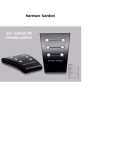
TO SET OR RESET THE ACTUAL TIME
CLOCK SET MODE
1. Press and hold time set button (12) (position 1) 2 seconds, day blinking.
2. Press volume up control button
(3) and volume down control button
(4) (position 2) and volume
down control button
(4) (position 2) to set day.
3. Press time set button (12) (position 1), 24 hour / 12 hour blinking.
4. Press volume up control button
(3) (position 3) and volume down control button
(4) (position
2), hour blinking.
5. Press time set button (12) (position 1), hour blinking.
6. Press volume up control button
(3) (position 3) and volume down control button
(4) (position
2) to set hour.
7. Press time set button (12) (position 1), minute blinking.
8. Press volume up control button
(3) (position 3) and volume down control button
(4) (position
2) to set minute.
014.