1
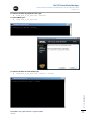
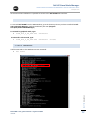
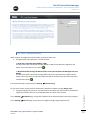
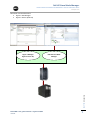
Dell UPS Local Node Manager USER'S GUIDE EXTENSION FOR MICROSOFT VIRTUAL ARCHITECTURES Dellups.com At the end of the installation it is possible to access to the Dell ULNM web interface. 2.6. UNINSTALLING DELL ULNM To uninstall Dell ULNM from the DOS Window, go to the directory where you have installed the Dell USP Local Node Manager. (Default installation path is C:\Program Files\Dell\UPSLocalNodeManager) To uninstall in graphical mode, type: ulnm_win_x_xx_xxx.exe –uninstall To uninstall in silent mode, type: ulnm_win_x_xx_xxx.exe –uninstall –silent 2.7. USEFUL COMMANDS CHAPTER: Installation Useful Commands to list Windows services activated: net start Dell ULNM - User guide extension - HyperV R1 & R2 rev0.01 12