1
Deploying FCoE (FIP Snooping) on Dell PowerConnect 10G Switches: M8024-k, 8024, and 8024F
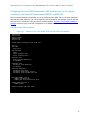
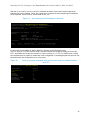
To validate, login to the switch and perform a show version command. For the example given the
following is displayed.
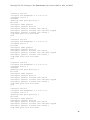
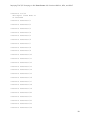
console#show version
Images currently available on Flash
unit image1
image2
current-active
next-active
----- ------------ ------------ ----------------- ----------------1
4.1.0.9
4.2.0.4
image2
image2
While downgrading to a previous firmware is supported, all features and functions that were not part
of the previous firmware will be lost, including those features and functions that were introduced in
the current firmware in use. Firmware version 4.2 or later must be active on all switches or stack
members in order for stacking and DCB to work. Do not downgrade a switch or stack to firmware
version 4.1.x.x or earlier.
Web interface method
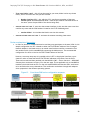
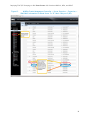
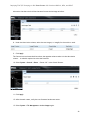
Find the firmware versions that the stack members are using.
1. Select System > File Management > Active Images.
2. Look in the Current-Active column to find which images are enabled
3. Since image2 is active, look in the Image 2 Version column to see what version each stack
member is at. These firmware versions being used should be the same across all stack member
units.
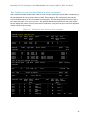
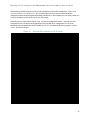
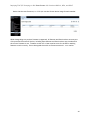
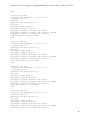
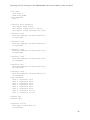
The commands below demonstrate how to copy the firmware file down to the switch via a TFTP server.
The switch will need access to the TFTP server on the network and the firmware file will need to be
present in the download folder of the TFTP server. If other methods are preferable over TFTP please
see the User’s Guide. Perform the following steps:
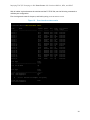
1. Select System > File Management > File Download.
2. Select Firmware for the File Type and TFTP for the Transfer Mode.
41