1
Setup Mode
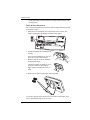
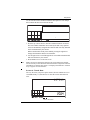
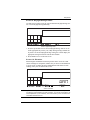
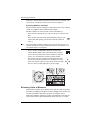
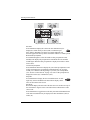
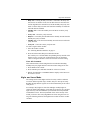
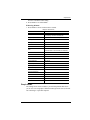
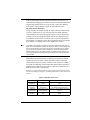
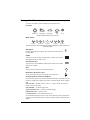
2. Press and release 2ND and press UNITS once.
The units used to display rain data toggle between
inches and millimeters each time you repeat this key
sequence.
2ND
UNITS
GRAPH
To Display Rain in Metric Units in WeatherLink
Refer to WeatherLink online help for instructions to set the rain collector to
0.2 mm and to select millimeters as the unit for rain.
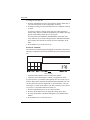
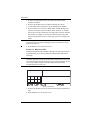
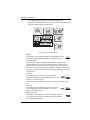
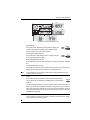
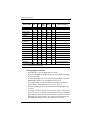
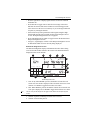
Screen 13: Rain Season
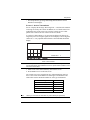
Because rainy seasons begin and end at different times in different parts of
the world, you must specify the month you wish your yearly rain data to
begin. January 1st is the default. The date the rain season begins affects
yearly rain rate highs and lows.
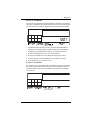
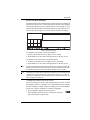
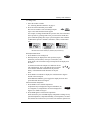
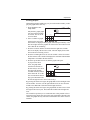
Screen 13: Rain Season
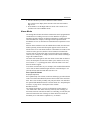
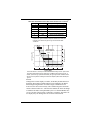
1. Press the up and down arrows to select the month for the start of the
rainy season.
2. Press DONE to move to the next screen.
Note:
This setting determines when the yearly rain total is reset to zero. Davis Instruments
recommends a January rain season setting (the default), unless you reside in the
west coast of the United States, the Mediterranean coast, experience dry winters in
the Southern Hemisphere, or or are performing hydrology studies in any of these climates. If so, change the rain season setting to July 1st.
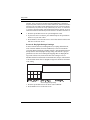
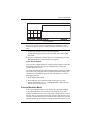
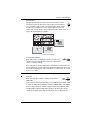
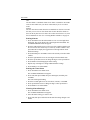
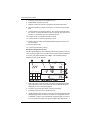
Screen 14: Serial Baud Rate
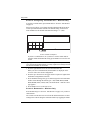
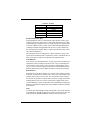
The Baud Rate screen displays if the console detects that a WeatherLink
data logger installed on the console.
The console uses a serial or USB port to communicate with a computer. If
you are connecting the console directly to your computer, leave the setting
at 19200, the highest rate for the port. If you’re using a modem, use the
highest setting your modem can handle. The console must be equipped
with a WeatherLink data logger to communicate with a computer.
19