1
DV6T711P-AP(DESUK)1
02.7.24 11:16 AM
˘
` 25
mac001
300DPI 120LPI
Setting time and date / OSD ON & OFF
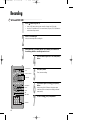
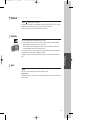
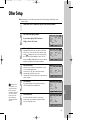
Setting time and date
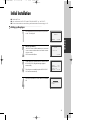
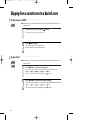
■ Press [VCR] button on the remote control to change into VCR Mode and follow the
procedure below.
CLOCK SET
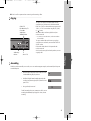
TIME - - : - DATE - - / - - /- - - 0-9:SETUP (HOUR)
</>:CORRECT SETUP:END
Move to the position you want to change and type
in the new values.
Wait a few seconds after typing a one-digit number.
Basic Operation
1
2
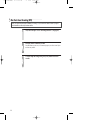
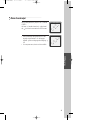
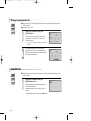
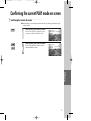
Call the player’s "MAIN SETUP",
choose "VCR SETUP", then "CLOCK SET".
CLOCK SET
TIME 06:05
DATE 10/03/2002(SUN)
0-9:SETUP (HOUR)
</>:CORRECT
OK:CONFIRM
SETUP:END
Store with [OK] button and exit with [SETUP]
button.
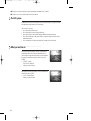
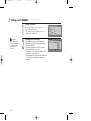
OSD(On Screen Display) ON & OFF
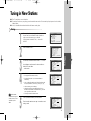
This player is set to “OSD (On Screen Display) ON” mode before shipping and you can change it to OFF
mode.
1
2
3
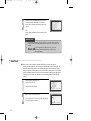
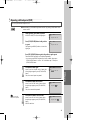
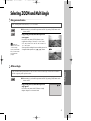
Call the player’s "MAIN SETUP".
MAIN SETUP
TIMER PROGRAM
PR PRESET
VCR SETUP
TAPE CONTROL
PR+/-:SELECT
OK:CONFIRM
Choose “VCR SETUP”.
And press the [OK] button.
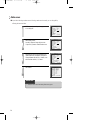
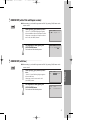
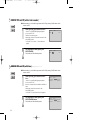
Select “OSD ON/OFF”.
If you want OSD OFF mode, select it and press
[OK] button to confirm.
Then OSD characters are not displayed in the
normal picture.
SETUP:END
VCR SETUP
CLOCK SET
RF OUTPUT SET
16:9 SET
OSD ON/OFF
AUTO CLOCK
PR+/-:SELECT
OK:CONFIRM
SETUP:END
OSD ON/OFF
ON
OFF
PR+/-:SELECT
OK:CONFIRM
SETUP:END
25