1
Contents
3 Using Your Digital Data Storage (DDS) Tape Drive
DDS Tape Drive and Data Cassette Descriptions 45
DDS Drive 45
Storage Capacities 45
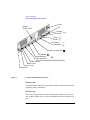
Controls and Indicators 46
LEDs 47
LED Warning Conditions 48
Data Cassettes 49
Media Life 49
Cleaning the Tape Heads 50
Media Restrictions 50
Setting the Write-Protect Tab on a Data Cassette
51
Operating the DDS Tape Drive 52
Loading and Unloading a Data Cassette 52
Verifying the DDS Tape Drive Operation 53
Using Device Files 54
Archiving Data 55
Writing to a Data Cassette 55
Restoring Files from a Data Cassette to Your System
Listing the Files on a Data Cassette 56
Further Command Information 57
56
Troubleshooting 58
Ordering Information 58
4 Using Your 3.5-Inch Floppy Disk Drive
Using the Floppy Diskette 61
Setting the Write-Protect Tab on a Diskette
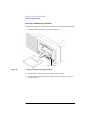
Inserting and Removing a Diskette 62
61
Operating the Floppy Drive 63
Verifying the Floppy Drive Configuration
63
vii