1
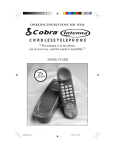
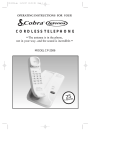
OPERATING INSTRUCTIONS FOR YOUR
Cobra
®
CORDLESS TELEPHONE
“The antenna is in the phone,
not in your way...and the sound is incredible.”
MODEL CP-2505
5
2
EL
A
H NN
C
2505.MANUAL.pm
1
11/7/97, 11:42 AM
Cobra
®
Cordless Telephone Model CP-2505
Table of Contents
SUBJECT
PAGE
Important Safety Instructions .............................................................................. 2, 3
Introduction ................................................................................................................ 4
Installation Information ............................................................................................ 5
Quick Set-Up Guide .................................................................................................. 6
Wall-Mounting Instructions ..................................................................................... 7
Using Your Phone ...................................................................................................... 8
Answering/Placing Calls at the Base ...................................................... 8
Answering/Placing Calls Away From The Base................................... 8
Cordless Phone Operational Features .................................................................... 9
Battery Saver Circuitry .............................................................................. 9
Channel Selection ....................................................................................... 9
Compander Noise Reduction ................................................................... 9
Digital Security ........................................................................................... 9
Flash ............................................................................................................. 9
Hearing Aid Compatibility ..................................................................... 10
Hold ........................................................................................................... 10
Intenna System ......................................................................................... 10
Last Number Redial ................................................................................. 10
Memory Dialing (Storage) ...................................................................... 10
Memory Dialing (Recall) ......................................................................... 10
Out-of-Range Signal ................................................................................. 11
Power Protector™ System ...................................................................... 11
Private Call™ Voice Scrambling System .............................................. 11
Pulse/Tone Switch ................................................................................... 11
Ringer Switch ............................................................................................ 11
Secur-Loc® .................................................................................................................................. 11
Rechargeable Handset Battery Information ........................................................ 12
Handset Battery Recharging ................................................................... 12
Replacing the Handset Battery ......................................................... 12, 13
Handset Battery Disposal ........................................................................ 13
Cleaning The Charging Contacts .......................................................................... 13
About Cordless Phone Performance ..................................................................... 14
Intenna Cordless Telephone Troubleshooting Guide ........................................ 15
If You Think You Need Service ............................................................................. 16
Registered with the FCC ......................................................................................... 16
Limited One-Year Warranty .................................................................................. 17
Cordless Phone Accessories ....................................................... Inside Back Cover
1
2505.MANUAL.pm
2
11/7/97, 11:42 AM
Important Safety Instructions
When using your telephone equipment, basic safety precautions should always
be followed to reduce the risk of fire, electric shock and injury to persons,
including the following:
1. Read and understand all instructions.
2. Follow all warnings and instructions marked on the product.
3. Unplug this product from the wall outlet before cleaning. Do not use liquid
cleaners or aerosol cleaners. Use a damp cloth for cleaning.
4. Do not locate base unit near water, for example, near a bath tub, wash bowl,
kitchen sink, or laundry tub, in a wet basement or near a swimming pool.
5. Do not place this product on an unstable cart, stand or table. The product may
fall, causing serious damage to the product.
6. Slots and openings in the cabinet and the bottom or back are provided for
ventilation, to protect it from overheating; these openings must not be
blocked or covered. The openings should never be blocked by placing the
product in the bed, sofa, rug or other similar surface. This product should
never be placed near or over a radiator or heat register. This product should
not be placed in a built-in installation unless proper ventilation is provided.
7. This product should be operated only from the type of power source indicated
on the marking label. If you are not sure of the type of power supply to your
home, consult your dealer or local power company.
8. Do not allow anything to rest on the power cord. Do not locate this product
where the cord will be abused by persons walking on it.
9. Do not overload outlets and extension cords as this can result in the risk of fire
or electric shock.
10. Never push objects of any kind into this product through cabinet slots as they
may touch dangerous voltage points or short out parts that could result in a
risk of fire or electric shock. Never spill liquid of any kind on the product.
11. To reduce the risk of electric shock, do not disassemble this product, but take it
to qualified servicemen when service or repair work is required. Opening or
removing covers may expose you to dangerous voltages or other risks. Incorrect
reassembly can cause electric shock when the appliance is subsequently used.
12. Avoid using telephone (other than a cordless type) during an electrical storm.
There may be a remote risk of electric shock from lightning.
13. Do not use the telephone to report a gas leak in the vicinity of the leak.
14. Unplug this product from the wall outlet and refer servicing to qualified
service personnel under the following conditions:
A. When the power supply cord or plug is damaged or frayed.
B. If liquid has been spilled into the product.
C. If the product has been exposed to rain or water.
D. If the product does not operate normally by following the operating
instructions. Adjust only those controls that are covered by the operating
instructions because improper adjustment of other controls may result in
damage and will often require extensive work by a qualified technician to
restore the product to normal operation.
E. If the product has been dropped or the cabinet has been damaged.
2
F. If the product exhibits a distinct change in performance.
2505.MANUAL.pm
3
11/7/97, 11:42 AM
Important Safety Instructions (continued)
The cordless handset operates on batteries, please read and follow instructions:
A. Use only the battery pack supplied with the unit or identical replacement.
B. Do not dispose of battery pack in a fire. The cells may explode. Check with
local codes for possible disposal instruction.
C. Since released electrolyte is corrosive and may cause damage to eyes or
skin and may be toxic if swallowed:
C1. Do not open or mutilate battery pack.
C2. Always replace the entire battery pack rather than reusing one or
more cells.
C3. Do not expose batteries to heat or flame.
D. Exercise care in handling the battery pack in order not to "short" the battery
contacts with conducting materials such as rings, bracelets, and keys. The
battery or conductor may overheat and cause burns.
The base also has a back-up battery, please read and follow these instructions:
A. Do not attempt to recharge the battery provided with or identified for use
with this product. The battery may leak corrosive electrolyte or explode.
B. Do not attempt to rejuvinate the battery provided with or identified for use
with this product by heating it. Sudden release of the battery electrolyte
may occur causing burns or irritation to the eyes or skin.
C. Remove the battery from this product if the product will not be used for
a long period of time (several months or more) since during this time the
battery could leak in the product.
D. Properly dispose of "dead" batteries as soon as possible since "dead"
batteries are more likely to leak in a product.
E. Do not store this product or the battery provided with or identified for use
with this product in high-temperature areas. Batteries that are stored in a
freezer or refridgerator for the purpose of extending shelf life should be
protected from condensation during storage and defrosting. Batteries
should be stabilized at room temperature prior to use after cold storage.
15. Never install telephone wiring during a lightning storm.
16. Never install telephone jacks in wet locations unless the jack is specifically
designed for wet locations.
17. Never touch uninsulated telephone wires or terminals unless the telephone
line has been disconnected at the network interface.
18. Use caution when installing or modifying telephone lines.
Save These Instructions
3
2505.MANUAL.pm
4
11/7/97, 11:42 AM
How To Use Your
Cobra
®
Cordless Telephone Model CP-2505
U.S. PATENT 4876709
U.S. PATENT 5351284
Introduction
Thank you for your purchase of a Cobra® Intenna® Cordless Telephone —
the world’s first and only full-range-power cordless telephone without any
external antennas!
No more extending, bending, or breaking the antennas found on other
cordless phones — your Cobra Intenna conceals its antenna systems inside
the handset and base, where they should be, out of your way.
Now you can install your new Cobra Intenna cordless phone virtually anywhere. Without cumbersome external antennas to worry about, put your new
phone anywhere a corded phone can go! Then enjoy the freedom of using
your new cordless phone all over the house as well as outside in your yard.
Your new Cobra Model CP-2505 has 25 selectable channels (the maximum
number available) for optimum interference-free use, and 10-number memory
dialing. The CP-2505 is also equipped with an extra-life battery which allows
you to keep the phone away from the base for up to 14 days between recharges,
Clear Call® PLUS Circuitry with compander noise-reduction system to
ensure corded-phone sound quality, Private Call™ voice scrambling, and
Power Protector™ reserve power for operation during power outages.
Please take a moment to review this booklet and become familiar with all of
the many user-friendly convenience features built into your new Cobra
Intenna Cordless Phone.
If you need further assistance installing or using your new Intenna Cordless
Telephone, please call our consumer “hotline” at 1-773-889-3087),
8 a.m. to 8 p.m. CST, Monday through Friday (except holidays).
NOTE: The advanced channel scanning technique employed by the
CP-2505 ensures that a clear channel is chosen. The TALK button
flashes during scanning. In the presence of radio interference (such as
another cordless telephone or baby monitor) there may be slight delay
in accessing the line when placing a call.
NOTE: Some cordless telephones operate at frequencies that may cause
interference to nearby TV's and VCR's. To minimize or prevent such interference, the base of the cordless telephone should not be placed near or on top of
TV's or VCR's. If interference is experienced, moving the cordless telephone
base further away from the TV or VCR will often reduce or eliminate the
interference.
CAUTION: Any changes or modifications not expressly approved by Cobra
could void the user's authority to operate the equipment.
4
2505.MANUAL.pm
5
11/7/97, 11:42 AM
Installation Information
Maximum range is obtained by installing the base unit in the highest living
area of your home. The location you choose must be near an electrical outlet
and a telephone wall jack.
INTERNAL
ANTENNA
HANDSET
TALK BUTTON
Talk
1
A
B
C
G
H
I
4
P
R
S
CHANNEL
BUTTON
J
K
L
7
T
U
V
*
2
D
E
F
5
M
N
O
8
W
X
Y
O
P
R
O
AC ADAPTER
3
6
9
#
Flash
FLASH BUTTON
Channel
Talk
Hold
Bat Low
HOLD BUTTON
ATE
REDIAL
BUTTON
Memory
MEMORY BUTTON
®
PRIV
25 C H
TALK &
BATTERY LOW
INDICATOR
Redial
CALL
ANN
EL
BASE UNIT
POWER 9V DC JACK
PULSE/TONE
SWITCH
RINGER ON/
OFF SWITCH
P
25 C RHIVATE CALL
ANN
EL
CHARGE INDICATOR
rge
a
Ch
POWER
PROTECTOR™
BATTERY
2505.MANUAL.pm
5
6
11/7/97, 11:43 AM
Quick Set-Up Guide
The following basic steps enable quick and easy installation of your new
Cobra Intenna Cordless Phone for use on a desk or countertop. You are
encouraged to review this complete instruction manual to become familiar
with all of the operating instructions and features of your new phone.
NOTE: Before using, connect your new system to AC power (see instructions below) to charge it overnight (at least 12 hours) for optimum conditioning of the rechargeable battery inside the cordless handset.
1
Insert round connector of power adapter into POWER jack (at rear of
cordless phone’s base; see diagram #1 below). Plug power adapter into a
standard 120 VAC household electrical outlet. Then place handset in
base so CHARGE indicator lights (see p. 12).
BASE UNIT—
REAR VIEW
HANDSET
RINGER
➂ ON/OFF
Diagram #1
Connecting
power and
telephone
PULSE/
TONE
OFF ON P
T
POWER
9V DC
RINGER SWITCH
①
DC POWER JACK
4
PULSE/TONE
SWITCH
ELECTRICAL
OUTLET
2
MODULAR
PHONE JACK
ADAPTER
2
3
4
9V
5
After charging, remove the twist-tie from the phone cord and plug the
modular telephone connector into the phone jack on your wall (see above).
Make sure that the RINGER switch is ON (located on base; see p. 11 for
details).
Set the PULSE/TONE switch (at the rear of
the base) for proper operation (see page 11
for details).
Note: Make sure you have charged handset
in base 12 hours before using.
Install the 9V battery for Power Protector™
operation in the base as shown in the
illustration.
6
2505.MANUAL.pm
7
11/7/97, 11:43 AM
Wall Mounting Instructions
The following steps enable installation on a new or existing telephone wallmounting plate or directly onto a wall. (Your Cobra Intenna is designed to be
used with any AT & T, GTE, local phone company or other wall-mounting
plates that can be purchased from most local electronics stores.)
• Run telephone cord through cord wrap channel on bottom of base. (As shown).
• Plug modular phone connector into telephone wall jack.
• Align mounting studs on the plate to the holes on the bottom of the
Intenna base; push base onto studs and slide down on the wall plate.
Modular Phone Jack
Diagram #2:
Installation on a
telephone wallmounting plate
Mounting Studs
•
•
Attach the power adapter to the POWER connection (on the base of the
phone) and plug into a household AC power outlet.
To install directly on any wall, you’ll need to provide two screws and wall
anchors; follow these steps:
— Drill two holes 3 1/4" apart and insert the wall anchors.
— Drive the screws into the anchors until the head of each screw is
protruding about 1/8" from the wall.
— Align the holes in the cordless base over the screw heads; push base
in and slide down on screws (see diagram #3).
— Plug modular phone connector into telephone wall jack; attach the
power adapter to the POWER connection (on the base of the phone)
and plug into to a household AC power outlet.
Screw Heads
Diagram #3:
Installation
directly on a wall
Modular Phone Jack
2505.MANUAL.pm
8
11/7/97, 11:43 AM
7
Using Your Phone
After charging the handset batteries overnight (at least 12 hours), your
Cobra Intenna cordless phone will be ready for use.
ANSWERING/PLACING CALLS AT THE BASE
• To answer a call, just pick up handset from base when the phone rings.
TALK indicator will automatically light. When call is completed, return
handset to base without pressing TALK button; your phone automatically
disconnects.
• To place a call, pick-up handset from base and press and release the
TALK button (indicator will light). When you hear the dial tone, place
your call.
ANSWERING/PLACING CALLS AWAY FROM THE BASE
• The TALK indicator must be off
(not lit) when the handset is
away from the base. The phone is
ready to ring if a call is received
(RINGER Switch on the base
must be in ON position).
• Press and release the TALK
button (indicator will light) to
answer or place a call.
Talk
1
G
H
I
4
• Press and release the TALK
button when finished with a call.
TALK indicator light will go off
and the call will be disconnected.
P
R
S
7
A
B
C
J
K
L
T
U
V
2
5
8
D
E
F
M
N
O
W
3
6
9
Note: The advanced channel scanning technique employed by the
CP-2505 ensures that a clear channel is chosen. The TALK button flashes
during scanning. In the presence of radio interference (such as another
cordless telephone or baby monitor) there may be a slight delay in
accessing the line when placing a call.
8
2505.MANUAL.pm
9
11/7/97, 11:43 AM
Cordless Phone Operational Features
The following features offer state-of-the-art performance and the ultimate in userfriendly convenience with your new Cobra Intenna cordless telephone.
BATTERY SAVER CIRCUITRY
The handset of this phone may be kept away from the
base (TALK indicator OFF) up to 14 days at a time. In
this condition, it is ready for you to answer or place
calls by pressing and releasing the TALK button.
Talk
1
A
B
C
G
H
I
4
Note: A warning beep tone will sound and the TALK/
BAT indicator will flash when the handset battery
needs recharging (see p. 12). The duration of the battery
charge will depend on your actual use of the phone in
its remote location.
P
R
S
7
D
E
F
5
T
U
V
*
M
N
O
8
W
X
Y
O
P
R
O
3
6
9
#
Flash
Channe
l
Bat Low
PRIV
Redial
Talk
Hold
CHANNEL SELECTION
25 selectable channels are built into your Cobra Intenna
for optimum interference-free use.
If interference begins during a conversation:
• Press and release the CHANNEL button on the
handset. Your phone will automatically scan and
advance to the next clear channel. A confirmation
tone (two double beeps) will sound to indicate a
successful channel change.
2
J
K
L
Memory
®
ATE
C
Talk
1
A
B
C
G
H
I
4
P
R
S
7
J
K
L
*
T
U
V
2
D
E
F
5
M
N
O
8
W
X
Y
O
P
R
O
3
6
9
#
Flash
Channe
• If an alert tone (3 beeps) sounds, channel change
was unsuccessful. In that case, move closer to the
phone base and press CHANNEL button again.
l
Redial
Hold
Talk
Bat Low
Memory
®
PRIV
ATE
C
COMPANDER NOISE REDUCTION
Your Cobra Intenna has the Cobra Clear Call® PLUS compander noise-reduction
system to minimize background noise for optimum audio performance. The sound
of your phone will be comparable to the performance of a corded phone.
DIGITAL SECURITY
Your Cobra Intenna features 65,000 combinations of digital security coding (in
accordance with FCC regulations) to reduce the chance of interference from
your neighbors' cordless phones. These inaudible, electronic codes are transmitted automatically by your phone to establish a secure link between your
cordless handset and base.
FLASH
This feature briefly interrupts the phone line so that you may access some of the
advanced features— like “Call Waiting” and “Three-Way Calling”— that may be
offered at extra cost by your local telephone company. Press and release the FLASH
button on the handset to answer a second phone call or place a conference call if you
subscribe to these services.
9
2505.MANUAL.pm
10
11/7/97, 11:43 AM
HEARING AID COMPATIBILITY
Your cordless telephone handset is compatible with inductively coupled
hearing aids (HAC).
HOLD
After you put a call on hold, your Intenna automatically releases when you, or
someone else, picks up another handset on the same line. No need to come
back and turn it off, because it turns itself off automatically.
SYSTEM
The revolutionary, patented Intenna hidden-antenna system is a Cobra exclusive.
Intenna is the world’s first and only full-range-power cordless telephone that conceals the handset and base antennas inside the phone and out of the way. No more
antennas to extend, bend or break. Cobra’s hidden antennas are perfectly matched
to your phone’s microprocessor circuitry for optimum performance offering the
ultimate in user-friendly convenience.
LAST NUMBER REDIAL
Each time you dial, the phone number you’re calling is automatically saved in a
special REDIAL memory. To call that number again at a busy signal, press
FLASH (without hanging up) to get a new dial tone, then press and release the
REDIAL button. If you wish to try the call in a few minutes, use TALK to access
the dial tone, then press and release the REDIAL button. The number will
automatically be redialed.
MEMORY DIALING (STORAGE)
Your Cobra Intenna cordless phone enables you to store up to ten frequently
dialed phone numbers or emergency numbers. With the TALK indicator light off,
press and release the MEMORY button ; enter the digits of the phone number you
wish to store, up to 16 digits; press and release the MEMORY button again. Now
assign your memory number a position by entering any keypad number from 0
to 9. You will hear a confirmation beep. Repeat until all ten numbers are entered.
NOTE: for automated banking or alternate long distance service, you may need
to program a number which is longer than 16 digits. You will need to divide the
number between two memory I.D. numbers. Follow the steps above.
MEMORY + TELEPHONE + MEMORY + I.D. # = CONFIRMATION
NUMBER
(0–9)
TONE
MEMORY DIALING (RECALL)
To call a number stored in memory, press TALK to get a dial tone; press MEMORY
button. Press the keypad number you assigned to that number and your phone will
automatically dial the number. NOTE: for longer numbers which you have stored
in two different I.D. numbers, follow steps above, pressing MEMORY button again
before entering the second number. Use the memory sticker card provided to write
down the names of each memory position. Keep this in any covenient place.
TALK
+
MEMORY
+
I.D.#
0-9
= MEMORY DIAL
10
2505.MANUAL.pm
11
11/7/97, 11:43 AM
OUT-OF-RANGE SIGNAL
If three beeps are heard immediately after the TALK button is pressed, the
handset is too far away from the base. The handset and TALK indicator will
automatically turn off. Move closer to the base and then try your call again.
POWER PROTECTOR™ SYSTEM
Although the handset is battery powered, the base obtains its power from the
AC outlet. No AC, no power. This could be of critical importance should an
emergency occur during a power failure. Many homes are now exclusively
cordless, leaving them without means to quickly contact emergency services
in this situation.
Power Protector helps solve that problem. In the Intenna CP-2505, a 9 volt
battery allows the base to continue working in the event of a power failure.
The phone will be usable for up to 2 hours continuously (and up to 3 hours
with occasional use)–long enough in most cases for the power to be restored.
Replacement of the Power Protector battery with a fresh high quality
alkaline battery is recommended every six months and after a power outage
over 30 minutes. Please refer to page 6 for instructions.
PRIVATE CALL™ VOICE SCRAMBLING SYSTEM
This feature is automatically activated whenever you use your phone. Built-in
voice scrambling allows complete calling privacy by scrambling the signals
between the handset and the base and between the base and the handset,
making it unlikely that an outside source such as another cordless phone,
scanner or baby monitor to pick up a conversation from your phone. This
ensures that you will always have totally private telephone conversations.
PULSE/TONE SWITCH
PULSE
TONE
✱
Your Cobra Intenna cordless phone can be used with any
phone system because it is switchable from pulse to tone
dialing (see switch on back of the base) depending on which
service you are using. Mixed PULSE and TONE dialing may
be used (to access certain long-distance or computerized
banking services, for example) by selecting PULSE with the
base switch and then using the
button on the handset to
temporarily switch to TONE dialing. Hanging up resets to
PULSE.
RINGER SWITCH
The OFF/ON switch (located on back of the base) controls
your cordless handset’s electronic ringer; no ring will sound
in the OFF position.
OFF
ON
RINGER
SECUR-LOC®
This exclusive Cobra electronic circuitry is an added security measure to
protect your phone line from being accidentally accessed by a neighbor's
cordless phone. Secur-Loc activates automatically when your cordless handset
is placed into its base.
11
2505.MANUAL.pm
12
11/7/97, 11:43 AM
Rechargeable Handset Battery Information
NOTE: Before using your new Cobra Intenna cordless telephone for the
first time, you must charge the battery overnight (at least 12 hours) for
optimum long-life conditioning of the nickel-cadmium rechargeable
handset battery.
BATTERY RECHARGING
When your cordless handset battery needs recharging, the following alerts
will remind you to immediately return the handset to the base for recharging (this normally requires at least 12 hours of continuous charging):
O
#
Flash
1. The TALK/BAT LOW indicator
on the handset will flash.
Channel
Hold
Bat Low
2. A warning (2 beeps every 30
seconds) will sound while you are
using the phone. This indicates
you have only a few minutes of
battery power remaining to
complete your conversation before
the phone disconnects.
3. When handset has been away from
the base and needs recharging, it
will beep at 30 second intervals for
five minutes. After this time, the
handset will seem "dead". It will
not flash or beep, nor will you be
able to get a dial tone. Return
handset to base for recharging.
Talk
Redial
Memory
BEEP
BEEP
a
Ch
rge
NOTE: The CHARGE indicator will
remain on as long as the handset is in the
base, even after the batteries are fully
recharged. The batteries will not be
damaged if the handset remains in the
base continuously; the charging system
is self-adjusting and will never overcharge the batteries.
REPLACING THE HANDSET BATTERY
The rechargeable NiCad battery in your cordless phone may need to be
replaced if the handset will not function when the TALK button is pressed
after recharging for 12 hours.
Replacement batteries are available direct from Cobra (see accessories order
form at the end of this booklet or call 1-773-889-3087).
12
REPLACING THE HANDSET BATTERY (continued)
1. To remove the battery door, press
and slide downward.
2. Carefully disconnect the battery
pack and dispose of it properly.
See BATTERY DISPOSAL below.
3. To replace, observe connection
orientation and connect the new
battery and replace the door.
Return the handset to the base
and charge the battery overnight
(at least 12 hours).
HANDSET BATTERY DISPOSAL
The rechargeable nickel cadmium (NiCad) battery in this product must be
recycled or disposed of properly in compliance with all applicable laws.
Certain states or municipalities require recycling and have established collection programs. Please contact your local waste removal authority for instructions, or return to Cobra for recycling. Wrap batteries carefully and mail
postage prepaid to:
Cobra Electronics Corporation
6500 W. Cortland Street
Chicago, IL 60707
Attn: Battery Recycling
RBR
C
RC
RB
DO NOT PUT BATTERIES INTO
FIRE OR EXPOSE TO HIGH HEAT.
THEY MAY EXPLODE.
"Contains Nickel-Cadmium
Rechargeable Battery. Must be
recycled or disposed of properly."
Ni-Cd
CLEANING THE CHARGING CONTACTS
Clean the two metal charging contacts on the base and handset with a soft,
dry cloth on a regular basis to ensure optimum performance of the batterycharging system. Rubbing alcohol may be used if more thorough cleaning is
required.
13
2505.MANUAL.pm
14
11/7/97, 11:43 AM
About Cordless Phone Performance
Your Cobra Intenna cordless phone uses radio transmission to communicate
Cordless Telephone
Troubleshooting Guide
If your cordless phone does not seem to operate properly, please check the
following and refer to the appropriate sections in this booklet for detailed
information:
•
The phone is dead; no indicator lights are on: Are the power
adapter and telephone cord connected?
•
Handset beeps during conversations or when away from the base:
The batteries need recharging; return the handset to the base for
overnight recharging.
•
Hearing poor audio or added interference during calls: Don’t cover
the top section of the handset with your hand or rest the phone on
your shoulder. This blocks the special internal Cobra Intenna
handset antenna.
•
Handset disconnects, loses performance and/or beeps three times
when in use away from the base: You may be out of range or your
batteries may need recharging. Move closer to the base and/or
recharge batteries.
•
Unable to make a call due to interference: Select a new channel.
•
Handset won’t work after a power outage or after disconnecting
phone from AC power and then reconnecting it: Return the
handset to the base for about 15 seconds to automatically match the
security coding.
•
Handset seems "dead.": Battery power has run out; return handset
to base and charge for at least 12 hours. If handset still seems dead,
unplug the handset battery for 15 seconds and plug back in and then
place the handset back on the base for at least 5 minutes. Check that
charge LED lamp is illuminated.
•
Memory dialing does not work: Handset battery may have become
completely discharged; recharge handset in cradle (12 hours) then reenter your memory dialing numbers (see p. 10).
•
Power Failure Reset: Power Protector™ Circuitry will preserve the
codes set in the handset and base, however, if the battery in the base
is low in power, you must return the cordless handset to the base for
about 15 seconds. This automatically matches the digital security
codes.
15
2505.MANUAL.pm
16
11/7/97, 11:43 AM
If You Think You Need Service, Call 1-773-889-3087
You may be asked to send your unit to the Cobra factory. It will be necessary to
furnish the following, in order to have the product serviced and returned.
1. For Warranty Repair, include some form of proof-of-purchase, such as a
mechanical reproduction or carbon or a sales receipt. If you send the original
receipt it cannot be returned.
2. Send the entire product. Must include base, handset, cords and power adapter
furnished with the product.
3. Enclose a description of what is happening with the unit. Include a typed or
clearly printed name and address of where the unit is to be returned.
4. Pack unit securely to prevent damage in transit. If possible, use the original
packing material.
5. Ship prepaid and insured by way of a traceable carrier ( to avoid loss in transit)
such as United Parcel Service (UPS), Roadway Parcel Service (RPS) or First
Class Mail to Cobra Factory Service, Cobra Electronics Corporation, 6500 W.
Cortland St., Chicago, IL 60707.
6. If the unit is in warranty, upon receipt of your unit it will either be repaired or
exchanged depending on the model. Please allow approximately 3 to 4 weeks
before contacting us for status. If the unit is out of warranty a letter will
automatically be sent informing you of the repair or replacement charge. If you
have any questions, please call 1-773-889-3087 for assistance.
Registered with the FCC
Please note: This cordless telephone operates under part 15 and part 68 of FCC rules.
Operation is subject to two conditions: 1) It may not interfere with radio communications, and 2) It must accept any interference received, including that which may
cause undesirable operation. See the Operational Features section of this booklet for
ways to reduce interference.
Your telephone company is required by the Federal Communications Commission to
allow you to connect FCC registered telephones to their lines.
The FCC requires you to provide information, if requested by the local telephone
company, about the connection of an FCC registered telephone to their lines. They
may ask you for the FCC registration number and the ringer equivalence number
(REN), both of which are on the bottom of the base. They may also ask for the
Universal Service Order Code (USOC) number, which is RJ-11C.
It is illegal to use this phone on a party line or to connect it to a coin-operated
telephone.
16
Limited One-Year Warranty
COBRA ELECTRONICS CORPORATION warrants that its COBRA cordless
telephone products, and the component parts thereof, will be free of defects in
workmanship and materials for period of one (1) year from the date of first
consumer purchase. This warranty may be enforced by the first consumer
purchaser, provided that the product is utilized within the U.S.A.
Cobra will, without charge, repair or replace, at its option, defective cordless
telephone products or component parts upon delivery to the Cobra factory
Service Department, accompanied by proof of the date of first consumer purchase,
such as a duplicated copy of a sales receipt.
You must pay any initial shipping charges required to ship the product for
warranty service. The return charges will be at Cobra’s expense if the product is
repaired or replaced under warranty. For further details concerning procedures
for obtaining service, see the “If You Need Service” section of this Owner’s
Manual.
Exclusions: This limited warranty does not apply 1) to any product damaged by
accident, improper line voltage or weather related circumstances; 2) in the event
of misuse or abuse of the product or as a result of unauthorized alterations or
repairs; 3) to non-defective original equipment Nickel Cadmium rechargeable
batteries; 4) if the serial number has been altered, defaced or removed; or 5) if the
owner of the product resides outside the U.S.A.
All implied warranties, including warranties of merchantability and fitness for
a particular purpose, are limited in duration to the length of this warranty.
Cobra shall not be liable for any incidental, consequential or other damages,
including, without limitation, damages resulting from loss of use or cost of
installation.
Some states do not allow limitations on how long an implied warranty lasts
and/or do not allow the exclusion or limitation of incidental or consequential
damages, so the above limitations may not apply to you.
This limited warranty gives you specific legal rights, and you may also have other
rights which vary from state to state.
COBRA ELECTRONICS CORPORATION
6500 W. Cortland Street
Chicago, Illinois 60707
In addition to its exclusive series of Intenna cordless telephones and
answering systems, Cobra is also one of America’s leading brands of CB
radios and accessories, and TRAPSHOOTER® STEALTH™ radar/laser
detectors.
17
2505.MANUAL.pm
18
11/7/97, 11:43 AM
Cobra Cordless Phone Accessories
Description
Part No.
NICKEL-CADMIUM BATTERY PACK ASSEMBLY
WITH CONNECTOR
213-013-9-001
For use with model CP-2505
AC POWER ADAPTER
For use with model CP-2505
768-026-N-001
Cost Ea. X Qty. = Amount
$15.00
$10.00
(Prices subject to change without notice.)
★★
Illinois residents add 7%
Cook Co.residents add .75% (7.75% total)
★★
Chicago residents additional 1% (8.75% total)
★★ Indiana residents add 5%
★★ Michigan residents add 4%
★★ Minnesota residents add 6%
★★ Ohio residents add 6%
★★ Wisconsin residents add 5%
Amount
★★
★★
(Tax if applicable
)
Shipping / handling
Total
$3.75
★
Cobra Accessories Dept.
6500 W. Cortland St., Chicago, IL 60707
Order by phone: 1-773-889-3087 (Press 1 from the main menu) 8 am - 8 pm, M-F CST
Fax to: 1-773-622-2269
Please print clearly
Name
Address (Not P.O. Box)
City
State
Zip
Telephone No. ( _________ ) __________________________________
Credit Card No. _________________________ Exp. Date ____________
Customer Signature ___________________________________________
Circle One:
Visa
MasterCard
Discover
Allow 4 to 6 weeks for delivery. Offer valid in Continental U.S. only.
2505.MANUAL.pm
19
11/7/97, 11:43 AM
Cobra
®
Cobra Electronics Corporation
6500 W. Cortland Street
Chicago, IL 60707
PRINTED IN MALAYSIA
© 1997 COBRA ELECTRONICS CORPORATION
480-118-P-001