1
Basic Operations
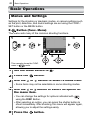
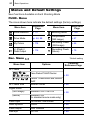
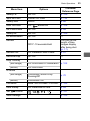
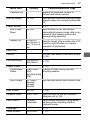
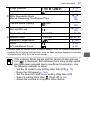
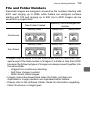
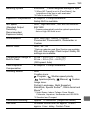
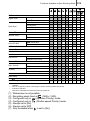
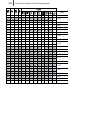
Menu Item
Options
Playback Vol.
Start-up Image
47
Contents/Reference Page
Adjusts the playback volume of
movies and sound memos.
On*/Off
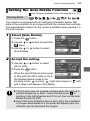
Power Saving
Sets whether or not the Start-up Image
appears when the camera is powered
on.
p. 41
Auto Power
Down
On*/Off
Display Off
10 sec./20
sec./30 sec./1
min.*/2 min./3
min.
Sets whether or not the camera
automatically powers down after a set
period of time elapses without the
camera being operated.
Sets the length of time before the LCD
monitor turns off when no camera
operation is performed.
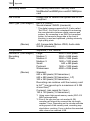
Date/Time
p. 13
Format
You can also select a low level format
(p. 56).
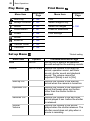
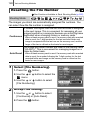
File Numbering
Continuous*/
Auto Reset
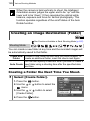
Create Folder
p. 128
p. 126
Create New
Folder
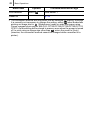
Check mark
Creates a folder during the next
(On)/
shooting session.
No check mark
(Off)
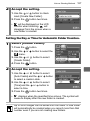
Auto Create
Off*/Daily/
MondaySunday/
Monthly
You can also set an auto creation time.
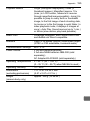
Auto Rotate
On*/Off
p. 125
Distance Units
m/cm* /ft/in
Sets the units for the MF indicator
distance unit (p. 99).
Lens Retract
1 minute* /
0 seconds
Sets the lens retraction timing when
switching from shooting mode to
playback mode.
p. 14
Language
Video System
NTSC/PAL
p. 157